Comprehensive observability starts with quick instrumentation and full visibility into every layer of your stack. This year’s DASH announcements expand Datadog’s coverage from the frontend down to the physical network, with faster instrumentation, deeper digital experience monitoring, broader cloud and infrastructure integrations, and a continued commitment to OpenTelemetry across the platform.
Whether you’re instrumenting Windows hosts in a single step, tracing a request from an end user’s device to a SaaS application, monitoring new clouds like Alibaba, Nebius, and OVHcloud, or running fully vendor-neutral OTel pipelines, these features help you achieve full-stack visibility with less setup and fewer blind spots. Explore everything new in end-to-end observability below, and see our other roundup posts for the latest in AI, scale, and security.
Datadog is the OpenTelemetry-native observability platform
Get OpenTelemetry-native in-app experiences powered by semantic conventions for infrastructure and APM
Datadog now natively resolves OpenTelemetry semantic conventions across its platform. Teams running fully open source, vendor-neutral OTel pipelines get the same curated product experiences—Infrastructure Host List, Kubernetes Explorer, APM service pages, dashboards, and monitors—that previously required Datadog-native instrumentation or Datadog-specific pipeline components. Infrastructure and APM views automatically populate from OTel-native metrics and traces, giving developers and SREs consistent workflows, correlation, and analytics regardless of instrumentation source. To request early access, sign up for the Preview.
OpenTelemetry-native Infrastructure Monitoring
The Infrastructure Host List view now supports OTel natively, enabling customers using Host Metrics Receiver in OTel Collectors to monitor their OTel-based hosts’ health and triage issues. Teams get the same live host inventory, tag-based filtering and grouping, and correlated sidepanel views across metrics, logs, and traces.
Root-cause Kubernetes issues efficiently with OpenTelemetry data
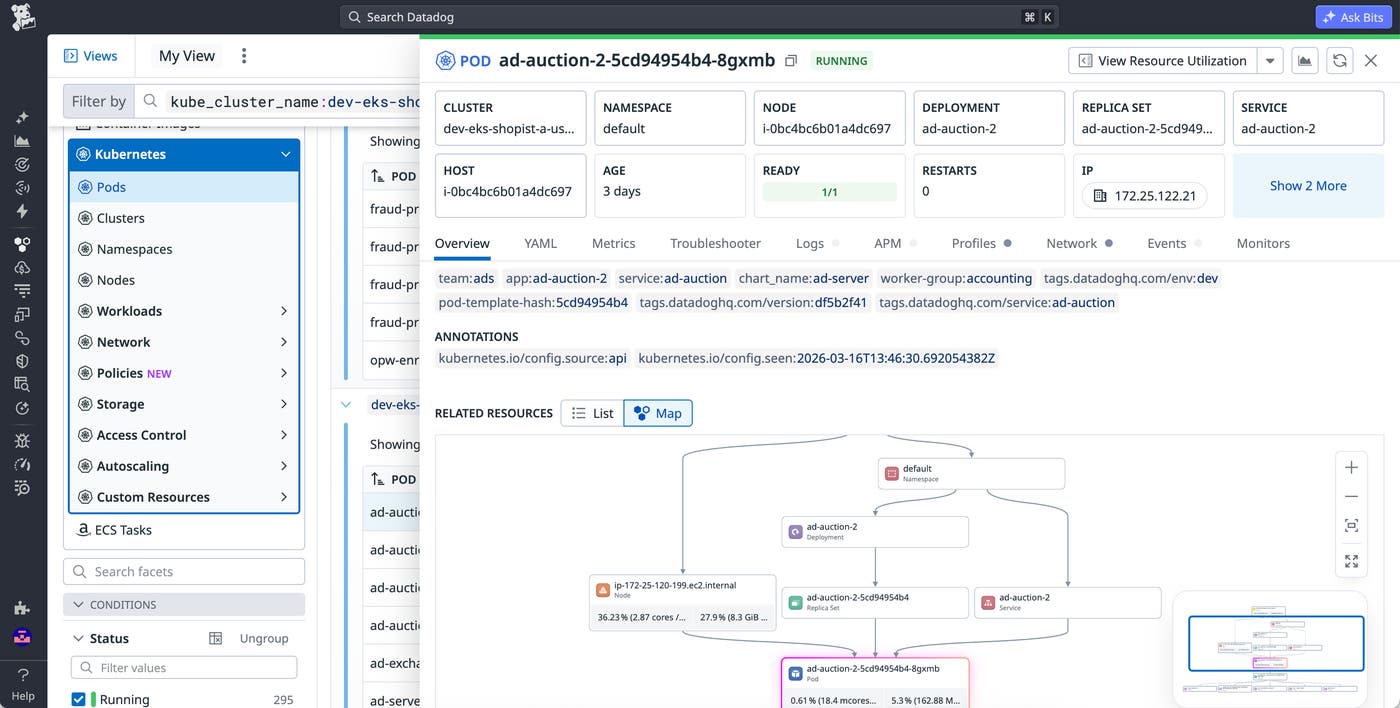
For teams that have standardized on OpenTelemetry, translating telemetry data into vendor-specific formats can lead to fragmented product experiences and misaligned metrics. Native OTel support in the Datadog Kubernetes Explorer automatically translates OTel metrics into Datadog-standard representations, resolving variations in metric units and semantics while preserving their original context. By ingesting your Kubernetes resource manifests and associating them with incoming OTel telemetry data, the Kubernetes Explorer provides a unified, relationship-aware view so you can correlate metrics, logs, and traces with your Kubernetes resources to pinpoint root causes without manual command-line queries. Read our blog post to learn more.
Application Performance Monitoring now natively supports OpenTelemetry RED metrics and semantics
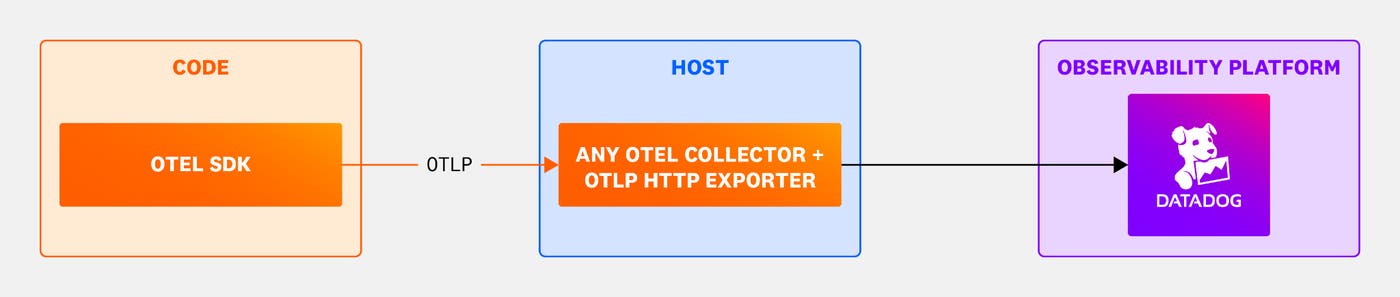
Datadog now natively supports application spans sent using the OpenTelemetry Protocol (OTLP) directly to our platform without the need for a Datadog Exporter in your collection pipeline. OTel-instrumented hosts will now be detected automatically and displayed appropriately in the internal developer portal. Traces from those services now show native OTel semantics without the need for specific OTel namespacing.
Additionally, RED metrics for OTel hosts can now be powered natively using the OTel-standard Span Metrics connector or custom metrics such as HTTP or RPC metrics. OTel data is now considered first-class data, in parity with Datadog semantics and RED metric sources. To request early access to these and other OTel-native features, sign up for the Preview.
Manage DDOT pipeline configurations at scale with Fleet Automation
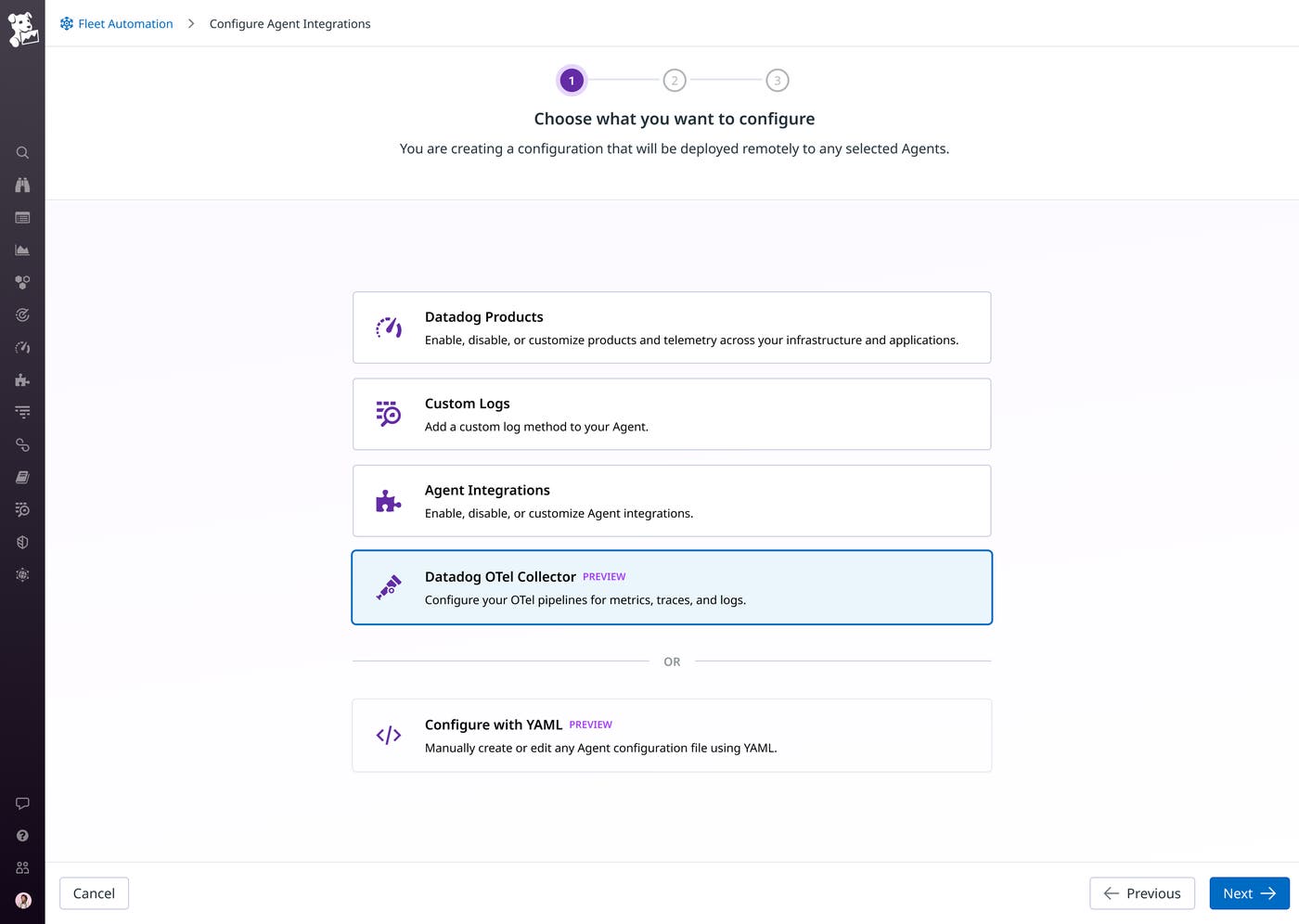
Platform teams can now remotely configure the Datadog Distribution of OpenTelemetry Collector (DDOT) from Fleet Automation, making it easier to manage telemetry pipelines across large DDOT fleets. Instead of relying on Helm, GitOps, or custom scripts for every collector update, teams can edit YAML, apply configuration changes to selected collectors, and review deployment history directly in Datadog. This capability helps teams standardize OpenTelemetry pipeline operations, reduce configuration drift, and roll out changes for filtering, routing, and sampling with greater control.
Sign up for the Preview to manage DDOT configurations from Fleet Automation.
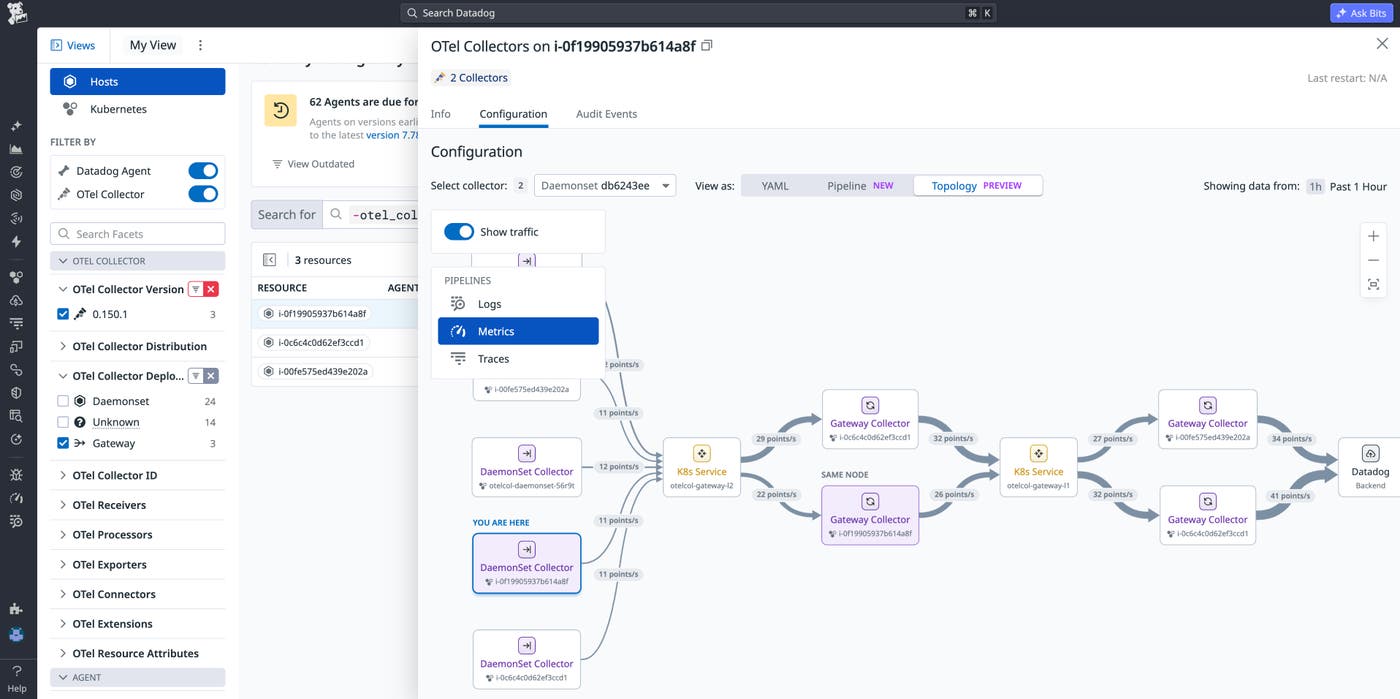
Accelerate OTel gateway resolutions with Topology View in Fleet Automation
OTel gateway deployments are powerful tools for centralized telemetry management, but their complex configurations and often multi-layered architecture make troubleshooting unexpected telemetry behavior a time-consuming, fragmented process. Topology View in Fleet Automation gives platform teams end-to-end visibility into their gateway architectures, insights on abnormal telemetry data traffic patterns like drops, spikes, and uneven load across the pipeline, as well as the ability to pinpoint root causes with monitor context and component-level pipeline views. To get started, follow our documentation or read our blog post.
Get deeper service visibility with less setup
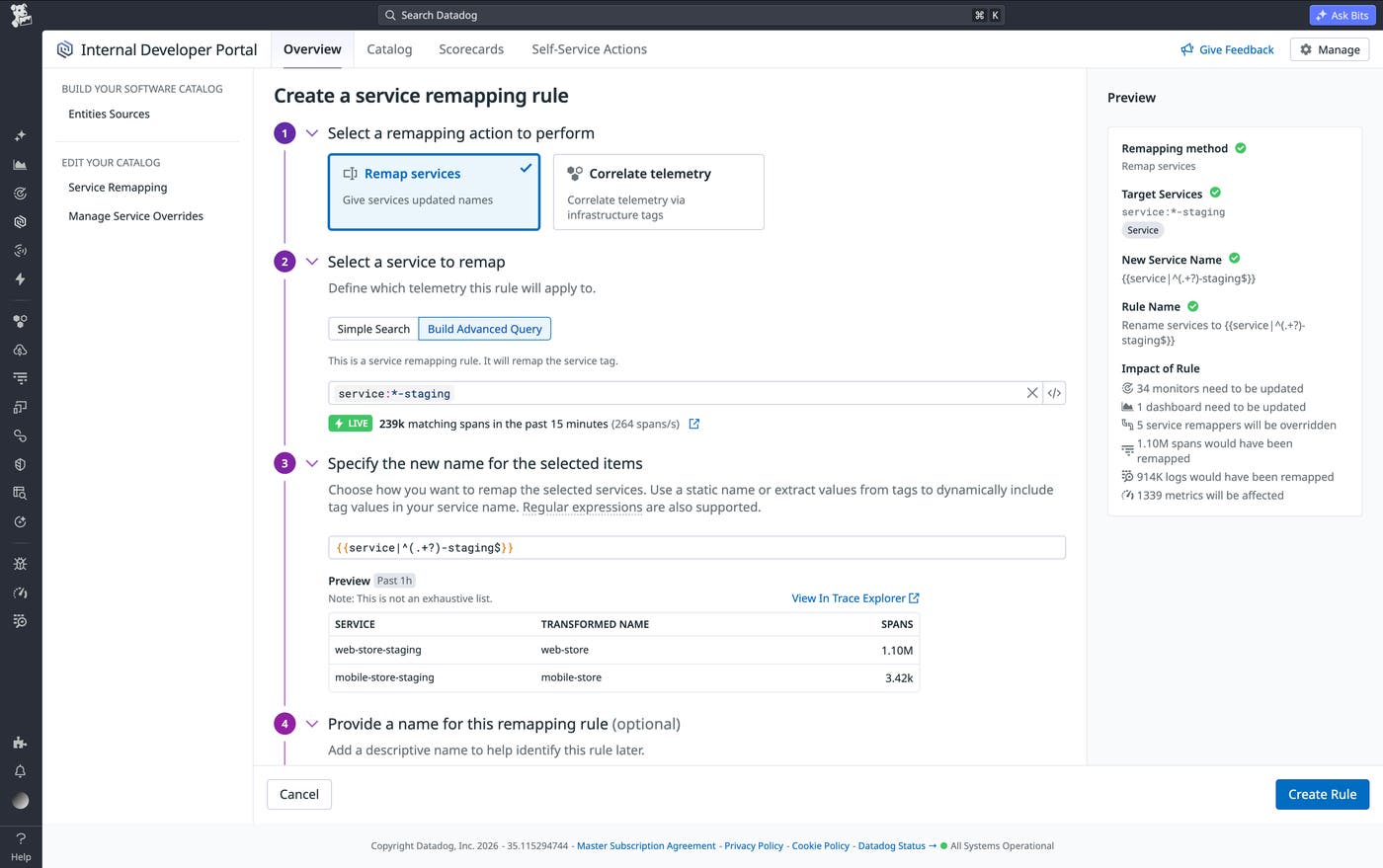
Comprehensively connect your service data with Service Remapping
Service Remapping is now generally available, giving you direct control over how services are named and grouped throughout your Datadog environment without code or configuration changes. Consistent service names are the glue that holds your Datadog telemetry together, enabling you to correlate traces, logs, and metrics from throughout your distributed architecture. Meanwhile, in complex environments, the same workload often carries different names across different telemetry sources. With Service Remapping, you can easily ensure an accurate picture of your system and unify your telemetry by merging redundant service entries, splitting monolithic entries by tag values, and defining new services based on infrastructure tags to resolve naming inconsistencies across products. Impact previews show which monitors and dashboards are affected before any rule takes effect, so you can make changes with confidence. Read our documentation to get started, or learn more in our blog post.
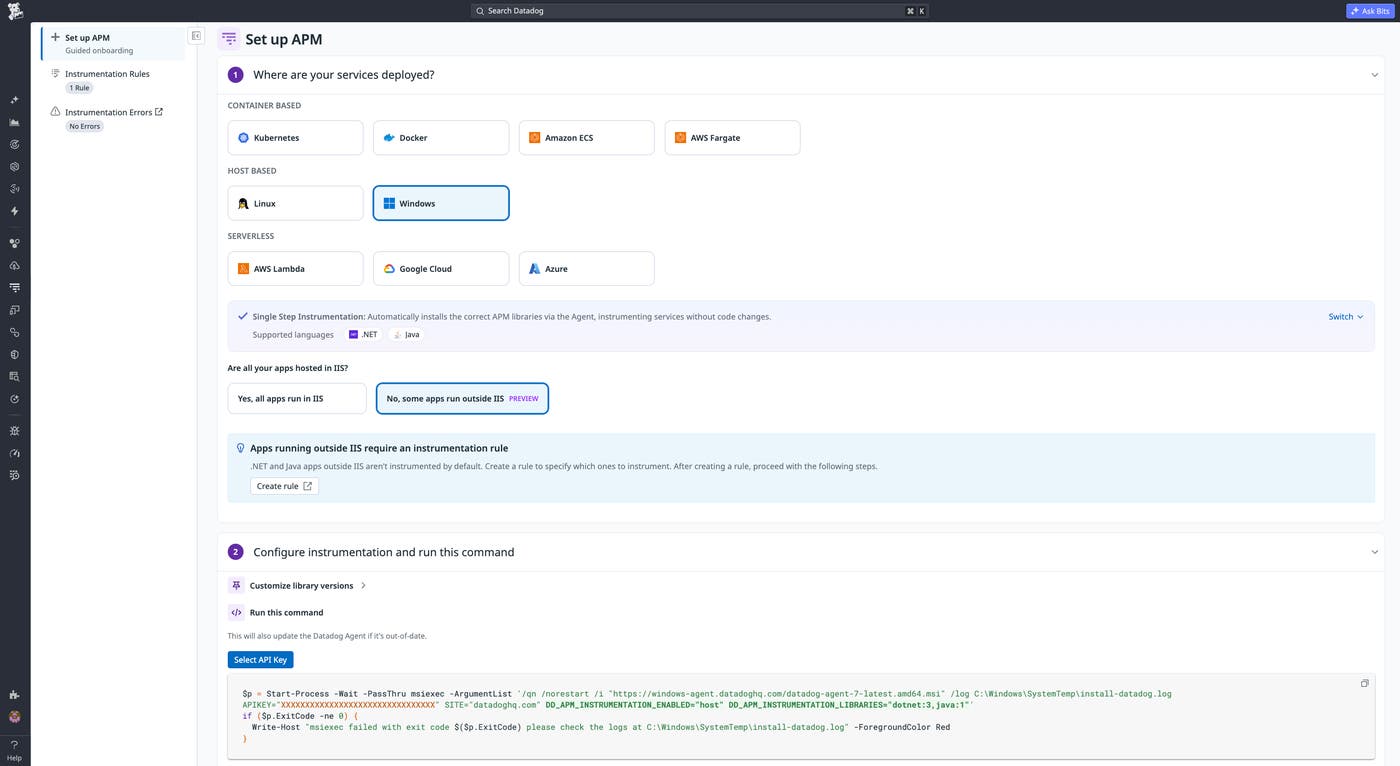
Instrument your Windows hosts in a single step with Datadog APM
Datadog APM offers host-wide Single Step Instrumentation (SSI) for Windows, available in Preview. With SSI, you can instrument Java applications and .NET applications across an entire Windows host with a single Agent installation command, including all Java applications running on the host and all .NET applications running in IIS. You can also define an instrumentation rule that allows you to instrument .NET applications running outside of IIS. You can also use instrumentation rules for granular control over which Java applications on the host or .NET applications in IIS are instrumented. For new hosts, you can set up APM instrumentation via MSI command, or enable SSI on existing Agents directly from Fleet Automation.
To learn more, read our documentation.
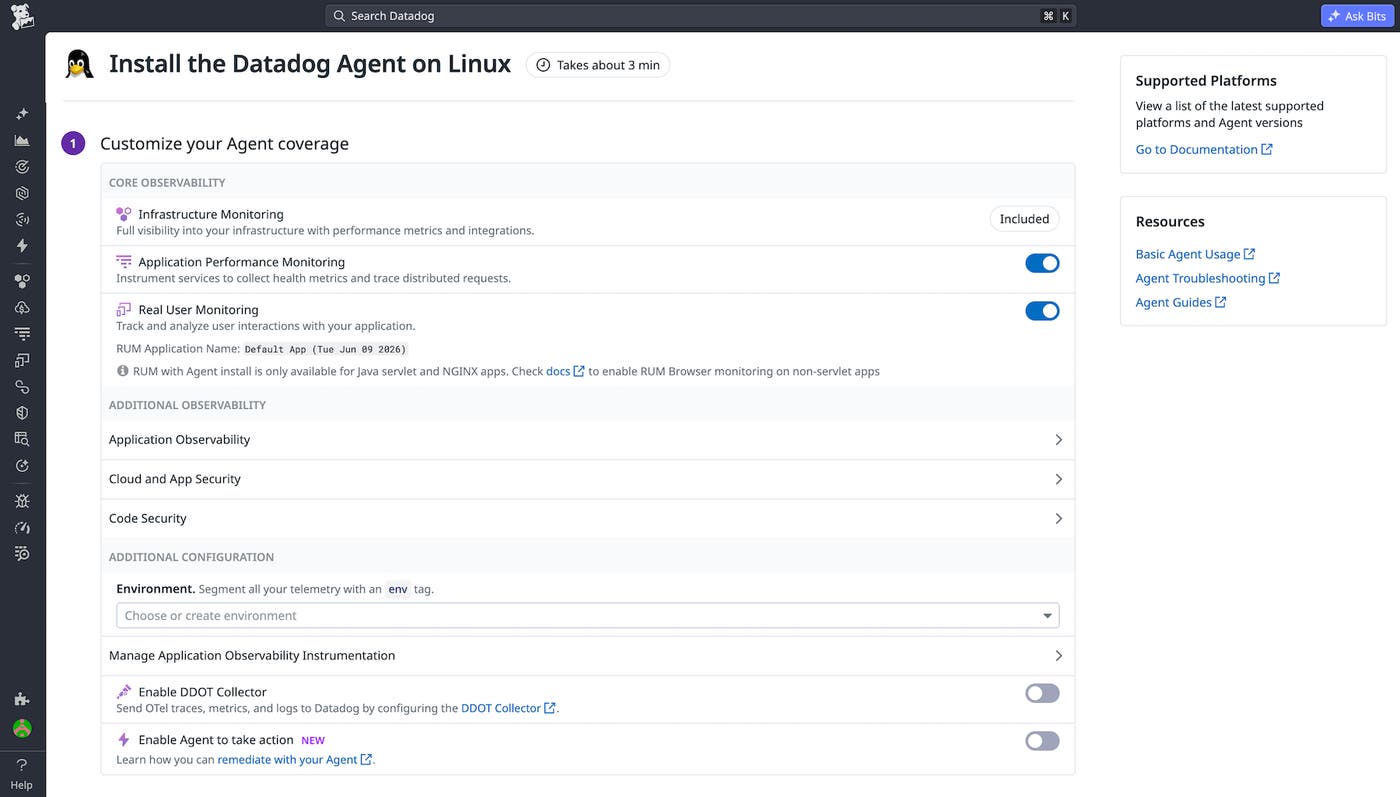
Enable end-to-end visibility into your Java and NGINX applications in one command
Achieving full-stack observability has always required two separate instrumentation efforts: one for backend services and one for the frontend. For DevOps and SRE teams that don’t own frontend code, this involves coordinating with another team just to get RUM set up, delaying the unified view of user experience and service performance that your team actually needs. With single-step instrumentation (SSI) for APM and RUM, you can now enable both frontend and backend monitoring in a single command, with no code changes required. Datadog automatically instruments your application, correlates RUM sessions with backend APM traces, and starts surfacing a complete picture of how your services affect real users from the moment the Agent is installed. SSI now supports Java servlet-based app servers (including Tomcat, Jetty, WildFly, and WebLogic) as well as apps served by NGINX, so you get the same single command path to end-to-end visibility.
To learn more, read our blog post or documentation.
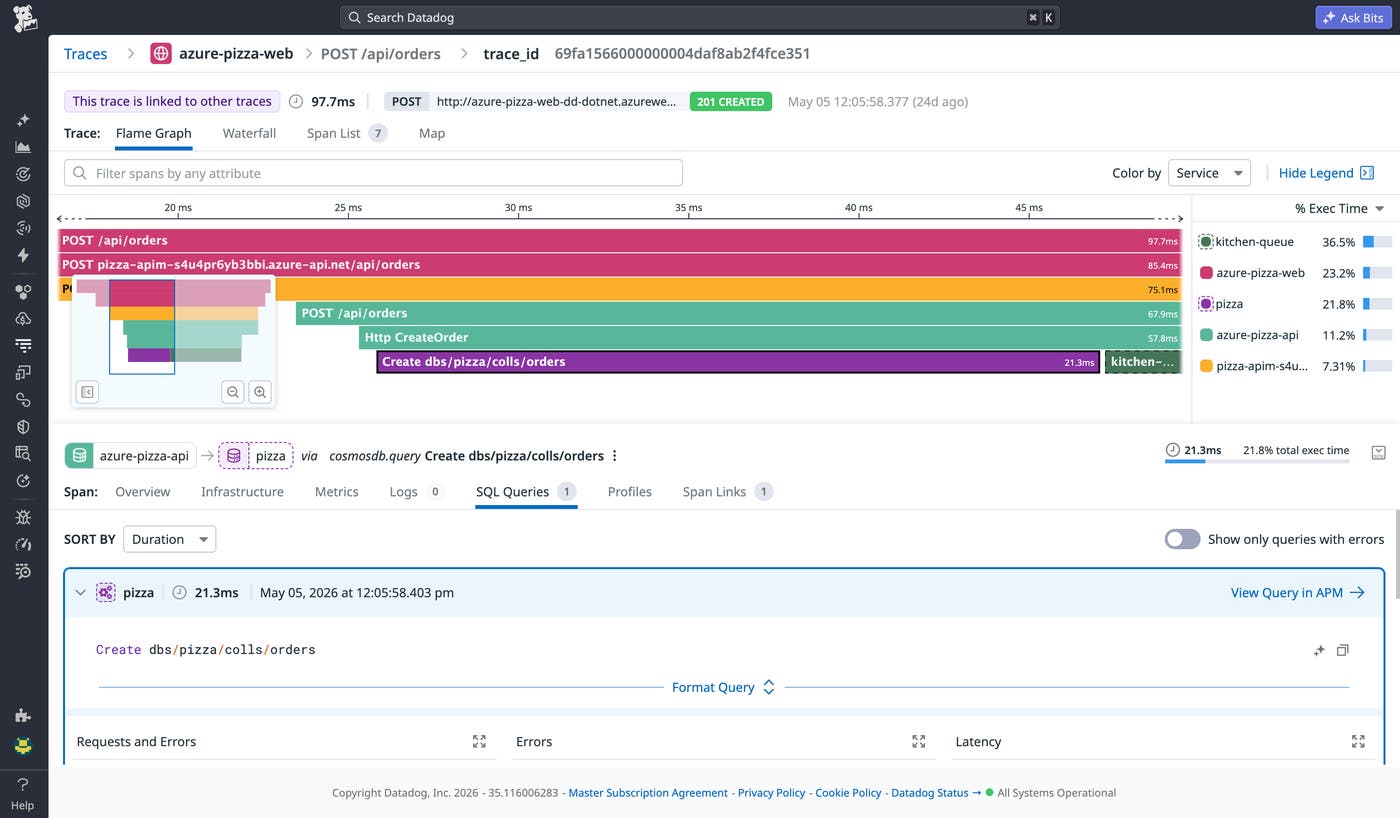
Trace Azure-managed services end to end in your .NET applications
Distributed .NET applications on Azure rely on managed services like Service Bus, Event Hubs, Cosmos DB, and API Management to route requests between systems. When something goes wrong in production, engineers often lose visibility at the boundary between their application code and Azure-managed infrastructure. Datadog now extends distributed tracing to these services for .NET applications, with no code changes required. Teams can follow requests across the full application flow in a single view, with traces staying connected as messages move through queues and event streams, Cosmos DB operations appearing inline with the rest of the request, and API Management spans linking frontend and backend traces together. Learn more in our blog post.
Bring your Azure Application Insights distributed traces into Datadog APM
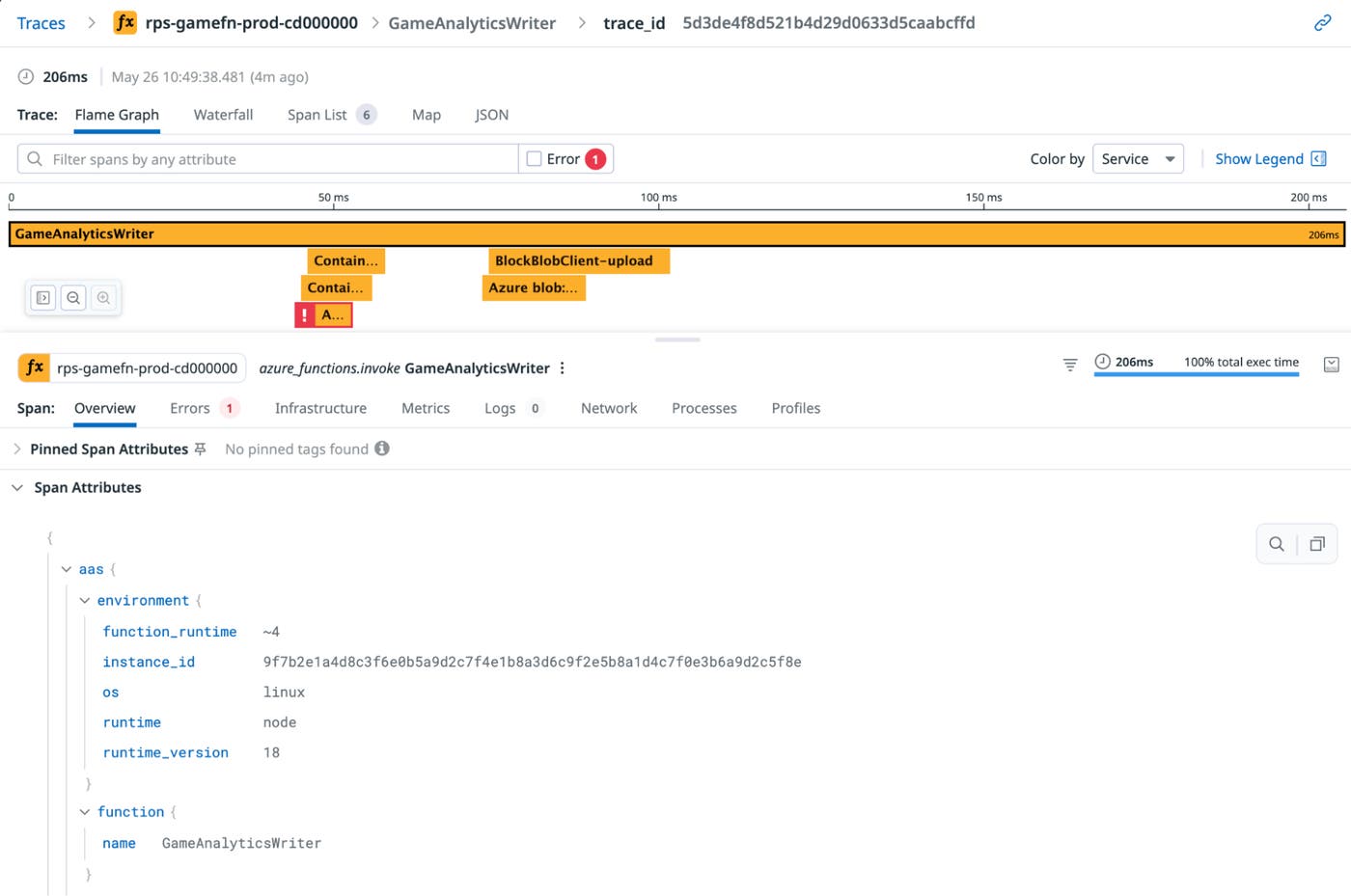
Teams using Azure Application Insights for Azure serverless workloads can now get full Datadog APM visibility without Datadog Agent instrumentation. Datadog automatically converts App Insights logs into APM spans and enriches them with Azure resource metadata, so Azure Functions, API Management, Cosmos DB, Azure Blob Storage, and Azure SQL DB spans appear in the same Trace Explorer, flame graphs, and Software Catalog as the rest of your stack. No additional setup is required as long as Azure logs are already flowing into Datadog via the Azure integration. In mixed environments where some services use App Insights and others use Datadog APM, traces from both can be correlated in a single view. The Azure Application Insights integration is currently in Preview. The Azure Application Insights Integration is currently in Preview.
Visualize all of your services without instrumentation using Datadog Service Discovery
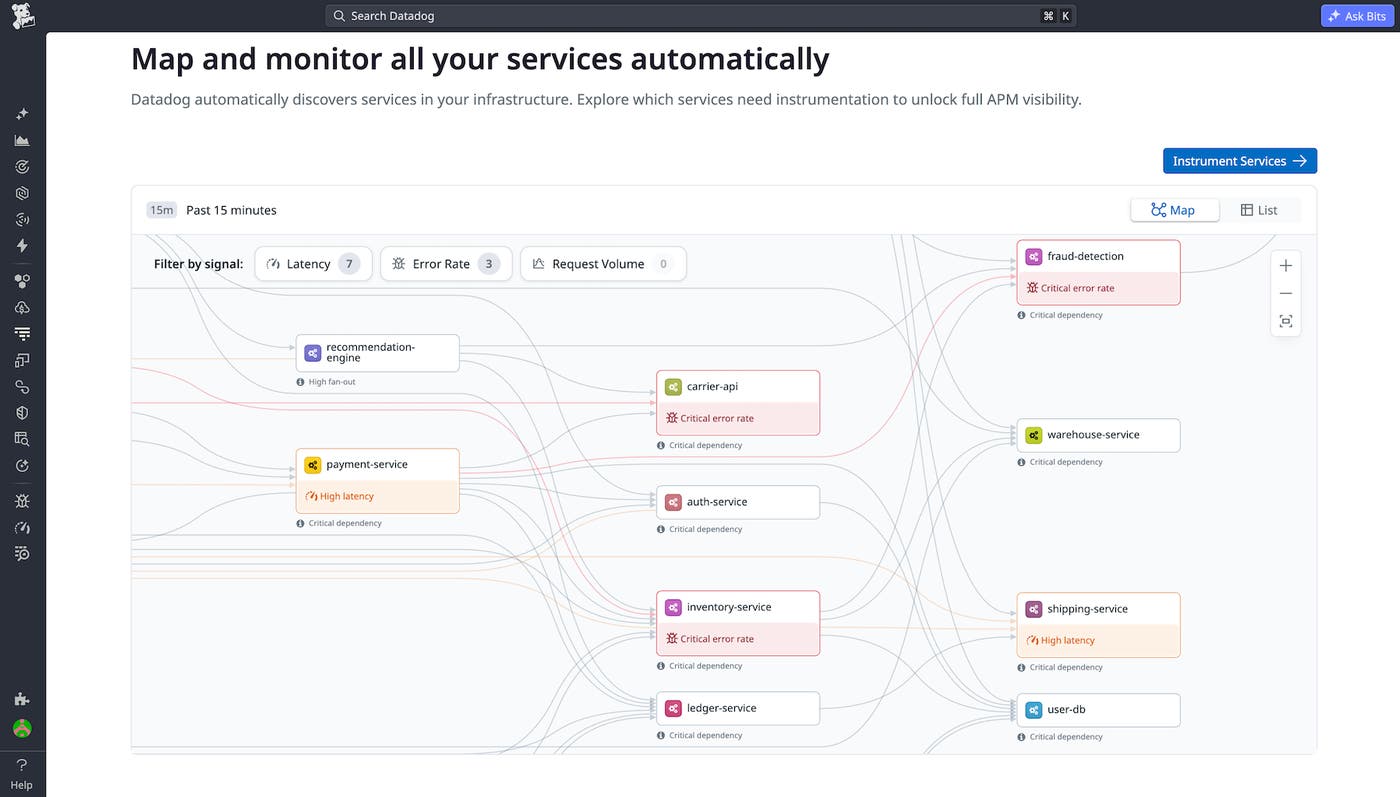
Not sure what your environment looks like at the application layer, or whether you’re getting the most out of your observability setup? Datadog Service Discovery gives you an instant preview of every service running across your hosts and how they connect. Service Discovery generates a visual map of your application stack that requires no instrumentation. This helps you understand the full scope of what could be monitored with APM, including information like which services exist, how they depend on each other, and which services are critical and should be monitored. Service Discovery is a starting point for building a more complete observability strategy. To get started with Service Discovery, sign up for the Preview.
Investigate trace behavior at scale with Trace Patterns
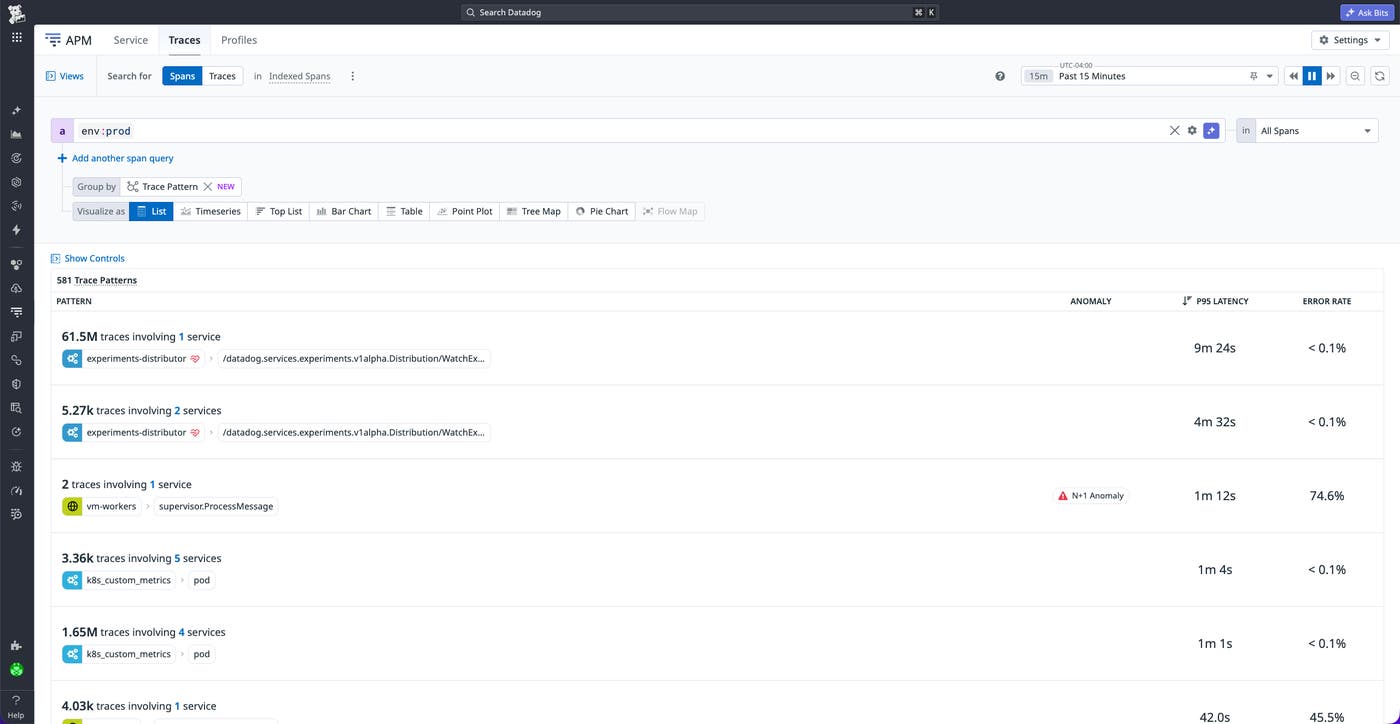
Investigating one trace at a time does not scale. Trace Patterns groups traces with similar structure and attributes into recurring patterns, ranked by request volume, error rate, and latency, so you can analyze behaviors across requests at a glance. Open any pattern to inspect representative traces, outliers on errors or latency, and how it changes over time. Learn more in the Trace Patterns documentation, or sign up for the Preview to get started.
Track performance across every user journey
Monitor the technical performance of critical steps in your user journeys with RUM Operations
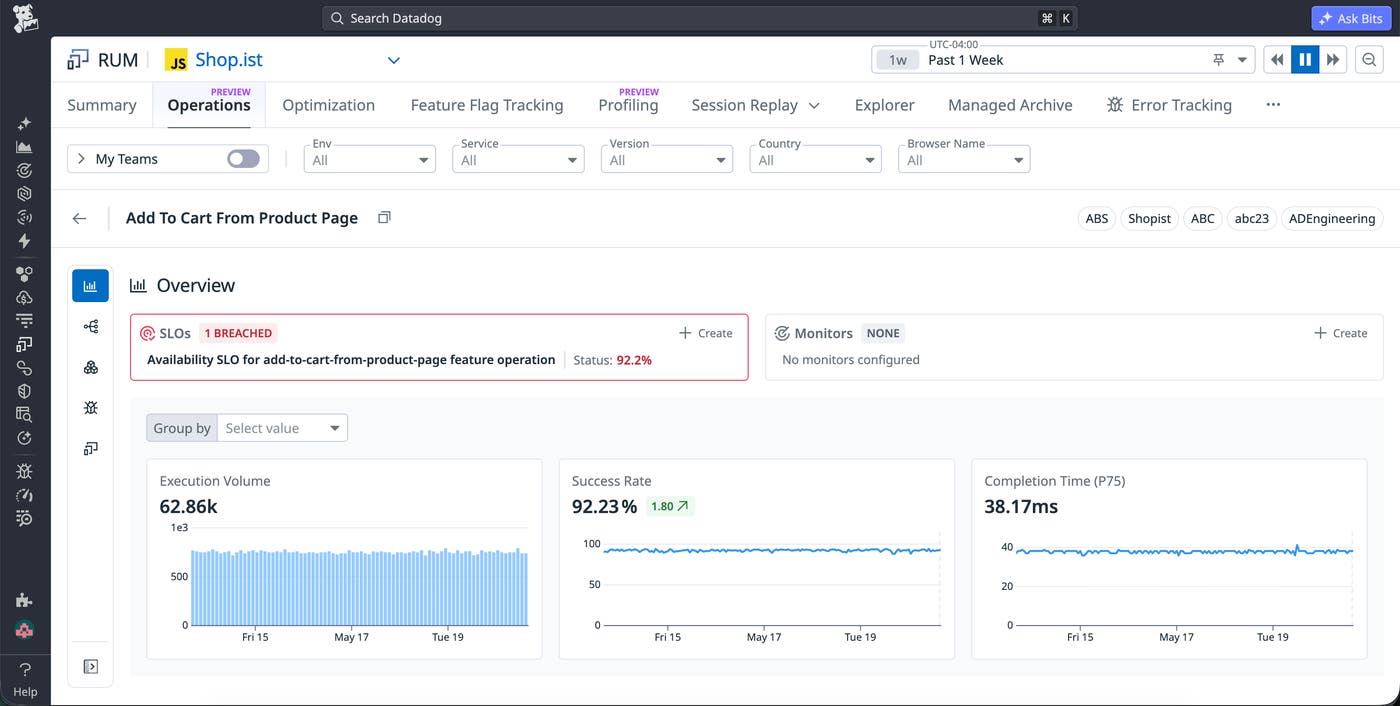
Every user journey in your applications, such as checkout, login, or search, includes critical steps that make the experience work. These steps are monitored through RUM Operations to help ensure your journeys are always available. For example, the checkout journey may include operations steps such as entering payment details, saving a payment method, and completing a purchase.
Once a RUM Operation is defined, Datadog calculates metrics over your application’s full traffic to measure the operation’s volume, conversion rate, and latency. These metrics can be plugged into monitors, SLOs, and dashboards, and Operations also appear as RUM events within RUM sessions for deeper investigation. Learn more in our Operations Monitoring documentation, or sign up for the Preview to get started.
Bring observability into every release with Feature Flags and Experiments
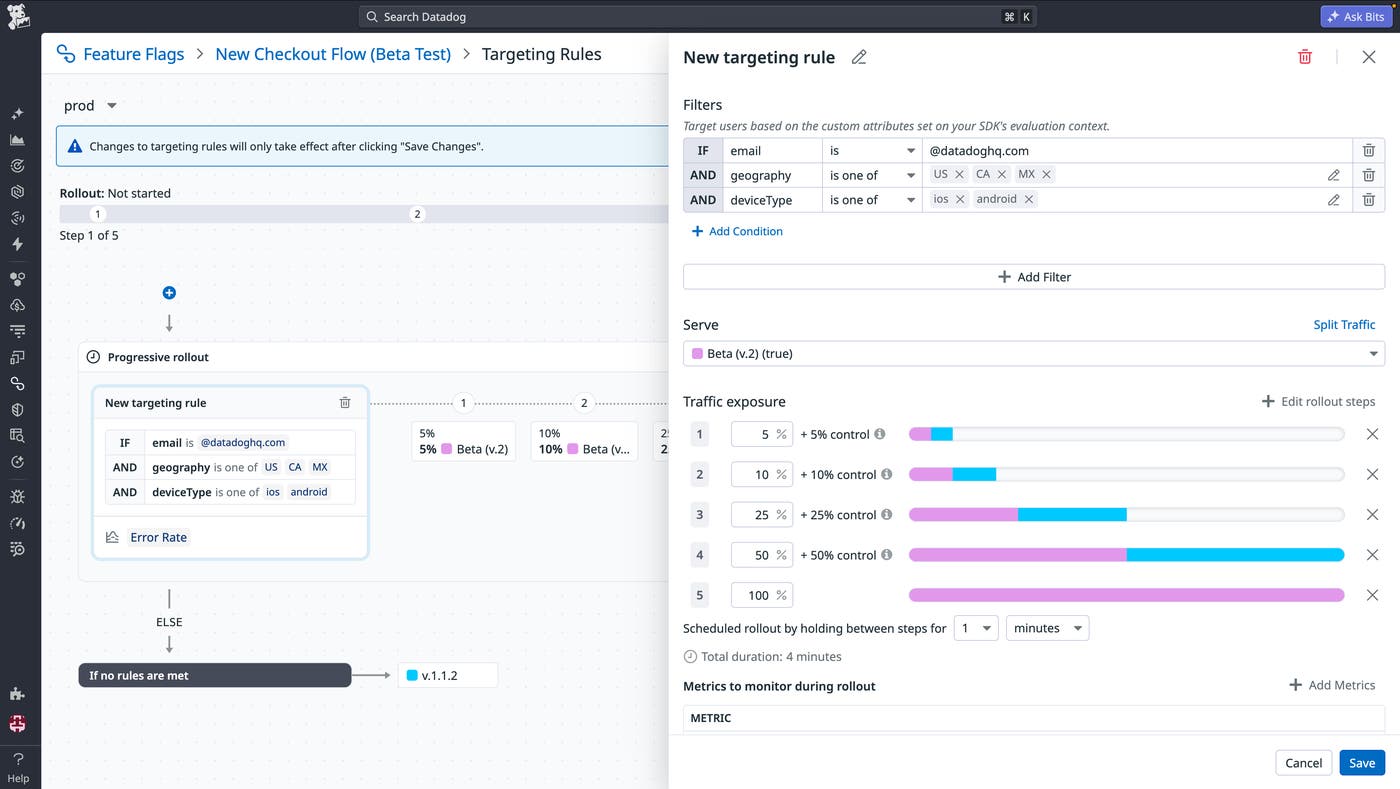
Datadog Feature Flags and Experiments are both now generally available, and plug directly into the telemetry data you already collect with Datadog: APM traces, RUM sessions, logs, and infrastructure metrics. With Feature Flags, engineering teams can ship features through observability-driven canary rollouts, trace any incident back to the exact flag change that caused it, and let Bits AI clear stale flags before they pile up as tech debt.
Experiments uses that same telemetry data to make every release measurable, so teams can run rigorous A/B tests and see how each variant affects user behavior, application performance, and business metrics in one view, with no batch pipelines or stitched-together dashboards. And as AI agents take on more development work, Experiments lets teams safely test every change they ship, keeping reliability and key metrics in check even as cycles speed up. Together, they connect product insight, controlled testing, and safe production rollout in one workflow. Learn more in our blog post.
See system health at a glance with the new Synthetics experience
Stop being the last to know when your core journeys break. The Datadog Synthetic Monitoring landing page provides a unified view of application health, replacing crowded test lists with actionable insights. Use the Availability Overview map to visualize your highest-traffic routes and identify coverage gaps. Additionally, you can use the System Signals view to ensure that you catch issues across your stack before they impact users. From tracking SLIs to automating maintenance for “noisy” tests, this is your new daily routing mechanism for production peace of mind. Sign up for the Preview to get early access to the new Synthetics landing page. To learn more, you can check out our blog post on the landing page and read the Synthetic Monitoring documentation.
Troubleshoot frontend performance with Datadog’s Browser Profiler
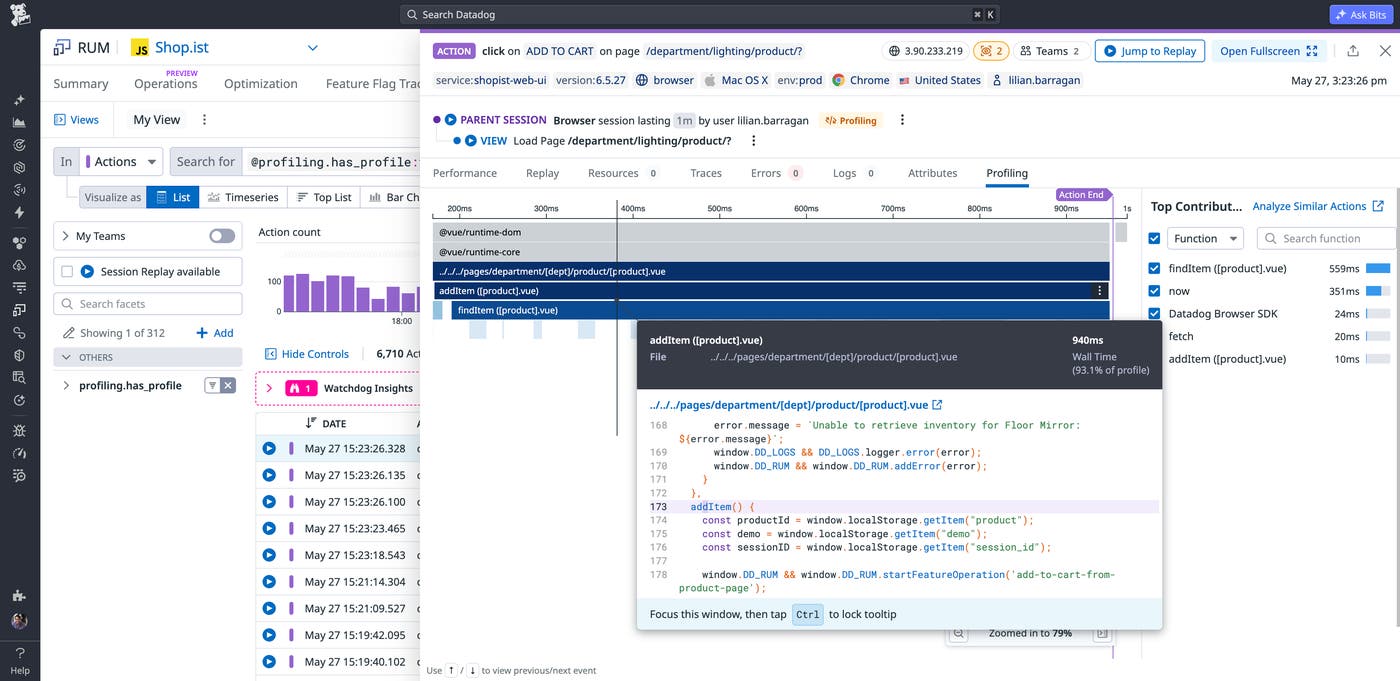
Frontend performance issues are easy to detect but difficult to diagnose. A degraded INP score or recurring long tasks tell you users are experiencing slowdowns, but not which JavaScript function is responsible. Datadog’s Browser Profiler, now in public preview, connects method stack frames from real user sessions directly to the RUM workflows engineers already use. Teams can investigate slow interactions in individual sessions, identify recurring bottlenecks across thousands of sessions, and compare profiling snapshots before and after a deployment to confirm a fix worked in production. Learn more in our blog post.
Optimize the speed of your mobile application launches with Mobile Profiling
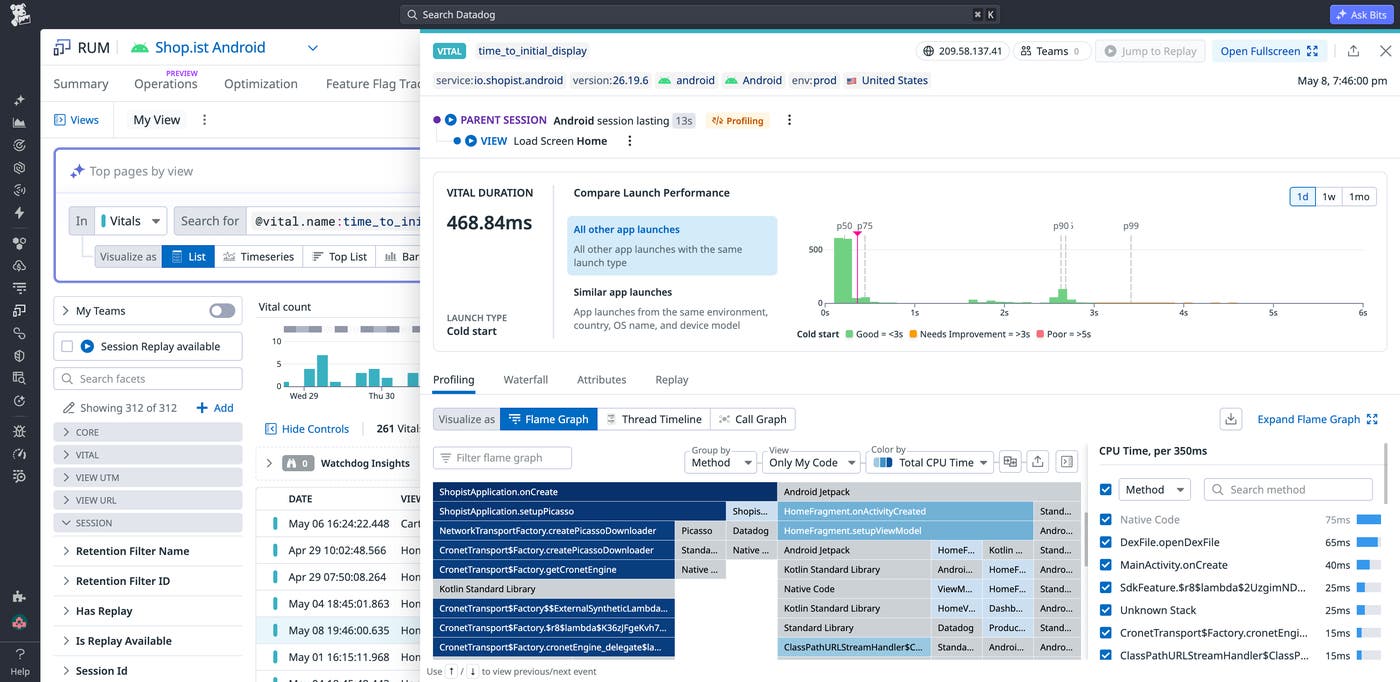
Capture detailed data about your mobile application’s performance during launch. Using Mobile Profiling, you can identify slow methods and optimize startup time for your application’s time to initial display (TTID). The mobile profiler collects method call stacks from the application’s process, which can be queried and analyzed in the RUM Sessions Explorer. Mobile Profiling is available in Preview for iOS and Android.
Monitor the reliability of every critical test suite in one place
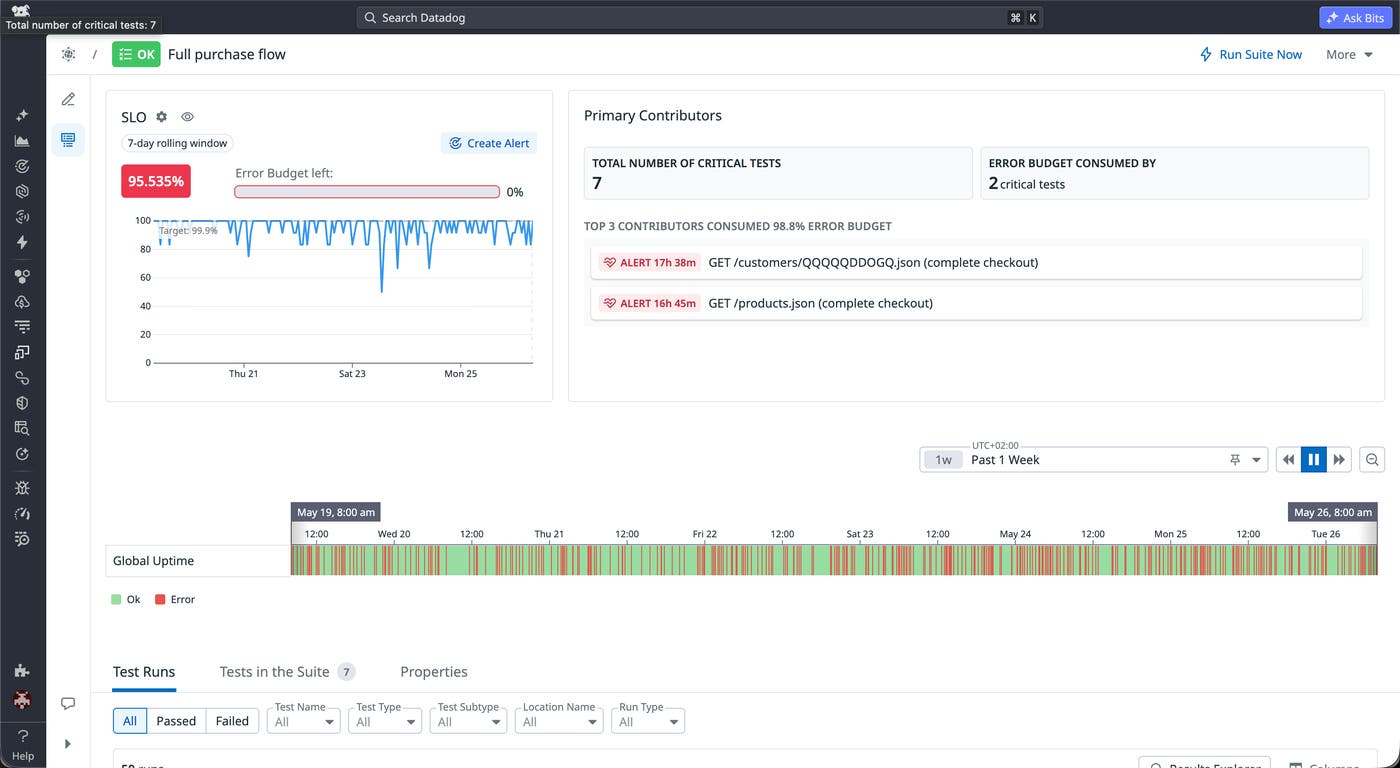
Without a clear reliability signal at the suite level, teams are forced to investigate individual test failures one by one, making it difficult to understand whether issues are isolated noise or symptoms of broader system degradation. Datadog automatically generated SLOs for Test Suites bridges that gap by transforming grouped Synthetic tests into a unified reliability view. This helps teams quickly assess system health, track error budget consumption, and prioritize investigations where they matter most.
With no setup required, Datadog automatically creates SLOs for every test suite, providing a default 7-day rolling reliability KPI with a 99.9% target. Teams can immediately understand whether reliability is trending in the wrong direction, alert on meaningful degradation instead of transient failures, and identify which tests are contributing most to downtime through a built-in contributors view. By surfacing the tests driving error budget consumption, Test Suite SLOs help SREs, platform engineers, and QA teams move from fragmented troubleshooting to faster, more focused root cause analysis. For more information, see Service Level Objectives for test suites.
Detect and resolve network issues at every step
Diagnose fleet-wide endpoint issues automatically with Datadog
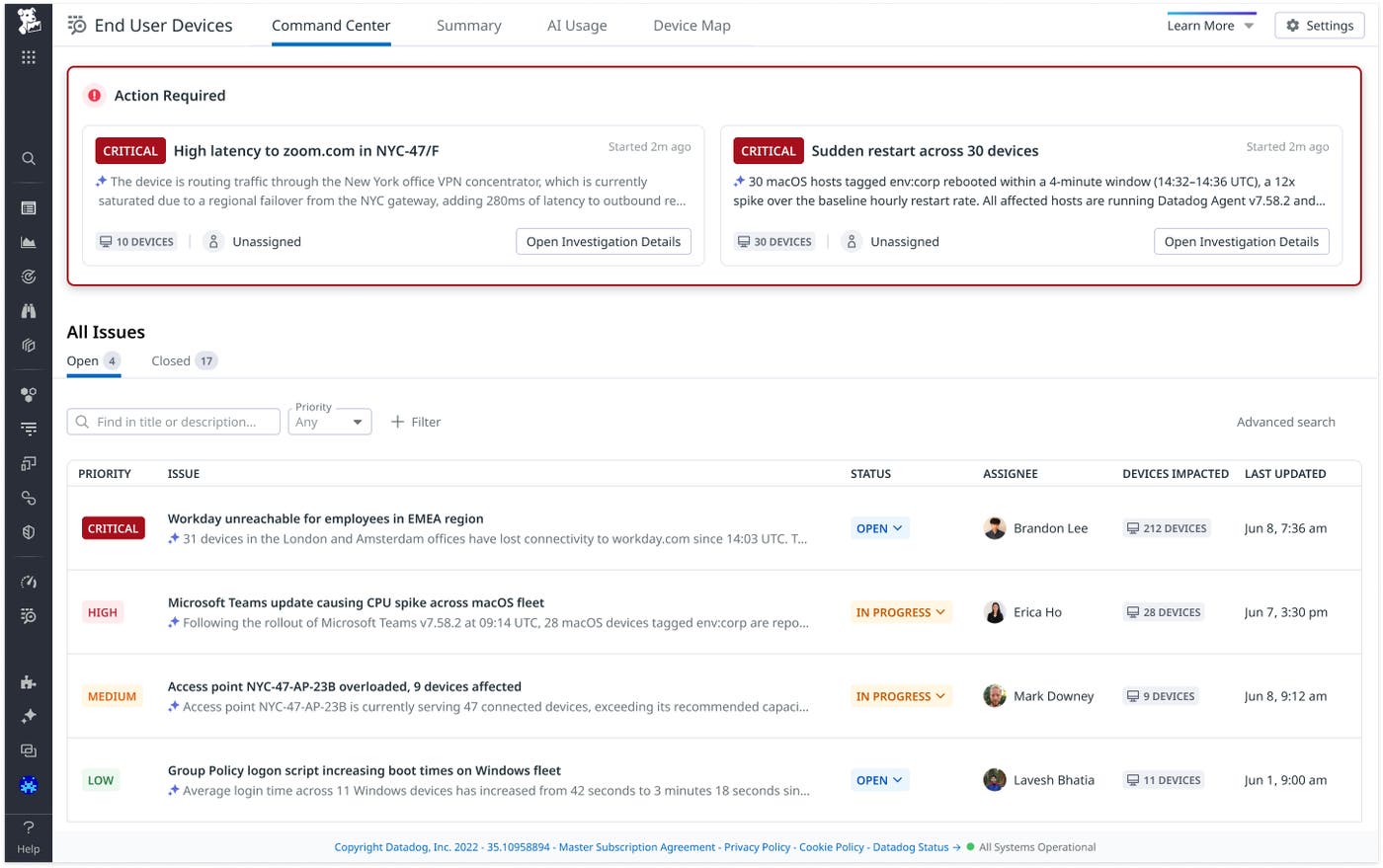
The new Command Center feature in Datadog End User Device Monitoring automatically detects and investigates fleet-wide endpoint problems using Bits AI SRE. Each issue card surfaces the root cause, affected device count, and full investigation trail. Command Center launches with coverage for nine high-frequency scenarios across network and SaaS performance, device and application health, and AI tool usage and visibility. Because Command Center is built on top of Case Management, admins can update status, assignee, and linked Jira tickets without ever leaving the page. To get started, join the End User Device Monitoring Preview or read the documentation.
Trace network paths from an end user device to a SaaS application
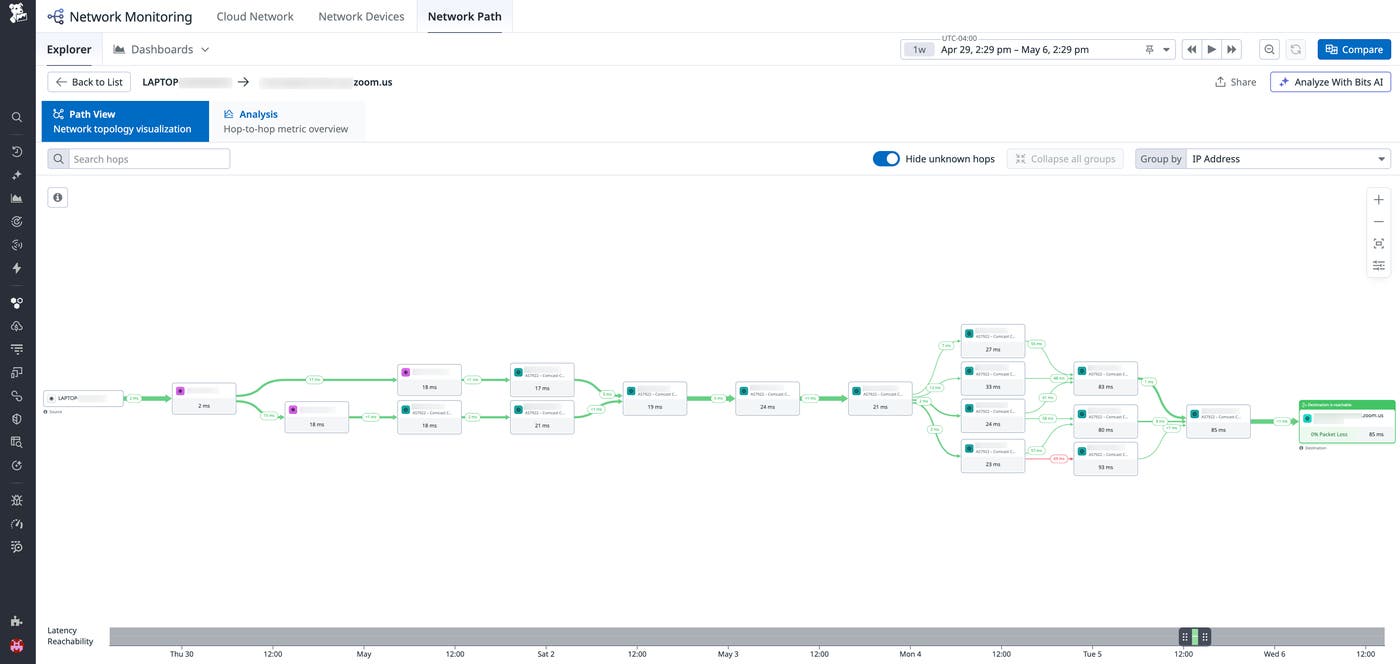
When users report slow applications or degraded call quality, you can’t often tell where the problem originates. Switching between separate tools to correlate device, network, and application signals makes root cause analysis slow and imprecise. By combining Datadog End User Device Monitoring with Network Path, you can now trace the full network path from a user’s device to a SaaS application, visualizing per-hop latency and packet loss across every layer. You can compare paths across devices and time periods to identify trends that may be affecting the wider fleet. To get started, join the End User Device Monitoring Preview or read the blog post.
Network Device Monitoring adds integrations for Meraki, Fortinet, VeloCloud, Aruba, and Juniper Mist
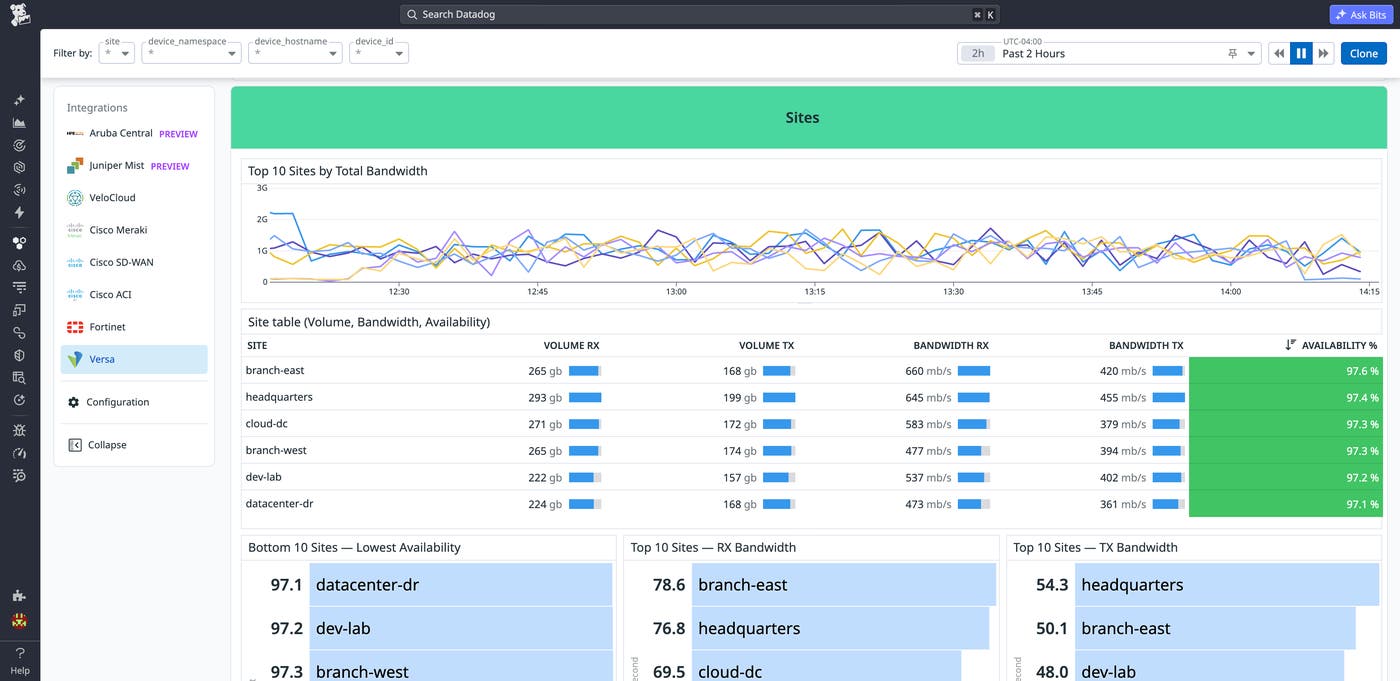
Datadog Network Device Monitoring now covers Cisco Meraki, Fortinet FortiManager, VMware VeloCloud SD-WAN, Aruba Central, and Juniper Mist, five of the leading platforms running modern enterprise networks. This enables you to collect link quality, device health, and traffic breakdowns across cloud-managed wireless, SD-WAN, and AI-driven networking in one place. Meraki security event logs also flow into Datadog Cloud SIEM, so you can investigate threat activity and performance issues side by side. The result is vendor-agnostic visibility from edge to core, whether your fleet is single-vendor today or mid-migration to multi-vendor next quarter. Learn more about Network Device Monitoring.
Monitor cloud-managed wireless infrastructure with Aruba Central and Juniper Mist integrations
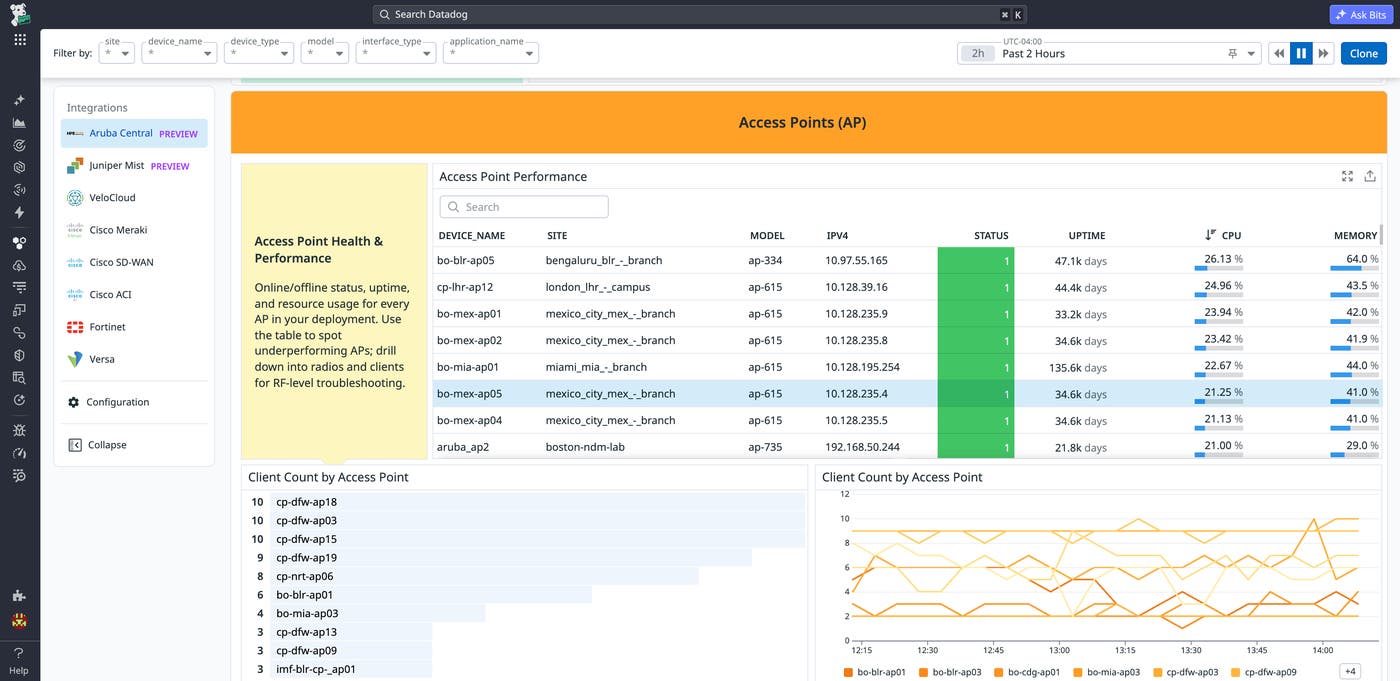
Datadog’s Aruba Central and Juniper Mist integrations are now generally available, bringing cloud-managed wireless and wired network infrastructure into Network Device Monitoring. Teams can monitor device health, client experience, Wi-Fi quality metrics, and network throughput across Aruba- and Mist-managed access points, switches, and gateways, all through API-based collection. Because these integrations feed into the broader Datadog platform, network engineers can correlate wireless performance degradation with application latency, infrastructure metrics, and logs to determine whether connectivity issues originate in the network layer or elsewhere in the stack. Learn more about the Juniper Mist integration and the Aruba Central integration, or explore Network Device Monitoring to get started.
Monitor AI infrastructure and modern cloud platforms
Monitor Databricks SQL warehouses with Data Observability
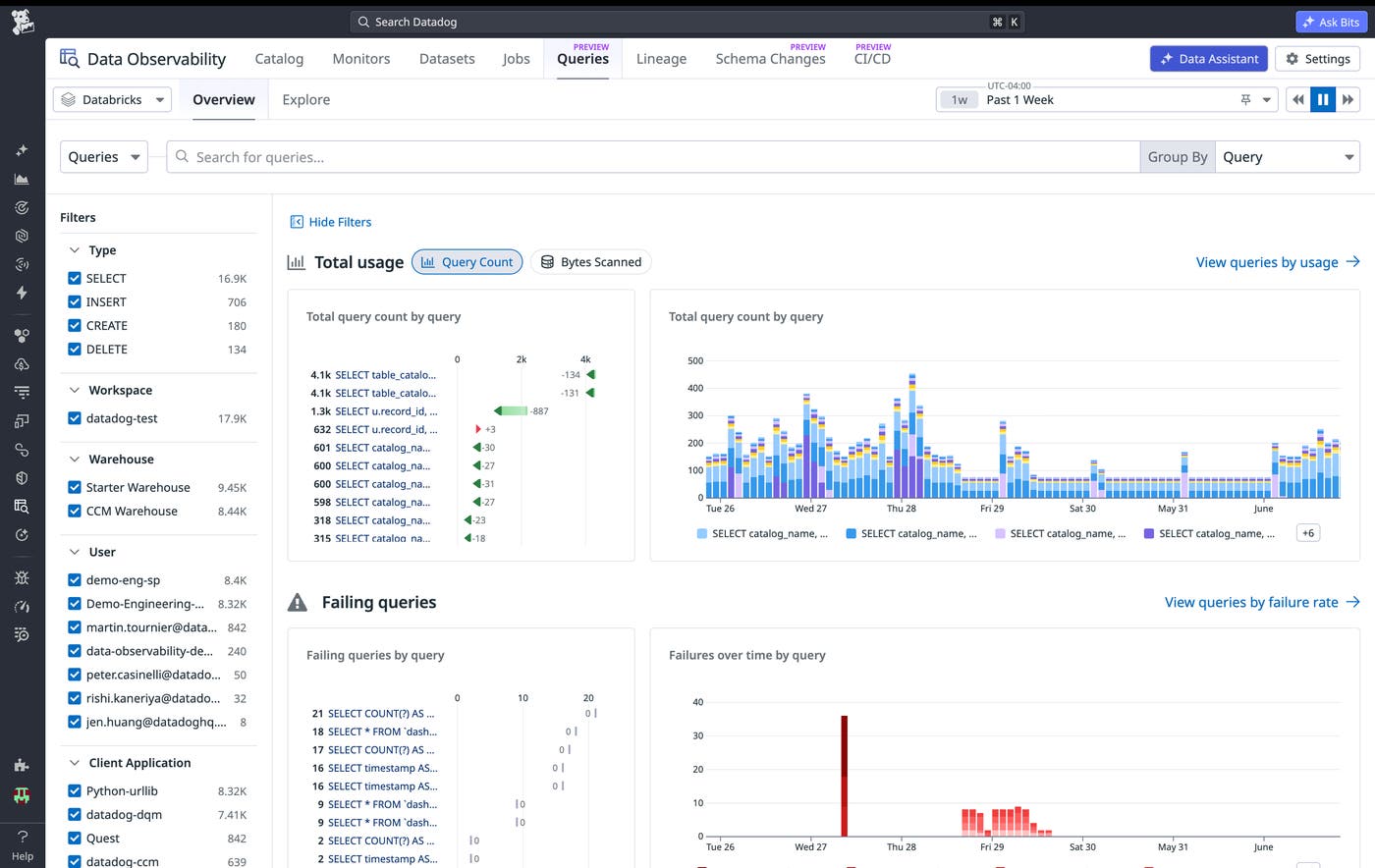
You can now use Datadog Data Observability to get visibility into your Databricks SQL warehouses. With Data Observability’s Databricks SQL warehouse monitoring, now in public preview, you can detect failed and long-running Databricks queries across workspaces in near real-time, reducing time to identify and fix broken analytics workloads or catch overly expensive queries. You can also monitor usage and queued queries across your SQL Warehouse to determine if cluster configuration changes are needed to ensure critical queries run on-time. To get started, follow the Data Observability for Databricks setup documentation.
Monitor Nebius AI Cloud workloads with Datadog
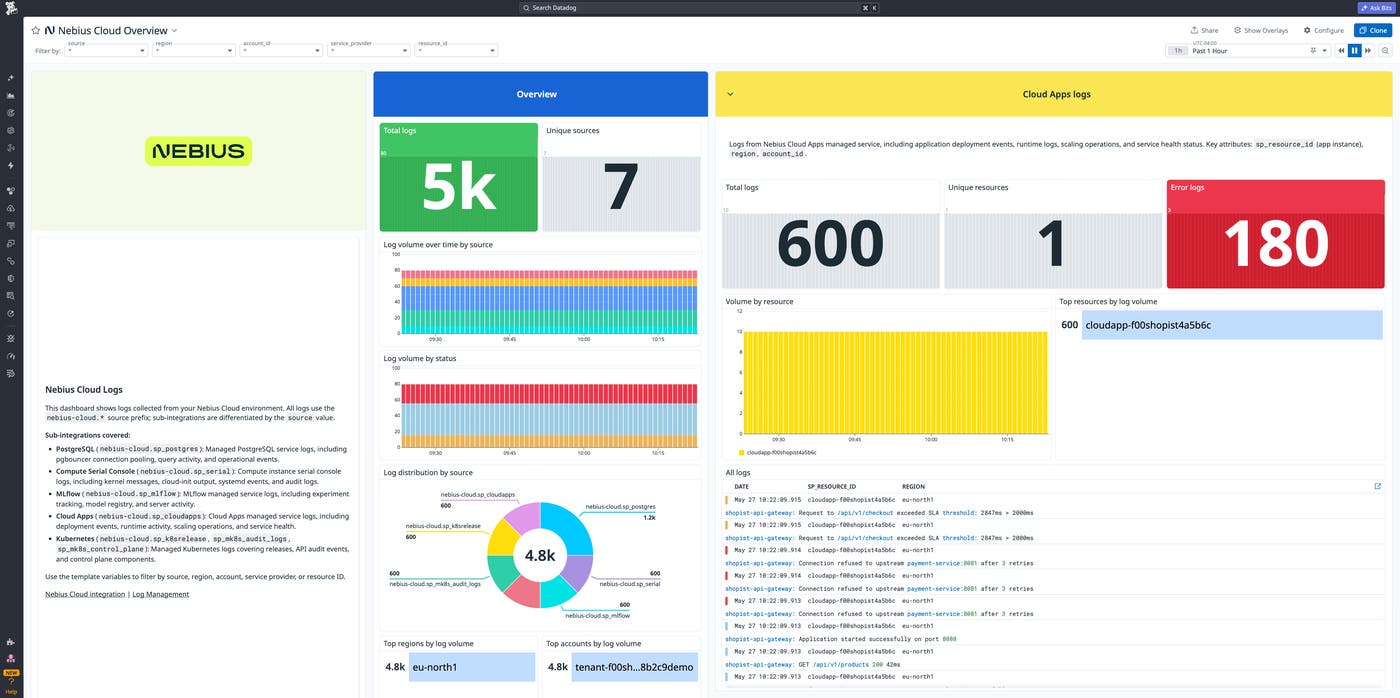
ML and platform teams use Nebius AI Cloud to train and deploy AI models, with GPU compute, training jobs, inference services, and LLM application telemetry data spread across disconnected tools. The Datadog integration for Nebius AI Cloud brings VM serial output, Managed Kubernetes, MLflow, PostgreSQL, and AI endpoint logs into Datadog Log Management, deploys the Datadog Agent on Nebius compute for infrastructure metrics and APM, monitors GPU utilization and thermals with Datadog GPU Monitoring, and traces agent workflows and token usage with Datadog Agent Observability. An out-of-the-box dashboard and prebuilt monitors cover common AI workload failure modes, from MLflow experiment errors to PostgreSQL connection failures. Read our documentation to get started or check out our blog post.
Monitor Google Cloud Run Jobs end-to-end with Datadog Serverless Monitoring
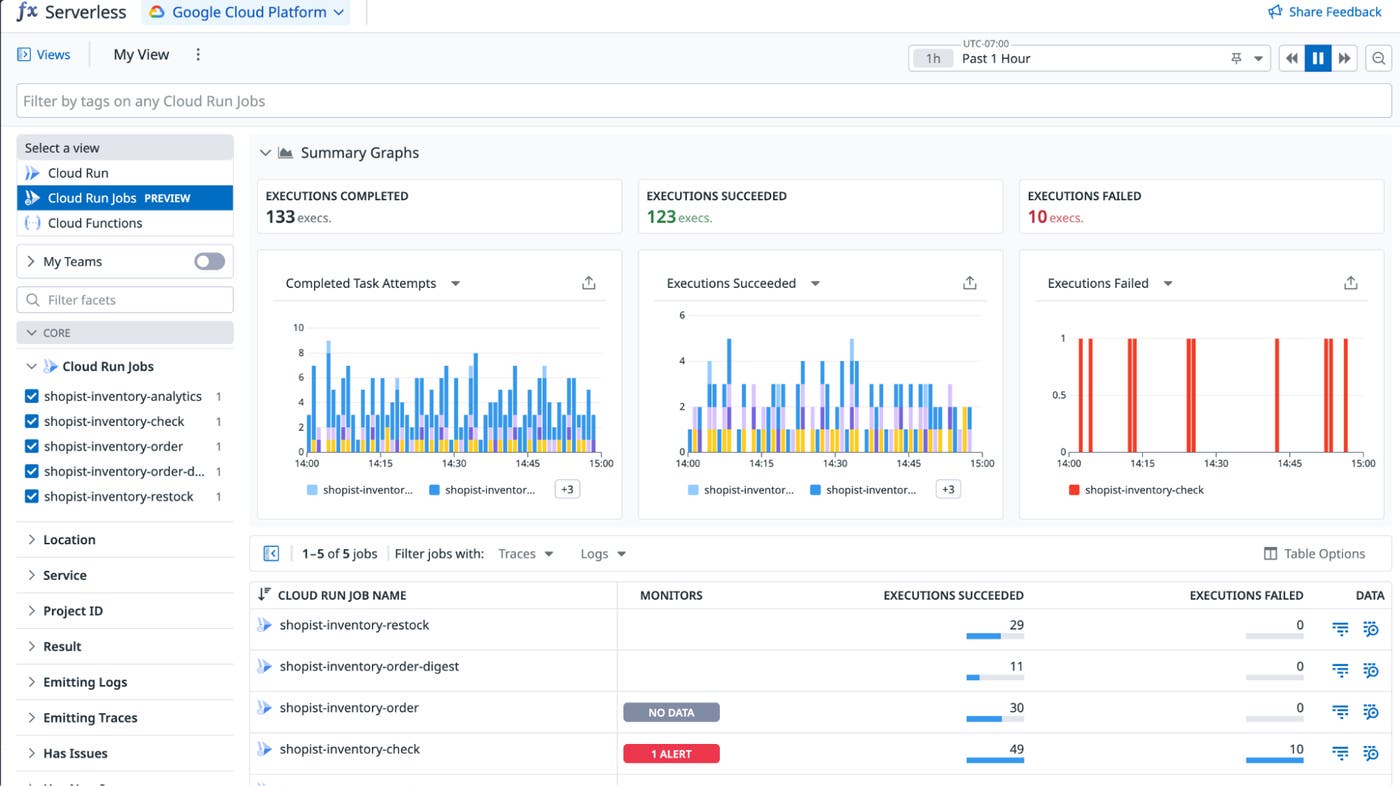
Cloud Run Jobs handle workloads like batch data pipelines, ML preprocessing, and nightly reports, but without deep observability, a failed or slow job means manually scraping Cloud Logging to understand what went wrong and where. Datadog Serverless Monitoring for Cloud Run Jobs brings full APM tracing, metrics, and log collection to your job executions, with support across Python, Node.js, Go, Java, .NET, Ruby, and PHP. Every job execution is traced end-to-end and correlated with the infrastructure and services your job depends on, so you can see exactly which step ran long, where errors occurred, and how performance compares across executions. Serverless Monitoring for Cloud Run Jobs is currently in Preview and will reach general availability soon. To get started, request access or read our documentation.
Monitor Vercel functions with Datadog Serverless Monitoring
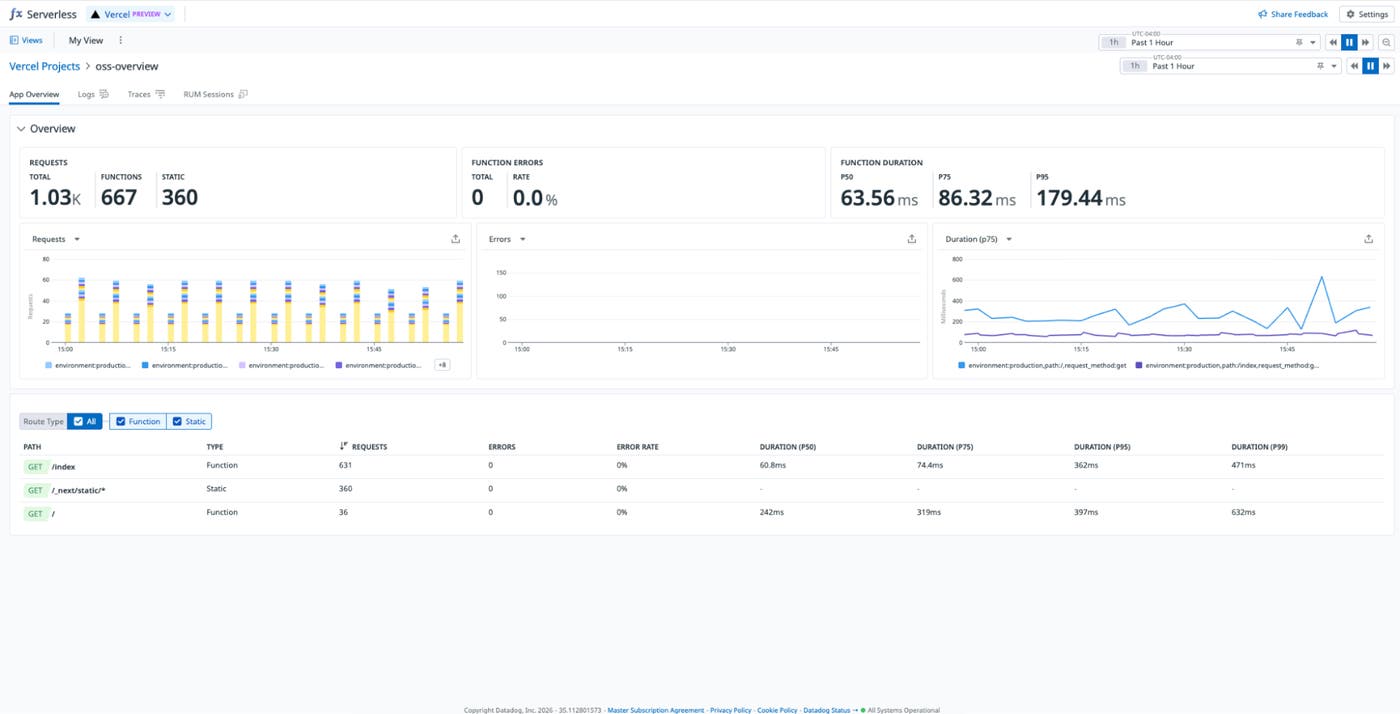
Teams using Vercel can now get complete visibility into their functions by sending OpenTelemetry logs and traces directly to Datadog via the Vercel Drains configured in the Vercel integration, with no custom pipeline or additional tooling required. Once connected, every Vercel project gets a dedicated page in the Serverless view organized by route, with tabs for Overview, Logs, Traces, and RUM so engineers can go from a spike in function errors to the exact trace and correlated log in seconds. An out-of-the-box dashboard surfaces traffic, latency, serverless function health, firewall events, and cache hit ratios across your entire Vercel deployment. Read our documentation to get started.
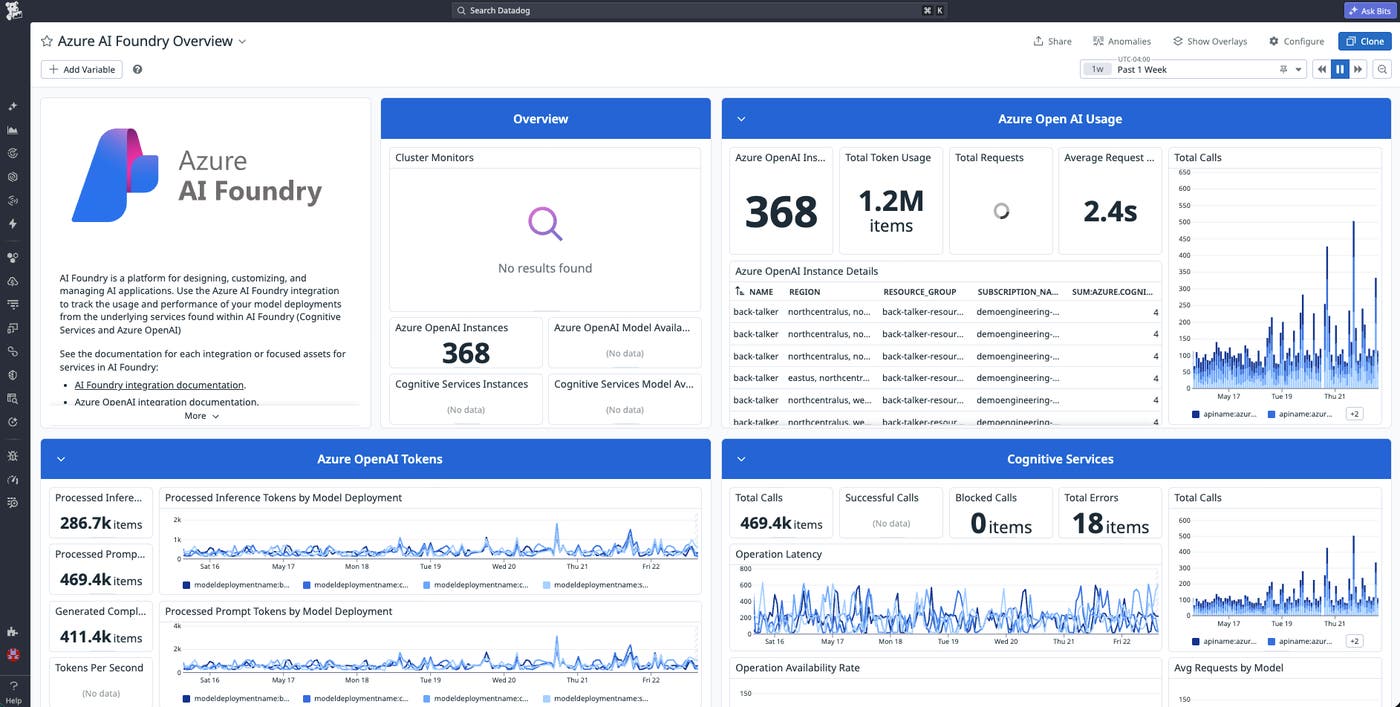
Monitor Azure AI Foundry with the Datadog integration
Azure AI Foundry has quickly become a default platform for enterprise teams deploying models, prompt flows, and agent workloads on Azure. The new Datadog integration brings Foundry metrics and logs into Datadog with out-of-the-box dashboards and recommended monitors covering model performance, activity, and cost. Foundry telemetry sits alongside the rest of your Azure stack, so your platform team manages it from the same view they already use for everything else. To get started, enable the Azure AI Foundry integration tile in Datadog.
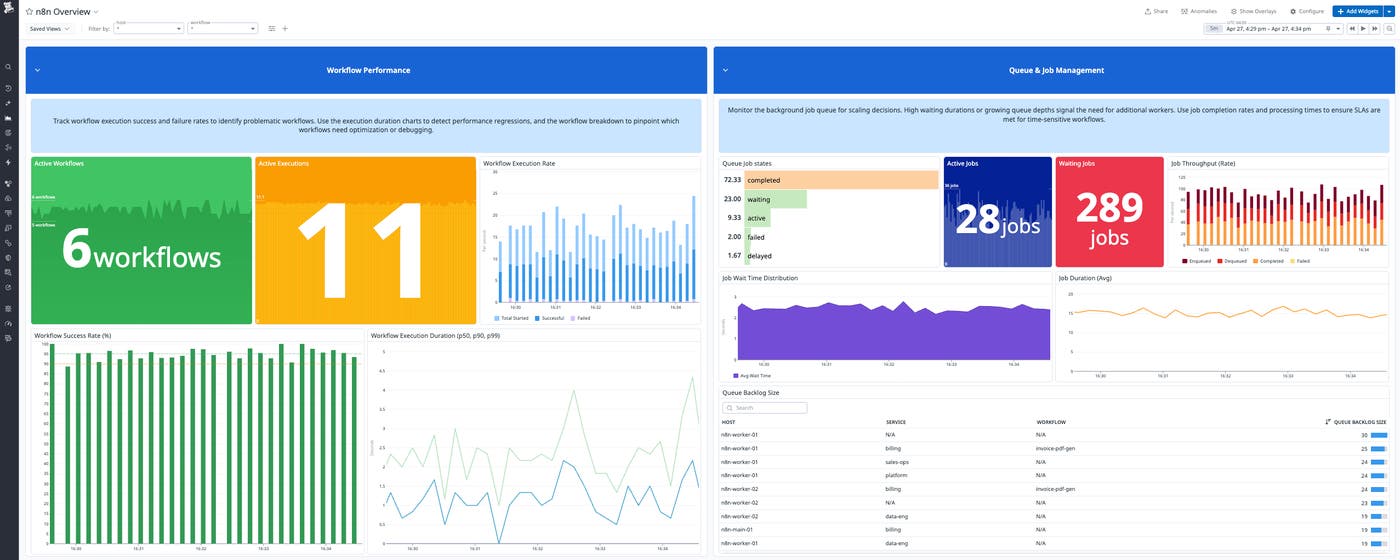
Track n8n agentic workflows end to end with Datadog
n8n is a workflow automation and orchestration platform that teams use to integrate systems and automate data pipelines. Datadog’s n8n integration brings visibility into workflow health alongside the rest of your infrastructure in one place. With Datadog, you can monitor workflow execution counts and status, latency percentiles, queue health, worker capacity, webhook throughput, and step-level timing. That means you can quickly understand when workflows are delayed, which node is causing the slowdown, and whether the root cause is in the workflow itself or the underlying infrastructure, all without ingesting every execution log just to reconstruct what happened. Datadog’s out-of-the-box dashboards and monitors enable you to visualize and alert on failures, investigate slowdowns, and correlate workflow behavior with worker health, queue pressure, and Kubernetes context. Read our documentation to learn more about the n8n integration.
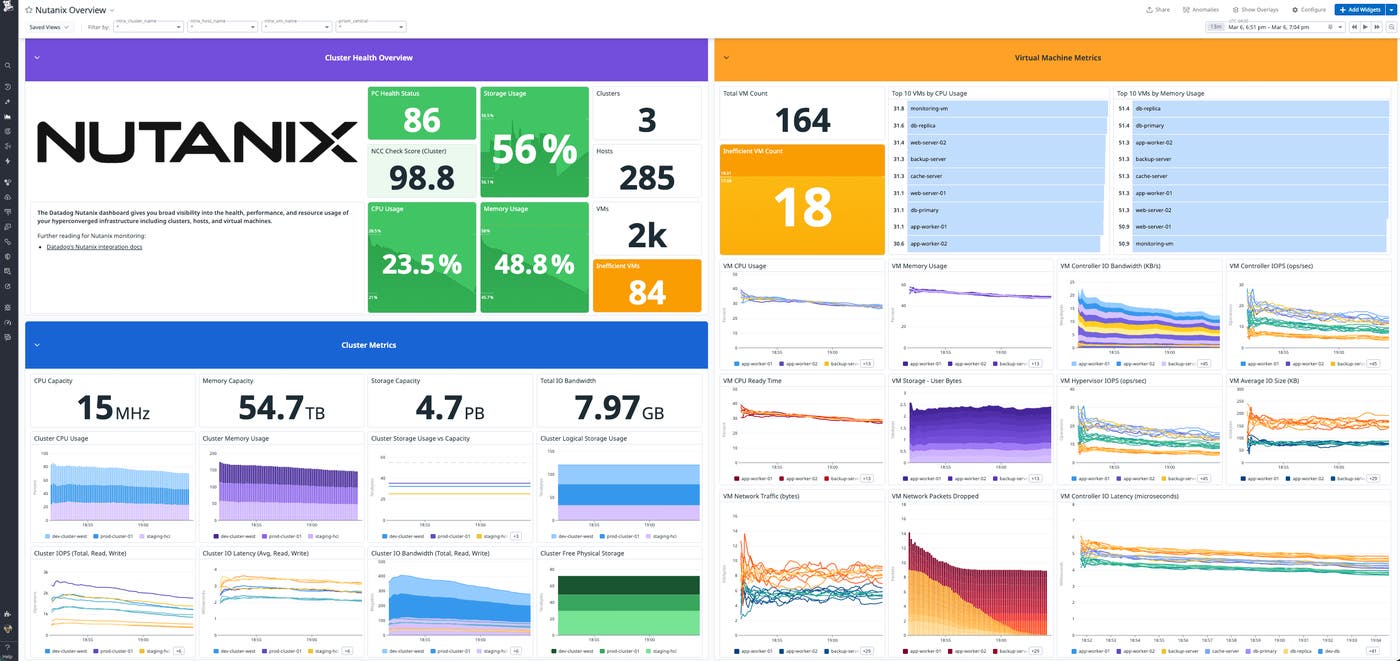
Get end-to-end Nutanix visibility with Datadog
Nutanix is a hyperconverged infrastructure platform that combines compute, storage, and virtualization in a single software-defined stack. Datadog’s Nutanix integration gives teams visibility into clusters, hosts, and VMs while also bringing Prism Central operational activity, including alerts, events, tasks, and audits, into Datadog as events. This helps teams monitor Nutanix infrastructure alongside the applications running on it; quickly determine whether issues start in the app layer or the underlying platform; and investigate cluster health, capacity, storage and I/O performance, host and VM hotspots, and inefficient workloads. It also includes an out-of-the-box Nutanix Overview dashboard that provides a baseline view of health status, resource usage, and capacity insights so operators can move from symptoms to causes faster and keep environments running smoothly as workloads change. To learn more, read our blog post and documentation.
Get visibility into your entire enterprise ecosystem
Integrate with the platforms your business applications run on
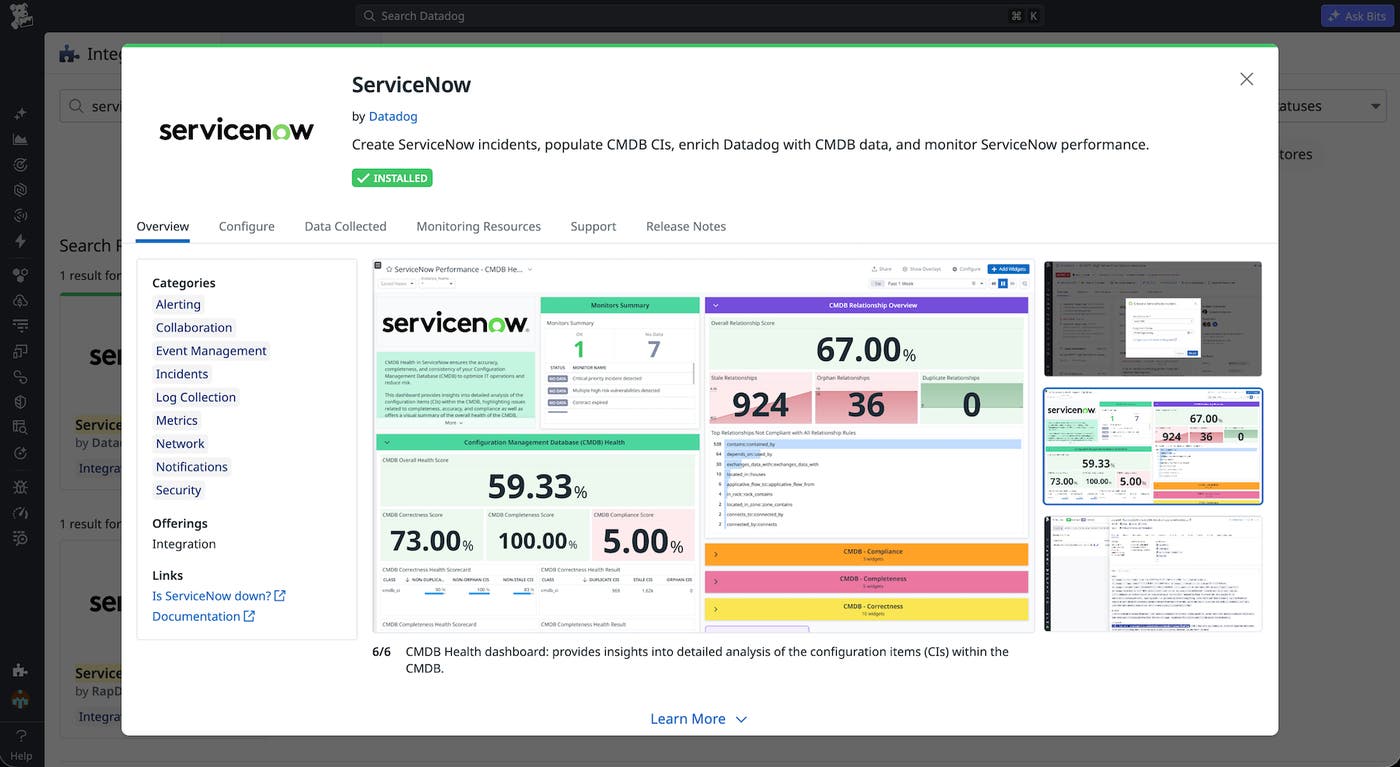
New and enhanced integrations with Temporal Cloud, Adyen, ServiceNow, Cloudflare, SAP HANA Cloud, Tableau, Shopify, Intercom, and Genesys Cloud extend Datadog into the SaaS platforms that are running modern businesses. Coverage now spans workflow orchestration, payment processing, ITSM, edge networking, business intelligence, ecommerce, customer support, and contact centers, including first-to-market support for Temporal’s new OpenMetrics API. You can track the full transaction life cycle in Adyen, workflow execution in Temporal, and storefront health in Shopify alongside the applications and infrastructure you already monitor. Observability follows your stack instead of the other way around. Learn more in the Datadog integrations documentation.
Deploy Azure automated log forwarding with Terraform
Datadog’s automated log forwarding for Azure already eliminates the need to manually set up, configure, and manage the services and diagnostic settings needed to forward logs. Automated log forwarding now supports Terraform, so you can provision the full pipeline across every subscription in your tenant directly from your infrastructure as code. Add the module once, and adding a new subscription becomes a one-line config change instead of a portal workflow. Coverage stays in sync with the rest of your Azure infrastructure, eliminating the drift that comes with manual setup. To get started, install the Datadog Terraform provider and add the automated log forwarding module to your config.
Monitor Oracle Fusion Cloud Applications with Datadog
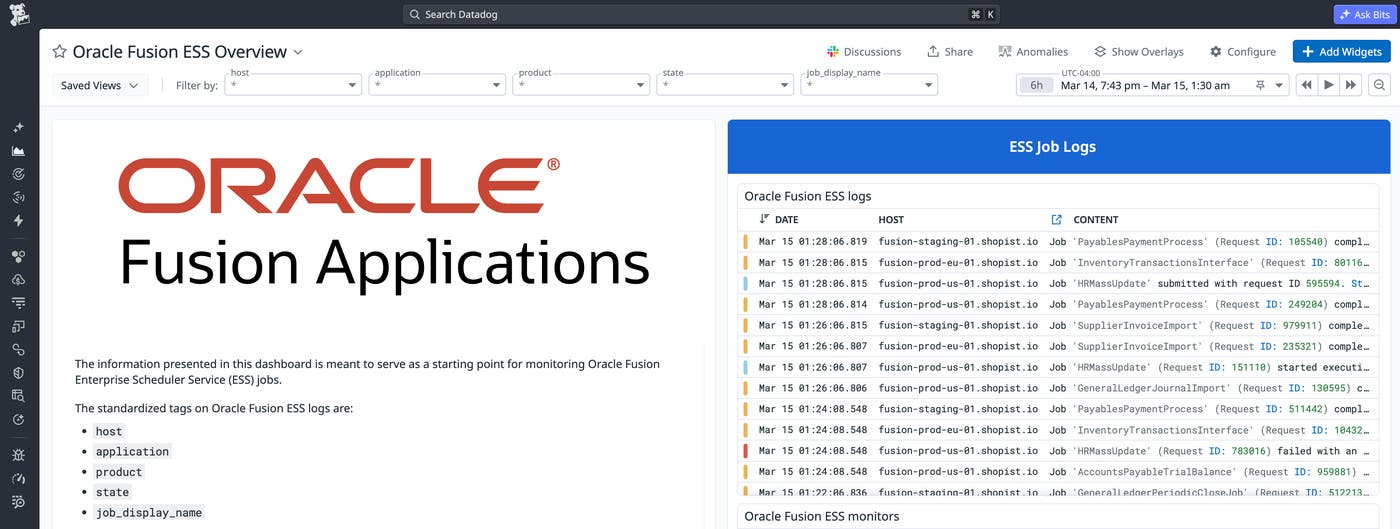
Oracle Fusion Cloud Applications power critical business workflows across finance, HR, and supply chain, but because they run on Oracle-managed infrastructure, engineering teams have had limited visibility into their performance. The new Datadog Oracle Fusion integration closes that gap by collecting ESS job metrics and logs so teams can track job execution, detect retries and stalls, and correlate slowdowns with downstream pipeline failures in Oracle Integration Cloud. Audit logs flow directly into Log Explorer and Cloud SIEM, enabling real-time alerts on high-risk activity like permission changes. Combined with Synthetic Monitoring, teams can test Oracle Fusion endpoints and UI workflows from the outside in, catching regressions before users report them. To learn more, read the blog post or see the Oracle Fusion Applications integration documentation.
Unify observability for Alibaba Cloud with Datadog
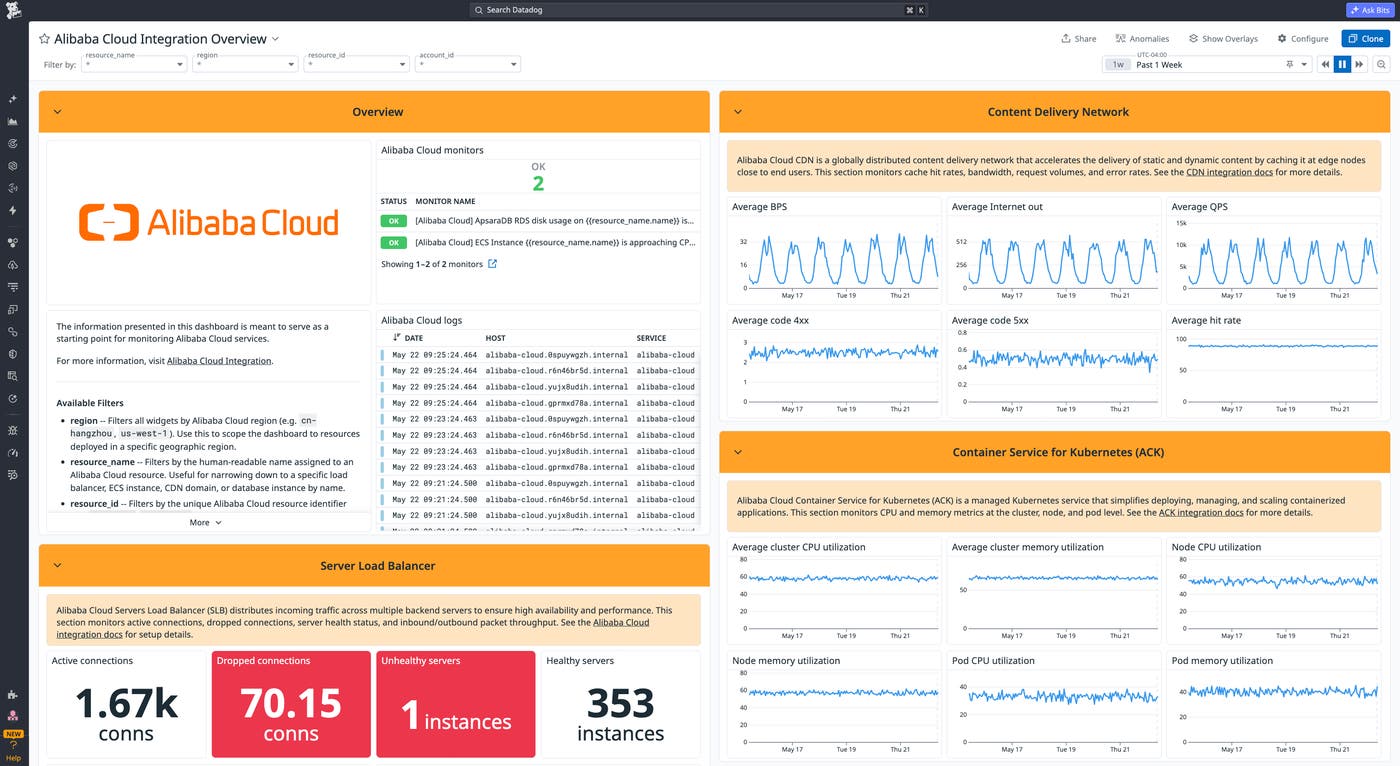
For teams running Alibaba Cloud alongside AWS, Google Cloud, or Azure, signals from Cloud Monitor, ApsaraDB, and Simple Log Service stay siloed in their own consoles, making cross-provider incidents difficult to diagnose. The Datadog Alibaba Cloud integration brings 14 Alibaba Cloud services into one platform. Pull infrastructure metrics from Cloud Monitor and ship logs from Simple Log Service into Datadog Log Management, including ActionTrail audit events, ACK Kubernetes logs, OSS access logs, and VPC Flow logs. Install the Datadog Agent on ECS instances and ACK clusters to add distributed traces and container metrics. Out-of-the-box dashboards for ECS, CDN, Server Load Balancer, and ApsaraDB databases load automatically once configured. For teams with APAC data residency requirements, BYOC Logs keeps log processing inside your own Alibaba Cloud account. Read our blog post or documentation to get started.
Monitor OVHcloud infrastructure with Datadog
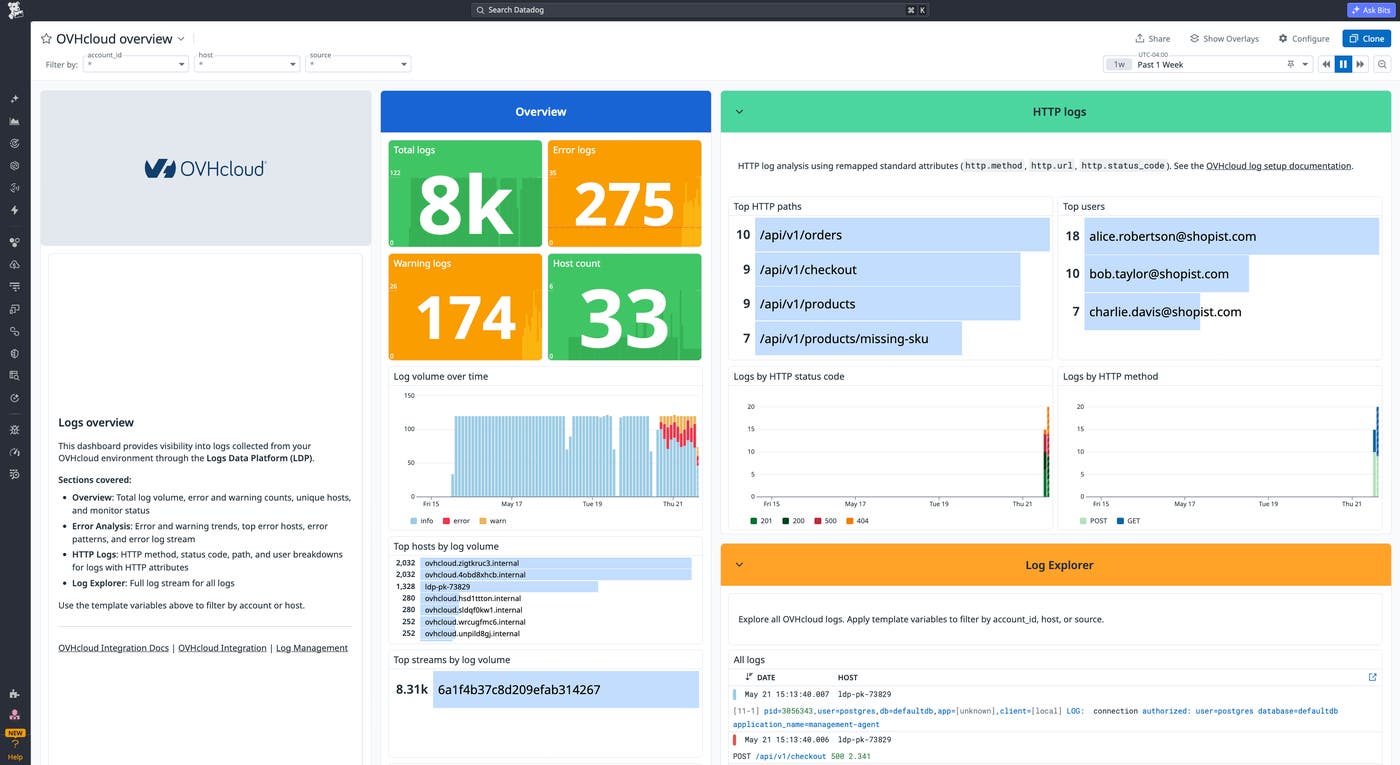
Finance, healthcare, and public administration teams that need EU data residency use OVHcloud alongside AWS, Google Cloud, or Azure, where telemetry data sits in separate tools and cross-cloud investigations lose context. The Datadog OVHcloud integration pulls logs from OVHcloud Logs Data Platform into Datadog Log Management, including account audit logs, IAM policy verification results, Kubernetes audit logs, managed database logs, and load balancer access logs. Install the Datadog Agent on OVHcloud instances to add host metrics, APM traces, and container telemetry data. An out-of-the-box dashboard and three prebuilt monitor templates, firing on HTTP error rate spikes, elevated error log counts, and a high count of critical severity logs, give you coverage without defining every condition from scratch. Read our documentation to get started or check out our blog post.
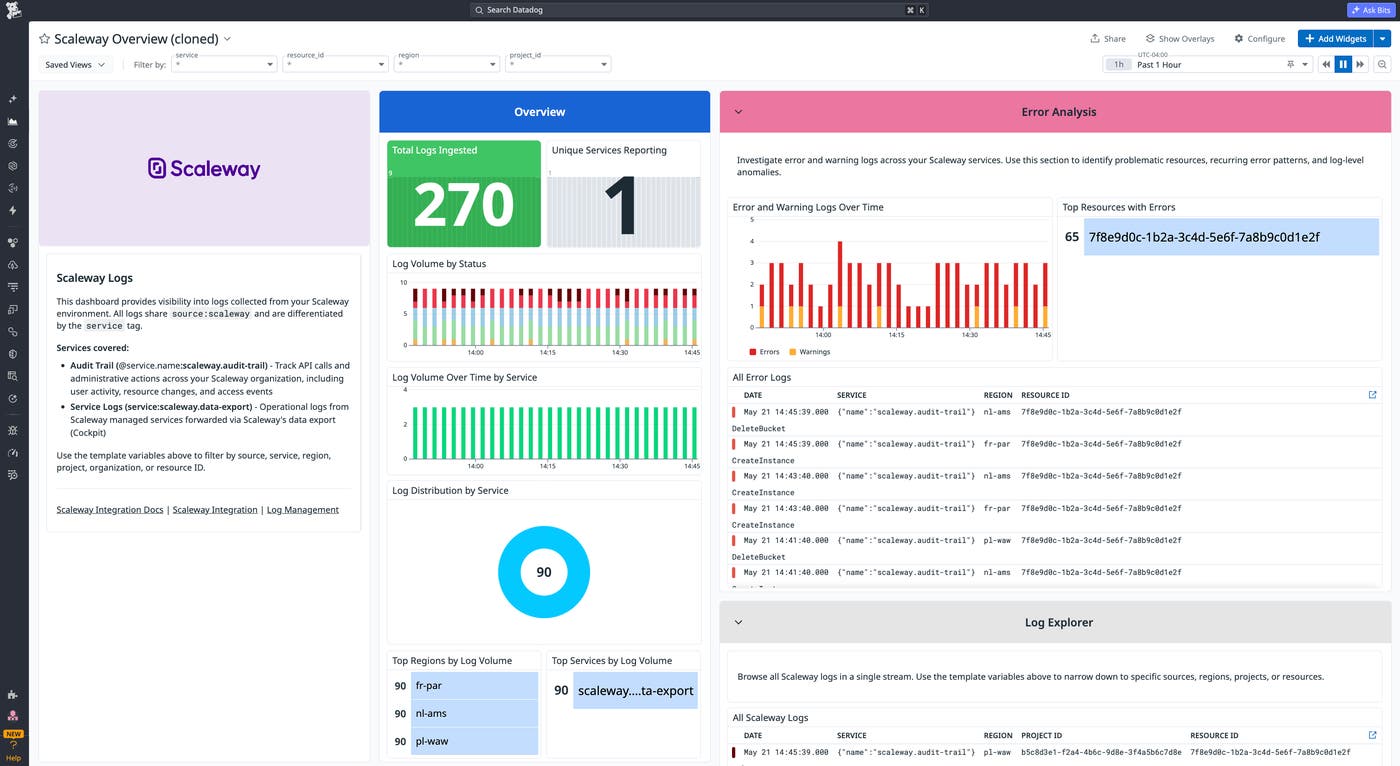
Monitor Scaleway logs and infrastructure with Datadog
Teams in regulated industries use Scaleway alongside AWS, Google Cloud, or Azure for EU data residency and GDPR compliance, but cannot correlate Scaleway telemetry data with the rest of their stack without switching tools. The Datadog Scaleway integration forwards logs from Scaleway Cockpit and Audit Trail into Datadog Log Management, deploys the Datadog Agent on Scaleway Compute instances for host metrics and APM traces, and correlates APM traces with pod-level metrics from Scaleway Kapsule and Kosmos Kubernetes clusters. An out-of-the-box overview dashboard and two prebuilt monitor templates, one for spikes in service error logs and one for critical events in your Scaleway environment, give on-call engineers a starting point before workload baselines are established. To learn more, read our documentation or check out our blog post.
Track Power BI Embedded performance and resource utilization
Power BI Embedded lets developers ship Power BI analytics inside their own applications, but operating the underlying capacity in production requires visibility into refresh performance, query latency, and capacity utilization that the Azure portal alone does not provide. The new Datadog integration for Power BI Embedded surfaces critical performance and utilization metrics directly in Datadog. Power BI Embedded health lives in the same observability platform as the rest of your applications, so capacity admins manage it with the alerting and dashboard workflows their team already uses. For more information, read our documentation.
