AI is reimagining how engineering teams write code, investigate issues, and operate their systems. From conversational interfaces and agentic investigations to deep MCP integrations and AI-powered optimization, this year’s DASH releases make it easier to put AI to work across your entire workflow, grounded in the telemetry your team already trusts.
Now, you can query your environment in natural language with Bits Chat, launch autonomous investigations from a failing test, connect your favorite coding agents to live Datadog context, and measure the real impact of AI tools on your delivery. These features and others help teams get more done while keeping engineers in control of the decisions that matter. Read on for everything new in harnessing AI, and check out our other roundup posts for the latest in observability, scale, and security.
Search, analyze, and take action across Datadog faster with Bits Chat
Bits Chat is Datadog’s conversational AI interface that helps teams search, analyze, and take action across their observability data. Available in Datadog, Slack, and mobile, Bits Chat helps users get answers faster without switching tools or rebuilding queries. Use Bits Chat to search across your Datadog environment, generate resources like dashboards and notebooks, investigate and troubleshoot incidents, and more, all through a natural-language interface.
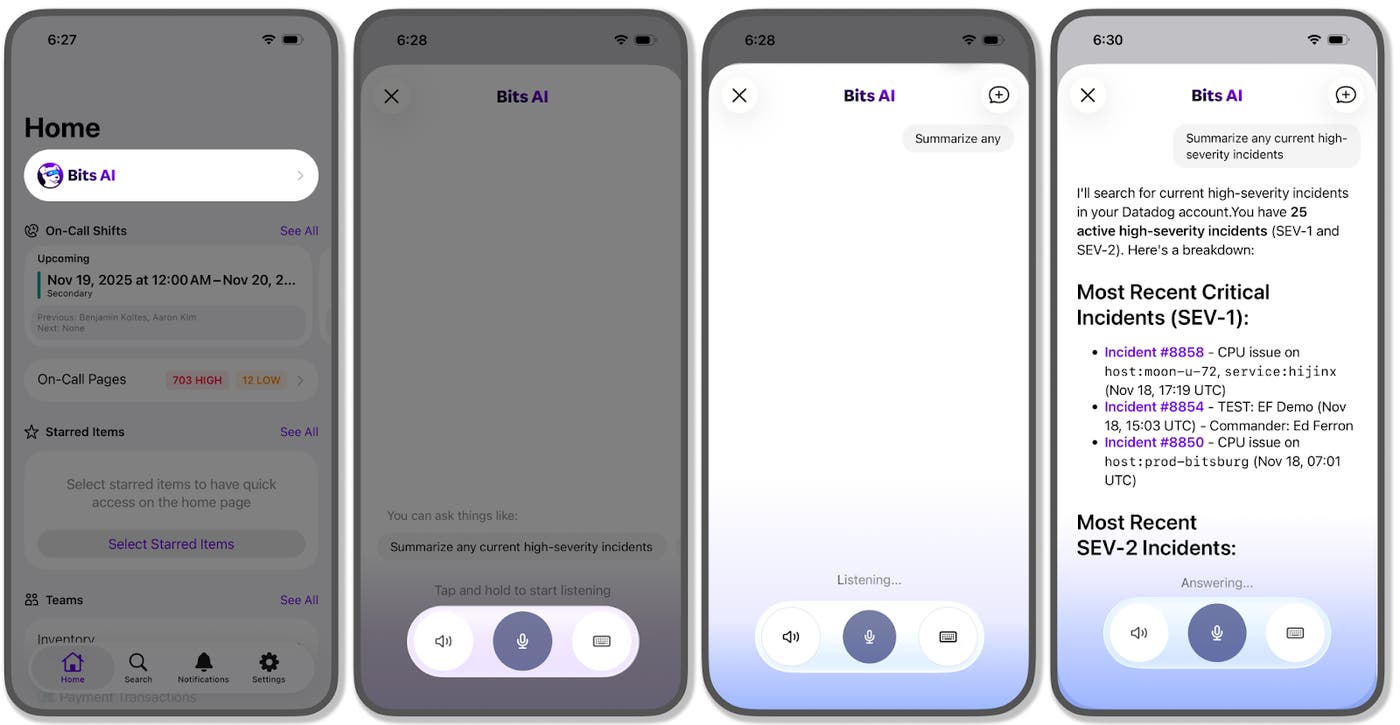
Talk to Bits AI by voice in the Datadog mobile app
Bits AI in the Datadog mobile app now supports voice input. Ask Bits about your system health or an active incident by voice or text, and get answers with context from Datadog public documentation, telemetry data, and service ownership. To get started, open the Datadog mobile app and tap Bits Chat.
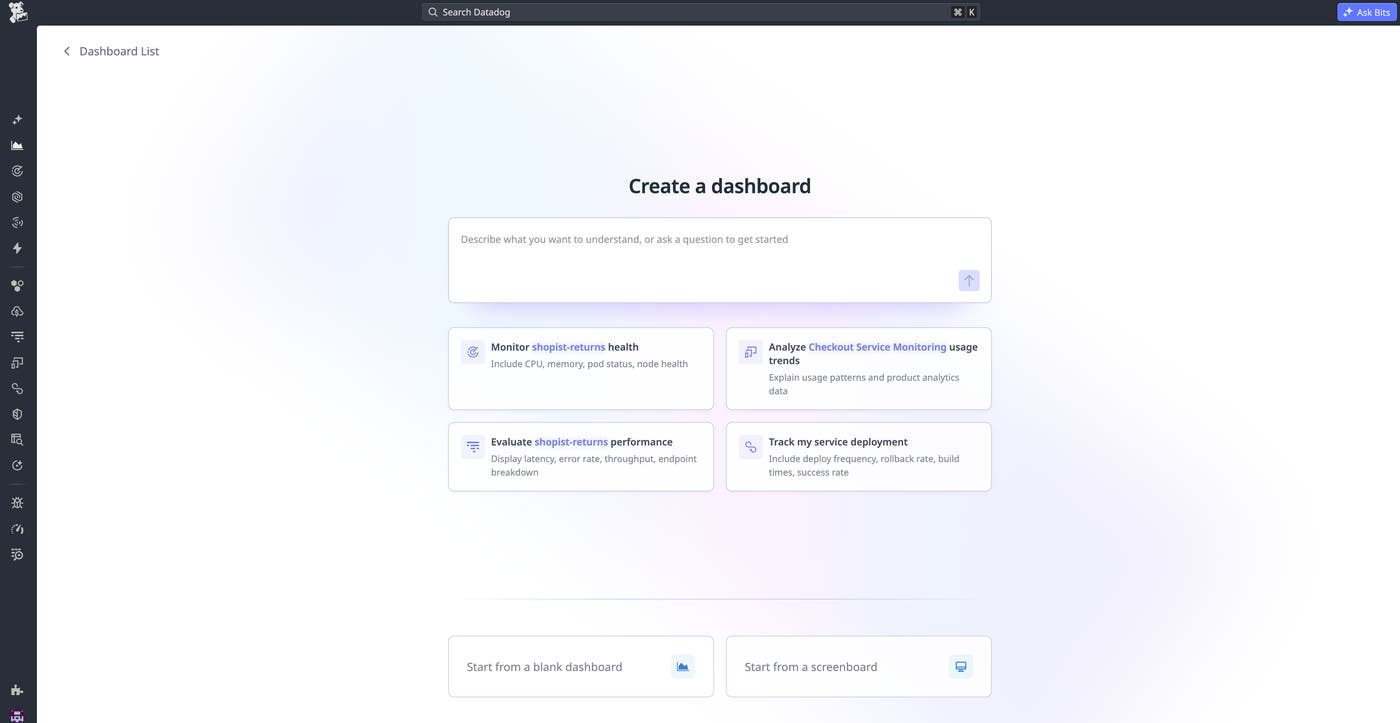
Build dashboards via natural-language prompts with Bits Chat
Bits Chat can now generate full Datadog dashboards and individual widgets from a single natural-language prompt, turning a monitoring goal into a ready-to-use visualization in seconds. For example, you can ask Bits Chat to “build a dashboard to monitor checkout latency and error rates for the web-store service,” and it will pick the right metrics, traces, and logs and assemble them into a complete dashboard with appropriate widget types and groupings. You can also iterate conversationally: Highlight a widget to change its query, add a new visualization, or restructure a section, removing the manual work of dashboard authoring so teams can go from question to answer faster. Learn more in our dedicated blog post.
Create and update investigation notebooks via prompt with Bits Chat
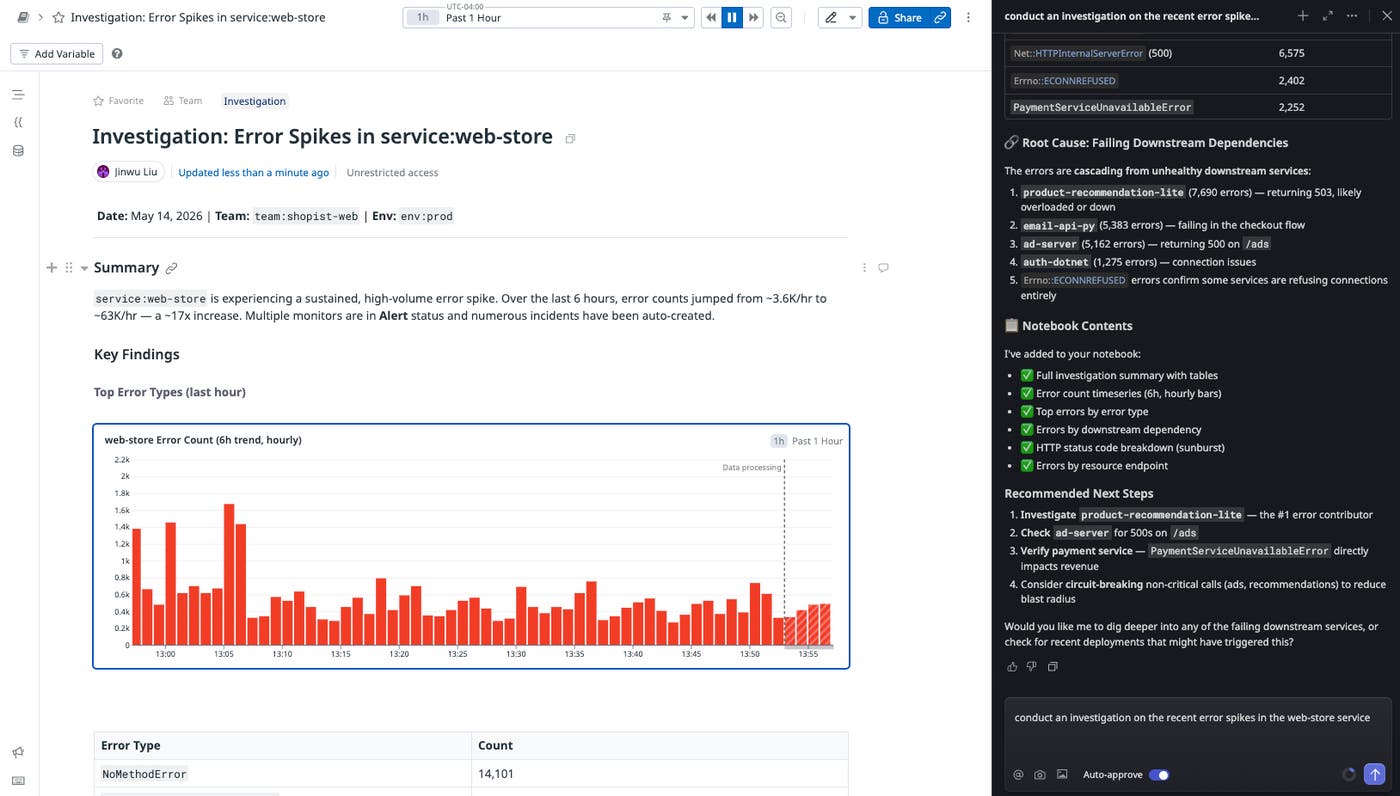
Bits Chat can now generate entire Datadog Notebooks from a single natural-language prompt, turning a question or investigation goal into a structured document with text, visualizations, and live queries in seconds. Ask Bits Chat to “create an investigation for the recent spike of errors in the web-store service,” and it searches relevant telemetry and builds out the notebook with a hypothesis, supporting visualizations, and key findings. You can also modify existing notebooks conversationally: Simply highlight a section and ask Bits to rewrite it, add another SQL query, or generate a playbook from an incident. Learn more in our documentation.
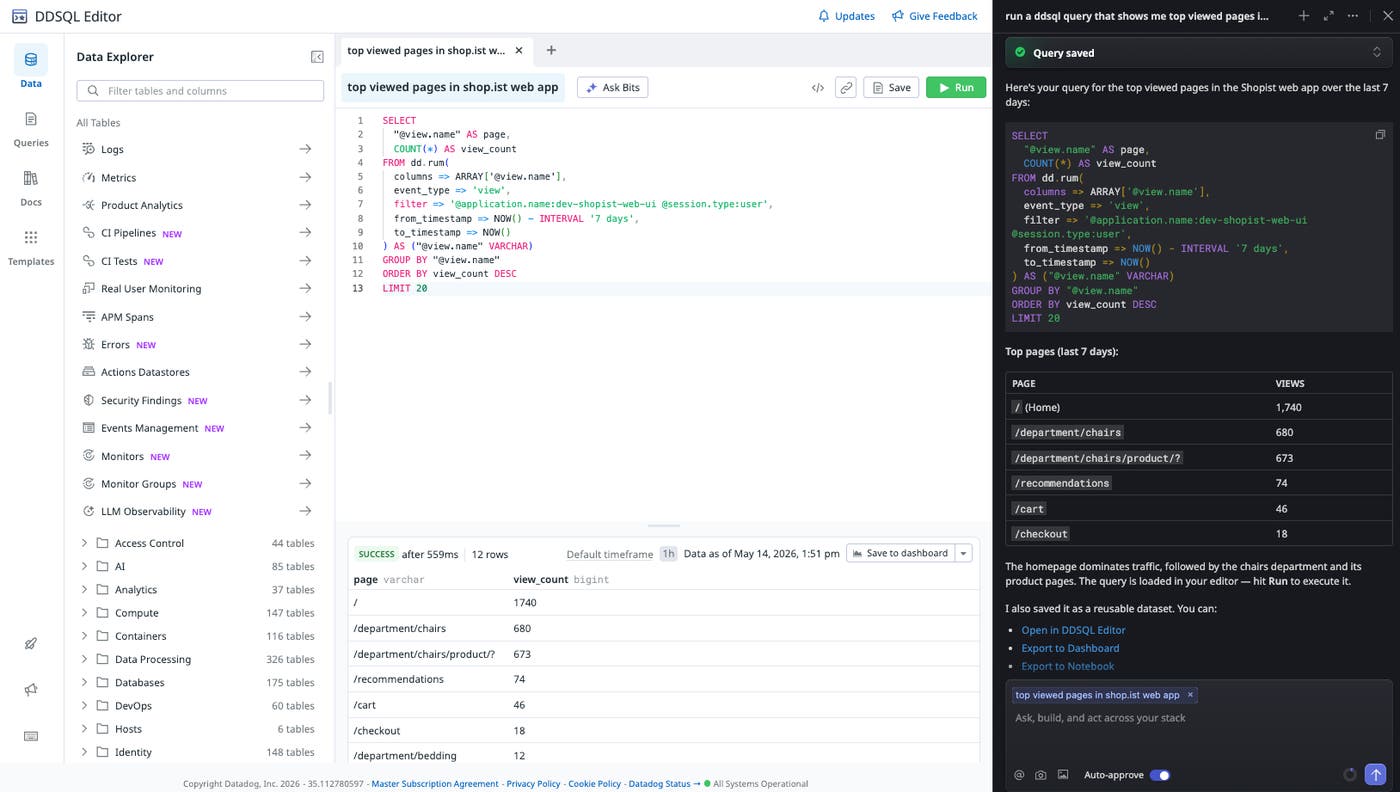
Use natural language to write sophisticated queries with Bits Chat in DDSQL Editor
Bits Chat brings natural-language querying to DDSQL Editor: describe what you want in plain English and get SQL back without writing queries from scratch. Use it to write complex queries without memorizing syntax, such as joining containers with CPU metrics to spot overprovisioned workloads, aggregating error logs across services to identify ingestion latency patterns, or querying RUM and Product Analytics to track user engagement trends. You can also ask Bits Chat to explain how an existing query works or optimize a slow one with a single prompt. Because Bits Chat is aware of your available schemas and data sources, it generates queries scoped to the tables you care about. Learn more in our documentation.
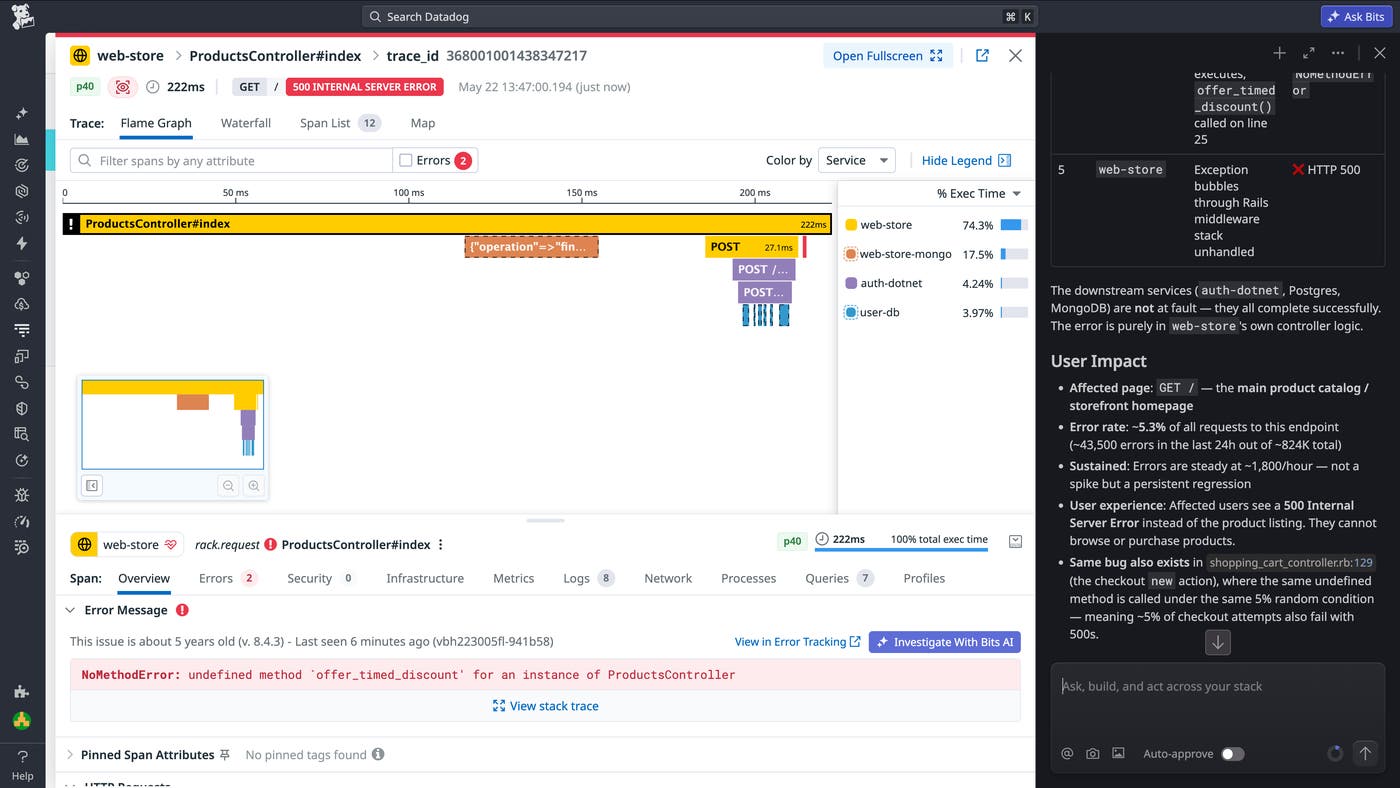
Analyze slow or failed traces with Bits Chat
When a request is slow or fails, developers often need to inspect a trace span-by-span to understand which service, operation, or dependency contributed to the issue. APM Trace Analysis in Bits Chat helps automate this review for individual traces. From a trace in APM, users can click Fix with Bits to start an analysis. Bits Chat reviews the trace, correlates relevant spans with related logs when available, and surfaces stack traces and error context to explain what went wrong, where it occurred in the request path, and what to investigate next. When Source Code Integration is configured, Bits Chat can also suggest a code-level fix as a follow-up. To learn more, read our documentation.
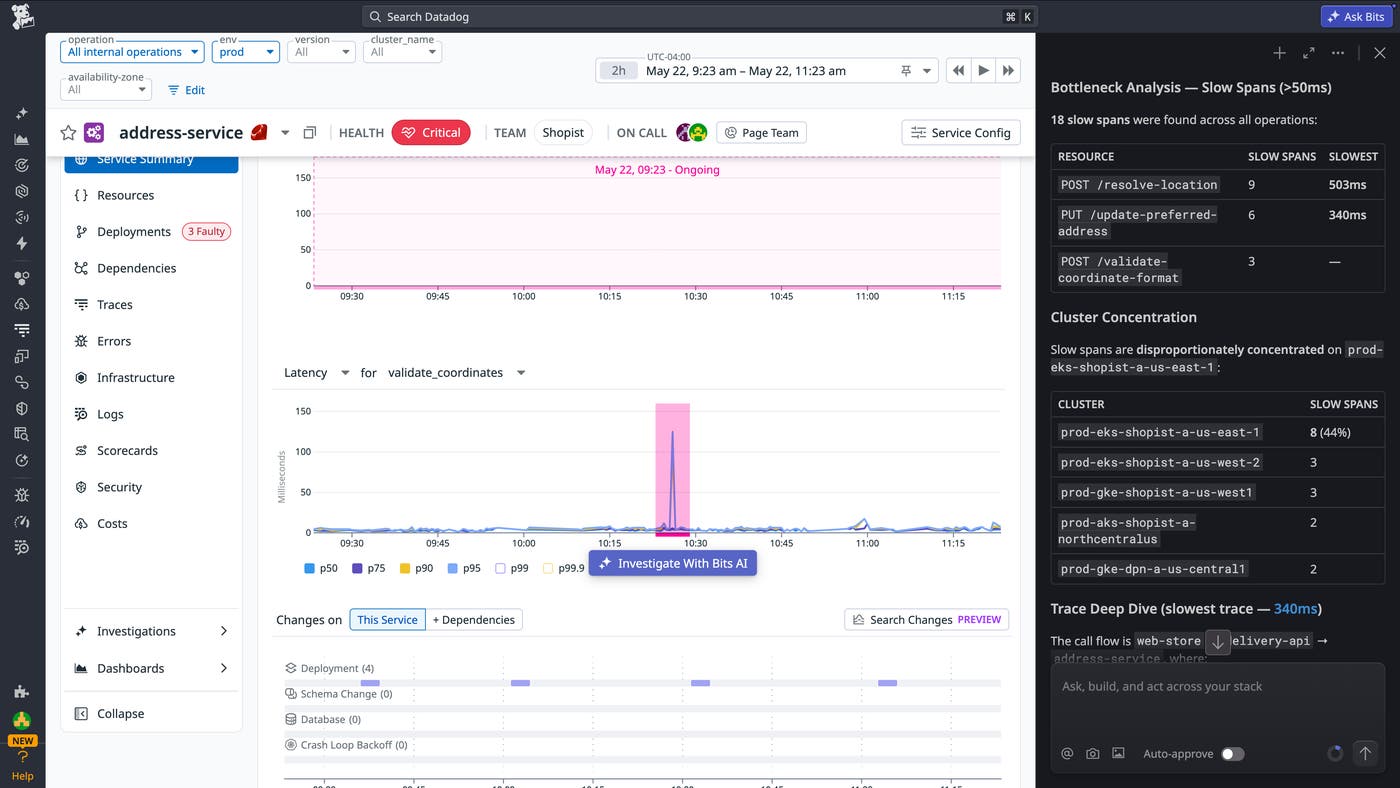
Investigate service latency with Bits Chat
Latency investigations often require comparing normal and degraded request behavior, identifying where time is being spent, and understanding which endpoints, dependencies, and tags are most correlated with a slowdown. APM latency investigations in Bits Chat bring this workflow into a guided, natural-language experience directly from APM service and resource views. When users ask Bits Chat to investigate a latency issue, Bits analyzes relevant span data, compares slow traces against healthier request patterns, identifies bottlenecks in the request path, and surfaces the dimensions most associated with the slowdown. This helps engineers move from “something is slow” to a concrete next step without manually pivoting across dashboards. To learn more, read our documentation.
Investigate cost spikes and budget overages in minutes with the Cloud Cost skill in Bits Chat
Tracking down what’s driving a cost change usually means jumping between dashboards, filtering by team and service, and stitching together context from observability data, resulting in hours of work for a single investigation. The Cloud Cost skill in Bits Chat turns that workflow into a conversation. Ask Bits to investigate a cost anomaly, monitor alert, or budget overage, and it returns a summary with the dollar impact, projected annual cost, owning teams, and rate-versus-usage context. From there, you can drill into top cost drivers, correlate spend with metrics like CPU or request volume, compare actuals against budgets, and capture the full investigation in a Datadog Notebook to hand off to the owning team. The skill works across cloud, SaaS, AI, and Datadog costs, giving FinOps practitioners and engineers a single place to answer ad hoc cost questions. Check out our documentation to learn more.
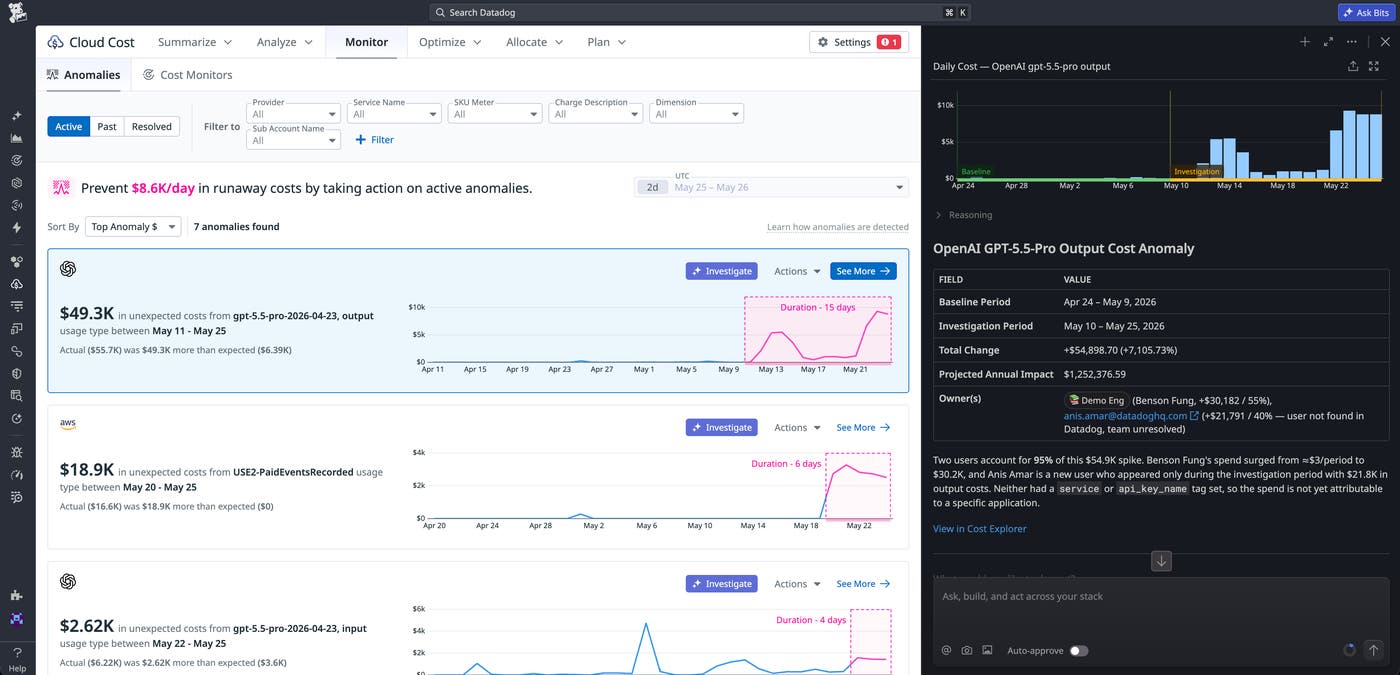
Investigate and resolve issues with Bits AI
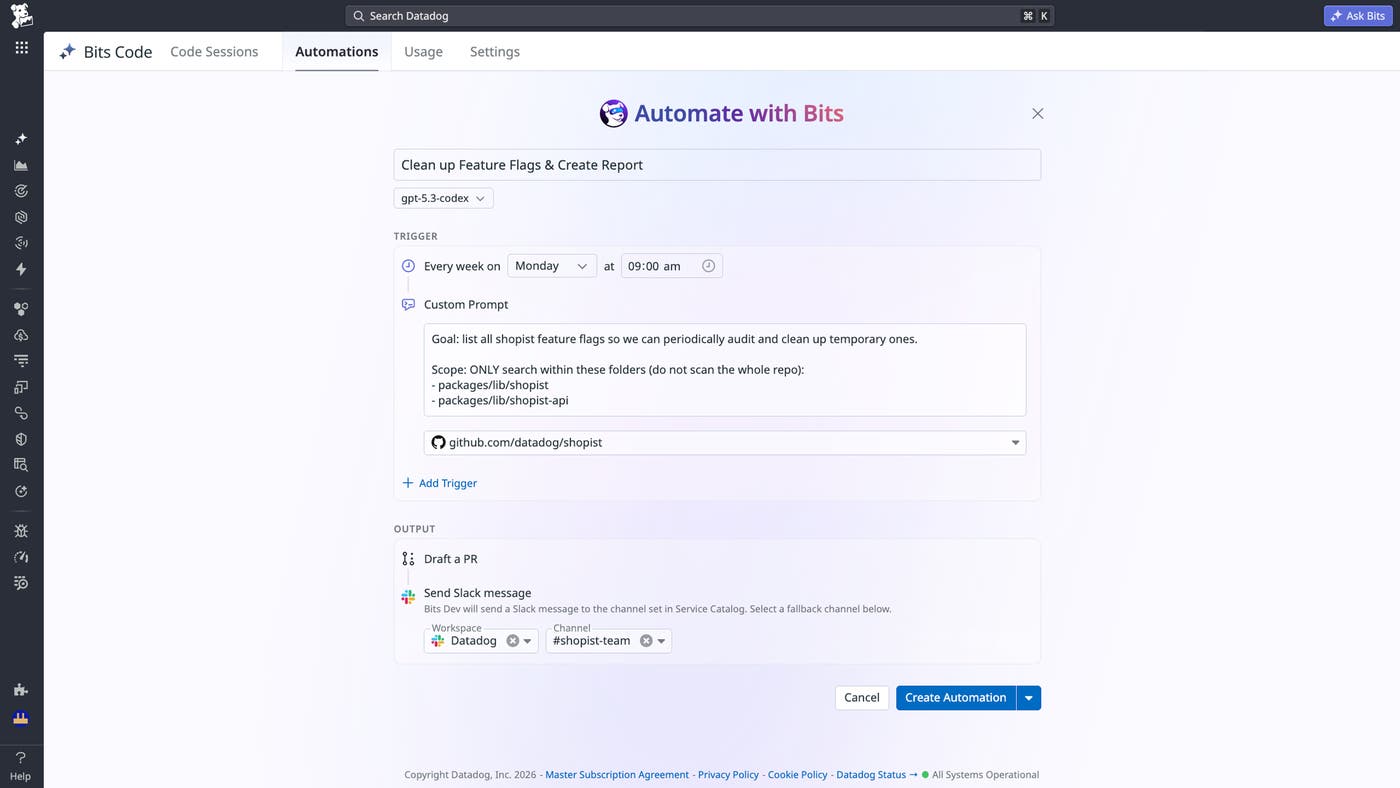
Diagnose frontend issues faster with RUM Agentic Investigations
For frontend engineers, investigating issues usually means pivoting between multiple tools to correlate data from across their stack. Datadog RUM Agentic Investigations help teams identify root causes faster by automatically analyzing data such as RUM events, APM traces, and network logs to produce ranked, evidence-backed findings. Engineers can launch investigations directly from a single session, slow page, or critical journey, then review structured results that stream into the UI in real time. Teams can continue the investigation through a built-in chat interface, save the results to a Notebook, or open the context in Bits Code to generate a code fix. Learn more by reading our blog post or checking out our documentation.
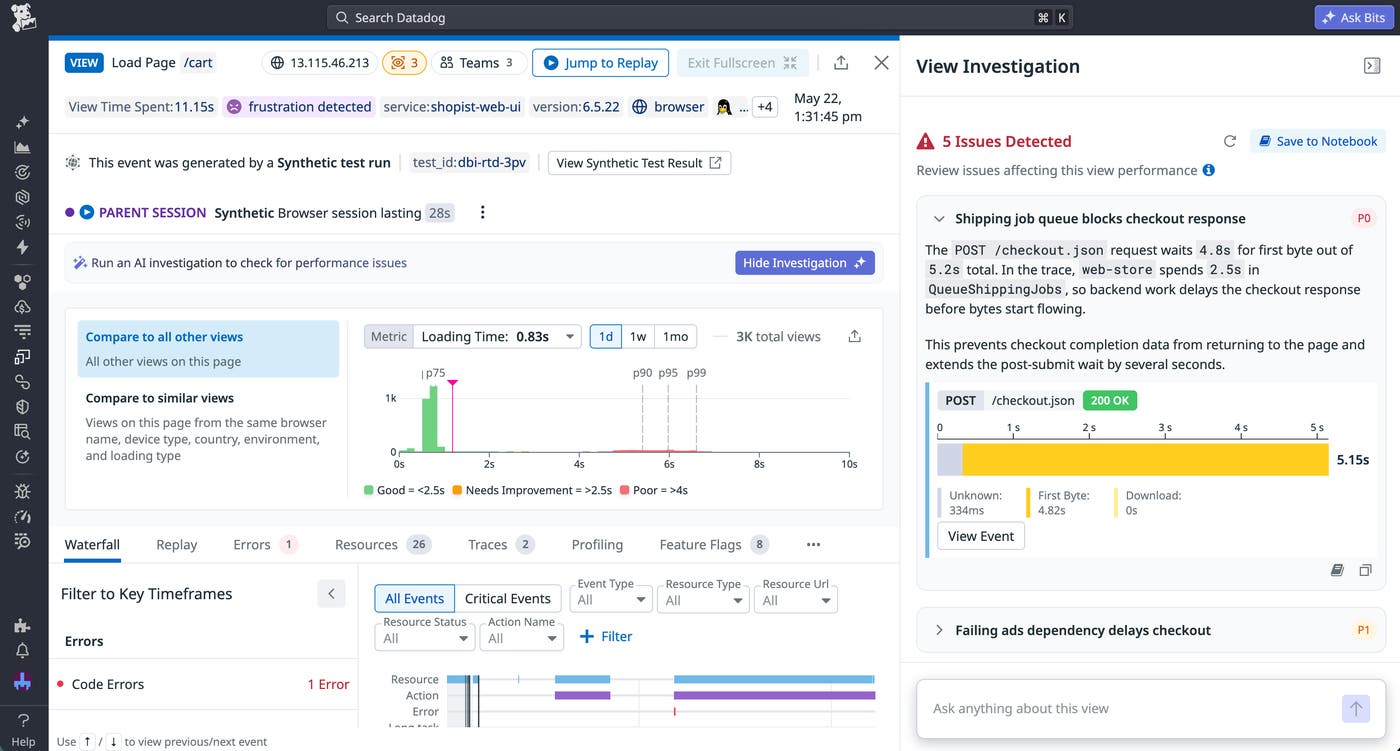
Get actionable performance insights via profiling and Bits AI
Continuous Profiler delivers code-level visibility into how applications consume CPU, memory, and other resources, but profiling data is often dense and hard for non-experts to navigate, leading to profiling being underutilized by most developers. Datadog now exposes profiling data to AI agents through new MCP tools, Bits Chat, and Bits Investigation, so any engineer can simply ask “What are the main bottlenecks in this service over the last 15 minutes?” Bits automatically finds the right profiling data for the given service and time window, surfaces notable spikes and top CPU consumers across CPU, memory, and wall time, and translates the results into plain-language summaries with recommended next steps. By weaving profiling into the agentic flows that developers already use, this broadens access to one of Datadog’s most advanced datasets and shortens time to remediation during incidents.
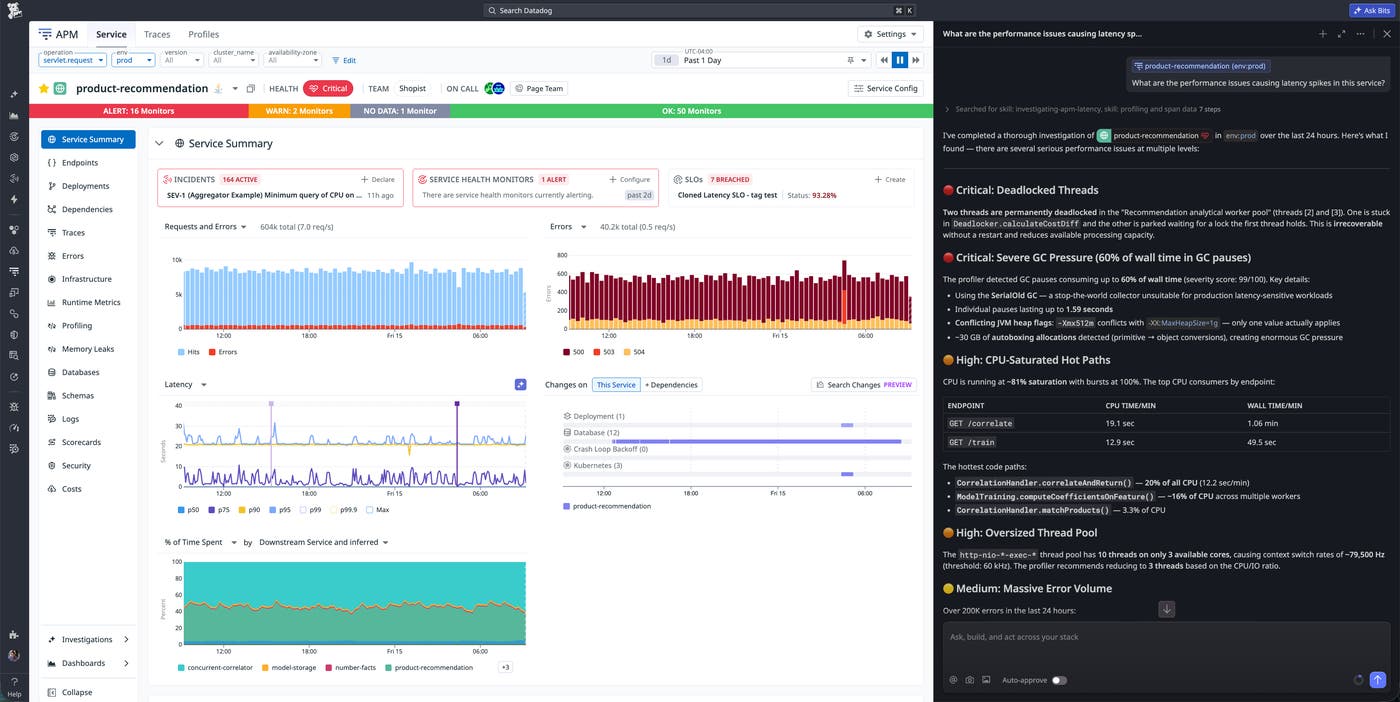
Schedule recurring prompts and fixes with Bits Code Automations
Even when teams know exactly which tech debt to fix, the work often stalls behind feature priorities. Bits Code Automations turns that backlog into a continuous workflow by letting Bits Code run on a schedule or off telemetry triggers, instead of waiting for an engineer to start every session manually. Schedule recurring prompts to clear a class of issues at your team’s cadence, like fixing five flaky tests every week or triaging the top new errors every morning. Or configure Bits to start a fix the moment a qualifying telemetry signal appears, using rules you define around services, signals, and severity. Every automation still produces a review-ready pull request, so humans control what merges, and every scheduled or triggered run is tracked from a single view alongside outcomes and PR status. Automations are available today across Error Tracking, Test Optimization, APM Recommendations, Code Security, and custom prompts for general coding tasks, with more Datadog surfaces being added soon. To learn more, check out our blog post and documentation.
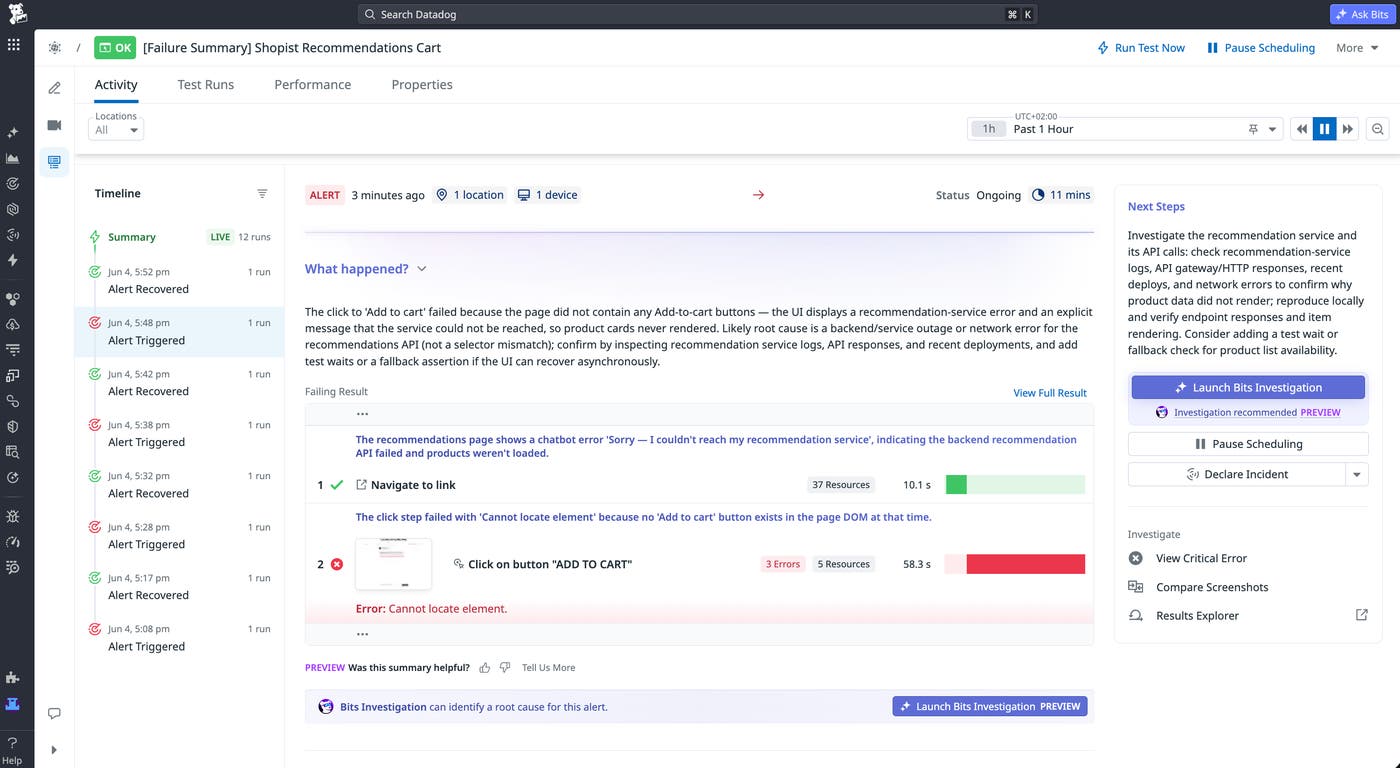
Triage synthetic test failures faster with Bits Investigation
When a Synthetic browser or API test fails, two questions immediately follow: Is this a real issue, and if so, why? Answering both often means manually sifting through traces, logs, infrastructure metrics, and test history before you can confirm scope or point to a cause. Bits Investigation brings AI-assisted triage into Synthetic Monitoring, automatically classifying failures as likely regressions or test misconfigurations and generating root-cause hypotheses backed by linked evidence from APM traces, infrastructure metrics, and deployment activity. Investigations can be launched on demand or configured to trigger automatically based on monitor criticality. Read more in our blog post.
Visualize alerts and start Bits AI investigations on a live infrastructure diagram
When infrastructure or services break, you need to quickly see what’s impacted and fix it. The new Monitors diagram with Bits Investigation visualizes all of your monitors, so that when you’re paged for an alert you can assess the blast radius by seeing what other alerts are going off on related infrastructure. Then, you can hover on any resource or service on the diagram to have Bits AI start an investigation and track down the root cause. Try it now on any alerting resource Monitor; click on a specific event to see the diagram. Or start an investigation from any resource in the Cloudcraft Monitors diagram.
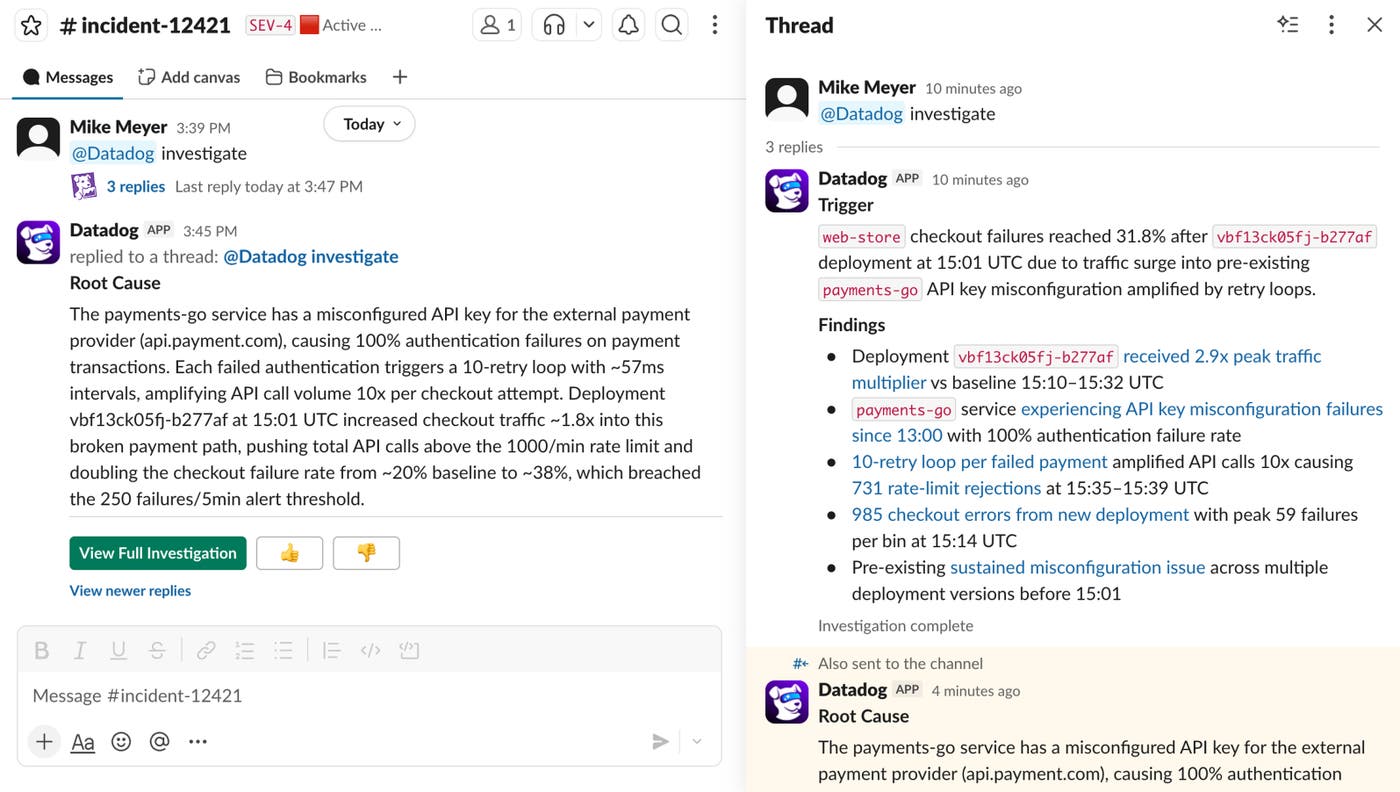
Bring Bits Investigation into your incident response workflow
When engineers declare an incident, they often have to manually gather context from multiple tools before they can even begin investigating. You can now trigger Bits Investigation directly from an incident Slack channel or Datadog Incident Management, automatically pulling the incident timeline, linked Datadog telemetry data, and any shared context into an active investigation. Bits AI posts real-time findings and a root cause hypothesis to the Slack channel thread, and appears as a named responder on the incident record. Engineers get an AI co-investigator working in parallel from the moment an incident is declared, with no manual setup required. Discover more in our Incident AI documentation.
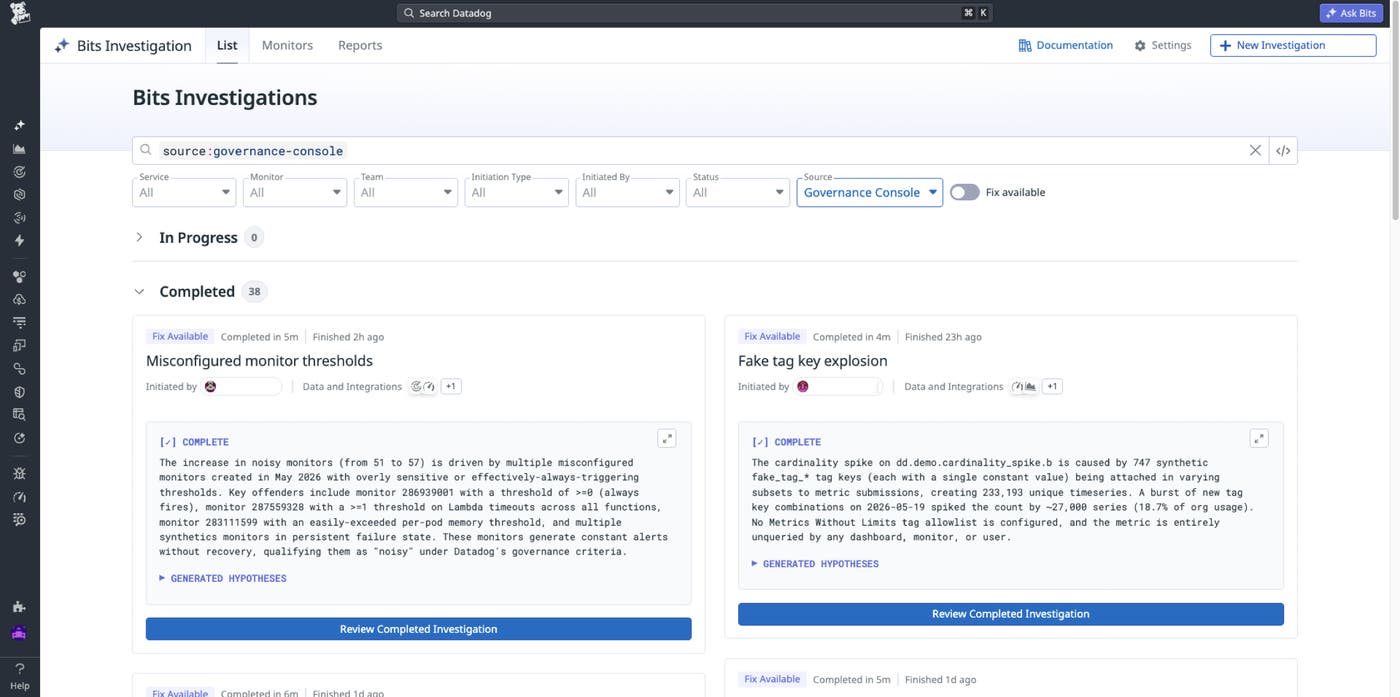
Investigate governance findings in minutes with Bits Investigations in Governance Console
Governance Console surfaces costly telemetry patterns and stale configurations across a Datadog org, but acting on a finding still means manually piecing together what changed, who owns it, and which control to apply. The Governance Agent with Bits Investigations closes that gap. From a product Insight or a Control, admins launch Bits Investigations seeded with the governance context. Bits returns when the growth starts, the top contributing services and teams, and the root-cause configuration change behind it, then routes the admin to the right control to mitigate. The same Bits Investigations engine that powers production incident investigations is now embedded directly in the governance workflow. For more information, read our documentation or contact your account representative.
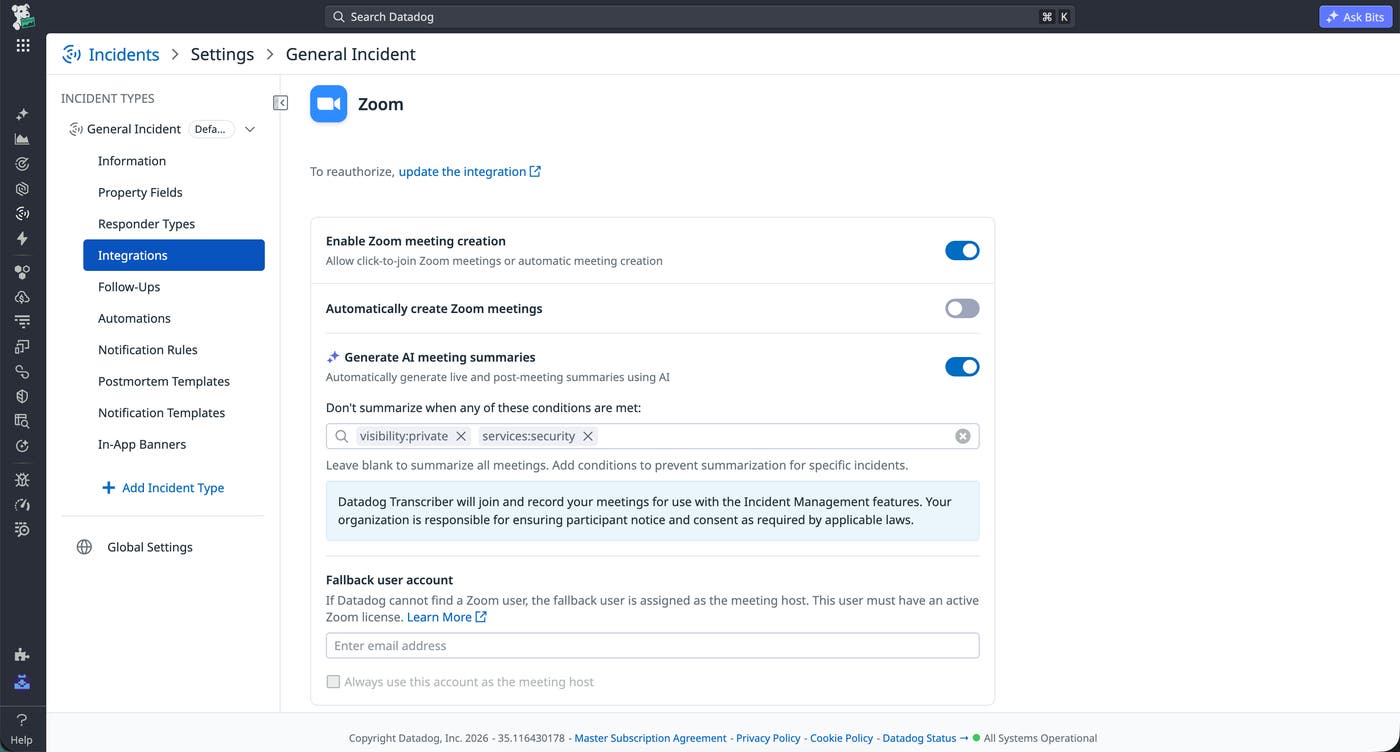
Find AI-generated meeting summaries in the unified incident timeline
Bridge calls are where most incident decisions happen, but capturing what was said has always required someone to take notes. Incident Meeting Summaries automatically post AI-generated summaries of Zoom, Microsoft Teams, and Google Meet bridge calls directly to the incident timeline and Slack channel. Summaries generate at the end of each call and every 10 minutes during an active call, so late joiners catch up without interrupting. Control which incidents get summarized by service, severity, visibility, or tag. Learn more in our Zoom Incident Management documentation.
Bring Datadog context into your AI workflows
Bring live Datadog telemetry into your AI agents with native integrations
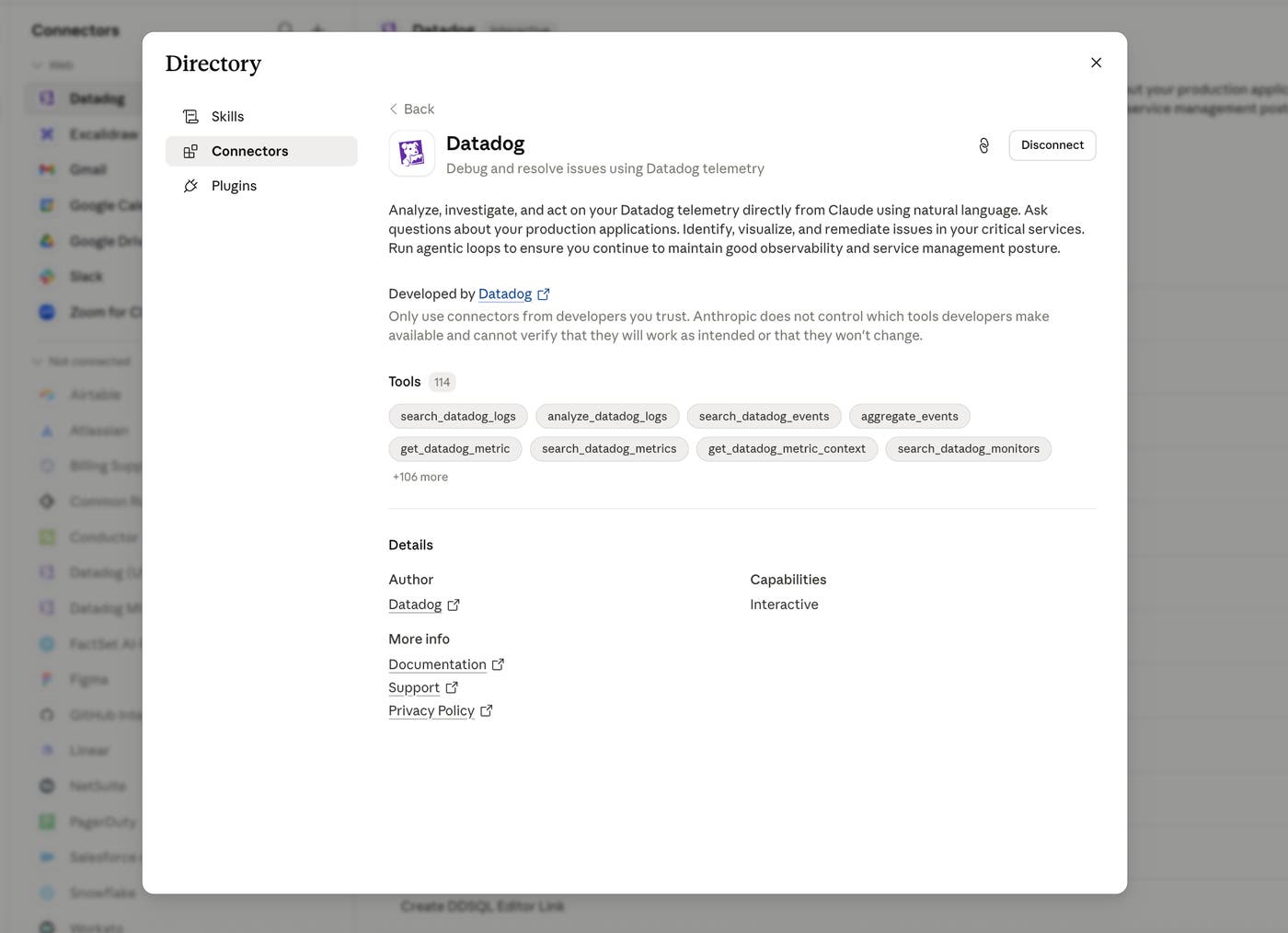
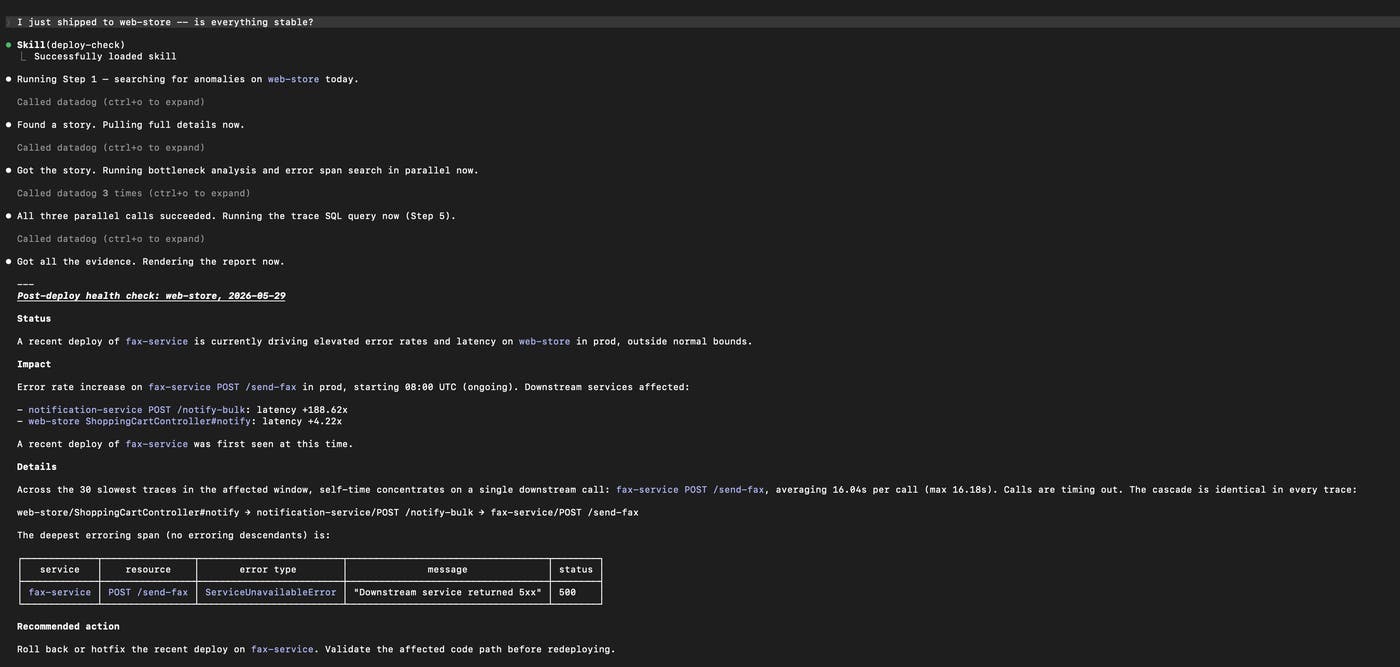
With Datadog’s connectors and plugins across every major AI agent platform, such as Claude Code, Claude Desktop, Claude Cowork, ChatGPT apps, Codex CLI, and Cursor, developers can access the full power of Datadog’s observability stack directly from within the tools they already work in. By connecting to Datadog, your AI agent can pull recent error logs, visualize a metric spike, summarize an open incident, or inspect a distributed trace, all without leaving your editor, terminal, or chat interface. All web-based agents also include support for MCP Apps to get the same rich visualization experience that developers are accustomed to in Datadog. Learn more in our blog post. To explore all available connectors and plugins, visit the Datadog Agent Directory.
Give your AI agents live Datadog access from the command line
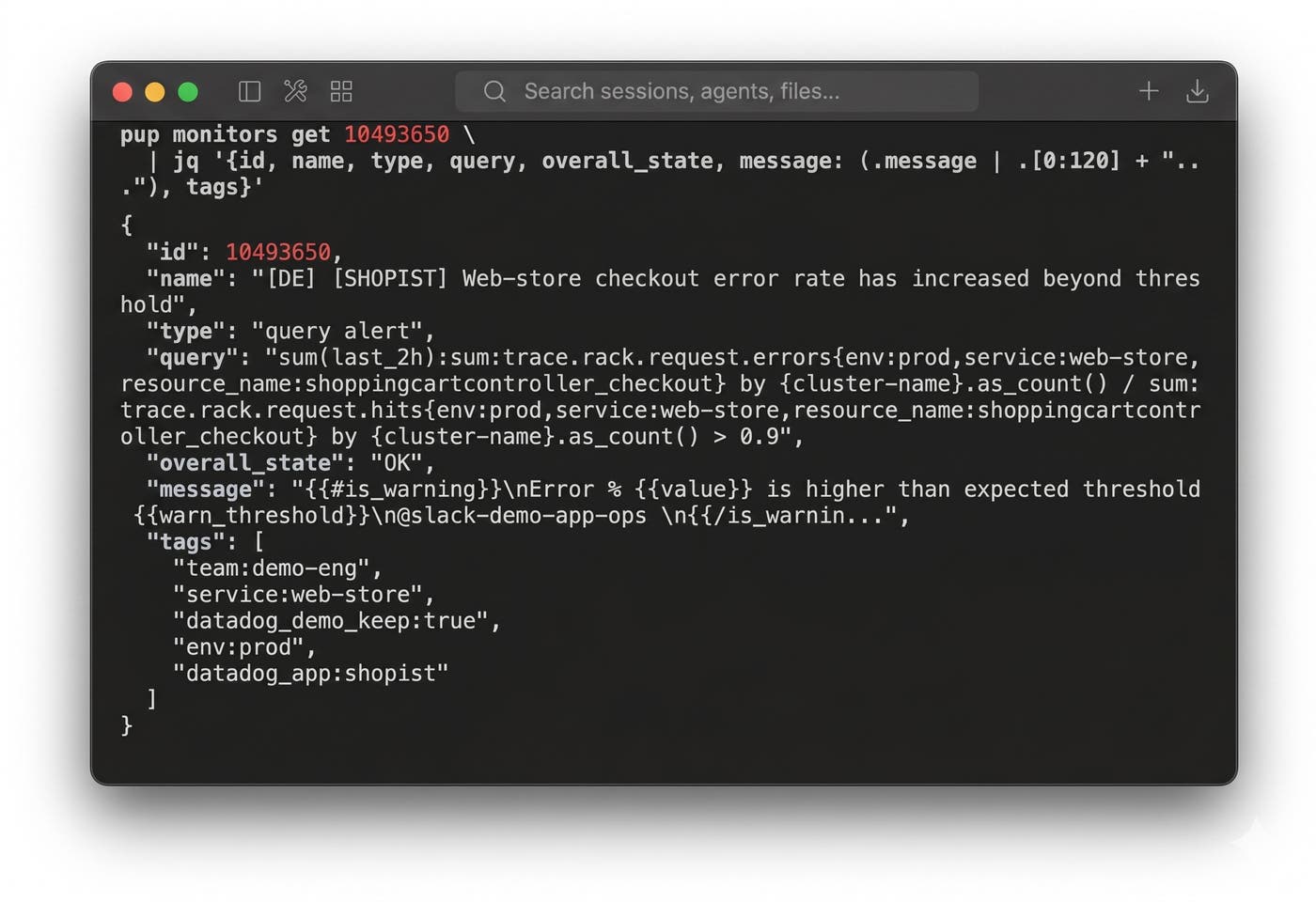
AI agents are a standard part of how engineers write, deploy, and troubleshoot software, but most still lack direct access to live production telemetry and rely on long-lived API keys spread across CI pipelines and shell environments. Pup CLI gives shell-style agents OAuth-scoped access to 33+ Datadog product domains through a single binary with 200+ commands, covering Logs, APM, RUM, Cloud SIEM, Incident Management, and more. Agents can retrieve the command schema dynamically via pup agent schema, parse structured JSON or YAML output, and chain results with tools like jq and grep. Bundled skills for incident triage and log-trace correlation install directly into Claude Code and Cursor workflows. Pup CLI pairs with the Datadog MCP Server, which covers chat-style agents in IDEs and assistants. Read our blog post or check out Pup on GitHub to get started.
Bring Datadog telemetry into your AI workflows with MCP Apps
Datadog MCP Server now supports MCP Apps that enable you to visualize Datadog telemetry directly within AI tools such as Claude, Cursor, Codex, and ChatGPT. This expands AI workflows beyond text and tables by adding interactive experiences—including timeseries, pie charts, treemaps, top lists, and more—within supported AI tools. Using natural-language queries such as “Why did checkout latency spike following a recent deployment?” or “How is checkout conversion performing this month?”, your AI tool can retrieve live latency graphs or Product Analytics funnels, enabling you to conduct end-to-end investigations without opening a separate window.
Learn more about how MCP Apps enhance your existing AI workflows in our dedicated blog post, and check out Datadog’s other newly released AI integrations here.
Measure the impact of AI coding tools on your software delivery
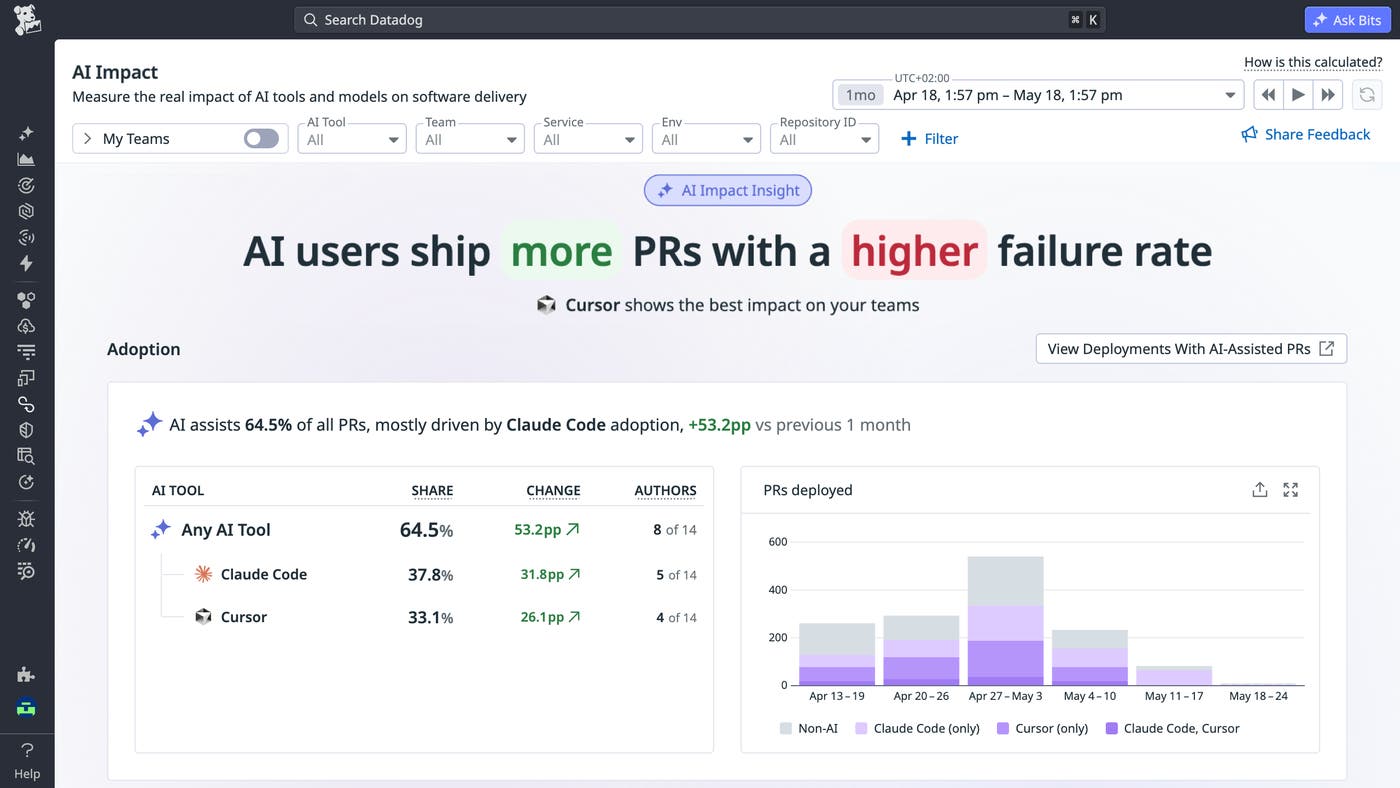
Engineering leaders are investing heavily in AI coding assistants but struggle to tie those investments to concrete delivery outcomes. Datadog AI Impact helps close that gap by connecting usage telemetry from AI coding tools like Claude Code, Cursor, and Copilot to your delivery metrics, tagging every commit with the tool and model that assisted it as code flows from pull request to production. See exactly what percentage of your code is AI-assisted, compare AI-assisted and human-written work side by side on velocity and stability, and benchmark tools and models based on your own team’s data (not someone else’s leaderboard) so every adoption and renewal decision is grounded in your delivery data. To learn more, check out our blog post and documentation.
Unify multi-cluster Kubernetes visibility with Datadog MCP tools
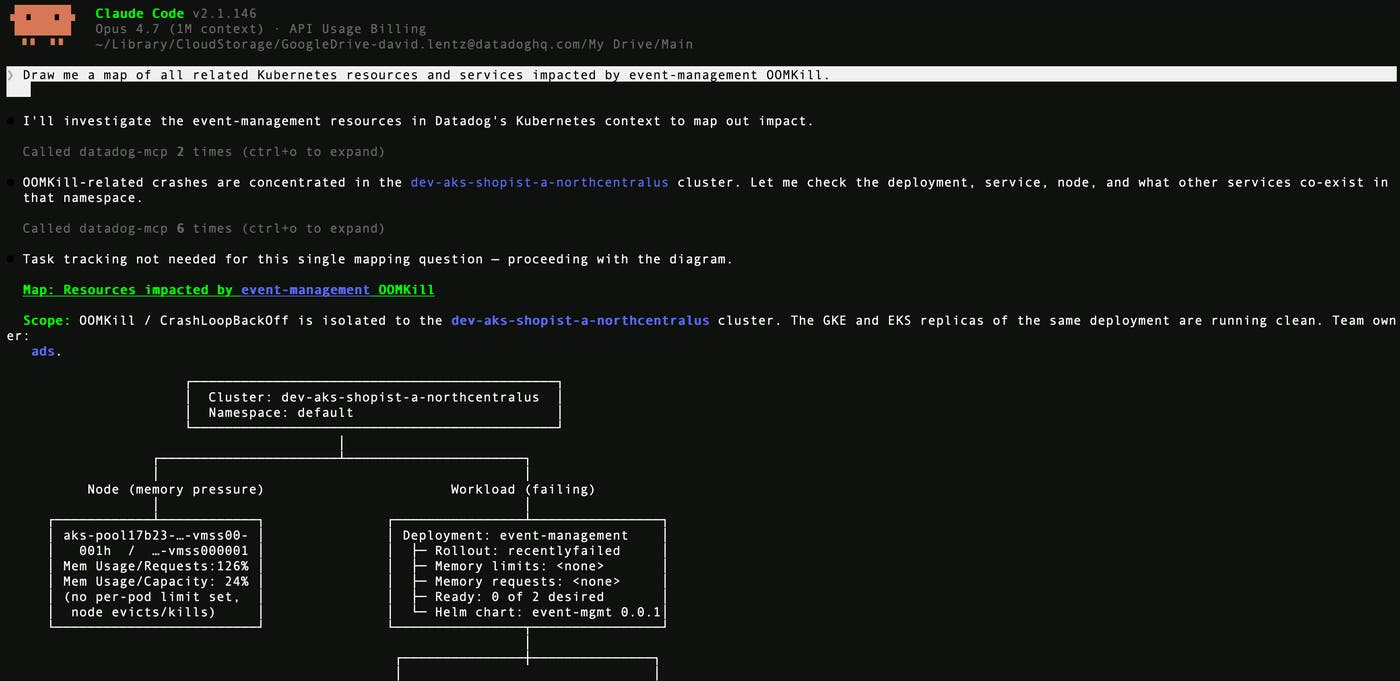
Investigating Kubernetes issues across multiple clusters requires running the same kubectl commands against each one and manually stitching in the ownership, service, and environment context that kubectl can’t provide. The Datadog MCP Server now includes a Kubernetes toolset that lets MCP-compatible AI agents query resources across your entire cluster fleet in a single call, with results enriched by Datadog metadata. Agents can chain the toolset’s search, describe, and manifest retrieval tools into workflows for incident triage, blast radius mapping, drift detection, governance checks, and PR risk analysis. Read our blog post to learn more.
Expand APM context for AI agents with APM MCP toolset
The Datadog MCP Server already gives AI agents access to core APM telemetry data through tools like trace lookup and span search. The expanded APM MCP toolset, now in Preview, brings more APM data into the MCP layer, including span tag discovery, APM Recommendations, and deployments from Change Tracking. With this added context, agents can investigate service issues, understand relevant span dimensions, find optimization opportunities, and surface recent deployments that may have contributed to a problem. To get started with the APM MCP toolset, read the Datadog MCP Server Tools documentation or sign up for the Preview.
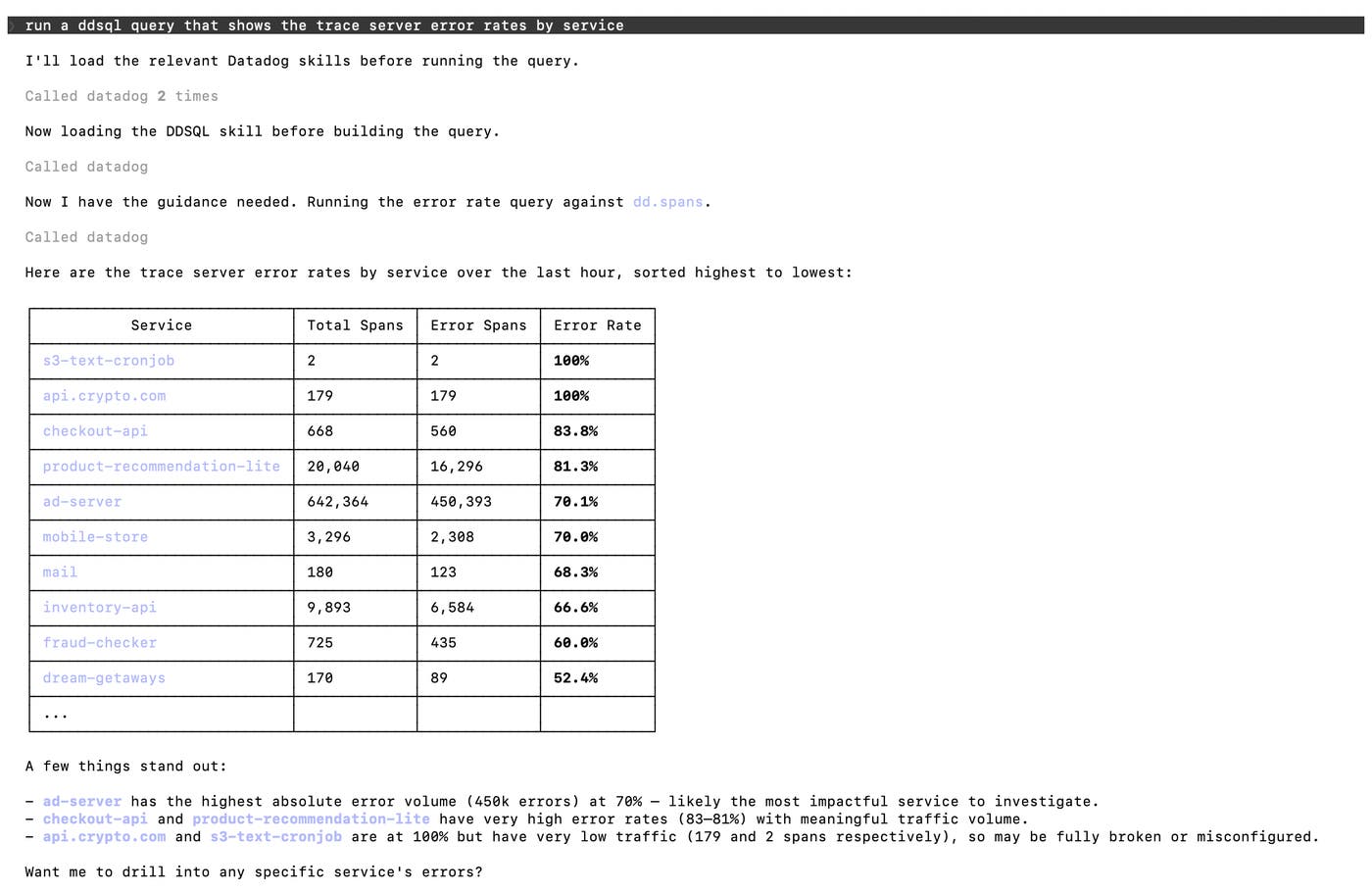
Flexibly query your Datadog telemetry data with the DDSQL API and MCP tools
The DDSQL API and MCP tools let you programmatically run DDSQL queries against your Datadog telemetry data using the same Postgres-compatible SQL available in DDSQL Editor. The MCP toolset also gives agents like Claude and ChatGPT the context they need to write DDSQL queries on your behalf, with schema discovery tools that browse available tables and columns, field search across data sources, and DDSQL syntax reference. This unlocks use cases like automated tag governance across your AWS, GCP, and Azure accounts, joining log error rates with span latency to surface degraded services, or analyzing LLM Observability traces to track token usage and model performance across your AI pipelines. Learn more in our documentation, or get started with the Datadog MCP Server.
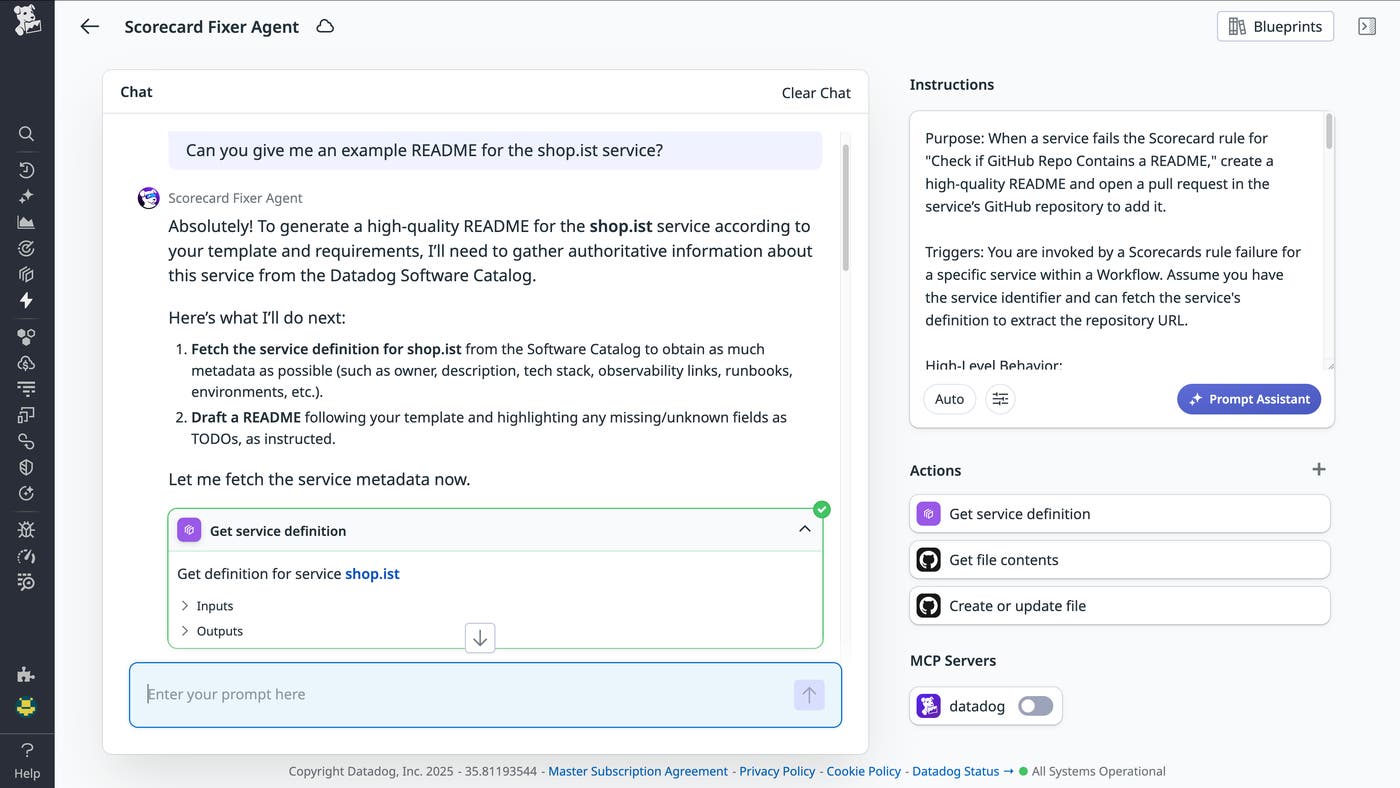
Build agentic workflows for alert response and remediation with Bits Agent Builder
As systems scale, the automated workflows teams build to handle alerts and remediation require increasingly complex, hardcoded logic branches. Bits Agent Builder, now generally available, adds AI-driven orchestration to Datadog Workflow Automation, letting engineers create purpose-built agents that reason through complexity instead of following a fixed script. Engineers describe an agent’s goals in natural language, control which data sources and tools it can access, and deploy agents that interpret Datadog observability data and third-party signals to take action automatically or on demand through chat. Learn more in our blog post.
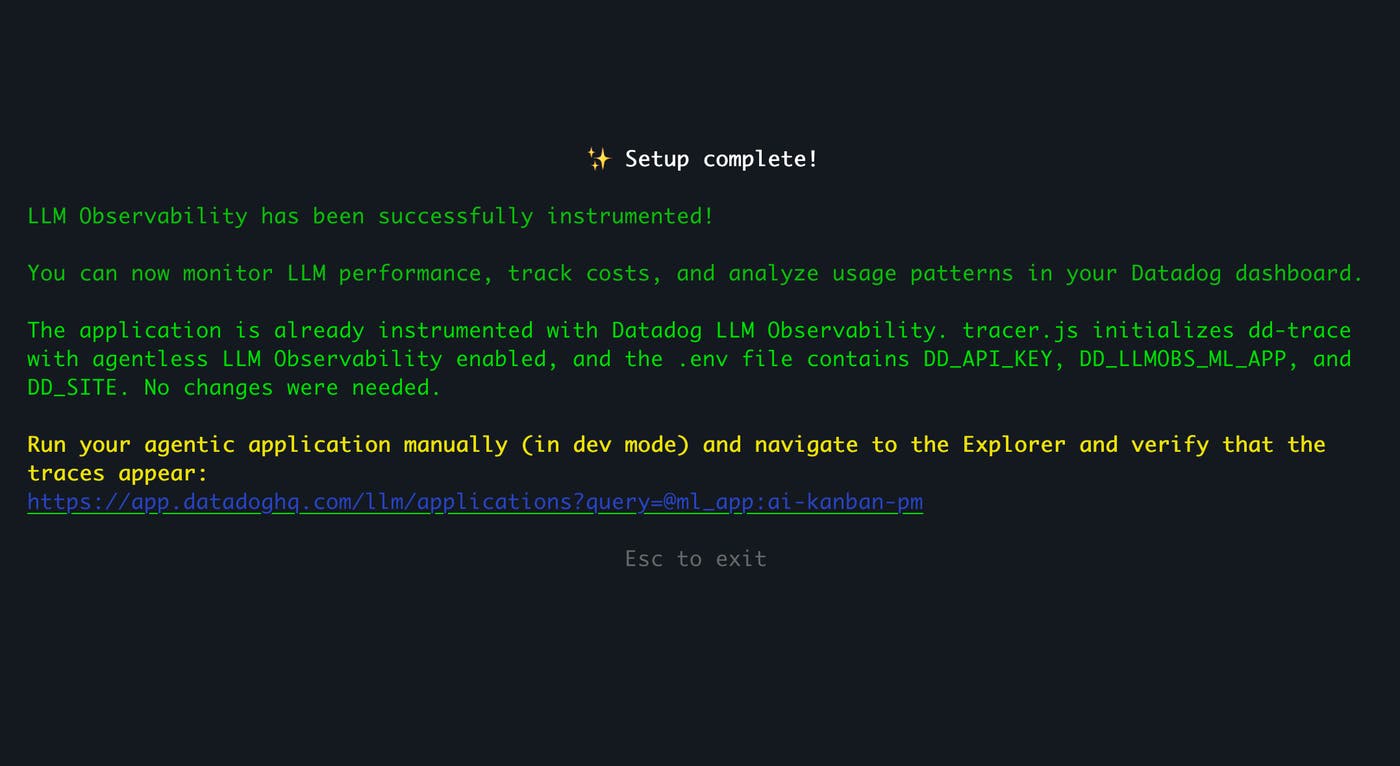
Instrument your app for Datadog without leaving your development environment with Agentic Onboarding
With Agentic Onboarding, Datadog brings instrumentation and setup directly into developers’ existing workflows via either the AI Setup CLI or the Datadog MCP Server. This means that developers can set up observability without needing to leave their environments, dig through documentation, and manually apply complex configurations. The Setup CLI runs in your terminal, detects your stack, and sets up Datadog by instrumenting IaC configurations or application code. The MCP Server brings those same onboarding tools into AI coding assistants, so configuration happens inside the IDE. Teams go from zero to fully instrumented in minutes, without leaving their development environments or needing a Datadog expert. To learn more, read our documentation.
Give AI agents and developer tools secure, auditable access to infrastructure hosts with Datadog Agent MCP
The Datadog Agent MCP is a new remote-actions toolset that extends the Datadog MCP Server. It gives AI systems and developer CLIs direct, live, secure, and auditable on-demand shell access to your infrastructure hosts, through a backend-proxied channel powered by the Private Action Runner. Using natural language, you can read log files, inspect process state, describe Kubernetes pods and events, and diagnose network issues without SSH access or sending any data from the host. AI agents like Claude Code, OpenAI Codex, and Bits AI can run shell commands and invoke on-demand scripts directly on your hosts.
To qualify for this Preview, you should already be running the Datadog Agent (v7.80+) and be able to install the Private Action Runner in your environment.
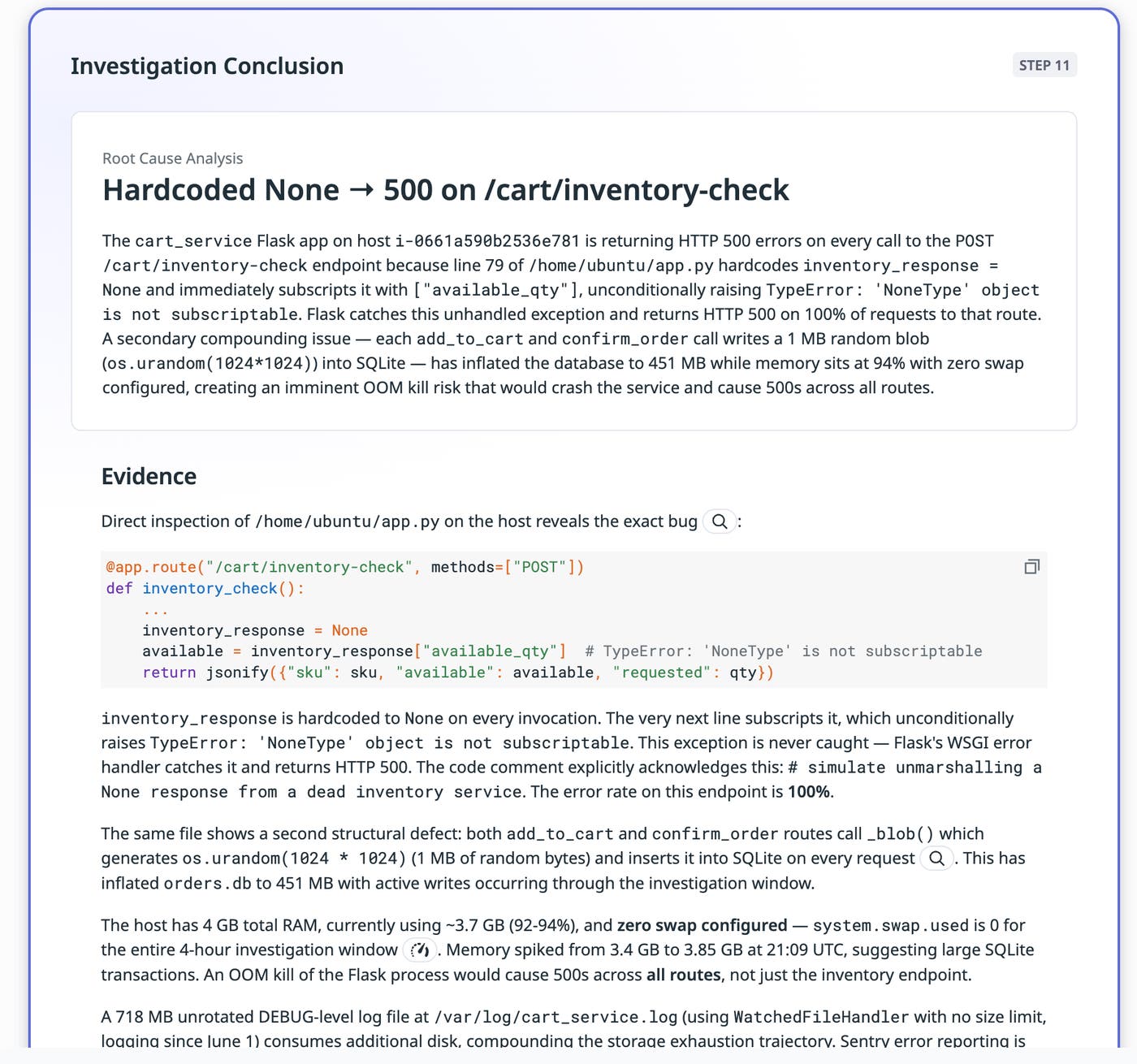
Reduce costs and improve performance with AI
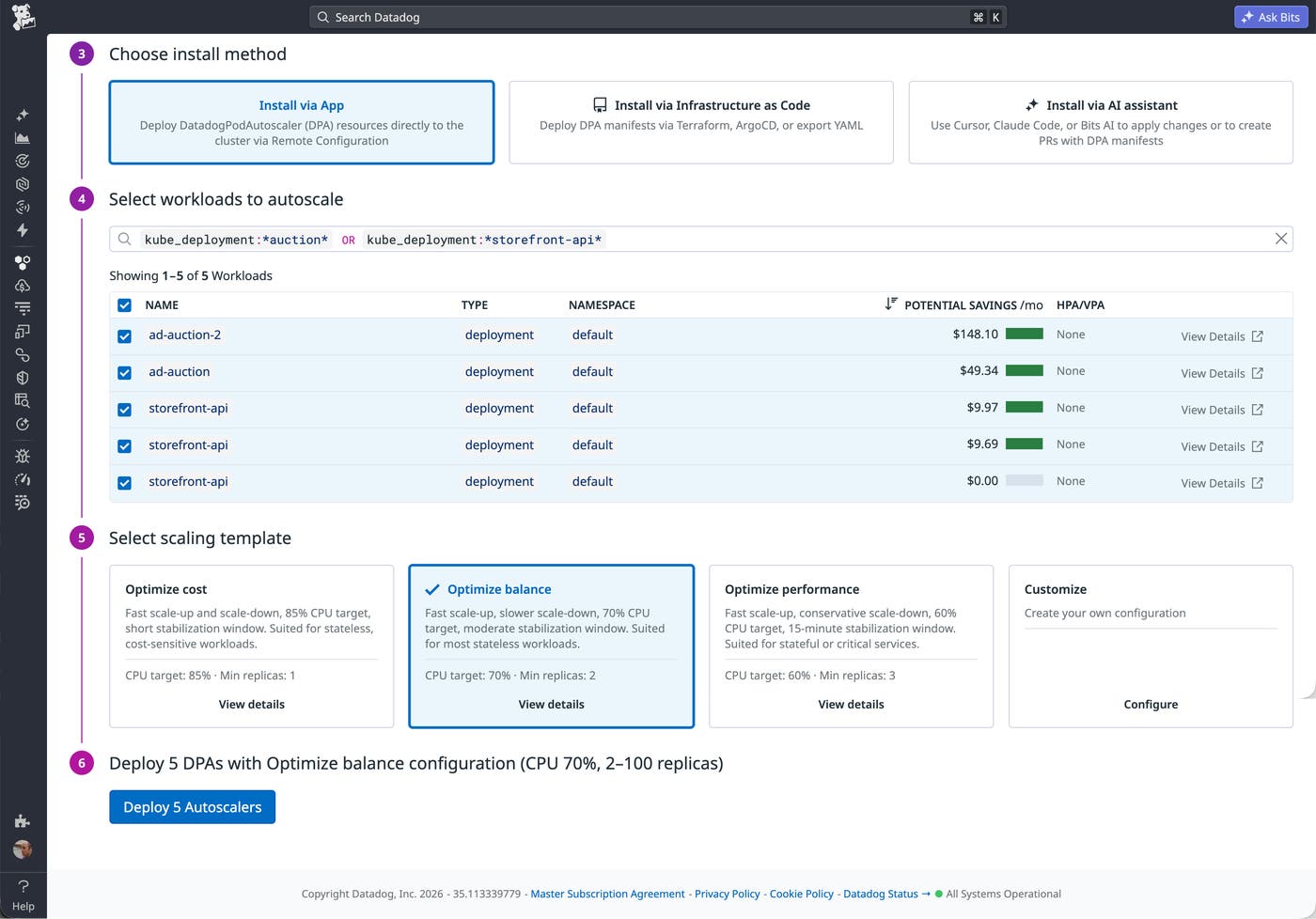
Centralize your Kubernetes autoscaling deployment and management
Right-sizing Kubernetes workloads fleet-wide is one of the highest-leverage cost optimizations available, but it has historically required per-service expertise that doesn’t scale. Datadog Kubernetes Autoscaling now makes it faster and safer to expand workload autoscaling across your entire cluster, with three rollout paths: bulk activation from the in-app setup page, policy-as-code management with GitOps cluster profiles, and AI-assisted manifest generation. In-place vertical resizing applies right-sizing changes to container resource requests with less disruption than pod recreation. Check out our blog post to learn more.
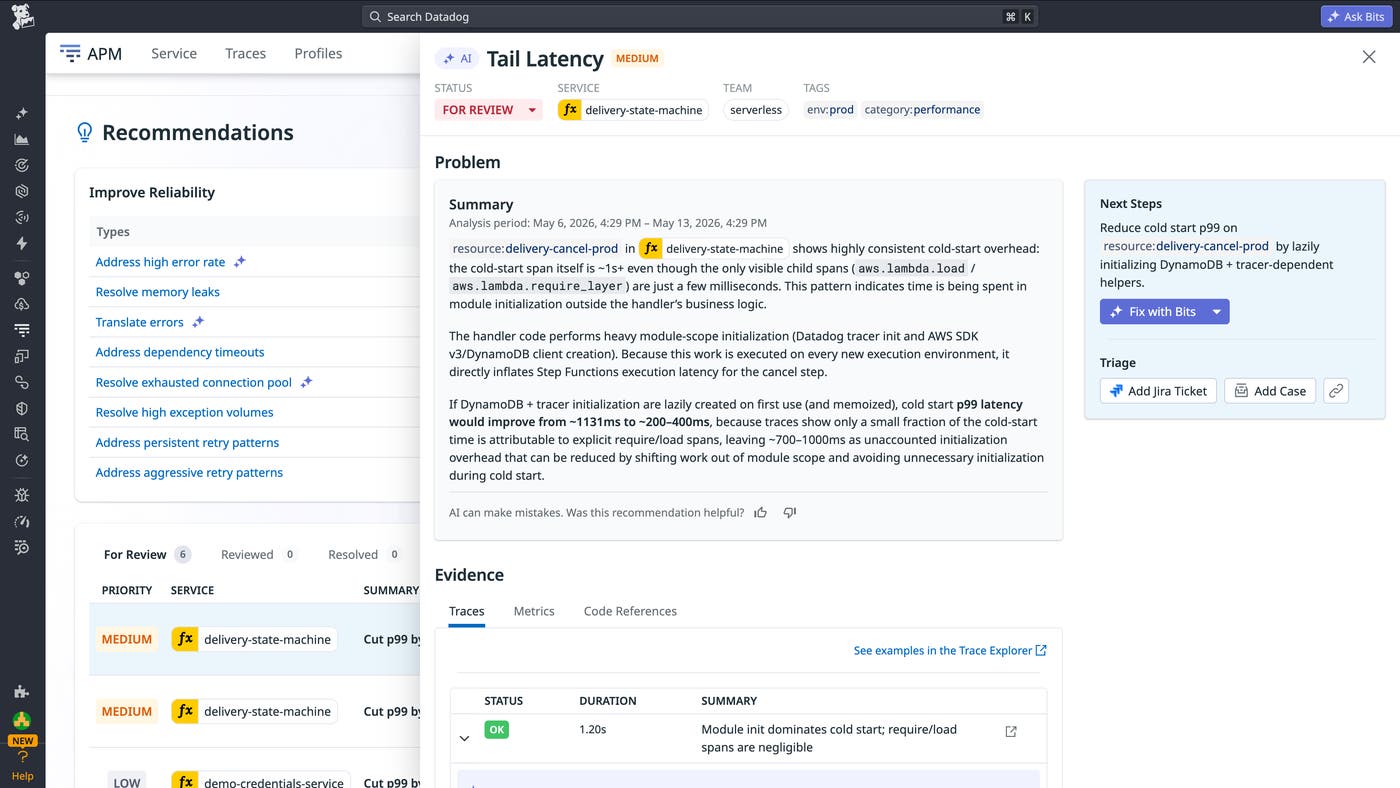
Surface a broader range of service optimizations with AI Recommendations
APM’s AI Recommendations expands the existing APM Recommendations experience by using AI to surface a broader range of service optimization opportunities, including missing caches, tail latency, resource contention, connection pool exhaustion, excessive serialization, unbounded payloads, and more. Teams can review, triage, and track AI Recommendations through resolution in APM. When Source Code Integration is configured, Datadog can use code context to improve recommendation accuracy and help teams identify where to make a fix. To learn more, check out our documentation.
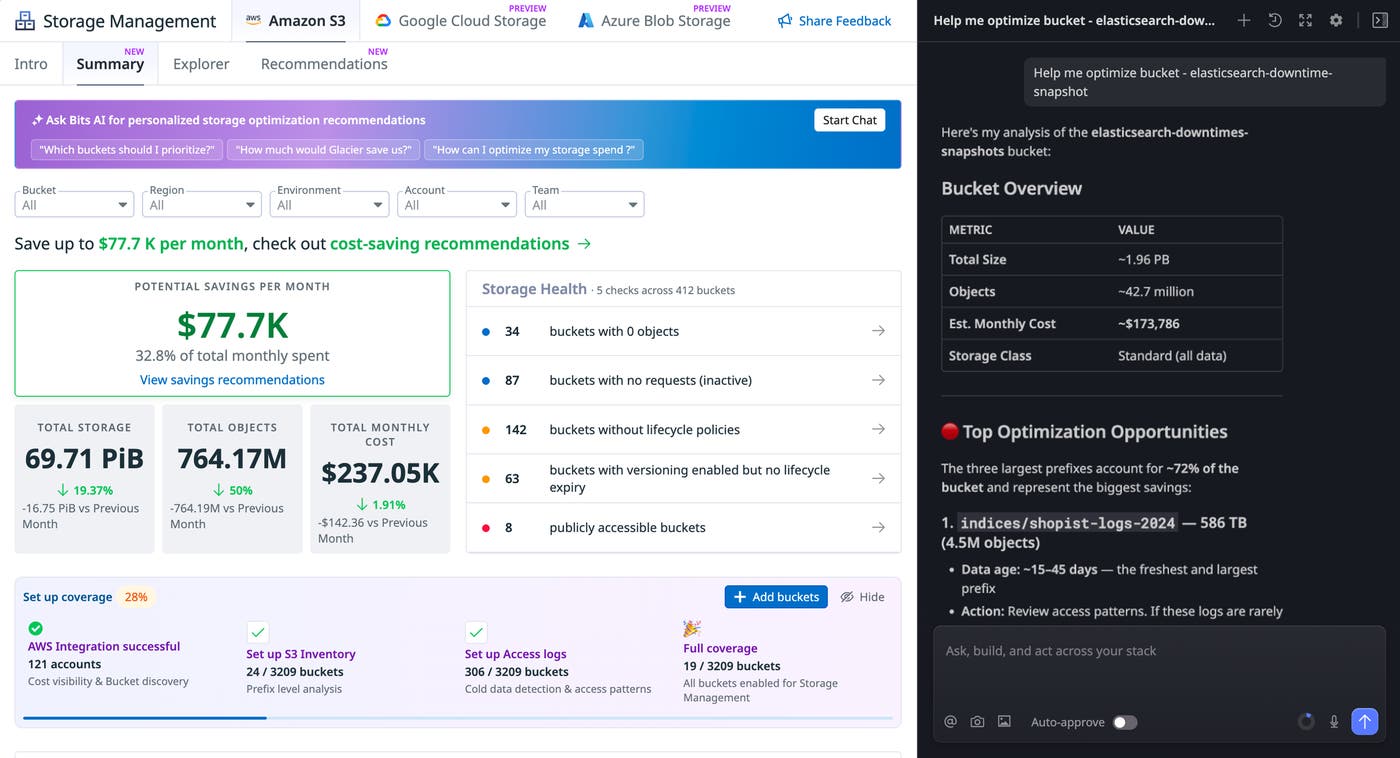
Eliminate cloud storage waste faster with Datadog Storage Management and Bits Chat
As AI and other data-intensive workloads drive exponential growth in object storage, the most impactful cost patterns are increasingly hidden below the bucket level. Datadog Storage Management’s new recommendations and Bits integration help engineering and FinOps teams find and reduce the biggest cost drivers in their cloud storage. Storage Management automatically surfaces areas of waste or inefficiency, such as small files inflating per-object overhead, duplicate objects, and cold data sitting in expensive tiers. With the Bits Chat integration, you can analyze storage buckets for cost drivers using natural language and generate findings tailored to your data layout, access patterns, and existing configurations. Storage Management for Amazon S3 is generally available today, with Google Cloud Storage and Azure Blob Storage in Preview. To learn more, read our documentation.
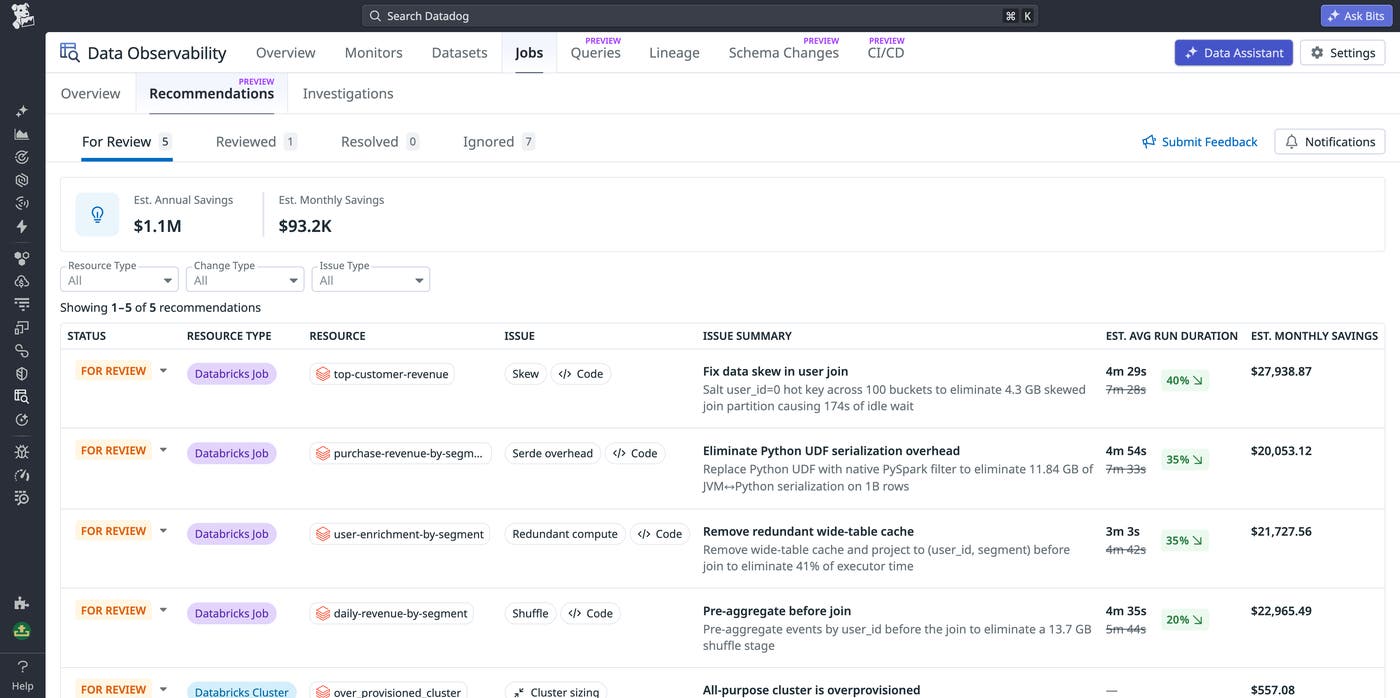
Optimize Spark and Databricks jobs with AI and Datadog Jobs Monitoring
Spark and Databricks jobs can run for hours and cost thousands of dollars a month, but finding the right bottleneck across configuration, query design, code, and infrastructure still takes hours of manual investigation. Datadog Jobs Monitoring surfaces prioritized recommendations across your pipelines with savings estimates tied to real production execution data, and the Datadog MCP Server brings Spark execution context directly into your coding agent so you can investigate and fix jobs without leaving your editor. To learn more, read our blog post.
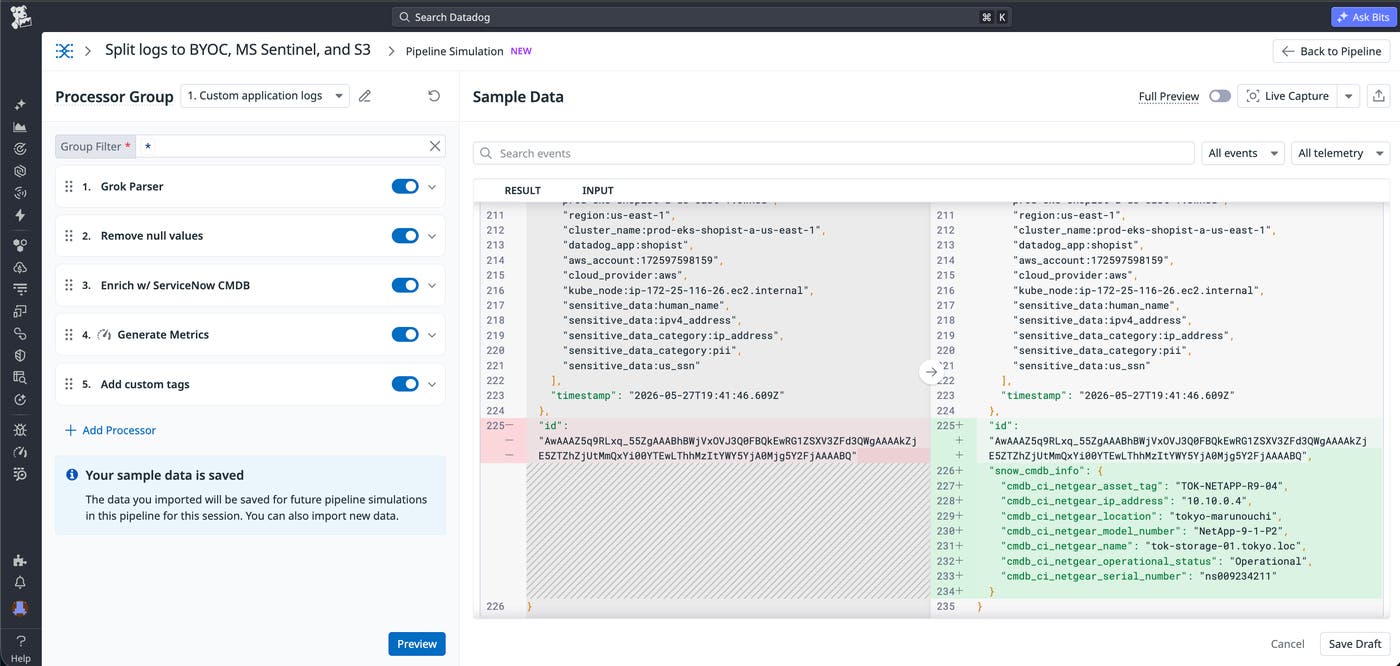
Automatically parse and normalize all your logs
Log pipelines transform raw log messages into structured attributes that power search, filtering, dashboards, and monitors across Datadog. While Datadog provides out-of-the-box pipelines for many log sources, custom application logs still require engineers to manually build Grok parsing rules, processors, and remappers. This process requires expertise and ongoing maintenance as log formats change. Auto-Processing reduces that work by automatically detecting unparsed logs at ingest, generating parsing rules, and remapping key attributes like timestamp, status, service, trace ID, and span ID, all without any configuration required. Auto-Processing is also fully managed, so Datadog continuously monitors accuracy and adapts as your log formats evolve, so your team never maintains a Grok rule again. Sign up for our Auto-Processing Preview to get started.
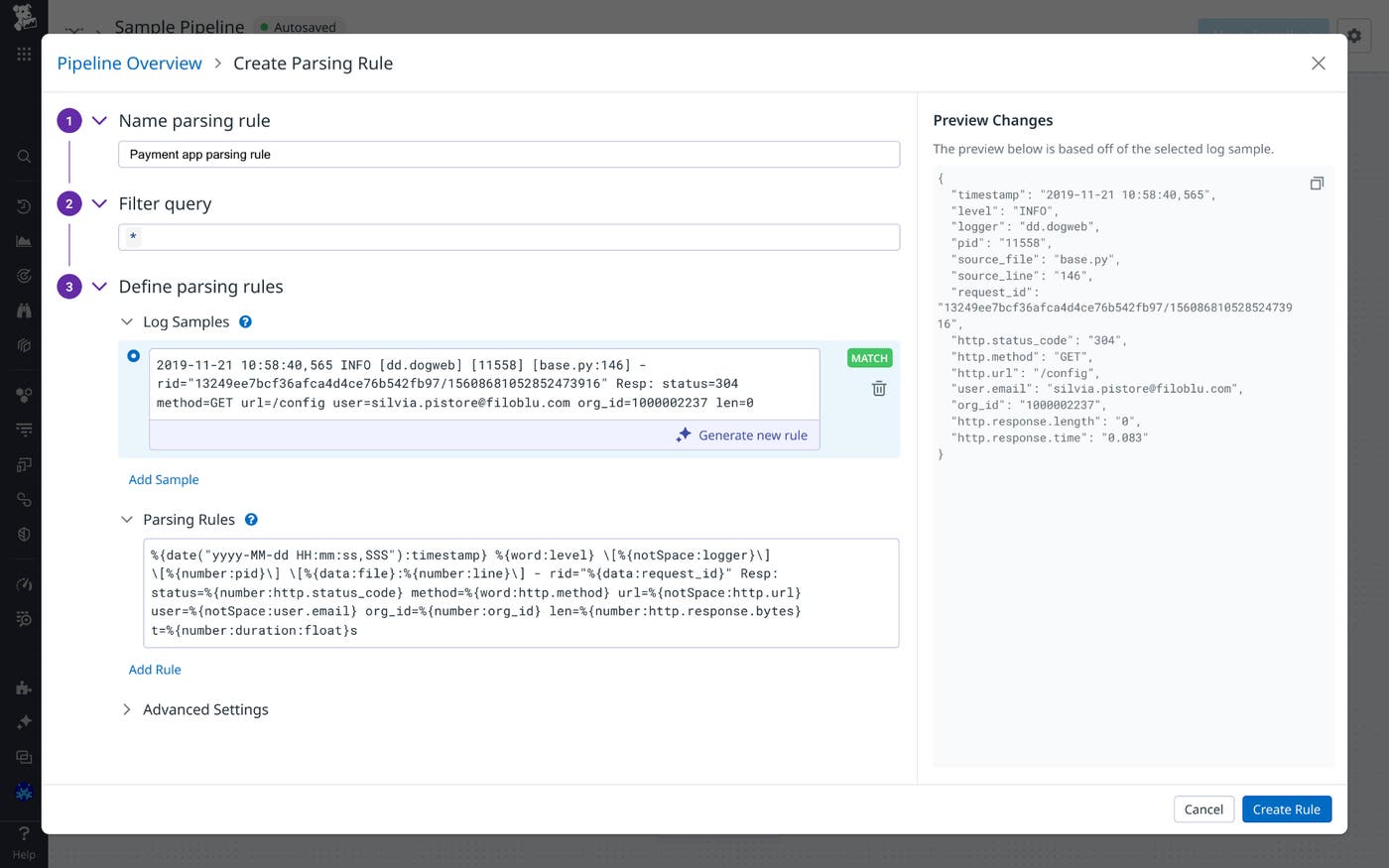
Generate AI-based Grok parsing rules with one click
DevOps teams often manage high volumes of custom logs that arrive unstructured, improperly formatted, or unparsed. However, writing custom Grok rules to parse that data is hard, prone to syntax errors, and time-consuming. Now, Datadog Observability Pipelines supports AI-assisted Grok parsing so teams can generate parsing rules with one-click in the UI. Paste in your log samples and automatically produce parsing rules to normalize your data into your preferred taxonomy. To learn more, read our documentation or reach out to your account representative.
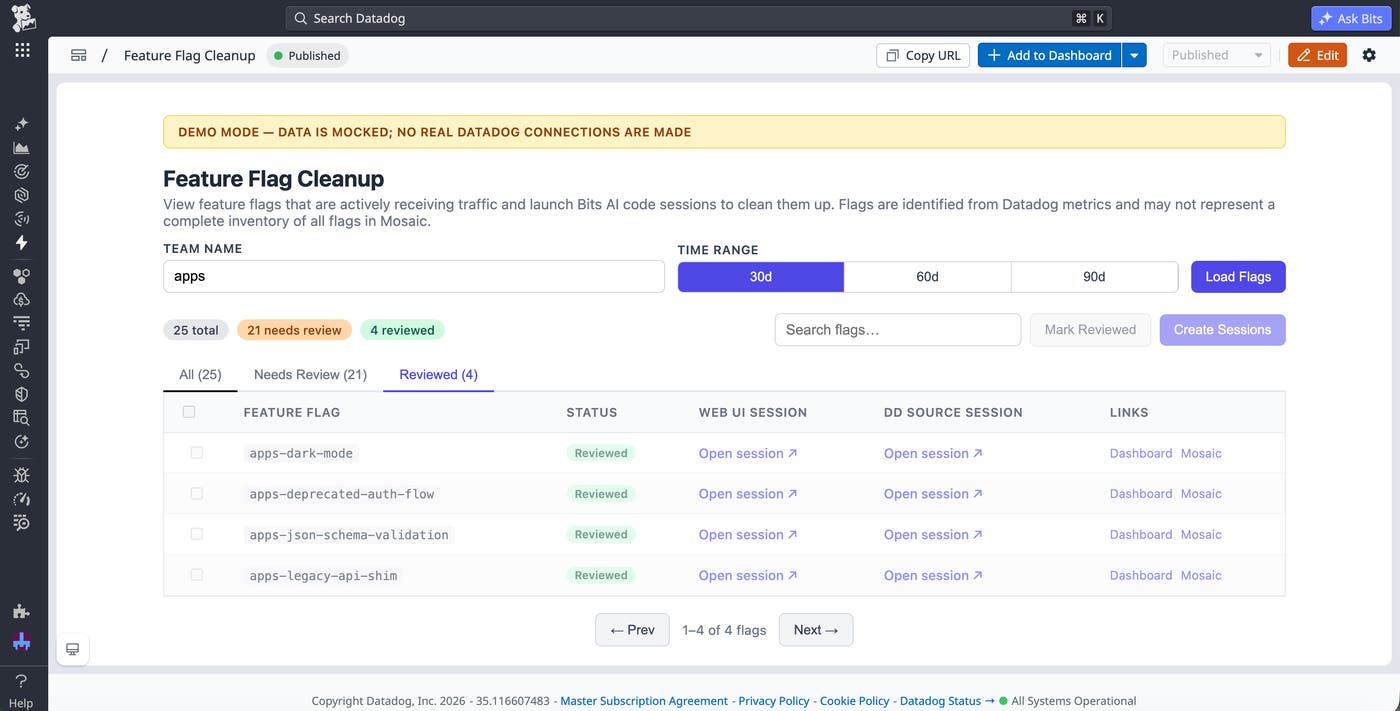
Build agent-assisted internal apps with Datadog Apps
AI coding agents make it faster to create internal applications, but those apps still need a reliable way to run, connect to external systems, and fit into the workflows teams use every day. Datadog Apps gives teams a code-first way to build applications from the agents, IDEs, and CI pipelines they already use. Instead of deploying standalone tools that create additional context switching, teams can embed these apps directly into Datadog dashboards, notebooks, service pages, and the Developer Homepage. Apps use Datadog’s identity and permission model and can connect to external systems through configured connections. Datadog also instruments apps to help you monitor health and performance, including errors, user activity, and usage trends.
To get started, read our blog post or documentation and sign up for the Preview.
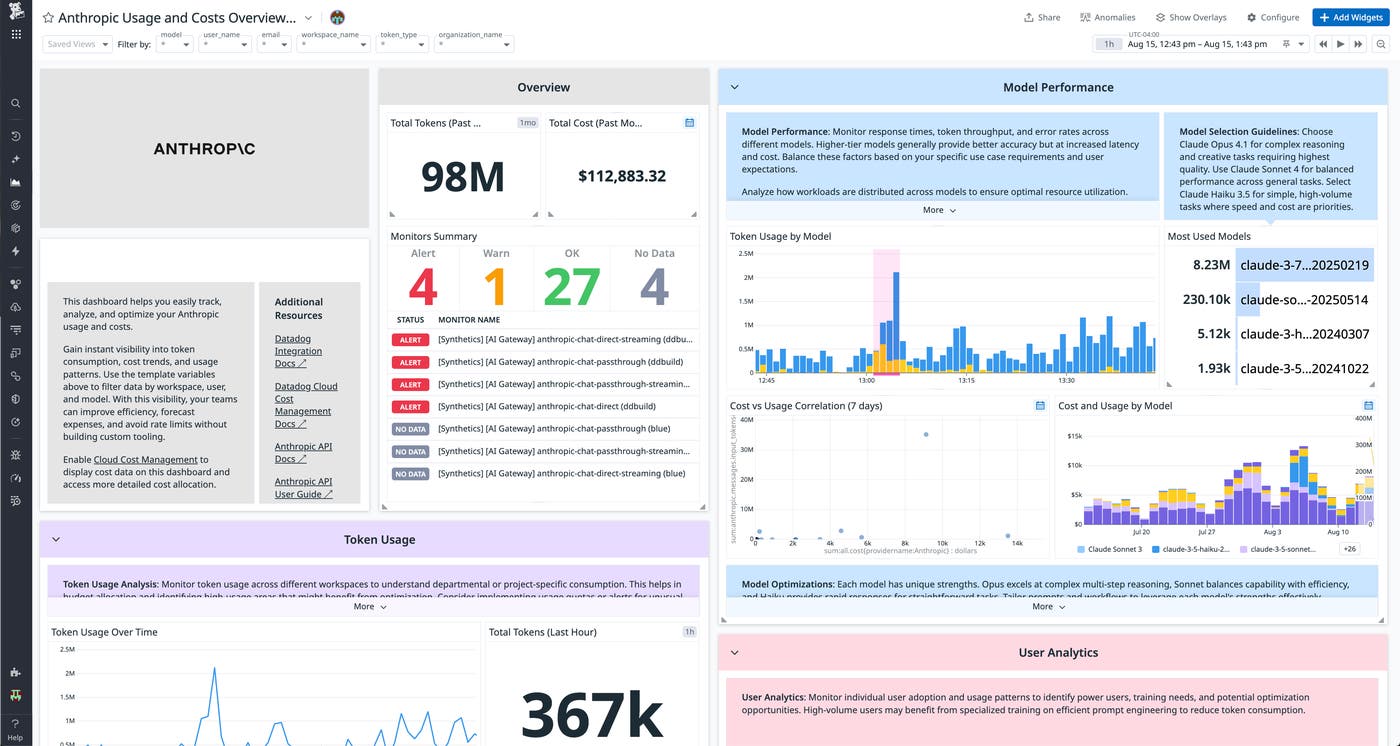
Gain visibility into AI usage, performance, and spend with Datadog AI integrations
New Datadog integrations with major AI tools and providers across the stack give teams a single place to track AI adoption, measure productivity impact, and control costs. Surface token consumption, model usage patterns, and cost trends across your Anthropic API workloads. Bring OpenAI billing and usage data into Datadog to break down spend by model, project, and time period. Gain visibility into GitHub Copilot seat utilization, suggestion acceptance rates, and active usage across your organization. Pull Microsoft Copilot activity and adoption metrics into Datadog to understand which teams are actively using AI assistance and whether Copilot is delivering measurable productivity gains. Track how your development teams are using Cursor’s AI-powered coding capabilities, including model interactions, usage frequency, and adoption trends. Monitor your Supabase Cloud infrastructure, from database performance and connection pooling to API request volume and auth activity. And connect your existing AI gateway to Datadog LLM Observability to run evaluations with your own API keys and model access. Learn more about Datadog’s AI integrations in our documentation.