


Centralize human and agentic work
Learn how Datadog Work Management connects human and AI agent-driven work across tools.
Centralized work tracking for humans and AI agents
Track, assign, and resolve every work item created by you, your team, or your AI agents. All in one system of record, with full context from across the Datadog platform.


Integrates with your stack






One system of record for all your work
Whether work starts in a monitor alert, security signal, or an AI agent, track ownership, state, artifacts, approvals, and audit history across the work item lifecycle.

Always-on accountability
Log every action and assign work items, from teams or AI agents, into the same auditable timeline.

Everything in context
Use data already in Datadog to auto-populate work items with monitors, errors, security signals, and more.

Full lifecycle, automated
Create custom criteria to auto assign, triage, and close work items, or require human approvals.

Empowers every team
Customize work types, statuses, attributes, and projects to support your team’s processes.
Work Management doesn't start from a blank ticket. Because it's built on the same platform as your monitors, logs, traces, and security signals, every work item arrives pre-loaded with the telemetry and ownership context needed to act.

Keep work moving for every team and every task
From developers to platform and security teams, Work Management brings team knowledge and AI automation together in one place.


Track every step, every detail, from start to finish
Tailor your workflow to your rules
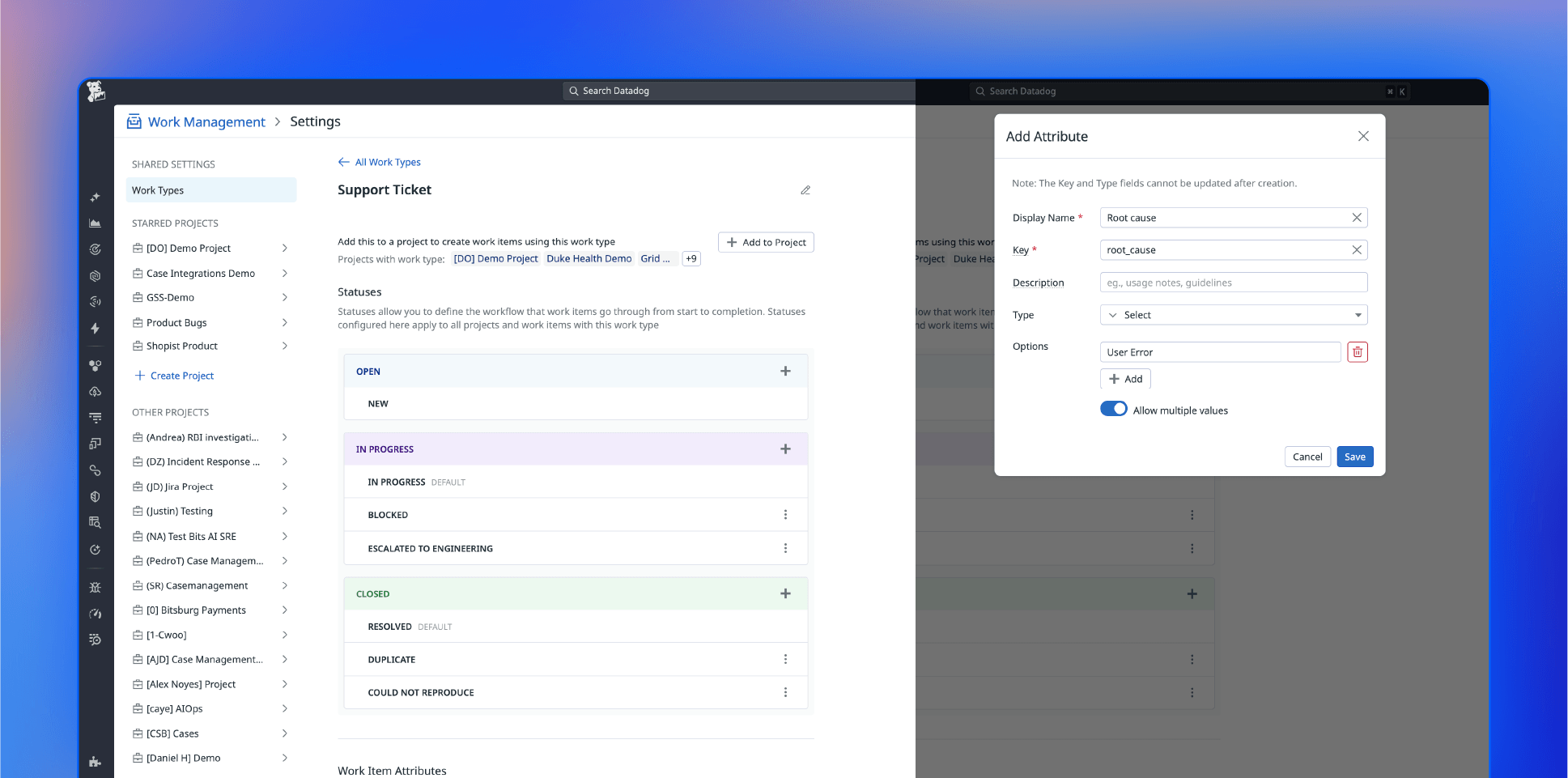
Model every work type your way
Define any work type—feature request, bug, reliability, task—with its own status and attributes.
Track only the fields that matter
Customize the exact fields that matter for each work type, from root cause to URLs.
Build projects around your team
Organize work items into projects that match how you actually operate.
Automate the full lifecycle
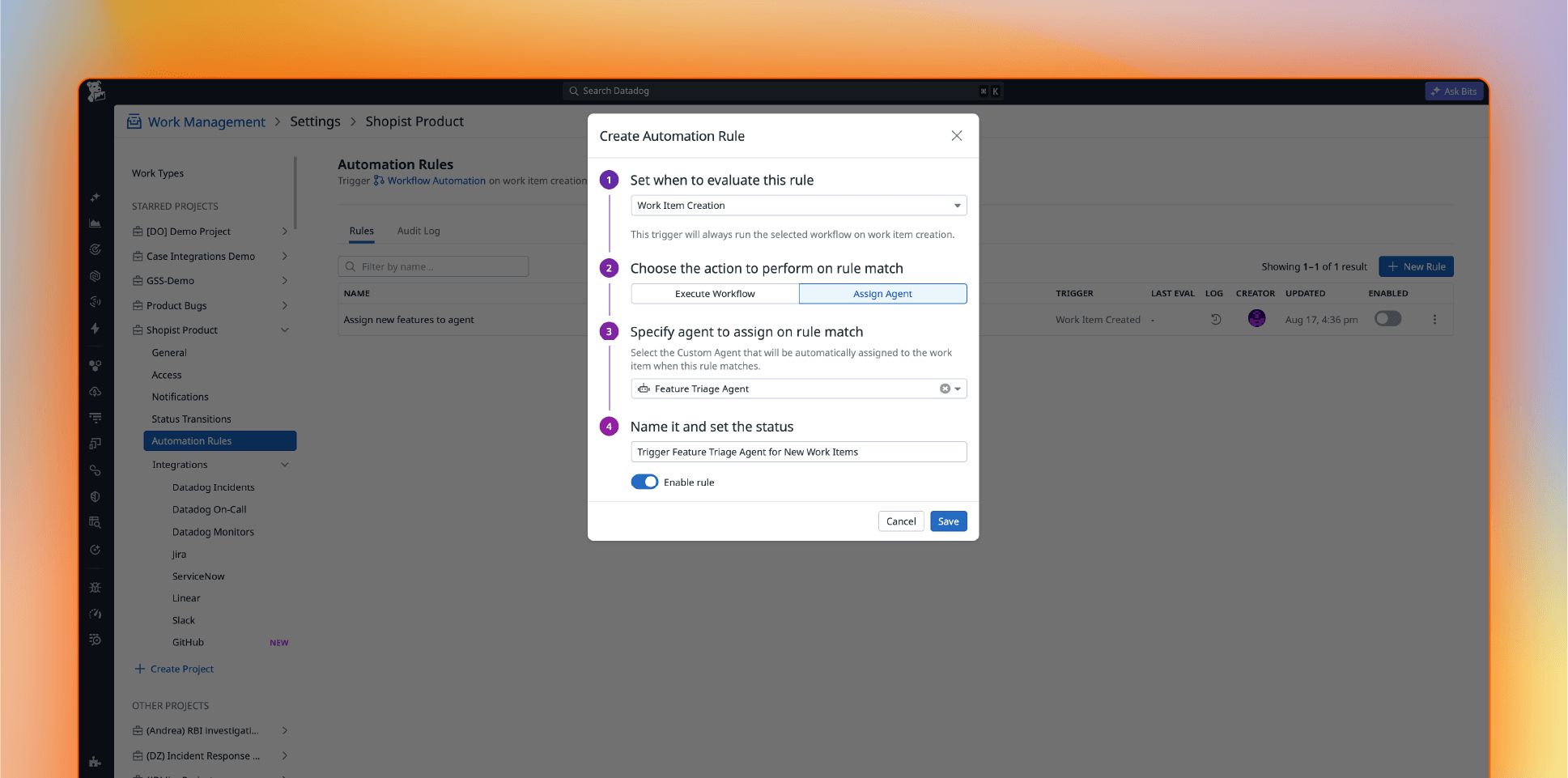
Automatically trigger workflows on any change
Workflows fire the moment work items are created, updated or hit your criteria.
Use approval workflows
Require sign-off from the right people before any action moves forward.
Build integrated agents
Create custom agents to investigate, plan, and resolve work items automatically.
Sync every tool, everywhere
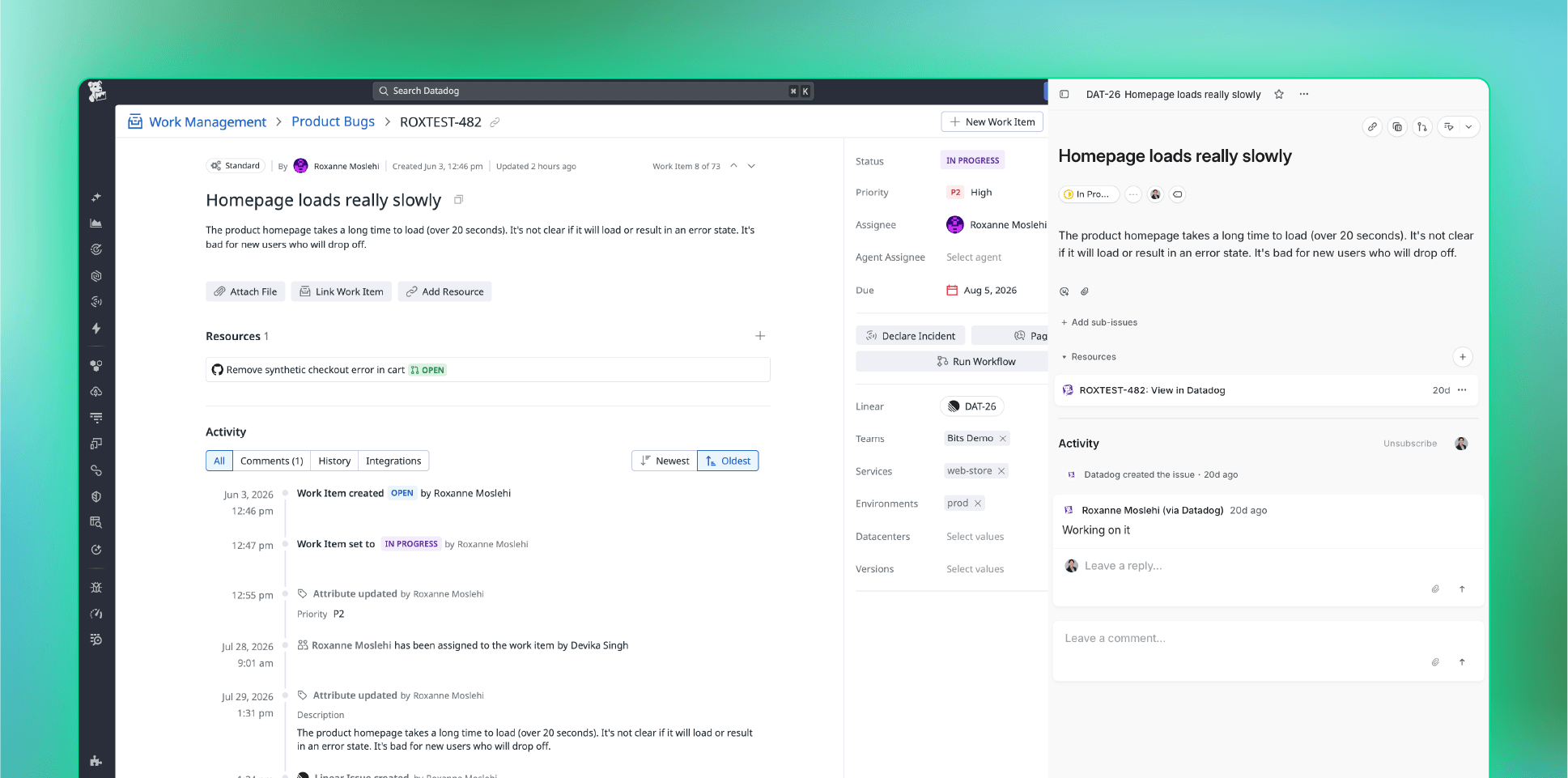
Connect third-party ticketing tools
Set up integrations to automatically sync Datadog work items to Jira, Linear, or ServiceNow.
Integrate with Slack
Get notified, update work items, and mirror Slack thread activity back to work items, without ever leaving Slack.
Link GitHub Pull Requests
Preview PR details inline and automatically keep work item status in sync with PR status.
Find what matters, instantly
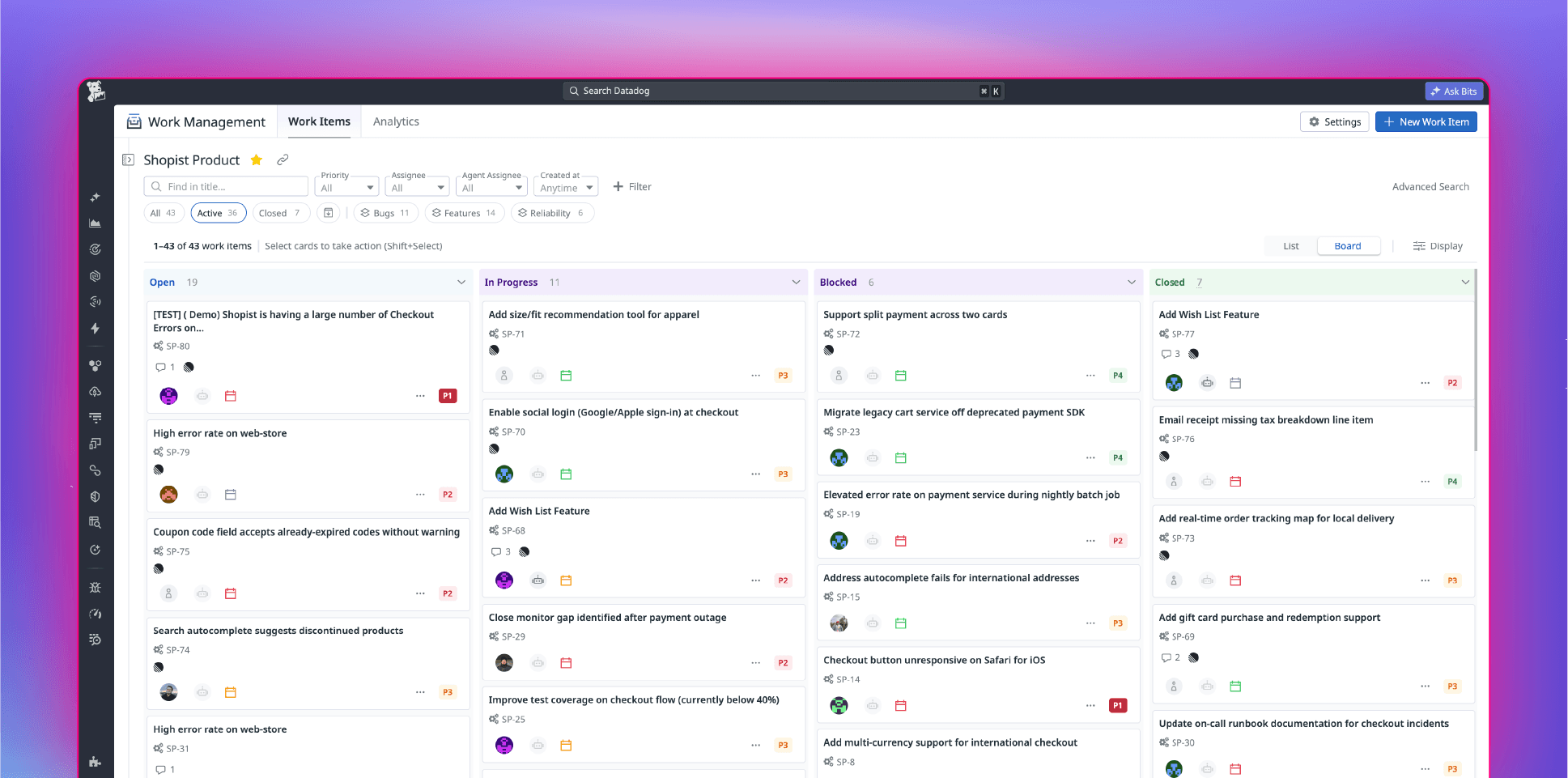
Personalize your views
Switch between list and board views, save filtered views, and easily share them across your org.
Cut through the noise
See overdue, blocked, and approval-pending work items the moment you open Work Management.
Get analytics and metrics built in
Out-of-the box dashboards show bottlenecks, time to assign and resolve work, and trends by team or work type.
about Datadog Work Management
Datadog Work Management is a centralized platform for tracking, triaging, and resolving operational work, including incident follow-ups, bugs, security cases, access requests, and feature work, in one system of record. It integrates observability directly into your work management process, eliminating the need to switch between tools, and lets you assign work to teammates or Datadog AI agents interchangeably.
Datadog Case Management is now Datadog Work Management, and cases are now called work items.
A work item is any unit of work with a status and lifecycle that a human or an AI agent updates: an incident follow-up, a security case, a bug, a feature request, an access request, and more. Work types are customizable per team, but every work item shares the same core fields, audit trail, and integrations.
Datadog Work Management supports any operational discipline, including, platform engineering security operations, and developers, and can be tailored to a variety of use cases. Custom work types, statuses, and attributes let each team model its own process without leaving Datadog.
Work items can be created automatically from integrated Datadog products, including Monitors, Security signals, Error Tracking issues, Event Management, Forms submissions, Workflow Automation and more. Each work item arrives pre-populated with the relevant context already in Datadog.
Datadog AI agents can do the work. Through Bits Agent Builder, you can build custom agents and auto-assign work items to them to investigate, plan, and take action. Every agent action is recorded on the work item's timeline alongside human activity, and you can use approvals and notifications to keep humans in the loop.
Yes. Datadog Work Management syncs bidirectionally with Jira, Linear, and ServiceNow, links GitHub pull requests with live status, and supports notifications through Slack, Microsoft Teams, and email. You can also manage and search work items from Bits Chat or any AI client using the Datadog work items MCP toolset.
Yes. You can escalate a work item directly to a Datadog Incident without losing the context and investigation history already gathered, then use Datadog's real-time collaboration features to coordinate the response.
Datadog Work Management provides out-of-the-box dashboards and flexible analytics covering time to assign, time to close, unassigned work items, bottlenecks, and trends by team or work type. Teams use them to track productivity, analyze trends, and measure operations against business outcomes over time.
No migration is required; existing cases become work items automatically and integrations will continue to work.
No. Datadog Work Management is included with the Datadog platform at no additional charge.
Resources & Learning
Guides, research, and technical content to help teams build, evaluate, and operate AI agents with confidence.