
Roxanne Moslehi
Product Manager
Teams often track operational work across spreadsheets, Slack threads, Jira tickets, and whatever system generated the original alert or signal. This fragmentation makes it difficult to maintain a consistent record of what needs attention, who or what is addressing the issue, and what has already happened. As AI agents take on more responsibility for investigations, triage, and code changes, the number of handoffs grows, making ownership, status, and history even harder to preserve.
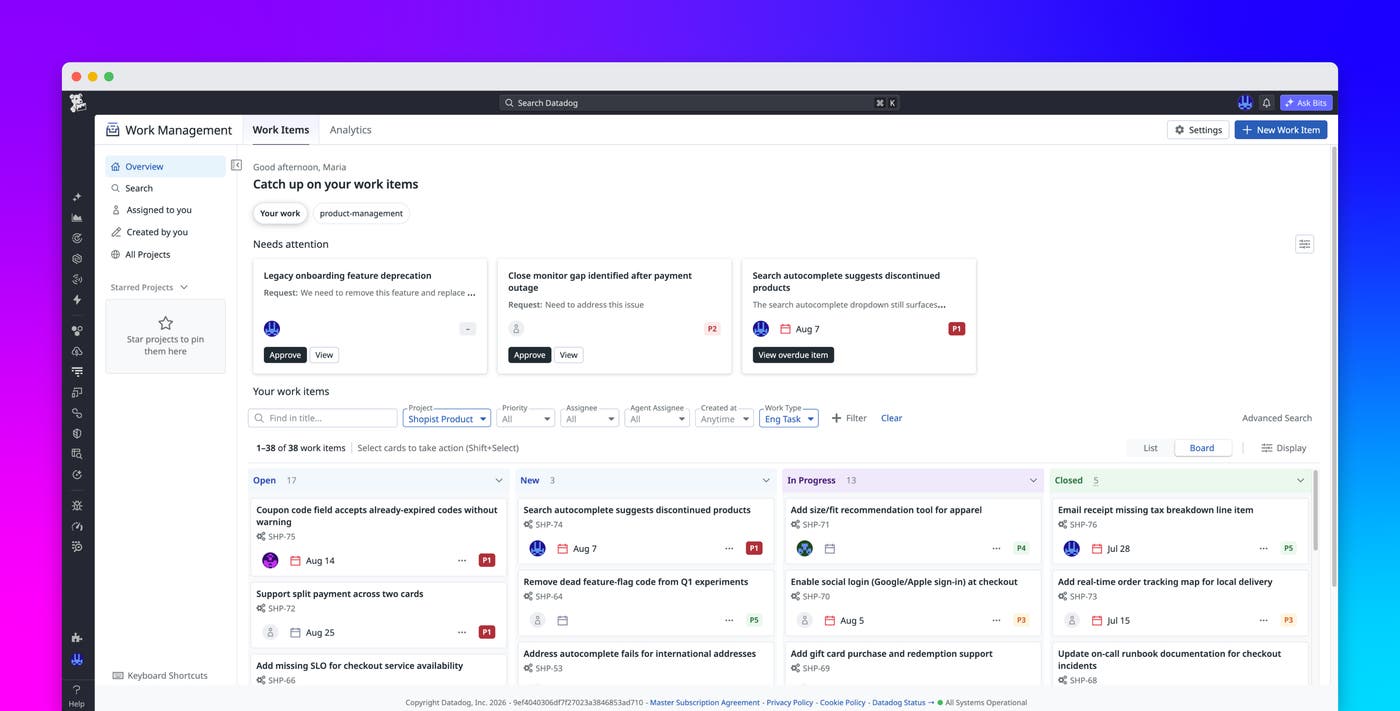
Datadog Work Management, formerly Case Management, provides a single place to track work created by humans, automations, and Datadog AI agents. Each work item includes relevant Datadog context, such as logs, traces, monitors, and service ownership, and tracks assignments, approvals, artifacts, and activity over time. Work Management integrates with Datadog products such as Cloud SIEM, Error Tracking, and Monitors, as well as external systems such as Slack, GitHub, and Jira. These integrations keep each work item up to date as people and Datadog AI agents contribute to it.
In this post, we’ll explain how Work Management helps you:
Track alerts from detection through resolution
Work Management provides a continuous record of an alert from its initial trigger through investigation, escalation, and follow-up. For example, consider an SRE who is on call for an ecommerce service and receives a critical-priority alert about a large number of checkout errors. The alert automatically creates a work item that includes the relevant logs, traces, monitors, and service ownership, so the SRE starts with the necessary context.
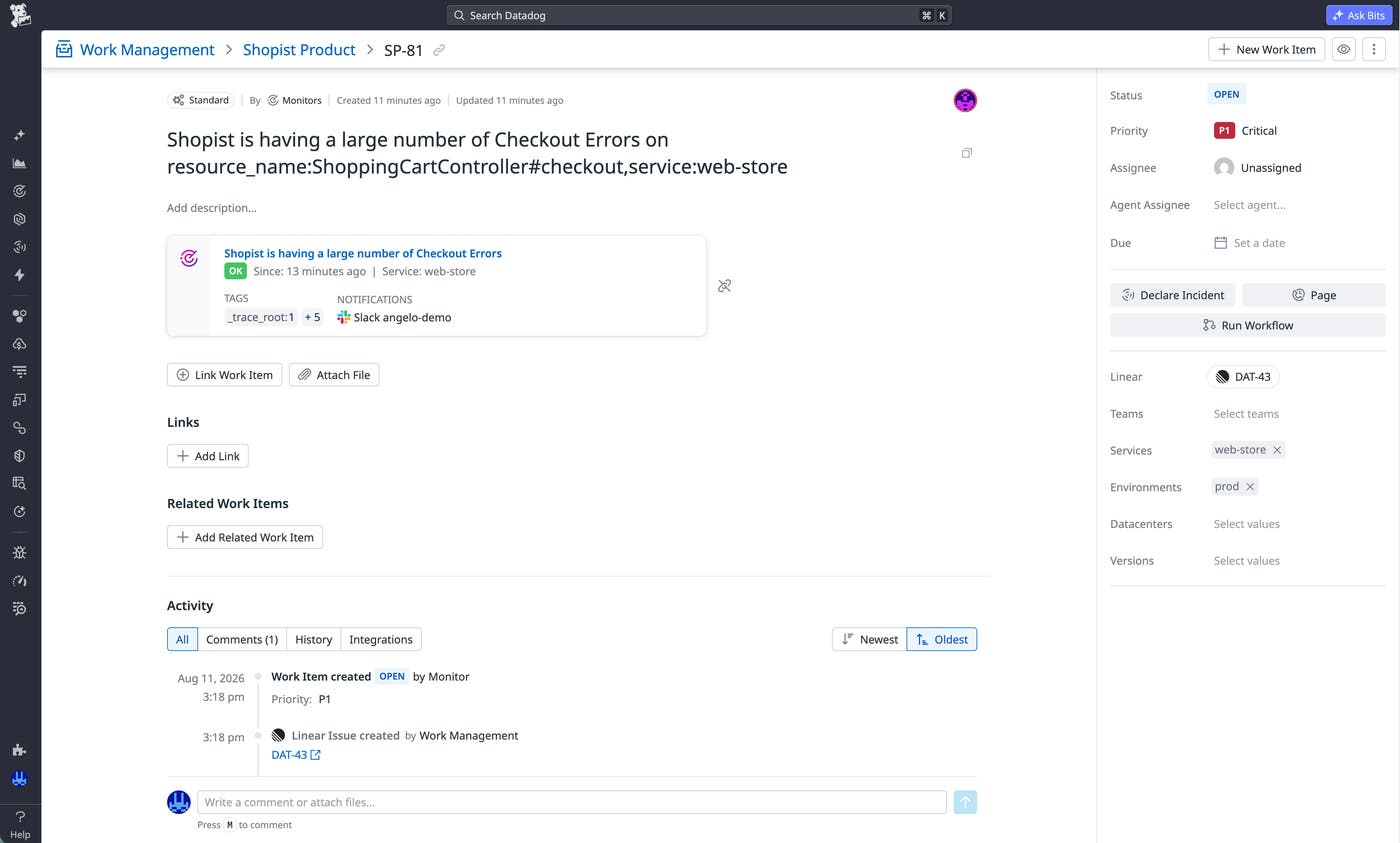
The SRE can page the on-call service owner directly from the work item, or Work Management can page the service owner automatically when specific triggers occur. As responders compare dashboards, check recent deployments, and rule out possible causes during discussion in a Slack thread, the information from Slack is automatically added to the work item’s comments. The discussion becomes part of the permanent record instead of disappearing into chat history.
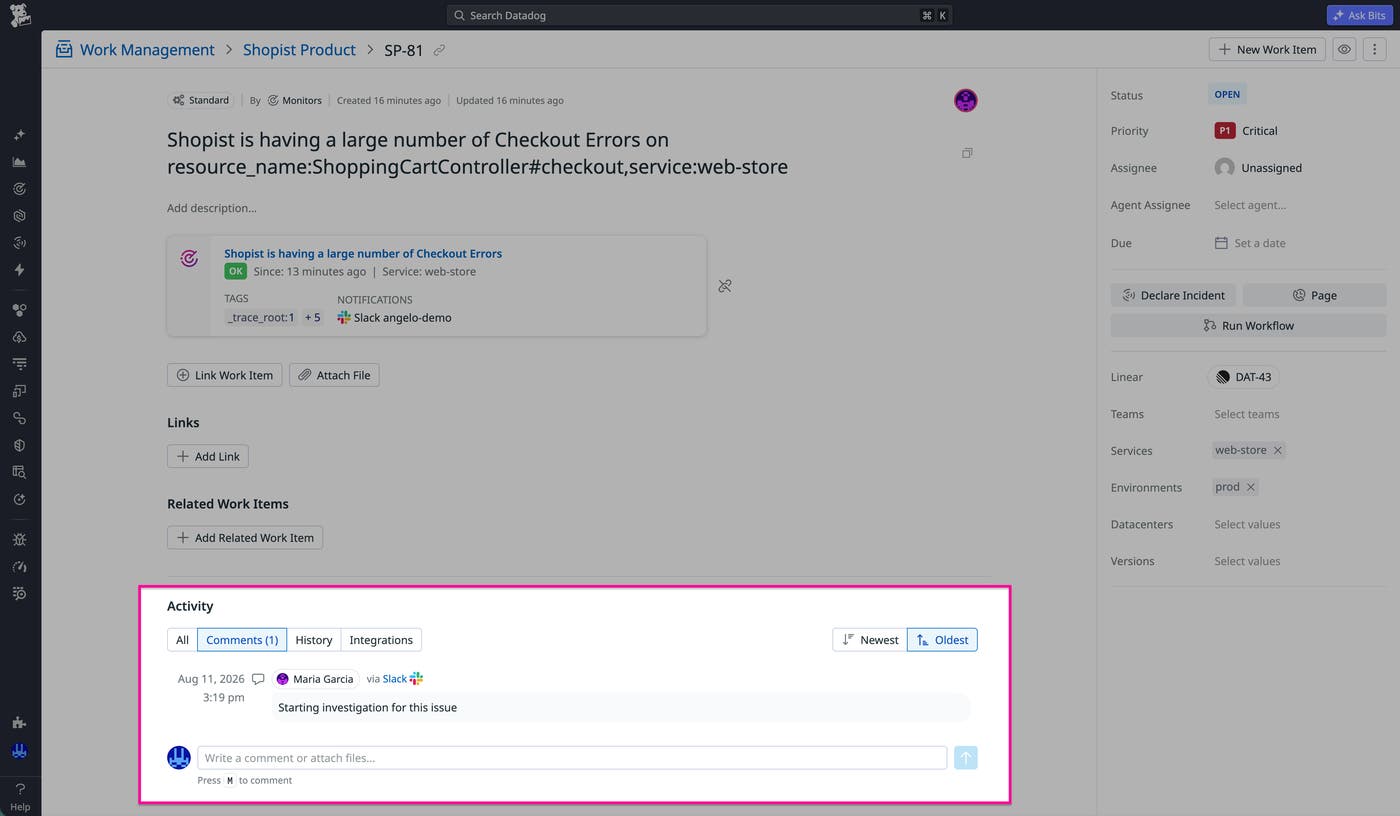
If the issue is serious enough, the on-call service owner can escalate the same work item to a Datadog incident. Alternatively, you can configure Work Management to automatically escalate issues that have specific attributes (for example, any P1 work item). The incident carries forward the original telemetry data and the details from Slack, so additional responders don’t need to rebuild the timeline.
After responders mitigate the immediate impact, an engineering team might still need to address the root cause of the issue. Teams that work in Jira can set up Work Management to automatically create a linked Jira ticket and synchronize subsequent updates, giving engineers the investigation details along with the follow-up task. The original work item remains the common thread across the on-call page, Slack discussion, incident, Jira handoff, and final resolution.
Turn feature requests into merged code
Development teams can use Work Management to coordinate AI agent–driven work while keeping people involved in decisions and approvals. For example, consider a team whose feature-request backlog is growing because requests arrive faster than engineers can manually review them.
When a new feature-request work item is created, Work Management can automatically assign it to a custom feature implementation agent built with Bits Agent Builder. The agent reviews the request and determines whether it has enough information to proceed. If the requirements are complete, the agent begins drafting an implementation. If details are missing, the agent tags the responsible engineer or requester in the work item to get clarification rather than guessing or silently stalling.
When the requirements are clear, the agent opens a GitHub pull request (PR) and links it to the work item. The work item displays the PR status alongside the clarification history and implementation activity, giving the team one place to follow the request from intake through code review.
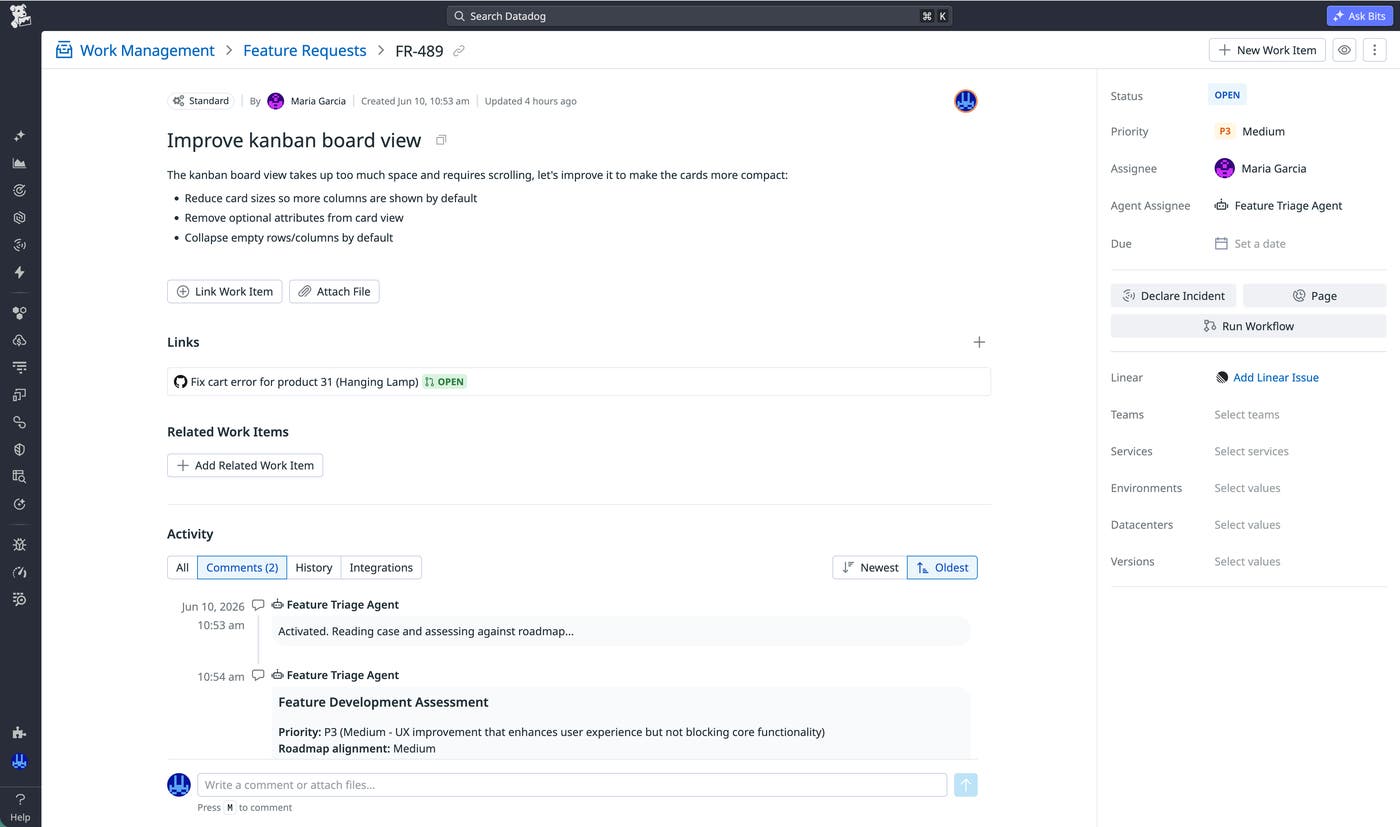
Teams can require approval before the agent takes specific actions, so you can have a human in the loop to review and merge the code. When the PR is merged, Work Management automatically closes the linked work item so that the backlog reflects the state of the implementation without requiring manual bookkeeping.
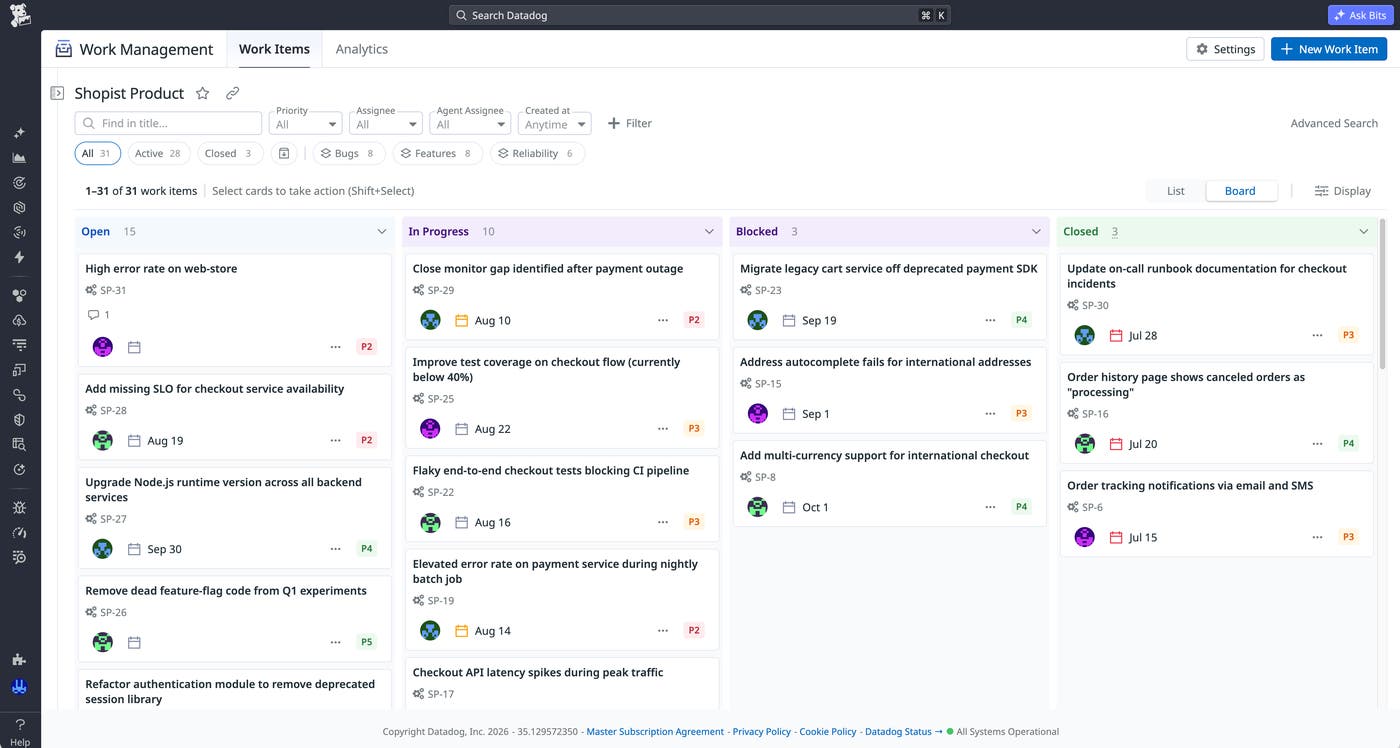
You can manage the backlog in a kanban board with saved views for different types of work items, such as bugs and feature requests. These views enable engineers to switch between workstreams without maintaining separate boards for each category.
Investigate and resolve security signals in Cloud SIEM
Work Management helps security teams preserve the relationship between a signal in Cloud SIEM and the investigation that the signal triggers. A high- or critical-severity signal automatically creates a security case that includes the underlying metadata and investigation details. As a result, a security analyst can begin triage immediately without having to open a case manually or gather initial context.
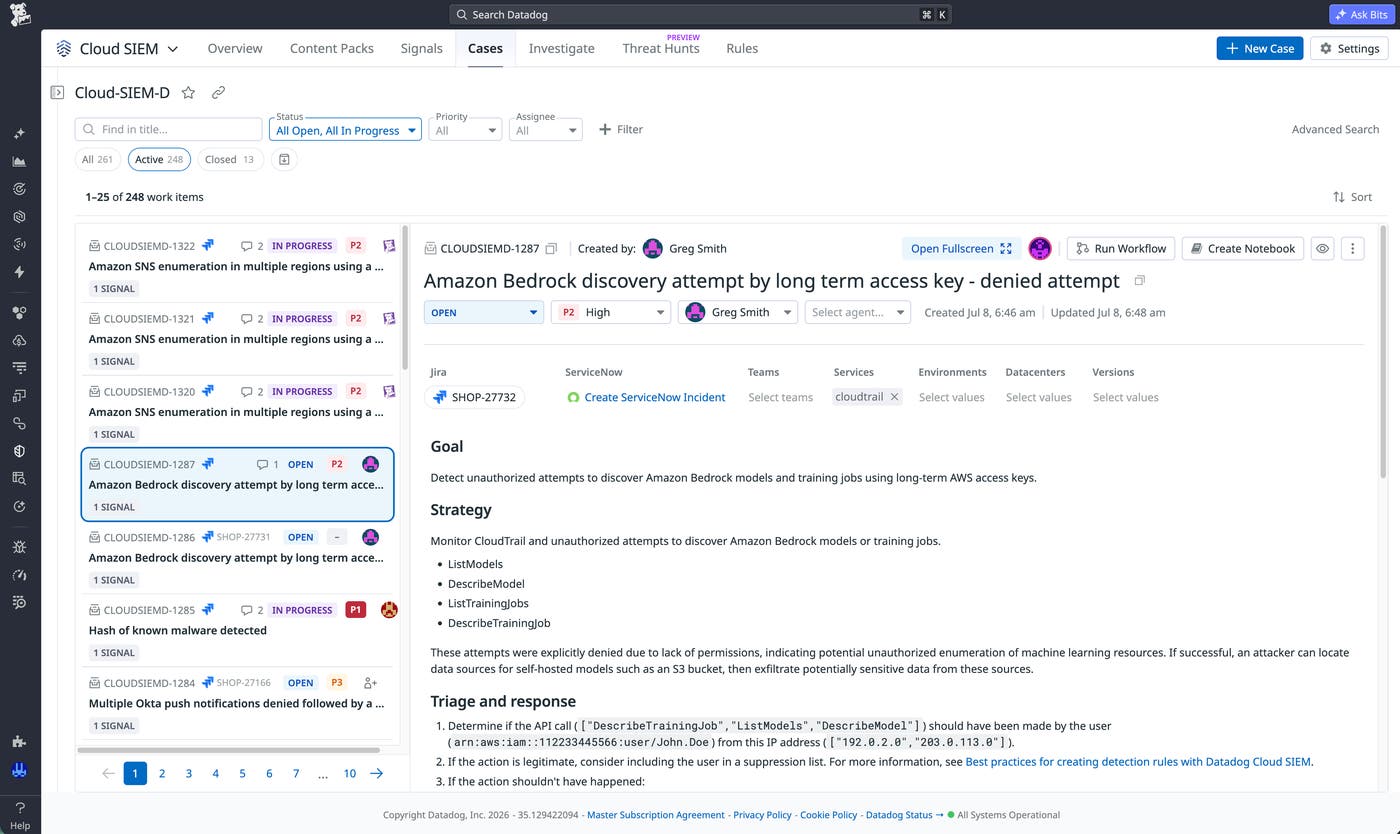
The analyst can manage the full investigation, including ownership, status, evidence, and activity, in the same workspace where the logs, signals, and entity context exist. When the analyst is ready to act, they can trigger Datadog Workflow Automation from the security case to collect more information, notify responders, update a downstream ticket, start a remediation runbook, or run a custom Datadog AI agent. This integration moves the investigation forward without requiring the analyst to coordinate each step separately.
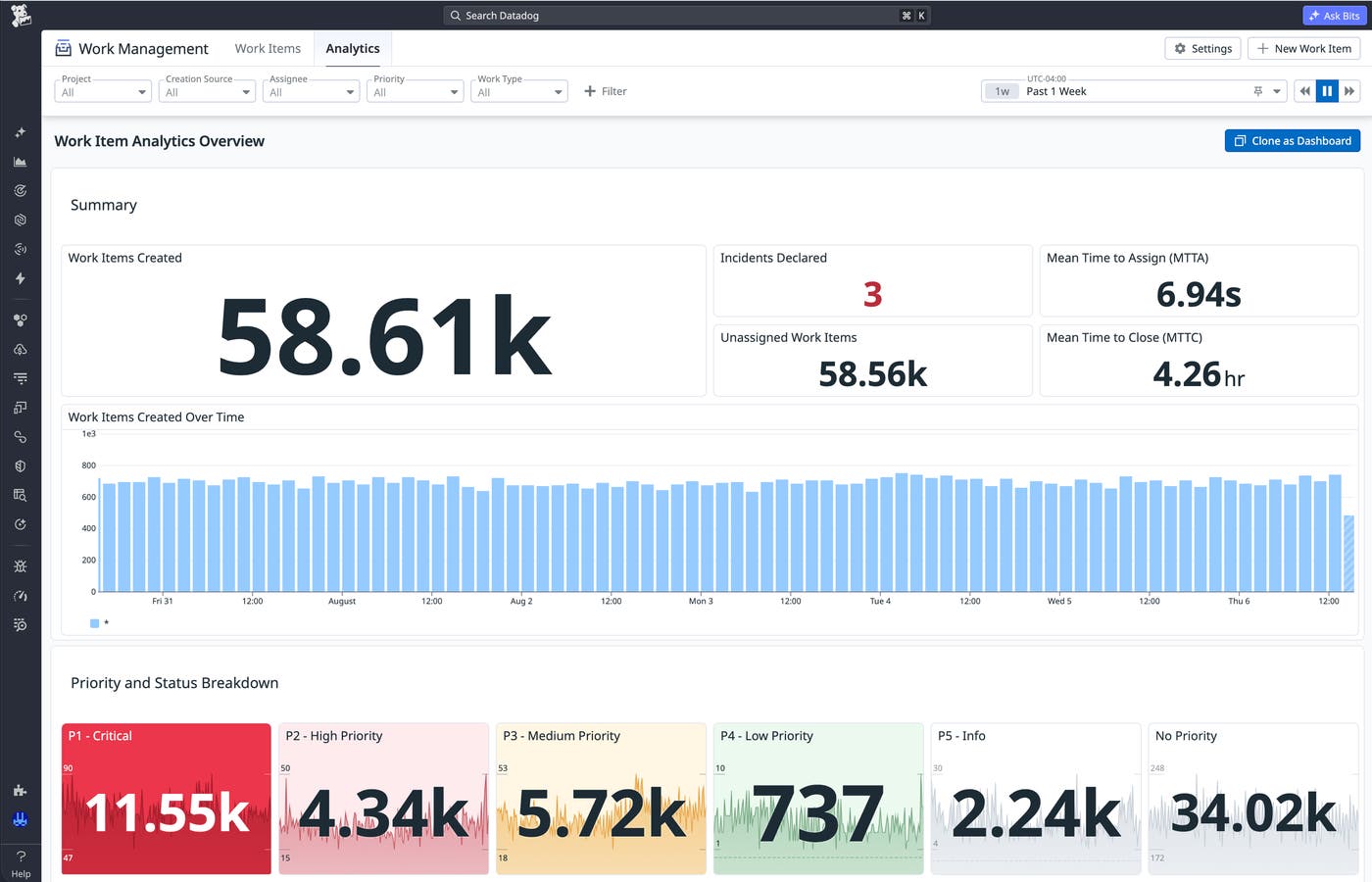
Work Management also provides out-of-the-box analytics for the team’s broader caseload. Security leads can track unassigned security cases, mean time to assign (MTTA), and mean time to close (MTTC), giving them visibility into the health of the investigation process in addition to the outcomes of individual cases.
Centralize work while preserving each team’s processes
Work Management integrates with Datadog products and external systems to centralize work from across your organization. Whether a work item originates from a monitor, a Cloud SIEM signal, Slack, or another connected tool, teams can track it in one place without giving up the processes that fit their work. Each work type has its own custom attributes and statuses, so platform engineering, development, and security teams can manage different kinds of work within the same system.
Work Management also meets teams at the entry points they already use. You can create and manage work items in the Work Management UI, from Slack, through Bits Chat, or from your preferred AI client by using the Datadog work items MCP toolset. Regardless of how or where a work item is created, it retains the same core fields, audit trail, and integrations.
Bidirectional synchronization in Work Management keeps linked records updated across external platforms such as Jira, Linear, and ServiceNow, enabling different teams to continue working in their preferred systems. Work Management’s Slack integration sends notifications for key events, creates work items from messages, and mirrors replies from linked threads into the work item timeline.
Beyond keeping work synchronized across systems, Work Management enables teams to automate what happens as work items change. Work item automation rules run when a work item is created, changes status, matches an attribute condition, or receives approvals or declines. The rules then trigger a Datadog workflow or assign a custom Datadog AI agent to perform configured actions.
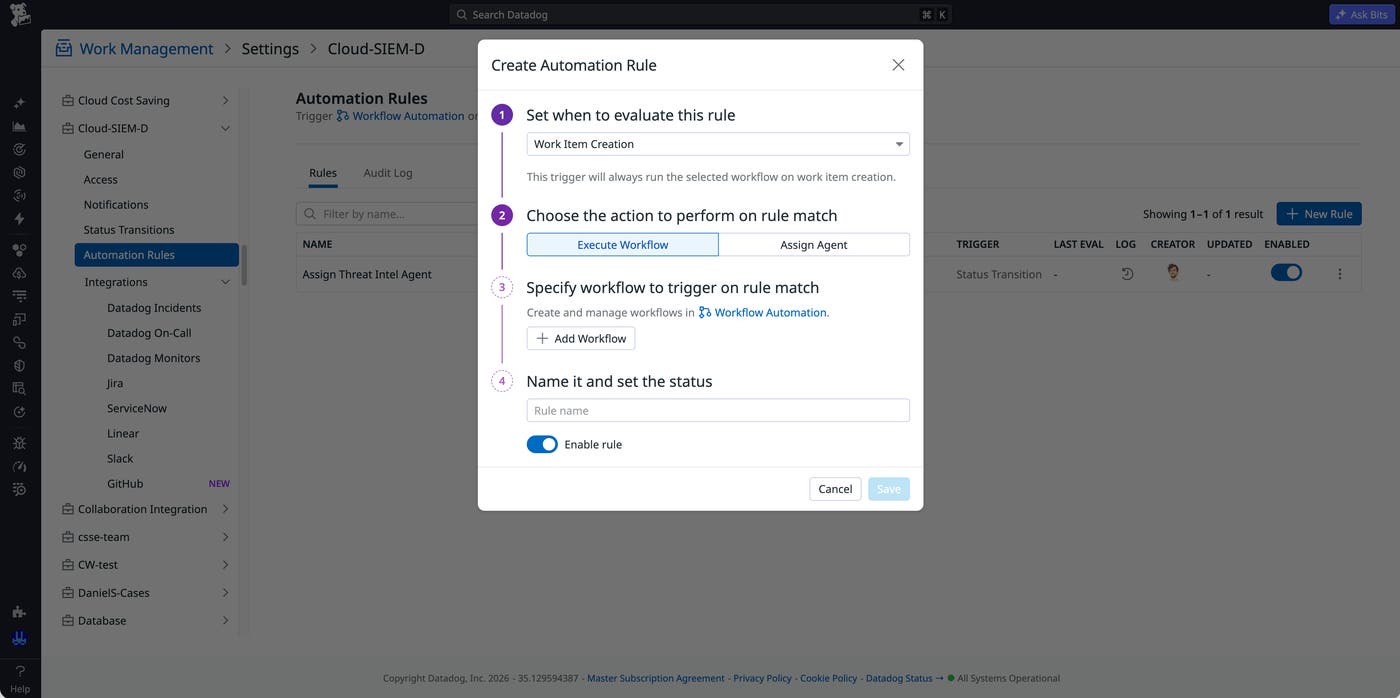
Together, work types, integrations, and automations enable Work Management to support distinct activities. An SRE can follow an alert into incident response, a developer can supervise an agent-generated PR, and a security analyst can investigate a Cloud SIEM signal while keeping each work item connected to the alert, request, or signal that initiated it.
Start centralizing work across teams and systems with Work Management
Datadog Work Management gives teams one auditable record for work performed across telemetry data, collaboration tools, external ticketing systems, automations, and Datadog AI agents. It is part of the Datadog platform at no extra cost, helping SRE, development, and security teams preserve context and ownership as work moves from detection through investigation to resolution. For more information about configuration options, read the Work Management documentation.
If you don’t have a Datadog account, you can sign up for a 14-day free trial to start tracking human and AI agent–driven operational work.
