
Stella Ma
Product Marketing Manager

Arti Arutiunov
Product Manager
Datadog Real User Monitoring (RUM) SDK settings live in your application code, so changing how the SDK collects RUM data has traditionally required shipping a new application version. These configuration changes can include adjusting sampling rates, enabling Session Replay, or changing which events the SDK collects. For mobile teams, this means that updates often sit in app store review for days or weeks before users start adopting the new version. Full user adoption can take weeks or months longer. These delays make it hard to react when an incident or performance regression calls for more RUM data.
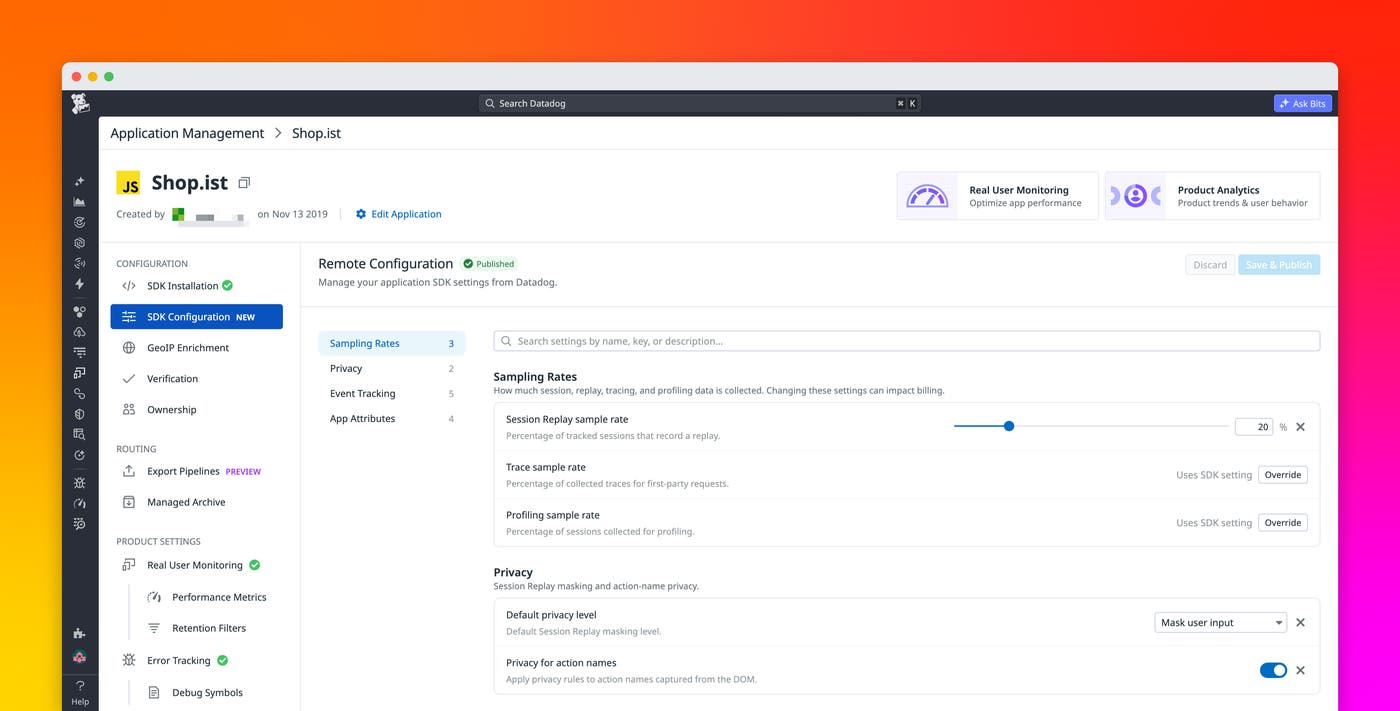
RUM Remote Configuration lets you change supported SDK settings directly from Datadog, without modifying or redeploying your frontend application code. Once an eligible browser, iOS, or Android SDK has RUM Remote Configuration enabled, you can publish new SDK settings from the Application Management page in RUM or Product Analytics. Supported SDK versions in your frontend applications will pick up those settings the next time they initialize. RUM Remote Configuration requires minimal changes to implement and works alongside your existing SDK setup, so you can quickly adopt it without revisiting a configuration that’s already working.
In this post, we’ll show you how you can:
Adjust RUM data collection independently of your release cycle
RUM Remote Configuration supports scenarios where the RUM data you need changes faster than your release cycle. For example, if an application starts showing slow page loads or unresponsive interactions, you can increase the profiling sample rate from the Datadog UI without shipping any new code. Increasing the profiling sample rate lets you see what’s happening at the method level during key moments, like page loads, to help you investigate and resolve the issue.
For mobile applications, the ability to update SDK settings remotely is critical. RUM Remote Configuration removes app store review and adoption lag for supported settings. Once an SDK version that supports a given setting is deployed, you can adjust it independently of your release cycle.
Set up RUM Remote Configuration with one line of code
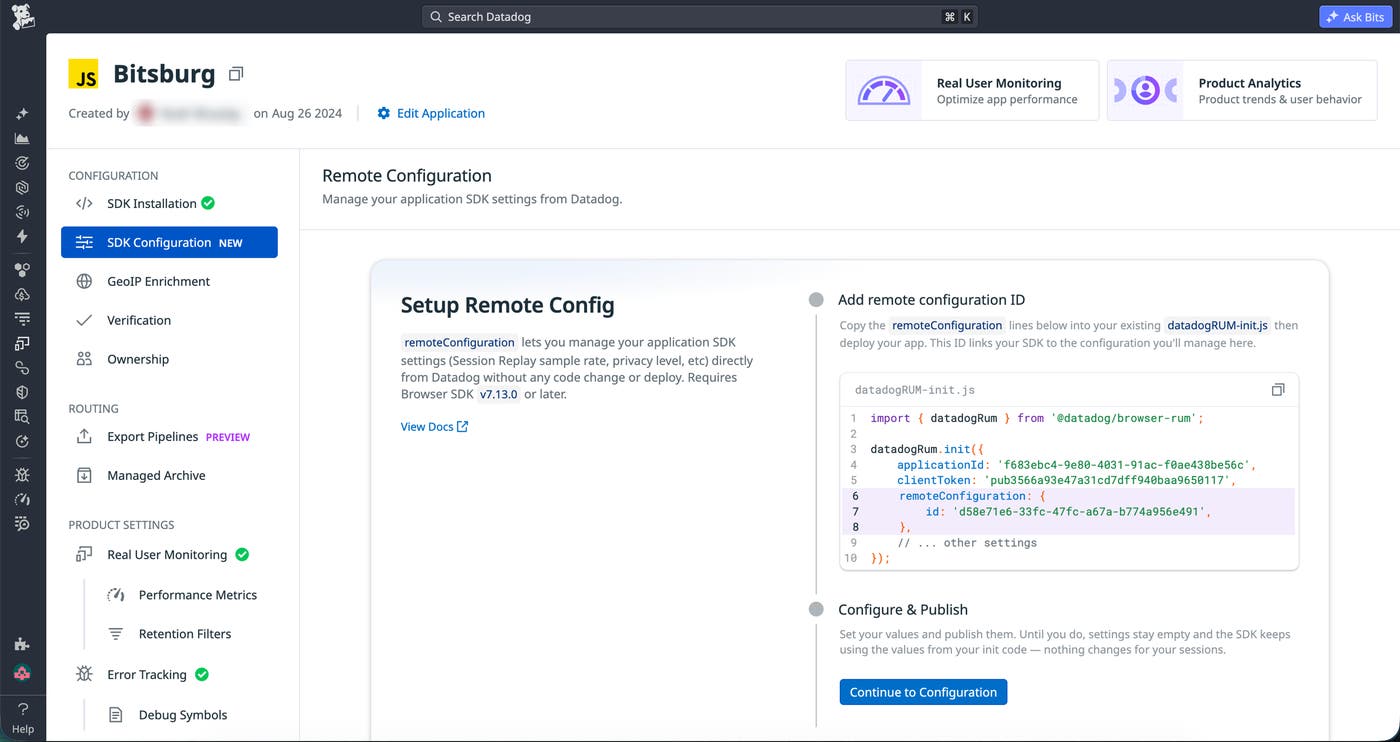
RUM Remote Configuration is supported for new and existing RUM applications, and it requires only a small change to your RUM SDK setup. Each RUM application has a remote configuration ID that its SDKs use to retrieve the latest published configuration for that RUM application. New applications have the remote configuration ID included in the RUM initialization snippet, with Remote Configuration enabled by default. For an existing application, add the ID to your initialization code and enable Remote Configuration.
Keep your existing SDK settings until you’re ready
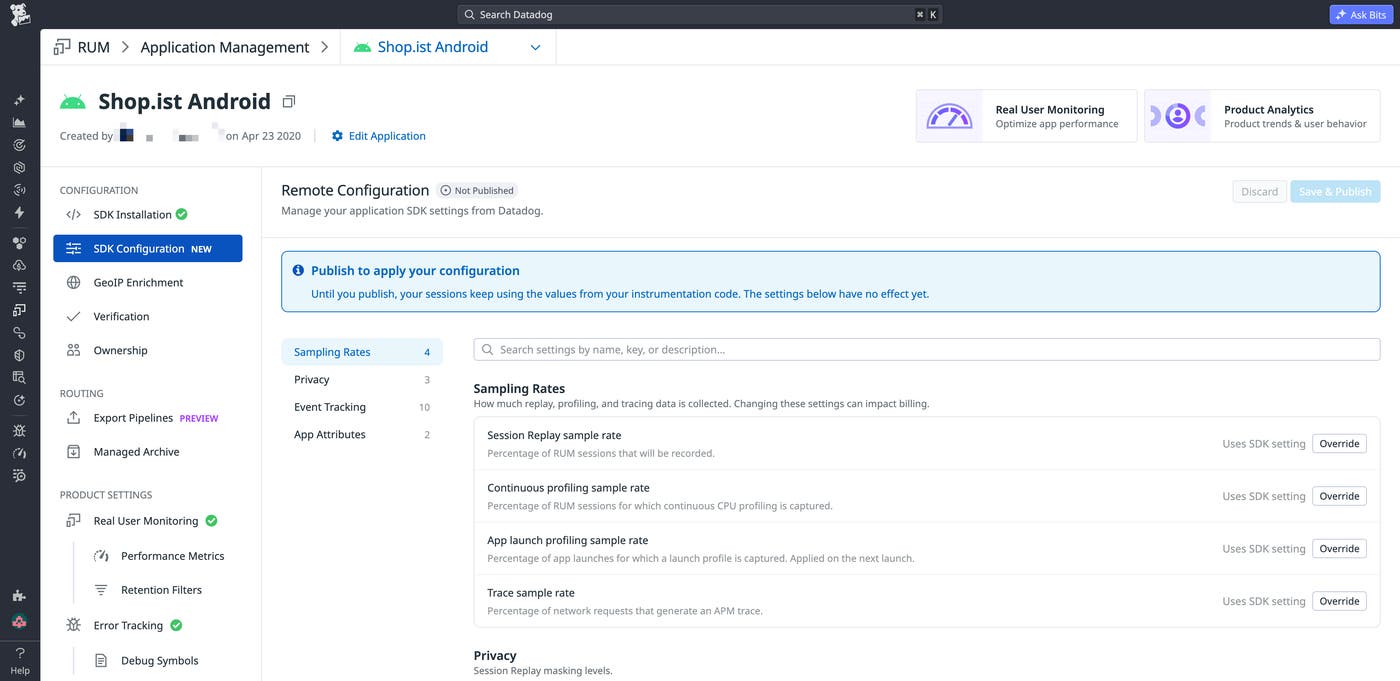
After setup, review your first configuration and decide which settings should override the SDK ones. Datadog won’t apply the values shown in the UI over your existing SDK settings until you save and publish, so you can confirm the settings before RUM Remote Configuration becomes the source of truth for those supported parameters.
Settings for each RUM application are organized separately by browser, iOS, and Android platforms. You can manage sampling rates like rum.sessionReplaySampleRate and rum.traceSampleRate, privacy settings, event tracking, and app attributes, with specific settings varying by platform.
Control who can change SDK settings
Separate permissions for viewing versus editing and publishing let you open up visibility to more engineers while limiting who can actually change SDK behavior. The UI will also display who last modified settings for easy auditing purposes.
Adjust RUM collection without waiting for a release
With RUM Remote Configuration, you can adapt RUM data collection to an incident or investigation and have your applications reflect the new settings without waiting for a new release or for app store review. You also don’t have to wait for users to adopt a new app version.
To learn more, see the RUM Remote Configuration documentation. If you don’t already have a Datadog account, sign up for a 14-day free trial to start monitoring your applications with RUM.
