
Ellie Cohen
Product Manager

Cody Murray-Bruce
Product Marketing Manager

Yu Hu
Senior Software Engineer

Eamon Brady
Software Engineer
Government agencies and contractors often choose dedicated Oracle Cloud Infrastructure (OCI) government environments for workloads that are subject to specific security, data residency, and compliance requirements. But the boundaries that help agencies meet those requirements can complicate observability. Monitoring OCI government environments can require separate tools and processes from the ones that teams use across the rest of their infrastructure.
Datadog for Government, operated in a FedRAMP® High–certified GovCloud (US1-FED) environment, helps teams take a more consistent monitoring approach by supporting OCI workloads in Oracle’s US government cloud regions. Teams that already use Datadog for Government can monitor those OCI environments by using familiar dashboards and observability workflows without learning new tools or building custom pipelines. Teams can also use Cloudcraft in GovCloud and other Datadog environments to create interactive maps of their OCI resources.
In this post, we’ll explain how you can:
Monitor OCI workloads across OC2 and OC3
OC2 and OC3 are both FedRAMP High–authorized realms for US government workloads. OC2 supports US government workloads at Defense Information Systems Agency (DISA) Impact Level 4 (IL4), while OC3 supports Department of Defense (DoD) workloads at DISA IL4 and Impact Level 5 (IL5). The two realms are isolated from each other and from commercial OCI regions, so agencies need monitoring for the specific environment where their workloads run.
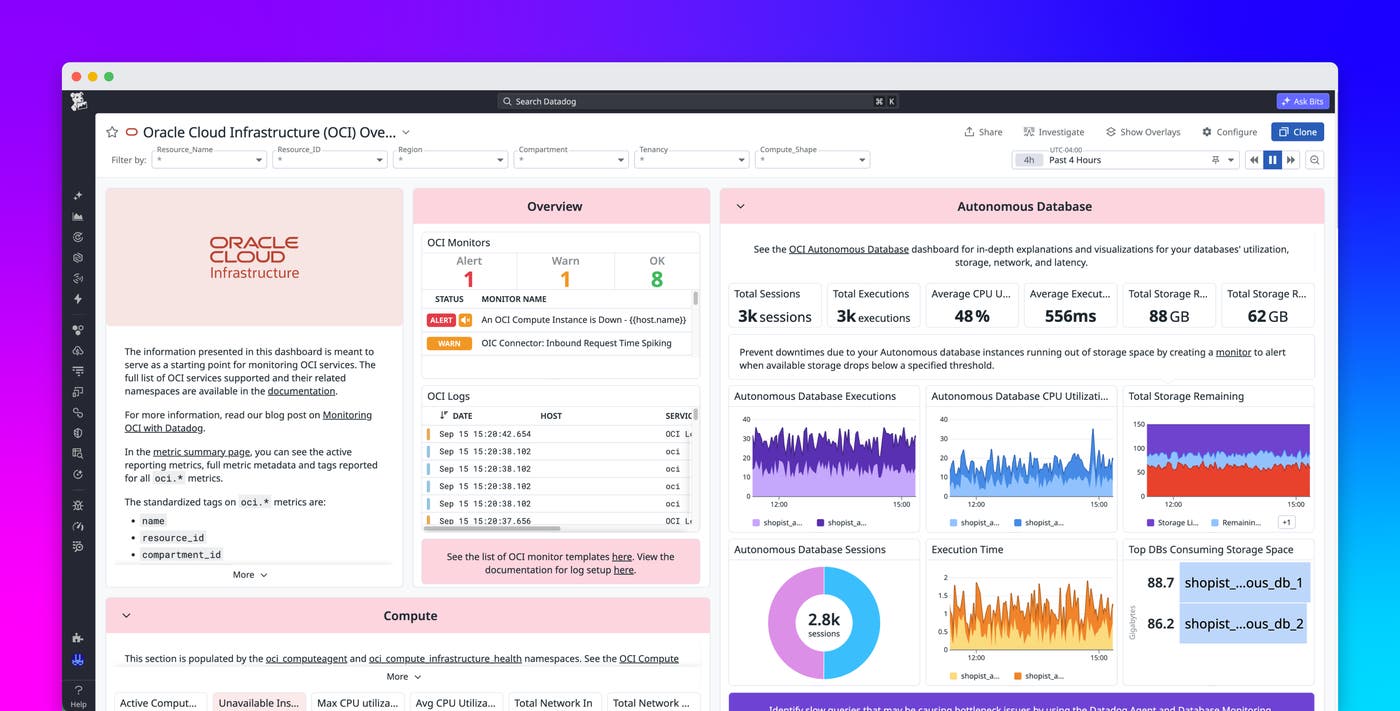
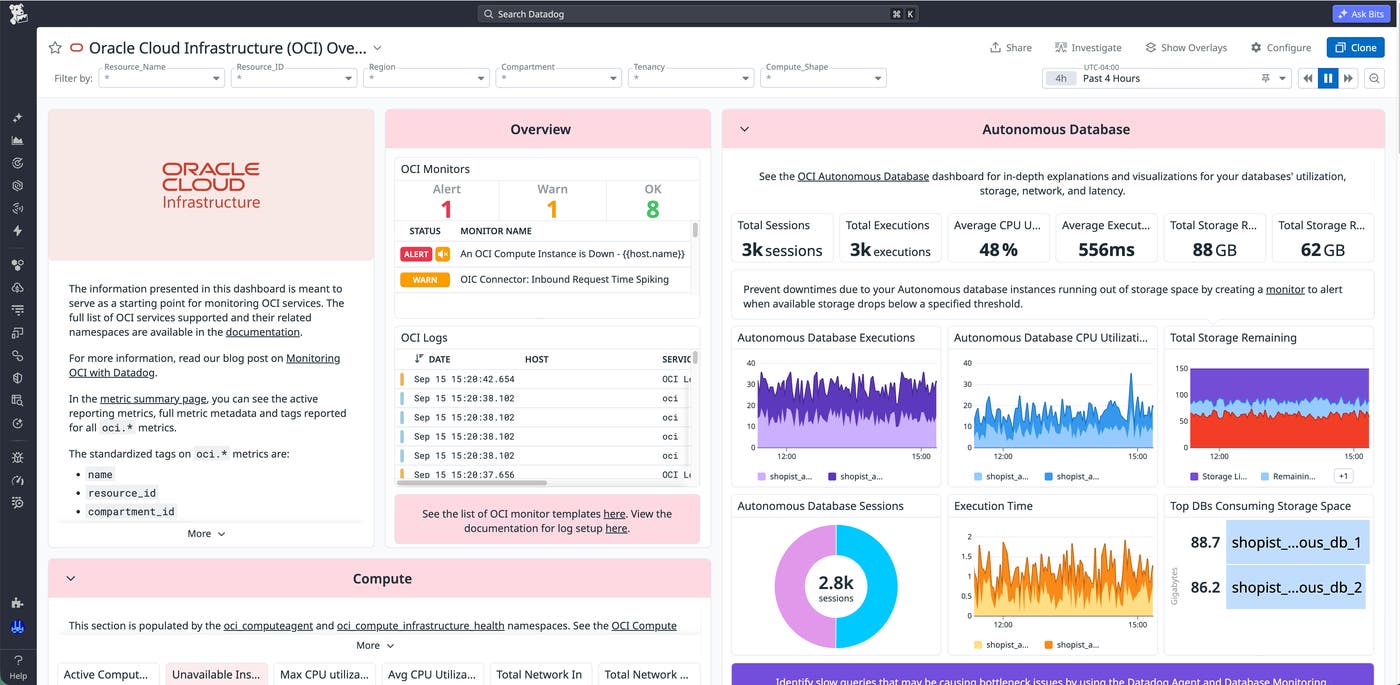
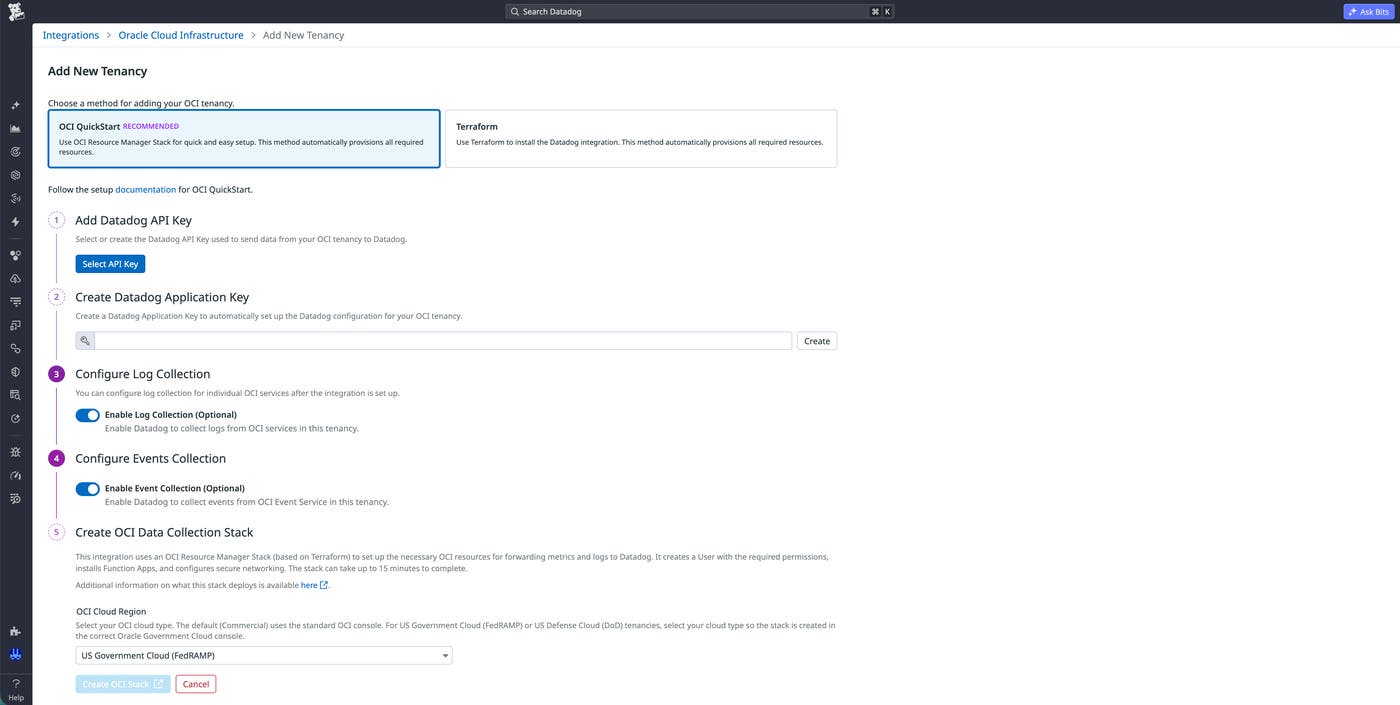
Datadog for Government supports OCI monitoring for OC2 and OC3 workloads. Existing Datadog for Government customers can enable the OCI integration from the US1-FED site by following the same setup flow used for commercial OCI monitoring. For more information about the OCI integration and the visibility it provides, see our blog post about monitoring OCI with Datadog.
Visualize your OCI environment with Cloudcraft
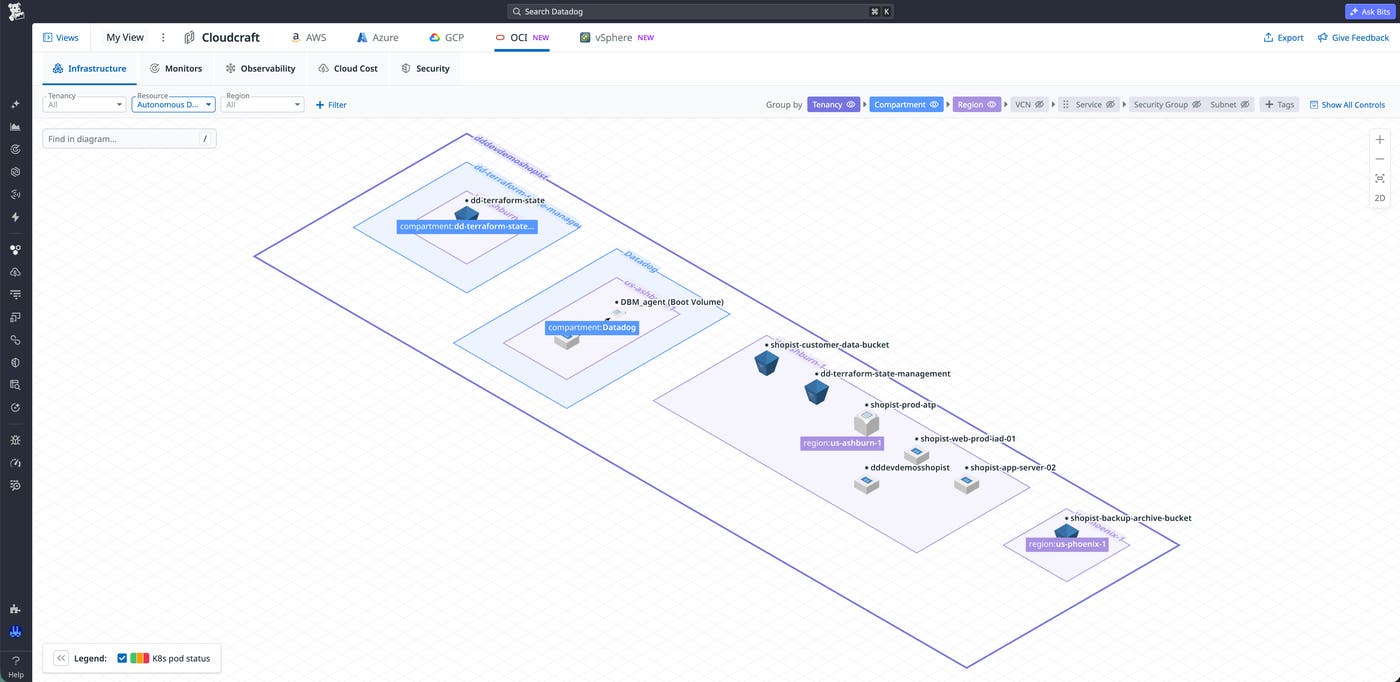
In addition to monitoring OCI workloads in Datadog for Government, teams can use Cloudcraft to visualize their OCI resources and understand how they fit together. Cloudcraft provides an interactive, isometric map that organizes resources by tenancy, compartment, region, virtual cloud network (VCN), and service.
Teams can also view OCI resources alongside their AWS, Microsoft Azure, Google Cloud, and VMware vSphere infrastructure. This shared view makes it easier to understand dependencies and investigate unfamiliar infrastructure while retaining the architectural context surrounding individual resources.
Start monitoring OCI government cloud workloads with Datadog
Datadog for Government support for OC2 and OC3 gives government agencies and contractors a consistent way to monitor OCI workloads across both realms. Cloudcraft complements this monitoring by helping teams visualize their OCI resources alongside other cloud infrastructure. Together, these capabilities enable teams to use familiar Datadog workflows to monitor and understand their Oracle infrastructure. To learn more, read the OCI integration documentation for US1-FED and the Cloudcraft in Datadog documentation.
As with other integrations, customers should review Datadog’s FedRAMP Customer Responsibility Matrix (CRM) for US1-FED for more information about their responsibilities under the shared responsibility model when they connect external environments to Datadog. To request access to the CRM, contact us at fedramp@datadoghq.com.
If you’re interested in a free trial for Datadog for Government, contact us at fed-sales@datadoghq.com. You can also request a demo with our public sector experts to explore how Datadog can support your mission.
