
Rashel Hoover
Senior Product Manager

Will Potts
Senior Product Marketing Manager

Julie Wang
Software Engineer
AI agent costs accumulate along more dimensions than a model-call count. Spend is a product of both which models you call and how the agent is architected: how many turns the loop runs, how many tools it invokes, how much retrieved context it carries, and how much of that context is re-sent on every turn.
Provider bills tell you how much you spent, but they’re keyed to API keys and models instead of the applications and workflow steps that generated the calls. That makes a cost increase hard to diagnose, as a higher bill might reflect more traffic, a model change, poor prompt-cache utilization, an agent loop, or a change anywhere in a multistep workflow.
Datadog Agent Observability connects estimated AI cost to the applications and traces that produced it, so spend is tied to your agent’s structure instead of an API key. The Cost page lets you attribute spend across applications and compare their efficiency. From there, you can drill into a single application to investigate its most expensive calls. Cost Savings Opportunities go further by identifying sources of avoidable spend (such as an uncached prompt prefix or a conversation history re-sent in full on every turn), estimating the potential financial impact, and providing remediation guidance that engineers can review and validate.
In this post, we’ll show how Agent Observability helps you:
Understand where AI agent spend is going
The Agent Observability Cost page puts AI spend in the context of the applications and requests that created it. It helps you answer three key questions:
How much are you spending, and is it going up?
Where is the money going?
Is that spend efficient?
On the Cost page, you can immediately see total spend for the period alongside period-over-period movement. You can break that total down by application to see which agents account for the largest share, by provider to see concentration and usage shifts, or by any custom dimension: team, feature, and environment using custom tags.
The page also gives you efficiency signals that explain why spend is changing. Alongside total cost, you can review average cost per request, cache hit ratio, and cache reuse ratio. Comparing these measures with the preceding period helps distinguish a broad increase in traffic from a change in how efficiently an application is processing each request. A bill that grew 40% on 40% more traffic is a different problem from one that grew 40% on flat traffic.
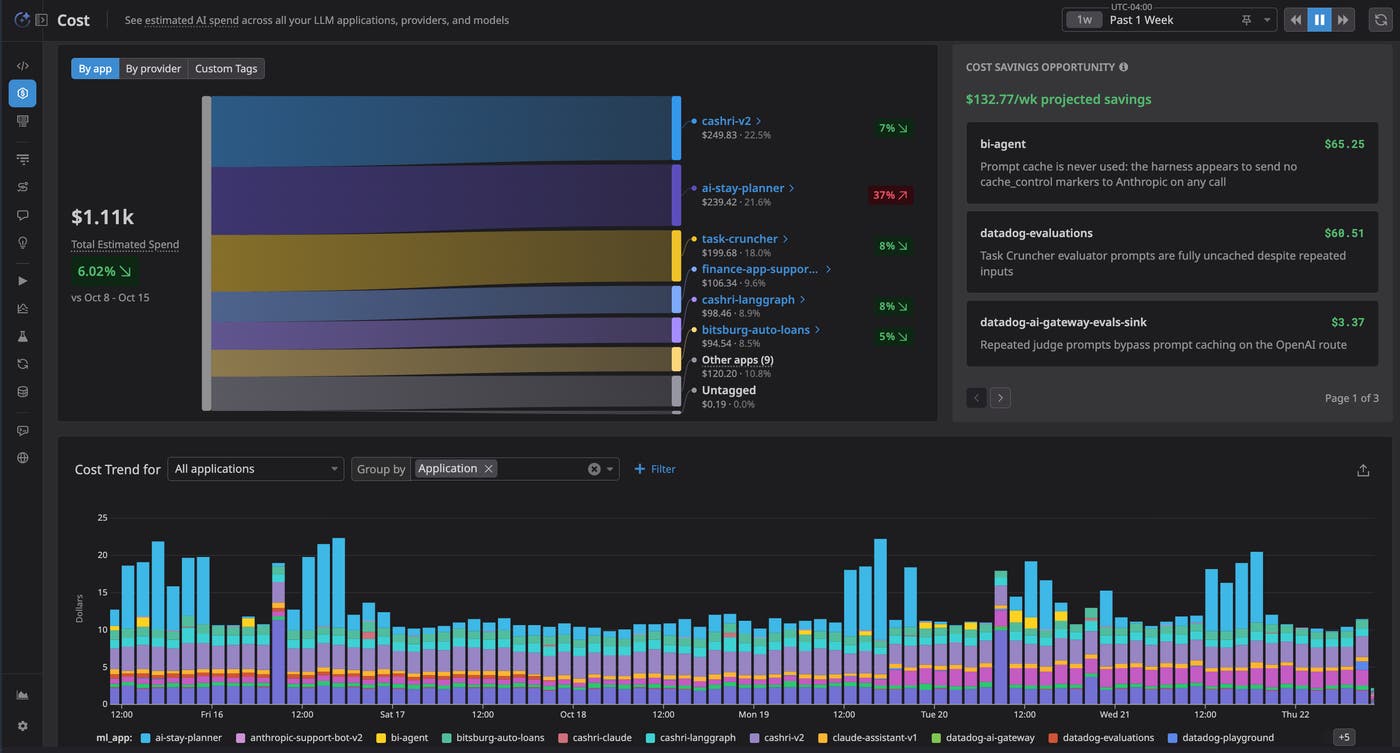
These views provide both engineering teams and AI leaders with a common baseline. Leaders can identify which initiatives account for the most spend, while engineers can use the same data to decide where a technical investigation should begin.
Those efficiency metrics do the most work side by side. A high-traffic agent can have a large bill while remaining efficient per request. Meanwhile, a lower-volume application with a high cost per trace or little cache reuse might be the cheaper fix and the bigger win.
The application table makes that comparison directly, comparing applications by total cost, cost per trace, cache hit ratio, cache reuse ratio, and the top model. From there, you can open an individual application’s Cost view to examine its estimated total cost, token volume, average cost per request, cache metrics, and period-over-period changes.
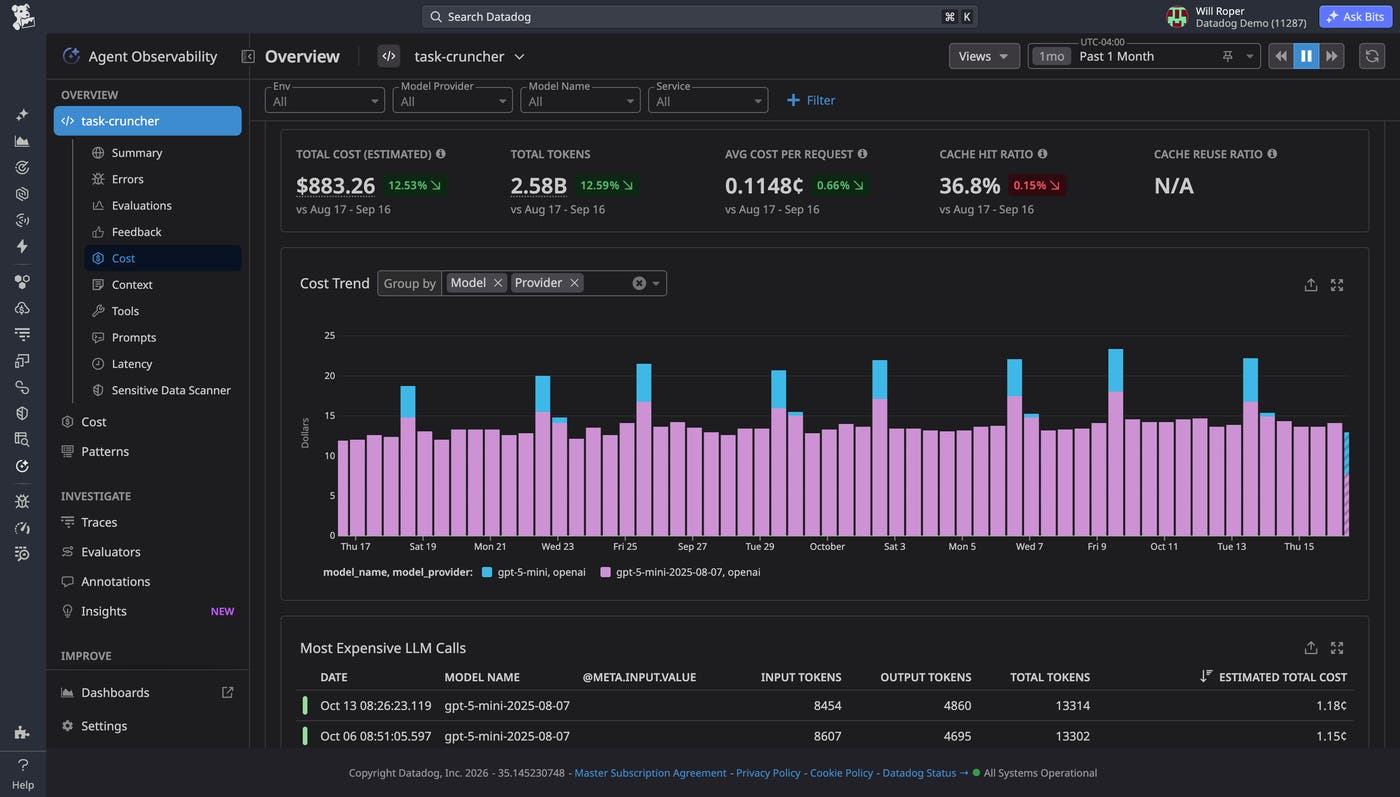
When a cost increase needs further investigation, you can group cost trends by model and provider, token type, environment, service, or version. Each dimension helps test a different explanation. A provider or model breakdown can reveal a shift toward a more expensive model, while a token-type breakdown can show whether an increase came from uncached input, cached input, cache writes, reasoning, or output. Grouping by version can help identify a deployment associated with a change in cost or caching behavior.
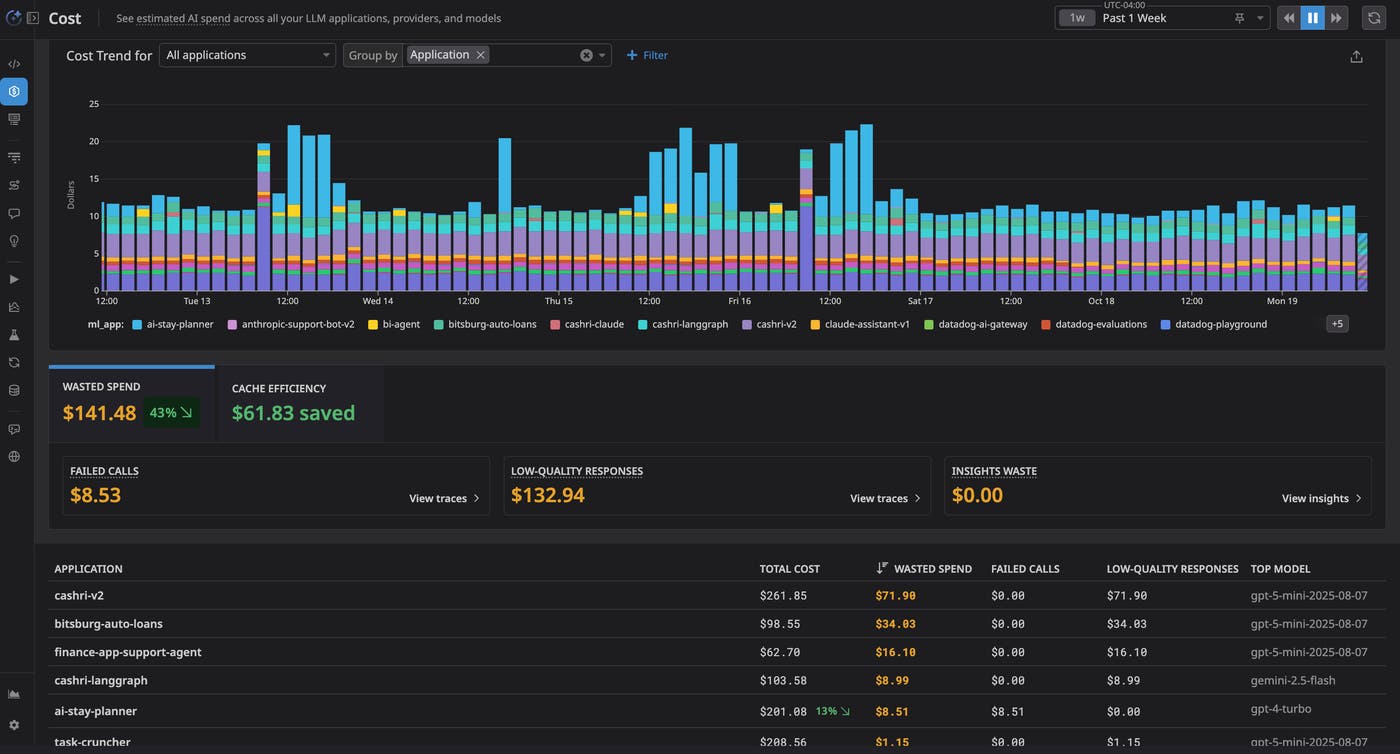
This workflow keeps cost triage close to the operational data. Instead of exporting billing information and reconstructing the relationships in a separate spreadsheet, engineers can move from an observed cost change to the application and technical dimensions associated with it.
Trace expensive calls through the application stack
After you identify a high-cost application, Agent Observability lets you follow the expense down to individual requests and operations. The Most Expensive LLM Calls table ranks calls by estimated total cost and includes context such as model, input and output tokens, and input previews.
Selecting an expensive call opens its underlying trace. The trace shows the estimated cost and token usage for the complete request, while individual spans show the cost and tokens associated with specific LLM operations or tasks. For an agentic application, this span hierarchy can include agents, LLM calls, tools, retrieval steps, tasks, handoffs, and failures.
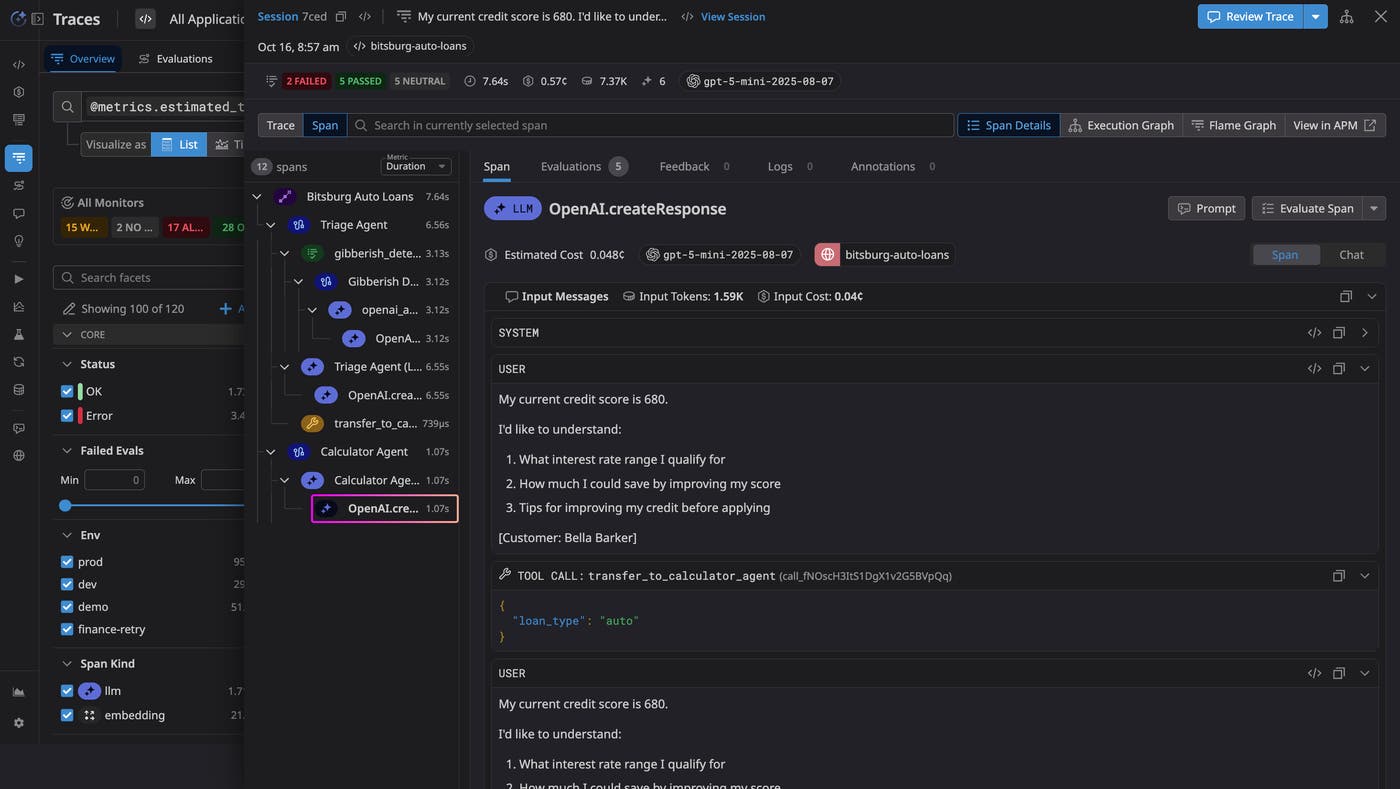
This level of detail helps distinguish different cost patterns. One request might be expensive because of a single large response, while another might contain repeated calls, an agent loop, redundant tool work, or an expensive subtask. The Execution Graph adds another view of the same workflow by showing how agents, LLM calls, tools, and evaluations connect.
Configured evaluations provide additional context when you consider a change. An expensive operation might be unnecessary, but it might also contribute materially to response quality or safety. Reviewing evaluations alongside the cost and execution data helps engineers determine which behavior is a candidate for redesign and which behavior should remain.
For applications that also use Datadog Application Performance Monitoring (APM), you can extend the investigation beyond the LLM-specific workflow. When an application is instrumented for both products, correlated Agent Observability and APM spans let you navigate between the AI operation and its broader application trace. This can help you determine whether latency or errors originate in an LLM call or in an upstream or downstream service.
Act on Cost Savings Opportunities
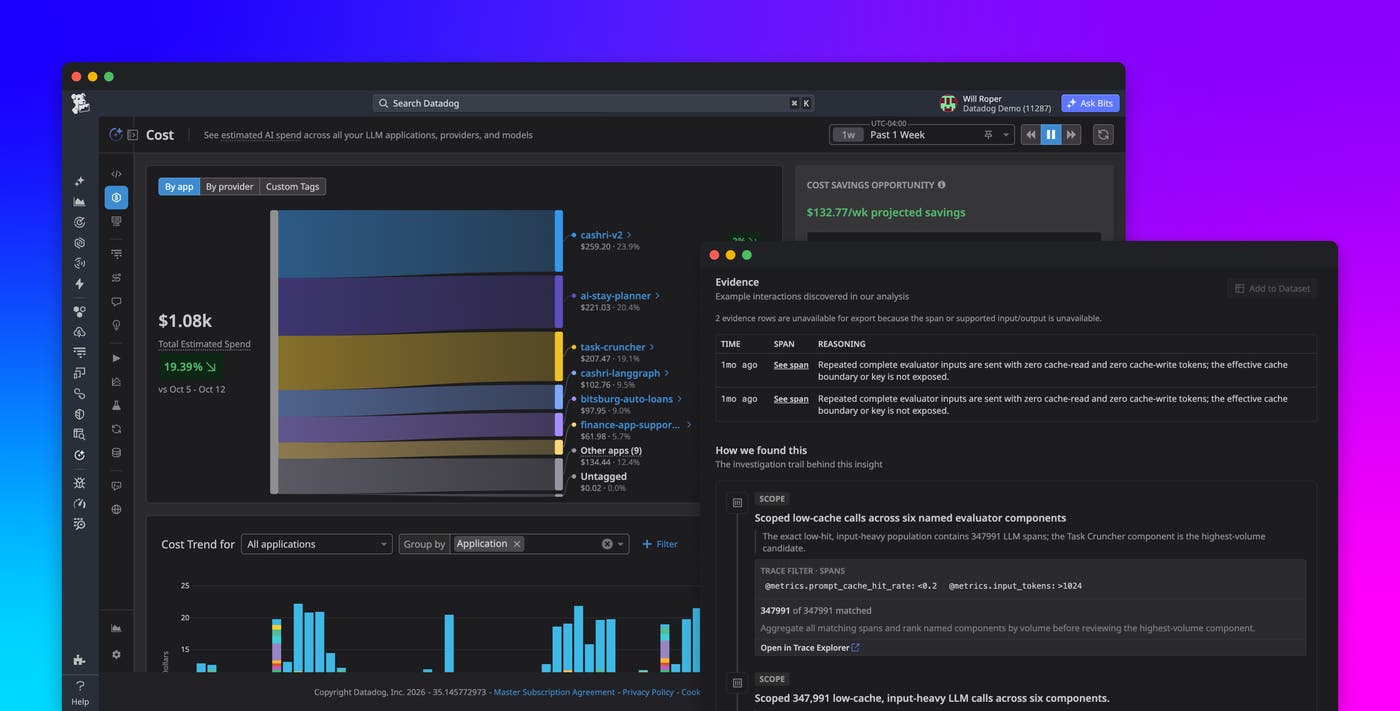
Cost Savings Opportunities help turn cost measurements into specific engineering work. Agent Observability analyzes observed application behavior for opportunities to reduce avoidable spend, then ranks recommendations by application and estimated financial impact.
The Cost Savings Opportunities view shows the aggregate estimated recoverable cost for the selected period and identifies the behavior associated with each recommendation. For example, Agent Observability can identify an application that is not using prompt caching, dynamic content that repeatedly changes a reusable prompt prefix, inconsistent message formatting that prevents cache hits, repeatedly re-created prompt input, or tool definitions that change between calls.
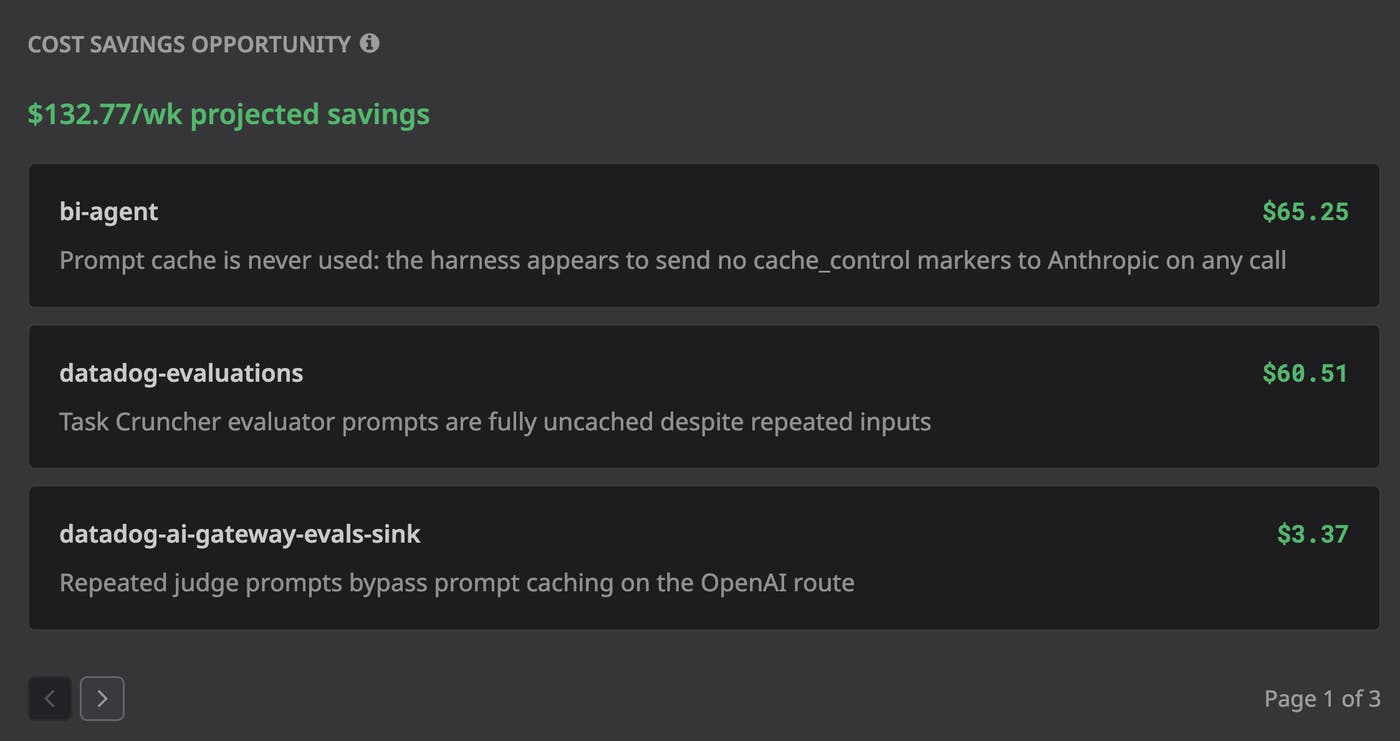
These findings are more actionable than a cache metric in isolation. A low cache hit ratio tells you that reuse is limited, while a Cost Savings Opportunity can point you toward the request-building behavior that is contributing to that result.
Opening a Cost Savings Opportunity gives engineers the context they need to decide whether and how to act. The insight identifies the affected application, model, status, severity, and relevant tags, then connects the recommendation to an explicit savings estimate and the evidence behind it.
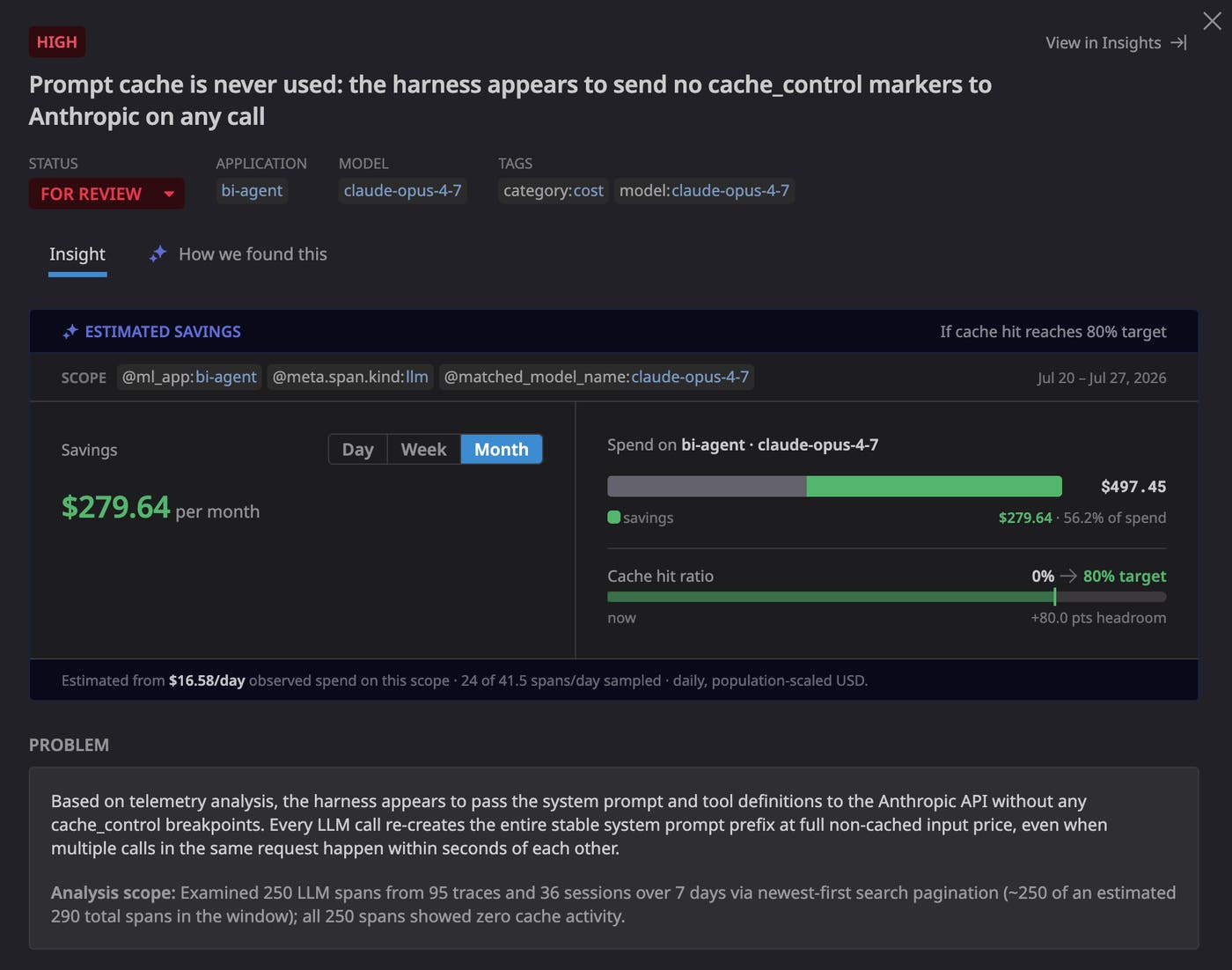
The Estimated Savings panel can show observed spend within the investigated scope, the percentage that may be recoverable, the current cache hit ratio, the proposed target, and the remaining headroom. For example, an insight might estimate the savings associated with moving an application’s cache hit ratio from 0% toward a stated target such as 55% or 80%. Because the target is explicit, engineers can assess whether the assumption is realistic for the application’s traffic and reuse pattern.
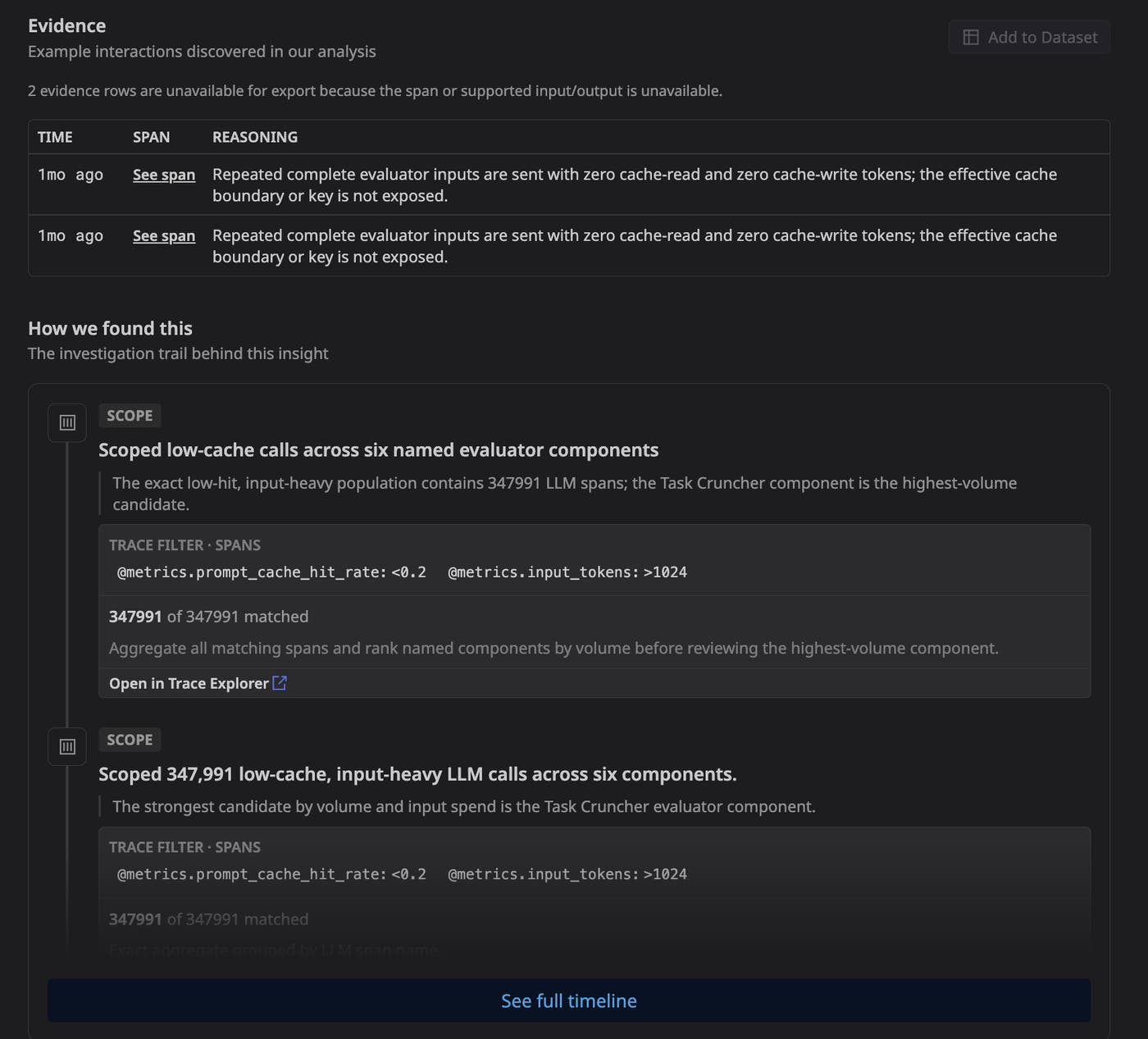
The insight also describes the technical cause, analysis scope, affected calls and sessions, observed token reuse, and representative sessions, traces, or spans. The “How we found this” view can expose the sample size, observation period, filters, reasoning steps, supporting observations, and limitations behind the analysis.
That transparency matters because a cost optimization can change application behavior. Engineers can inspect what Agent Observability analyzed and verify the supporting evidence before modifying production code.
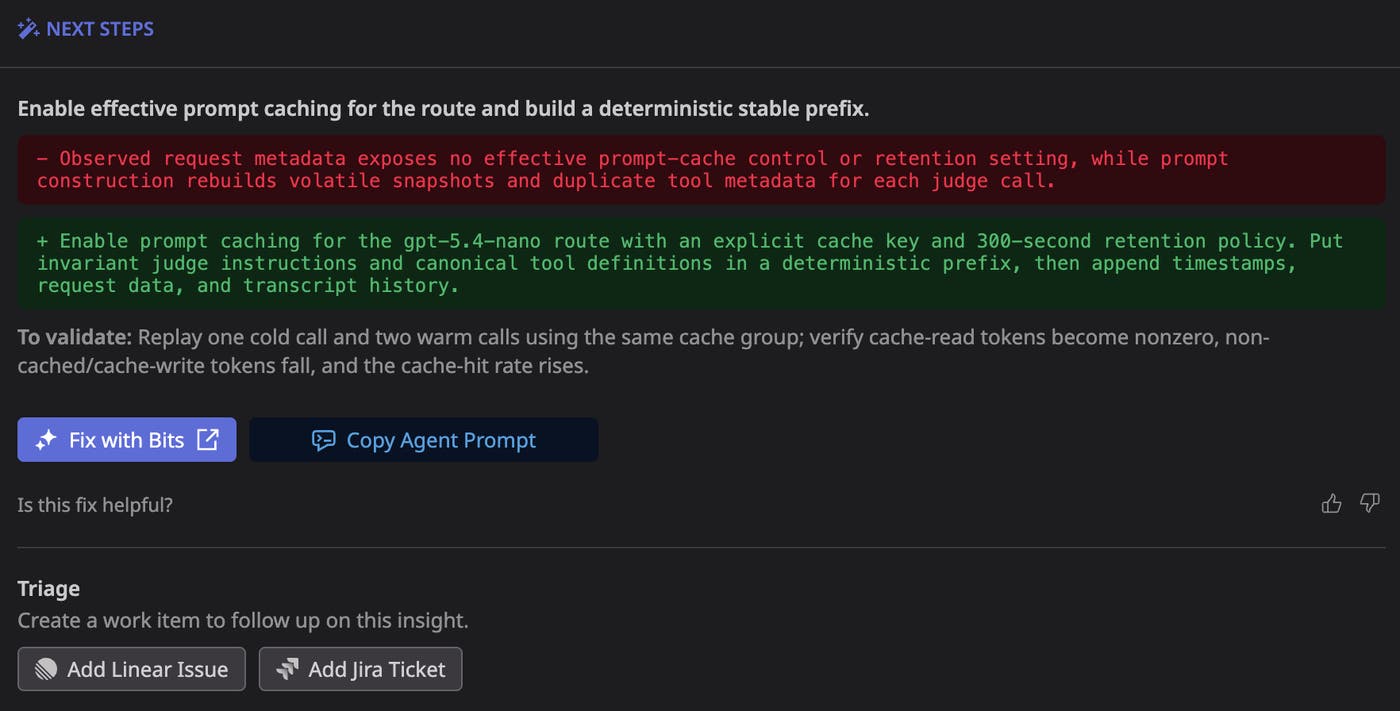
The Next Steps section then translates the finding into remediation guidance. Depending on the issue, it can identify which request-building behavior to change, explain how to reorganize stable and dynamic prompt content, and describe how to validate the result. Engineers can also select “Fix with Bits” to continue the workflow with Bits or copy an agent prompt for use in another coding workflow.
Improve token efficiency without sacrificing quality
Many opportunities to improve token efficiency originate in request structure rather than simply prompt length or model choice. These opportunities include following provider-specific guidance to add cache controls where needed, placing stable shared instructions before retrieved documents, and keeping message formatting and tool definitions deterministic. For long-running agent sessions, you can review how conversation history is carried forward. Where the provider and application architecture support it, you can reuse conversation state or send only the new turn to reduce repeated processing.
Agent Observability lets you inspect requests and compare token usage, caching behavior, and estimated cost as you make changes. With Agent Observability Experiments, teams can also test baseline and proposed changes against the same dataset, then compare outputs and evaluation results side by side. Reviewing experiment results alongside token usage and estimated cost allows teams to identify optimizations that reduce costs while still meeting quality requirements.
Control AI spend with application-level context
Agent Observability connects AI spend to the applications and technical behaviors that create it, helping teams prioritize cost work based on evidence instead of provider bills alone. Cost attribution and application-level trends identify where to investigate, while Cost Savings Opportunities provide estimated impact, supporting evidence, and concrete remediation guidance. Traces and evaluations then give engineers the context to validate changes against cost, performance, and quality.
Datadog Agent Observability is free for customers submitting up to 40,000 LLM spans per month. To learn more about getting started with Agent Observability, see the product page and documentation.
If you don’t have a Datadog account, you can sign up for a 14-day free trial.
