
Katherine Broner
Cloud and SaaS spending continues to grow across teams, services, and providers, changing too quickly for retrospective cost management workflows to keep up. Finance and engineering leaders often rely on last month’s reports or manually maintained spreadsheets, which don’t reflect current usage. As a result, teams lack context on how spend is trending and often discover budget overruns only after they’ve occurred. AI spend is especially challenging to predict, with costs varying across providers and model tiers. A new workload or feature can shift a team’s spend trajectory in days rather than weeks.
Datadog Cloud Cost Management (CCM) includes budget forecasting to bring a forward-looking view of spend into the workflows that teams already use. Budget forecasting works on top of existing CCM budgets, combining cost data with machine learning–based forecasts to project what spend will be by the end of a period. Engineers and FinOps practitioners can track progress, receive alerts, and share updates with leadership from a single view.
In this post, we’ll explore how budget forecasting in CCM helps you:
Understand cloud cost trends with forecasts that reflect real billing patterns
Review and compare actual and projected spend on the budget status page
Share budget and forecast insights via reports and dashboards
Understand cloud cost trends with forecasts that reflect real billing patterns
Budgets define targets for spend, but forecasts show whether those targets are achievable. Accurate forecasting for cloud cost data requires more than simple projections because usage patterns rarely follow a smooth, linear trend. Batched charges and sudden spikes from new workloads contribute to variability that traditional spreadsheet models often miss.
Datadog CCM reflects the nuances of cloud cost data with forecasts powered by Toto, a timeseries foundation model. Toto captures irregular spikes and accounts for patterns such as billing cycles and seasonal fluctuations, producing projections that are based on real-world usage instead of averages.
Budget forecasting works for any budget you set in CCM. It includes cloud spend across AWS, Microsoft Azure, Google Cloud, and Oracle Cloud Infrastructure, as well as every SaaS provider that is integrated into CCM. Budget forecasting is also available to project Datadog costs for both CCM and non-CCM customers at no additional charge.
Review and compare spend on the budget status page
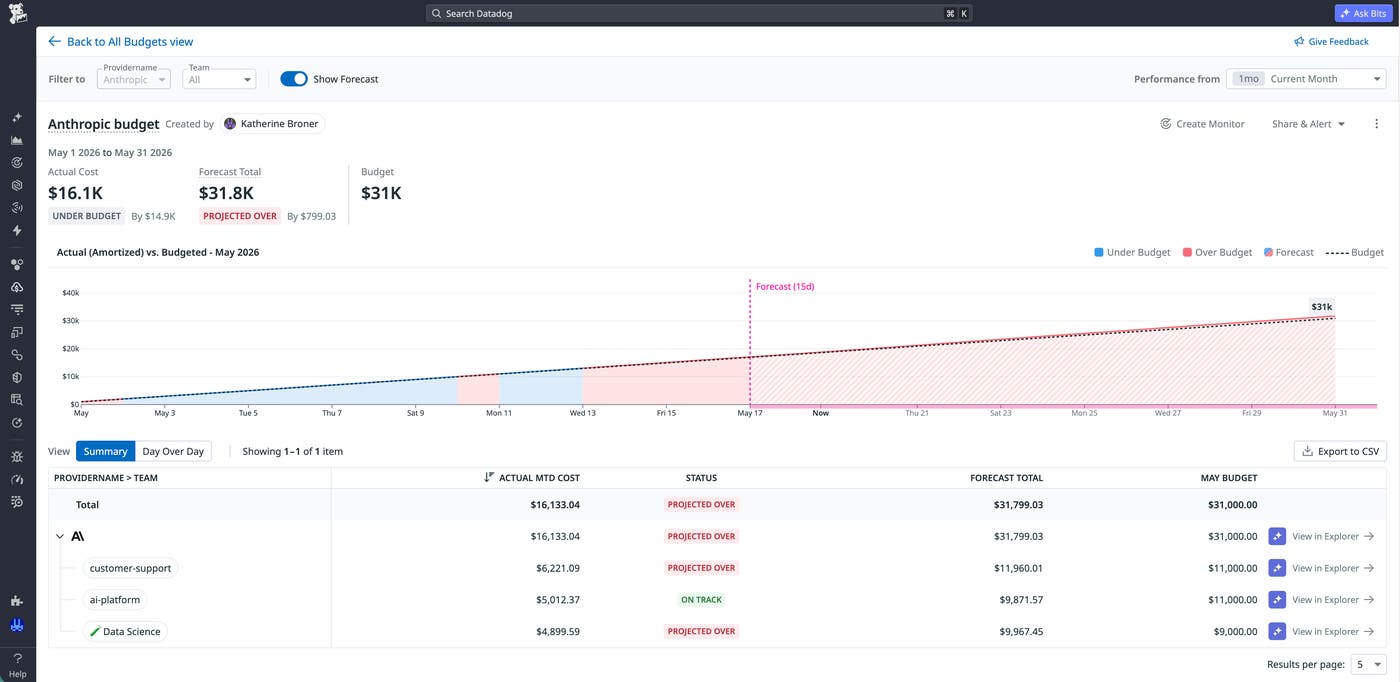
Teams that adopt new AI services often experience rapid changes in spend. Teams might begin a budget period comfortably within limits, only to see costs accelerate as usage grows. For example, consider a company that has started integrating AI-powered features into its product. When Anthropic model usage begins to increase quickly, the company’s leaders want team-level visibility into how that change will affect the cloud bill before the next review cycle.
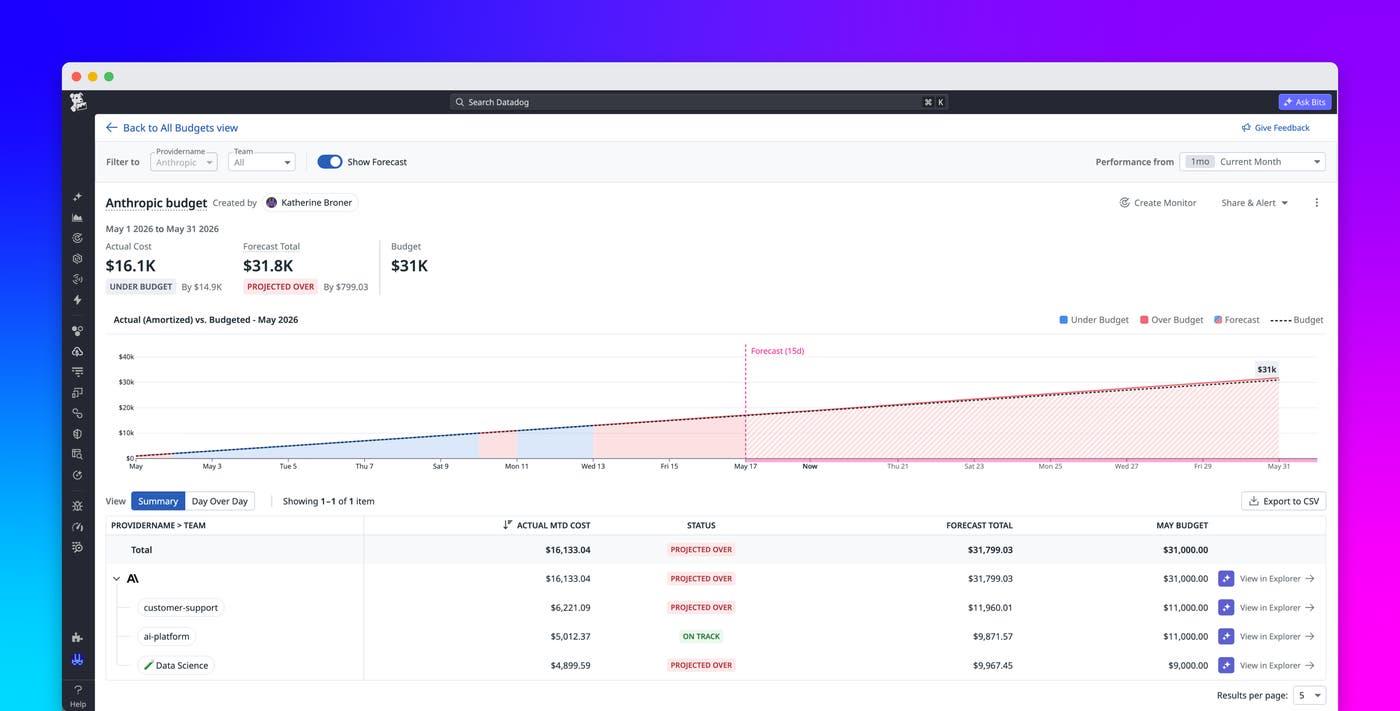
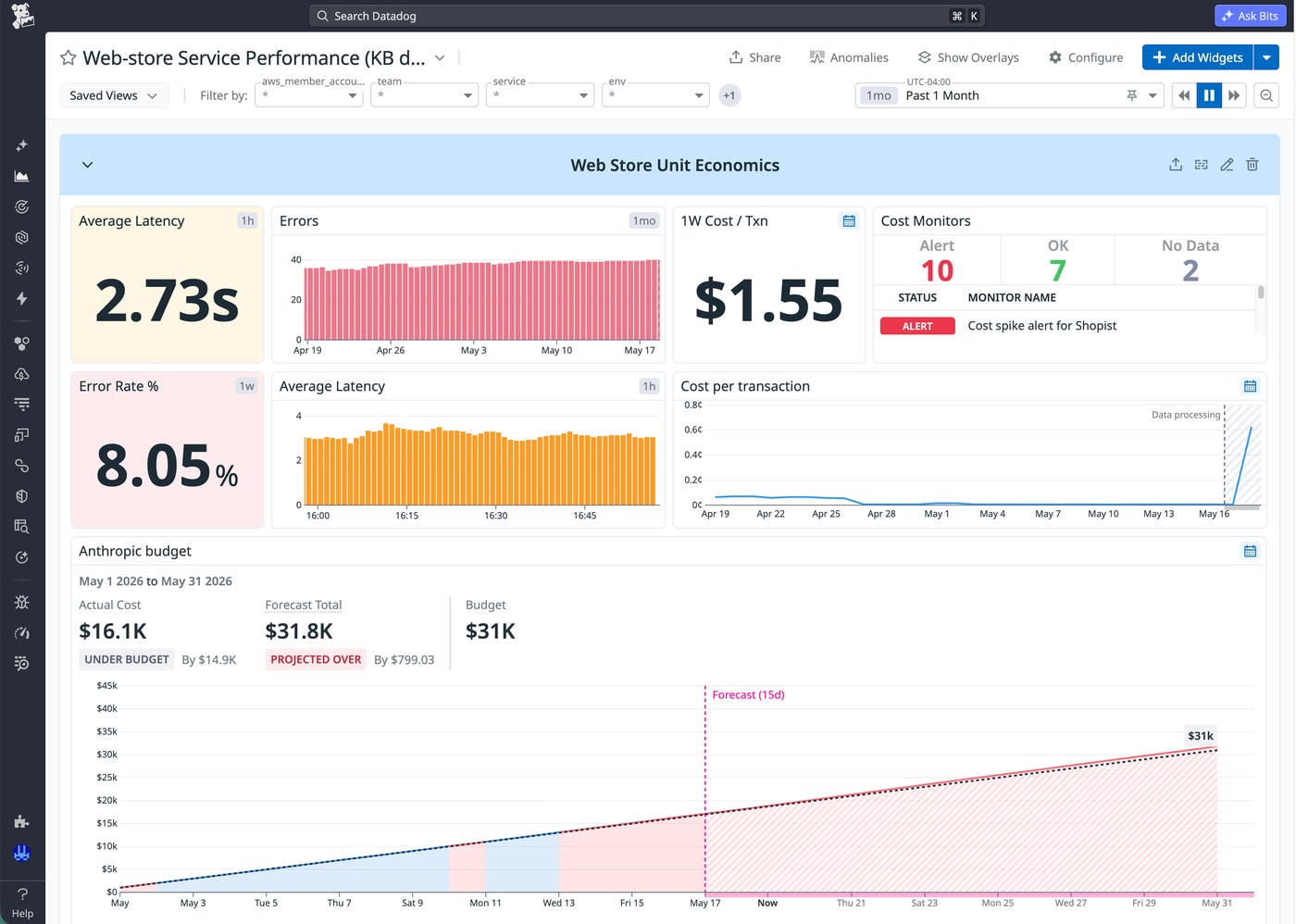
CCM’s status page for the company’s Anthropic budget shows the impending impact of the increased model usage before it occurs. The page presents the actual spend, remaining budget, and forecasted total spend in one chart. You can break down data by dimensions such as team, subaccount, and service.
Forecast lines extend beyond the current date and reflect the impact of increased model usage for a team as the usage evolves. Status indicators show whether a budget is Under Budget, Over Budget, or Projected Over. Teams receive information about expected outcomes while they still have time to adjust usage and coordinate with stakeholders before costs exceed expectations.
Stay proactive with alerts from budget monitors
Constantly refreshing the status page for each budget does not scale, especially as more teams adopt AI-driven workloads. Budget monitors bring the same forward-looking visibility directly into alerting workflows.
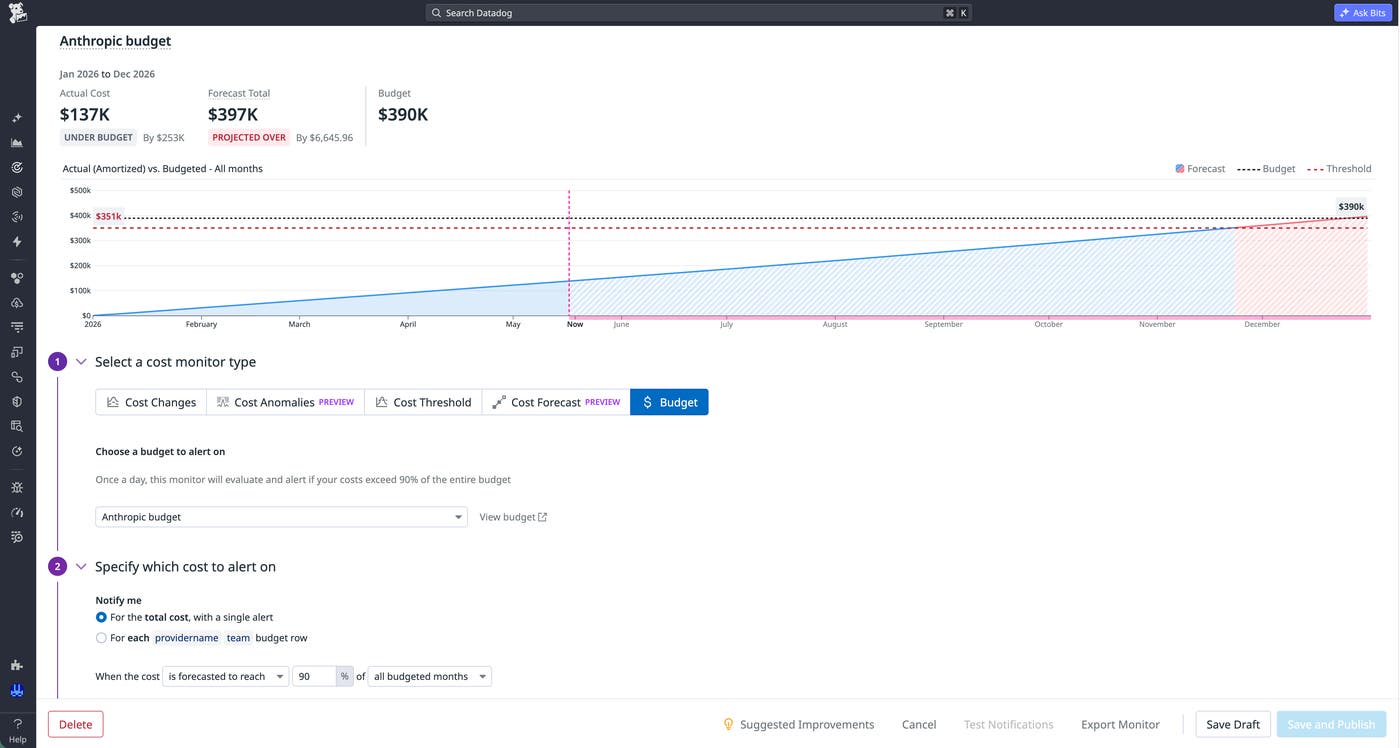
When you create a budget, CCM automatically generates a budget monitor that tracks actual and forecasted spend. You can also customize monitors to trigger at specific levels of actual and forecasted spend.
If we revisit our example, the company that is integrating AI features can configure a monitor to trigger automatically when forecasted Anthropic spend exceeds 90% of the budgeted total. CCM then delivers the alerts through the same notification channels that the company’s teams already use for infrastructure issues. Instead of finding out after the fact that they exceeded the budget, the teams can take action immediately to prevent the cost overrun from occurring.
Share budget and forecast insights via reports and dashboards
With budget status page indicators and cost forecast monitors, our example company’s increasing AI costs won’t surprise its leadership. The same cost data that appears across engineering and FinOps workflows also shows up in reports from CCM.
Budget reports package actual and forecasted spend into recurring snapshots that can be delivered weekly, monthly, or on a custom cadence. Leadership teams receive consistent updates that show where spend is heading, not just where it’s been. Conversations shift from retrospective analysis to forward planning.
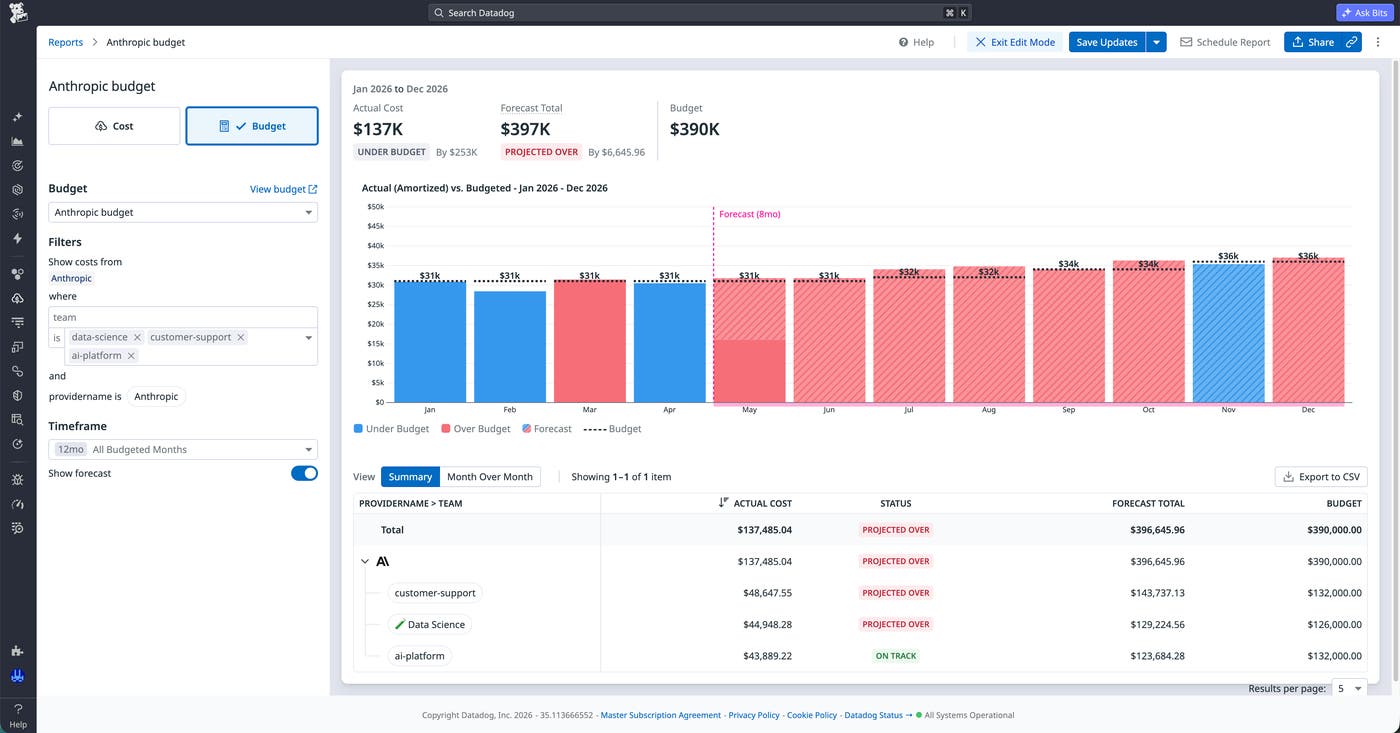
CCM also enables teams to embed budget data into Datadog dashboards alongside the metrics, traces, and service level objectives (SLOs) that they already monitor. Engineers can view cost data in the same context as system performance, making it easier to connect AI usage patterns with operational changes. Cost awareness becomes part of everyday workflows rather than a separate reporting process.
Start using budget forecasting as part of your cost management workflow
Budget forecasting in Datadog Cloud Cost Management provides a unified approach to planning, managing, and reporting on cloud spend. Forecasts, status views, monitors, and reports all rely on the same underlying data and model, which keeps teams aligned and eliminates the need to reconcile different sources. To learn more, read our forecasting documentation.
If you’re new to Datadog, you can sign up for a 14-day free trial to begin managing and forecasting your cloud spend.
