
Arti Arutiunov
Product Manager

Younes Berradia
Product Manager

Bridgitte Kwong
Group Product Marketing Manager
As AI and coding agents accelerate software delivery, new features and application changes can reach production faster than teams can update monitoring coverage. These changes can introduce new or altered user paths that teams have not explicitly configured or tested. Traditional monitoring helps teams understand the health of the frontend, services, and infrastructure supporting those paths, but not always whether users can complete the critical flows that span them. A checkout service can meet its latency target while conversion falls, or an authentication service can appear healthy while users abandon sign-in.
Users experience applications through outcomes such as signing in, checking out, filing a claim, or completing onboarding. These journeys are a natural shared unit for understanding application health, but engineering, product, and business teams often lack a common view that connects user outcomes to the technical and behavioral signals behind them.
Datadog Journey Monitoring helps close that gap by organizing technical and behavioral signals around the user journey, from intent to outcome. It brings together data from Real User Monitoring (RUM), Synthetic Testing and Monitoring, and Product Analytics so teams can track traffic, conversion, time to convert, availability, and performance in one place. With RUM distributed tracing enabled, teams can also connect critical journey operations to the backend services that support them through Datadog APM.
In this post, we’ll show how Journey Monitoring helps you:
Map critical journeys automatically
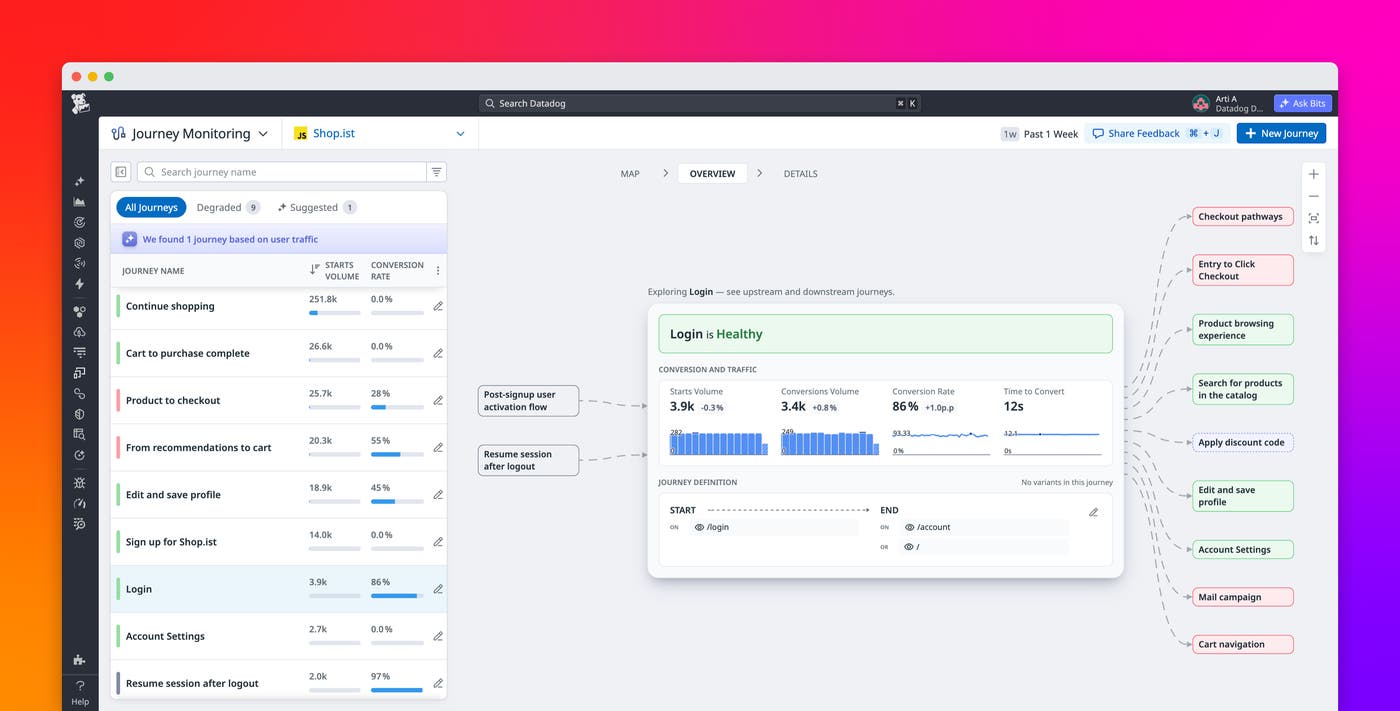
A journey represents a unit of user intent: what someone came to your application to do and whether they succeeded. For example, a sign-in journey might start when a user reaches the login page and end when they reach the authenticated home page. You define the start and end events, and Datadog uses the activity between them to map how users complete the journey.
Journey Monitoring helps you discover and map those critical journeys users take, including ones your team didn’t think to define. As your application changes, Journey Monitoring analyzes real user traffic to suggest new journeys and surface high-volume variants, which are the different paths users take between the same start and end events.
Suggested journeys surface important flows that may otherwise go unmonitored, while high-volume variants show how users actually move through each flow. Together, they help monitoring coverage reflect how your application and user behavior evolve instead of relying only on the flows someone remembered to configure.
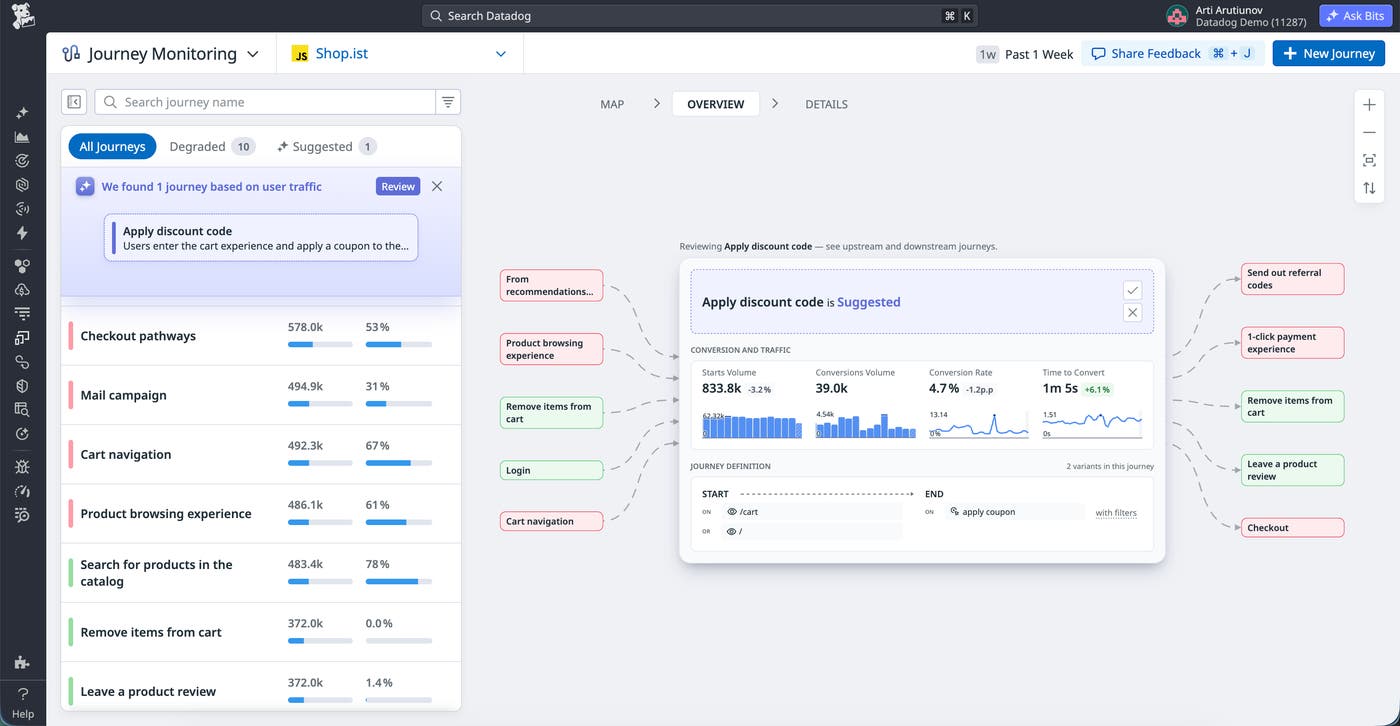
Journeys are interconnected, and the journey map makes those relationships visible. Upstream journeys end where the current journey begins, while downstream journeys begin where it ends. For example, checkout traffic may fall and the checkout itself degrades. Because of this, post-purchase flows may also see less traffic.
This context shows how a degraded journey may affect other user outcomes. It also helps operations and product teams identify unexpected paths that deserve monitoring before they become widespread sources of friction.
Track journey health in one place
For each journey, Journey Monitoring brings behavioral and technical measures of health into one view. Traffic, conversion, time to convert, real user performance, and Synthetic availability appear together, while journey health indicators show which experiences are degraded. Datadog also creates a Synthetic test suite for each journey, where you can add browser or mobile tests.
Each Digital Experience Monitoring (DEM) product contributes a different view of journey health. Product Analytics provides funnel-level and variant-level behavioral data to show whether users complete the journey, where they drop off, and which paths they take. Session Replay helps teams understand what affected users experienced. RUM Operations Monitoring measures the success rate and latency of critical interactions within a journey, such as processing a payment, based on real user traffic. Synthetic Monitoring measures journey uptime by running browser or mobile tests from the journey’s test suite under controlled conditions. Failing tests consume the error budget of the journey’s uptime SLO.
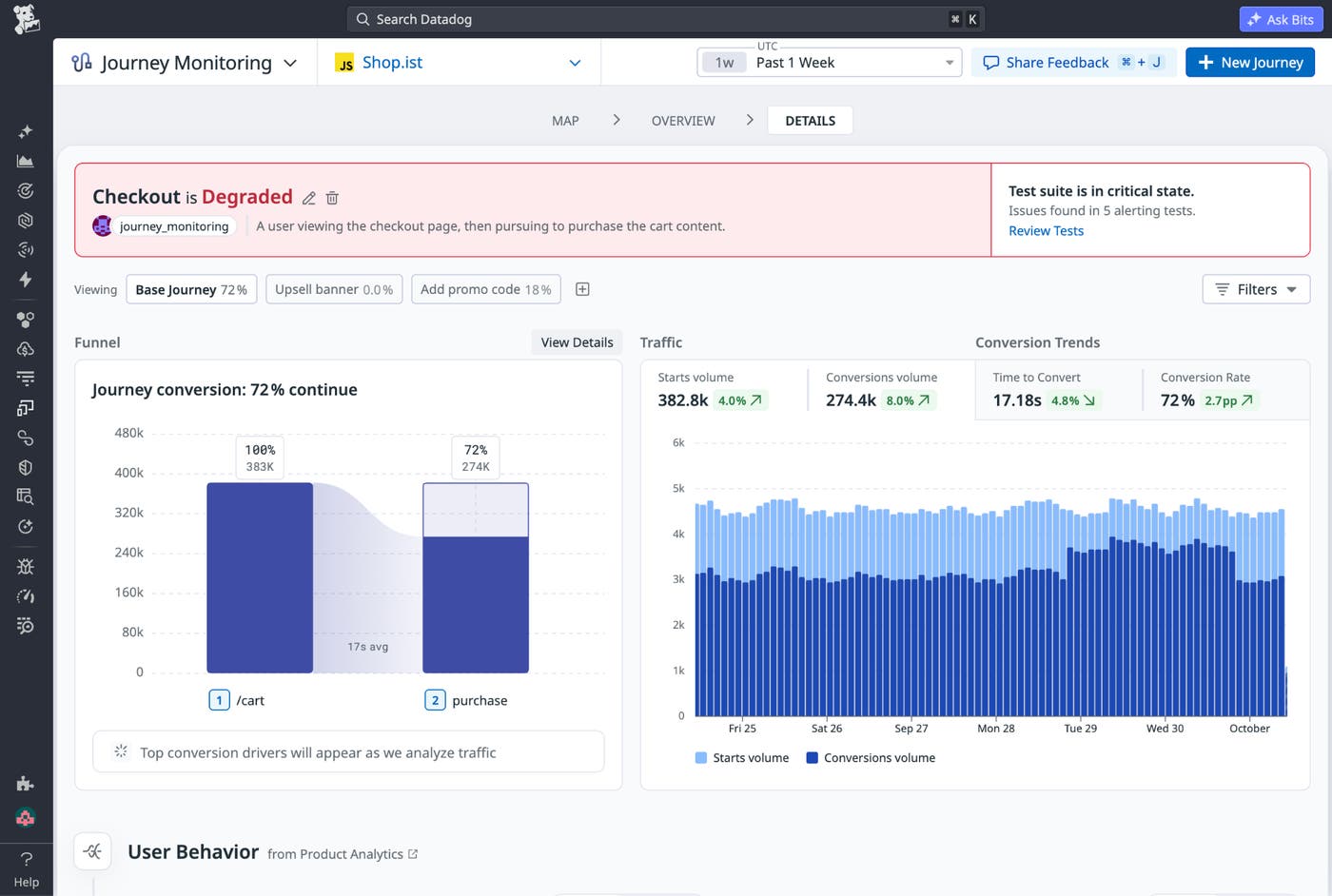
These signals provide more context than availability alone. A Synthetic test might remain healthy while a critical operation becomes slow for real users. Conversely, conversion might fall while real user performance and Synthetic availability remain within their expected thresholds. Starting from the same journey gives engineering and product teams a shared picture of the experience before they decide where to investigate.
Teams can also assign ownership and tags to journeys and filter journey data by attributes such as device, geography, user cohort, or custom tags. These filters help teams determine whether a degradation affects the journey broadly or is concentrated among a particular group of users.
Determine whether an issue is technical or behavioral
When a journey’s health changes, engineering and product teams can investigate from the same view instead of comparing separate dashboards or handing the problem back and forth. In Journey Monitoring, a journey’s status changes from healthy to degraded when its underlying signals begin to decline. It prioritizes RUM operation SLOs and Synthetic availability SLOs with elevated burn rates, helping teams focus on the signals most likely to explain the change before an objective is fully breached.
Consider a sign-in journey whose completion rate has started to decline. If the SLO for an authentication-related RUM operation is burning faster than expected, or failing Synthetic tests are burning the journey’s uptime SLO, engineering teams have a clear technical path to investigate. They can then examine the affected operation, frontend issues, or test results.
If sign-in completion falls while RUM performance and Synthetic availability remain healthy, that points to a behavioral cause. Product teams can investigate behavioral factors such as changes to the sign-in experience, authentication options, or user flows without first waiting for engineering to rule out an application failure.
Journey variants can narrow the investigation further. By comparing high-volume variants, teams can determine whether abandonment or degradation is concentrated in a particular path, step, or interaction rather than affecting the entire journey. Variant filters apply across the journey page, helping teams correlate funnel behavior, RUM events, performance, and errors with the specific path users took.
Investigate in context and show business impact
From a journey, teams can open Product Analytics to understand which users or cohorts were affected, use Session Replay to see what individual users experienced, query affected sessions in the RUM Sessions Explorer, or drill into Synthetic test results. Each path preserves the journey context, helping teams connect individual failures back to the user flow and outcome they affected.
For example, if a payment operation within a checkout journey is degrading, an engineer can inspect the corresponding RUM operation and review its errors and dependencies. With RUM distributed tracing enabled, they can also follow the operation into the backend services supporting that interaction through Datadog APM. From there, they can open a replay of an affected session to understand how the same problem affected a real user.
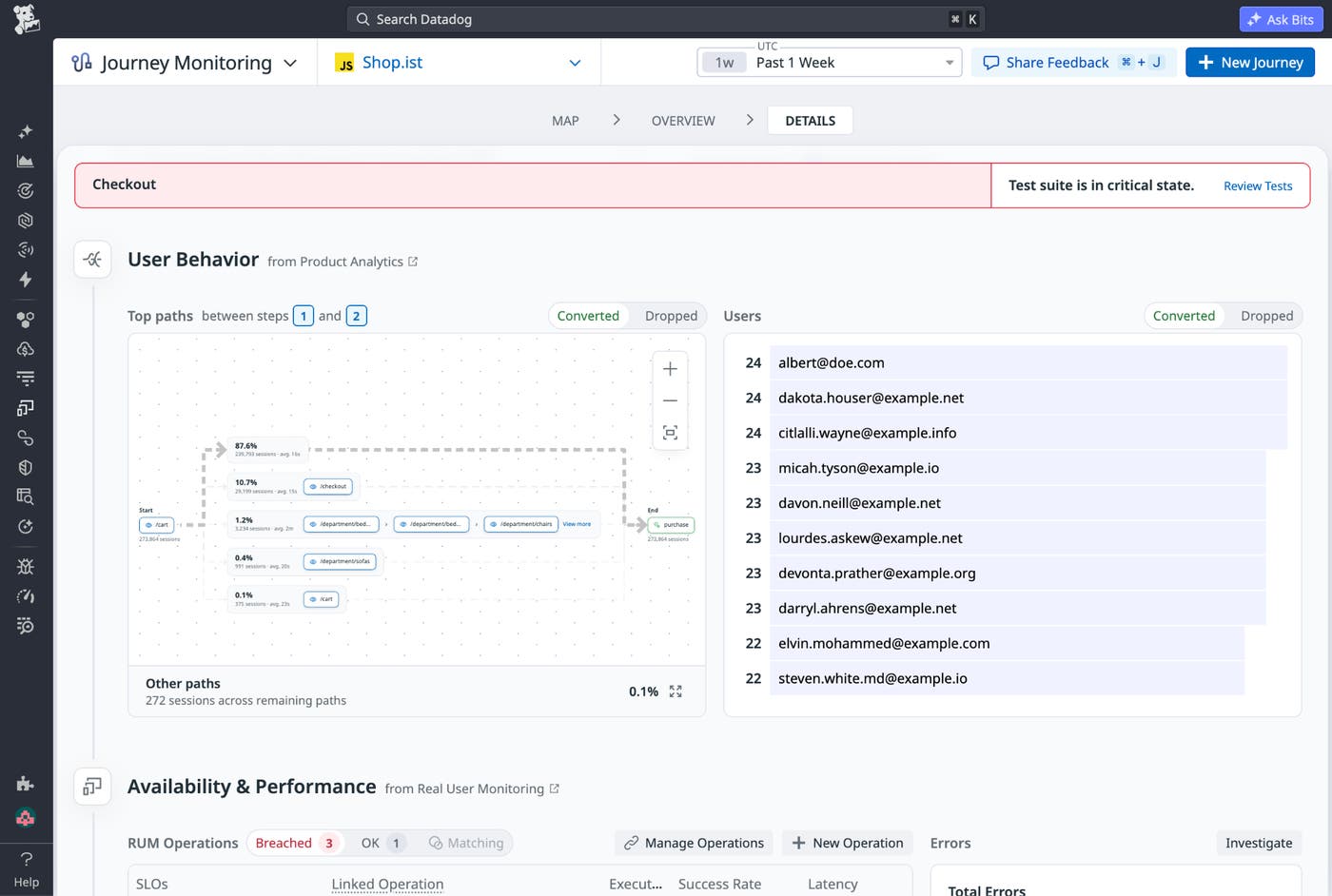
Teams can drill into individual Synthetic test steps to see where a journey failed and review screenshots, video replays, traces, and errors for additional context.
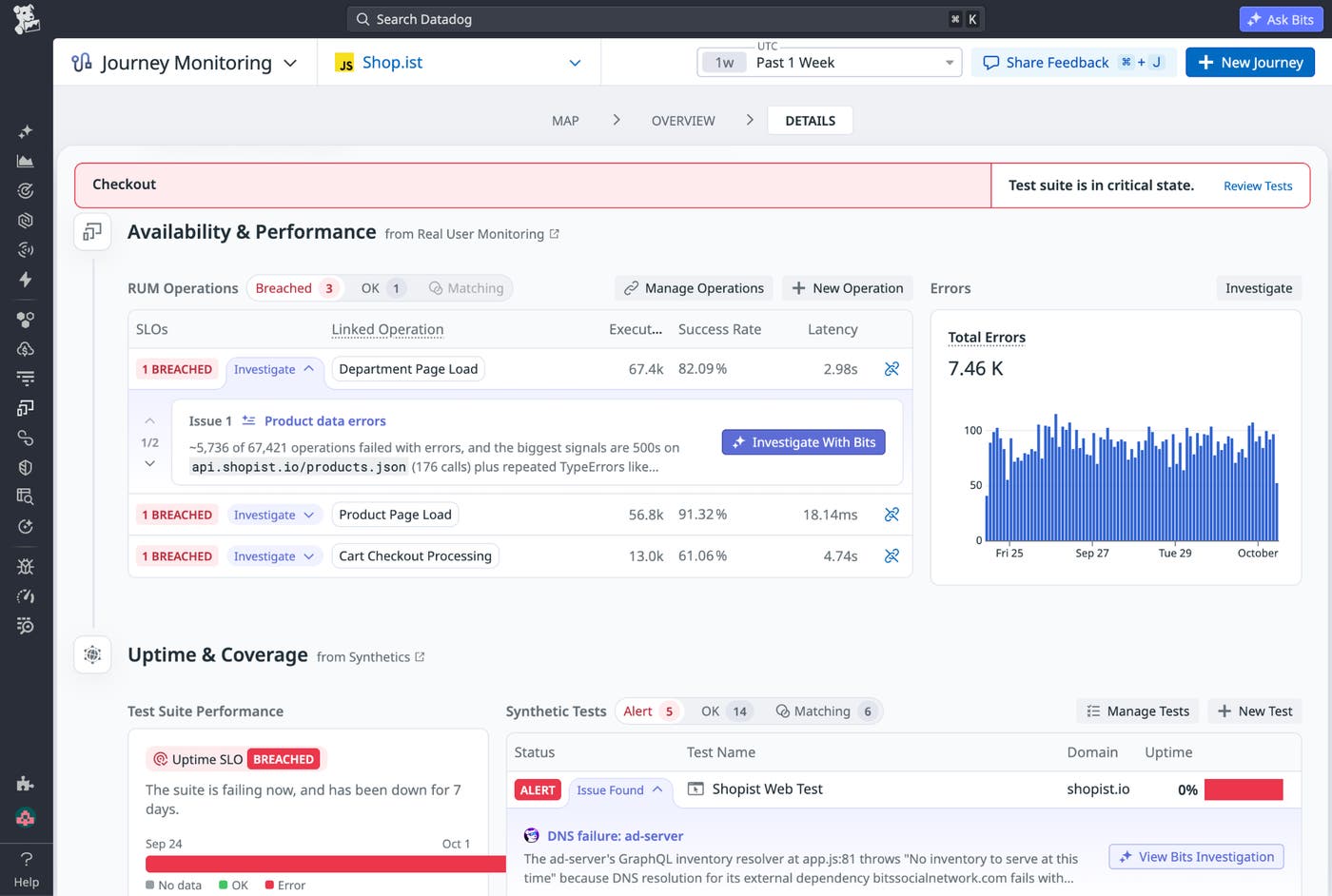
Because Journey Monitoring keeps conversion and availability alongside these technical signals, teams can also communicate business impact while they investigate. An SRE can explain not only that an operation is degrading, but which critical journey it affects and whether journey completion is changing. Engineering, product, and business stakeholders can therefore work from the same picture of an incident instead of reconstructing its user impact after the issue is resolved. After a fix, teams can validate that journey health has recovered.
Start monitoring critical user journeys
As applications change faster, manually maintaining monitoring coverage for every critical flow becomes harder to sustain. Journey Monitoring helps teams keep that coverage current by tracking the outcomes users are trying to accomplish and the systems that support them. By bringing RUM, Synthetic Testing and Monitoring, Product Analytics, Session Replay, and APM context together around each journey, teams can discover important flows, identify which experiences need attention, prioritize issues by user impact, and resolve problems in the context of the user outcome.
For existing DEM customers, Journey Monitoring is available in your Datadog organization today at no additional cost and builds on the data you already collect. It provides the most complete picture when you use RUM, Product Analytics, and Synthetic Monitoring together. To get started, see the Journey Monitoring documentation.
If you don’t already have a Datadog account, sign up for a free 14-day trial.
