

Zara Boddula
Senior Product Manager
Security teams face a flood of noisy logs that arrive in many formats, and often without the context teams need to detect and prioritize threats. But even normalized and contextually enriched log data is only as useful as the speed at which teams can act on it. Any step that requires manual effort can become a bottleneck that makes it difficult to keep pace with the volume.
Together, Tines and Datadog Observability Pipelines help security teams automate the process of responding to threats, enriching log data, and keeping log pipelines updated. Observability Pipelines standardizes and routes logs automatically, while Tines automates security and IT workflows that update the pipeline through its API and Reference Tables. The resulting log stream reflects those updates in real time, helping analysts spend less time maintaining pipelines and triaging noise and more time investigating threats.
In this post, we’ll cover how using Tines with Observability Pipelines lets you:
Limit the risk of insider threats by detecting access control gaps
Reduce alert fatigue by muting noisy alerts with current context
Increase visibility into unusual activity by tagging a suspicious user’s logs
Connect security automation to your log pipeline
Tines is a workflow automation and orchestration platform built for security and IT teams. It calls its automated workflows stories. A story is a canvas of connected actions, each of which calls a tool in your stack.
Tines helps teams with security and IT automation:
Connect tools like Okta, ServiceNow, Slack, and mobile device management (MDM) platforms without custom integration code
Transform alerts and requests into automated triage and response actions
Reduce mean time to resolve (MTTR) by acting on context the moment that context is available, without requiring manual handoffs between tools
Expose APIs, including the Observability Pipelines API, so a decision made in Tines can update a pipeline in real time
Observability Pipelines and Tines play complementary roles in the workflow for processing security logs. Observability Pipelines helps you standardize your logs and quickly control costs with ready-to-deploy Packs. Tines automates security and IT workflows across connected systems, including workflows that update how Observability Pipelines processes security logs.
Limit the risk of insider threats by detecting access control gaps
Imagine a sales rep is terminated on a Friday. Over the weekend, someone uses their credentials to access the CRM and download a customer list.
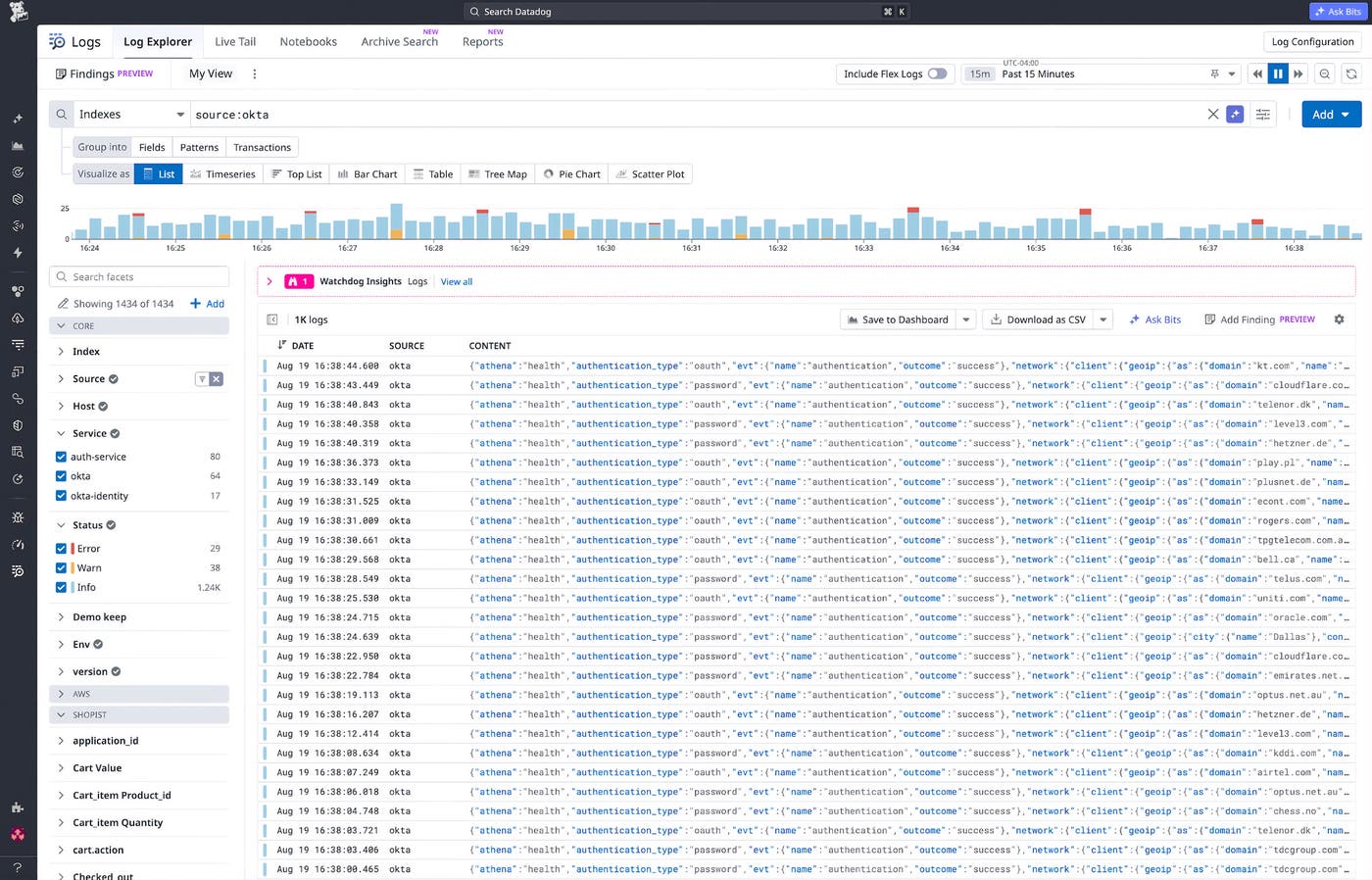
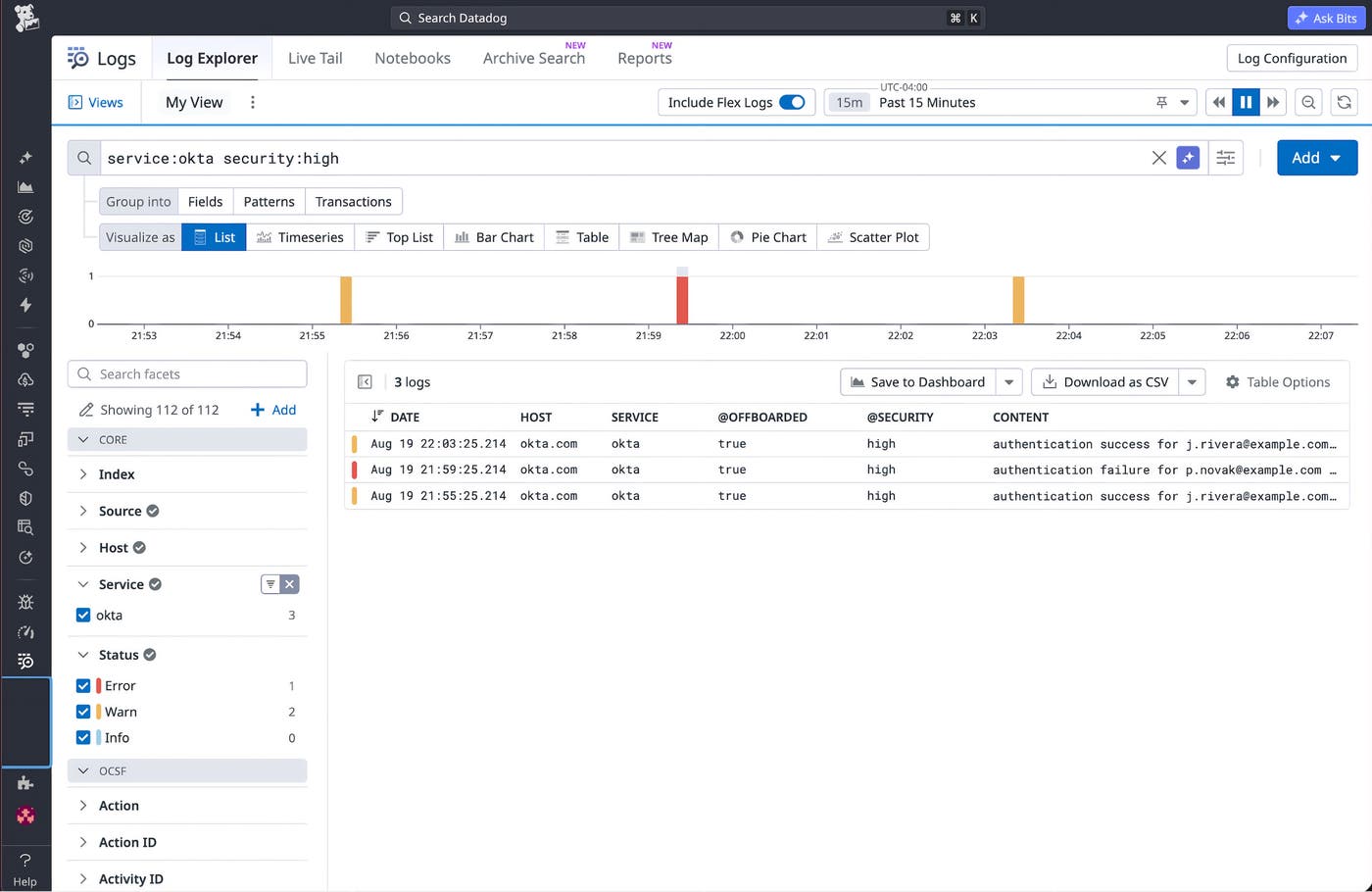
Without a workflow to flag it, an analyst reviewing Okta and other identity logs has little reason to notice that activity. It flows through the pipeline carrying the same attributes, the same source, and the same severity as everything around it.
A prebuilt Tines story, Automate offboarding with Okta, Slack, and Datadog Observability Pipelines, coordinates the access and logging changes involved in offboarding an employee. When HR submits the employee through a Tines offboarding request form, the story runs the full offboarding playbook. It suspends the Okta account, revokes all sessions, and unenrolls the device via MDM. Crucially, it also calls the Observability Pipelines API in the same run, so the identity controls and the logging controls change together.
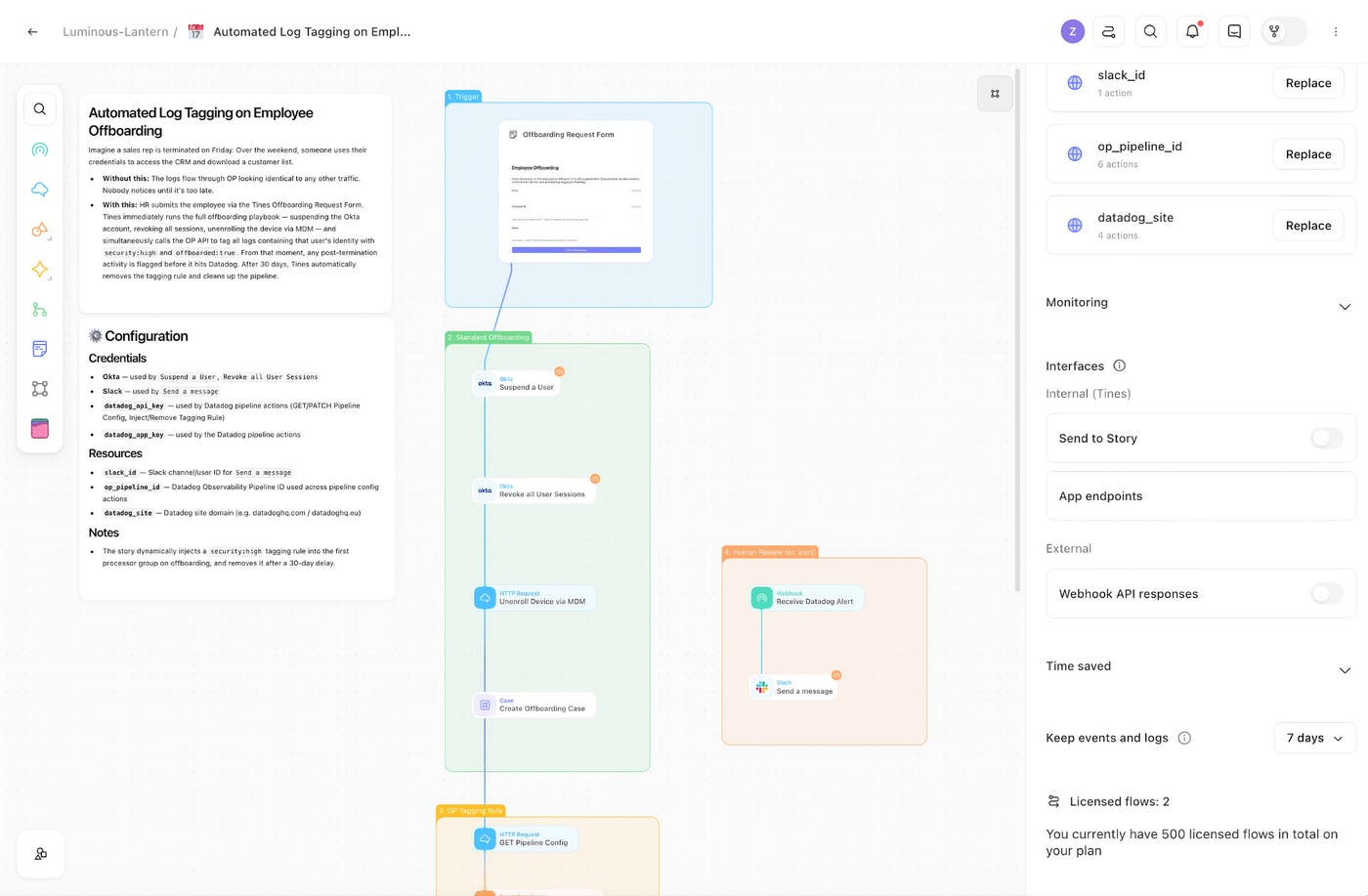
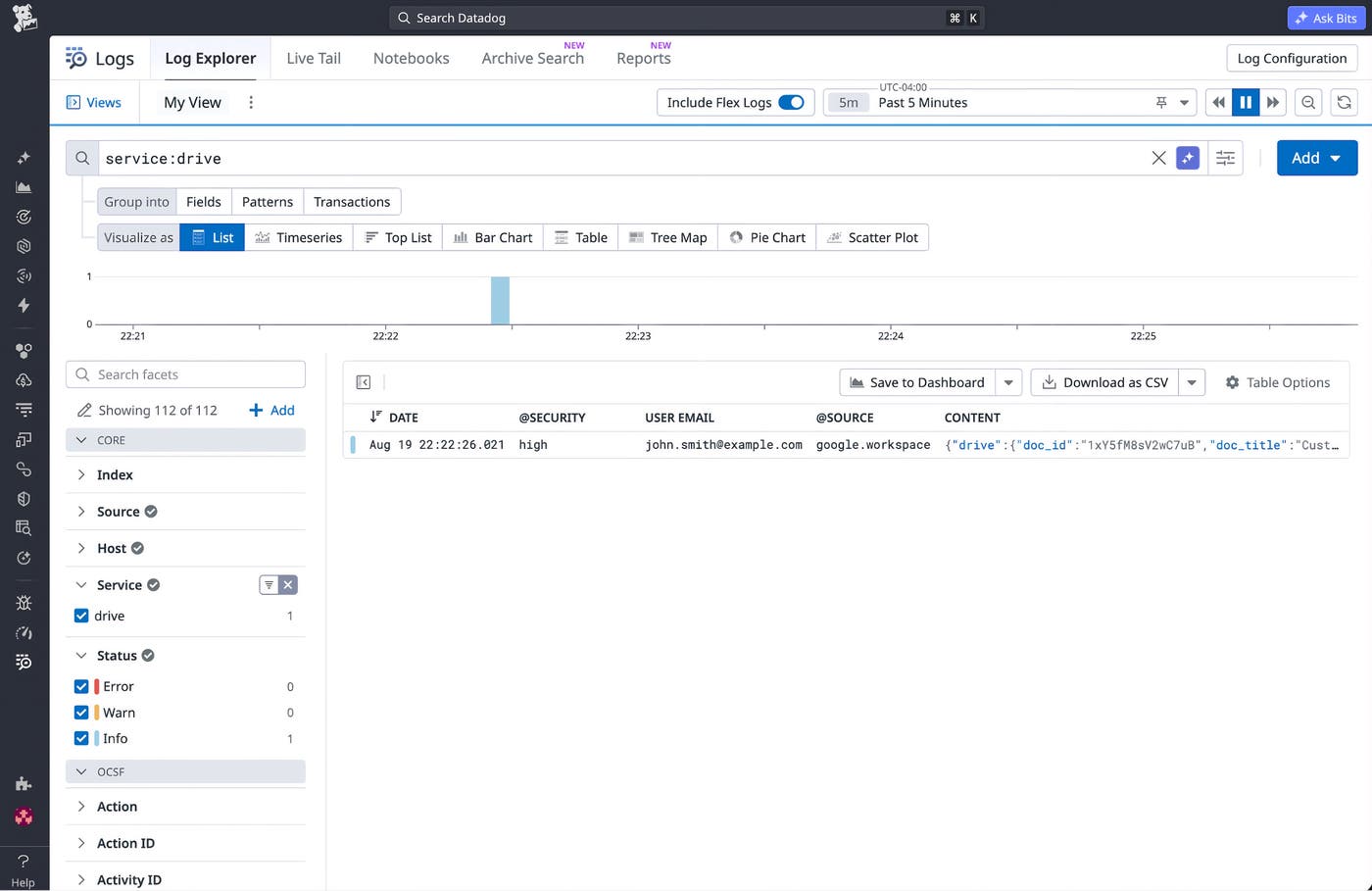
That Observability Pipelines API call tags all logs containing the user’s identity with security:high and offboarded:true. Subsequent activity from that user arrives at your SIEM with those tags already applied. The story later removes the tagging rule, so the pipeline change does not require manual cleanup.
Reduce alert fatigue by muting noisy alerts with current context
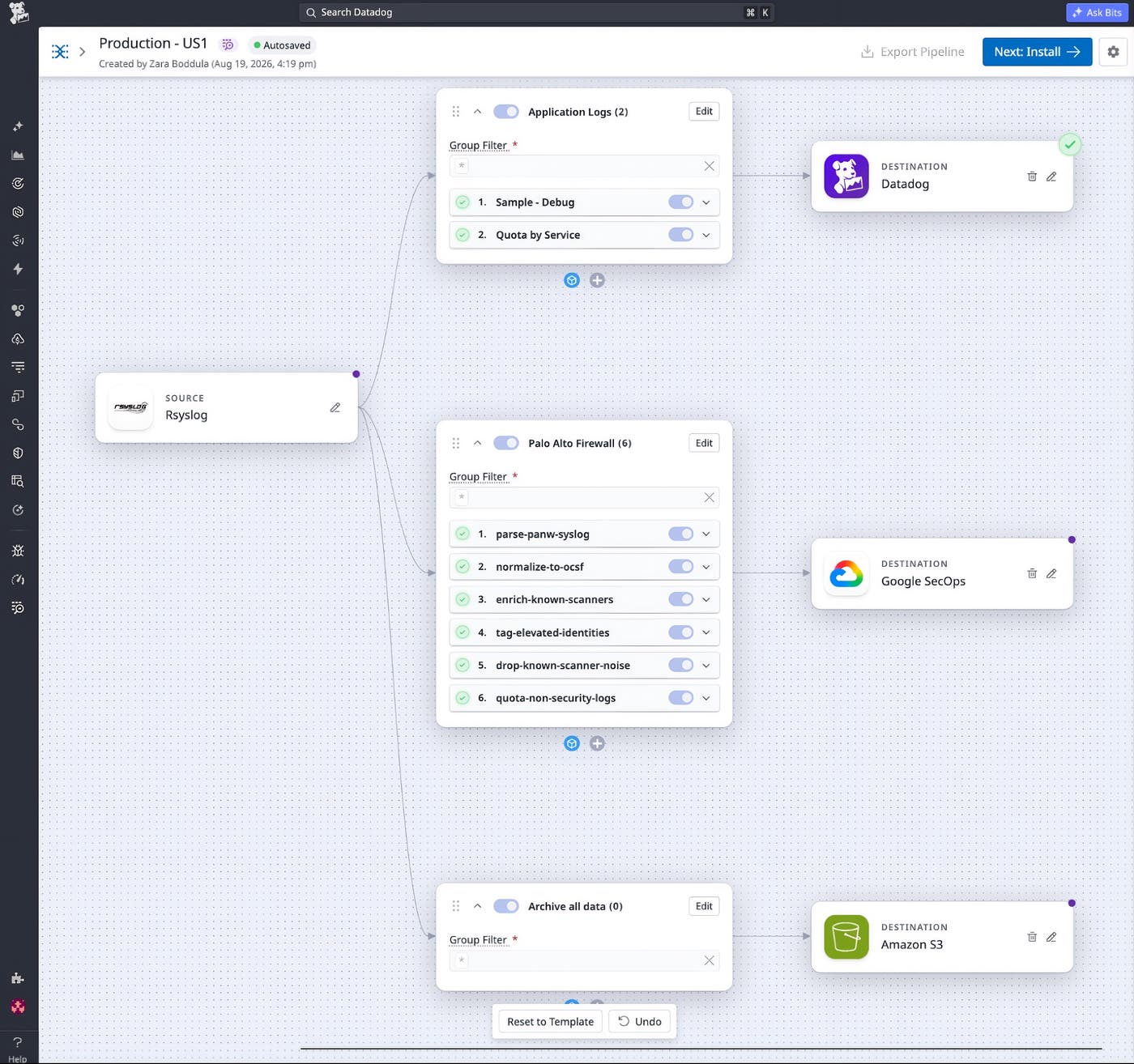
Authentication activity recorded by Palo Alto Networks firewalls can include traffic from legitimate internal scanners like Qualys or Rapid7. During a scheduled scan, a scanner may attempt to authenticate to thousands of endpoints. Even a small number of failures caused by credential or configuration issues can trigger many Multiple Failed Login alerts in your SIEM.
Without automation, an analyst may spend hours closing those tickets, checking whether source IP addresses belong to known scanners, and determining which alerts require investigation. That leaves less time to investigate potentially malicious activity.
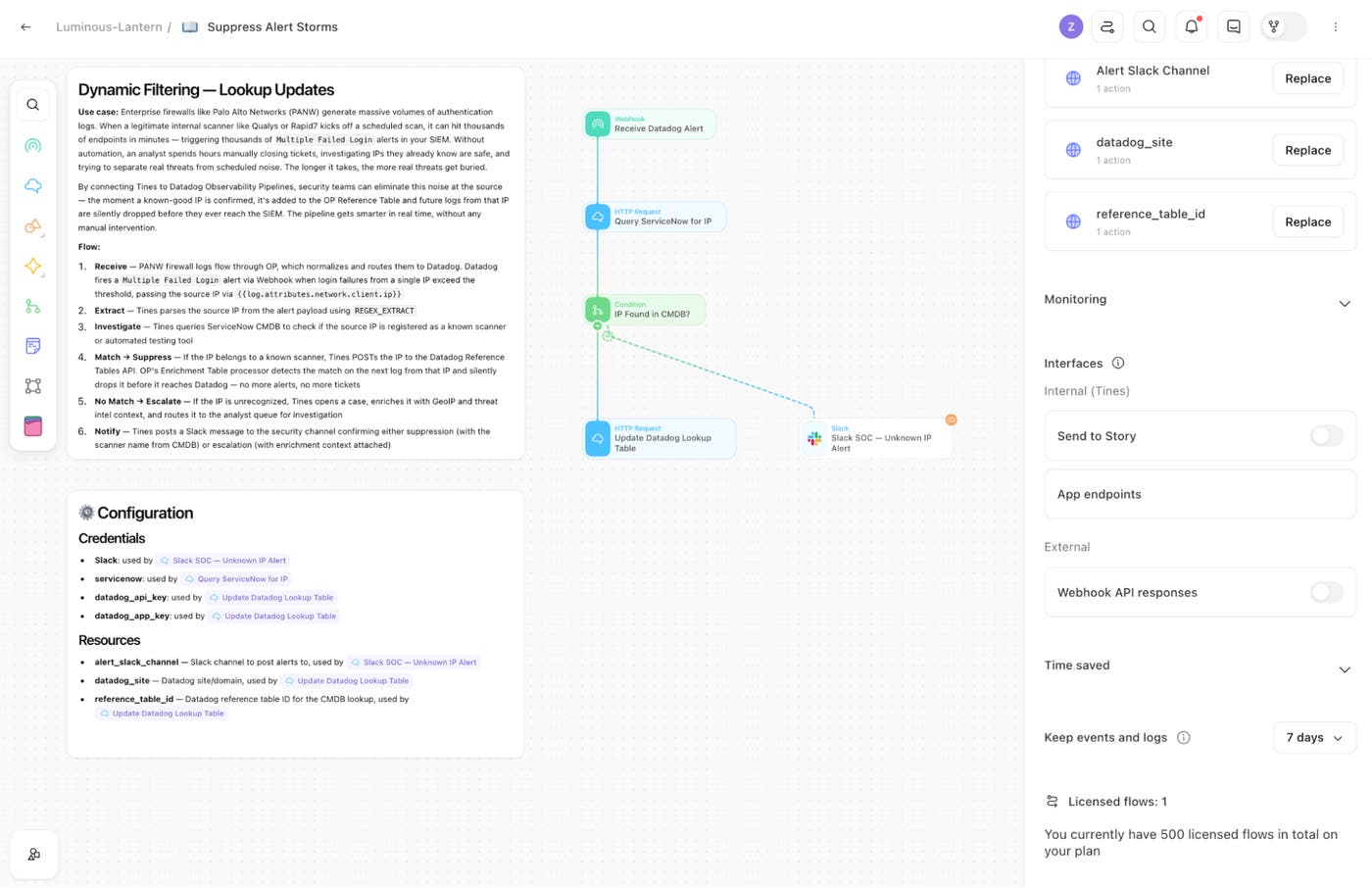
The Tines story Suppress alert storms with ServiceNow CMDB and Datadog Observability Pipelines reduces that manual triage by identifying source IP addresses that belong to known scanners.
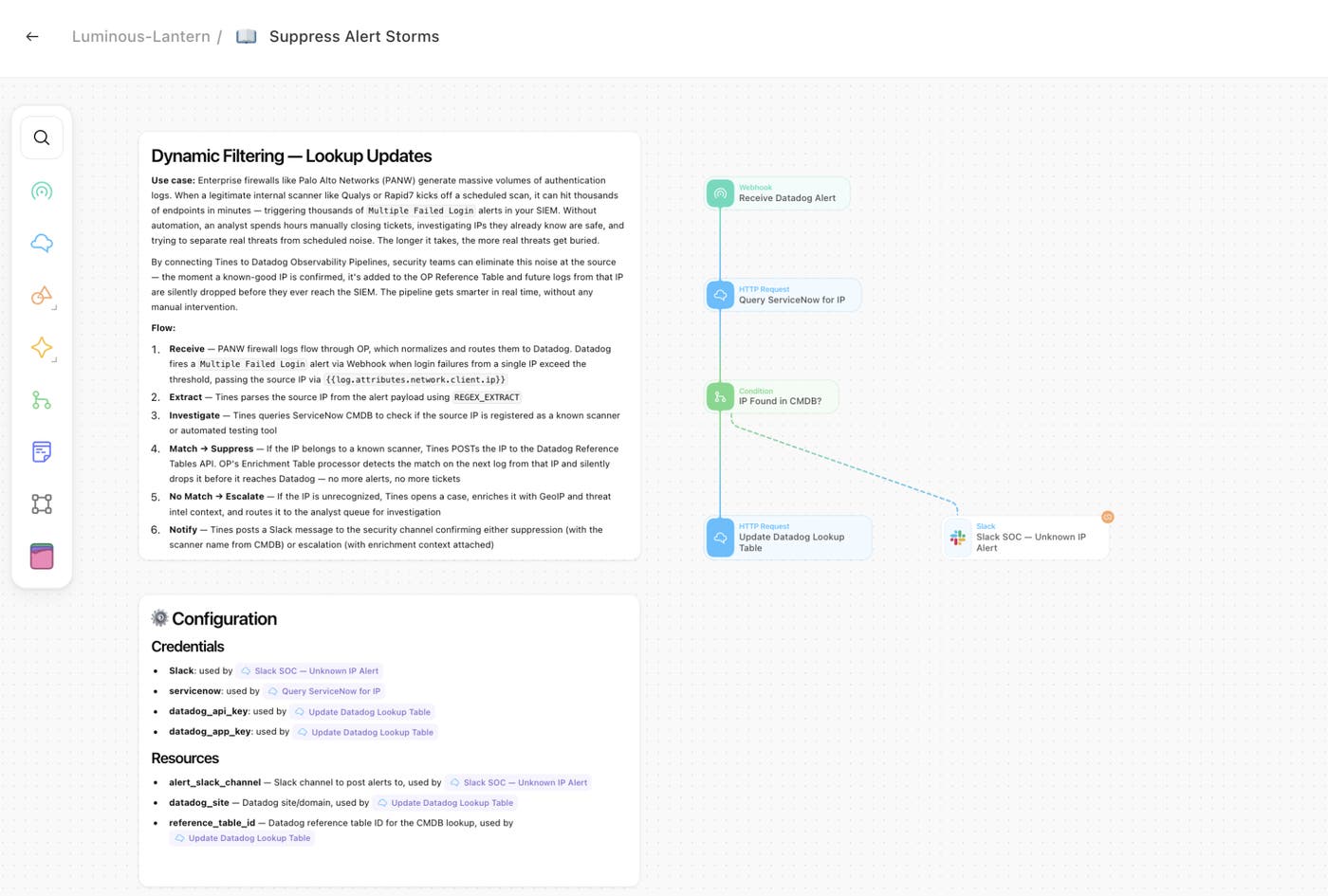
The Tines story uses configuration management database (CMDB) context to distinguish scanner activity from alerts that may require investigation. When a source IP address is identified as a known scanner, Tines updates an Observability Pipelines Reference Table so that subsequent matching logs can be identified and filtered before they reach your SIEM. If the source IP address isn’t recognized, Tines opens a case, adds GeoIP and threat intelligence context, and routes the alert to an analyst for investigation.
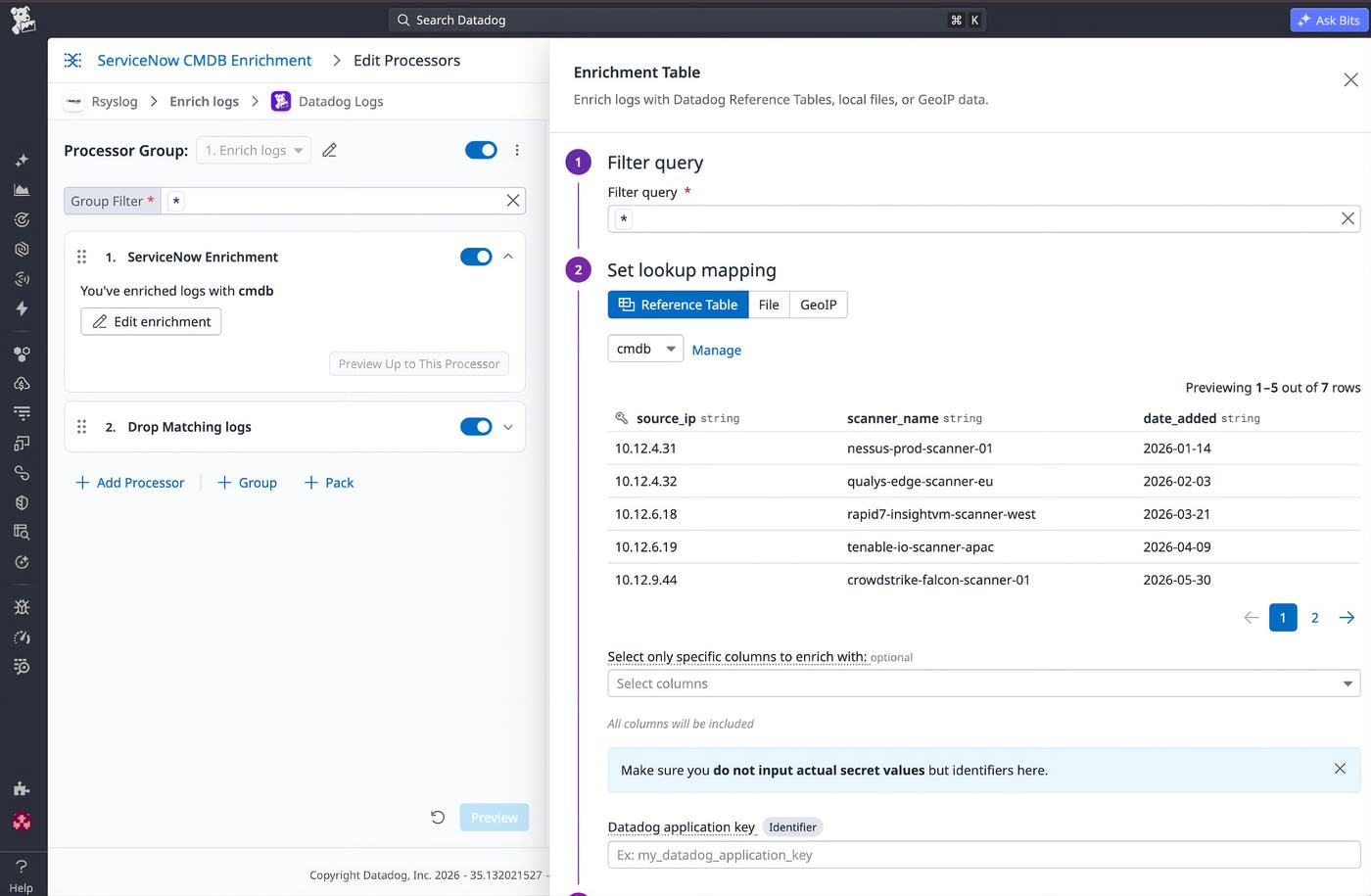
Once Tines adds known scanners to the Reference Table, Observability Pipelines can filter subsequent matching logs without another analyst lookup.
Increase visibility into unusual activity by tagging a suspicious user’s logs
Imagine an analyst notices a user downloading an unusual volume of files. The activity falls below the threshold for an automated detection but still appears unusual enough to warrant investigation. That kind of low-level anomaly can be an early sign of a gradual compromise or malicious activity through a trusted account. Detecting these patterns can depend on an analyst recognizing subtle deviations from normal behavior.
Without a workflow to act on that judgment, the analyst has to hunt through logs across multiple tools while the user’s activity keeps flowing through Observability Pipelines untagged. The Tines story Tag and investigate users with Datadog Observability Pipelines lets the analyst start that process by entering the user’s identity in a Tines page.
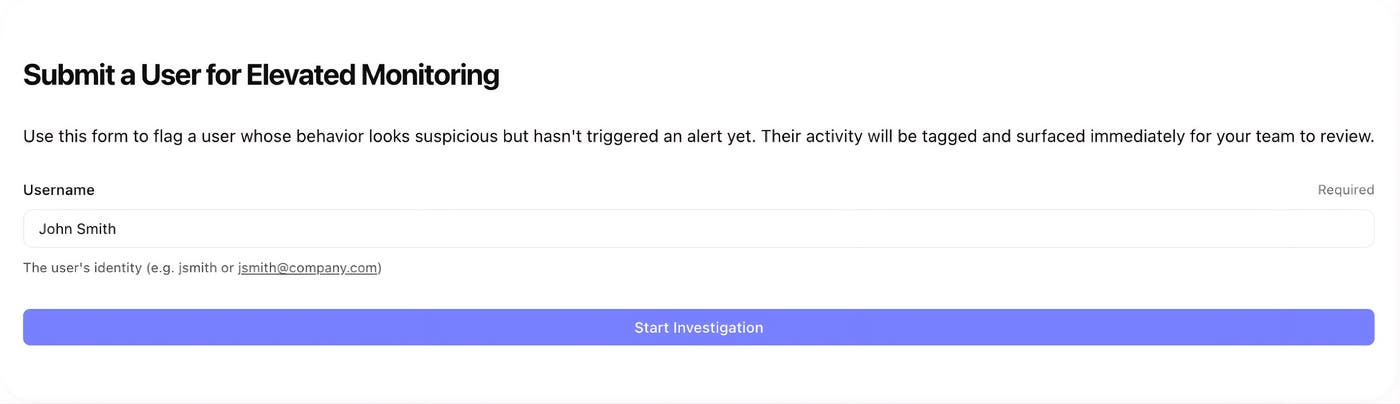
Submitting that form calls the Observability Pipelines API to tag all logs containing the user’s identity with security:high. From that point, matching logs carry the tag as they move through the pipeline and arrive at your SIEM. That gives the analyst a tagged stream of activity to follow during the investigation. When the analyst closes the case, a second Tines flow removes the tagging rule.
Automate security log tagging and filtering before data reaches any SIEM
Together, Tines and Observability Pipelines let security teams turn decisions made in HR systems, CMDBs, and analyst workflows into real-time changes to the log stream. Your team can automatically tag logs based on security context, filter activity from known scanners, and increase visibility into activity that analysts want to investigate.
To learn more about shaping, enriching, and routing telemetry data before it reaches your destinations, read the Observability Pipelines documentation. To learn more about building automated workflows across your security stack, visit Tines. If you’re not already using Datadog, you can sign up for a 14-day free trial.
