
Daniel Blazquez
Senior Product Marketing Manager
Campaigns such as Shai-Hulud 2.0 have demonstrated how quickly package malware can propagate through npm and then harvest credentials. Traditional dependency scanning can identify known risks in code once a package is added to the code, but security teams also need a check before installation.
Datadog’s open source Supply Chain Firewall already provides that control as an open source tool: It intercepts package manager commands and blocks known-malicious packages before they install. And now, Datadog Code Security is expanding its capabilities to support Supply Chain Firewall, enabling you to operate it as an organization-wide control. Alongside these expanded management capabilities, a new Supply Chain Firewall GitHub action brings the same protection and centralized management to your CI workflows.
In this post, we’ll show how you can:
Block known-malicious packages before installation
Datadog’s open source tool, Supply Chain Firewall, intercepts supported package manager commands, including npm, pip, and poetry, before packages are installed on the developer’s machine. It resolves the packages that the command would install and evaluates them against sources that include Datadog Security Research’s malicious package feed, vulnerability advisories, and package recency checks. Datadog’s malicious package feed draws from GuardDog and the public Malicious Software Packages Dataset.
When a package meets blocking criteria, Supply Chain Firewall stops it before installation and tells the developer why. Besides blocking known-malicious packages, Supply Chain Firewall can also warn developers about lower-severity risks, such as recently published packages.
This installation-time control complements Datadog Software Composition Analysis (SCA). SCA inventories and assesses dependencies in repositories and running applications, while Supply Chain Firewall can block known-malicious dependencies before installation.
Manage allowlists and blocklists centrally
A local firewall protects only the environments where it is configured correctly. When every developer maintains an independent configuration file, configurations drift, and you have no reliable way to tell which decisions are in force where.
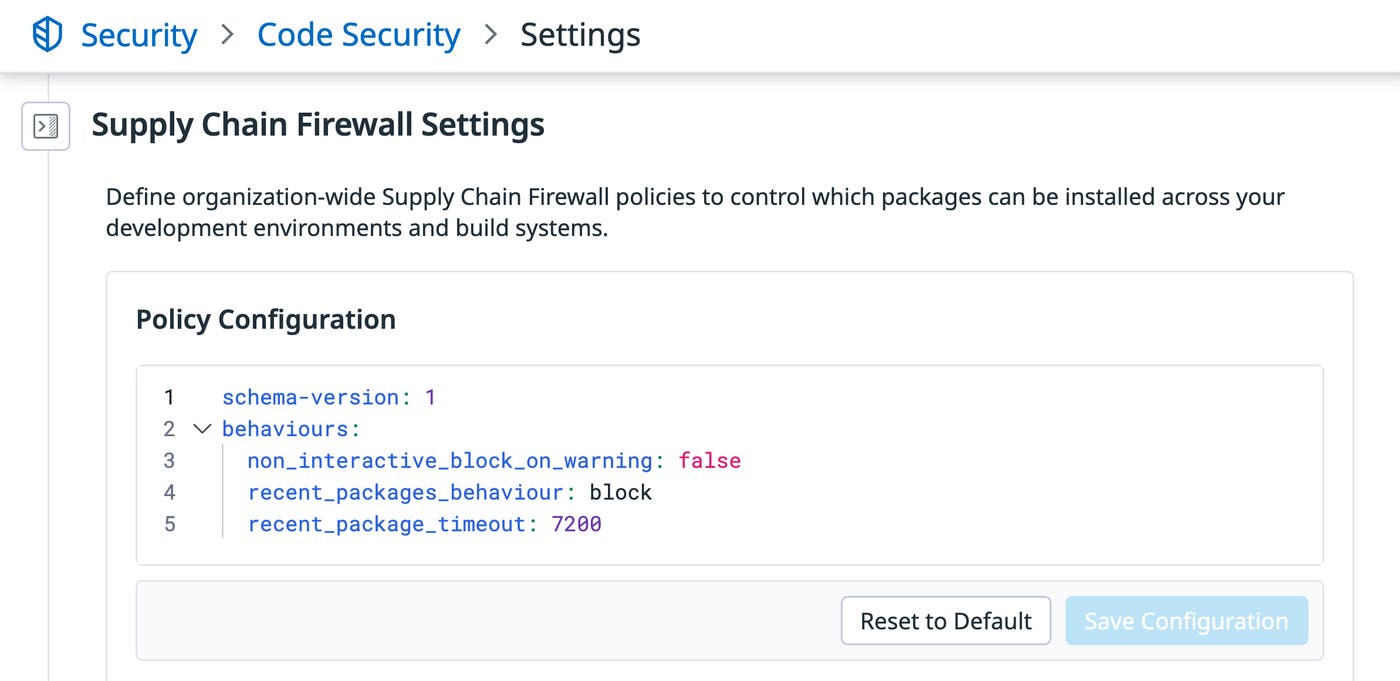
Code Security’s expanded features add central configuration management to Supply Chain Firewall. Define your organization’s configuration once in Datadog, and connected Supply Chain Firewall installations apply its settings, including custom allowlists and blocklists.
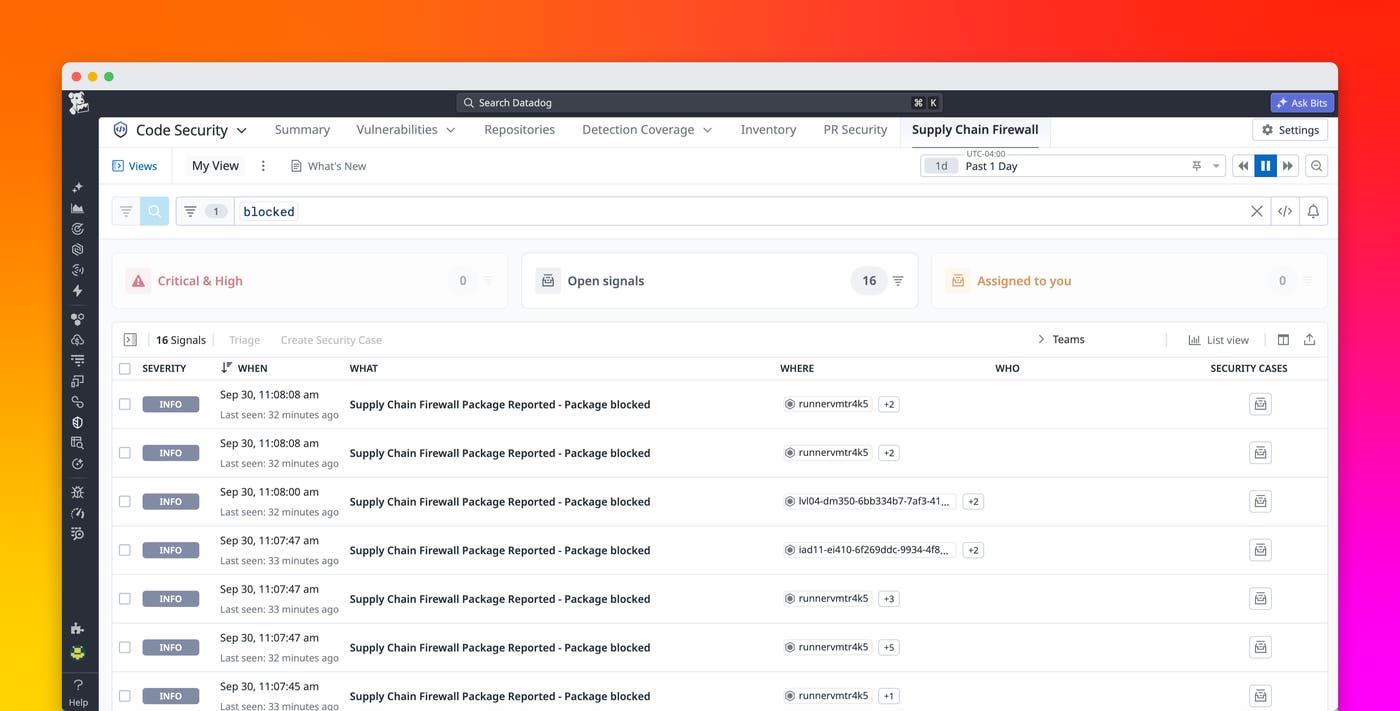
Central configuration also means central reporting. Firewall events from developer machines and CI systems arrive in a single feed showing what was allowed, warned on, and blocked.
Detect packages identified as malicious after installation
Installation-time blocking can act only on what is known at the moment of installation. A package can clear the firewall on Monday and be identified as malicious on Wednesday.
Code Security addresses this problem by retroactively scanning the packages that Supply Chain Firewall has recorded as installed. As Datadog Security Research identifies new malicious packages, Code Security reevaluates your existing installation events against updated intelligence. It then alerts you when a package you already installed is determined to be malicious. Because each event records what was installed and where, the alert tells you which workstations and which CI workflows are affected.
Protect package installs in CI
Package installation no longer happens only on developer laptops. CI runners perform fresh dependency installs while builds execute, often in ephemeral environments. AI coding agents can also resolve and install dependencies as part of autonomous development tasks. Each environment is another point where a malicious package can execute.
The Supply Chain Firewall GitHub action installs and configures the firewall on runners so that supported package manager commands in subsequent workflow steps are inspected before they execute. The action uses the same central configuration as your workstation installations and reports to the same event feed, so a blocklist you define in Datadog applies to your pipelines without separate setup.
Protect against malicious packages across your organization
Datadog Code Security’s expanded features for Supply Chain Firewall, now in Preview, help protect your entire organization from malicious packages. You can block known-malicious packages before they execute, manage the allowlists and blocklists that govern those decisions from one place, and find out when a package you already installed turns out to be malicious. Together with the Supply Chain Firewall GitHub action, these features block known-malicious packages and record package activity across developer workstations and CI.
To learn more about protecting your software supply chain throughout your organization, read the Supply Chain Firewall documentation and Code Security documentation. To get started using Code Security’s expanded capabilities for Supply Chain Firewall, request access to the Supply Chain Security Preview.
And if you’re not yet a Datadog customer, sign up for a 14-day free trial.
