
Bridgitte Kwong
Group Product Marketing Manager

Maël Lilensten
Senior Product Manager
Many revenue-critical interactions, such as ecommerce checkouts and customer portals, run on Shopify and Salesforce. But engineering teams have less control over the frontend runtime on these platforms, and this lack of control can make user monitoring difficult to implement and maintain. These monitoring limitations can leave gaps in visibility across important parts of the user journey.
Datadog gives you a supported path to using Real User Monitoring (RUM) and Product Analytics on Shopify and Salesforce. Each setup uses the platform’s supported extension points, helping you extend visibility across these critical experiences.
In this post, we’ll show how you can:
Track the complete checkout funnel on Shopify
Shopify previously allowed teams to add monitoring code to checkout through the checkout.liquid theme file. After Shopify deprecated checkout.liquid in favor of Checkout Extensibility, user monitoring could no longer continue into checkout through that method. With Datadog, ecommerce teams can now follow a shopper’s journey as one continuous session, from storefront browsing through checkout to purchase confirmation.
You set up coverage in two supported pieces, both inside your own Shopify account. On storefront pages, you add the Datadog Browser SDK through a Liquid snippet in your theme. In Shopify Admin, where theme edits are blocked, you paste a Datadog custom pixel (i.e., a code snippet) under “Settings > Customer” events. The Datadog pixel reads your RUM application ID and client token, loads the Browser SDK, and subscribes to Shopify’s checkout events.
The pixel shares the same cookie as your storefront pages, so when a shopper begins their journey on the storefront, their checkout session continues without starting over. With these pieces in place, ecommerce and digital teams can:
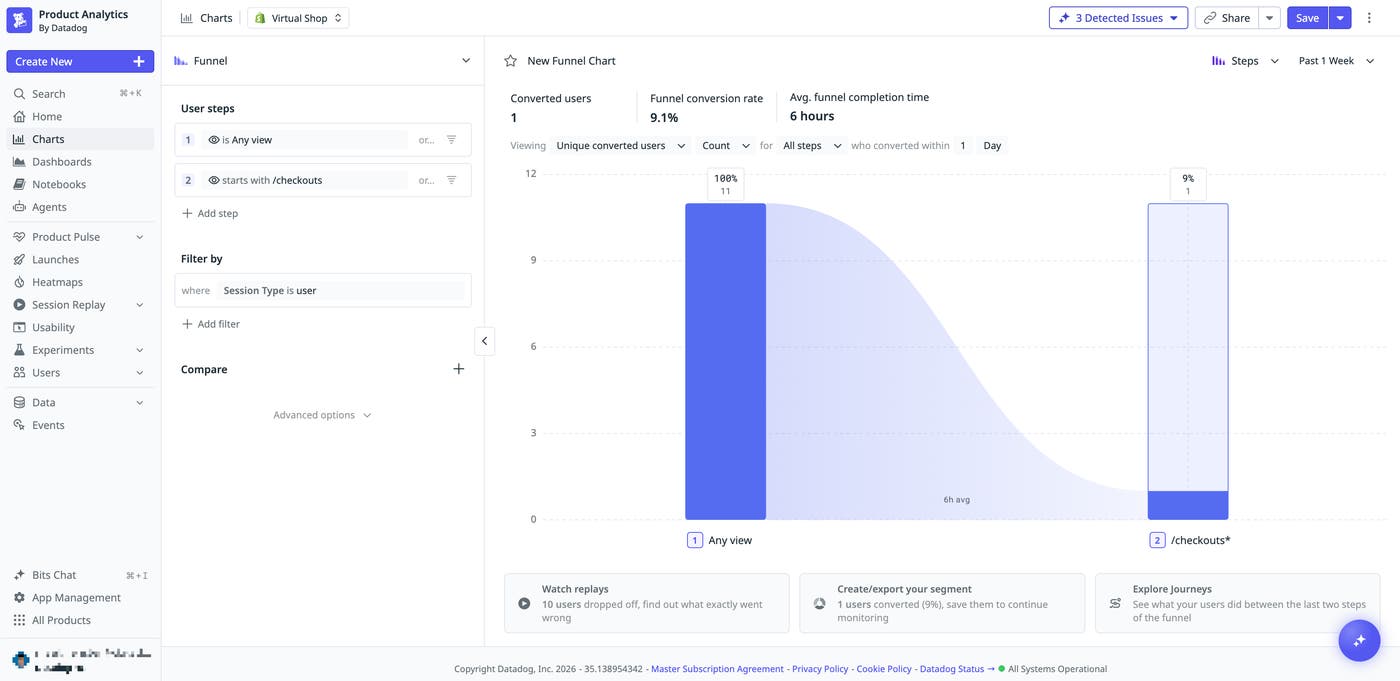
Track the checkout funnel as one continuous session, from checkout_started to checkout_completed.
Surface checkout pageviews, clicks, and UI extension errors as RUM views, actions, and errors out of the box. For deeper visibility into checkout-specific friction, such as validation errors or payment declines, you can instrument those events manually by using Shopify’s Custom Pixel editor.
Segment users by checkout completion versus abandonment.
Segment your funnels by device, geography, or referrer.
Correlate storefront feature-flag exposure with checkout completion across the continued session to see where drop-off concentrates.
Monitor customer portals on Salesforce
For Salesforce, Experience Cloud runs under Lightning Web Security (LWS), a security sandbox that governs how third-party scripts access network internals, the global scope, and the DOM. The standard Datadog Browser SDK is built for conventional websites, so monitoring Experience Cloud has meant custom workarounds, or going without RUM and Product Analytics coverage.
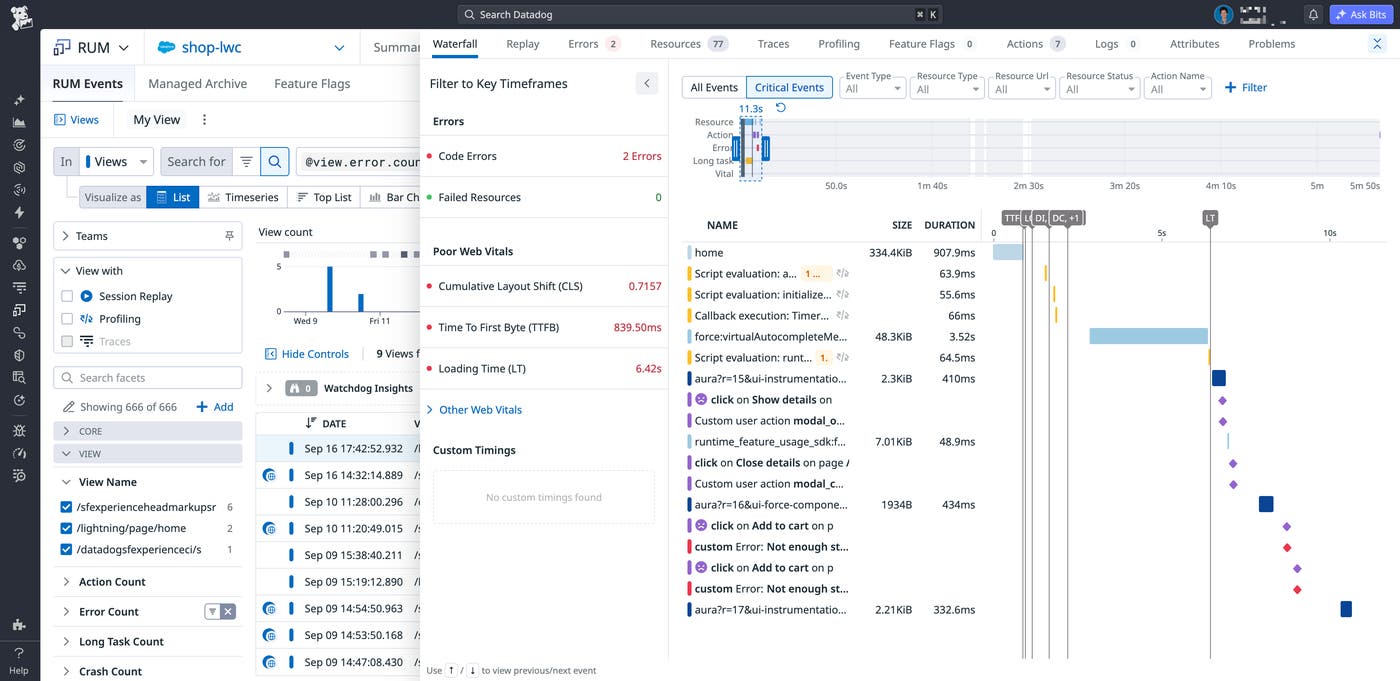
Datadog now provides a Salesforce-specific bundle that brings RUM and Product Analytics to Experience Cloud under LWS. To set it up, upload the bundle as a static resource in your Salesforce org. Then load it with loadScript from your Lightning Web Components. Once loaded, the bundle captures:
View names drawn from Salesforce navigation, so in-app route changes register as distinct views even when the raw URLs are identical.
Console and custom errors within Lightning’s isolation boundaries. (Note that under LWS, the sandbox can reduce runtime-error detail, and unhandled promise rejections aren’t captured.)
Clicks and custom actions, including frustration signals, for supported user interactions within Lightning components.
Together, these signals give engineering and product teams the RUM and Product Analytics data for Salesforce experiences that were previously difficult to monitor under LWS. Teams can use that data to understand, without building and maintaining a custom monitoring solution, how users move through Lightning experiences and where they encounter errors or friction.
Get started with Datadog RUM and Product Analytics for Shopify and Salesforce
Datadog now extends RUM and Product Analytics to Shopify and Salesforce, where teams have limited control over the frontend runtime. On Shopify, teams can follow journeys from storefront to checkout. In Salesforce Experience Cloud, they can monitor user activity and errors. Each implementation uses its platform’s supported extension points, helping teams maintain coverage as the platforms evolve. These capabilities help teams identify errors and friction across revenue-critical user journeys.
To learn more, see the documentation for the Shopify (RUM) integration and the Salesforce (RUM) integration. If you’re new to Datadog, sign up for a 14-day free trial.
