
Zara Boddula
Senior Product Manager

Danielle Park
Product Manager Intern
Microsoft Sentinel is Microsoft’s cloud-native SIEM for detecting, investigating, and responding to threats across your environment. To query security data and run analytics rules, Sentinel expects telemetry data in specific table schemas. But firewall, VPN, and network detection logs arrive in vendor-specific formats, making source-specific mappings difficult to maintain as environments grow. Teams that collect logs in Microsoft Azure Event Hubs may also want to filter what they send to Sentinel while retaining full-fidelity raw logs in Azure Storage.
Datadog Observability Pipelines addresses these challenges with Microsoft Sentinel Packs. Each Pack contains preconfigured mappings that convert logs from a particular source to a Sentinel table schema in your pipeline, before they reach Sentinel. With Microsoft Sentinel Packs, logs can arrive with the expected structure already in place for analytics rules, workbooks, and investigations.
In this post, we’ll explore how Microsoft Sentinel Packs help you:
Map and optimize your data before it reaches Microsoft Sentinel
Control Microsoft Sentinel ingest costs without losing visibility
Map and optimize your data before it reaches Microsoft Sentinel
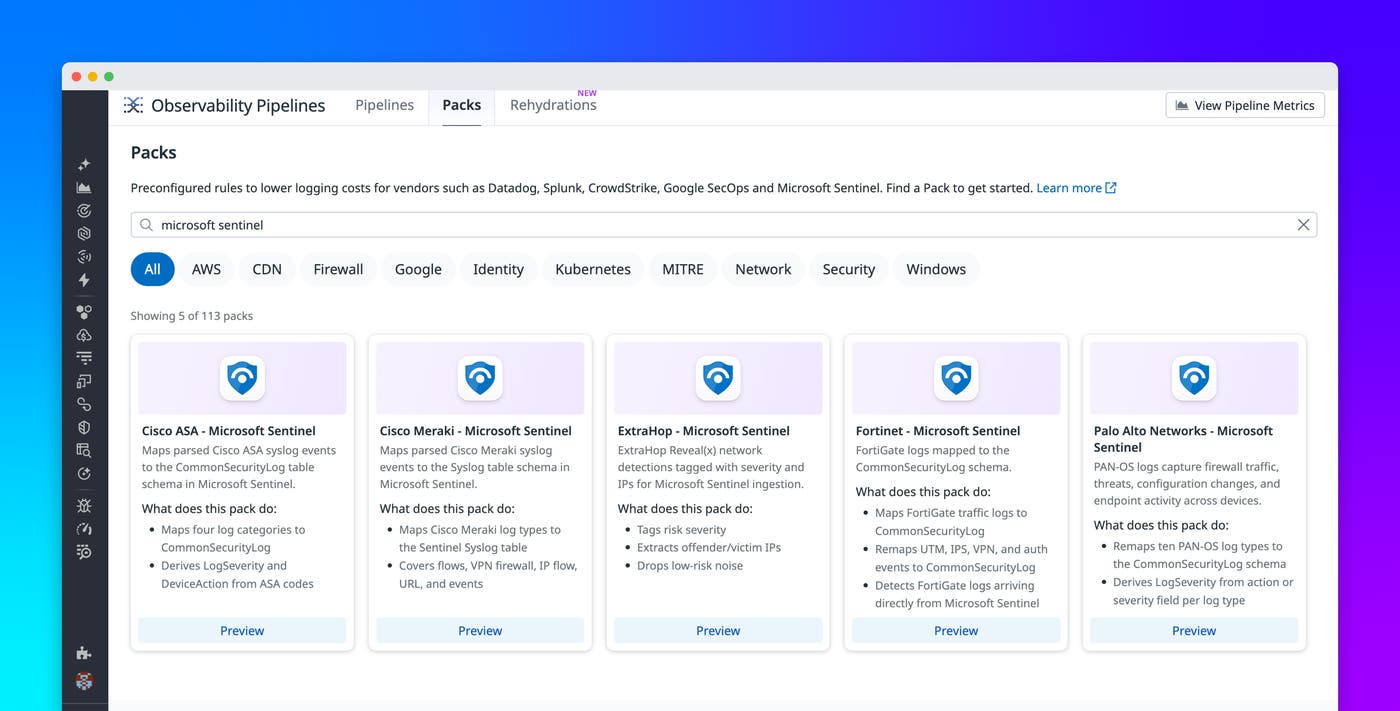
Microsoft Sentinel table schemas give security teams a consistent set of fields to use in queries and analytics rules. Observability Pipelines can populate those fields within your pipeline through Microsoft Sentinel Packs. The initial release includes Packs for:
Palo Alto Networks (network and perimeter): Maps 10PAN-OS log types (traffic, threat, system, config, GlobalProtect, decryption, correlation, HIP Match, User-ID, and IPTag) to CommonSecurityLog, deriving LogSeverity per log type.
Fortinet (network and perimeter): Maps FortiGate traffic, UTM, IPS, VPN, and authentication events to CommonSecurityLog, and detects FortiGate logs arriving directly from Sentinel.
Cisco ASA (network and VPN): Maps access control, connection, VPN, and authentication events to CommonSecurityLog, deriving LogSeverity and DeviceAction from ASA message codes.
Cisco Meraki (network): Maps flow, VPN firewall, IP flow, URL, and event logs to the Syslog table.
ExtraHop (network detection and response): Tags ExtraHop Reveal(x) detections with risk severity, extracts offender and victim IPs, and drops low-risk noise.
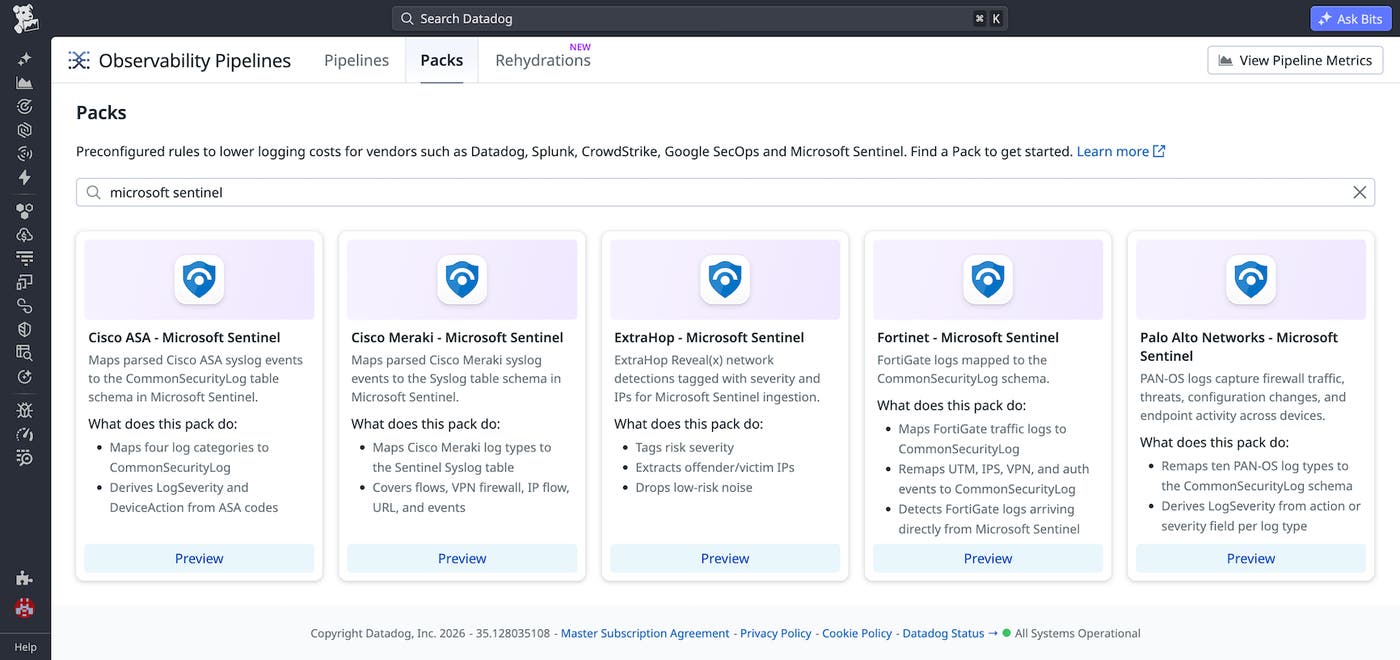
Teams can browse and add Packs directly from Observability Pipelines. Each pack comes preconfigured with mapping logic, so teams do not have to build mappings for each supported source from scratch.
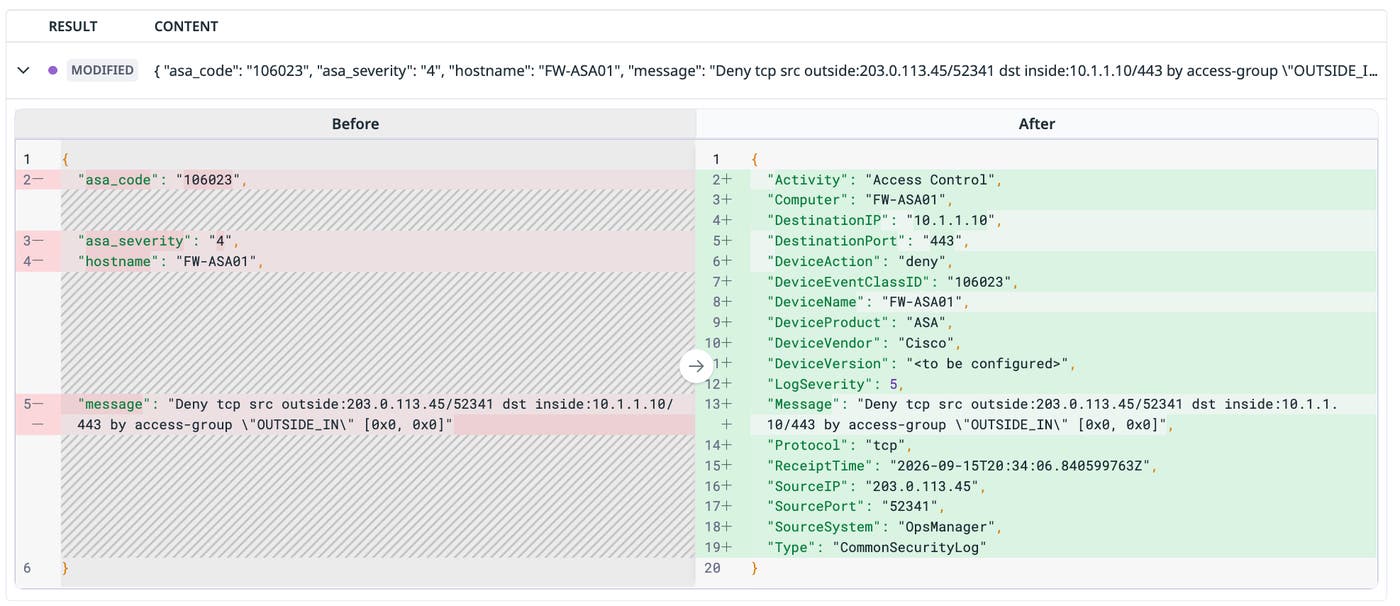
To understand how these mappings work, suppose you’re a security engineer sending Cisco ASA logs to Microsoft Sentinel. Before you add a Pack, a raw ASA syslog message may require an understanding of ASA message codes, while Sentinel’s analytics rules expect fields in the CommonSecurityLog schema. An analyst writing a rule for denied connections needs to determine which ASA message code indicates that the connection was denied and identify the source IP, destination IP, port, and protocol in the raw message.
After you add the Cisco ASA pack, Observability Pipelines maps that event to CommonSecurityLog. The Pack derives DeviceAction (such as deny or permit) from the ASA message code and maps IP, port, protocol, and interface information to their corresponding fields. Analytics rules can now target CommonSecurityLog fields instead of parsing raw ASA syslog messages.
Once the Pack is added, you can use Datadog Live Capture to validate the mapping against production log samples as they pass through the pipeline. The following screenshot shows a raw ASA event entering on the left and exiting on the right as a CommonSecurityLog event, with DeviceAction, LogSeverity, and the relevant network fields.
Investigate security activity across every source
When the same activity appears in different formats across systems, teams can end up maintaining source-specific detection and investigation logic. Microsoft Sentinel Packs apply one mapping model across supported sources before the data reaches Sentinel. Firewall traffic, VPN logins, and network detections can arrive in consistent Sentinel tables, enabling teams to build analytics rules and workbooks around the same schema fields. Inside each Pack, processors match specific events and apply the corresponding schema mapping automatically, giving analysts events that are already structured for investigation.
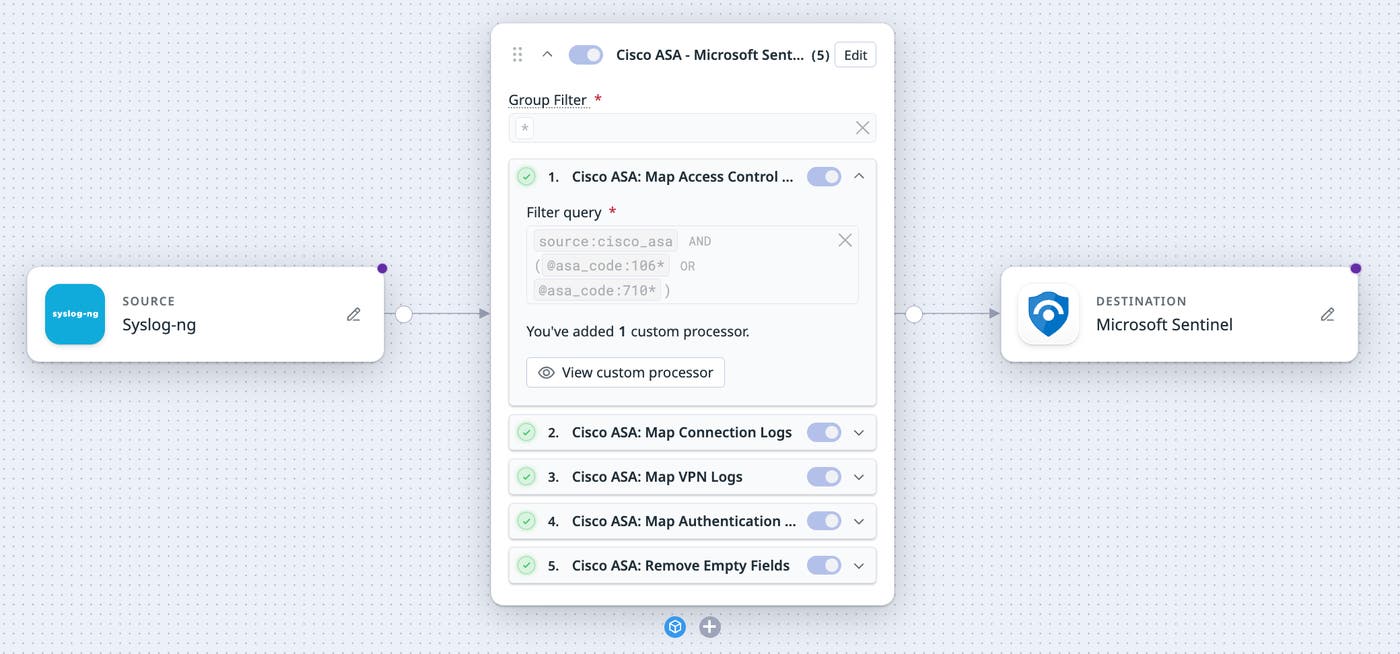
This standardization also reduces the amount of source-specific parsing required during an investigation. Suppose you’re investigating suspicious outbound activity that spans your firewalls and VPN. Without a shared schema, you may need to query each source in its own format and stitch the timeline together by hand. With Microsoft Sentinel Packs applied in the pipeline, you can query CommonSecurityLog fields like SourceIP, DestinationIP, and DeviceAction to see related activity across Cisco ASA, Fortinet, and Palo Alto side by side.
Control Microsoft Sentinel ingest costs without losing visibility
Because Microsoft Sentinel Packs apply mappings before logs leave your environment, you can decide which data you send to Sentinel and focus its per-GB ingest on high-value data. For example, a team might send denied connections, failed authentications, and high-severity threats to Sentinel while routing full-fidelity raw logs to low-cost storage and dropping repetitive allow events. When the relevant events have already been mapped, these decisions can use normalized fields such as DeviceAction and LogSeverity instead of relying on source-specific values.
The ExtraHop Pack can also reduce low-risk noise before data reaches Sentinel by dropping detections below its configured risk threshold. Together, mapping and filtering in the pipeline can help teams reduce low-value ingest volume while retaining the events they need for detection and investigation.
Map your security logs for Microsoft Sentinel investigations
Microsoft Sentinel Packs map supported security logs to Sentinel table schemas before ingestion, helping teams investigate across sources with consistent fields while reducing manual mapping work and unnecessary ingest volume.
Microsoft Sentinel Packs are available for Observability Pipelines for Palo Alto Networks, Fortinet, Cisco ASA, Cisco Meraki, and ExtraHop. To get started, open the Packs gallery in Observability Pipelines and add the Pack that matches your log source. For more information about configuring pipelines, see the Observability Pipelines documentation. You can also read about how Observability Pipelines can enrich logs with Reference Tables before routing them downstream.
If you don’t yet have a Datadog account, sign up for a 14-day free trial to map and route security logs before they reach Microsoft Sentinel.
