
Danielle Park
Product Manager Intern
Google Security Operations (SecOps) is Google Cloud’s security operations platform for detecting, investigating, and responding to threats across large volumes of security telemetry. To make that telemetry useful across sources, Google SecOps uses the Unified Data Model (UDM), a common event schema that provides a consistent structure for security logs. But logs from firewalls, endpoints, identity providers, and other sources all describe and format security events differently. Before teams can analyze those logs in Google SecOps, they need to map the data from each source to UDM. As organizations add new technologies, the effort required to maintain those mappings can become significant and difficult to scale.
Observability Pipelines addresses this challenge with Google SecOps packs. Each of these packs consists of preconfigured mappings that normalize logs from a particular source to the UDM format in your pipeline before they reach Google SecOps. With Google SecOps packs, your logs can land with the right structure already in place, ready for detections, dashboards, and investigations.
In this post, we’ll explore how Google SecOps packs make it easy to:
Normalize and optimize security data before it reaches Google SecOps
Control Google SecOps ingest costs without losing visibility
Normalize and optimize your data before it reaches Google SecOps
UDM gives security teams a shared way to describe events across different tools. For telemetry pipelines, that structure helps turn raw logs into security data that Google SecOps can use right away.
Observability Pipelines now makes this normalization automatic within your pipeline through Google SecOps packs. The initial release includes packs for:
Palo Alto Firewall (network and perimeter): normalizes PAN-OS traffic, threat, GlobalProtect, admin, decryption, and identity mapping events
Fortinet Firewall (network and perimeter): normalizes firewall traffic, threat, VPN, authentication, system, and admin events
Windows Event Log (endpoint and identity): normalizes logons, failed logons, process launches, account changes, and scheduled task activity
Amazon VPC (cloud network): normalizes VPC Flow Logs and maps network verdicts into Google SecOps actions
Cisco ASA (network and VPN): normalizes access control, connection, VPN tunnel, and AAA authentication events
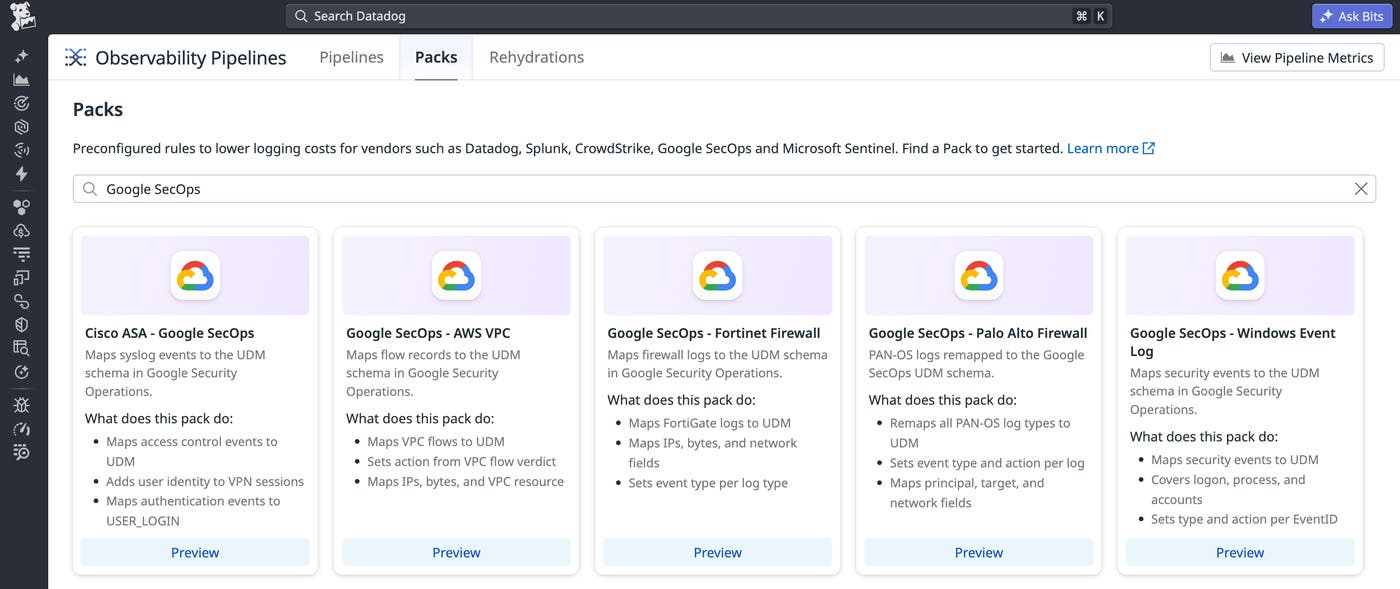
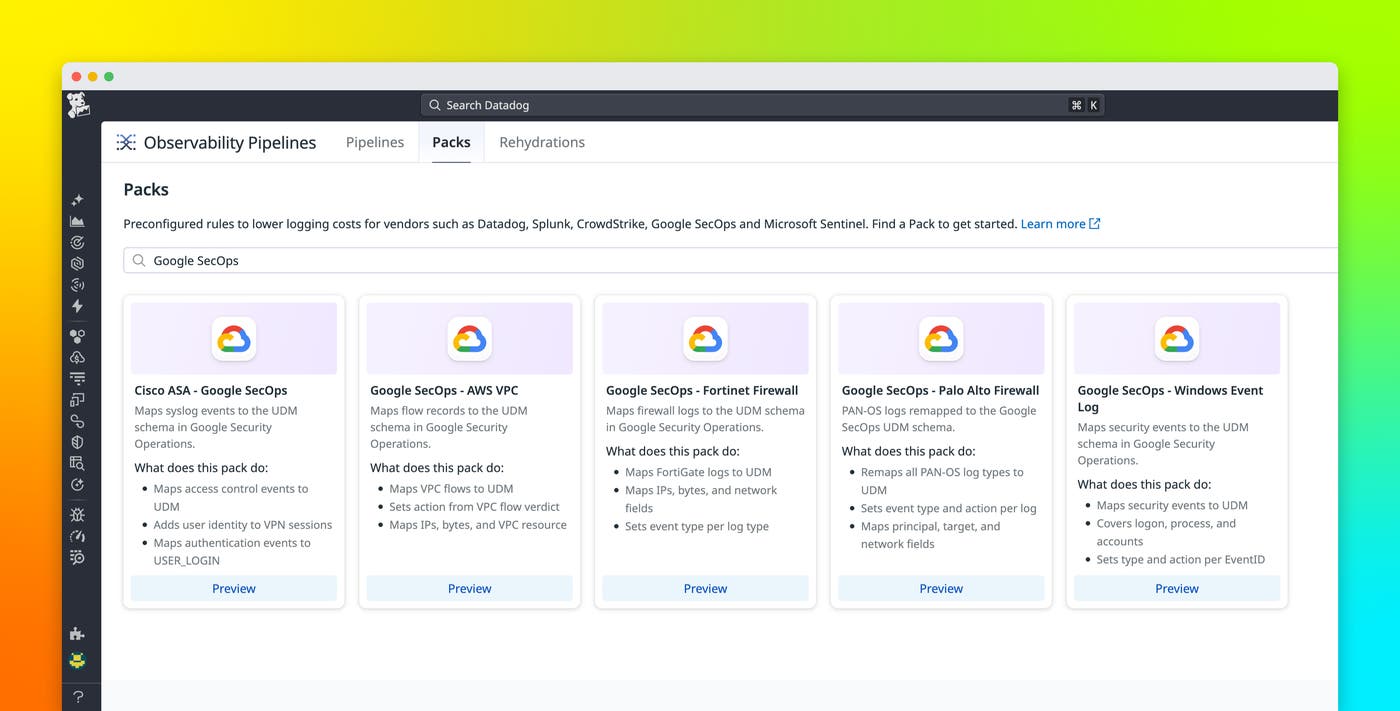
Teams can browse and add the packs directly from Observability Pipelines. Each pack comes preconfigured with mapping logic, so there’s nothing to build from scratch.
To better understand how the packs help security teams, suppose you’re a security engineer sending Palo Alto firewall logs to Google SecOps. Before you add any packs to normalize its format, a PAN-OS traffic log is understandable only to analysts who already know Palo Alto’s event taxonomy. To create any detection rules that read the data, analysts need to know which specific field represents the source in this vendor format, which field represents the target, and which value means the connection was allowed or blocked.
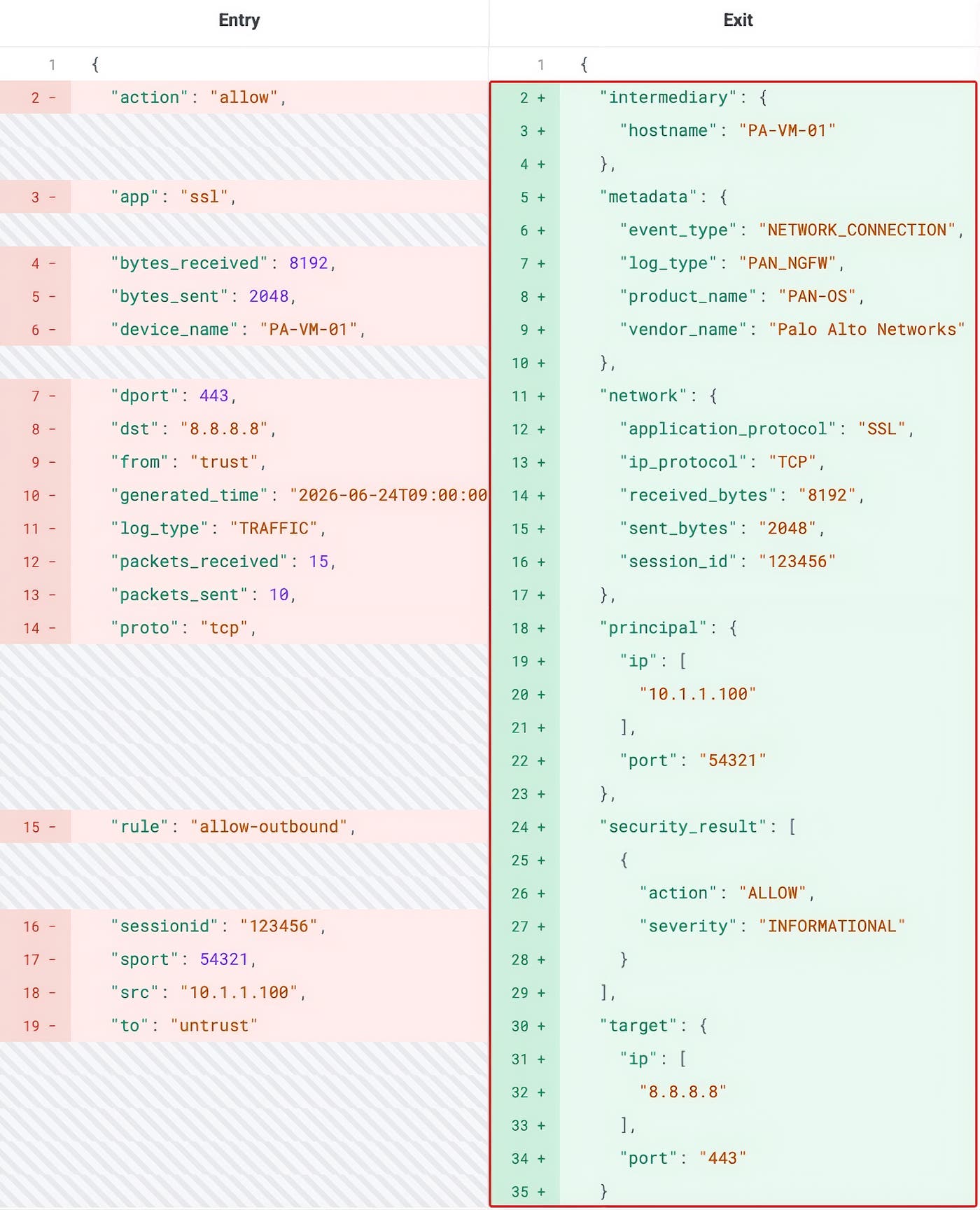
After you add the Palo Alto Firewall pack, that same log can be automatically translated to ensure it arrives as a Google SecOps UDM NETWORK_CONNECTION event. The connection details are mapped into standard UDM fields, so detection rules can target the normalized event instead of vendor-specific field names.
Once the pack is added, you can also validate the mapping logic against production log samples by using Live Capture. Live Capture shows exactly how an event is transformed as it moves through the pipeline. For example, the raw Palo Alto event below enters on the left and exits on the right as a UDM event with fields like metadata.event_type, principal, target, network, and security_result.
Investigate security activity across every source
When the same activity appears in different formats across systems, teams can end up maintaining separate detection logic for each source.
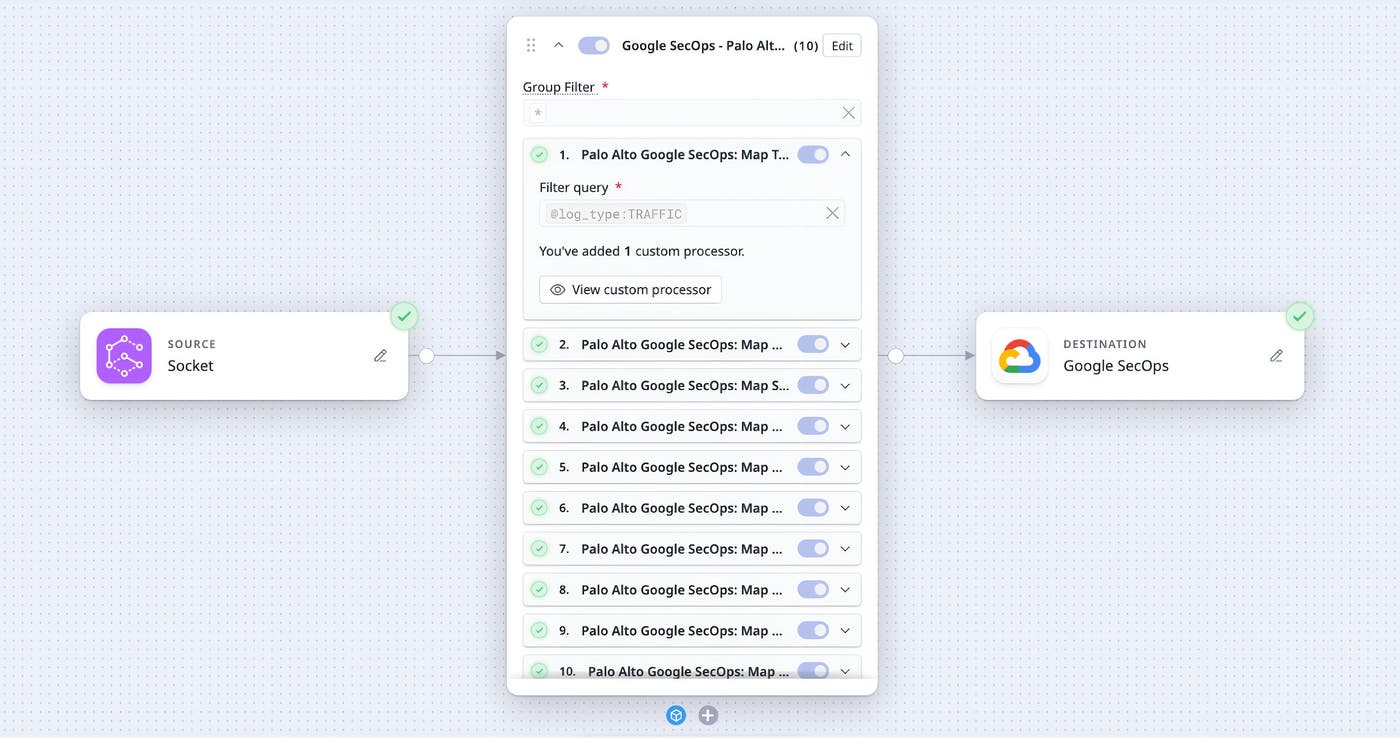
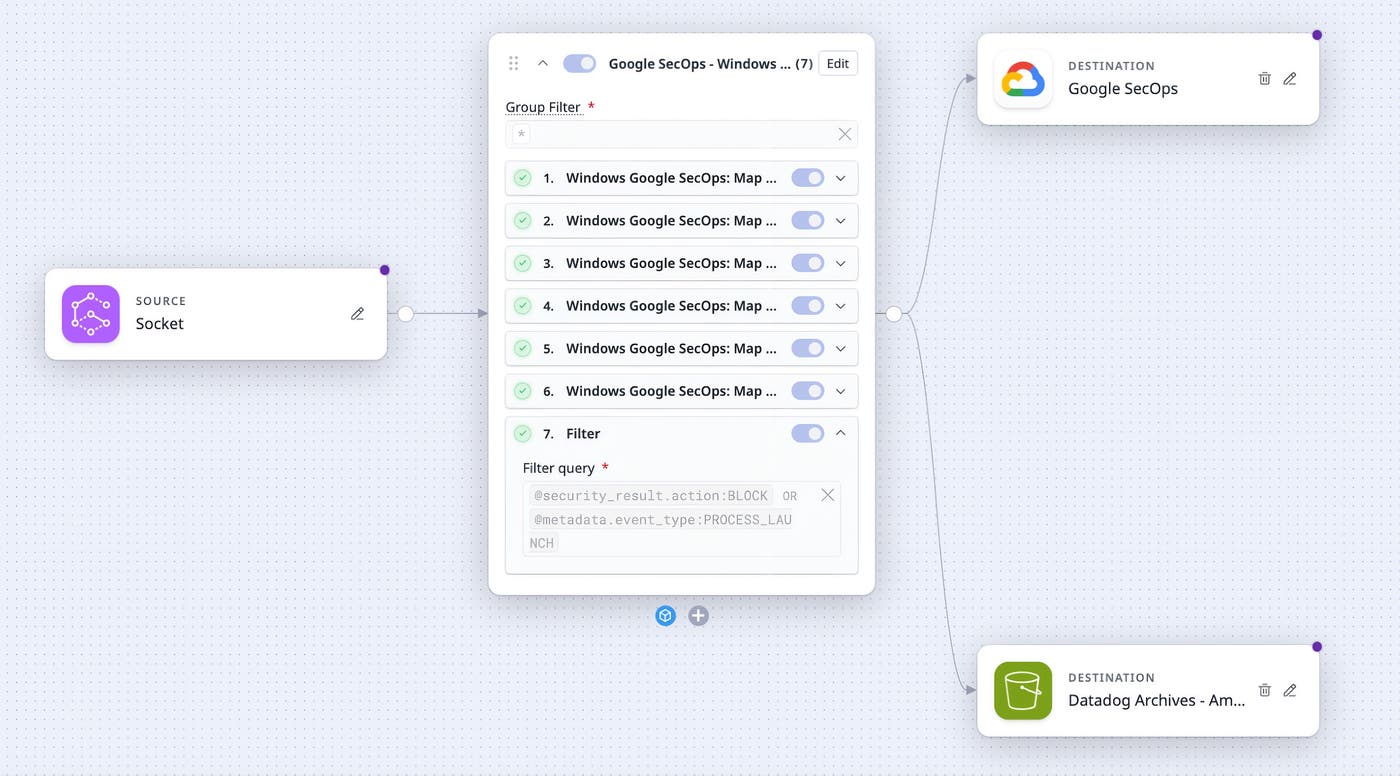
Google SecOps packs apply one normalization model across supported sources. Network activity, endpoint events, VPN logins, user authentication, and cloud network flows all arrive with the same UDM structure. As a result, teams can write detections once and build dashboards on the same fields across every source. Inside each pack, processors match specific events and apply the corresponding UDM mappings automatically. This gives analysts events that are already structured for investigation.
The security log standardization also makes investigations faster. Say you’re investigating suspicious outbound activity from a workstation. Without UDM normalization, you’d have to query each source in its own syntax and manually stitch together the timeline. With the Google SecOps packs applied in the pipeline, you can search on UDM fields like principal.ip, target.ip, and security_result.action to see related activity across sources side by side.
Control ingest costs without losing visibility
Because the packs automatically apply mapping before logs leave your environment, you can filter the data you send to Google SecOps to focus on high-value logs. For example, a team may want to send blocked connections, failed logins, threat events, and suspicious process launches to Google SecOps. At the same time, they may want to route full-fidelity raw logs to lower-cost storage, or reduce repetitive allow events that are not needed for detection. With UDM mapping applied first, those decisions can be based on normalized fields like metadata.event_type and security_result.action. This enables teams to reduce low-value volume before it lands, while still keeping the normalized events that matter for detection and investigation.
Normalize your security logs for faster Google SecOps investigations
By normalizing logs into Google SecOps UDM before ingestion, security teams can investigate activity across sources with a shared schema, build detections around consistent fields, and reduce manual maintenance.
Google SecOps packs are available for Observability Pipelines for Palo Alto Firewall, Fortinet Firewall, Windows Event Log, Amazon VPC, and Cisco ASA. To get started, open the Packs gallery in Observability Pipelines and add the pack that matches your log source. Also note that many security teams want to standardize on Open Cybersecurity Schema Framework (OCSF) as a common schema across sources. Observability Pipelines supports this with an OCSF processor so that you can map your logs to OCSF schema before sending it on to Google SecOps. To learn more about all these options, check out the Observability Pipelines documentation, or read our blog on how Observability Pipelines can enrich logs with additional context on-stream. And if you’re not yet a Datadog customer, sign up for a 14-day free trial.
