
Danielle Park
Product Manager Intern

Zara Boddula
Senior Product Manager
Enterprise security teams use Exabeam as a security information and event management (SIEM) platform with user and entity behavior analytics (UEBA) to detect insider threats, lateral movement, privilege escalation, credential compromise, and data exfiltration. Those detections depend on behavioral baselines built from a few high-signal source categories, including identity providers such as Active Directory, Okta, and Google Workspace that establish who a user is; Windows workstation and VPN logs that establish when and where they logged in; and email and collaboration logs that establish what they accessed. However, the same firewalls, endpoints, and web gateways that carry those signals also emit enormous volumes of routine activity that inflate ingest and retention costs without sharpening a single baseline. Filtering upstream is the obvious fix, but hand-built rules risk dropping the one event an investigation needed or reshaping a payload that Exabeam’s parsers depend on.
Datadog Observability Pipelines Packs helps solve this problem by providing preconfigured, source-specific filtering that drops non-actionable noise, dedupes repetitive events, and samples high-volume log types before your data reaches Exabeam. Each Pack trims volume per source while leaving the raw log payload untouched, so Exabeam’s own parsers keep working and every detection-relevant field arrives intact. And because filtering happens inside your own infrastructure before egress, you don’t trade visibility for a leaner stream. You can route a full-fidelity copy to Amazon S3 for compliance and retention, generate metrics from the events you sample, and pull archived logs back into Exabeam whenever an investigation needs them.
In this post, we’ll explore how Observability Pipelines Exabeam Packs can help you:
Filter security log noise before it reaches Exabeam
Security sources generate large volumes of repetitive activity that rarely supports an investigation. Sending all of it to Exabeam increases ingest, indexing, and retention costs without improving detections. It also buries the identity, access, and endpoint events your UEBA models actually learn from.
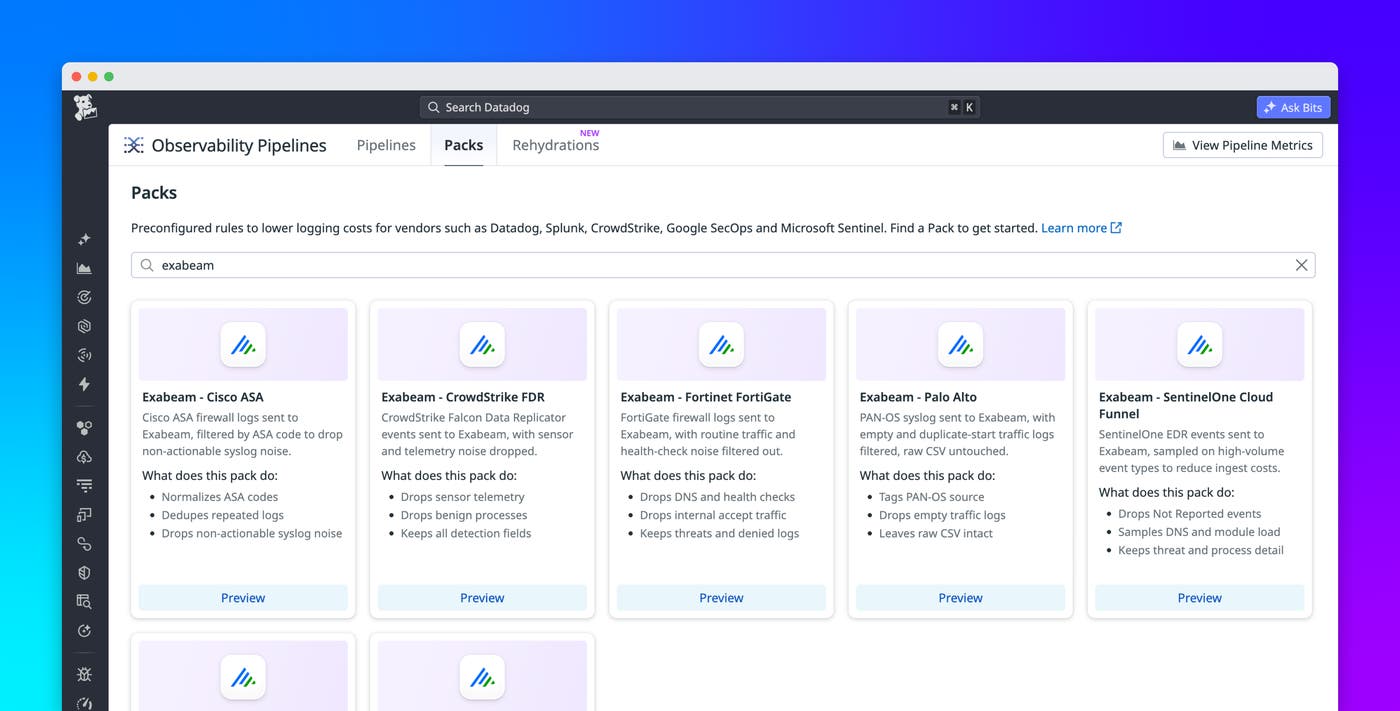
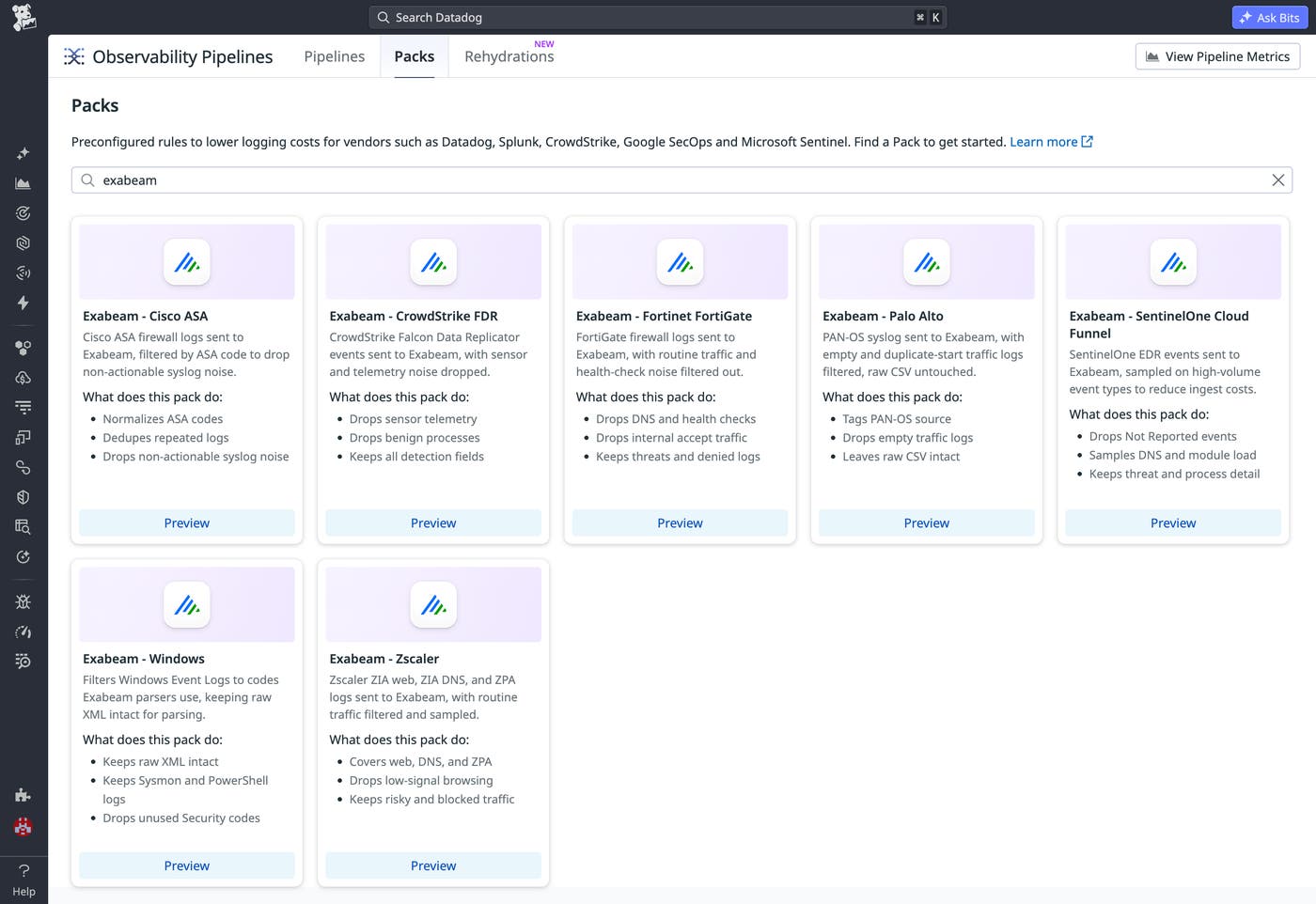
Observability Pipelines filters that noise directly in your pipeline through Exabeam Packs. Each Pack applies drop, dedupe, and sampling logic tuned to a specific source. The initial release includes Packs for:
Cisco ASA (network and VPN): Parses ASA codes to drop low-value syslog such as interface flaps and teardowns, and dedupes repetitive high-frequency connection events, while keeping denied connections, VPN activity, and high-severity alerts
Fortinet FortiGate (network and perimeter): Drops DNS queries, health checks, and internal accept traffic while keeping threats and denied connections
Palo Alto (network and perimeter): Drops empty and duplicate-start PAN-OS traffic logs, leaving the raw CSV intact for Exabeam’s parser
CrowdStrike Falcon Data Replicator (FDR) (endpoint): Drops sensor telemetry and benign Windows processes while keeping every detection field
SentinelOne Cloud Funnel (endpoint): Samples high-volume endpoint detection and response (EDR) event types such as DNS and module loads while keeping threat and process detail
Windows (endpoint): Filters Windows Event Logs down to the codes Exabeam’s parsers use, while keeping Sysmon and PowerShell activity with raw XML intact
Zscaler (web): Filters and samples routine ZIA web, ZIA DNS, and ZPA traffic while keeping risky and blocked activity
These seven Packs cover the network, endpoint, and web sources that drive the most volume. The identity and collaboration sources your behavioral baselines also depend on are covered by destination-agnostic Packs that you can pair with an Exabeam destination, including Active Directory (which parses Kerberos events and flags DCSync replication abuse while dropping routine renewals), Okta (which samples routine logins and profile updates while keeping high-value security events), Microsoft 365 (which flags mail-forwarding rules, delegation, and role changes), and Abnormal.ai (which flags business email compromise and credential phishing aimed at VIPs). Together, these give you identity, access, and collaboration coverage alongside the firewall and endpoint Packs.
You can browse and add Packs directly from Observability Pipelines. Each Pack ships preconfigured with its filtering logic, so there’s nothing to build from scratch.
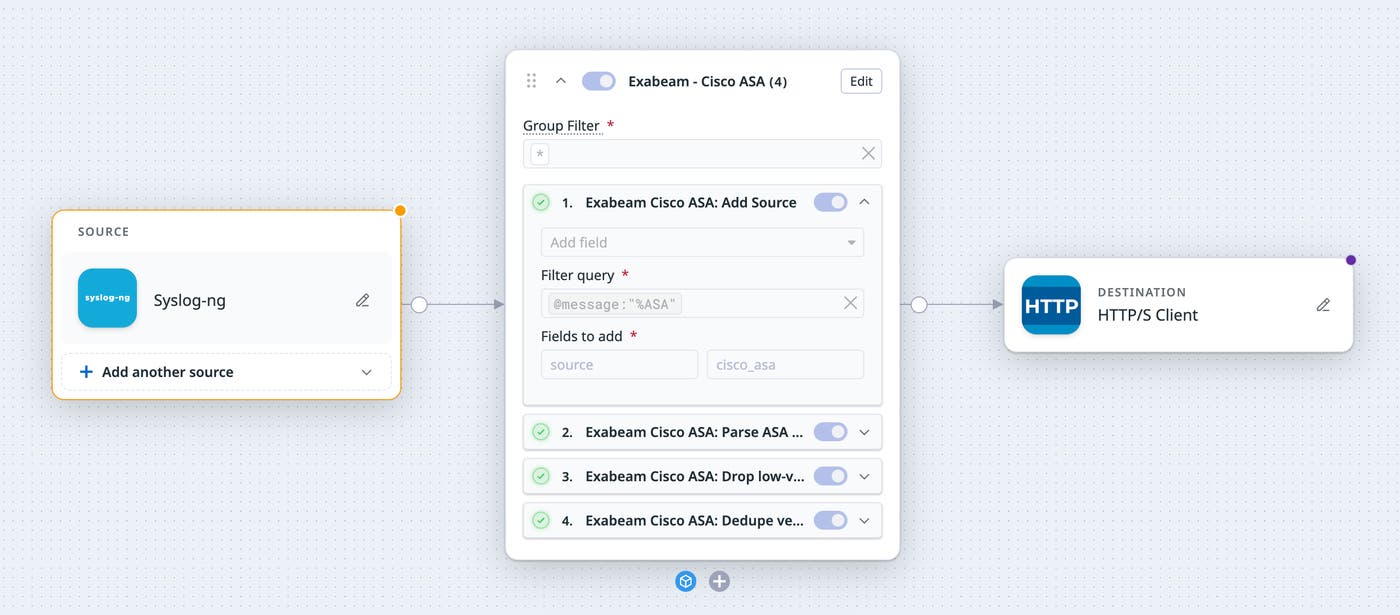
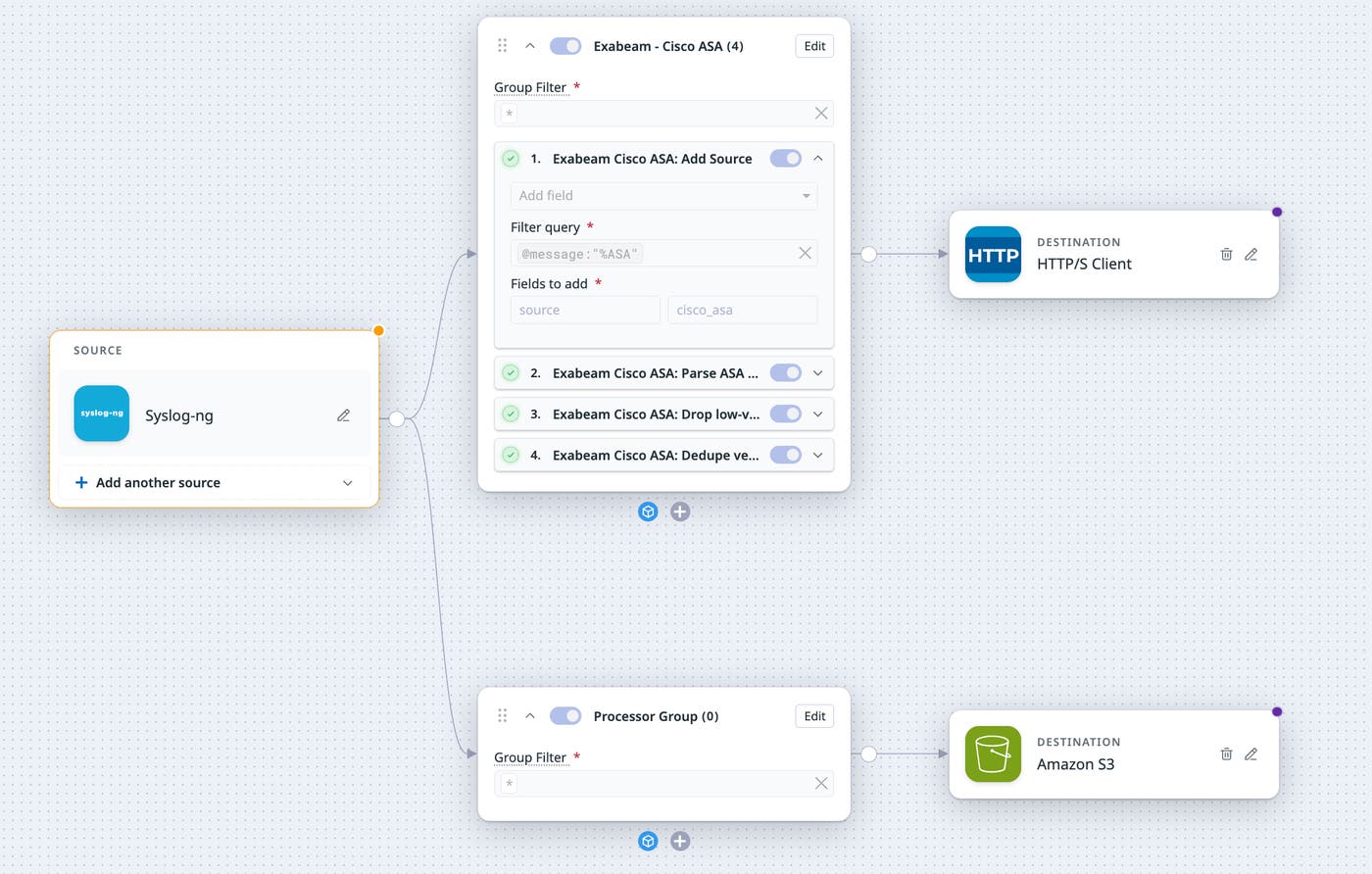
For example, let’s say that you’re a security engineer at a large enterprise, sending Cisco ASA firewall and VPN logs to Exabeam to support insider threat detection. ASA emits a steady stream of routine syslog—interface flaps, connection teardowns, and keepalives—that counts against your ingest but rarely drives a detection. After you add the Cisco ASA Pack, it reads the asa_code from each message, drops well-known low-value codes, and collapses repetitive high-frequency events into a single representative log, while keeping the denied connections, VPN session activity, and high-severity alerts your analysts and UEBA baselines rely on. The raw message stays untouched, so Exabeam’s ASA parsers work exactly as before. The VPN and access signals your insider threat cases depend on arriving intact, without the noise around them.
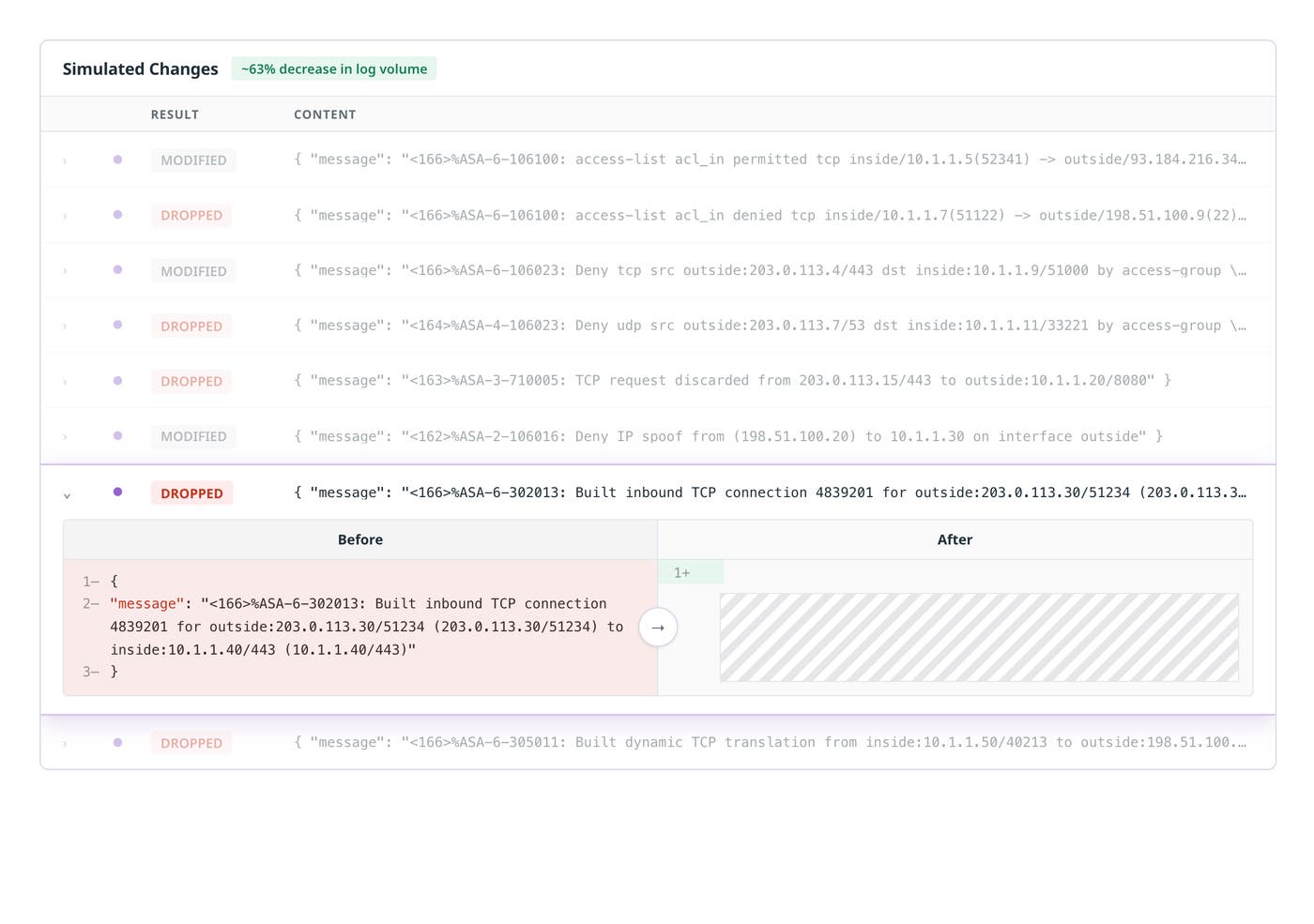
Once the Pack is added, you can validate the filtering against production log samples using Live Capture. Live Capture shows exactly what happens to each event as it moves through the pipeline, including which logs are dropped, which are deduped, and which pass through untouched. This enables you to confirm that you’re trimming noise and not detections, before anything reaches Exabeam.
Keep high-value signals without breaking threat detection rules
For a security team, the risk in filtering isn’t cost; it’s blind spots. Trimming a SIEM stream usually carries two worries. The first is that you’ll drop the one event an investigation needed; the second is that you’ll garble a log format your parsers and correlation rules depend on. Exabeam Packs are designed so that neither happens, and Observability Pipelines gives you a safety net for everything a Pack filters out.
Every Pack makes its filtering decisions from parsed copies or side fields, such as asa_code, win_event_code, and event.type, while leaving the raw payload (syslog, CSV, or XML) exactly as Exabeam expects it. High-value signals are kept by design: denied and high-severity firewall logs, threat and process detail from EDR, Sysmon and PowerShell activity on Windows, and risky or blocked web traffic. What gets dropped or sampled is the structurally noisy, high-volume material, such as routine accepts, health checks, sensor heartbeats, and benign processes that crowd your SIEM without adding coverage. Your existing Exabeam threat detection rules and behavioral models keep firing on the same fields they always did.
Filtering a log out of the path to Exabeam also doesn’t mean losing it. Because Observability Pipelines processes data inside your own infrastructure and before egress, you can fan out the same stream to more than one destination: The high-value stream goes to Exabeam, and a full-fidelity copy goes to Amazon S3 for retention and compliance. Your mandates are satisfied by the archive rather than by your SIEM license, which is the most expensive place to keep a heartbeat. And when an audit or investigation later needs events that a Pack filtered out, Replay pulls those archived logs back from Amazon S3, Azure Blob Storage, or Google Cloud Storage, runs them through the same parsing, enrichment, and Pack logic as your live stream, and sends them to Exabeam on demand. You can target a specific time range or event slice, so you retrieve only what the investigation needs.
For the noise you never want to ingest in the first place, you can still keep the trend. The Generate Metrics processor turns matching logs into count, gauge, or distribution metrics as they pass through the pipeline. Rather than ingesting millions of individual allowed-connection events, you can emit a count of allowed connections grouped by host, user, or source—enough to spot a spike or build a baseline, without paying to store every line. A sudden jump in allowed internal traffic from one workstation is still visible as a metric even when the underlying logs were sampled.
Because the Packs cover firewalls (Cisco ASA, FortiGate, Palo Alto), endpoints (CrowdStrike, SentinelOne, Windows), and web traffic (Zscaler), you can apply one approach across your security stack instead of building and maintaining custom filters for each source. Each Pack ships preconfigured and validated. Several Packs include optional filters, such as sampling allowed internal traffic, that you can enable only when volume demands it and leave off to preserve full fidelity. The result is a stream into Exabeam that carries everything your detections and analysts rely on, with the long tail preserved as archives and metrics rather than discarded.
Send Exabeam the security signals that matter
By filtering noise before it reaches Exabeam, you can sharpen the signals your detections run on, keep your parsers and threat detection rules intact, and apply a consistent approach across every source without giving up visibility, because the full-fidelity copy lives in your archive and the trends live in your metrics.
Because a single pipeline supports up to 20 destinations, the same filtered stream can also feed Datadog Cloud SIEM in parallel, without changing how you collect logs. Cloud SIEM correlates incoming telemetry data into security signals, scores the users and entities behind them so your team can see which are riskiest, and maps your detection coverage to MITRE ATT&CK® tactics and techniques. Cloud SIEM Content Packs bring detection rules, dashboards, parsers, and SOAR workflows for each integration, so a source you’re already routing can be analyzed without building detections from scratch.
Exabeam Packs are available in Observability Pipelines for Cisco ASA, CrowdStrike Falcon Data Replicator, Fortinet FortiGate, Palo Alto, SentinelOne Cloud Funnel, Windows, and Zscaler. To get started, open the Packs gallery in Observability Pipelines and add the Pack that matches your log source. To learn more, check out the Packs documentation and the Observability Pipelines documentation, and read our blogs on how Observability Pipelines can enrich logs with additional context on-stream and rehydrate archived logs in any SIEM or logging vendor.
If you’re new to Datadog, you can sign up for a 14-day free trial to start using the Observability Pipelines Exabeam Packs.
