
David Iparraguirre

Mike Lorenz
As organizations grow, they face increasing difficulty in managing their observability efforts. More teams mean more dashboards, monitors, API keys, pipelines, and custom configurations. Without a centralized view, administrators spend hours chasing down untagged resources, investigating surprise bills, and revoking dormant credentials. Governance becomes a reactive effort to reduce waste and address issues, falling short of its potential to proactively create standards and optimize observability.
Datadog Governance Console helps solve this challenge by providing a centralized interface for managing observability usage, configuration, and hygiene. Governance Console transforms your organization’s configuration and usage activity into actionable insights and automates enforcement of best practices through built-in controls. Instead of managing governance through spreadsheets and ad hoc audits, you can monitor adoption of Datadog products and features, apply guardrails, and improve accountability from a single place.
In this post, we’ll explore how Governance Console helps you:
Understand how observability is implemented across your organization
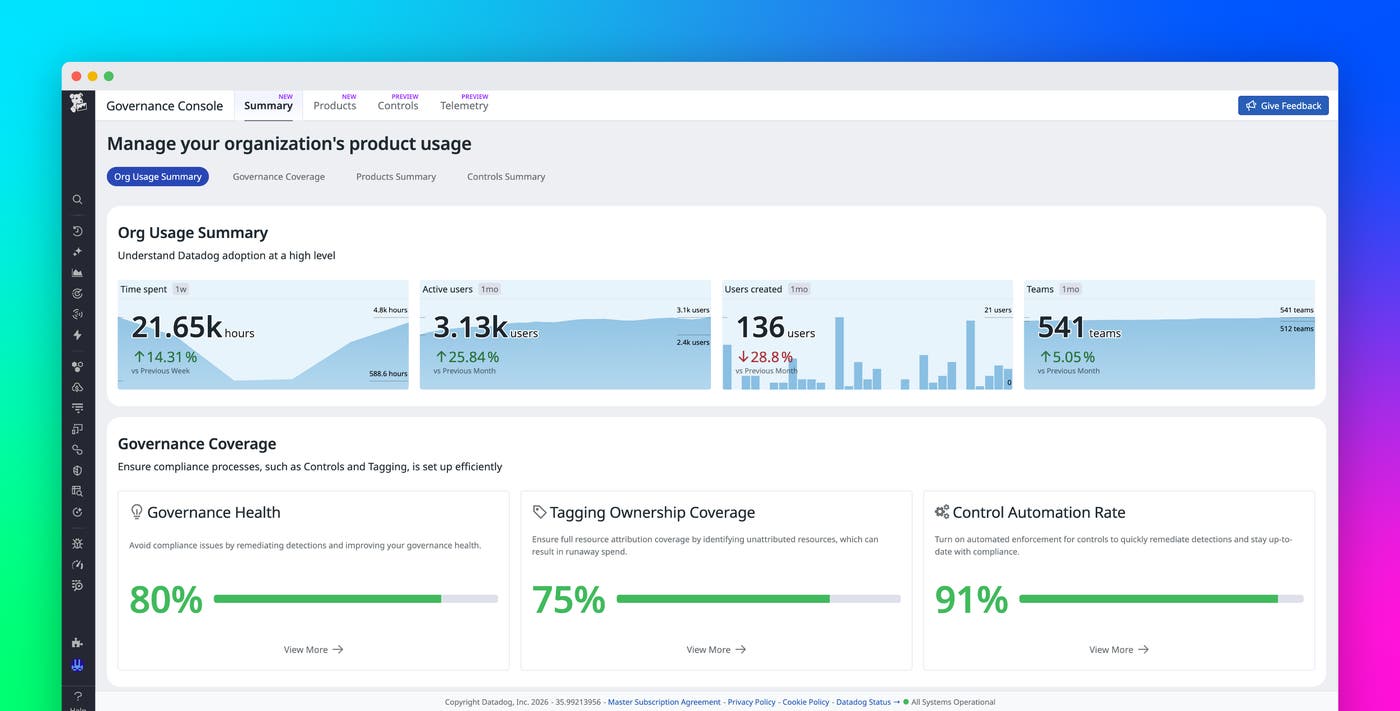
Governance Console gives you a consolidated view of Total Org Usage, enabling you to understand how Datadog is used across teams, services, and products. From the Summary page, you can monitor trends in active users, dashboards, monitors, and time spent in the product.
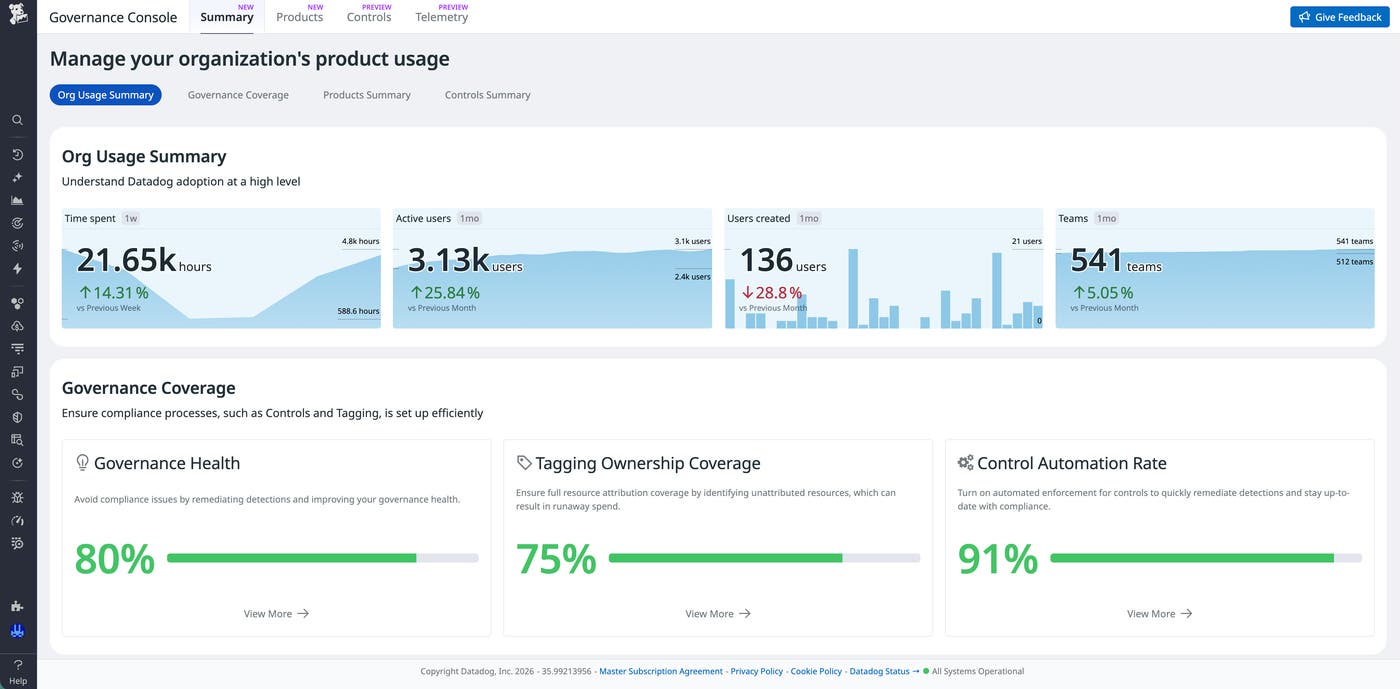
The Total Org Usage summary helps answer strategic questions that matter to VP-level observability leaders and platform engineering managers: Which teams are actively engaging with Datadog? Where is usage increasing? Where are assets accumulating without clear ownership? Rather than relying on anecdotal feedback or periodic reviews, you can reference measurable usage signals across your entire organization.
In addition, you gain a clear understanding of how consistently governance standards are being applied and where gaps remain. You can track governance metrics across areas such as tagging coverage, asset ownership, product utilization, and control adoption. Governance metrics help you prioritize cleanup efforts, focus outreach on specific teams, and allocate time and resources toward areas that will have the largest organizational impact.
Improve Datadog product configuration and adoption
High-level usage metrics provide directional clarity, but effective governance also requires deeper product-level context. Governance Console exposes per-product insights that help administrators understand how key platform features are configured and adopted throughout the organization.
For example, for Datadog Log Management, you can track:
The number of archives and custom destinations
Disabled or unused pipelines
Indexed log volume and quota usage
Monitors and dashboards built on log data
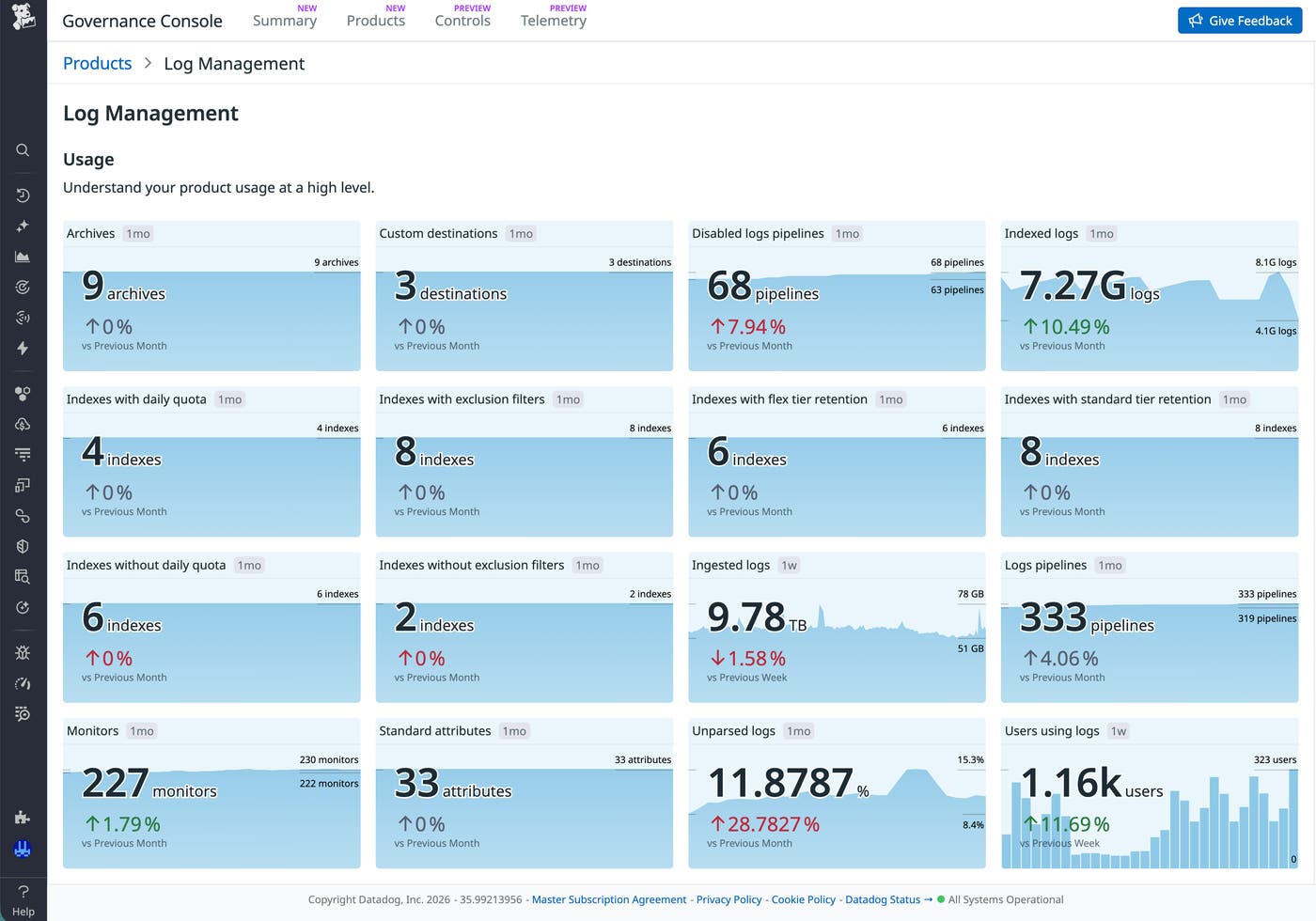
Per-product insights help you optimize the value of the data that your organization generates. You can spot notable trends or adoption behaviors that need correction, such as large ingestion volumes that receive minimal querying or complex configurations that lack ownership tags. When patterns indicate configuration drift or inefficient usage, you can take action directly by applying controls to enforce standards, reduce waste, and bring configurations back into alignment.
Prevent configuration drift before it creates risk
To maintain standards and prevent configuration drift over time, organizations need automated guardrails that reduce administrative work. Governance Console includes a catalog of controls to detect issues, notify stakeholders, and enforce organizational standards in areas such as security, cost optimization, and data hygiene.
You can configure each control to follow a structured life cycle:
Detection identifies noncompliant assets, such as unused API keys, unqueried metrics, and dashboards without team tags.
Notification alerts accountable owners and administrators.
Enforcement applies automated remediation, such as revoking inactive credentials or dropping unused metrics, for controls where it is available. When enabled, enforcement helps reduce security risk and limit unnecessary expenses by automatically correcting noncompliant configurations.
You can scope controls to specific environments, teams, or resource subsets to help you perform risk-managed rollouts. Platform teams can start with nonproduction environments or pilot groups, review detection results manually, and gradually expand automated enforcement when they’re confident that the control is operating as expected.
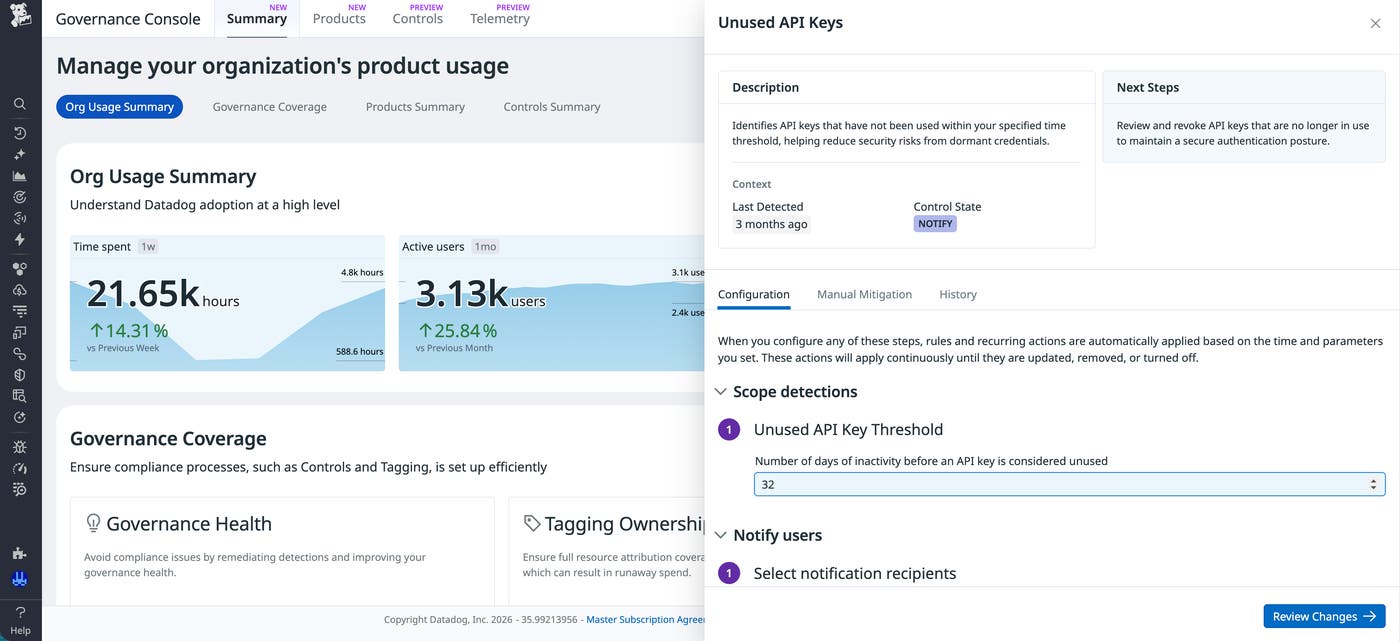
A common security use case is the Unused API Keys control, which identifies credentials that have not been used within a configurable threshold of time. Dormant keys increase attack surface and often go unnoticed in fast-growing environments. Governance Console can detect these keys, notify responsible owners, and optionally revoke them automatically after a remediation delay.
Scale observability governance with confidence
The larger your Datadog footprint grows, the harder it becomes to answer a simple question: Is everything configured the way it should be? Governance Console helps you answer that question proactively, giving your platform team continuous visibility and automated enforcement without manual overhead. Whether you’re preparing for a compliance review, cleaning up after rapid team growth, or trying to prevent drift that results in wasteful expenditures, Governance Console helps make Datadog manageable at scale. To learn more, check out the Governance Console documentation.
If you don’t have a Datadog account, you can sign up for a 14-day free trial to get started with Governance Console.
