
Chakib Hamie
Software Engineer II
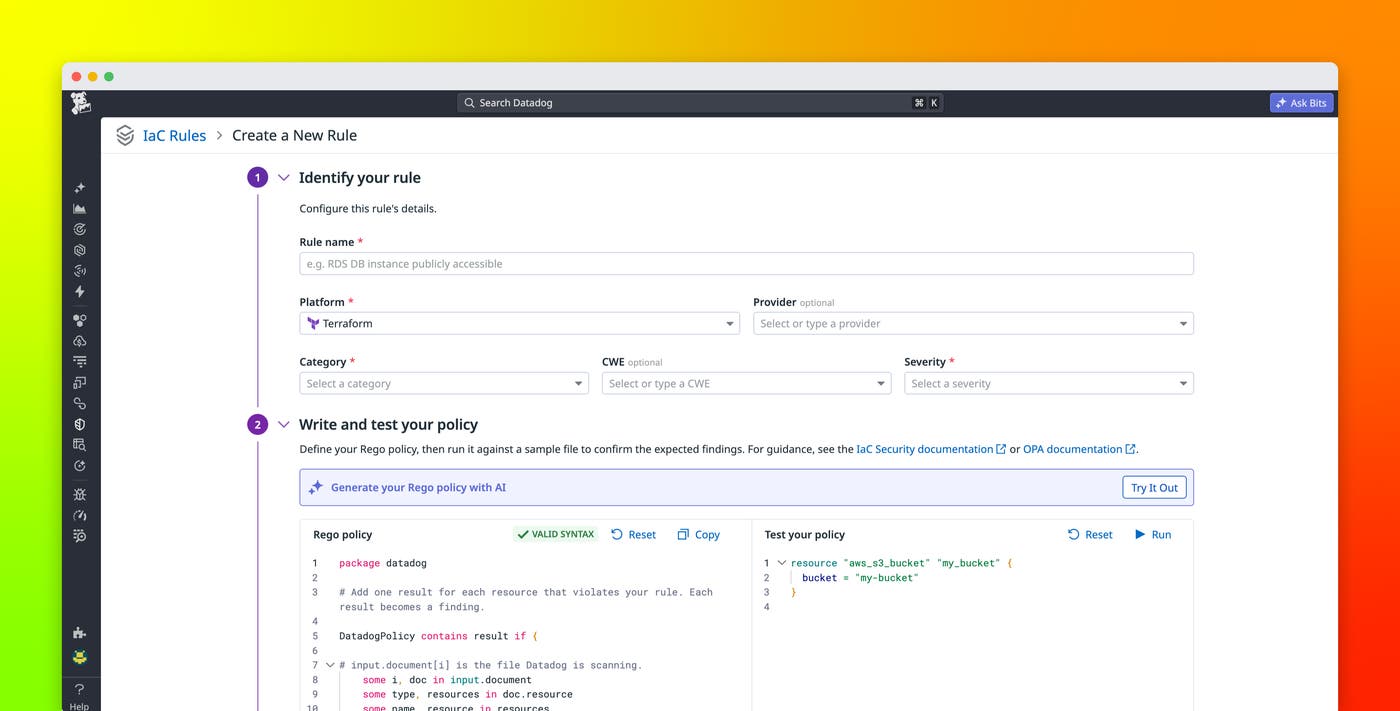
Infrastructure-as-code (IaC) security scanning can catch common misconfigurations before deployment, but every organization also has internal requirements that a default rule catalog cannot cover. For example, teams may need to enforce required tags, approved instance types, or naming conventions.
With custom rules for Datadog IaC Security, security and platform teams can define these requirements as Rego policies and run them alongside Datadog’s default rules during IaC scans.
In this post, we’ll show how you can use custom rules for Datadog IaC Security to:
Enforce your organization’s IaC standards
IaC Security detects misconfigurations (such as missing encryption or overly permissive access) before infrastructure is deployed. Datadog continuously scans configured repositories and then links any findings about misconfigurations to the relevant repository, branch, and file path. IaC Security’s default rule catalog provides checks for common security risks, but those checks cannot account for every policy that an organization develops for its own infrastructure.
Custom rules extend default coverage with requirements that are specific to your organization. For example, you might require teams to apply a standard set of tags to Terraform resources, restrict workloads to approved instance types, or enforce internal network boundaries. You can also encode checks that support company-specific compliance requirements, rather than relying on engineers to verify these policies manually during code review.
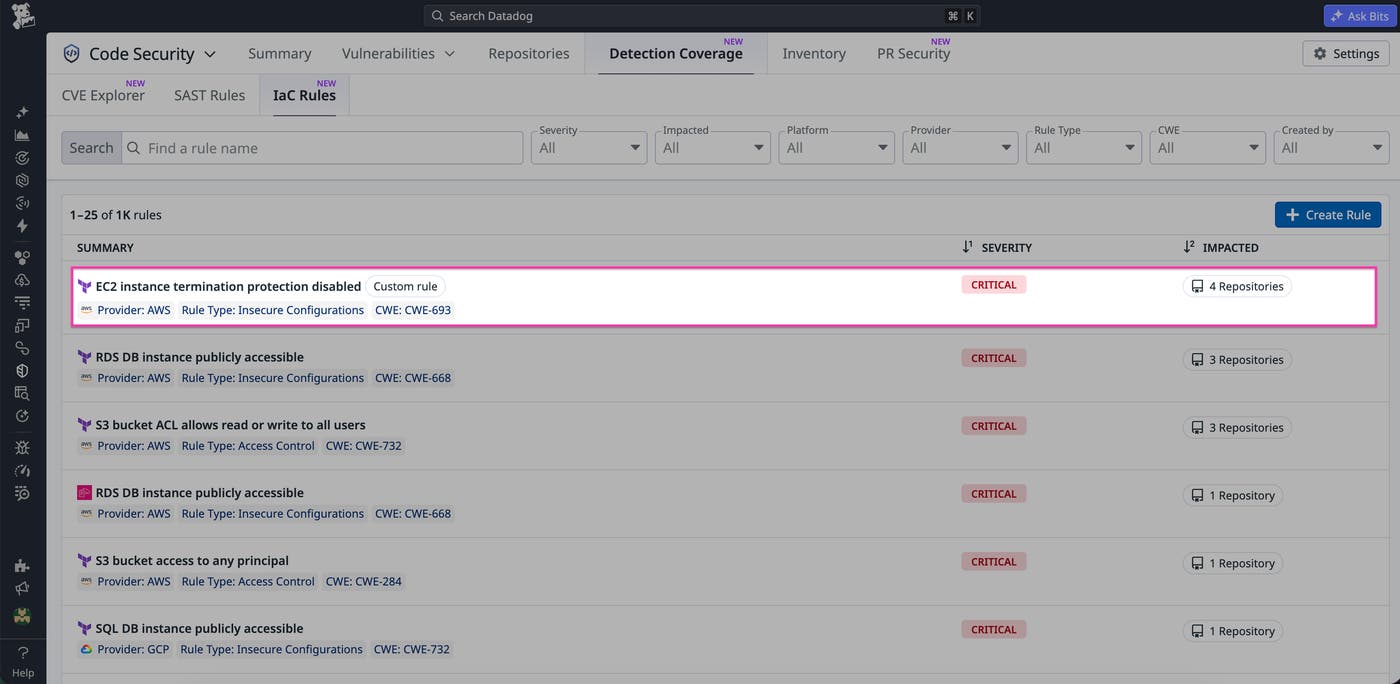
Custom rules use Rego, the policy language from Open Policy Agent (OPA), and run alongside Datadog’s default rules during IaC scans. Custom rules support Ansible, AWS CloudFormation, Dockerfile, Kubernetes, Terraform, and GitHub Actions. After publication, a custom rule runs in subsequent scans where its specified platform applies. You can use IaC Security configuration to further control which rules run and where they apply.
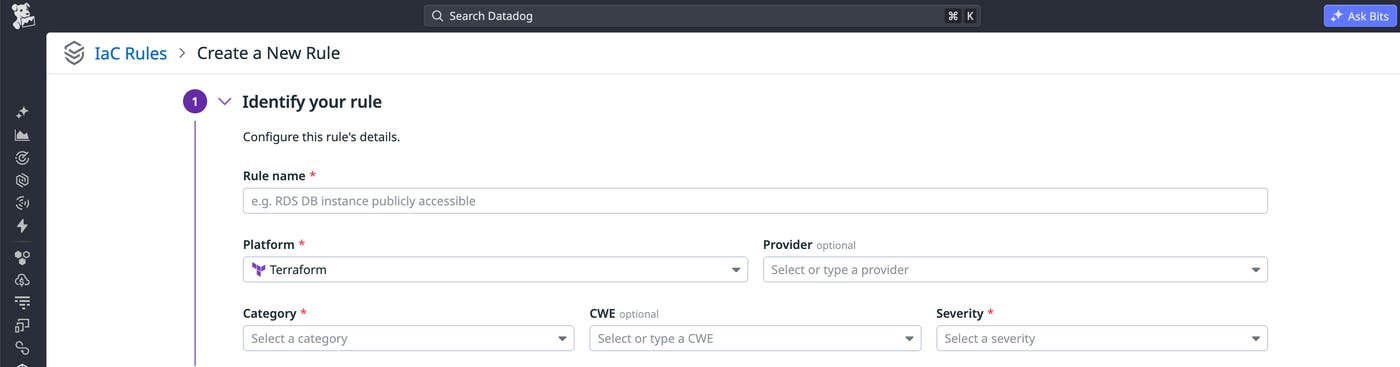
To get started, navigate to the IaC Rules page and select “Create Rule.” Creating, editing, or publishing a custom rule requires the appsec_vm_write permission. As you build a custom rule, you provide a name and select its platform, category, and severity. You can optionally specify a provider and add a Common Weakness Enumeration (CWE) identifier.
Write custom policies with natural language
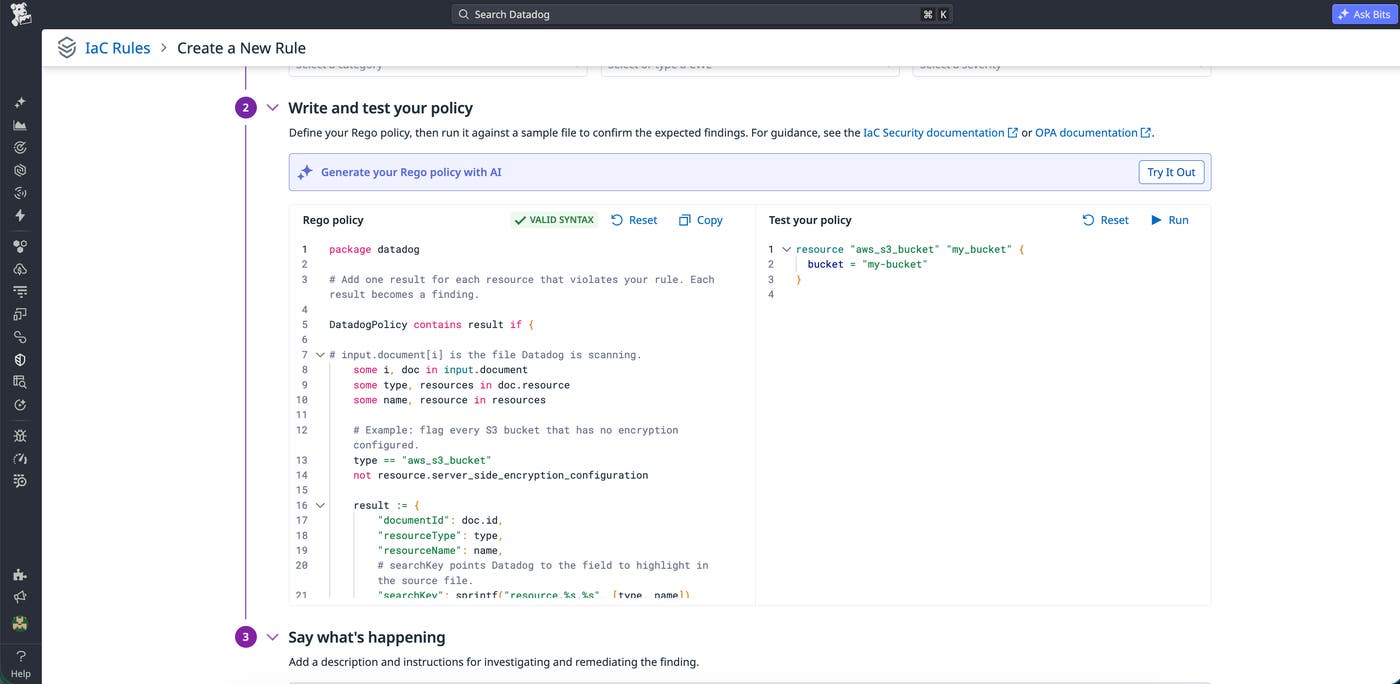
Rego gives teams a flexible way to express infrastructure policies, but writing a policy from scratch normally requires knowledge of Rego. With custom rules, you can just describe the requirement in natural language, such as an internal policy for how a particular infrastructure resource should be configured. The AI rule creator can use that description to generate the Rego policy, along with a sample IaC configuration that triggers the rule. You can then review, edit, and test both directly in the editor. You can use Bits Chat to help create a policy.
When you’re creating a rule from scratch, the editor provides a starter policy and sample file. You can also clone a default or custom rule, which is useful when your requirement applies to the same platform and resource type as an existing check. Cloning copies the rule’s metadata, policy, sample file, and description so that you can then modify the new rule to reflect your organization’s requirement.
Validate rules before publishing
A custom policy needs to properly identify the configuration you intend to flag. To help ensure that a rule works correctly before you save it, Datadog lets you evaluate a policy in the rule editor before the rule runs against your repositories.
For example, suppose you’re creating a Terraform policy that flags an aws_s3_bucket_versioning resource when its status is explicitly set to Suspended. Start by adding a sample Terraform file containing that configuration and run the policy. The editor should return a finding for the affected status attribute. Then change the value to Enabled and run the policy again to verify that it produces no findings. If the rule needs more work, select “Save as draft” to prevent it from running during scans. When the rule is ready, select “Save and publish” to make it available for subsequent IaC scans.
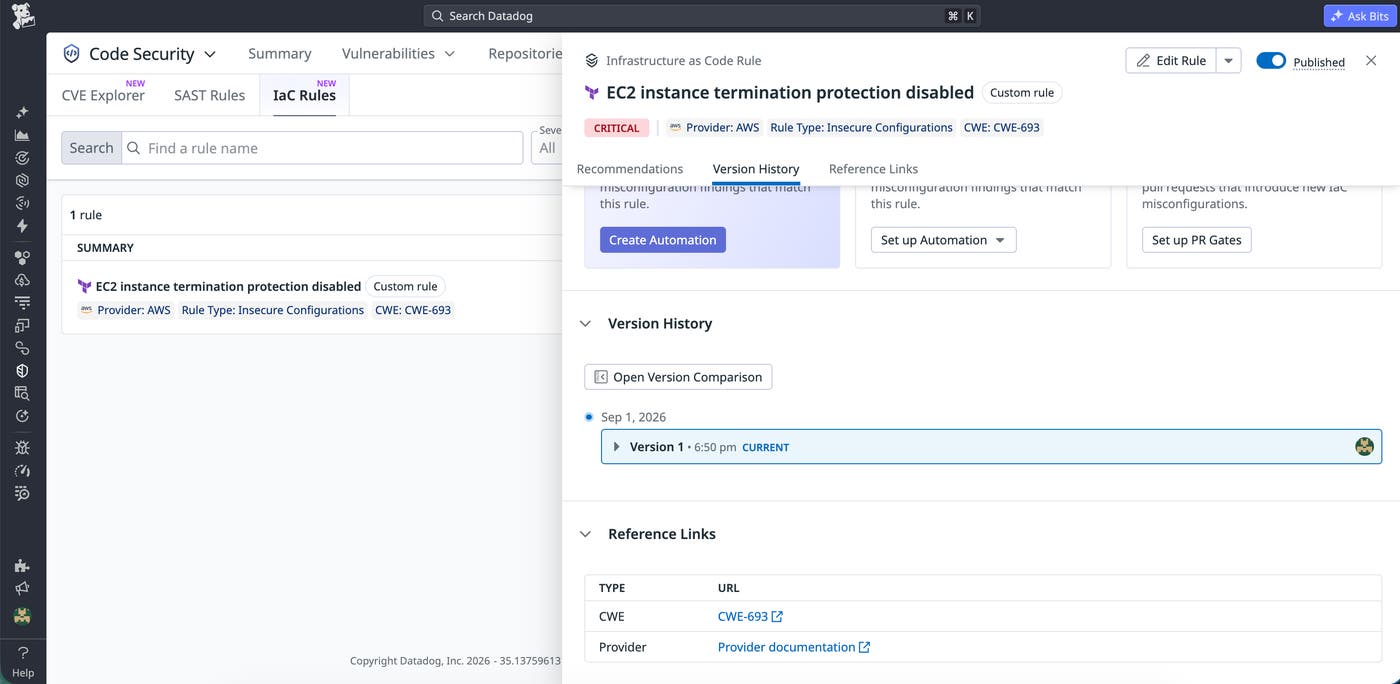
Datadog also maintains a version history as custom policies change. Editing a rule creates a new version. You can review the rule’s version history, compare any two version, or restore an earlier version. Version history gives teams a record of how an organization’s infrastructure policies have changed over time and provides a path to roll back an unwanted change.
Find custom policy violations in existing workflows
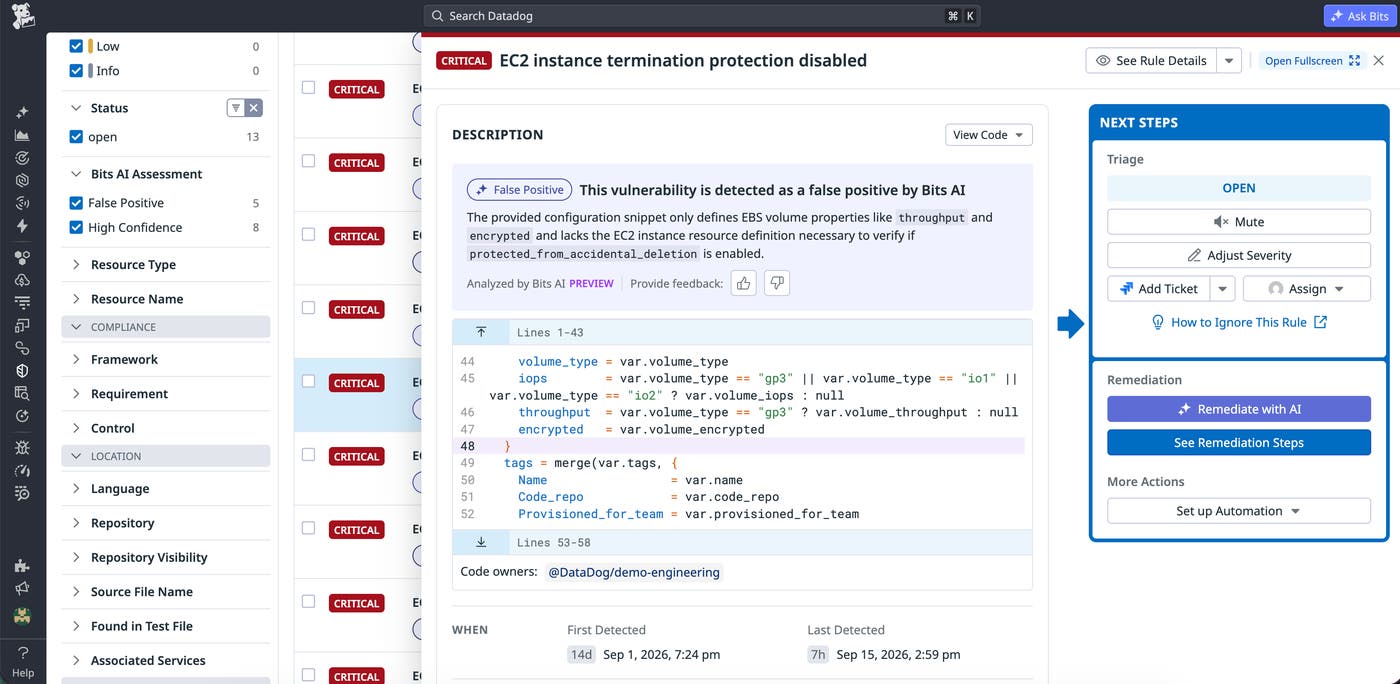
Once you publish a custom rule, its findings are available to the same workflows that incorporate Datadog’s default IaC findings. Developers can review violations directly in pull request comments, the IDE extension, and the IaC Security findings explorer. Teams can also use PR Gates to block pull requests that violate custom policies. Findings Automation Pipelines in Datadog Security can trigger automated actions based on those findings. These options let organizations act on their internal IaC standards without introducing a separate workflow.
Custom rules also use the existing IaC Security configuration model. You configure repository-wide rule settings either in Datadog or in a code-security.datadog.yaml file, including run or ignore rules, severity filters, path filters, and per-rule configuration. Inline comments support local exclusions when an exception applies to a particular line, block, or file. See the IaC Security configuration documentation for supported configuration options.
Enforce your infrastructure policies before deployment
Custom IaC Security rules help teams detect organization-specific infrastructure policy violations in the same scanning workflow they use for Datadog’s default rules. By turning internal requirements into testable Rego policies, security and platform teams can reduce reliance on manual review while giving developers feedback before infrastructure changes reach production.
To create your first rule, read the IaC Custom Rules documentation. For details about supported Rego syntax, parsed IaC inputs, and platform-specific patterns, see the IaC Custom Rule Reference. You can also review the broader IaC Security documentation and our guide to improving the security of IaC deployments.
If you don’t already have a Datadog account, sign up for a 14-day free trial to start scanning your IaC configurations with Datadog.
