
Cody Murray-Bruce
Product Marketing Manager

Ben Johnson-Staub
Software Engineer
Many observability platforms authenticate to Microsoft Azure by using client secrets. Teams must create, store, and periodically rotate these secrets to keep receiving the telemetry data that they need. This recurring maintenance adds operational overhead and increases the risk of ingestion outages that occur when secrets expire.
Secretless authentication removes the burden of credential management for Datadog’s Azure integration, replacing client secrets with an identity-based authentication model. You no longer need to create, store, or rotate client secrets, and Datadog no longer stores a long-lived authentication secret.
In this post, you’ll learn how secretless authentication works and how you can configure or migrate to secretless authentication.
How secretless authentication works
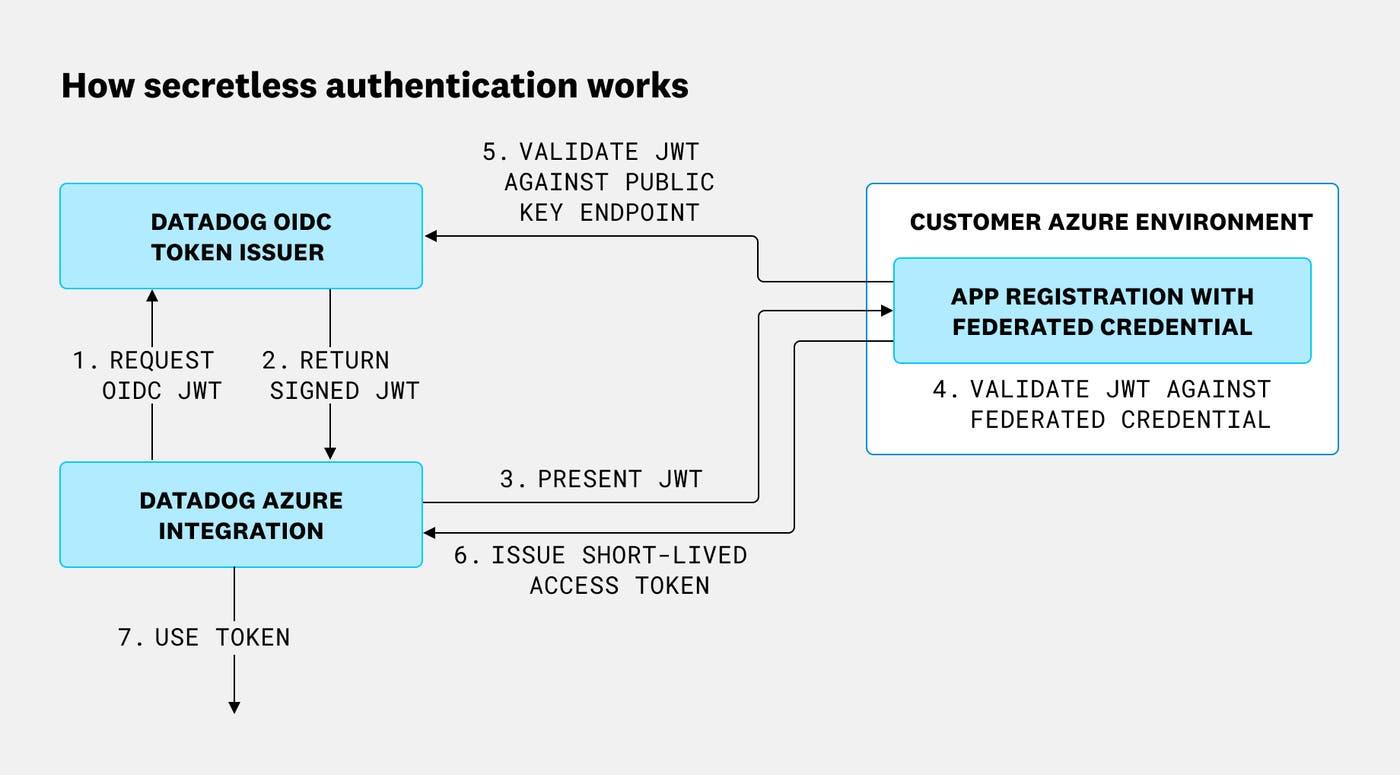
Secretless authentication replaces static client secrets with a trust relationship based on identity. A federated identity credential in Microsoft Entra ID establishes trust between your Azure app registration and Datadog’s OpenID Connect (OIDC) issuer.
The following diagram illustrates the authentication flow. When Datadog requests access to Azure telemetry data, it presents an OIDC token to Entra ID. Entra ID validates the configured trust relationship and issues a short-lived access token. Datadog then uses that token to collect the telemetry data.
Configure or migrate to secretless authentication for Azure
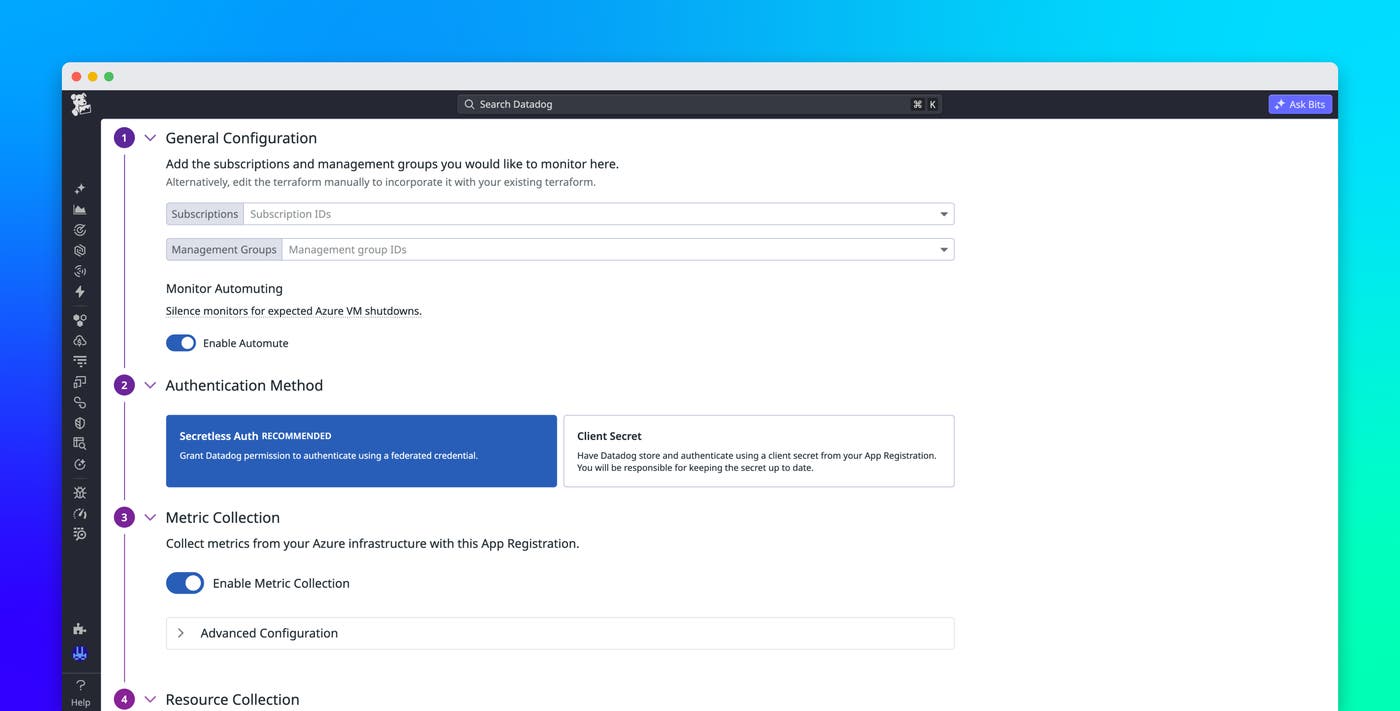
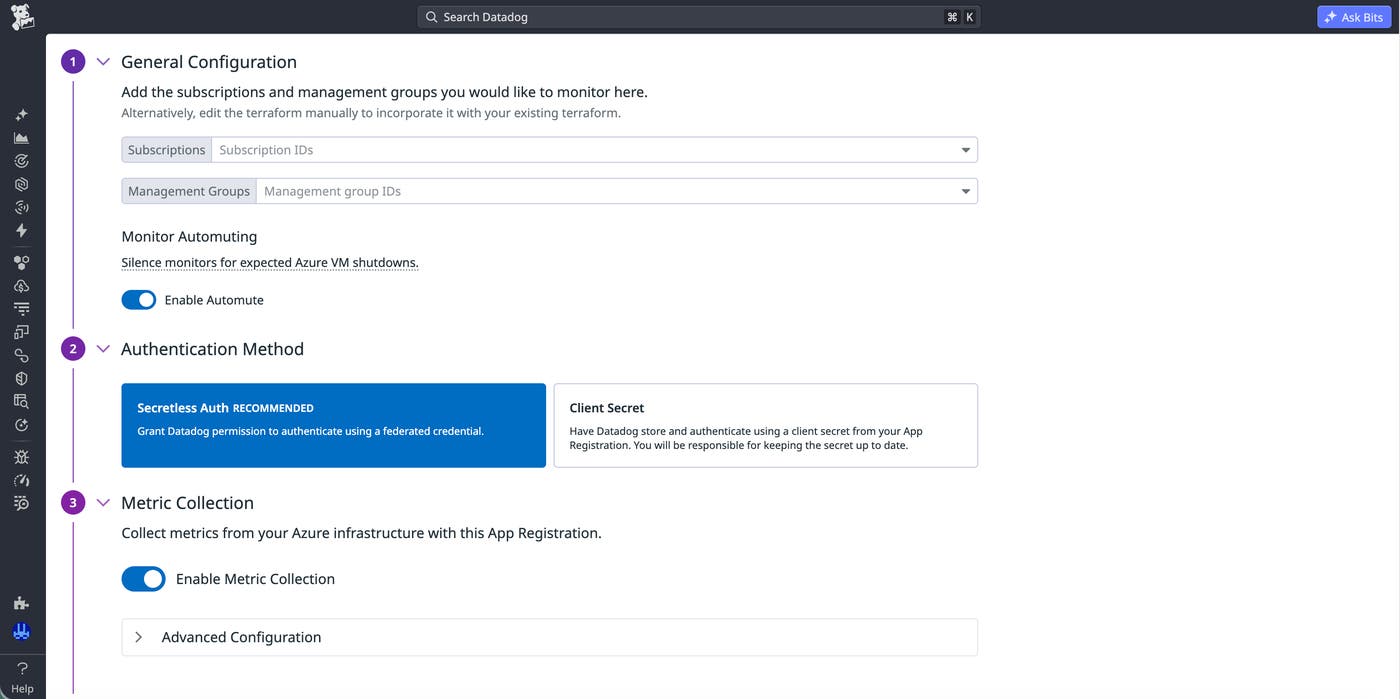
You can opt for secretless authentication during Azure integration onboarding and for Azure integrations that you’ve already configured. When you use the Quickstart workflow or Terraform to create the app registration during onboarding, select secretless authentication instead of providing a client secret. After you complete the remaining onboarding steps for Quickstart or Terraform, Azure establishes the federated trust relationship during setup.
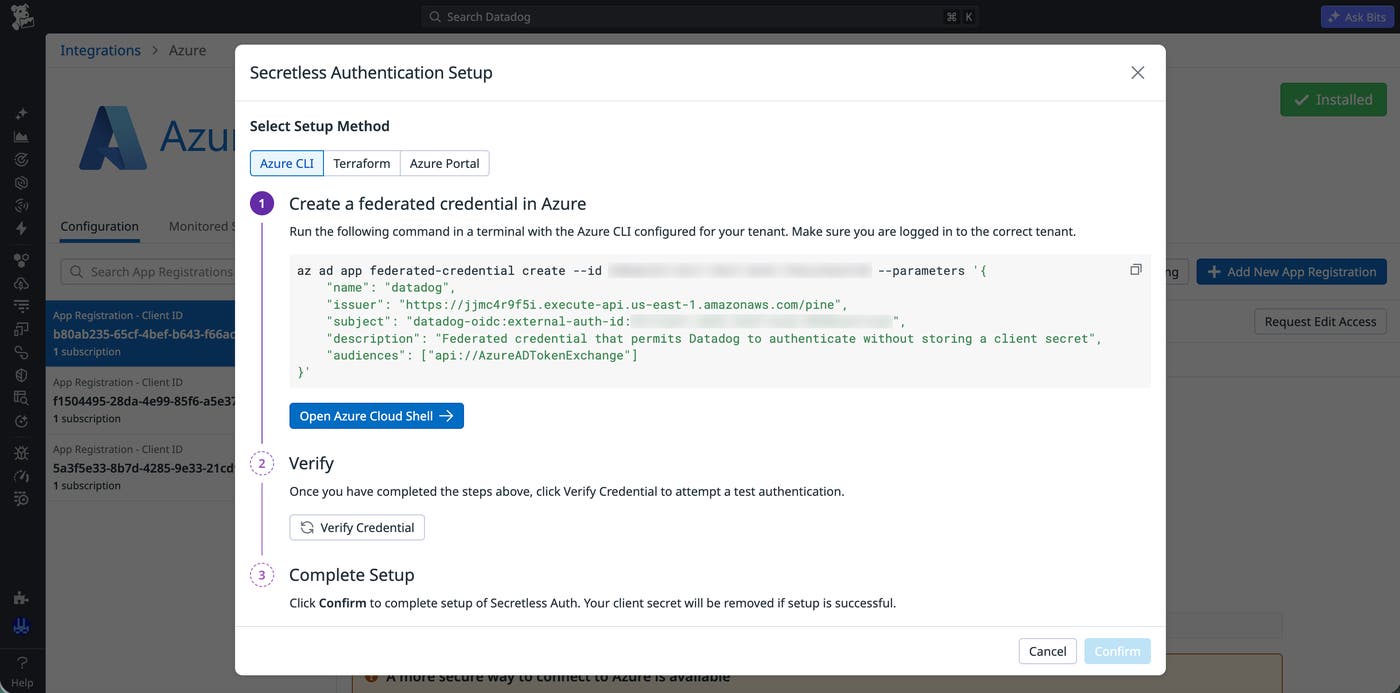
If your Azure integration already uses an app registration with a client secret, you can migrate to secretless authentication without creating a new app registration. The migration workflow supports the Azure CLI, Terraform, and the Azure portal, enabling you to choose the setup method that best matches your deployment practices.
Reduce authentication maintenance for your Azure integration
Secretless authentication for Datadog’s Azure integration replaces client secrets with federated identity. As a result, teams can avoid client secret rotation, prevent outages caused by expired credentials, and reduce the number of long-lived credentials that they manage. To learn more, read the setup instructions in our Getting Started with Azure documentation.
If you don’t already have a Datadog account, you can sign up for a 14-day free trial to start monitoring your Azure environments.
