
Barak Shoushan

Addie Beach
Technical Content Writer

Scott Kennedy
Staff Engineer
AI coding agents have made it much faster to build internal tools. Teams can move from a rough idea to working code quickly, especially for operational apps that support how they release, troubleshoot, and maintain software. As more of these apps move into production, teams need a way to deploy and run them where engineers already work, access data and APIs securely, and share them consistently across teams.
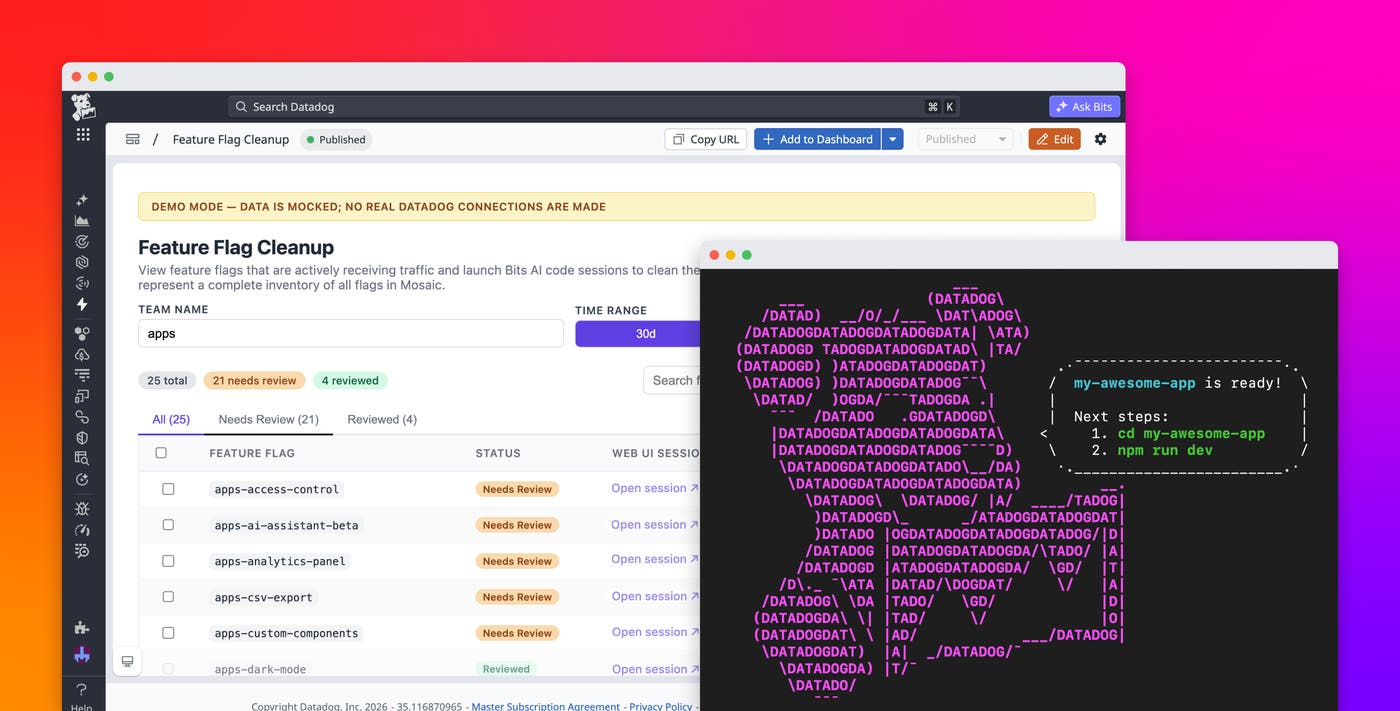
Datadog Apps—currently in Preview—gives teams a code-first way to build applications that run inside Datadog. You can easily create these apps via the AI agents of your choice, such as Claude Code, Cursor, and Codex. Your applications inherit the same authentication, access controls, observability, and connections that your team already uses throughout Datadog. Your apps embed directly into dashboards, notebooks, developer homepages, and Self-Service Actions pages, rather than living as isolated tools across disconnected services.
In this post, you’ll learn how you can use Datadog Apps to:
Build apps from any agent, IDE, or CI pipeline
Datadog Apps treats internal applications like production software. Using familiar technologies like Vite and React alongside your preferred agents or IDEs, you can build apps that embed into Datadog without needing to learn a new framework. Because your app lives in code, your team can use the GitHub action to collaborate through Git, review changes in pull requests, and deploy through your existing CI/CD pipeline.
To get started, run npm create @datadog/apps@latest from your development environment to scaffold your app, then spin up a local development server. Once your app is finished, Datadog Apps guides you through uploading it to Datadog.
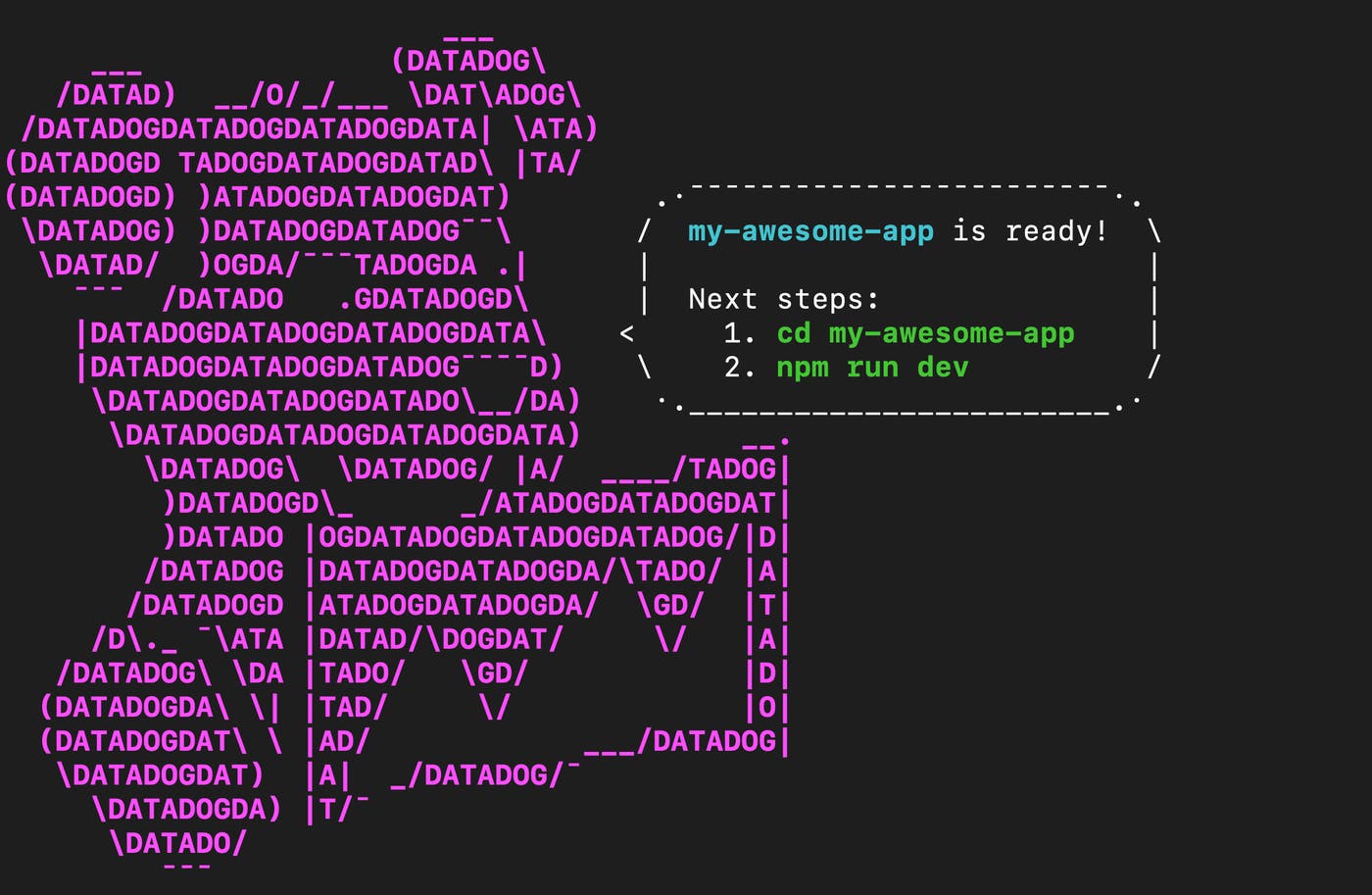
Datadog Apps includes skills for AI coding agents that teach them how to work with the Datadog platform. Agents can use these skills to generate applications that use Datadog UI components, call backend functions, navigate the platform, and fit within Datadog’s security model. This helps agents generate apps that already account for Datadog’s platform requirements, rather than producing generic frontend code that needs to be reworked later.
Connect applications through the Actions platform
Most internal applications need access to external systems such as databases, cloud services, or SaaS platforms. When each app manages those connections separately, teams end up duplicating credentials, storing secrets in more places, and maintaining inconsistent authentication logic across services.
Datadog Apps connects to your stack through the Actions platform, the same connection layer that powers features like Workflow Automation, Bits Agent Builder, and App Builder. The Actions platform provides connections to cloud providers, SaaS tools, and Datadog accounts as well as authentication methods like OAuth, API keys, and IAM policies. You can reuse existing connections, credentials, and integrations across applications for easy setup. Additionally, you can use the HTTP action to connect your app to any API.
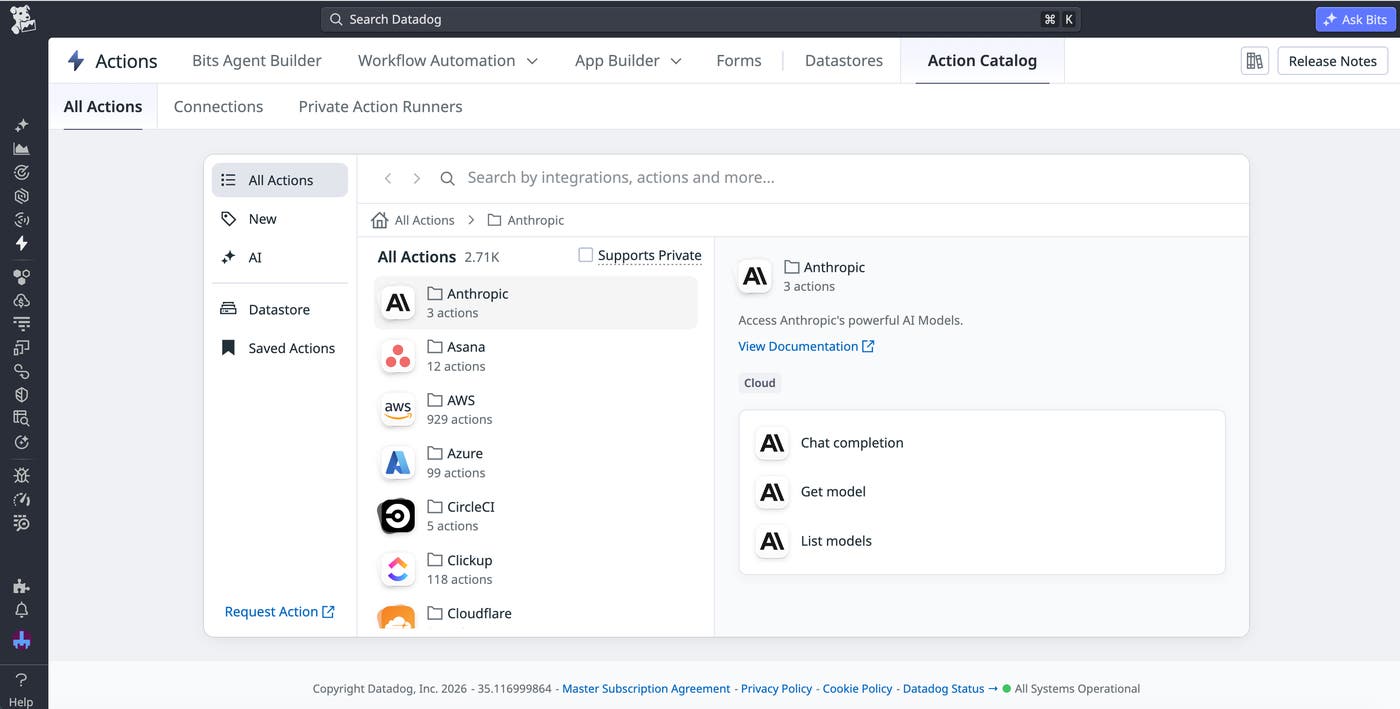
App code references connections by ID, while Datadog resolves the underlying credentials server-side at runtime. This lets developers call backend functions without putting secrets directly in application code.
Connection-level permissions mirror existing team access. For example, if only certain teams are authorized to use a sensitive production database, an app connected to that database respects those same boundaries without requiring a separate access model.
Applications created through Datadog Apps can also access data within Datadog Datastore. Datastore provides persistent storage that integrates with the rest of the Datadog ecosystem. You can use the Actions platform to add, delete, list, and update shared Datastore data directly within your application.
Inherit governance, security, and observability
As the number of agent-built applications grows, managing access, investigating activity, and monitoring reliability becomes a real challenge. Separate authentication systems, monitoring instrumentation, and audit logs make each application harder to secure, troubleshoot, and audit consistently.
Datadog Apps inherits governance and observability capabilities directly from the Datadog platform. Every app uses Datadog’s identity model, including existing SSO, Teams, and RBAC configuration, so you don’t need to provision separate user accounts or authentication systems. This keeps app access tied to the same identity model you already use across Datadog.
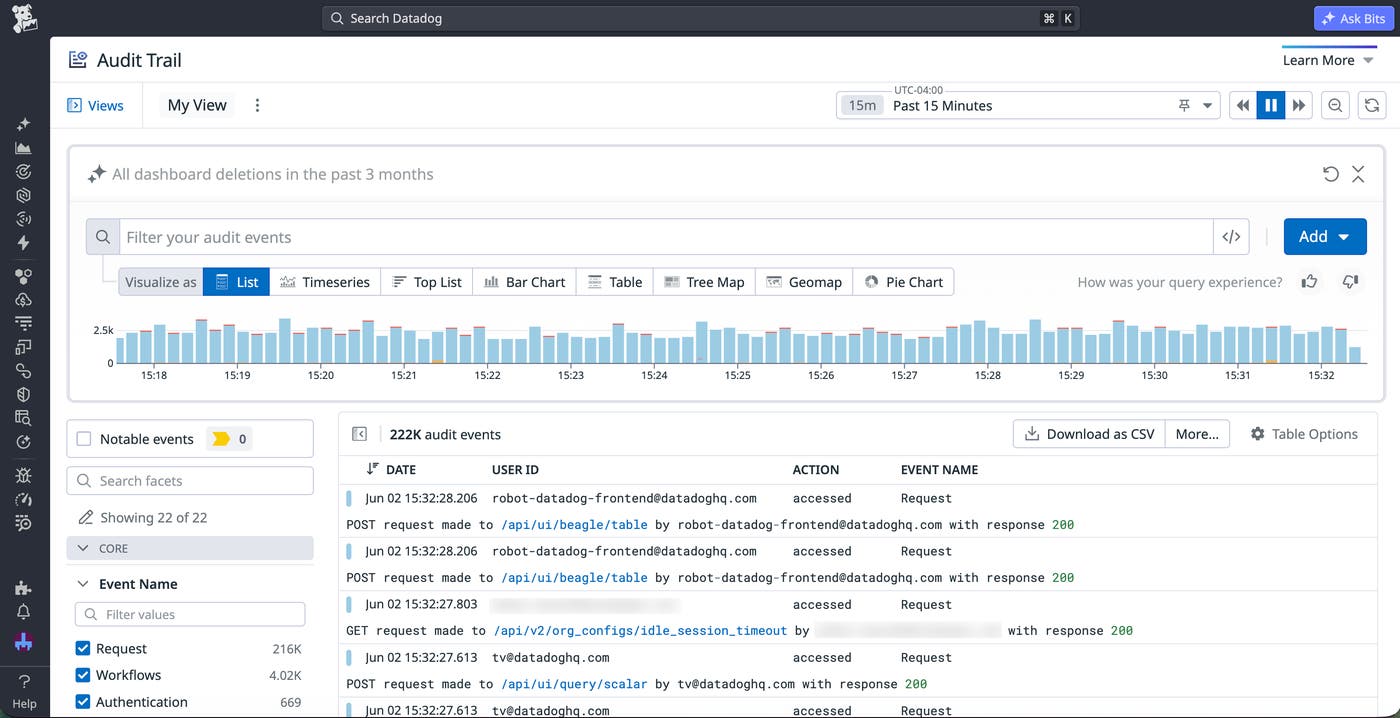
All user activity within Datadog Apps flows into Datadog’s existing audit infrastructure. Datadog Audit Trail gives you a record of actions taken across infrastructure, dashboards, monitors, and applications. You can also use Audit Trail to help you quickly detect unexpected or potentially risky activity within your applications, enabling you to alert on notable events that could affect cost or security.
Additionally, you can access high-level visualizations of user activity within your application via the out-of-the-box App Builder Overview dashboard. The metrics on this dashboard give you insight into how often your app is executed, the most popular actions users take, and which dashboards it’s been embedded on, among other data.
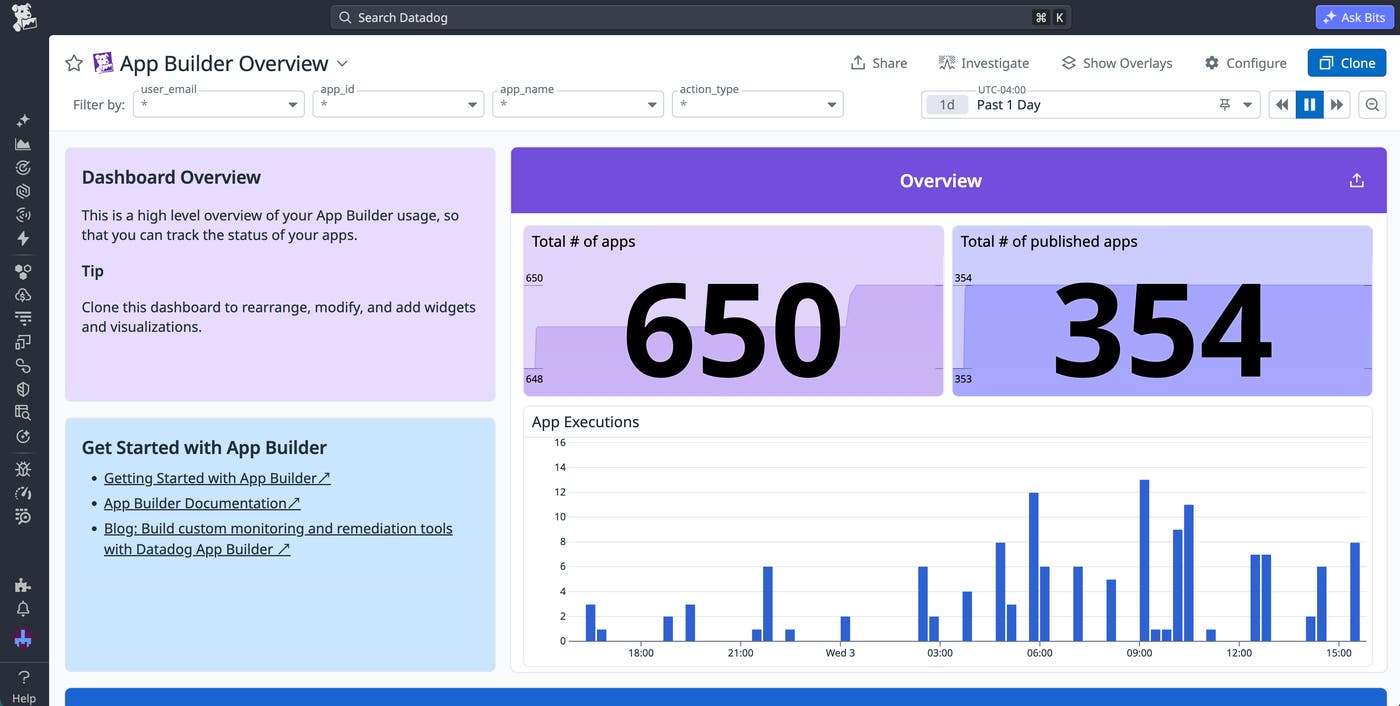
Embed applications across the Datadog platform
Operational applications are most useful when they appear next to the telemetry data and workflows they affect. Datadog Apps lets you embed applications directly into the Datadog features you already use, including dashboards, notebooks, developer homepages, and Self- Service Actions pages.
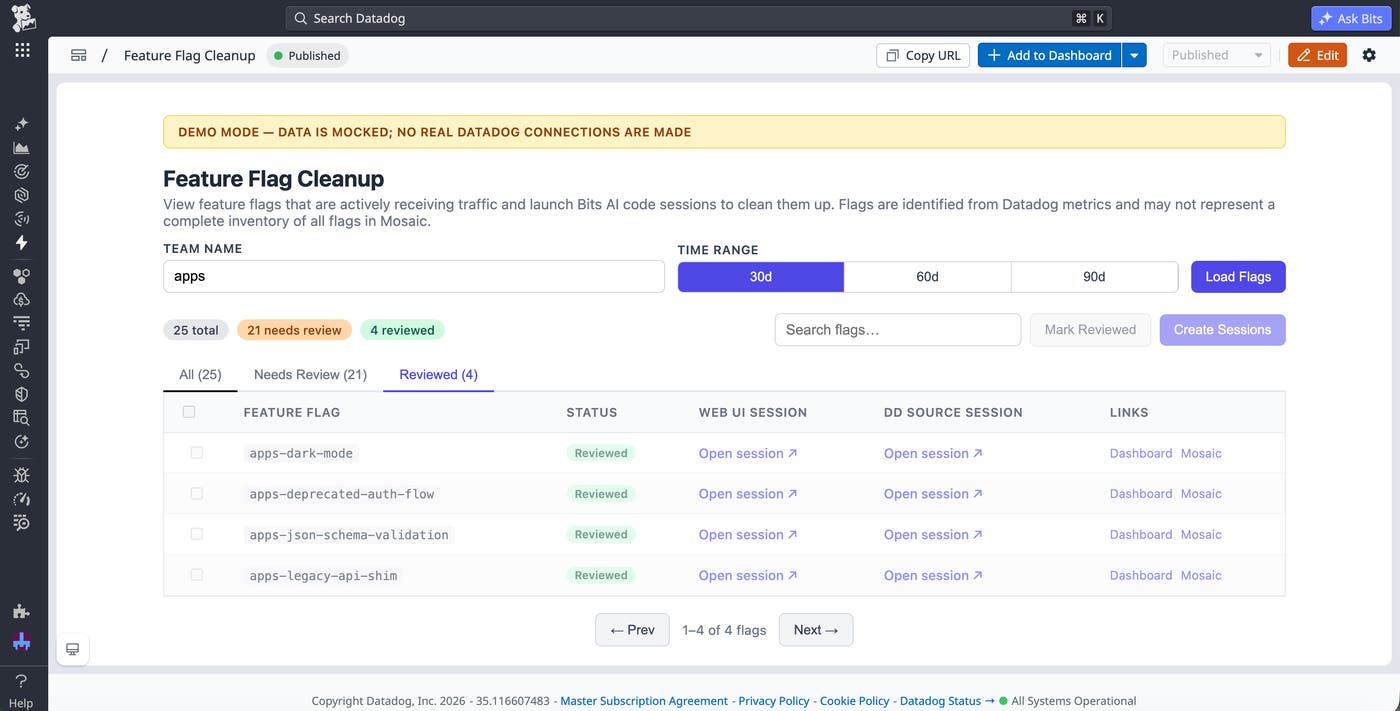
Applications can also appear across multiple features simultaneously. For example, a rollback app might appear on a Self-Service Actions page during routine operations, inside an incident notebook during an outage, and on a developer homepage for on-call workflows. By embedding applications throughout engineering workflows, you can reduce context switching and keep actions close to the systems they impact.
Datadog Apps provides prebuilt components for forms, tables, charts, and modals that match the styling within Datadog’s DRUIDS library. Because applications share design systems and platform context, you don’t need to manage separate theming frameworks or maintain disconnected frontend experiences. Internal tools appear as native extensions of the Datadog platform.
Use Datadog to build operational applications
AI coding agents make it faster to create internal applications, but teams still need a reliable way to run these apps, connect them to external systems, and fit them into their processes. Datadog Apps gives you a code-first way to build applications from the tools your team already uses, manage governance and observability from Datadog, and embed them directly into Datadog dashboards and workflows.
To learn more, you can view the Datadog Apps documentation and sign up for the Preview. Or, if you’re new to Datadog, you can sign up for a free 14-day trial.
