
Rufina Mariam
Telemetry volumes are growing rapidly. Over time, teams often adopt multiple tools to manage that growth, whether by choice or as a matter of tradeoffs between query access and storage cost. For example, teams may use Datadog for observability, Databricks for long-term storage in data lakes, and ClickHouse for analytics workloads and SIEM tools. In some cases, logs are duplicated across multiple destinations. In others, they are sequestered in a single tool that’s not accessible to all the teams that need them. The resulting fragmentation can cost teams valuable time as they are forced to switch contexts and rewrite queries for different syntaxes.
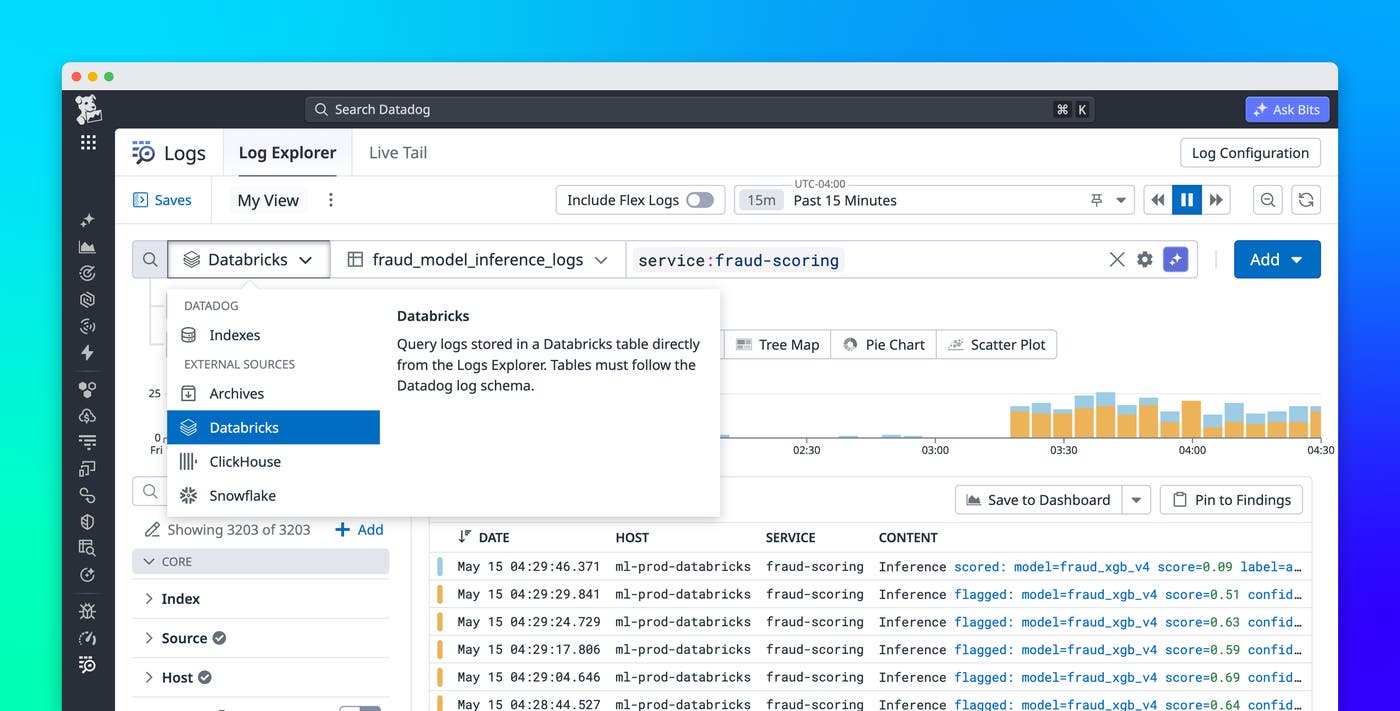
Datadog Federated Logs, now available in Preview, lets you query external data stores from the Log Explorer, meaning you can query all of your logs from a single interface using a consistent query syntax, no matter where they live. In this post, we’ll show how Federated Logs helps you follow investigations wherever they lead, without switching tools, and maintain end-to-end control over your log data across every destination.
Follow investigations wherever they lead, without switching tools
Consider an e-commerce platform with AI-powered fraud detection. The application engineers on the payments team send operational logs (request errors, latency, deploys) to Datadog, where the rest of the team’s production telemetry already lives. The fraud detection model lives in a lakehouse like Databricks, where the team’s training data, model artifacts, feature tables, notebooks, and scoring jobs can all share the same environment. This separation doesn’t matter until a payment failure traces back to the fraud model, at which point the investigation has to span both stores.
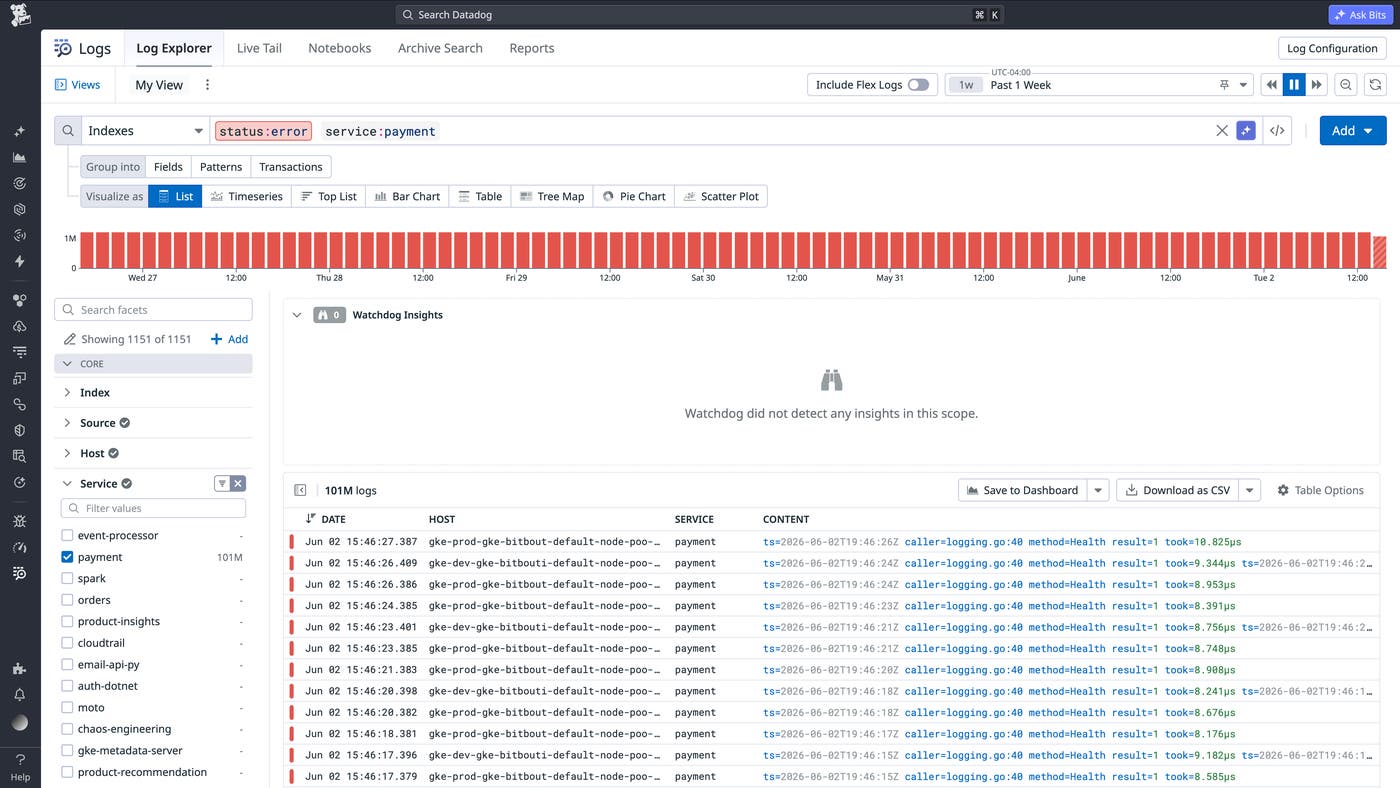
Let’s say the payment API error rate jumps from 0.4% to 7% over 6 hours, with no service errors, no latency anomaly, and no corresponding deployment. A Datadog query against service:payment status:error confirms the spike. Drilling deeper, the fraud_check operation, which scores every transaction before it clears, is timing out. The fraud model runs in Databricks. Before Federated Logs, this is where the investigation stalled: Page someone with lakehouse access or jump in yourself, learn the table schemas, and align timestamps by hand.
With Federated Logs, the same Log Explorer query reaches the lakehouse. A federated query of payment_service_logs filtered by service:fraud-detection and status:error returns the fraud model’s error logs alongside the payment service logs, showing that GetRiskScore is returning errors with elevated response times well above the threshold. The fraud detection model is failing, causing every payment routed through fraud_check to be declined. The engineer has identified the root cause and determined a clear next step: Hand off to the ML team with the specific error context, or drill further into the driver logs.
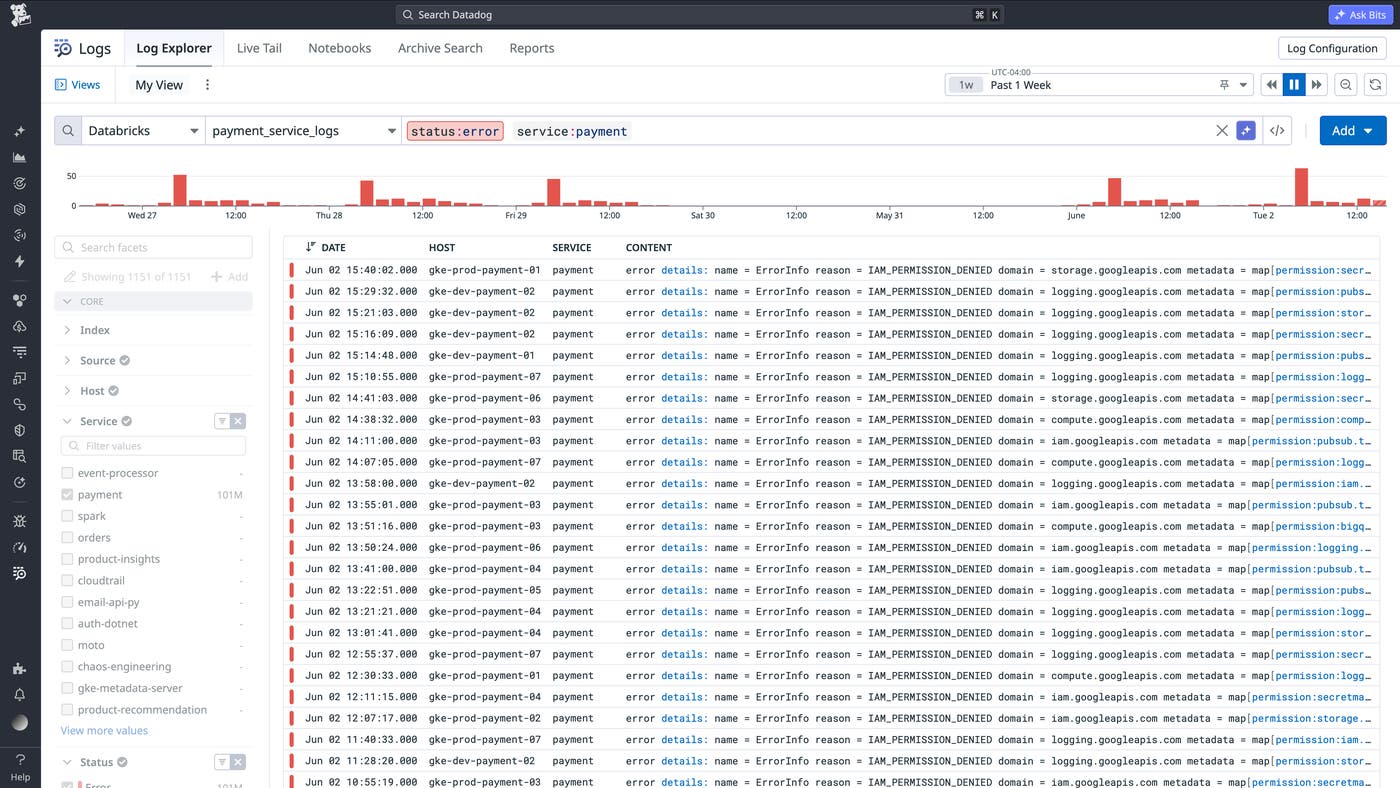
The triage stayed in the Log Explorer, and the cross-store boundary that used to halt the investigation no longer does. Since Federated Logs surface in the same log explorer interface, you can keep queries as Saved Views that any engineer on the team can reopen during the next incident. You can also switch to a bar chart to graph run success and failure counts by day or a line chart to track job duration over time, with no SQL editor or separate dashboard or context switching required.
The same pattern applies to other destinations. Let’s say your team keeps high-volume structured data in a columnar store like ClickHouse (columnar stores are databases that organize data by column rather than row, which makes aggregations across large volumes of events much faster). Meanwhile, operational logs from the same services flow to Datadog.
Users start reporting that the checkout flow is broken. Your Datadog query against service:checkout returns clean results: no errors, no latency anomaly, no recent deployments. From the service’s perspective, everything is working. The signal you need lives in the event store, where every user action is captured, including page loads, clicks, form submissions, and abandonment events. Without Federated Logs, the next step is a context switch: Open your SQL editor, write the query in a different syntax, and manually compare the results with the Datadog investigation.
With Federated Logs, the same Log Explorer query reaches the ClickHouse-backed event source. The matching events appear next to application logs from the same time window, so you can correlate the user-facing pattern with operational context, such as a feature flag change or a frontend release, without rebuilding the investigation in another tool.
In this scenario, the business decision that kept events in ClickHouse doesn’t limit the investigation. Product teams can continue using ClickHouse for high-cardinality event retention, while engineering teams can bring those events into the same workflow they use for service logs. This gives responders a more complete view of user impact without requiring every event to be indexed in the observability platform.
Maintain end-to-end control over your log data across every destination
Over time, teams end up duplicating parsing, transformation, and schema-normalization logic across pipelines. A field called service in one destination becomes svc_name in another and source in a third. Every cross-store investigation requires manual translation, and every new destination means more mapping work.
Observability Pipelines centralizes that logic. From a single pipeline, you can split log traffic across destinations based on log content or custom routing rules. And because it processes logs before they arrive, schema normalization, field standardization, PII redaction, and enrichment all happen in the pipeline itself. You can standardize on open formats like OpenTelemetry and OCSF, redact sensitive fields before logs leave your environment, and write logs in a format Federated Logs can query later. The data reaches its destination already structured, clean, and ready.
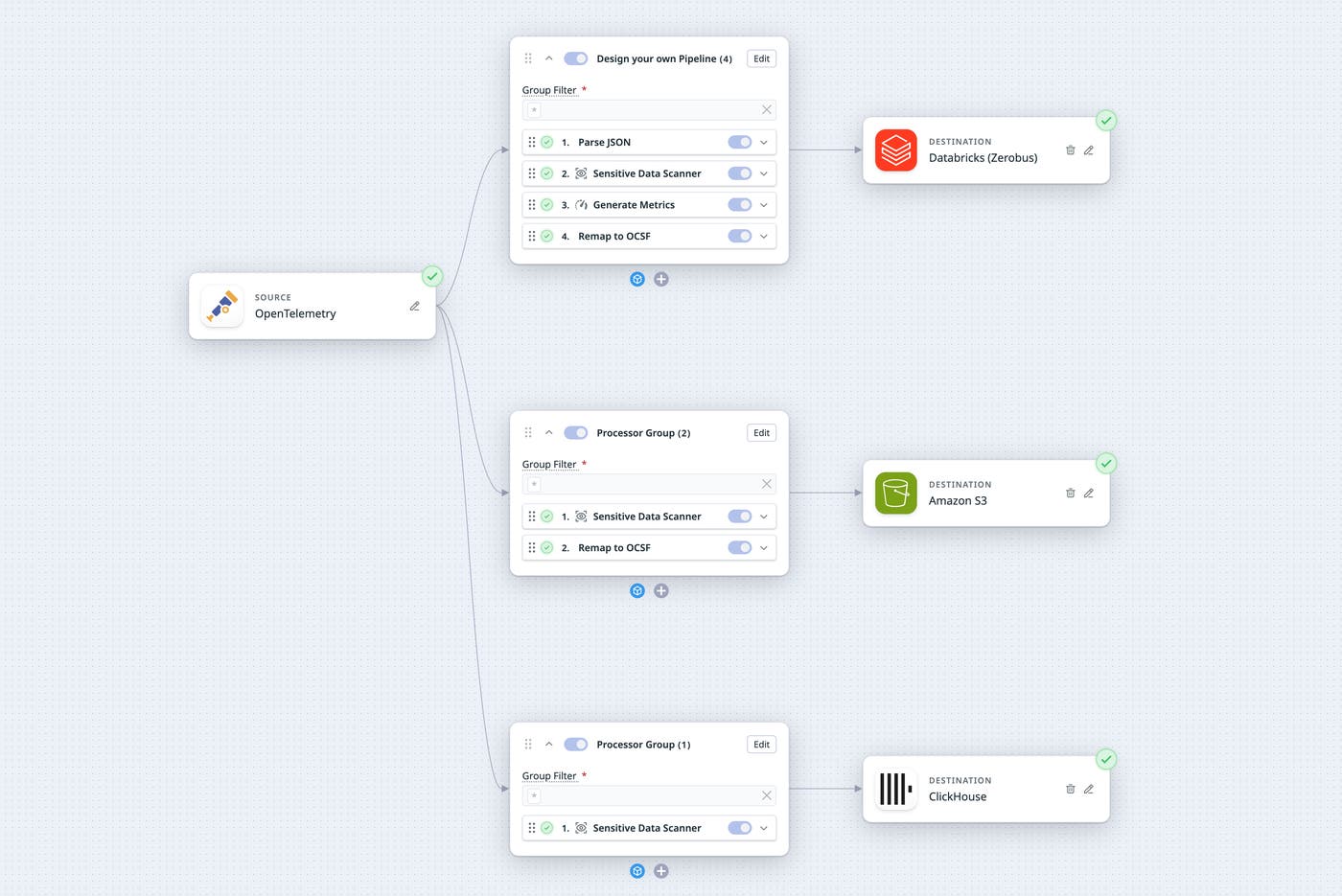
By combining Observability Pipelines and Federated Logs, you get end-to-end control over your log data, from how it’s routed and structured, to how it’s investigated. Your teams keep the storage architecture that works for them, and every destination stays queryable from the same place.
Logs in context, wherever they live
Federated Logs help teams investigate log data across Datadog and the destinations they already use, including Databricks, ClickHouse, and Amazon S3. Together with Observability Pipelines, which helps route, transform, redact, and normalize logs before they arrive at their destinations, Federated Logs helps teams preserve the storage choices that work for each workload while minimizing the friction of cross-store investigations.
To get started with Federated Logs, sign up for the Preview. You can also check out our documentation for Observability Pipelines. And if you’re new to Datadog, you can sign up for a 14-day free trial to start investigating logs across your environment.
