
Nicholas Thomson
Technical Content Writer

Amrita Lakhanpal

Brooke Chen
Senior Product Manager
The Datadog Software Catalog is a centralized hub of information around the performance, reliability, security, efficiency, and ownership of your distributed services. By using the Software Catalog, teams can eliminate knowledge silos and realize seamless DevSecOps workflows.
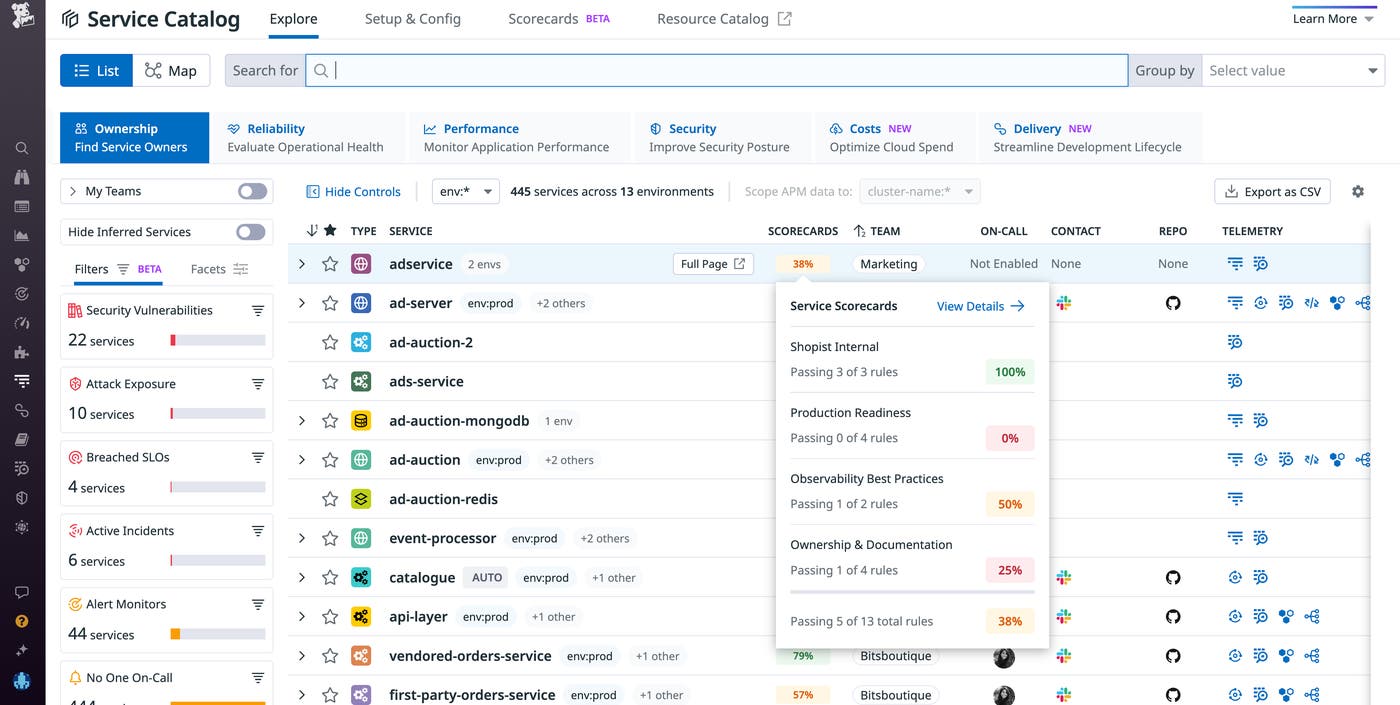
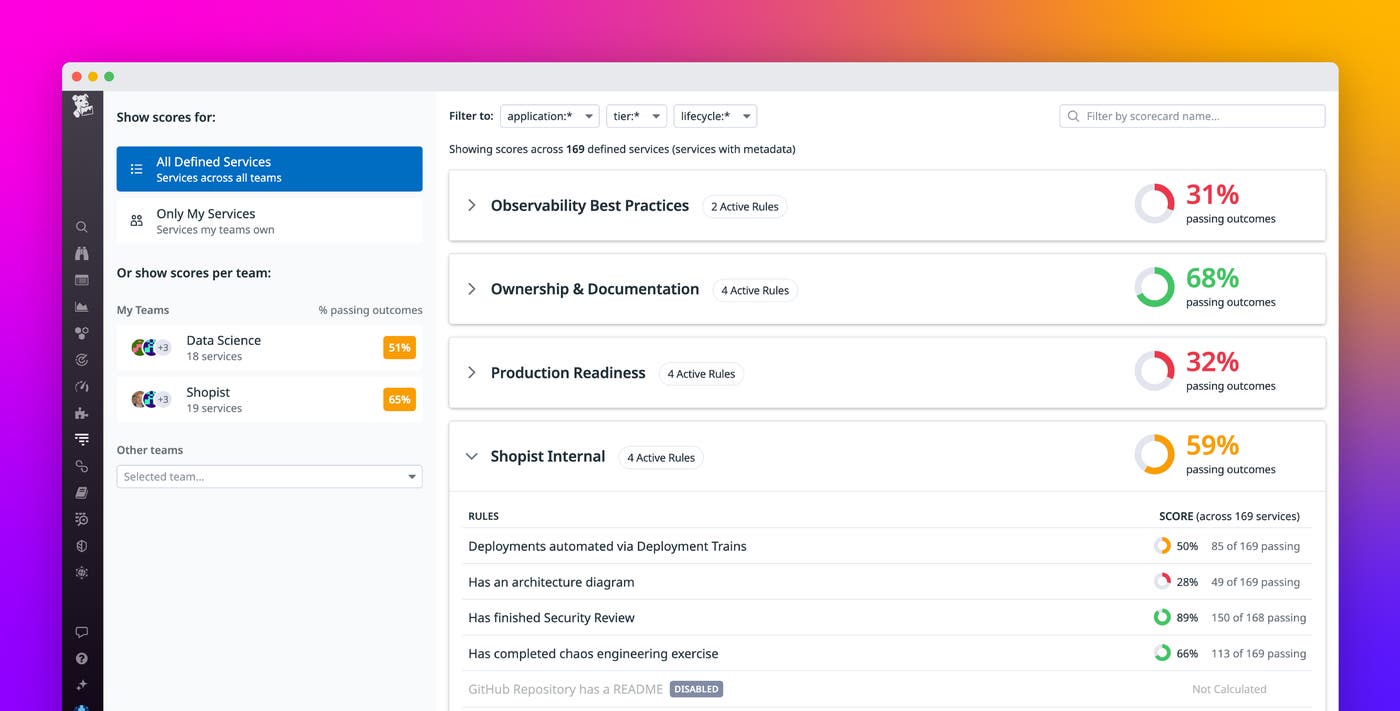
Scorecards are a Software Catalog feature that automatically grades each service with metadata against 10 out-of-the-box, pass-fail rules that fall under three categories: Production Readiness, Ownership and Documentation, and Observability Best Practices. These rules enable anyone on the team to easily see whether their services meet the organization’s standards.
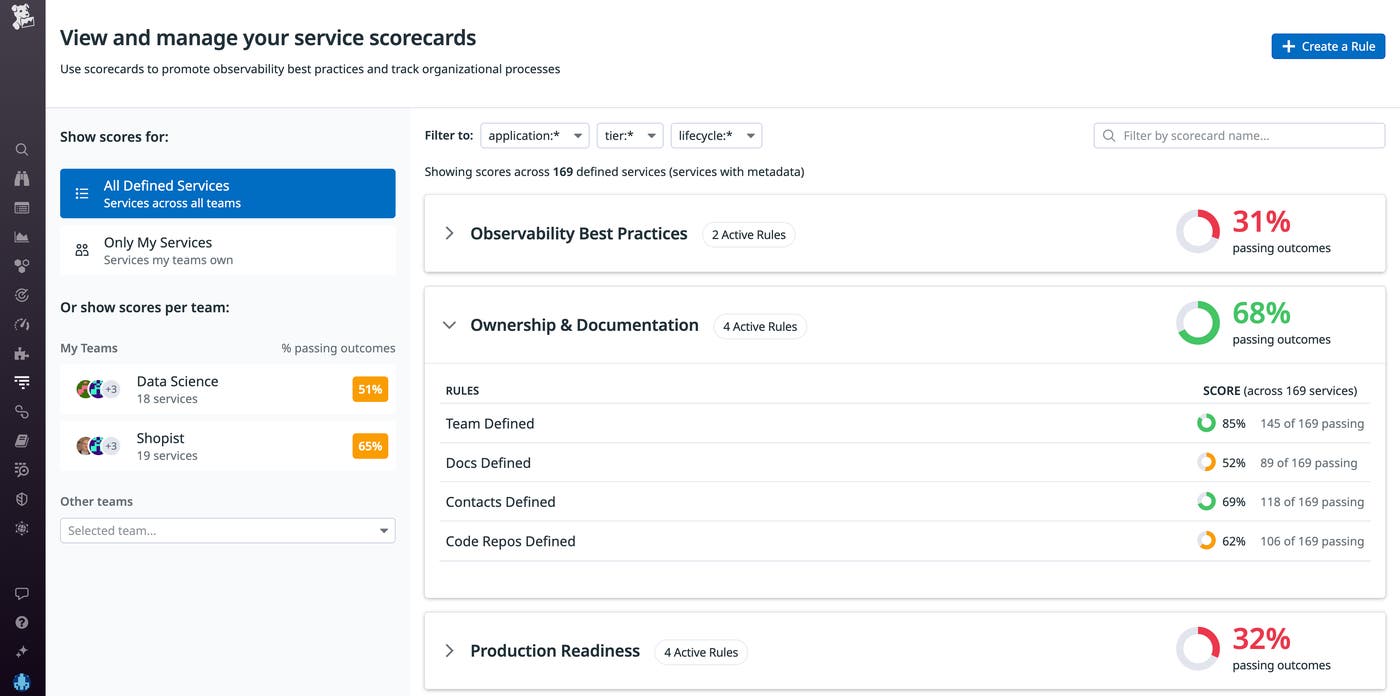
However, many engineering teams have their own ways of measuring service quality—such as security requirements, internal tooling, version audits, or integration checks—that are particular to their business and may not be covered by the 10 rules that Datadog offers out of the box, based on what is most commonly adopted across the user base.
With custom Scorecards, users can create their own rules for services to be scored against and then pass the outcomes of these rules to Datadog. Scores are calculated based on the outcomes that users pass in through the Scorecards API. Datadog will then display these results in the Scorecards Page alongside the other rules, which helps organizations easily track all of their standards for services on one platform.
In this post, we’ll show you how to use custom Scorecards to:
Formalize adoption of internal tooling
Custom Scorecards can help teams track adoption of internal engineering processes, such as deploy trains, infrastructure tools like Terraform, CNAB, or version gating.
Say you’re a part of an SRE team at an agile application that recently adopted a new deployment tool. You want to ensure that each service team uses the new tool to manage their deployments.
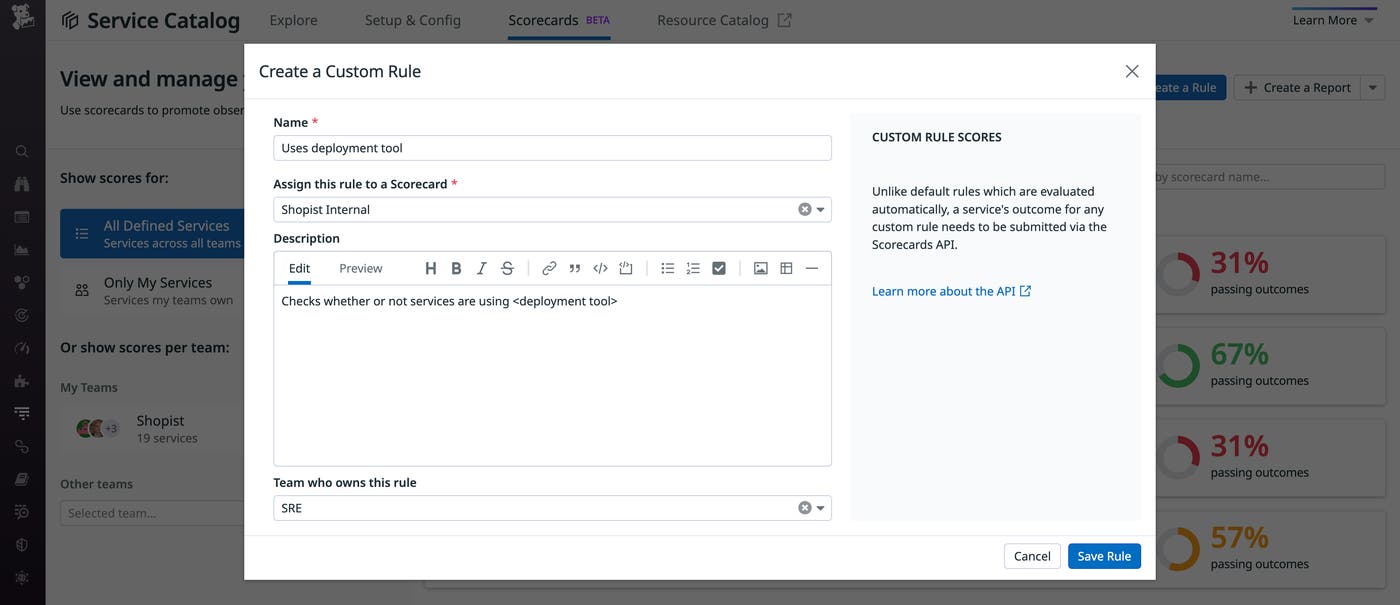
Custom Scorecards allows you to create a rule that checks whether or not services are using the new deployment tool. You can create these rules using the rule creation modal within the Scorecards UI—shown above—or via the API. Users specify the name of the rule, which Scorecard it belongs to, a description of the rule, and the owner (typically the team that can be contacted in the case of any questions).
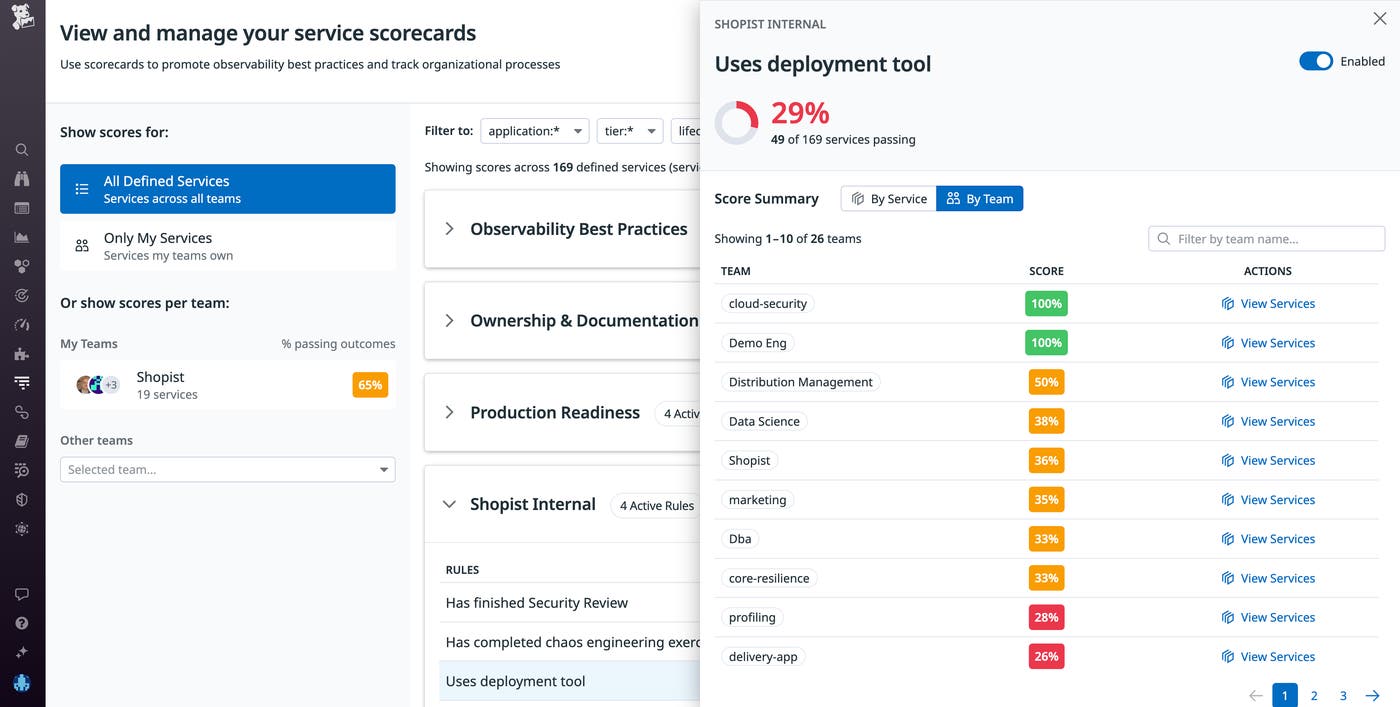
Once you’ve created the rule, it will appear in the Scorecards overview page with a summary that breaks down adherence to the rule by team. This makes it easy for you to determine which teams have not yet adopted the deployment tool and reach out to them.
Streamline manual processes
Custom Scorecards also help teams ensure manually driven processes—e.g., a security review or any kind of best practice implementation such as Scrum framework or an agile methodology, which usually comprises multiple tasks—are completed.
For example, say you are the engineering manager of a security team at a banking app that must adhere to strict security and compliance regulations. The security review process is manual and involves many steps, which you must review and approve individually before confirming that the team has completed the security review. For instance, to detect emerging vulnerabilities in your system, you may first have to search the internet for references to a specific vulnerability and exposure (CVE) number; search for open source intelligence on Twitter, GitHub, and the Infosec Exchange Mastodon community to gauge the number of instances of or references to the vulnerability in the wild; identify potential proof-of-concept exploits; and check the vulnerability’s zero-day status to determine the severity of the vulnerability before initiating a retro-hunt query on your logs, searching for evidence of these indicators of compromise in your environment.
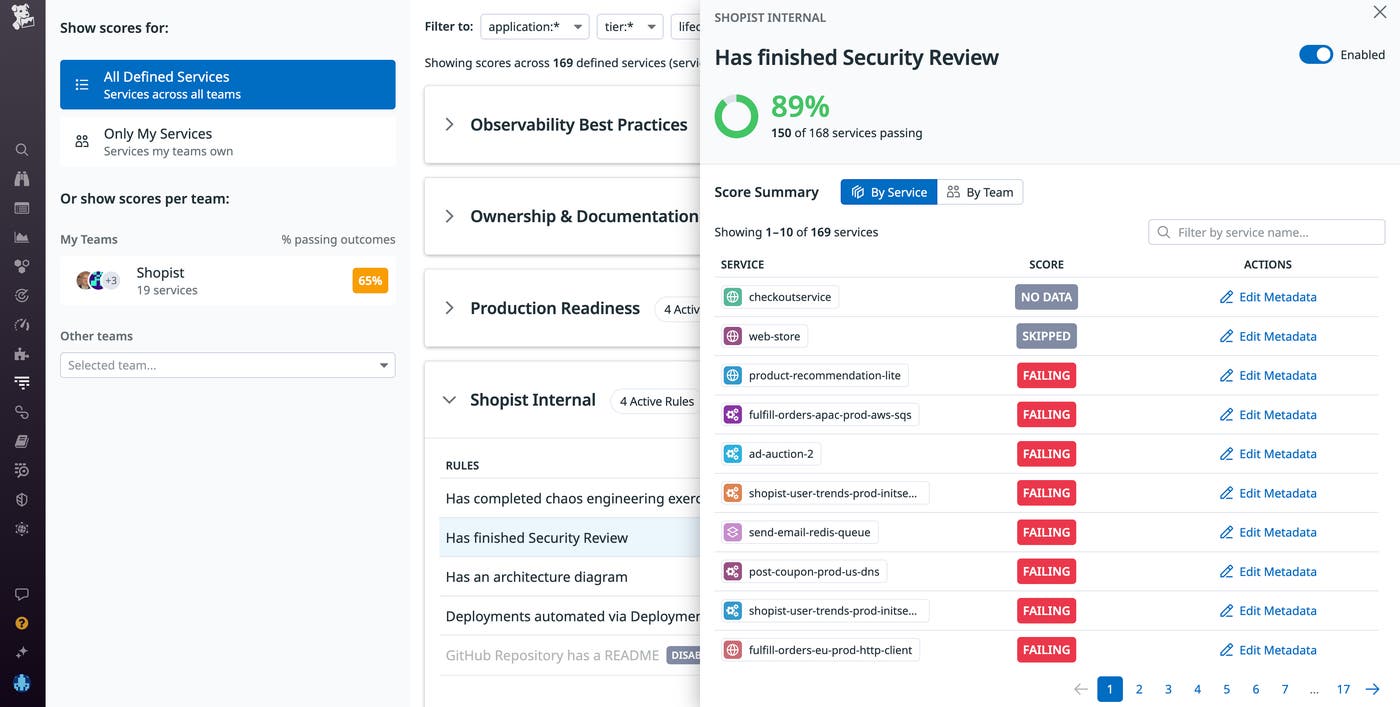
With custom Scorecards, you can streamline the process by adding a rule that monitors each step of the security check to your service’s Scorecard, making it easy to determine where each service is in the security review process, which steps have been completed, and what still remains outstanding.
With this information in hand, you can reach out to the teams that haven’t completed the review so that you can ensure your entire system is compliant and deliver the best possible product to your end users.
Enhance your service monitoring with custom Scorecards
Custom Scorecards help distributed teams ensure that every service in a connected system adheres to organization-wide standards. The Software Catalog and Scorecards are automatically populated for APM customers, and for those using the Scorecards endpoint, creating custom Scorecards is a simple process.
If you’re new to Datadog, sign up for a 14-day free trial.
