
Pablo Martinez Bernardo
Senior Software Engineer

Ethan Gracer
Product Manager

Jordan Storms
Distributed .NET applications on Microsoft Azure often rely on managed services such as Azure Service Bus, Event Hubs, Cosmos DB, and Azure API Management (APIM) to move requests between systems. These services sit directly in the request path, routing API traffic, handling asynchronous messaging workflows, and storing application data. But when an issue appears in production, engineers frequently lose visibility at the boundary between their application code and Azure-managed infrastructure.
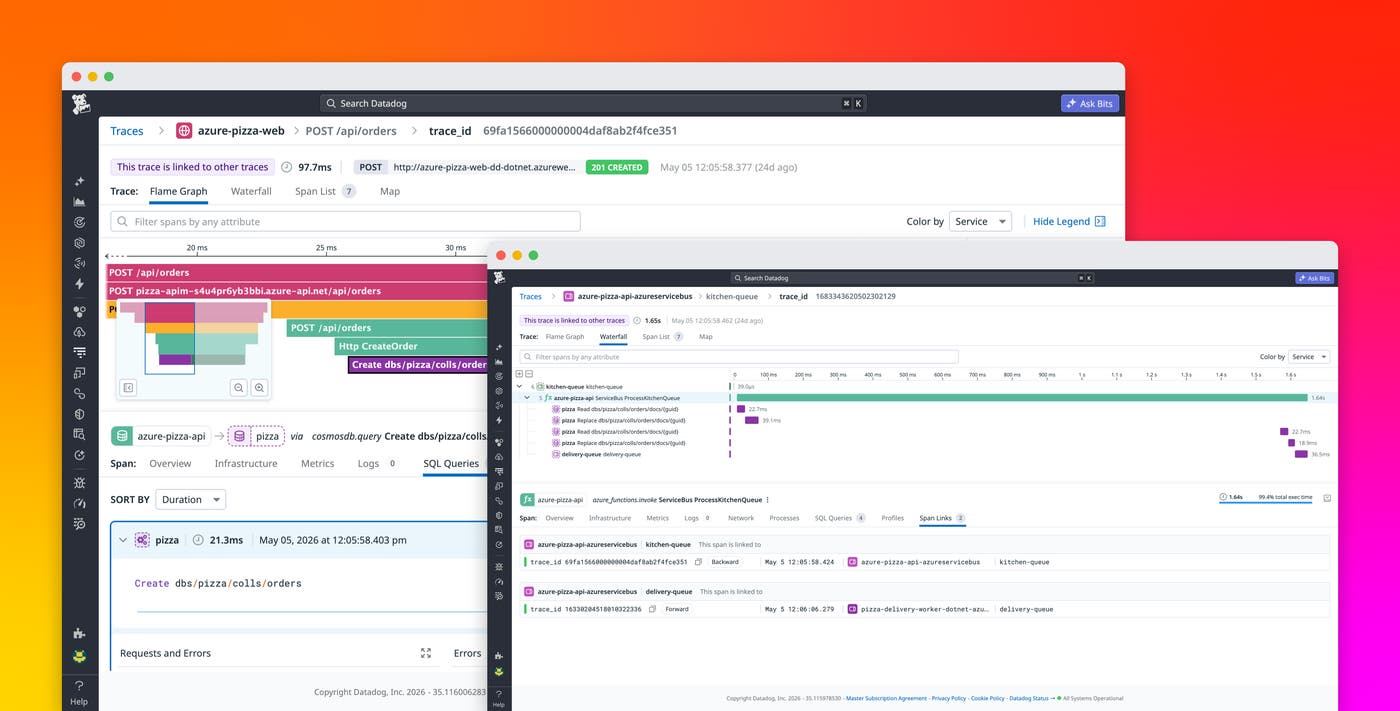
Datadog now extends distributed tracing for .NET applications running on Azure-managed services. With support for Azure Service Bus, Event Hubs, Cosmos DB, and APIM, teams can follow requests across the full application flow without modifying application code. Instead of switching between Datadog and the Azure portal to piece together request timelines, engineers can investigate a complete trace from a single view.
In this post, we’ll look at how you can:
- Trace Azure messaging services with Datadog
- Monitor Cosmos DB operations within distributed traces
- Connect frontend and backend services with APIM
- Set up tracing with minimal configuration
Trace Azure messaging services with Datadog
Modern .NET applications frequently use asynchronous communication patterns to improve scalability and resilience. Azure Service Bus and Event Hubs are common building blocks for these architectures, especially in event-driven systems and microservices environments. However, asynchronous messaging can make distributed tracing difficult because request context often gets lost as messages move through queues, topics, and event streams.
Datadog instruments the Azure Service Bus and Event Hubs SDKs so that teams can observe end-to-end request flows through messaging infrastructure. Traces remain connected as messages move between producers and consumers, helping engineers understand how asynchronous operations affect application performance and reliability.
Datadog also supports Azure Functions triggers and output bindings for these services, enabling teams to trace serverless workflows alongside traditional application services. Support for span links enables Datadog to correlate distributed operations across messaging boundaries, including both single-message and batch-processing workflows.
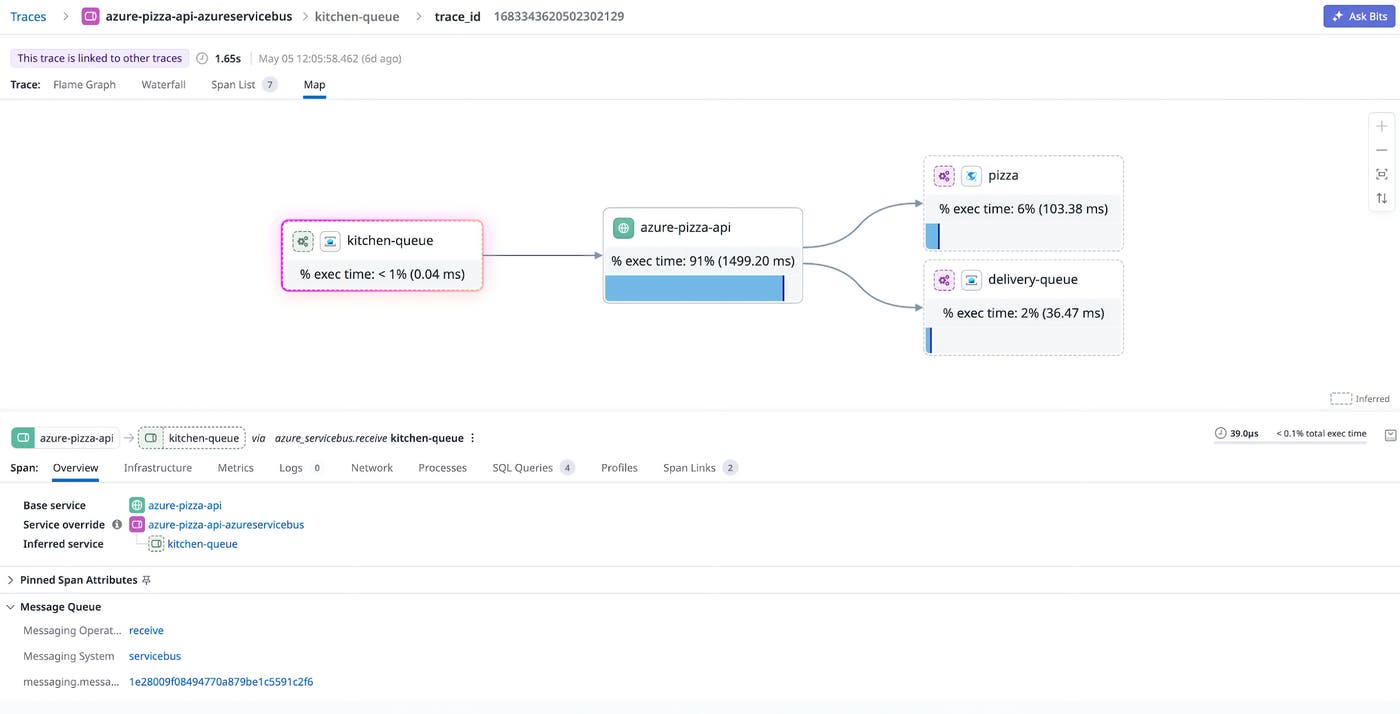
For example, an ecommerce application might publish order-processing events to Service Bus after an API request completes. With Datadog tracing enabled, engineers can follow the request from the frontend API through queue processing and downstream worker services in a single flame graph. This visibility helps teams identify slow consumers, queue-processing bottlenecks, and failures that would otherwise require manual correlation across separate monitoring systems.
Monitor Cosmos DB operations within distributed traces
Database operations are often one of the largest contributors to latency in distributed systems. When applications use Azure Cosmos DB across multiple services or functions, teams need visibility into reads, writes, and query execution alongside the rest of the request life cycle.
Datadog traces Cosmos DB CRUD operations directly within distributed traces for .NET applications. This support extends to Azure Functions triggers and output bindings, helping teams monitor both synchronous and event-driven database workflows.
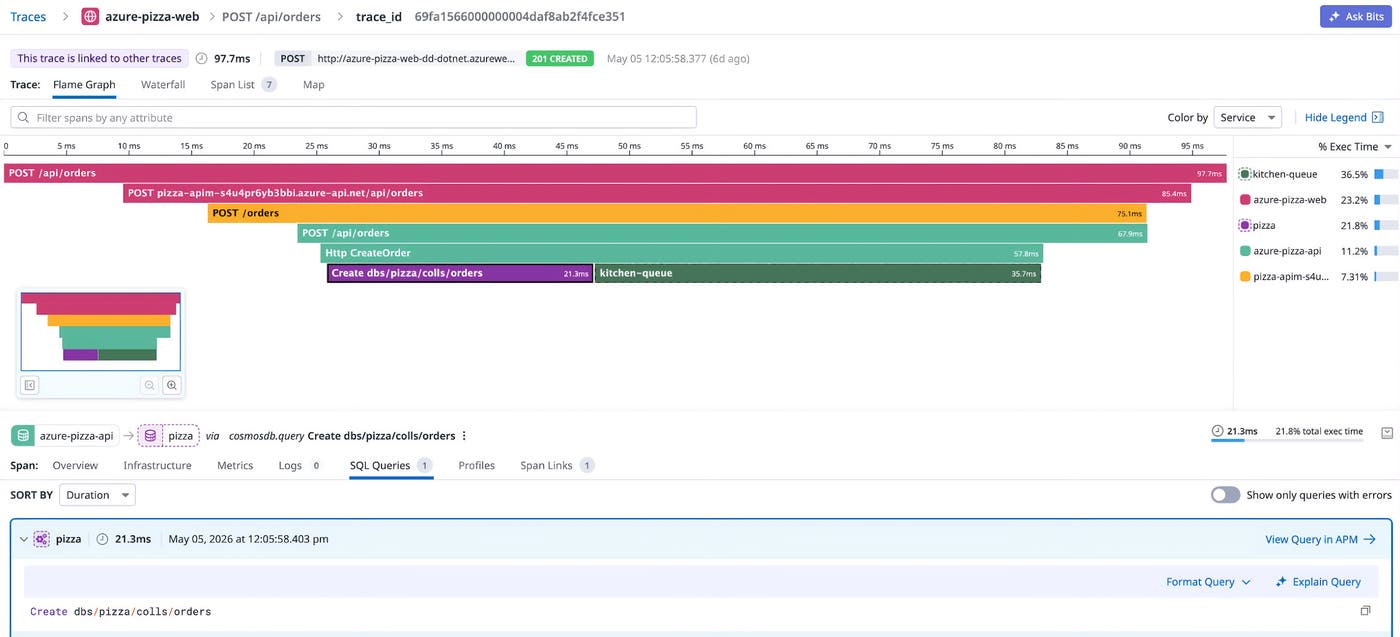
With this visibility, engineers can identify whether latency originates in database operations, messaging infrastructure, or application logic. For example, if a customer-facing API experiences increased response times, teams can inspect the trace to determine whether the slowdown came from a Cosmos DB query, delayed queue consumption, or downstream service processing.
Because Cosmos DB spans appear directly inside the full request trace, engineers no longer need to compare timestamps across separate monitoring systems or investigate Azure telemetry data independently.
Connect frontend and backend services with APIM
APIM commonly acts as the entry point for distributed applications, routing requests between frontend clients and backend services. Without visibility into APIM, traces often appear fragmented because requests terminate at the proxy layer before continuing into downstream services.
Datadog supports tracing across APIM, helping teams connect frontend and backend traces into a unified distributed view. Instead of seeing disconnected traces on either side of APIM, engineers can investigate a continuous request path across the entire application stack.
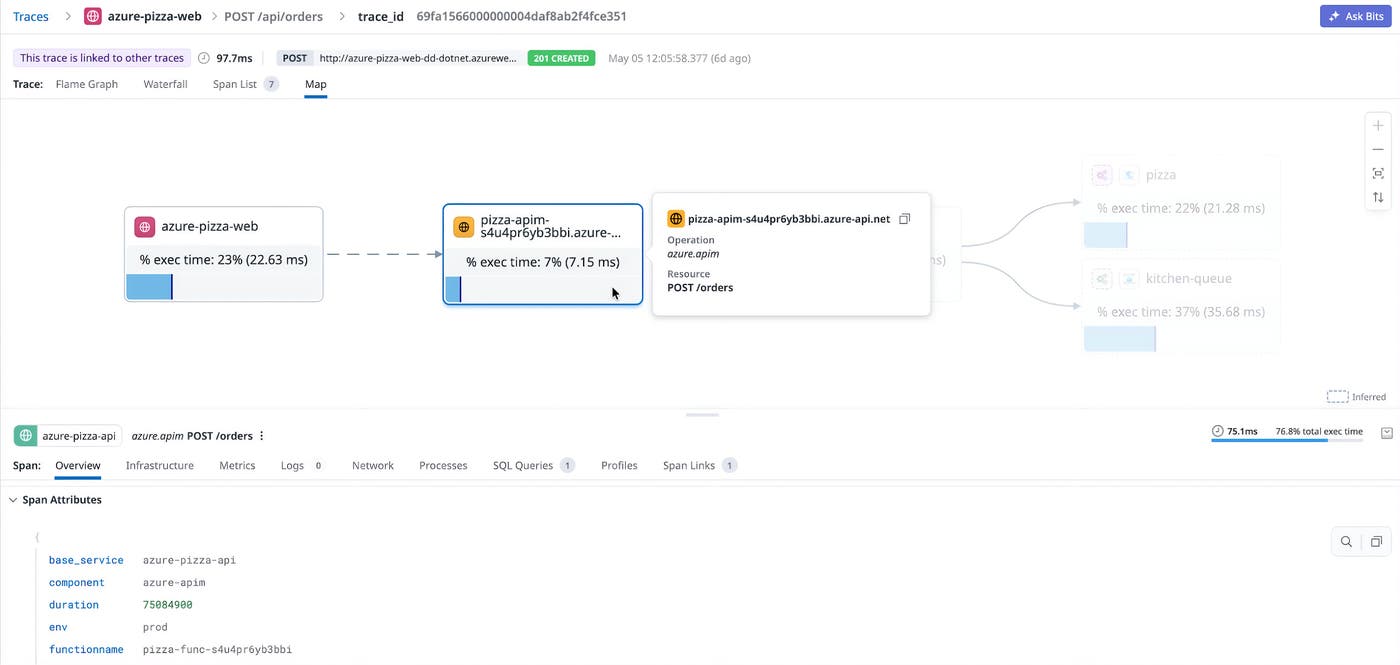
This visibility is especially useful for troubleshooting latency and routing issues. Teams can inspect how long requests spend inside APIM policies, identify failed backend calls, and understand how proxy-layer behavior affects end-user performance.
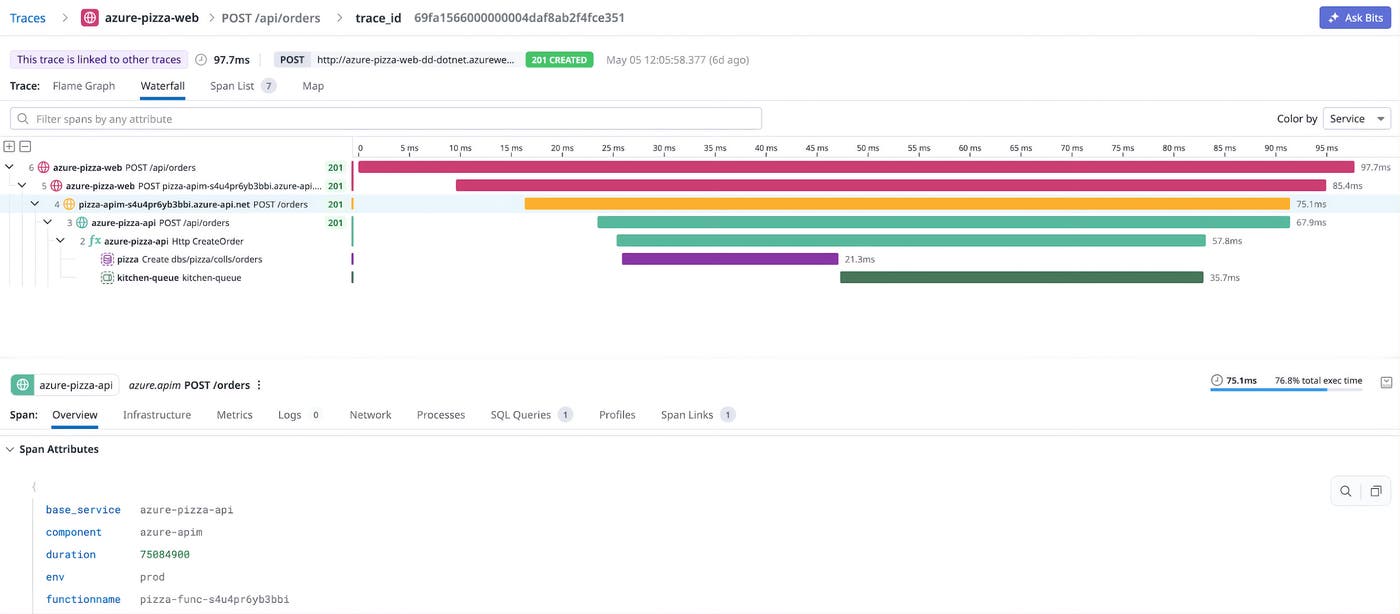
By connecting APIM telemetry data directly into distributed traces, Datadog helps teams investigate issues from a single interface rather than switching between multiple Azure and observability tools.
Set up tracing with minimal configuration
Teams adopting distributed tracing often hesitate because instrumentation can require code changes across many services and repositories. In large .NET environments, manually configuring tracing libraries for each application can slow adoption and increase operational overhead.
Datadog simplifies setup for Azure-managed service tracing through automatic instrumentation. Messaging services and Cosmos DB tracing work with Datadog automatic instrumentation, allowing teams to enable visibility without modifying application code.
For APIM, teams can enable inferred proxy span creation by configuring the tracer with an environment variable and adding an inbound APIM policy.
Datadog also provides environment-specific setup guidance for common Azure deployment targets, including:
- Azure Functions
- Azure App Service
- Azure Container Apps
To learn more about configuring APIM tracing, read the Azure API Management tracing documentation.
Get full visibility into Azure-managed services with Datadog
Azure-managed services are critical components in many distributed .NET applications, but they have historically introduced visibility gaps in distributed traces. By extending tracing support to Azure Service Bus, Event Hubs, Cosmos DB, and Azure API Management, Datadog helps teams investigate application behavior across the full request life cycle.
With complete traces that span application code and Azure-managed infrastructure, engineers can identify bottlenecks faster, troubleshoot incidents from a single interface, and better understand how requests move through complex distributed systems.
To get started, explore the Datadog APM documentation and the Azure API Management tracing setup guide. If you’re new to Datadog, you can sign up for a free 14-day trial.
