
Stella Ma
Product Marketing Manager

Quentin Sellem

Antoine Dussault
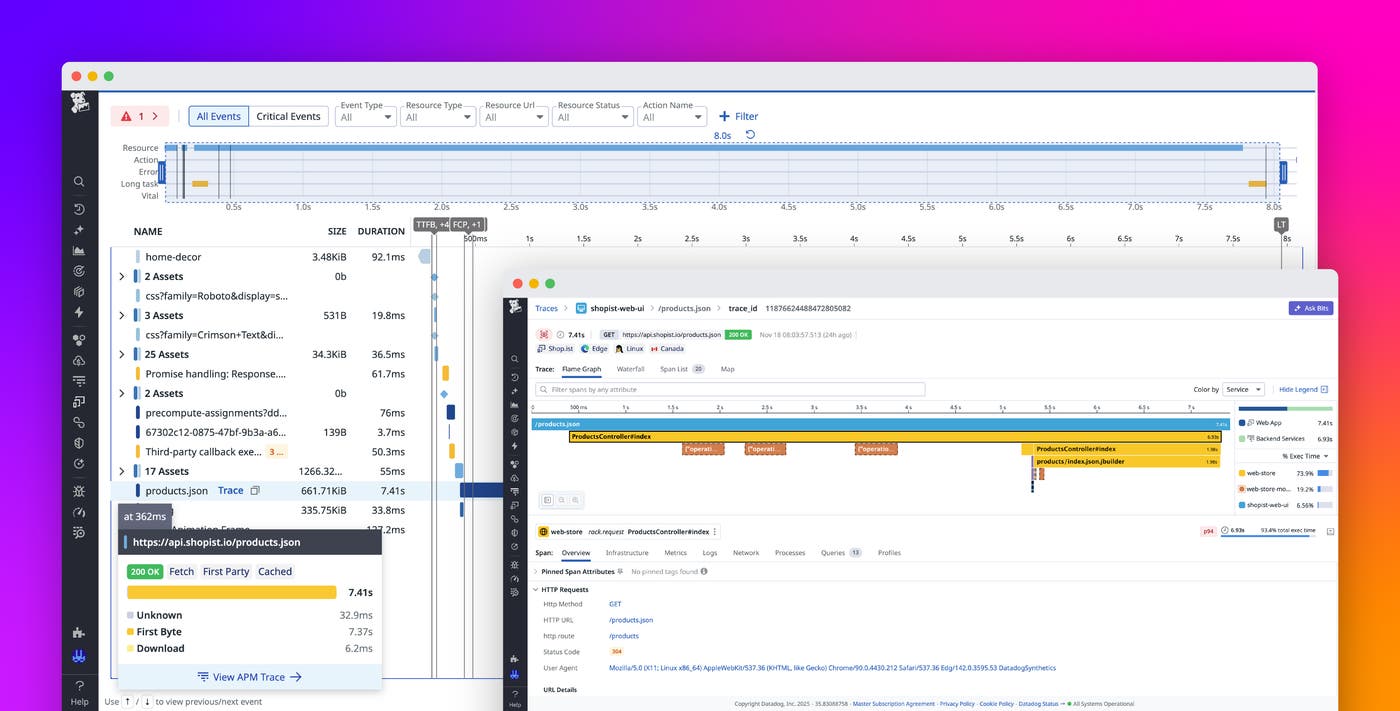
Teams can use Datadog Real User Monitoring (RUM) and RUM without Limits™ to get full visibility into the frontend health of their applications while retaining only the sessions that contain critical problems that affect the end-user experience. But application errors or slowness often result from backend issues, such as database bottlenecks. To diagnose these issues, you need to correlate the frontend data from RUM with the backend data from Datadog Application Performance Monitoring (APM). Until now, RUM and APM had independent retention controls that could lead to visibility gaps in those situations. A retained RUM session might lack corresponding APM traces if those traces weren’t indexed, making it more difficult to diagnose critical moments of user frustration.
Datadog’s RUM x APM cross-product retention filters, now generally available, help solve these challenges by enabling you to retain all traces associated with a retained RUM session. With these filters, you get a unified view of the full user journey—from browser events to backend service calls—so your teams can speed up investigations and improve their productivity with an end-to-end picture of what went wrong.
In this post, we’ll show how you can use cross-product retention filters to:
Unify frontend and backend observability for faster troubleshooting
When you set cross-product retention filters, Datadog automatically retains APM traces that correspond to retained RUM sessions, regardless of existing APM retention rules. From the RUM UI, you specify a percentage of retained sessions whose corresponding APM traces will also be retained. Any retained session will now have its ingested backend distributed traces retained as well. You can inspect what services or dependencies contributed to a failure, with no additional configuration required.
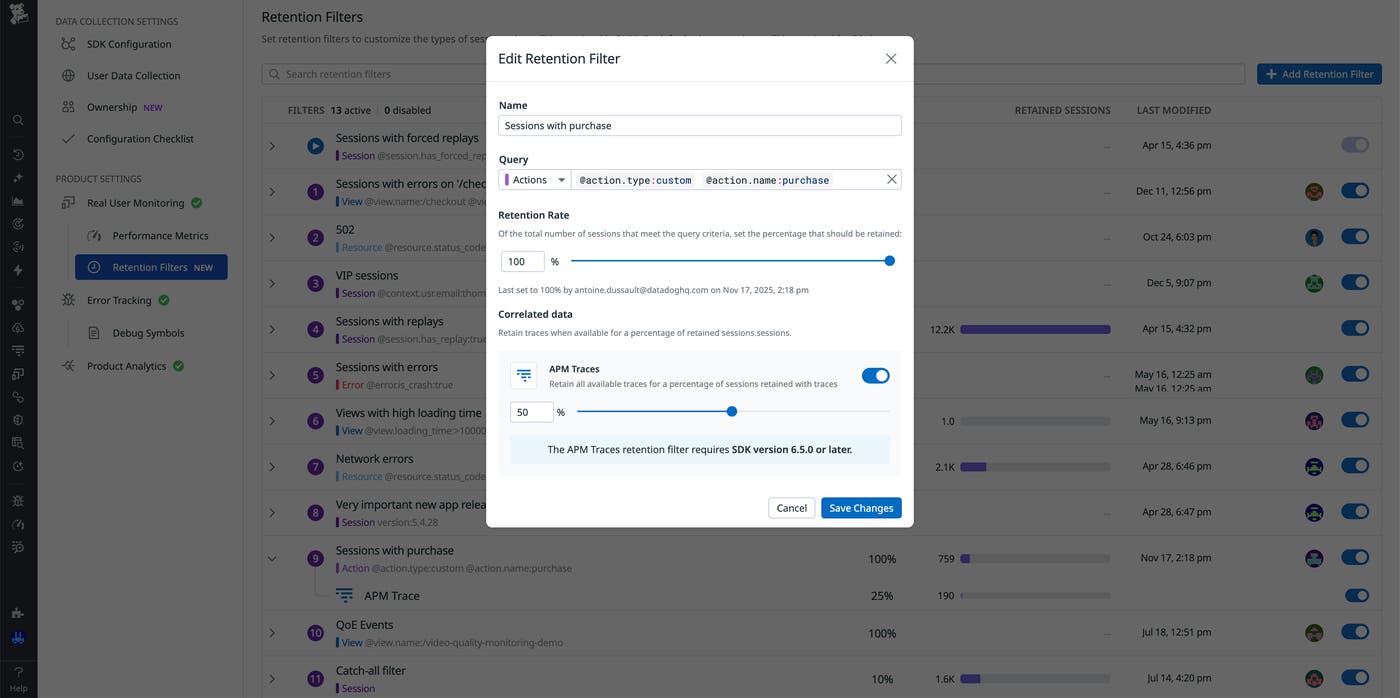
For example, consider an ecommerce application that is failing to apply a discount after users enter a promo code at checkout. Using RUM retention filters, you can retain sessions that contain promo code errors. When you configure a trace retention rate on the RUM retention filter, Datadog automatically retains the associated backend traces for those same sessions. You can then trace each impacted session through the backend to see which services or dependencies contributed to the failure.
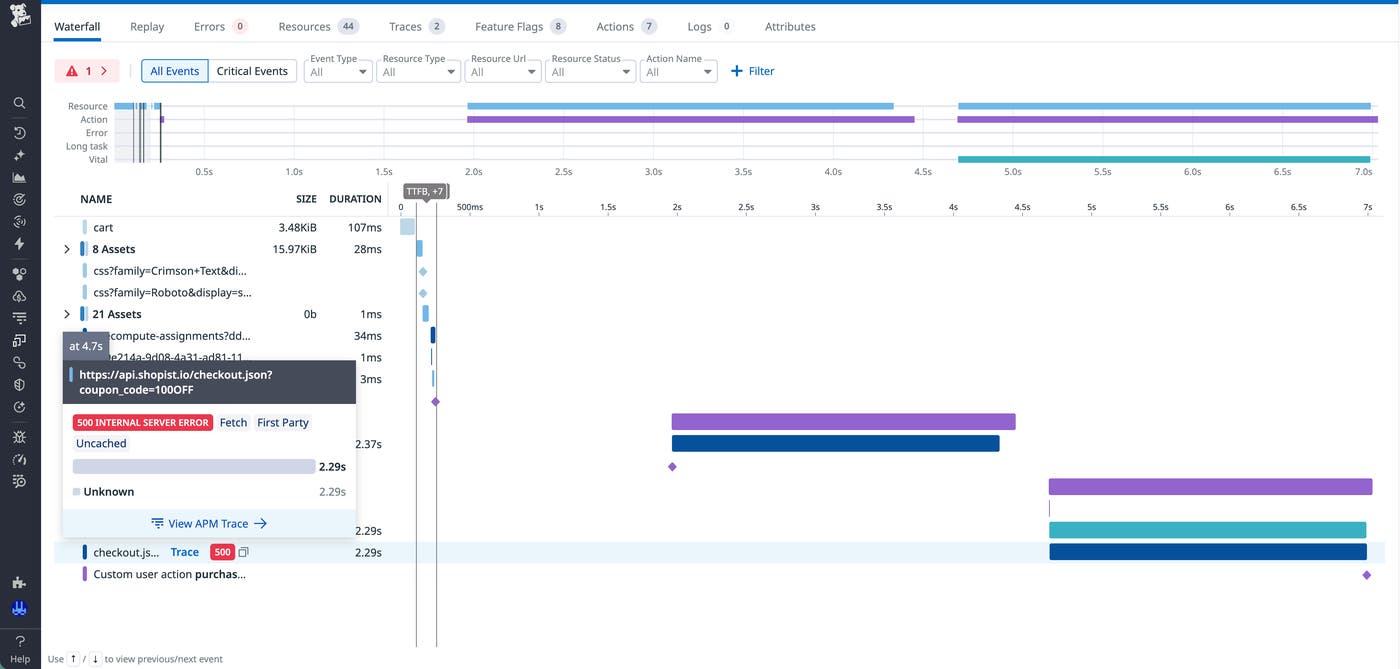
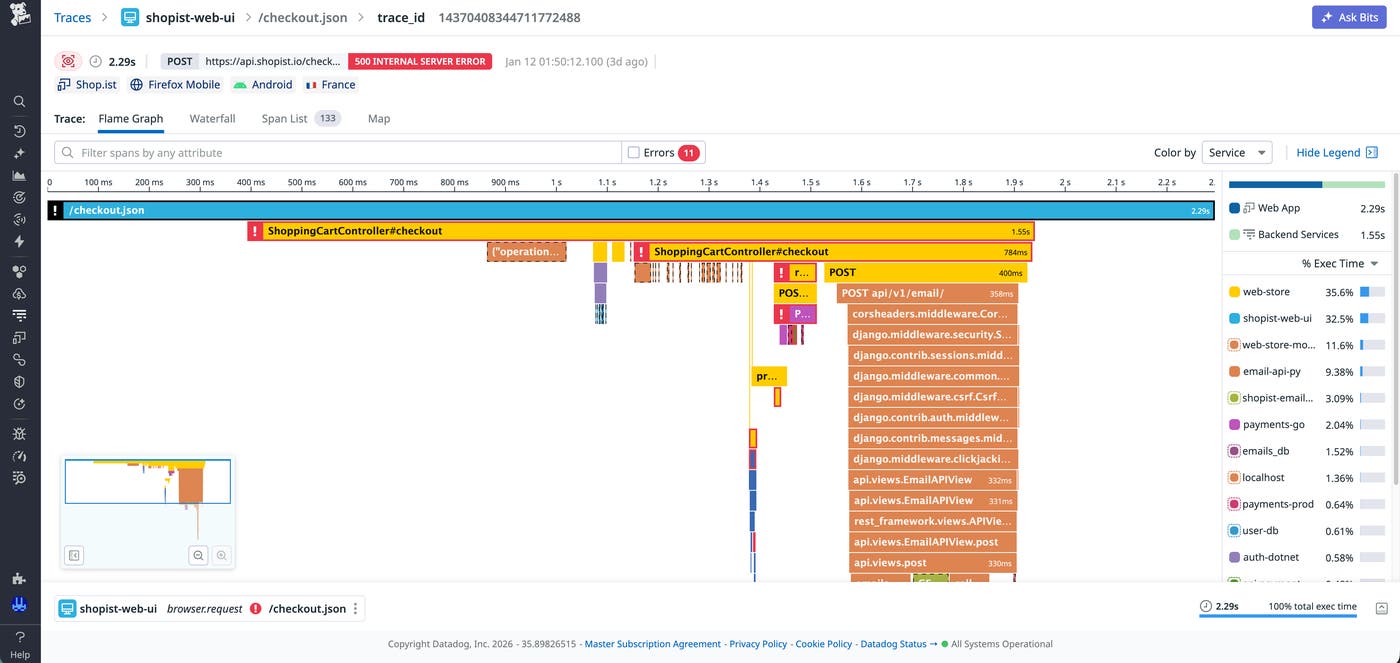
By using this approach, you discover that the application error originates from an uncaught exception that occurs in a backend service when the promo code is incorrectly formatted. The following screenshots show the RUM view waterfall that includes this error, followed by the correlated distributed trace from APM.
In addition to the ability to create custom cross-product retention filters, Datadog provides a 1% default cross-product retention filter (included in the price of both APM and RUM) to help you with correlation. This retention filter automatically retains both 1% of RUM sessions whose traces are ingested and their associated traces in APM. You get a consistent sample of correlated sessions and traces for every account, meaning that you automatically have representative data to analyze cross-stack issues at no additional cost.
By combining RUM without Limits with cross-product retention filters, your teams can retain the most valuable frontend and backend data for full visibility of application performance and availability.
Quickly identify linked traces and user sessions
After you configure your retention strategy, Datadog makes it easy for you to identify RUM sessions and APM traces that are correlated with each other. From the RUM Explorer, filter on @session.has_indexed_apm_traces:true to find sessions with retained distributed traces, and filter on @session.retention_reason:apm_rum_flat_sampling to find sessions captured by the default 1% retention filter. Similarly, you can find traces correlated with indexed sessions by using a @retention_reason:rum query filter from the APM Trace Explorer.
These filters help you immediately identify retained RUM events that have connected traces, all without sifting through a long list of individual sessions. Instead of switching between dashboards or guessing which trace aligns with a reported issue, you can follow a direct link from a RUM resource to its associated trace. This investigation workflow enables you to spend more time resolving issues and less time stitching together data.
Start aligning your RUM and APM retention today
RUM without Limits gives you frontend visibility at scale while helping you prioritize the retention of sessions that include errors, crashes, or high latency. Cross-product retention filters go a step further by enabling you to align your retention strategies to connect your frontend observability data with your backend observability data. With your RUM sessions and APM traces in sync, your teams gain a consistent end-to-end view of the factors that affect user experience. To learn more, check out the RUM documentation for retention filters and the APM documentation for trace retention.
If you don’t already have a Datadog account, you can sign up for a 14-day free trial.
