
Ellie Cohen

Eddie Cai
Technical Content Writer
Alibaba Cloud is a major cloud provider in APAC, offering industry-leading foundational AI models in addition to compute, managed databases, object storage, and Kubernetes through its Container Service for Kubernetes (ACK). Teams choose Alibaba Cloud for its infrastructure availability across Asia Pacific and its managed services. For SREs and platform engineers, that often means running Alibaba Cloud alongside AWS, Google Cloud, or Microsoft Azure. Each cloud has its own observability layer, making incidents that span providers difficult to diagnose.
The Datadog Alibaba Cloud integration collects metrics from popular Alibaba Cloud services, pulls logs natively from Simple Log Service (SLS), and when paired with the Datadog Agent installed on ECS instances and ACK clusters, supports distributed traces and container data collection. Investigating an incident in Alibaba Cloud no longer requires switching tools or changing context since that data lives in Datadog alongside the rest of your stack.
In this post, you’ll see how to:
Correlate Alibaba Cloud infrastructure metrics with your stack
Help accommodate compliance needs with Datadog BYOC (Bring Your Own Cloud) Logs
Collect distributed application traces and container metrics
Correlate Alibaba Cloud infrastructure metrics with your stack
Each Alibaba Cloud service generates signals in Alibaba Cloud Cloud Monitor. When an Elastic Compute Service (ECS) instance saturates its CPU or an Express Connect circuit shows packet loss, that signal surfaces only in Cloud Monitor, with no connection to existing monitoring workflows.
The Alibaba Cloud integration supports 14 infrastructure services, so you can correlate Alibaba Cloud compute, networking, and storage behavior with the applications that depend on them. Datadog provides monitor templates for Alibaba Cloud metrics that you can deploy as soon as the integration is enabled, with no additional tooling or data export required.
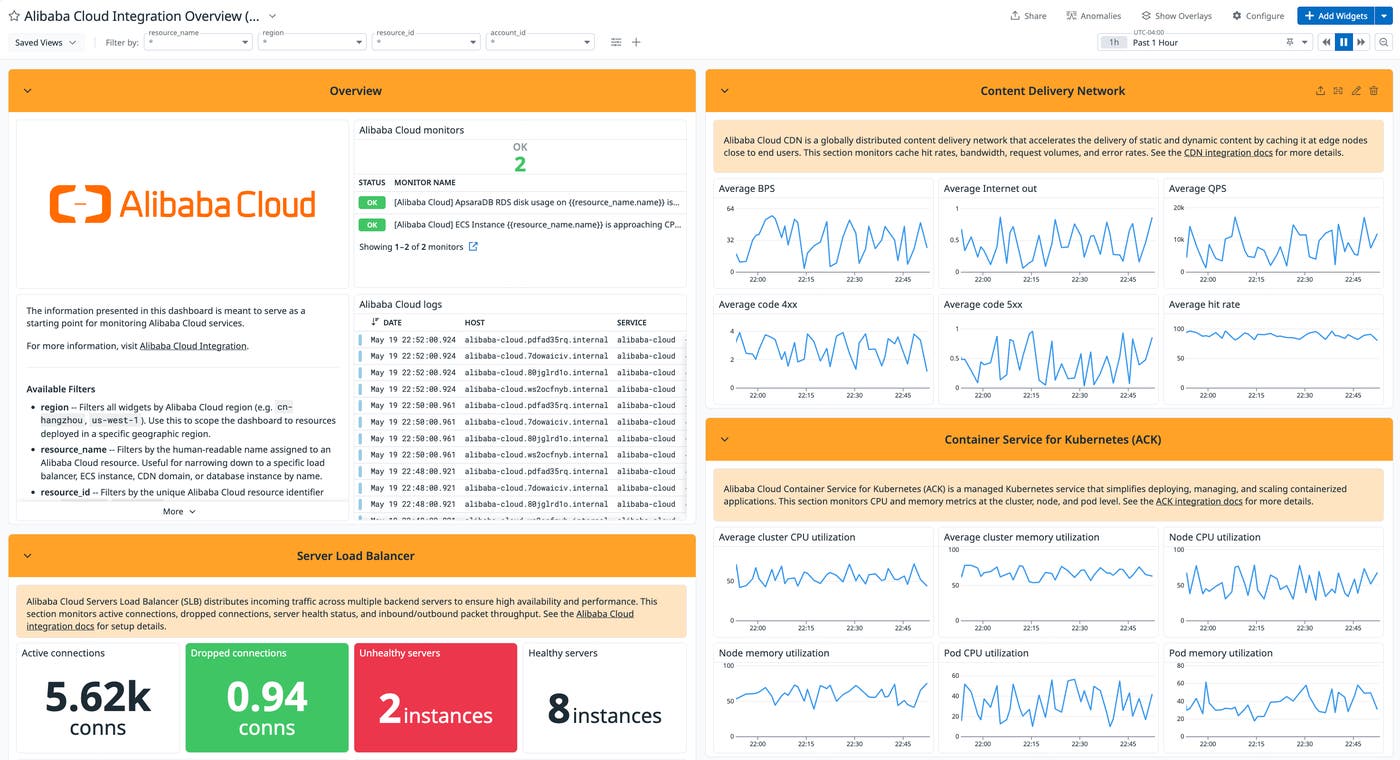
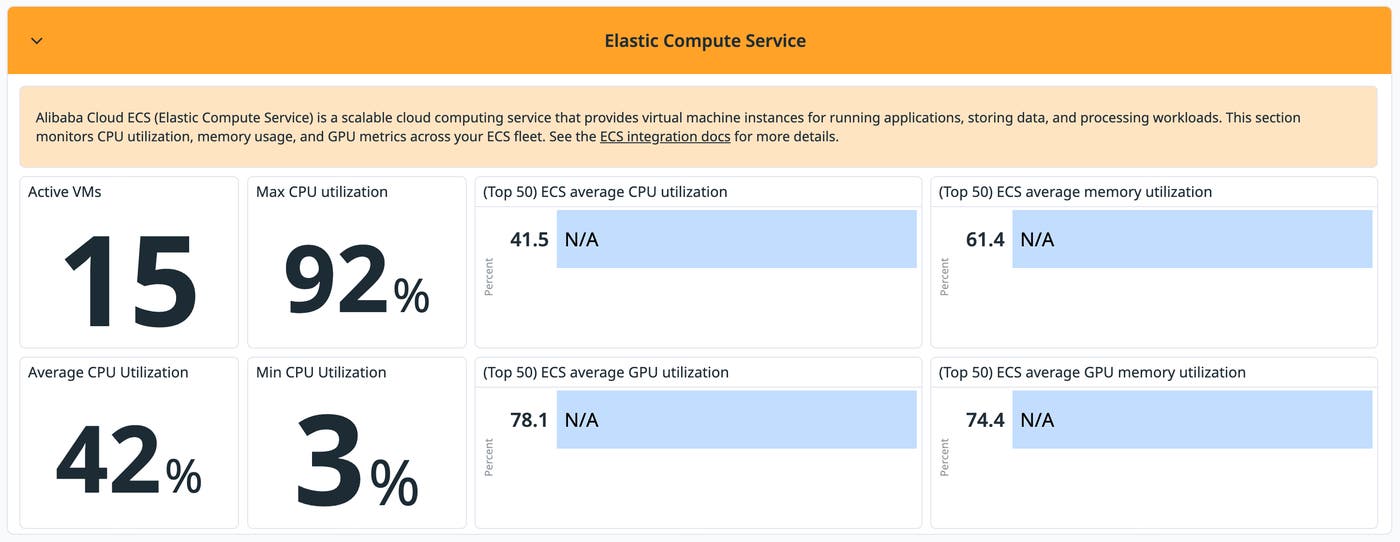
Once you configure the integration, out-of-the-box (OOTB) dashboards for ECS, content delivery network (CDN), and server load balancer (SLB) load automatically. The ECS dashboard surfaces host-level CPU and memory metrics alongside a table of top instances ranked by utilization. The CDN and SLB dashboards provide bandwidth, request throughput, and error rate views without any manual setup.
Monitor ApsaraDB databases with OOTB dashboards
Diagnosing application latency at the database tier requires understanding whether the cause is query volume, connection exhaustion, cache eviction, or replication lag. Without database-level metrics alongside traces, you have to switch to the ApsaraDB console and correlate data there manually.
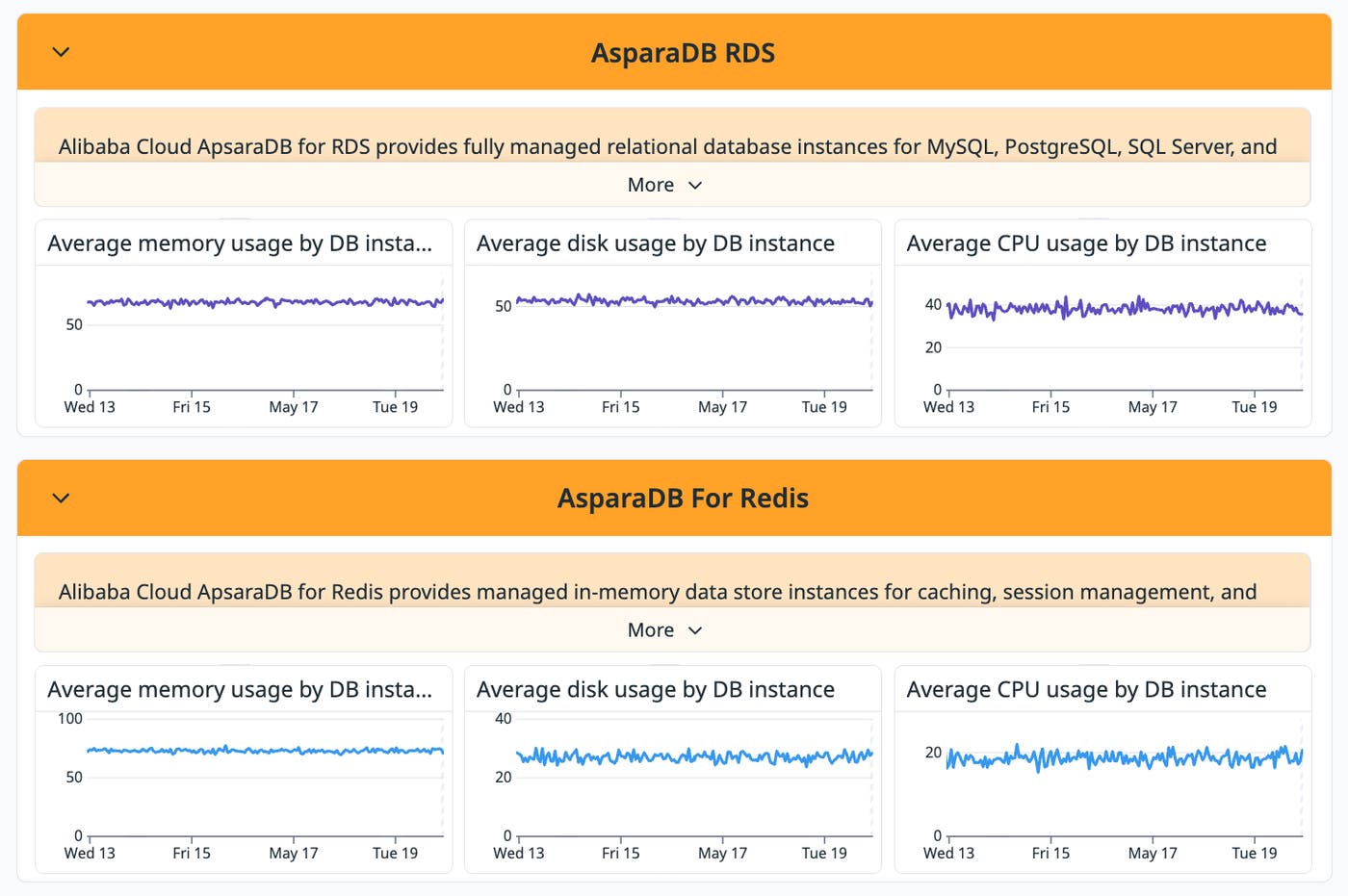
Datadog’s OOTB dashboards for ApsaraDB RDS, ApsaraDB for Redis, ApsaraDB for MongoDB, and ApsaraDB for Memcache load automatically when the integration is configured. Each dashboard surfaces query throughput and connection counts across all four services. For Redis and Memcache, a dropping cache hit rate is the primary diagnostic signal. Climbing eviction rates are usually the cause. For RDS and MongoDB, replication lag is worth watching alongside query throughput and connection counts.
Say request latency starts climbing and an APM trace shows a bottleneck in the Redis layer. Opening the ApsaraDB for Redis dashboard reveals that cache hit rate has been dropping for the past 15 minutes, with evictions accelerating. Both signals land in the same view, no context switching required.
Collect Alibaba Cloud logs from Simple Log Service (SLS)
If your team routes log data to SLS for consolidated log management, getting those logs into an external observability platform typically means building and maintaining additional pipeline infrastructure. That added step introduces lag between when an event occurs and when it can be searched.
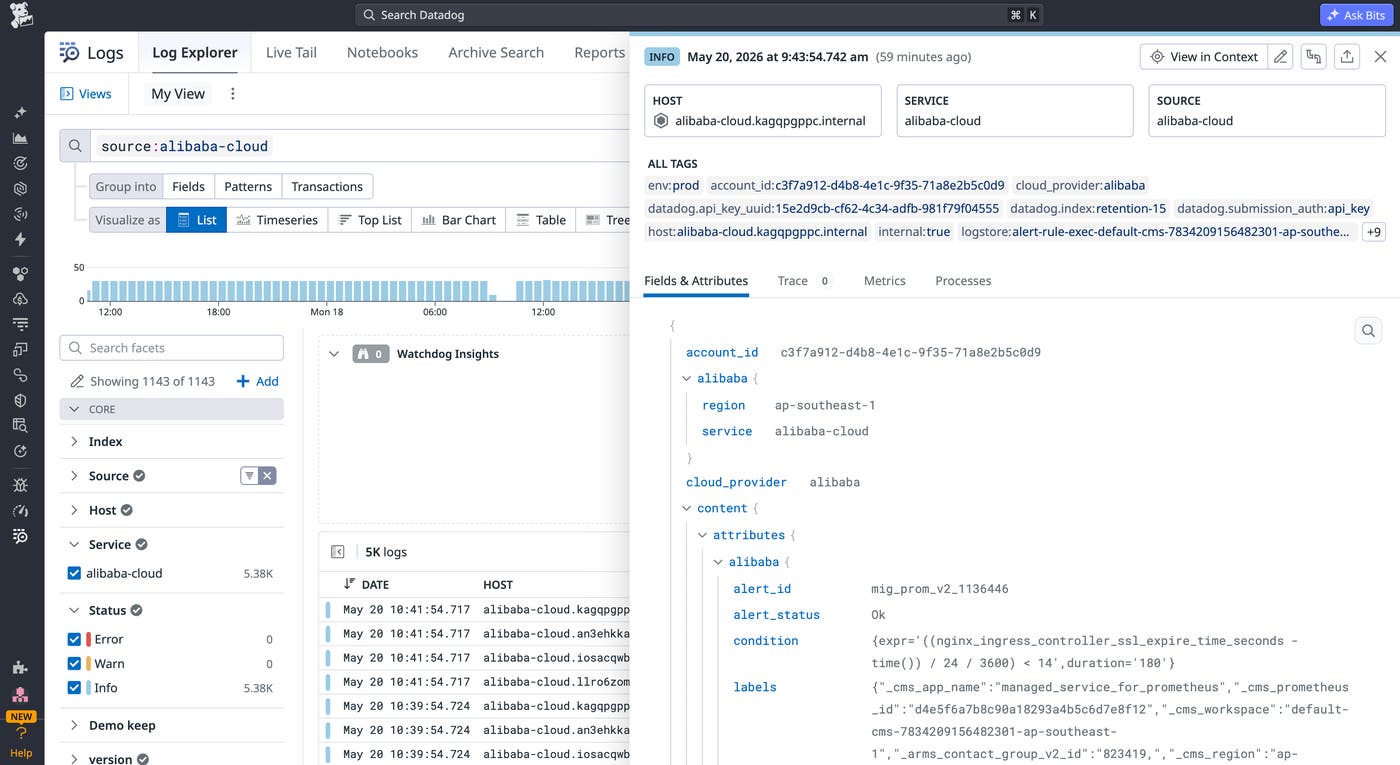
Datadog pulls logs directly from SLS into Log Management, where they can be searched, tailed, and correlated with metrics already collected from Alibaba Cloud services. The integration supports log collection for any service that SLS supports.
ActionTrail records API calls and configuration changes across an Alibaba Cloud account, serving the same role as audit logs in other cloud providers. When a configuration change coincides with a spike in error rates, ActionTrail is where you’ll look first.
For container workloads, ACK logs capture control plane events and node output from both managed and dedicated Kubernetes deployments. Paired with pod-level metrics from the Datadog Agent, ACK logs connect cluster state to application behavior in the same view. ECS logs, Object Storage Service (OSS) access logs, and Virtual Private Cloud (VPC) Flow logs are also supported for compute, storage, and network visibility.
Help accommodate compliance needs with Datadog BYOC (Bring Your Own Cloud) Logs
Some Alibaba Cloud customers may prefer to keep their log data within specific geographic boundaries. BYOC (Bring Your Own Cloud) Logs helps support these customers with a deployment that runs log processing inside the customer’s own Alibaba Cloud environment.
Log data is indexed and queried within the customer’s Alibaba Cloud account. The results surface in the Datadog UI.
With BYOC Logs, you get the same Log Management capabilities as any other Datadog deployment, including search, log-based monitors, dashboards, and archiving.
Collect distributed application traces and container metrics
Infrastructure metrics indicate that a problem exists but do not explain the user impact. Application-level data bridges the gap between a metric anomaly and the root cause.
The Datadog Agent can be installed on ECS instances and ACK Kubernetes clusters to collect distributed traces, runtime metrics, and process data. APM traces appear alongside infrastructure metrics in Datadog, so you can more easily follow a slow request from the entry point through each downstream service to the specific call that introduced the latency.
Instrument ECS instances and ACK clusters with the Datadog Agent
With the Datadog Agent running on ECS instances and ACK clusters, you can correlate host metrics with distributed traces and process data in a single view.
On ECS instances, install the Agent using a package install or a user-data script. APM auto-instrumentation picks up traces from supported runtimes without code changes. On ACK clusters, deploy the Agent as a DaemonSet to collect pod-level CPU, memory, and network metrics alongside Kubernetes events, cluster state, and container logs. Managed ACK clusters follow the same DaemonSet installation pattern as any other Kubernetes environment.
Say an ECS instance running a checkout service starts showing CPU utilization above 80% during normal traffic hours. The ECS dashboard shows the spike is isolated to a single instance. You pull up traces for that host in Datadog and find that a specific endpoint calling a downstream inventory service has p99 latency climbing past two seconds. The host-level CPU spike and the trace-level slowdown land in the same view, narrowing the investigation to a single service and endpoint without pulling data from separate tools.
Start monitoring Alibaba Cloud in Datadog
The Datadog Alibaba Cloud integration brings metrics and logs from popular Alibaba Cloud services into Datadog. Combined with the Datadog Agent for distributed traces, you have full-stack visibility in one place. When something goes wrong, you can follow a request from its entry point through each downstream service to the specific call that introduced the latency, without switching tools or changing context. For teams operating under data residency requirements in APAC, BYOC Logs extends that coverage without requiring a separate observability platform.
To learn more about the Datadog Alibaba Cloud integration, see our integration documentation.
If you’re not already a Datadog customer, sign up for a free 14-day trial.
