
Michael Bevilacqua-Linn
Senior Staff Engineer

Till W

Tanguy Renaudie
Applied Scientist

Mehul Sonowal

Gabriele Lorenzo

Alex Barksdale
Senior Software Engineer
Coding agents like Claude Code, Cursor, and Codex CLI handle the coding parts of building an AI application well. The harder work comes after: understanding why a response went wrong, building eval sets that reflect real production behavior, and keeping up with an application that changes faster than any one-off script can. Teams spend 60–80% of their time on evaluation and error analysis, and much of that work needs to be redone every time the stack shifts.
Datadog Agent Observability already captures the telemetry data needed to answer those questions. It traces every prompt and response and runs online evaluations over them. To make that telemetry data usable from inside your coding agent, we’ve built two foundations. The Agent Observability toolset in the Datadog MCP Server gives agents structured access to Agent Observability data. The Pup CLI, a command-line interface into much of Datadog’s API surface. On top of these foundations, we’re shipping a set of Agent Skills that package common AI engineering tasks into single commands. Drop them into your agent’s skills directory, and your coding agent can classify sessions, debug production failures, and evaluate new versions of your application against real traffic.
In this post, we’ll show you how to:
Give your coding agent access to your Agent Observability data
Turn production traces into evaluation datasets directly in your coding agent
Analyze experiments and view the results in Datadog Notebooks
Take an investigation from traces to a coding-agent generated fix
Give your coding agent access to your Agent Observability data
While you’re in your coding agent, the data you most need to evaluate is already in Datadog. That includes your production LLM traces, evaluation results, and experiment metrics. The skills below all rely on the same foundation that pulls that data into context. Some teams prefer MCP for this and others prefer a CLI, so we support both.
The Datadog MCP Server gives your agent native tool calls for searching traces, walking span trees, pulling experiment summaries, and writing findings into a Datadog Notebook. Two toolsets matter here: The llmobs toolset covers trace and experiment access, and the core toolset covers cross-product utilities like Notebook export. MCP is the right fit when you want your agent to reason about Datadog data alongside other tasks, and it works in any MCP-compatible client.
Pup CLI drives the same Datadog API surface from the shell. A single command like pup llmobs traces search --ml-app task-cruncher --has-error returns trace IDs without leaving the terminal. Pup CLI is the right fit for scripting, CI runs, and agents whose workflows suit pipes better than tool calls. Both foundations are useful on their own, but the skills below package the most common eval workflows on top of them so you don’t end up scripting the same investigation repeatedly.
To make the skills concrete, we’ll thread a single example through all of them. Task Cruncher is a conversational task-management assistant, similar to tools such as Linear or Jira, whose users have drifted from simple “create this task” requests toward multi-project coordination questions. The agent struggles with these types of complex queries, and since they’re not well represented in existing offline evaluations, the team has no signal that anything is wrong.
Turn production traces into evaluation datasets directly in your coding agent
The first three skills operate directly on production traces.
agent-observability-session-classify: Assigns a binary thumbs-up or thumbs-down directly on traces, filling gaps where direct user feedback is missing.agent-observability-trace-rca: Runs an initial error analysis on production traces, with the ability to output results to a Datadog Notebook.agent-observability-eval-bootstrap: Bootstraps potential evaluators from production traces.
agent-observability-session-classify
The Task Cruncher team collects thumbs up/thumbs down feedback on every session, but only a few percent of customers click it. If customers are unhappy, they typically leave.
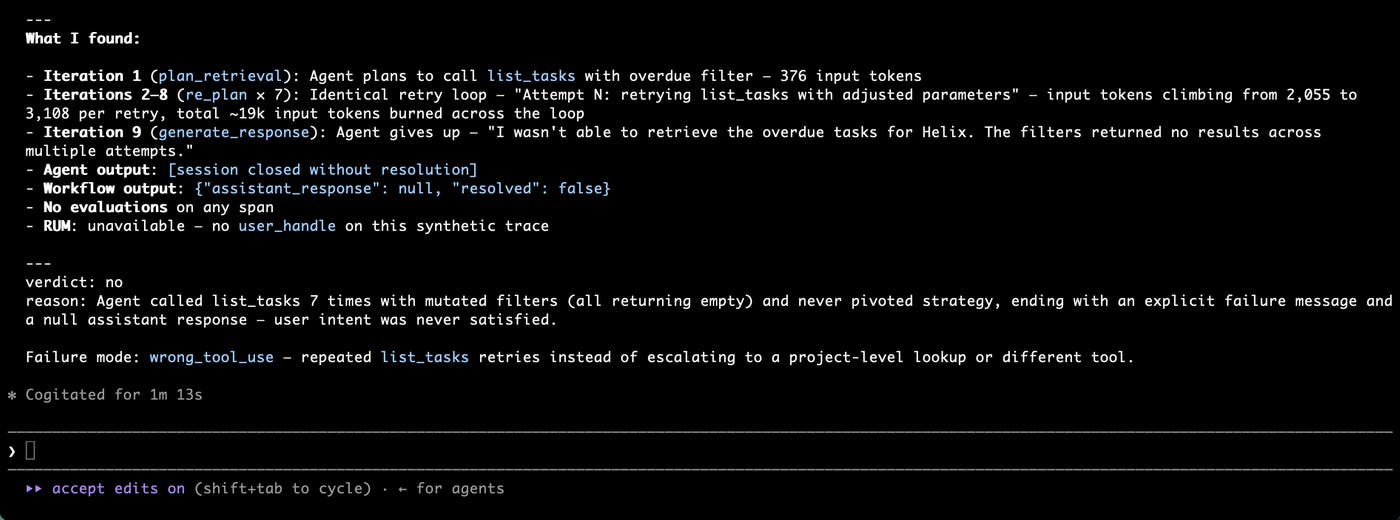
The agent-observability-session-classify skill helps close this gap using a technique called weak labeling. When customers don’t provide explicit feedback on a session, this skill attempts to derive a binary label using existing Datadog data including the trace itself, Real User Monitoring (RUM) and Audit Trail. For each session, it outputs a thumbs up/thumbs down label and reasoning about the failure mode.
agent-observability-trace-rca
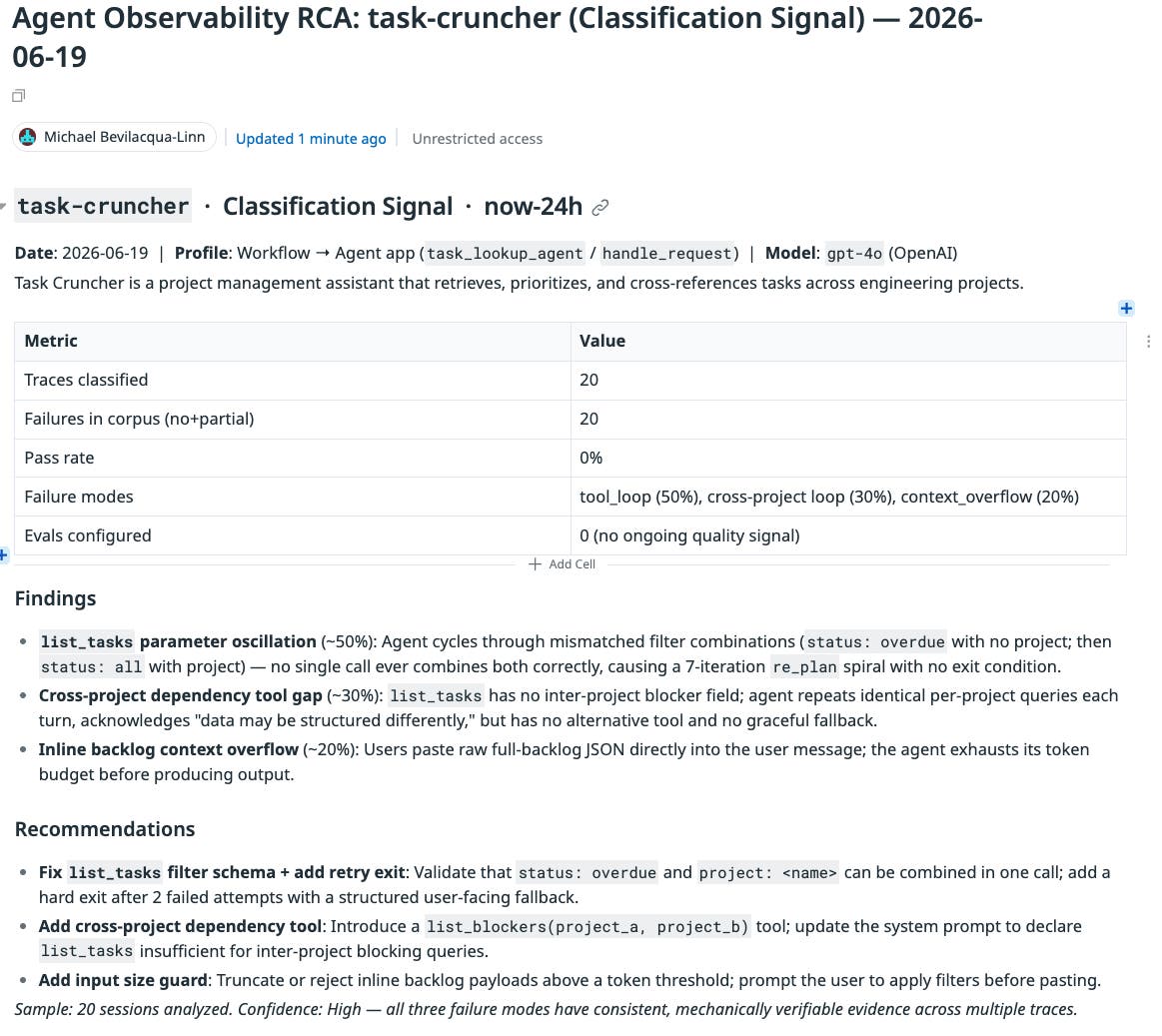
The next skill accepts traces and user feedback and performs an initial error analysis. Feedback can come from our end-user feedback feature (thumbs-up or thumbs-down), online evals, or the session-classify skill above. The skill runs on traces across a given time range in an ML application, sampling if necessary. It then outputs a report. If it runs with your codebase in context, it can also suggest specific fixes for your agent to implement.
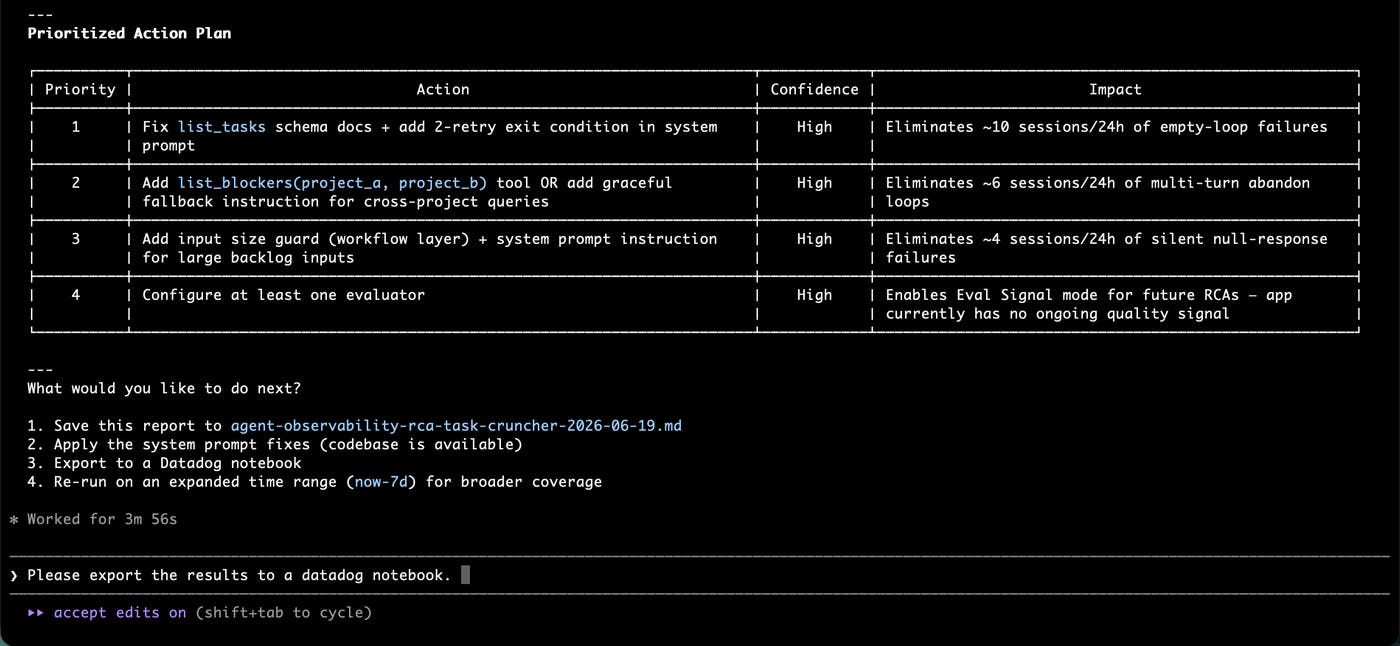
Beyond those suggested fixes, the skill helps you and your team understand errors in your traces. We’ve found the best format for this is a Datadog Notebook, which can be shared with the team and further modified with additional analysis. The skill supports native exports.
agent-observability-eval-bootstrap
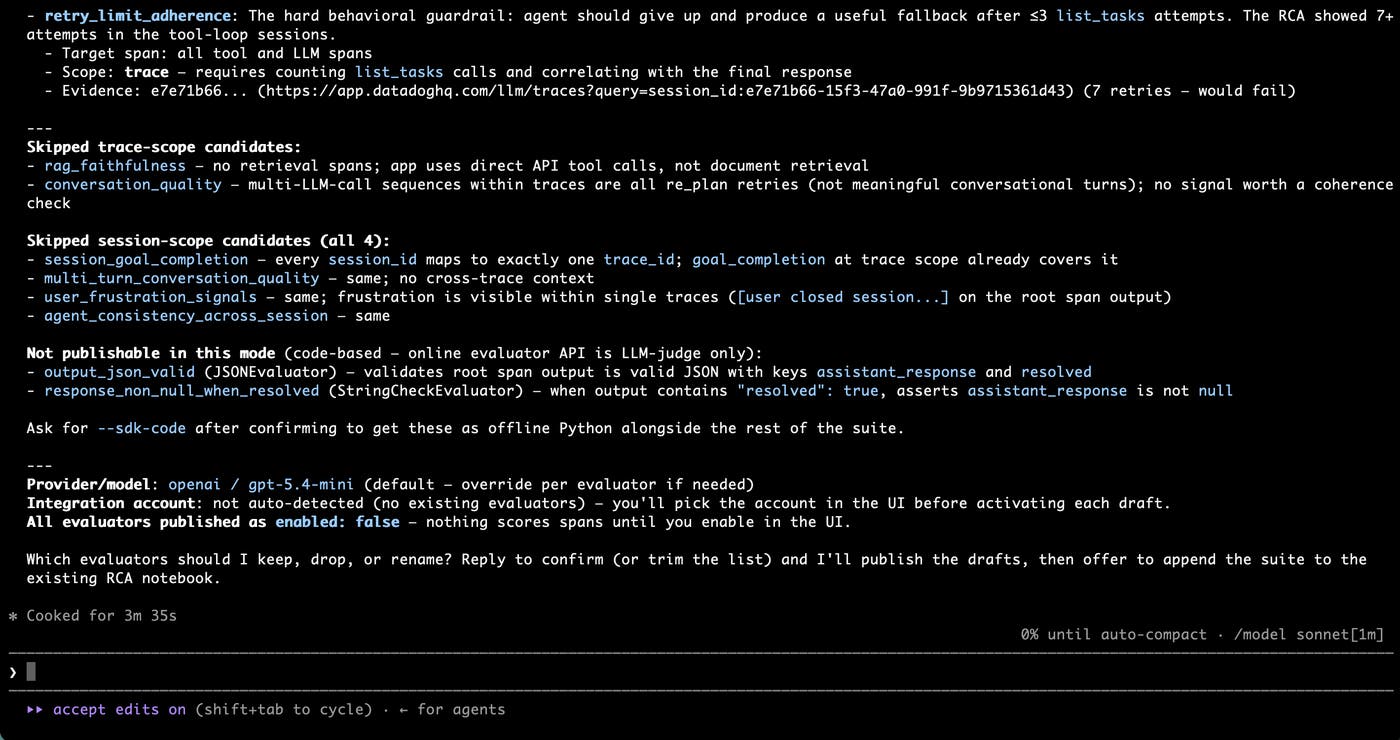
The third skill operates on production traces to an improved eval set. The Task Cruncher team’s problem traces back to customers asking multi-project queries the agent wasn’t built to handle. This skill bootstraps new evaluators, either in our Python SDK or as a JSON struct you can import into an external evaluation framework.
Analyze experiments and view the results in Datadog Notebooks
Those three skills all operate on production traces and other online data. Switching over to the offline experiments side, we’ve got two skills to help set up and analyze experiments.
agent-observability-experiment-py-bootstrap: Bootstraps a new experiment using our Python SDK, automating the manual steps in our existing setup.agent-observability-experiment-analyzer: Conducts a first-pass analysis of experiment results. Similar to the trace RCA skill above, it produces useful output for your coding agent to act on and a human-readable report that can be exported to a Notebook.
agent-observability-experiment-py-bootstrap
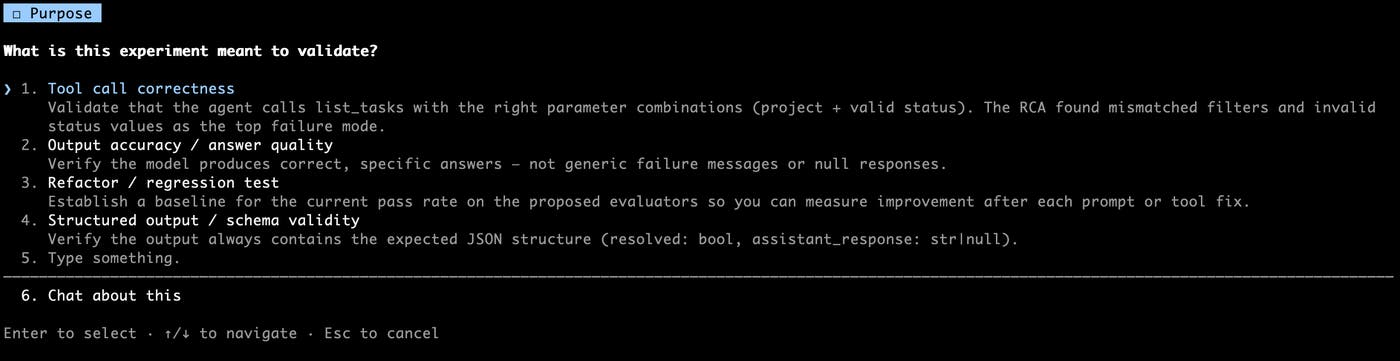
This Python-only skill creates an experiment using our Python experiments SDK. It asks a few questions, then covers environment setup, dataset creation, a placeholder experiment task your coding agent can fill in, and two or three evaluators in the requested style.
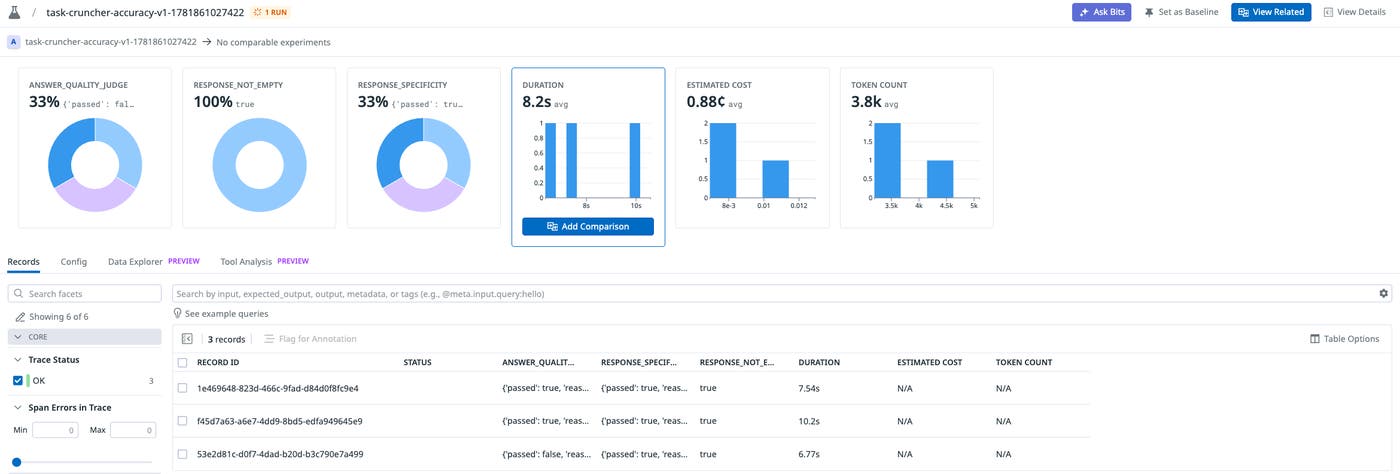
Once created, you can run the experiment in Agent Observability’s experiments tool.
agent-observability-experiment-analyzer
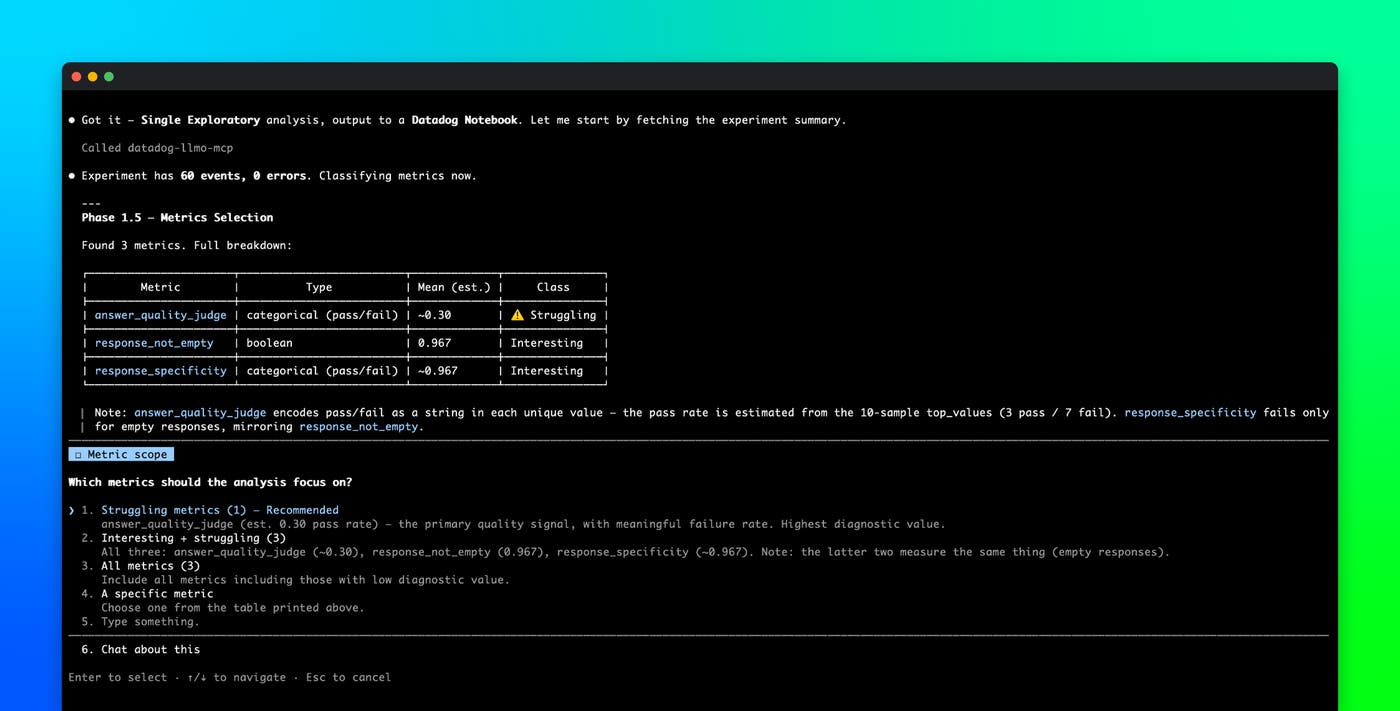
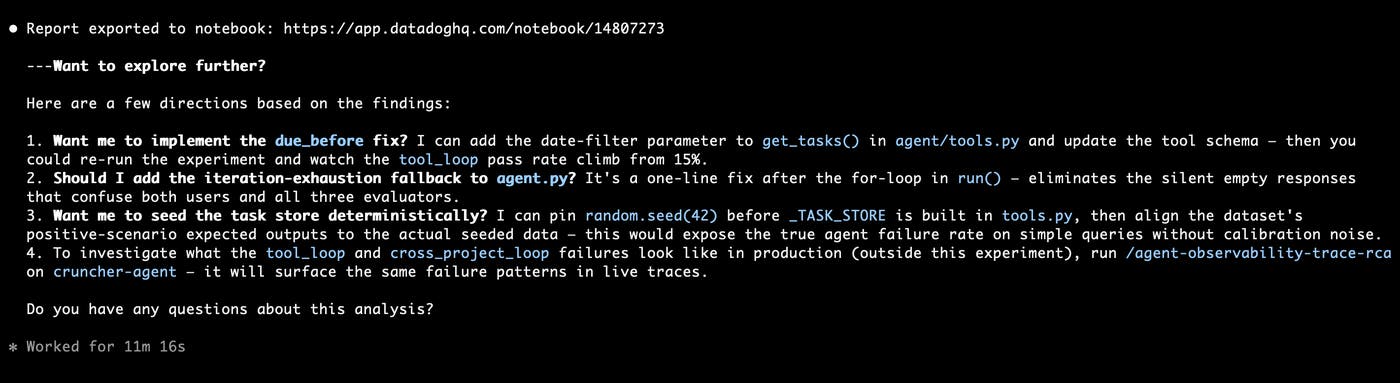
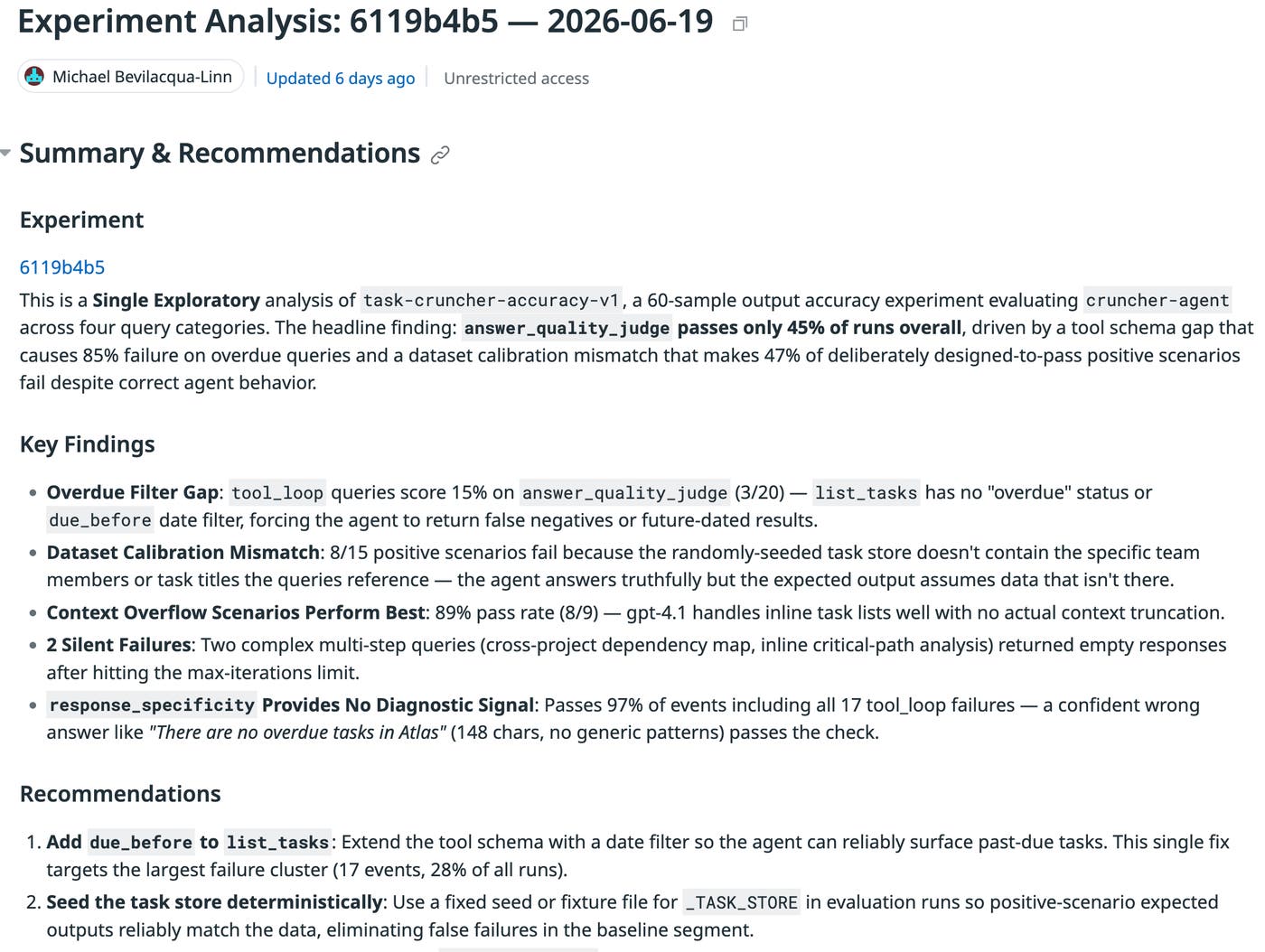
In the Task Cruncher example, the team had existing experiments. However, they didn’t contain the necessary data to catch the problem they’re running into. Whether you’re like the Task Cruncher team and have an existing experiment that needs updating, or you’re creating your experiment from scratch like above, the agent-observability-experiment-analyzer skill can help you make sense of the results. The skill is run on a specific experiment ID. It first asks you which experiment metric, or metrics, you’d like to do an analysis on. Here, we select just the answer_quality_judge, which clearly has the lowest score of all evaluation metrics and our most interest in improving.
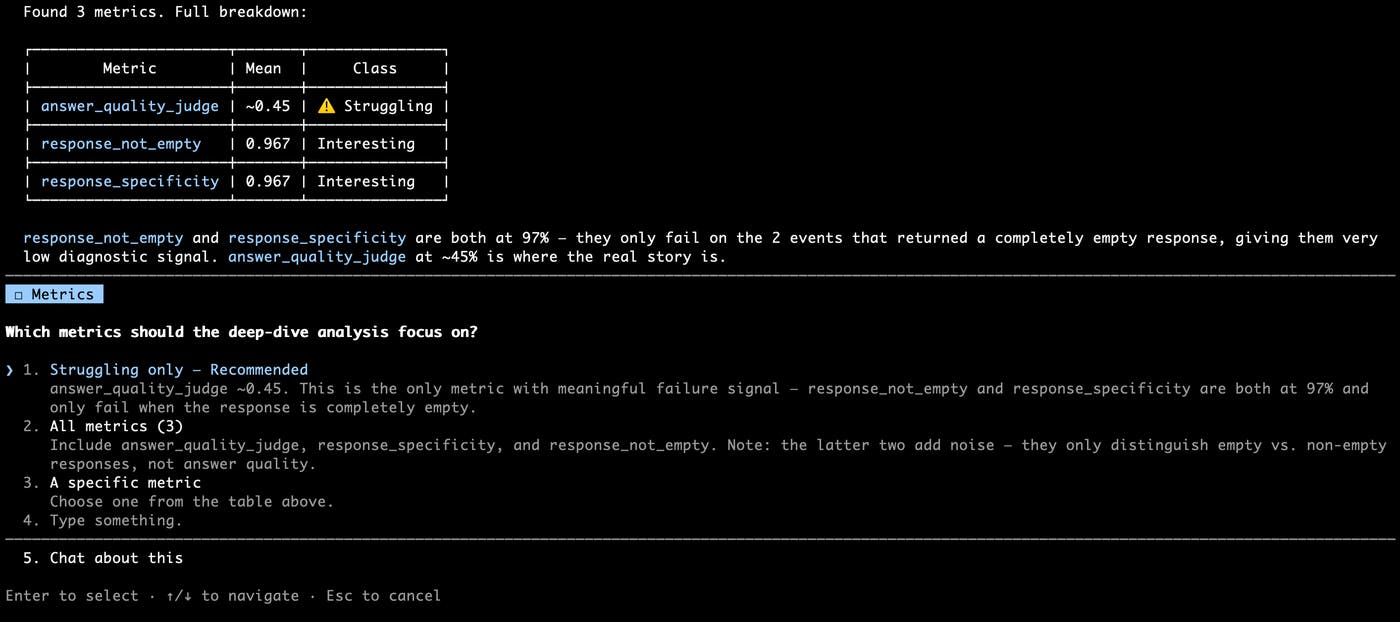
Like the trace analysis skill, the experiment analysis skill produces a report you can export to a Notebook, along with actionable follow-ups for your coding agent. You choose which ones to implement, or you can examine the Notebook to decide what to do next.
The Notebook contains the key findings, a summary of potential follow-ups, and supporting telemetry data.
Take an investigation from traces to a coding-agent generated fix
agent-observability-eval-pipeline
These skills feed into the agent-observability-eval-pipeline skill, an end-to-end pipeline. agent-observability-eval-pipeline goes from raw traces to a functioning experiment setup and analysis, with a few questions along the way. The skill walks you through the whole lifecycle: analyzing traces, constructing useful evaluators, generating a dataset and experiment, and analyzing the experiment to make meaningful code changes.
This higher-order skill walks through the stages one at a time, introducing platform concepts that you may not have encountered before. Because the lifecycle can quickly get overcrowded with context, the stage-based approach keeps you focused on a single objective at a time. You can move between phases as you see fit, but you will always be working within one phase, which keeps the session focused.
The pipeline runs in six phases, each with the same structure: a banner naming what’s being produced, a one-paragraph explanation of why it matters, the action (a sub-skill call or a small executable step), and a checkpoint that waits for your confirmation. The skill also links the generated artifacts so you can follow each step in the UI.
| # | Phase | Stage name (for --start-at/--stop-after) |
|---|---|---|
| 1 | Classify ml_app traces | classify |
| 2 | Root cause analysis | rca |
| 3 | Bootstrap evaluators | eval-bootstrap |
| 4 | Create + publish dataset | dataset |
| 5 | Generate + run experiment (with an in-phase review beat between codegen and execution) | experiment |
| 6 | Analyze experiment | analyze |
Getting started with Agent Observability
Pick whichever foundation matches how you work. MCP gives your agent native tool calls into Datadog data and is the right starting point if you already work in Claude Code, Cursor, Codex CLI, or Gemini CLI. Pup CLI gives you a shell-driven CLI for the same data plus the broader Datadog product surface, and is the better fit if you script a lot or run things in CI. You can use both for full coverage, then layer the skills on top.
To use the MCP Server, add it from inside Claude Code.
claude mcp add --scope user --transport http "datadog-llmo-mcp" \ 'https://mcp.datadoghq.com/api/unstable/mcp-server/mcp?toolsets=llmobs,core'See the Datadog MCP Server setup docs for Cursor, Codex CLI, Gemini CLI, and other MCP-compatible clients.
To use Pup, install and authenticate it:
go install github.com/datadog-labs/pup@latestexport PATH="$HOME/go/bin:$PATH"pup auth loginTokens last about an hour. Run pup auth refresh if a command returns a 401. The full Pup CLI documentation covers the rest of the command surface.
Install the skills by copying any of the skill directories from datadog-labs/agent-skills into your agent’s skills directory. For Claude, the install would look like this:
git clone https://github.com/datadog-labs/agent-skillscp -r agent-skills/dd-llmo/traces-to-evals ~/.claude/skills/Agent Observability already contains the traces, evaluations, and experiment data needed to improve AI applications. By combining the MCP Server, Pup CLI, and Agent Skills, teams can move from investigation to evaluation and remediation without leaving their coding environment.
Once your foundation is in place and the skills are installed, your coding agent can run these workflows against your production data. To learn more about the underlying telemetry data, see the Agent Observability documentation. If you’re not already a Datadog customer, sign up for a 14-day free trial to start instrumenting and collecting traces.
