

Eric Metaj
Product Marketing Manager

Mark Azer
Product Manager
Developers and SREs who rely on Microsoft Azure DevOps often face fragmented workflows when investigating issues or reviewing code quality. Troubleshooting an error can require jumping between observability tools and source code repositories as you manually connect traces, stack frames, and commits. At the same time, security vulnerabilities, misconfigurations, and flaky tests may go undetected until later stages of the software delivery life cycle (SDLC), where they are more costly to fix. Without consistent enforcement at the pull request level, teams can struggle to maintain reliable quality and security standards.
Datadog’s Azure DevOps Source Code integration brings your repositories directly into Datadog, giving you a code-aware view across Application Performance Monitoring (APM), CI Visibility, Code Security, Test Optimization, and more. By using this integration to connect your Azure DevOps organization to Datadog, you can analyze code health, surface relevant context during investigations, and enforce standards earlier in the SDLC.
In this post, we’ll show you how you can use the Azure DevOps Source Code integration to:
Get fast, clear insights into code health and security
Understanding the health of your codebase typically requires combining signals from multiple tools, which can slow down development workflows and make it more difficult to surface security issues. The Azure DevOps Source Code integration addresses tool sprawl by analyzing your repositories as soon as they are connected to Datadog.
This analysis surfaces vulnerabilities, code quality issues, and infrastructure-as-code misconfigurations without requiring you to redesign your pipelines or add additional instrumentation. Because the integration works directly with your repositories, teams can begin identifying issues earlier in the SDLC with minimal setup.
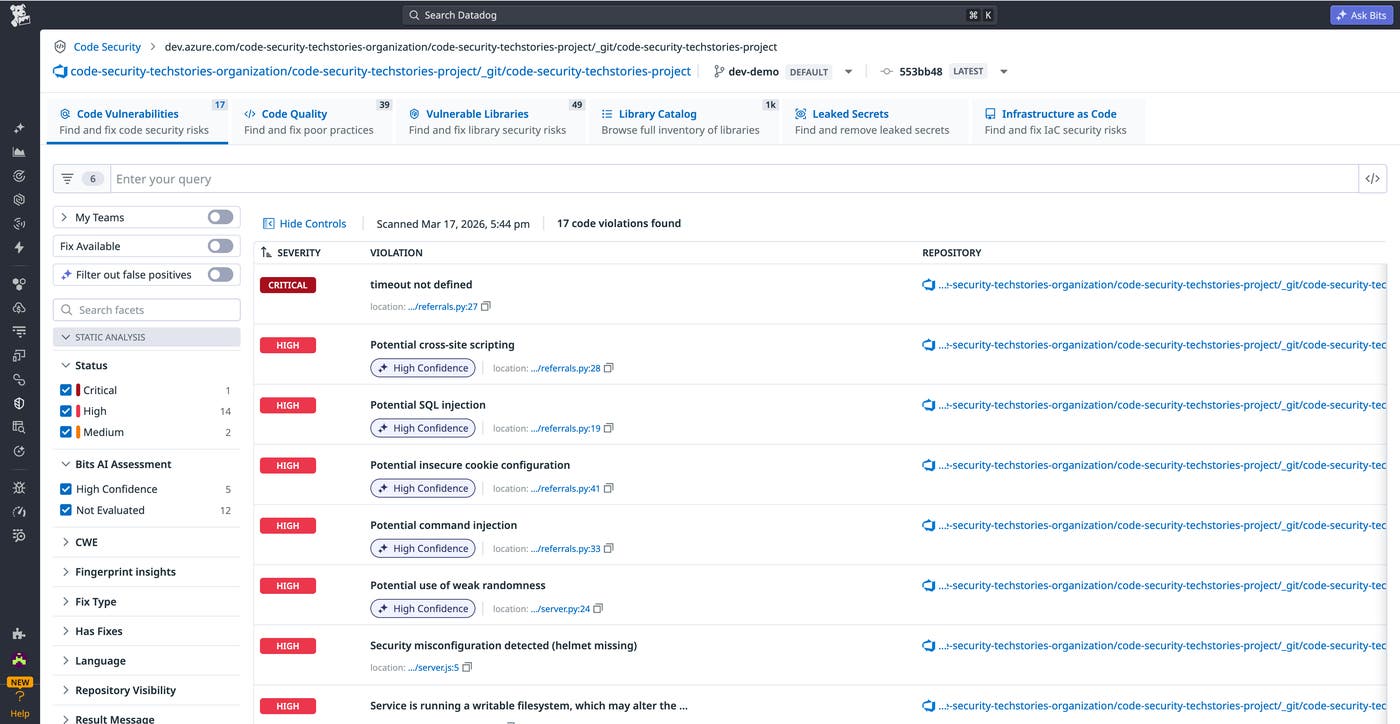
In Datadog Code Security, you can review findings and navigate directly to the corresponding files and lines in Azure Repos. This shared context helps development, platform, and security teams align on priorities and quickly determine which services or repositories require attention. Instead of piecing together context manually, teams can move from detection to remediation with a clearer understanding of where issues originate.
Find the root causes of application errors in your code with APM
Identifying the root cause of an issue in your application requires correlating trace data with the underlying code. Without direct integration, teams often resort to manually searching for functions or files referenced in stack traces.
With the Azure DevOps Source Code integration enabled, Datadog APM automatically surfaces relevant code snippets alongside telemetry in Error Tracking, Live Debugger, Continuous Profiler, and elsewhere across the Datadog platform. When an error or performance issue appears, you can immediately see the code associated with the affected span or stack trace.
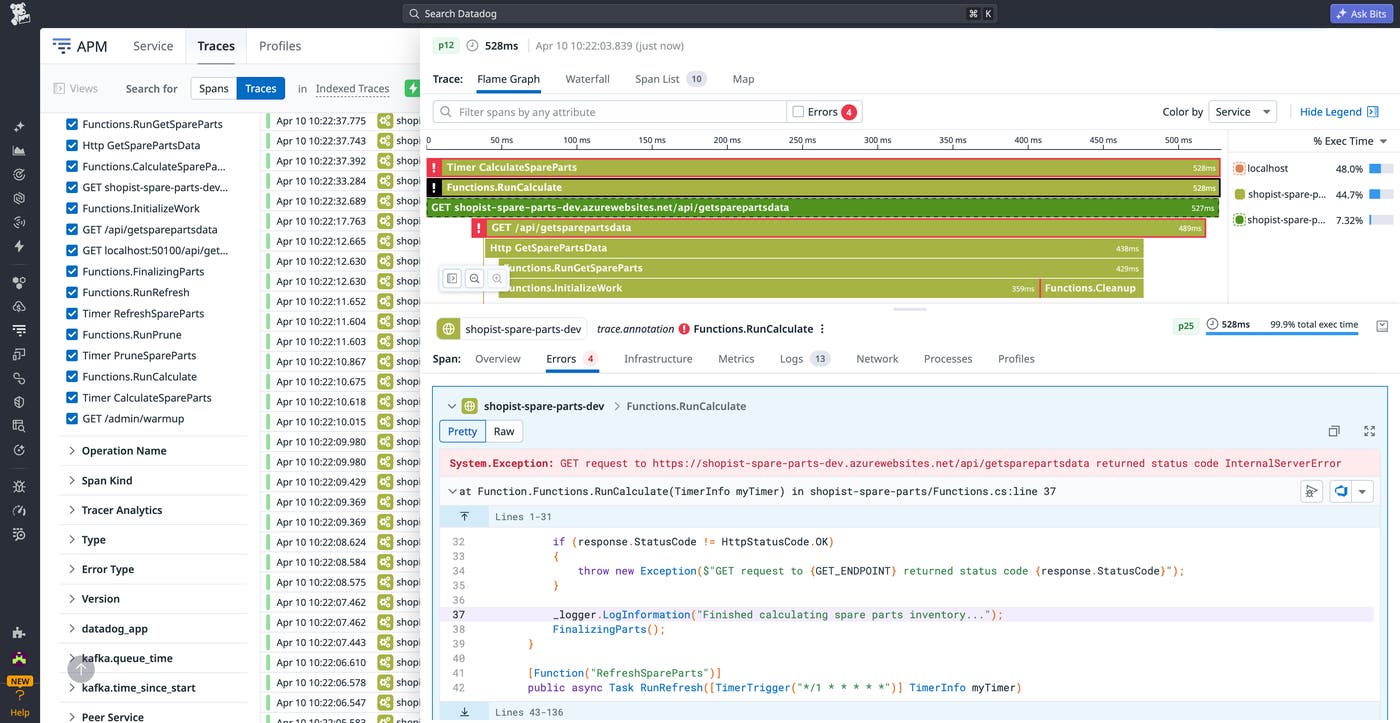
This tight correlation allows you to follow a trace to a representative error, inspect the associated code in context, and navigate directly to the corresponding file in Azure DevOps or launch one of Datadog’s IDE Plugins to make changes locally. By reducing the need to switch tools, teams can shorten the path from detection to resolution and focus on implementing the appropriate fix.
Catch code issues earlier with pull request feedback
Identifying issues early in the SDLC reduces risk and remediation effort, but manual code reviews often miss subtle problems or require multiple feedback cycles. The Azure DevOps Source Code integration extends Datadog’s visibility into the pull request workflow by adding automated, contextual feedback directly within Azure DevOps.
When combined with CI Visibility, Code Security, Code Coverage, and Test Optimization, Datadog can analyze pull request diffs and post targeted comments where they are most relevant. These comments highlight issues such as newly introduced vulnerabilities, regressions in test coverage, or flaky tests that may affect reliability.
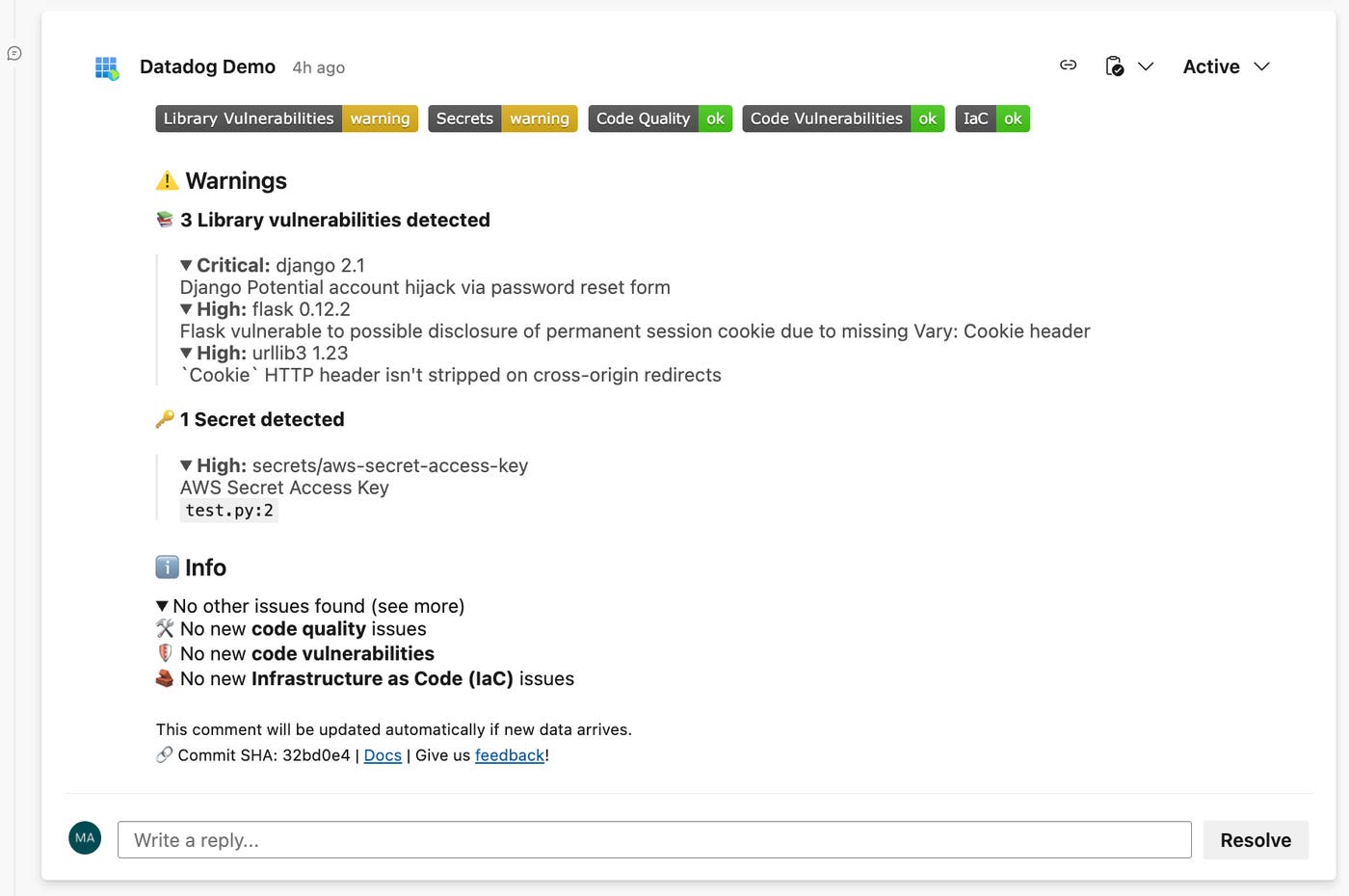
Because this feedback appears alongside the code under review, reviewers can quickly assess whether a PR is ready to merge or needs further changes. When deeper investigation is required, links in the comments take you directly to detailed test results or security findings in Datadog. In some cases, you can use Datadog to apply the suggested fixes directly within the pull request, further reducing friction in the review process.
Enforce quality and security standards with PR Gates
Datadog PR Gates provide teams a way to enforce consistent standards before code reaches production. With PR Gates, you can define rules in Datadog that translate into required status checks on your Azure DevOps pull requests.
These rules can cover a range of quality and security dimensions, including static code analysis, software composition analysis, code coverage, infrastructure-as-code scanning, secret scanning, and detection of new flaky tests. When a pull request fails to meet these criteria, it can be blocked from merging until the issues are addressed.
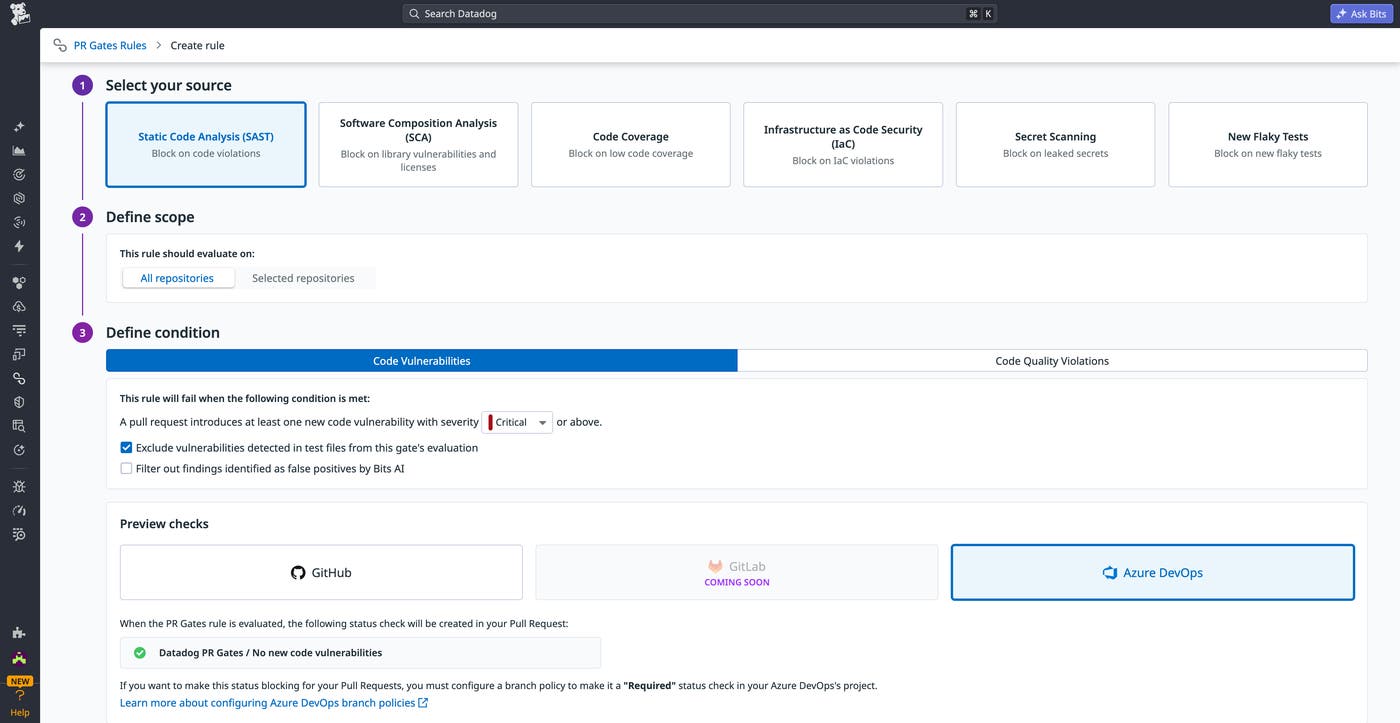
Because PR Gate rules are managed centrally in Datadog, platform and security teams can define policies once and apply them consistently across repositories. This approach helps organizations maintain a higher baseline for code quality and security without requiring individual teams to configure rules independently or modify their CI pipelines.
Get started with the Azure DevOps Source Code integration
By connecting Azure DevOps to Datadog, you can unify code, telemetry, and security signals in a single workflow. This integration helps teams detect issues earlier, investigate them faster with code-aware context, and enforce consistent standards before changes reach production.
To get started, see the Azure DevOps Source Code integration documentation and learn how to configure PR Gates for your repositories. If you’re new to Datadog, sign up for a 14-day free trial.
