

Maxim Brown
Technical Content Writer
Query value widgets are a great way to immediately see the current status of a specific metric. Even better, with conditional formatting, you can easily change the appearance of the widget to display different background or text colors based on custom thresholds or ranges to provide instant context for your metrics. Widget displaying a red background? Probably not a good sign.
Now, thanks to a feature developed during an internal hackathon here at Datadog, you can set your query value widgets to display different custom background images, either static or animated, depending on your metric values. So, in addition to using colors, you can now provide visual context using the lingua franca of the internet: animated GIFs.
Adding custom images to your dashboard
To set custom image backgrounds for your query value graphs, first set your conditional thresholds in the graph editor. Then, select Custom Image in the Show With menu and paste a link to a hosted image or animated GIF.
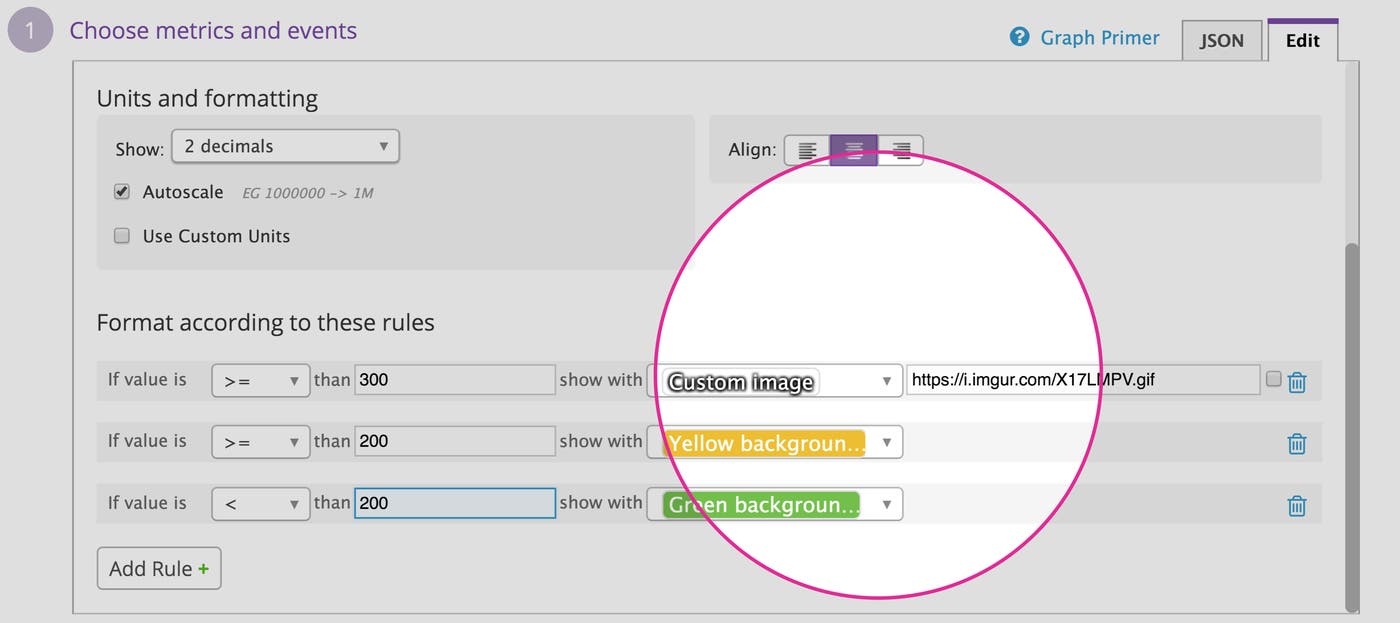
Animate your metrics
Using images or GIFs with your query value widgets is a great way to liven up your dashboards, giving you context for your metrics in a fun, endlessly customizable way.
If you are already a Datadog customer, you can start adding custom images to your widgets right away. Otherwise, sign up for a free 14-day trial here.
