

Connor Plante
Modern cloud environments are highly interconnected, making it difficult to determine which vulnerabilities pose the greatest real-world risk. A single publicly accessible resource can expose many others through network paths and IAM relationships. Without this context, security engineers may miss potential attack paths and assets at risk of compromise.
Datadog Cloud Security surfaces attack paths and vulnerabilities in context so teams can quickly understand how they can be exploited and what actions an attacker could take next. By analyzing the relationships between cloud resources in a Security Graph, teams can prioritize remediation based on real exposure.
In this post, we’ll explore how Datadog Security Graph can help teams:
Understand public reachability and lateral movement
When security teams review a vulnerability finding, such as a critical CVE on an unfamiliar EC2 instance, it’s often unclear whether the entity is directly exposed to the internet or only reachable through internal resources. Without this context, security teams must spend time identifying potential attacker entry points and assessing downstream risks before beginning remediation.
With attack paths in Security Graph, Datadog automatically maps the network route from the internet to the affected resource. Along the way, Cloud Security highlights connected entities—such as load balancers, security groups, or peered networks—that enable access to the resource. Teams can also easily see whether this resource is publicly reachable or exposed indirectly through other assets.
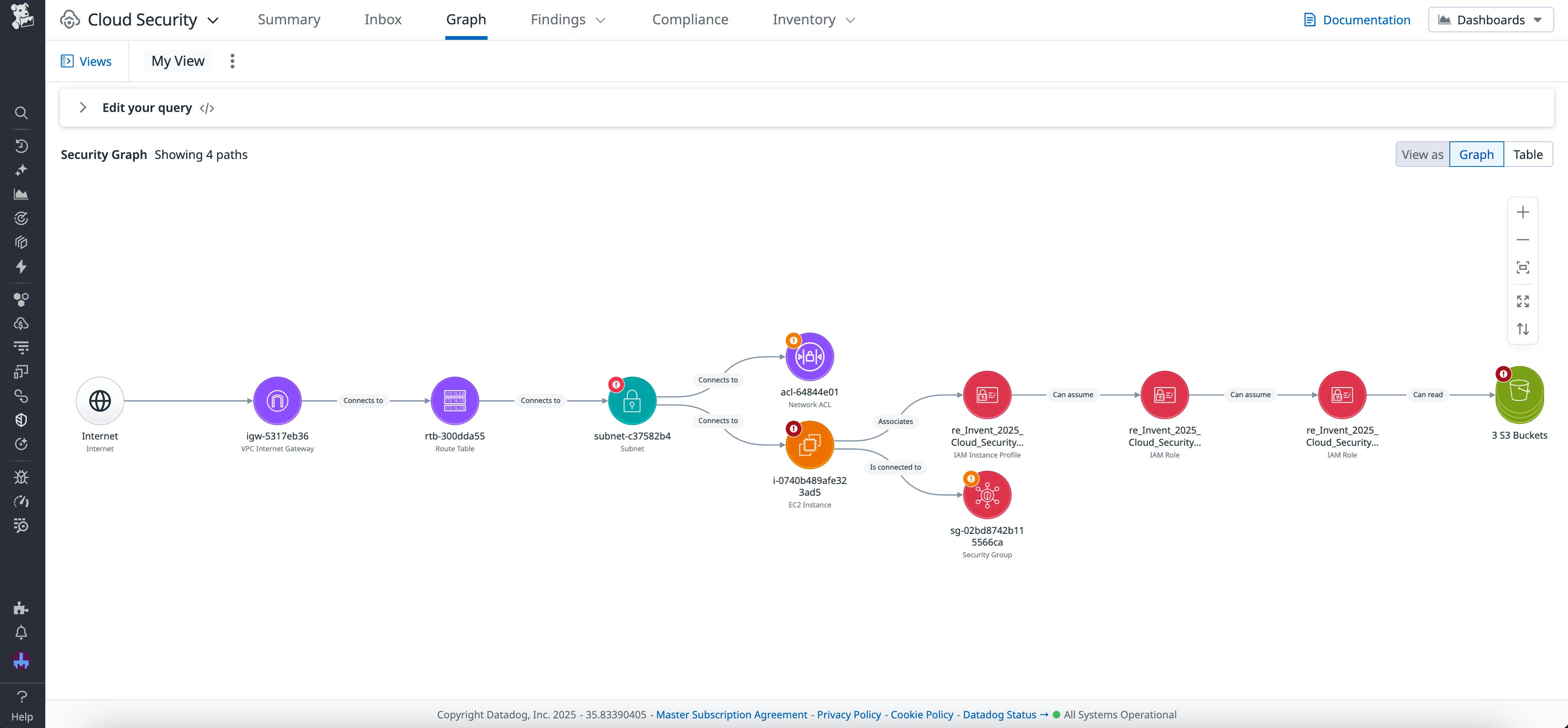
The attack path above shows potential access points for three S3 buckets within their network context. It includes the public access path from the internet gateway to the host, the associated security group and its related network resources, and the critical identity pivot that could allow attackers to read from sensitive data stores. This view helps teams filter out low-impact findings and focus on vulnerabilities that pose genuine risk through real entry points and lateral movement.
See the blast radius of potential compromise
Attackers rarely stop at the initial point of entry. Once a resource is compromised, they often move laterally to escalate privileges or access additional data. With Security Graph, teams can extend beyond the initial exposure of any target to show the potential blast radius—for example, how far an attacker could move within an environment if they compromise a given resource. The graph uses context from other Datadog features, such as Sensitive Data Scanner, to identify critical areas of potential impact.
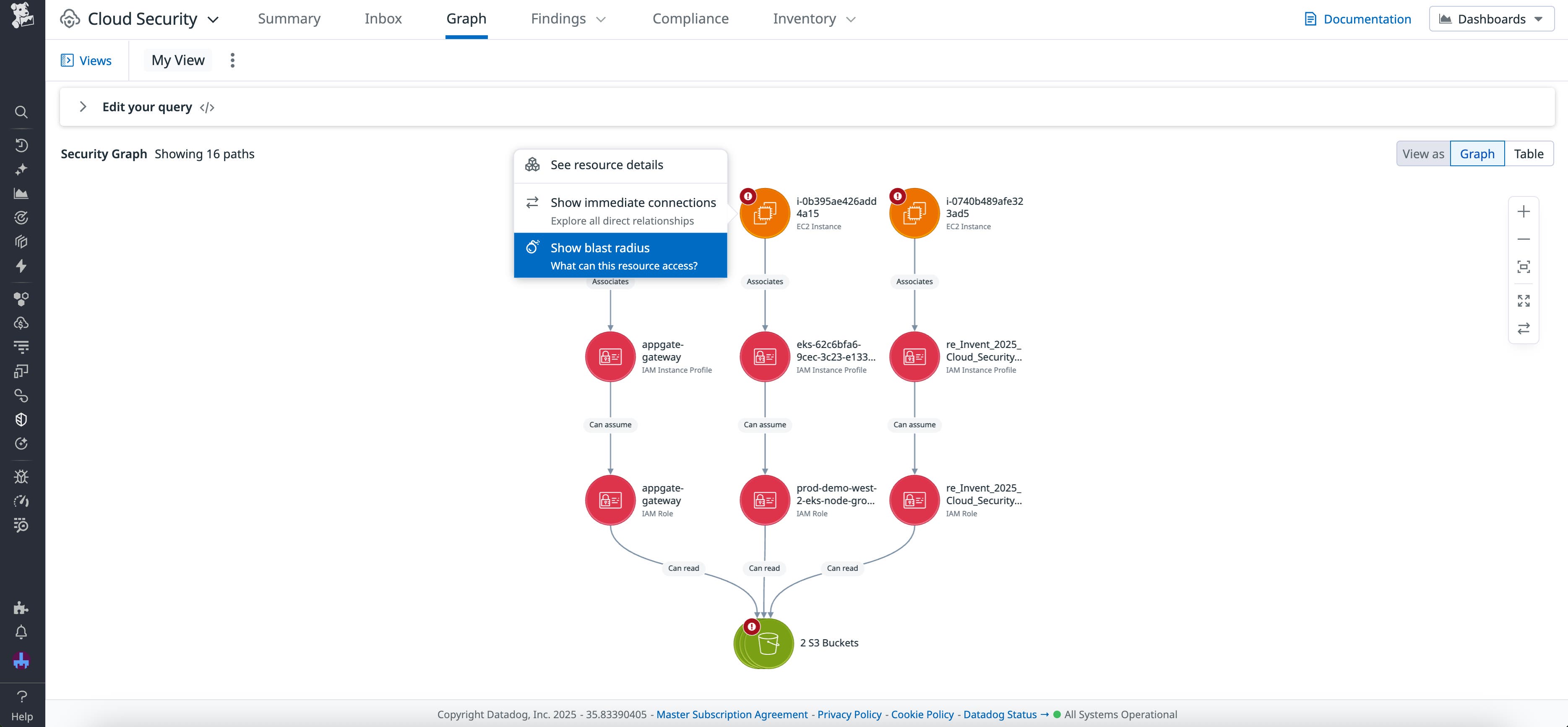
In a Security Graph, click on a target resource and select “Show blast radius” to expand the access paths that could allow an attacker to reach downstream assets. Reviewing assets in the blast radius helps teams identify ownership, remove unintended access paths, and understand the broader risks associated with a security finding.
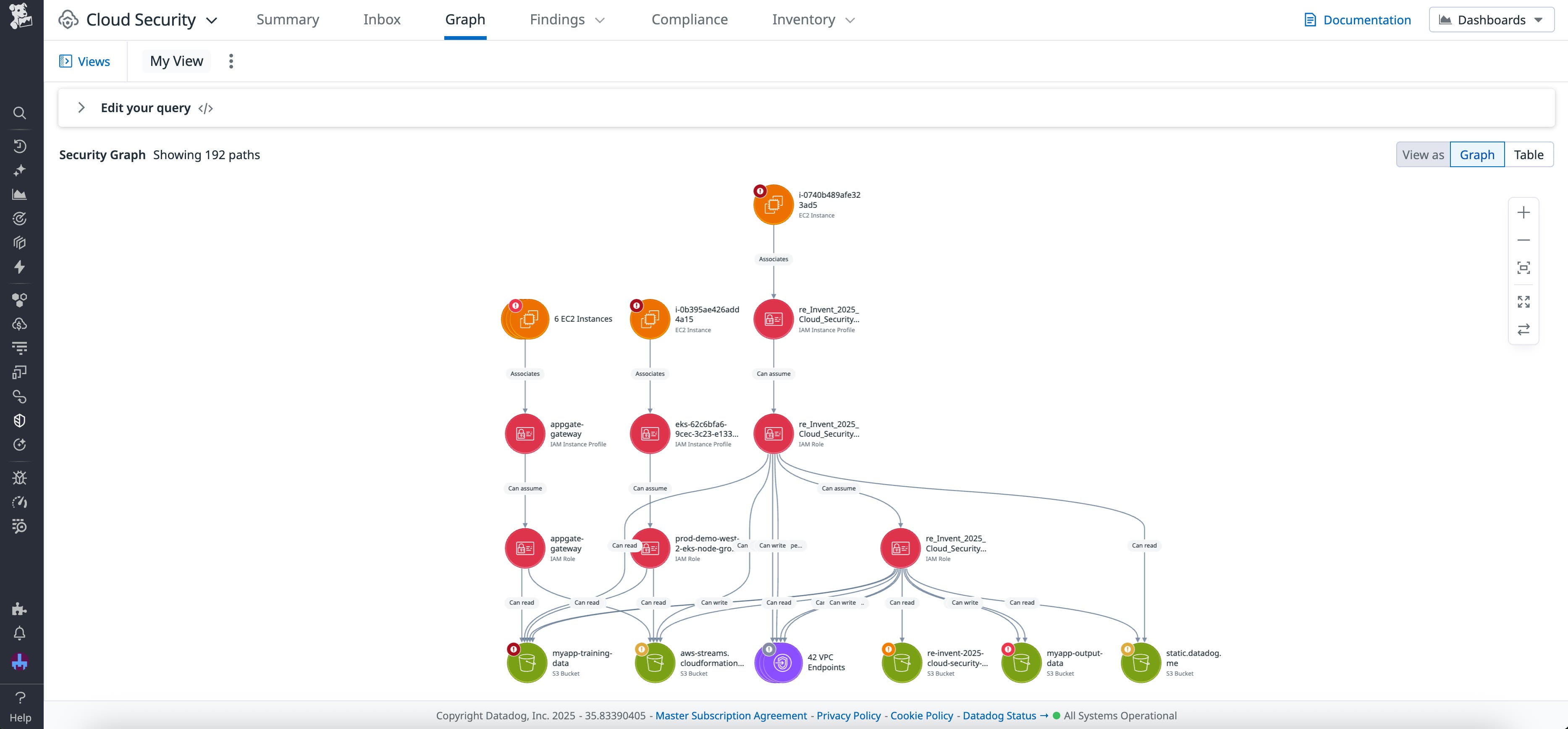
Each finding in Datadog Cloud Security can link to the Security Graph, providing a unified, interactive view of the cloud environment. From a single interface, teams can pivot from a vulnerability to connected network components, IAM entities, and dependent resources. This helps engineers validate reachability, understand lateral movement, and coordinate with the right teams to resolve issues faster.
Identify vulnerable access paths with enriched maps
Understanding the true level of risk that a vulnerability poses can be difficult. Viewing findings in context enables teams to trace relationships and exposure routes between resources, evaluate impact, and prioritize the most significant risks.
Datadog Security Graph is currently in Preview for AWS environments and available to customers using Datadog Cloud Security. Sign up for the preview and check out our documentation to get started. If you’re not yet using Datadog, you can sign up for a 14-day free trial.