
Jessica Manheimer
Product Marketing Manager

Arti Arutiunov
Product Manager
Mobile app users form opinions quickly. A slow or inconsistent startup experience can frustrate them before they reach the first screen, increasing the likelihood that they abandon the app or fail to complete key actions such as signing up or making a purchase. However, app teams often lack reliable signals that explain why startup performance varies, making it difficult to improve the user experience. Traditional startup metrics collapse different launch paths into a single number, masking the real causes of issues.
Datadog Real User Monitoring (RUM) mobile application launch monitoring, now generally available, helps solve these challenges for iOS and Android apps. By capturing key startup performance metrics for real users, it helps teams understand how long apps take to render and become interactive across cold, warm, and prewarmed launches. This results in clearer visibility into the first moment of the mobile user experience and stronger signals for investigation and monitoring.
In this post, we’ll cover how mobile application launch monitoring helps you:
Measure launch performance with industry-standard metrics
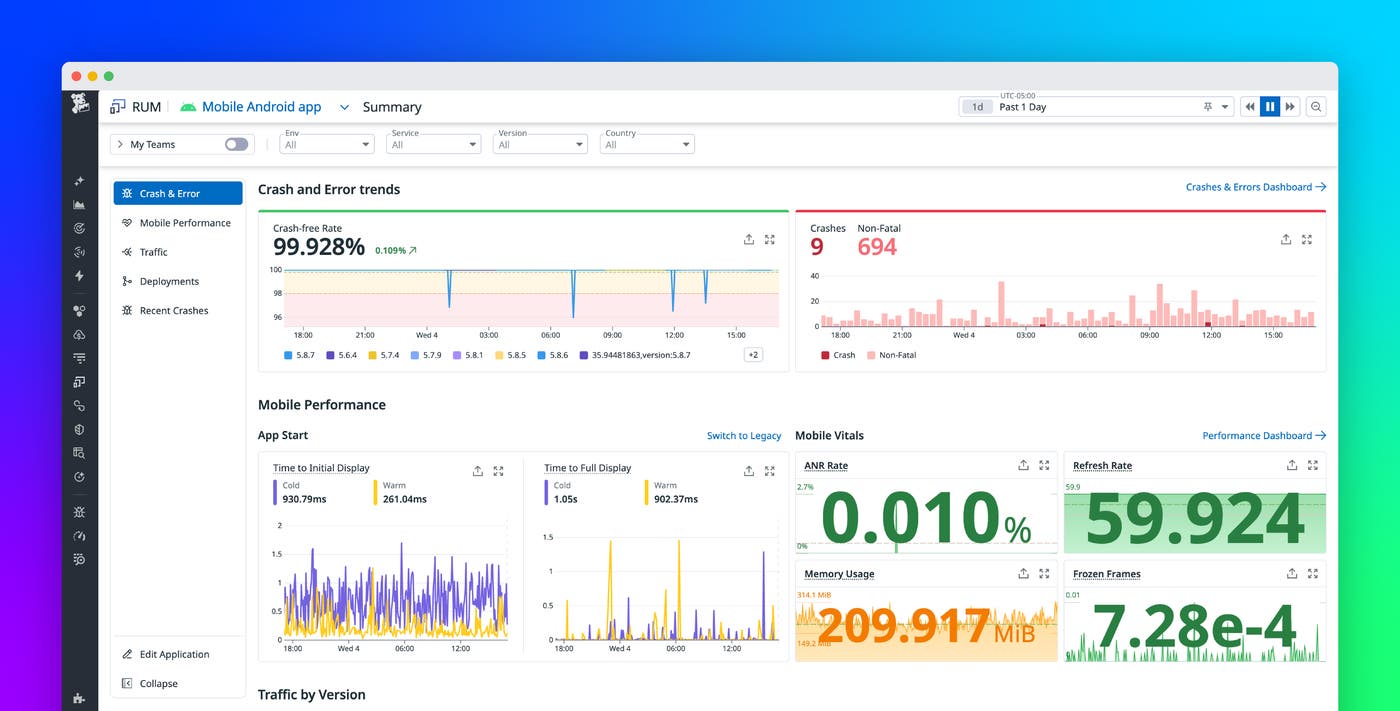
Accurately measuring app startup performance requires more than a single app start metric. Mobile platforms perform many steps during launch, and different user flows trigger different execution paths. Datadog RUM addresses this complexity by measuring two widely adopted startup metrics for iOS and Android applications: time to initial display (TTID) and time to full display (TTFD).
TTID represents the time required to render the first frame of the app’s user interface. This metric captures how quickly users see something meaningful on screen after they tap the app icon. TTFD measures the time required for the app to become interactive, based on an application-specific definition of when the app’s first real screen is fully ready.
Together, these metrics provide a more accurate view of perceived startup performance than legacy startup metrics. They replace the application_start action event, which didn’t distinguish between different launch types and often produced inconsistent results.
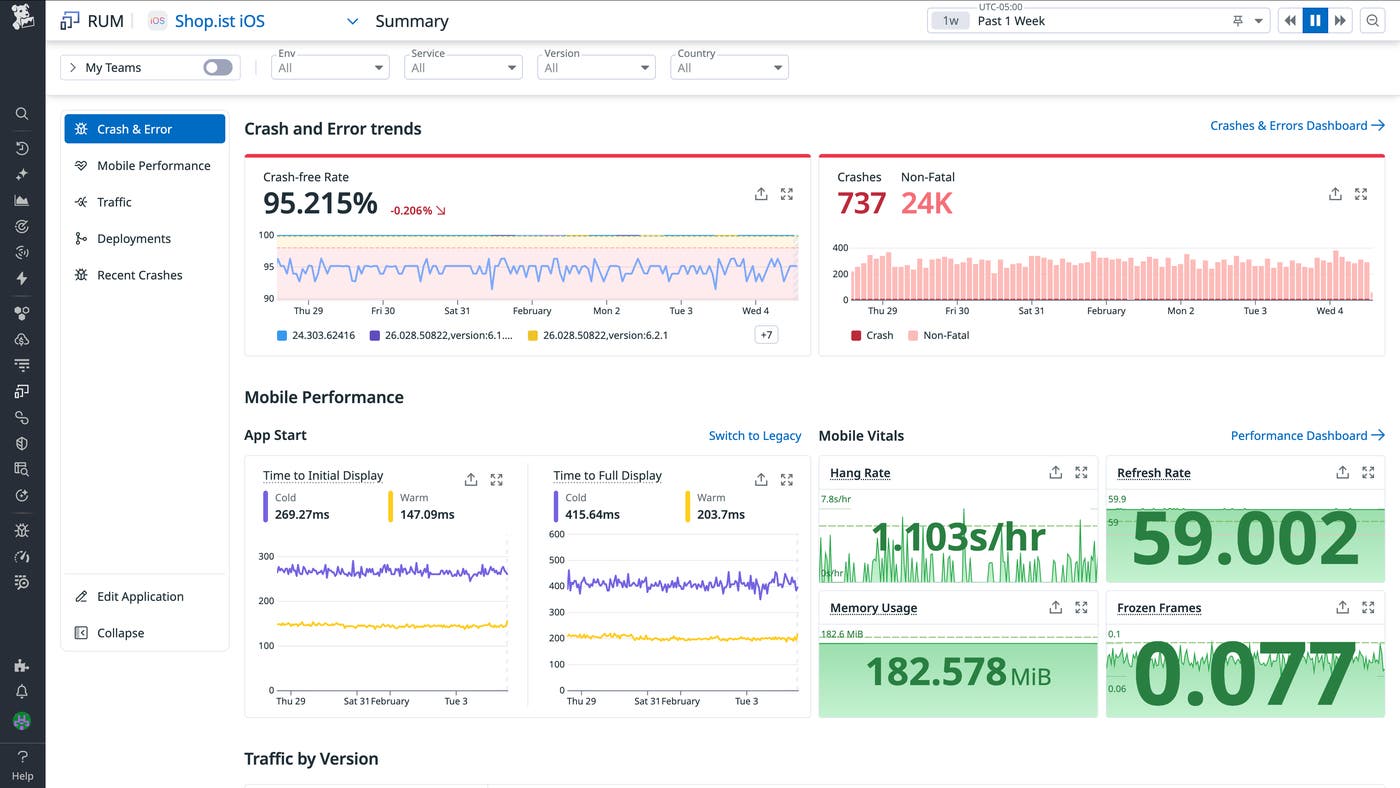
TTID is collected automatically by the Datadog iOS and Android SDKs starting in version 3.5.0. TTFD is defined by the application through a simple SDK API, which lets teams specify what “fully displayed” means for their app. These measurements appear on the RUM Summary page, along with other mobile vitals.
Understand cold, warm, and prewarmed launches in context
Not all app launches are the same. A launch that starts from scratch after a device reboot behaves differently from a launch that resumes a previously loaded process. Comparing these paths directly can lead to misleading conclusions about performance.
RUM classifies each startup measurement by launch type. Cold launches occur when the operating system must initialize a new application process, such as after a device reboot or when the app has been evicted from memory. Warm launches are expected to be faster because they reuse part of an existing process, often after a user switches away from the app and returns shortly afterward. On iOS, RUM also identifies prewarmed launches, which reflect system-level optimizations introduced in iOS 15 that prepare app processes in the background.
By combining TTID and TTFD with the launch type, RUM enables you to make meaningful comparisons between similar startup paths. You can evaluate cold launches independently from warm launches and focus optimization efforts where they matter most for conversion and retention.
Investigate slow app launches with real user data
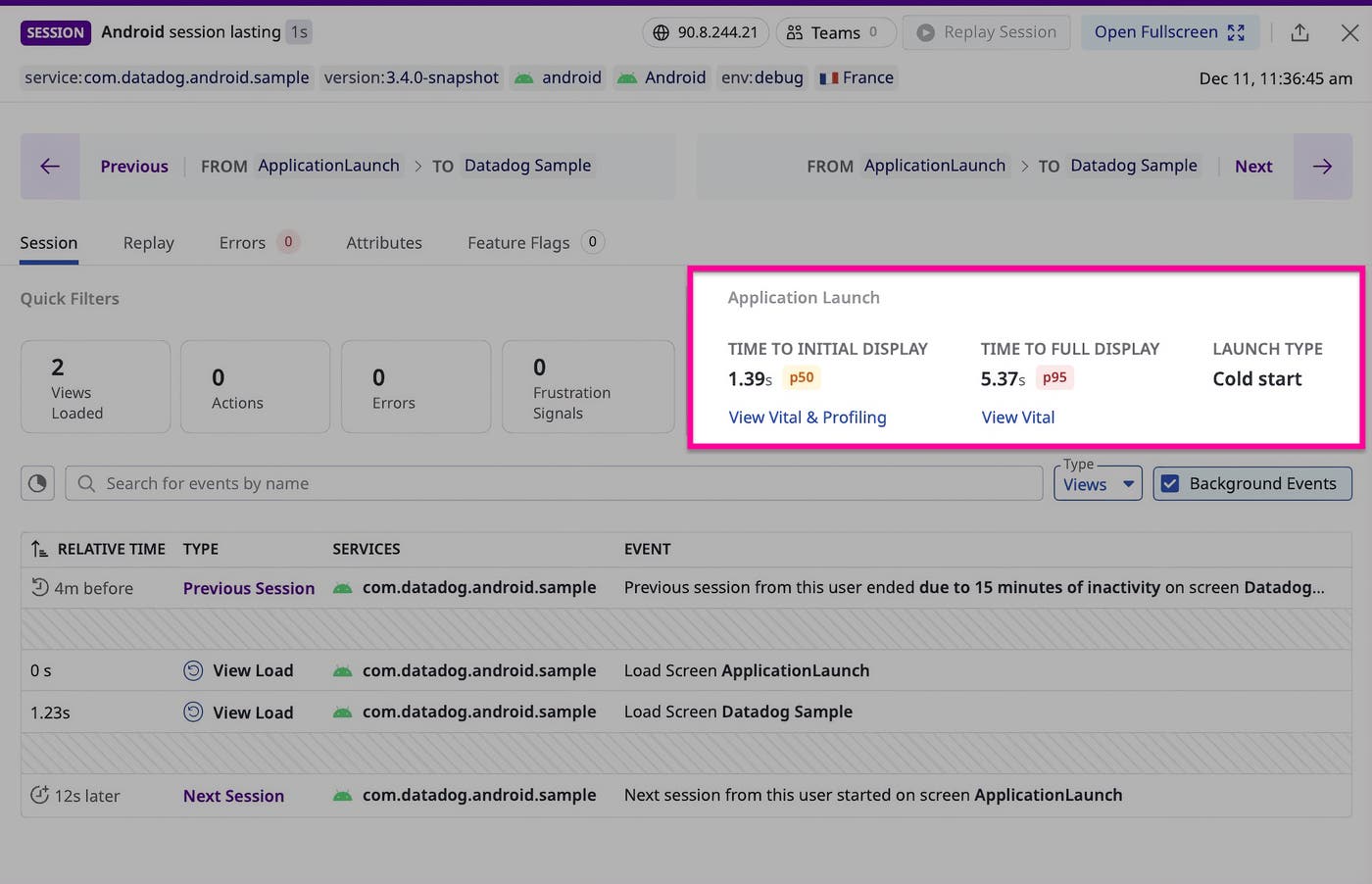
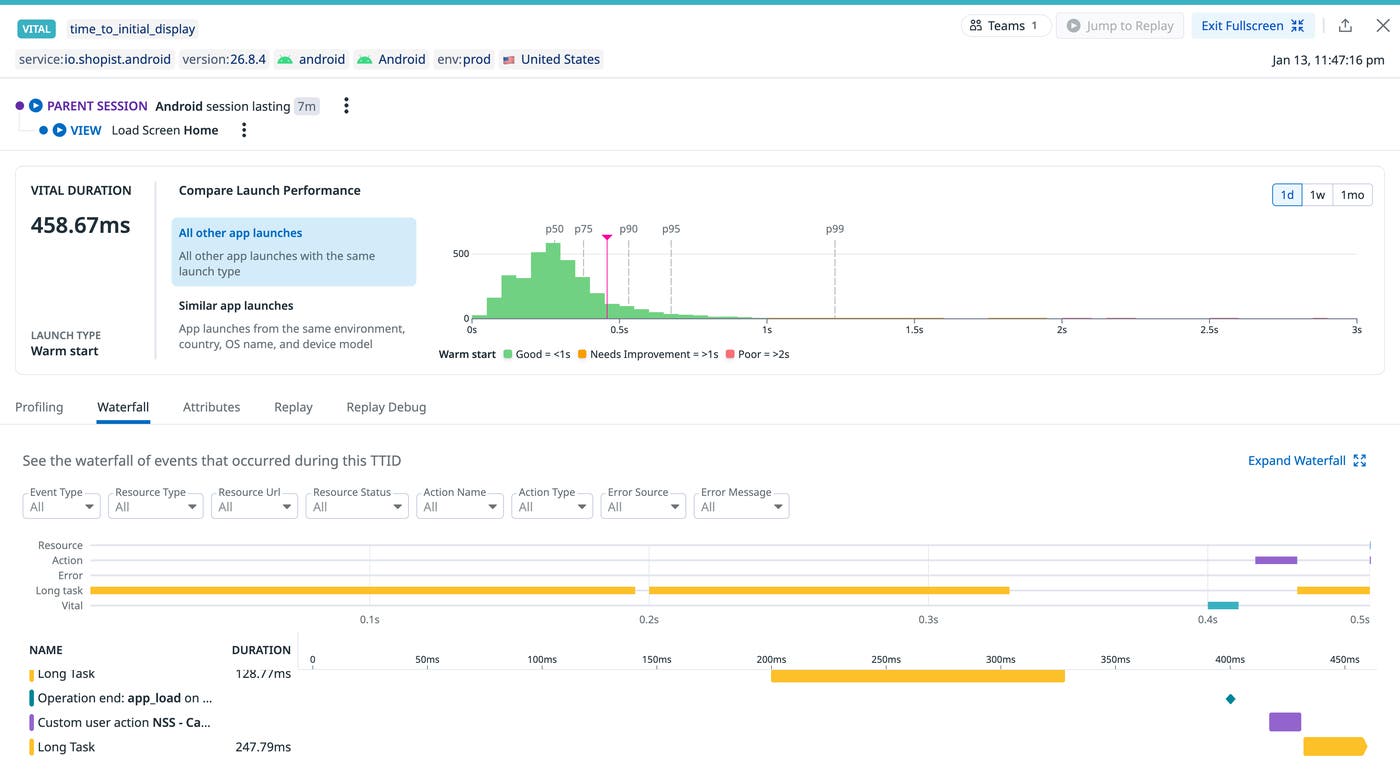
High-level metrics are useful for spotting trends, but you need detailed context to help you resolve startup performance issues. Datadog captures each TTID and TTFD as a RUM vital event within the user session. You can query these events in the RUM Explorer by using @vital.type:app_launch, and each event links directly to the surrounding session data.
From a slow startup event, you can drill into individual sessions to see what occurred during the launch window. This view surfaces relevant resources, actions, logs, and errors that contributed to the delay, such as blocking network calls or resource-intensive initialization work during startup. Because the data comes from real users, the investigation reflects production conditions across devices, operating systems, and geographies.
Monitor and alert on launch performance at scale
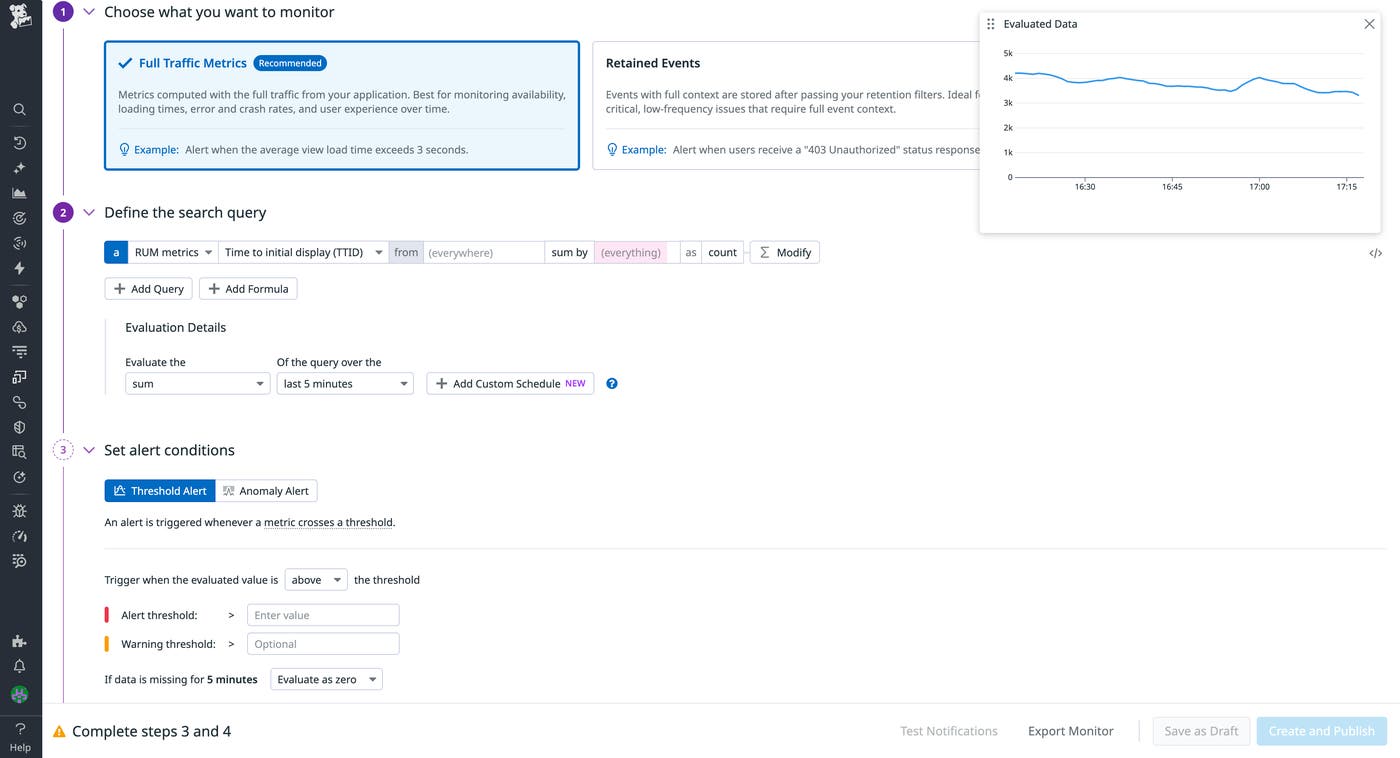
For organizations that use RUM without Limits™, Datadog provides TTID and TTFD as out-of-the-box RUM metrics. These metrics are calculated over full, unsampled traffic and include dimensions for platform and launch type to support accurate monitoring at scale.
You can build dashboards, monitors, and service level objectives (SLOs) around startup performance to detect regressions before they affect large segments of users. For example, you might alert on degraded cold-start performance after a new release or track improvements over time as optimizations roll out.
Get started with mobile application launch monitoring
Mobile application launch monitoring in Datadog RUM provides a clear and consistent way to measure how mobile apps launch. With industry-standard startup metrics combined with launch-type awareness and deep session context, you gain stronger signals for optimization and monitoring across your iOS and Android applications. To get started, upgrade your iOS and Android SDKs to version 3.5.0 or later and check out the iOS documentation and Android documentation.
If you’re new to Datadog, you can sign up for a 14-day free trial.
