

Shri Subramanian

Mallory Mooney
Staff Technical Content Writer
HashiCorp Boundary provides a secure way to manage remote access to applications and infrastructure without exposing the underlying network or credentials. Launched two years ago as an open source solution, HashiCorp recently announced a fully managed version on the HashiCorp Cloud Platform (HCP), enabling you to manage identity-based authorizations, user and target onboarding, and more for dynamic environments. With the ability to create access controls based on the Zero Trust model, you can enforce verification for every user and device connected to your network. HCP Boundary also integrates with other HashiCorp tools like Vault to provide secret management capabilities like just-in-time credential brokering.
We are excited to partner with HashiCorp to create a turn-key HCP Boundary integration that provides comprehensive visibility into infrastructure access. Now, you can leverage real-time audit log streaming and an out-of-the-box dashboard to monitor the health and performance of HCP Boundary instances and track all user sessions within your environment. In this post, we’ll look at how you can use the Datadog integration to:
Get a high-level view of HCP Boundary performance
A key part of maintaining your HCP Boundary instances is monitoring the performance of their underlying infrastructure, which is made up of controller and worker nodes. Controller nodes serve the Boundary API and apply your configured access policies to new sessions. Worker nodes manage sessions between a local, self-managed HCP Boundary agent in a user’s network environment and the destination host. Both of these components expose metrics via the OpenMetrics exposition format, which Datadog can automatically collect and display in its out-of-the-box integration dashboard.
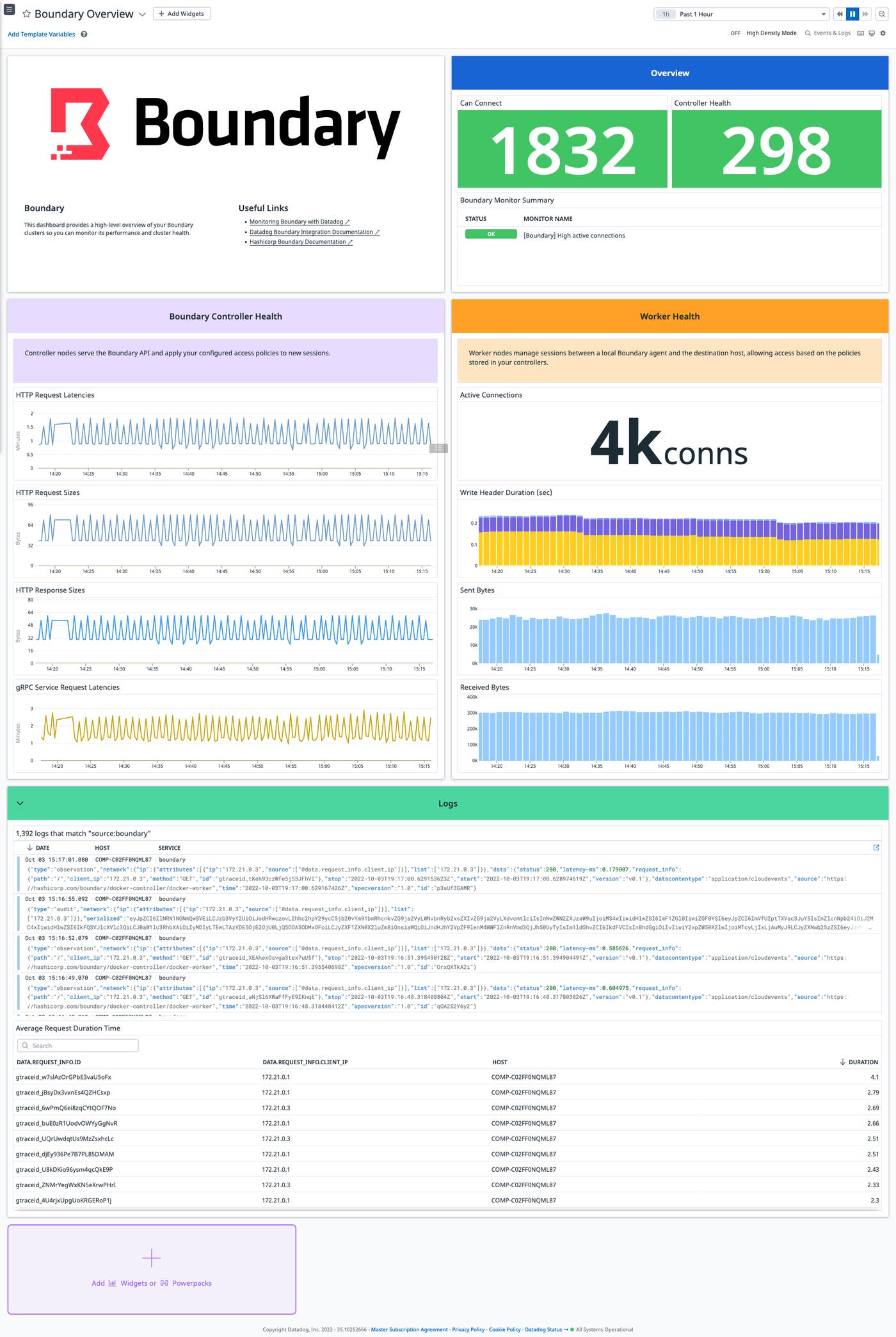
The dashboard gives you an overview of key performance metrics for your HCP Boundary instances, such as the number of active connections per worker or request latency for controllers. This visibility is critical for monitoring HCP Boundary performance in large-scale environments, such as those that are deployed across multiple data centers or clouds.
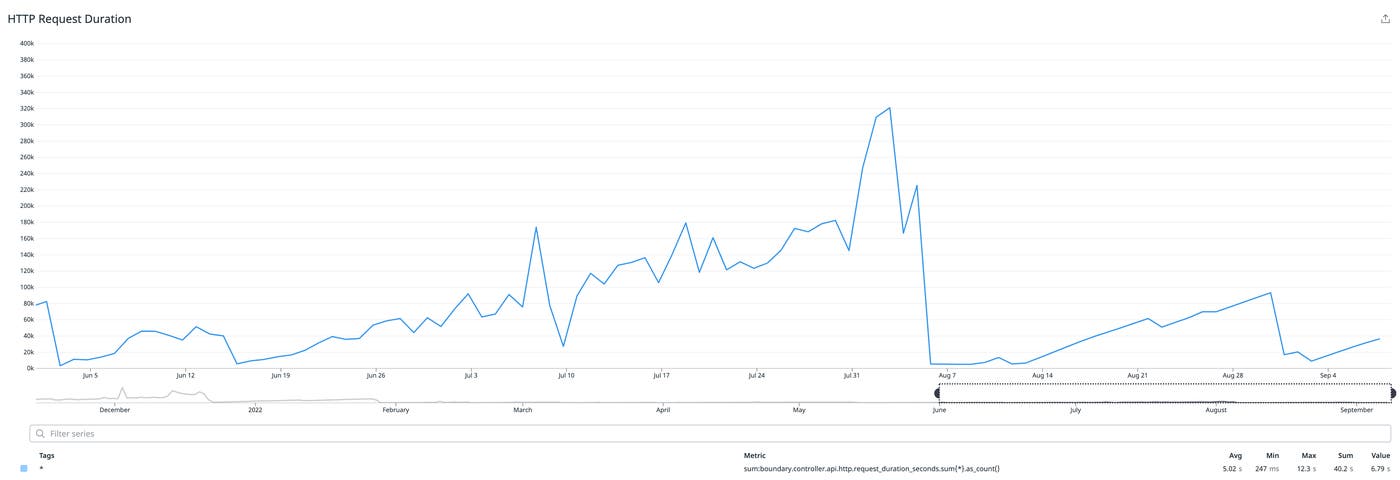
For example, a steady increase in the boundary.controller.api.http.request_duration_seconds metric—as seen in the example above—could indicate that HCP Boundary is not optimized to scale and process requests in a multi-cloud environment. Deploying multiple controllers and target-aware workers across cloud regions can help you manage traffic more efficiently and decrease request latency.
Alert on the health of your HCP Boundary controllers
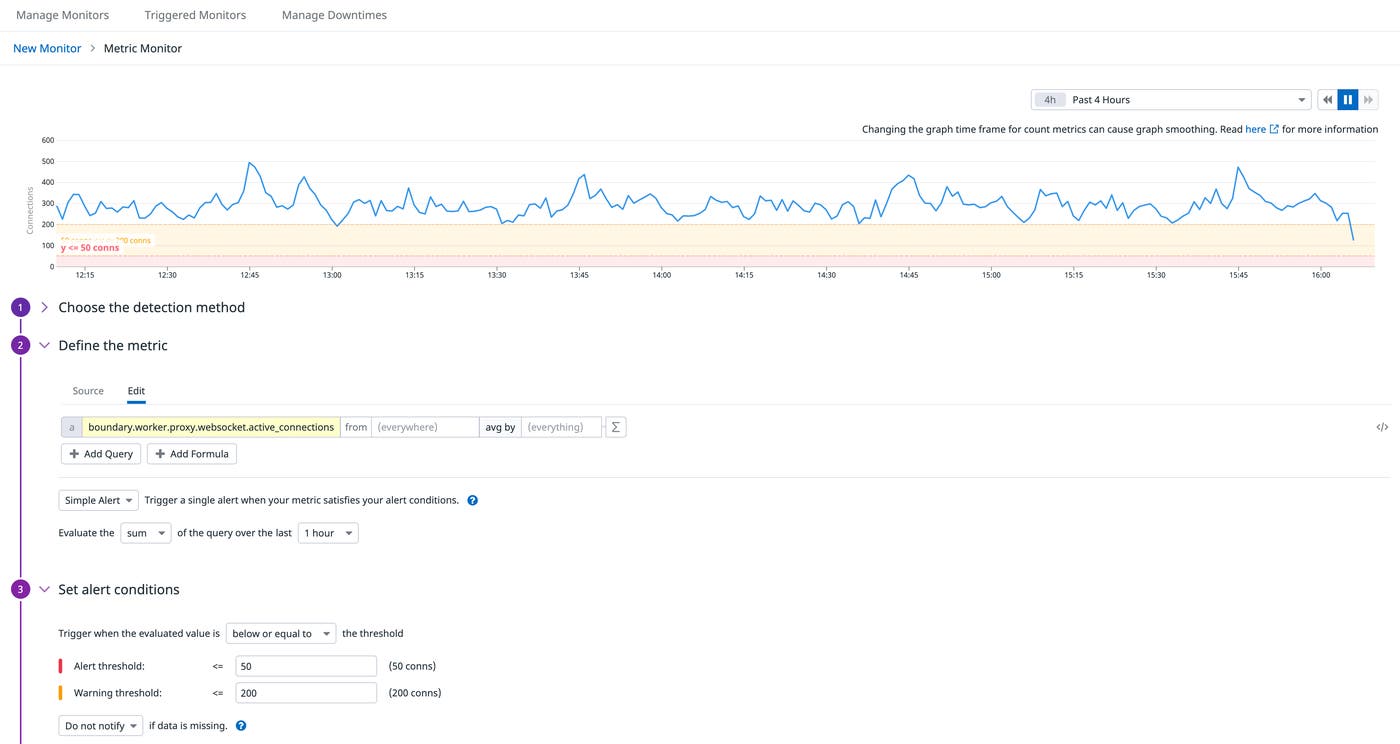
In addition to a built-in dashboard, Datadog’s HCP Boundary integration offers recommended monitors that are curated to help you immediately start alerting on key HCP Boundary metrics. For example, you can alert on a sudden drop in the boundary.worker.proxy.websocket.active_connections metric, which indicates that workers are no longer able to connect to controller nodes.
You can investigate further by viewing the state of all of your controllers via status widgets in your dashboard. These widgets leverage Datadog’s built-in service checks for HCP Boundary’s health endpoints, enabling you to confirm if affected controllers are unhealthy or offline. For example, controllers will temporarily go offline during upgrades or migrations, so status widgets can help you monitor the progress of these operations in order to rule out any other critical issues.
Track user access with event logs
Since HCP Boundary helps you manage access to your resources, it’s important to ensure that your access policies are working as expected. You can do this by monitoring HCP Boundary event logs, which capture details about all user sessions across your environments. This data gives you complete visibility into who accessed your applications, when they accessed them, and what methods they used for authentication.
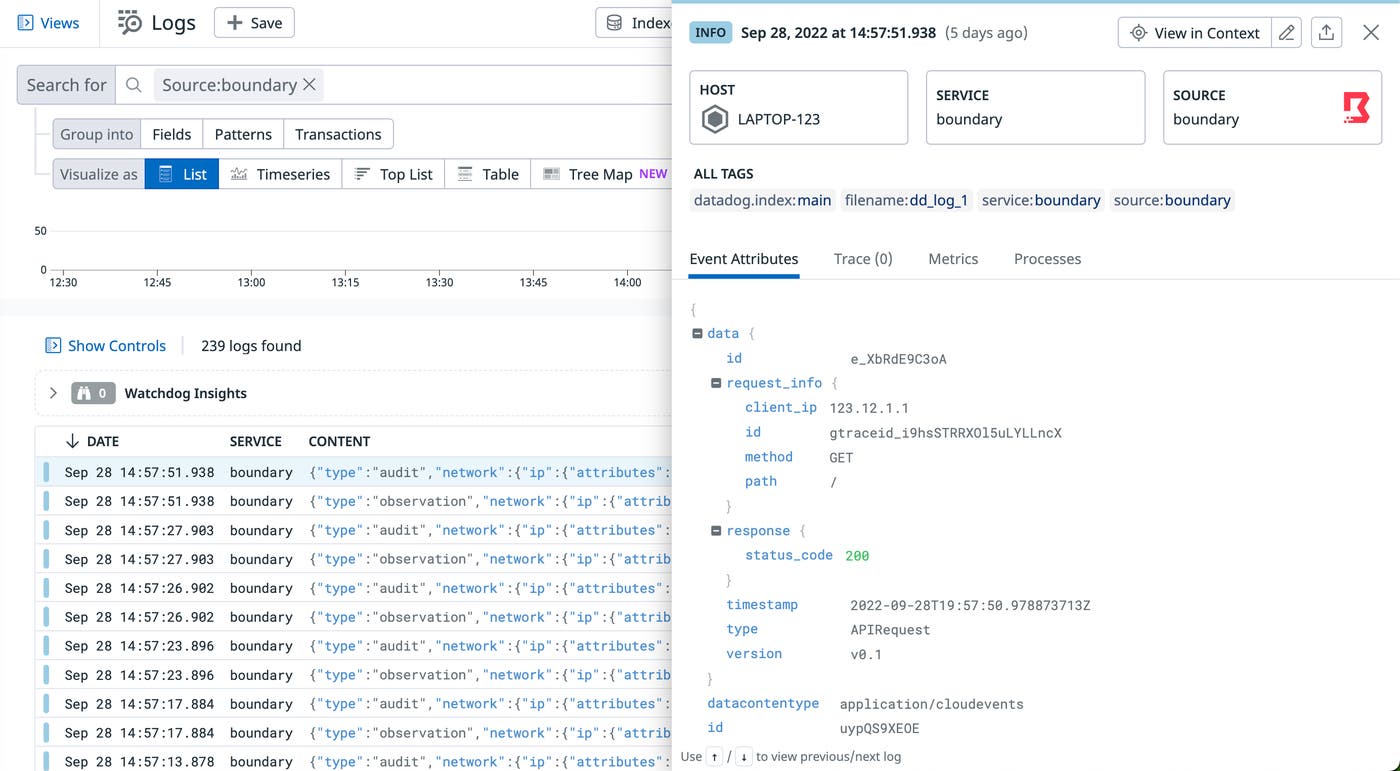
Datadog automatically collects event logs from HCP Boundary, enabling you to review them in the Log Explorer and identify unusual or malicious activity. For example, you can monitor event logs to confirm that access to a particular resource, such as a database that stores sensitive data, is limited to a single group of users. If HCP Boundary logs active sessions to that database from users outside of the group, it could mean that there is a misconfiguration in your policy. You can leverage HashiCorp’s Boundary Terraform provider to automatically provision and manage access controls and ensure that there are no gaps in your policies.
Start monitoring HCP Boundary instances today
Datadog’s HCP Boundary integration provides visibility into instance performance and activity so you can ensure that your applications are secure. Datadog also integrates with Terraform and Vault, giving you complete control over how you deploy Boundary instances and manage access to your applications.
The integration is built into the Datadog Agent and requires no additional installation. Check out our documentation to learn how to configure the integration for your environment. If you don’t already have a Datadog account, you can sign up for a 14-day free trial today.
You can also learn more about HCP Boundary or try it out for free today.
