

Alexis Lê-Quôc
We’re pleased to announce the release of the new Datadog Agent (dd-agent 5.0.0). The new Datadog Agent expands OS support and metric collection for some new and existing integrations. We’ve also engineered the Agent to make the configuration of many Datadog integrations even simpler.
Expanded OS support
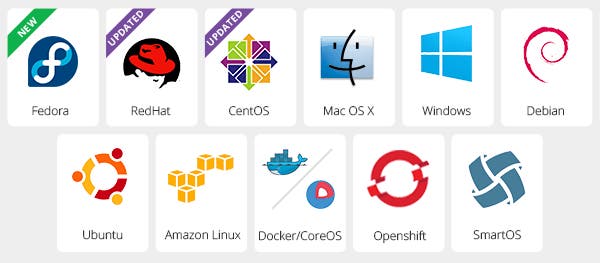
The new Datadog Agent 5.0.0 expands the list of supported operating systems to include three additional, widely-used operating systems: RedHat 7, CentOS 7 and the latest versions of Fedora. You can find installation instructions here.
Additional metrics collected
This latest Agent release adds a new integration to collect metrics from SNMP and expands the metrics that Datadog collects from Docker. The SNMP capabilities will be explained in more detail in a future blog post but we wanted to give you a taste of what some of the new Docker metrics the new Datadog Agent monitors look like in our ScreenBoards.
Expanded Docker support
The Docker integration has been improved to monitor large numbers of containers providing more visibility into large-scale container-based platforms such as CoreOS. You can then use Datadog’s dashboarding capabilities to pull together some of your new Docker metrics such as the number of running and stopped containers and number of images on a ScreenBoard such as the one below.
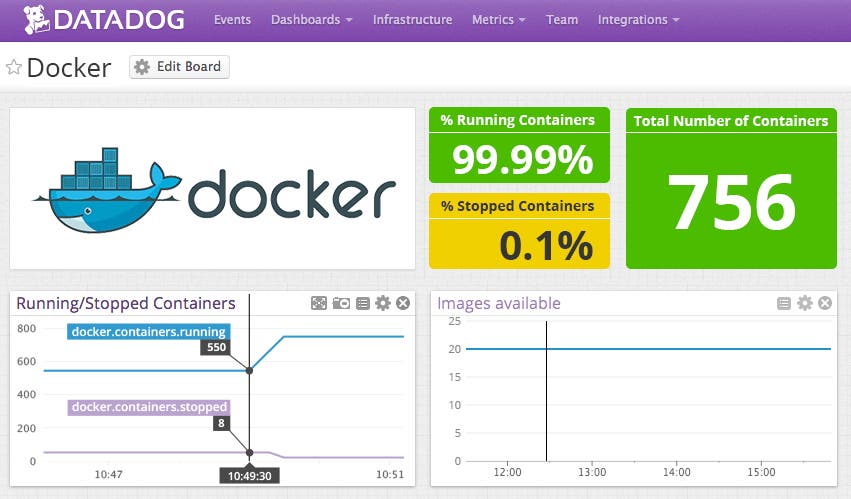
Aside from visualizing Docker metrics, you can use Datadog multi-alerts to find outliers among your containers running the same image.
Dead Simple Installations
The new Agent contains all libraries needed to run all agent-based integrations out of the box, so that you do not need to worry about dependencies. If you are interested in learning more about how we solved integration dependencies with one downloadable Agent, this blog, from our engineer Remi Hakim explains it in detail (spoiler alert: we use Omnibus).
If you’d like to be able to quickly collect, graph, analyze and alert on the new metrics and OS mentioned above, sign up for a free 14-day Datadog trial. You will have access to this data immediately after the new Agent is installed.
We’d like to also extend a hearty thank-you to the community. The contributions that we received from @wisqnet and @Tenzer, as well as, the feedback and beta testing support from many of you, made this new agent release possible.
