

Milene Darnis

Bridgitte Kwong

JC Mackin
Product managers (PMs) need to make fast, confident decisions about what to build, fix, and improve based on user behavior within their application. But in practice, collecting the user insights they require is rarely straightforward.
Recent updates to Datadog Product Analytics address this challenge. Product Analytics adds structure to autocaptured data and makes analysis easier to interpret, reuse, and share, helping PMs move from questions to answers without relying on SQL or engineering.
In this blog post, we’ll look at how Product Analytics helps PMs:
- Easily track and define user actions
- Analyze user journeys without writing SQL
- Save and share actionable analyses
- Quickly answer common product questions with chart templates
Easily track and define user actions
Autocapture gives product teams broad visibility into user behavior, but without stable definitions for events or shared metrics, that data can quickly become noisy and inconsistent. This often results in data discrepancies that undermine confidence during product reviews.
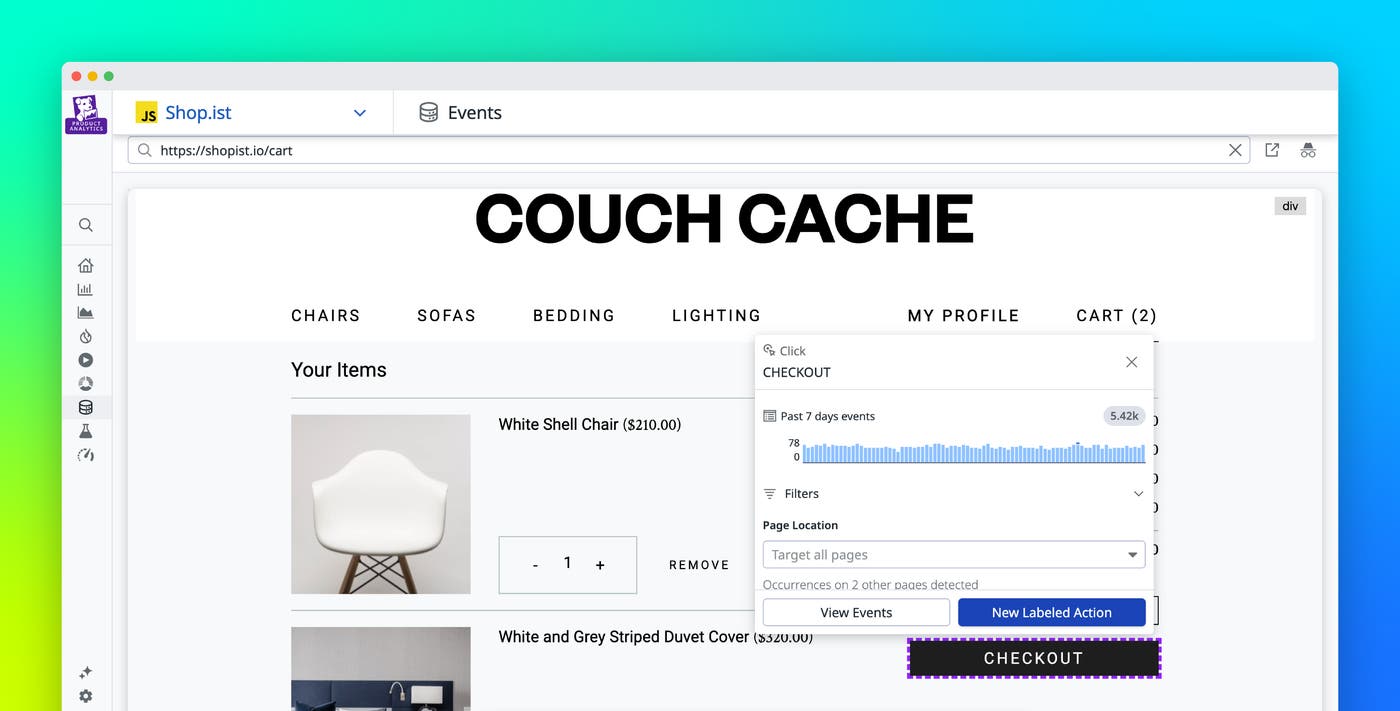
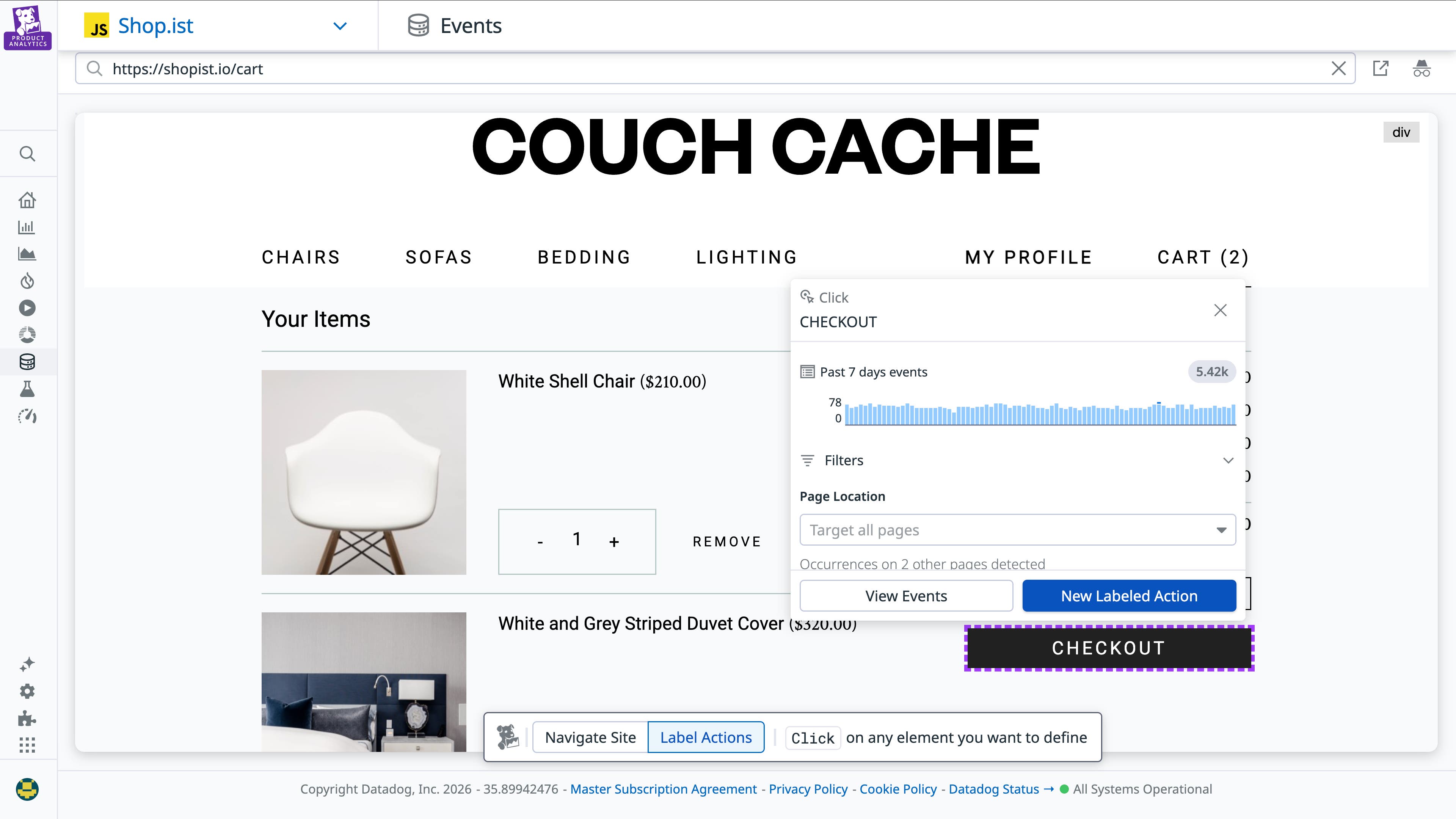
Action Management in Product Analytics adds a layer of governance on top of autocaptured data, giving PMs a no-code way to label and manage meaningful user actions. With a point-and-click interface, PMs can label interactions directly in the UI, define their scope, and standardize how key actions are measured without writing code or rebuilding logic. For example, multiple-click events across a cart page can be labeled as a single “Started checkout” action.
Once labeled, actions become reusable building blocks across funnels, retention charts, and related session replays, and can be shared across Product Analytics. The availability of consistently labeled actions across the platform improves trust in metrics, speeds up analysis, and gives teams a common language for understanding user behavior.
Analyze user journeys without writing SQL
PMs need to understand how users move through the product: which paths lead to activation, where friction appears, and how behavior changes across cohorts or releases. But when analysis requires SQL or complex query logic, exploring those journeys becomes slow and difficult.
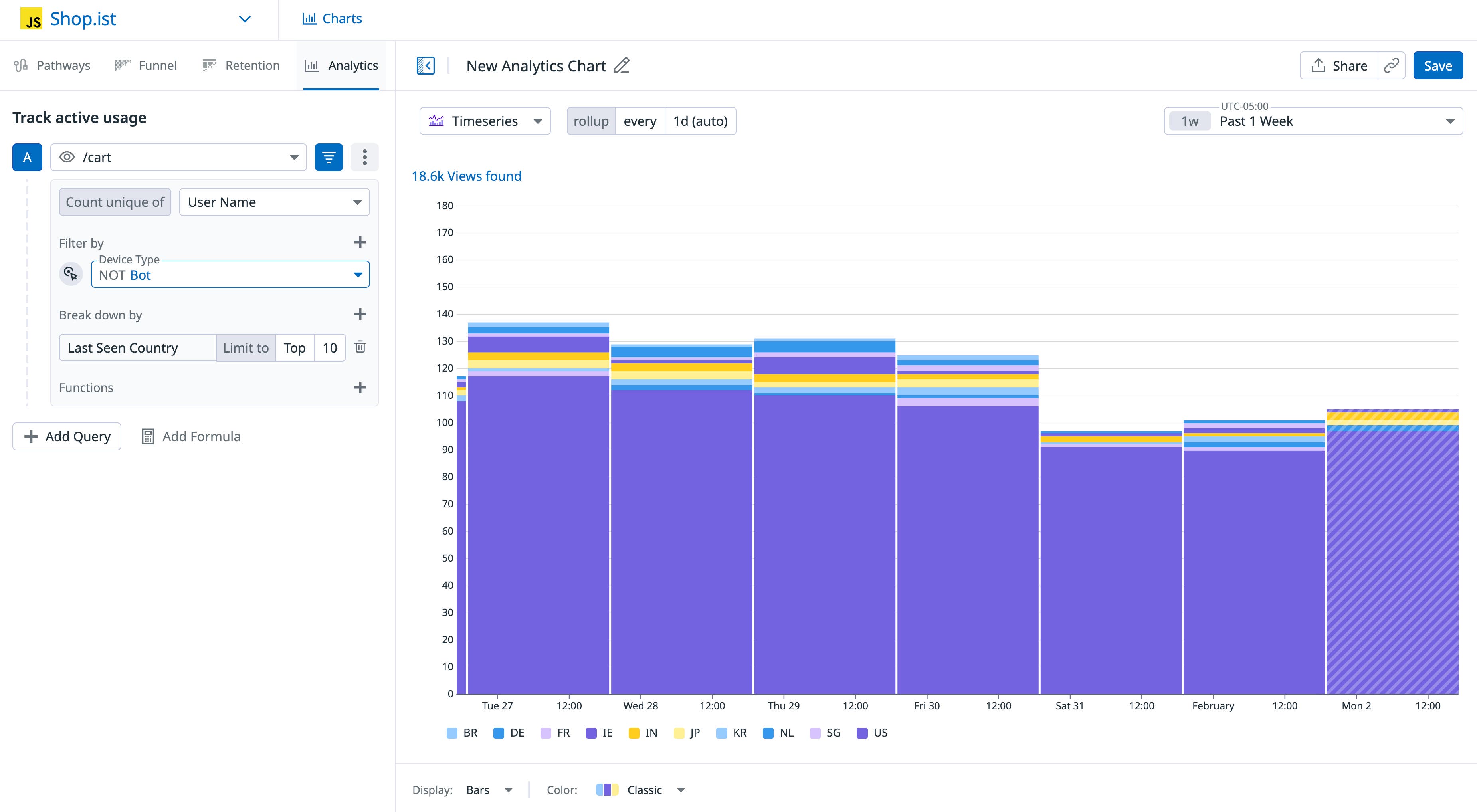
With the redesigned Analytics Explorer, PMs can start from meaningful actions, add steps, and refine conditions in a single, intuitive workflow without writing SQL or rebuilding charts. Time frames, segments, and filters can be adjusted directly in the editor, making it easy to iterate on questions without starting over or rebuilding charts. For example, in an ecommerce application, a PM can easily segment and break down user behavior across attributes such as countries or user behavior.
Save and share actionable analyses
Some of the most important product insights emerge while PMs are exploring data to answer a specific question. But when those insights can’t be easily saved, shared, or revisited, PMs are forced to recreate analysis. This operational friction often slows decisions and erodes confidence.
Datadog Product Analytics lets PMs save analyses directly from their exploratory workflow. Each saved chart preserves its actions, filters, segments, and time frames, so any team member can reopen it, understand the assumptions behind it, and build on it without starting over. These saved views become durable, shareable references that keep teams aligned and focused on decisions.
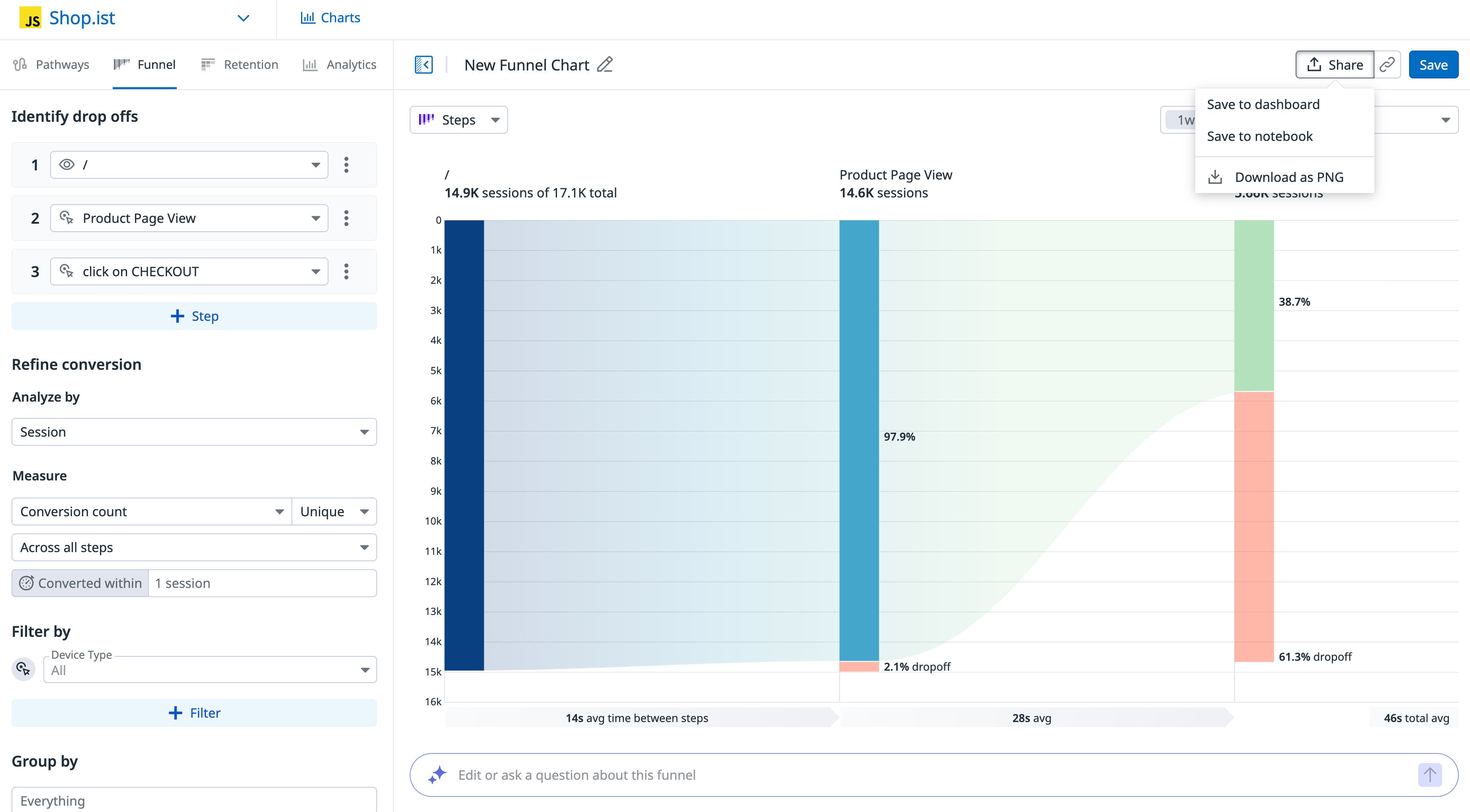
For example, in an ecommerce application, a PM might notice a spike in checkout drop-off shortly after a new feature release. The PM can then save that funnel view, revisit it over the following days, and share it with design and engineering teams to align on next steps.
Quickly answer common product questions with chart templates
When new product questions arise, PMs often have to start out seeking answers by facing a blank chart or a technical query builder. Even with a clear question in mind, starting from scratch with the need to build a brand new query can feel intimidating and slow.
Datadog Product Analytics includes a library of out-of-the-box chart templates designed around common product questions about issues such as onboarding completion, feature adoption, and retention over time. PMs can start from a ready-made chart, confirm the actions that apply to their product, and refine segments or time frames as needed, all without writing queries.
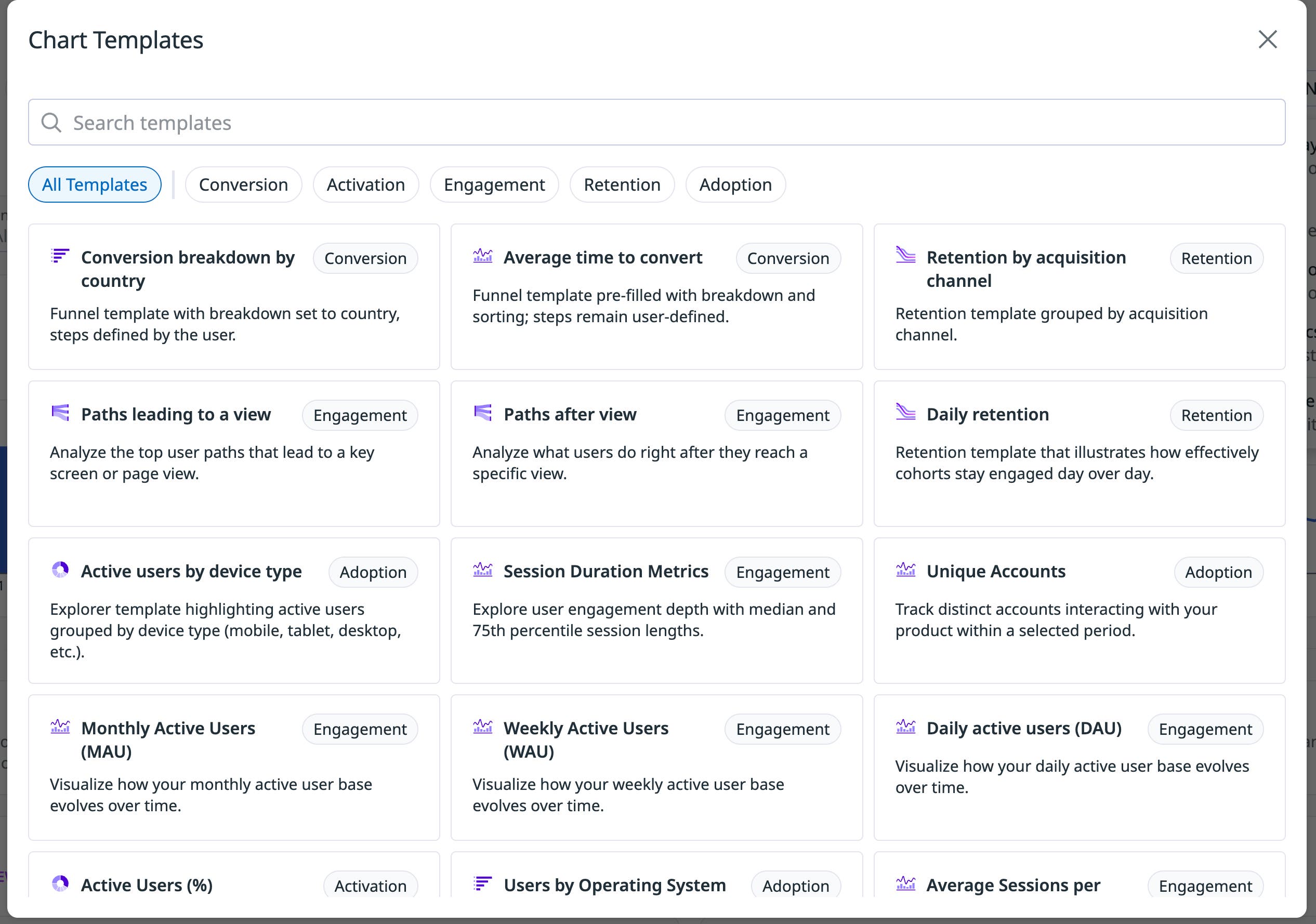
For example, a PM evaluating onboarding can begin with an onboarding funnel template and define the actions that match their onboarding flow. From there, they can use a retention template to compare behavior across acquisition channels or cohorts, creating faster feedback loops that help guide product decisions as both the product and user behavior evolve.
Make better product decisions with confidence
Product managers need reliable, accessible data to understand how their products are being used and to decide what to do next. By reducing friction generated by unclear metrics and overly technical workflows, Datadog Product Analytics helps product teams move from questions to confident insights faster.
To learn more about Datadog Product Analytics, visit our documentation. And if you’re not yet a Datadog customer, sign up for a 14-day free trial to get started.