

Angelina Jin

Bo Huang

David Pointeau

Kyler Kang
From point-of-sale (POS) terminals to cloud-based applications and mobile devices, reliable connectivity is critical to business operations. Even brief disruptions can negatively impact user experiences, resulting in failed transactions, delayed application responses, or repeated attempts to reconnect.
Juniper Mist is an AI-powered networking platform that provides insight into wireless environments, including access point performance and radio frequency health. As Mist-managed infrastructure becomes central to business operations, teams need visibility into device health, client experience, and traffic patterns to diagnose connectivity issues before they reach users.
The Datadog Juniper Mist integration (now in Preview) collects device, client, port, and traffic metrics through the Juniper Mist API, enabling teams to correlate user experience with application and infrastructure data to identify which sites, devices, or ports are contributing to connectivity issues.
In this post, we’ll cover how the Juniper Mist integration helps engineering teams:
- Monitor device and client health across sites
- Analyze port, Power over Ethernet (PoE), and uplink performance
- Track network throughput and traffic patterns
Monitor device and client health across sites
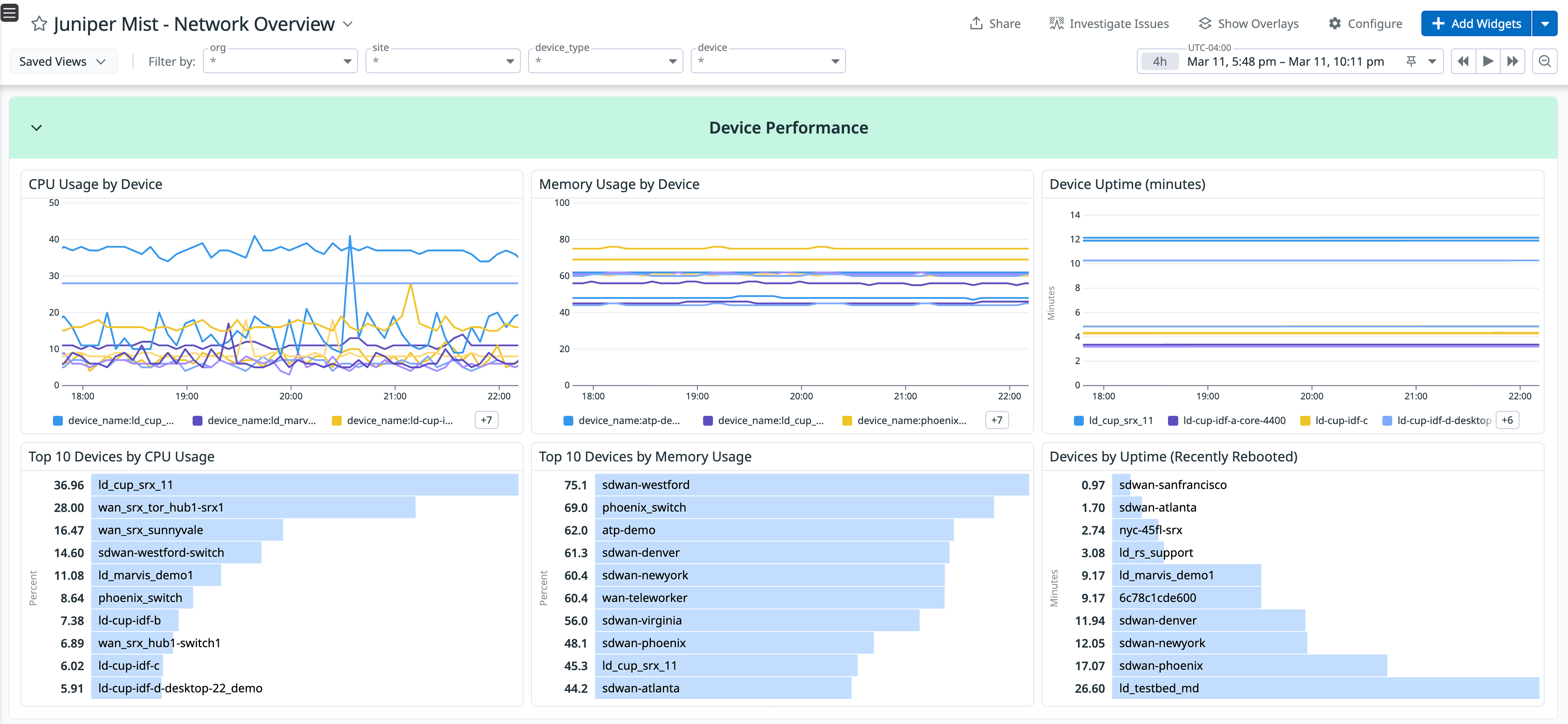
The Juniper Mist integration surfaces high-level device and client metrics in Datadog so teams can quickly assess overall network status. The out-of-the-box dashboard tracks totals for access points and switches, connected devices, and active wireless clients, alongside device health percentages and port utilization.
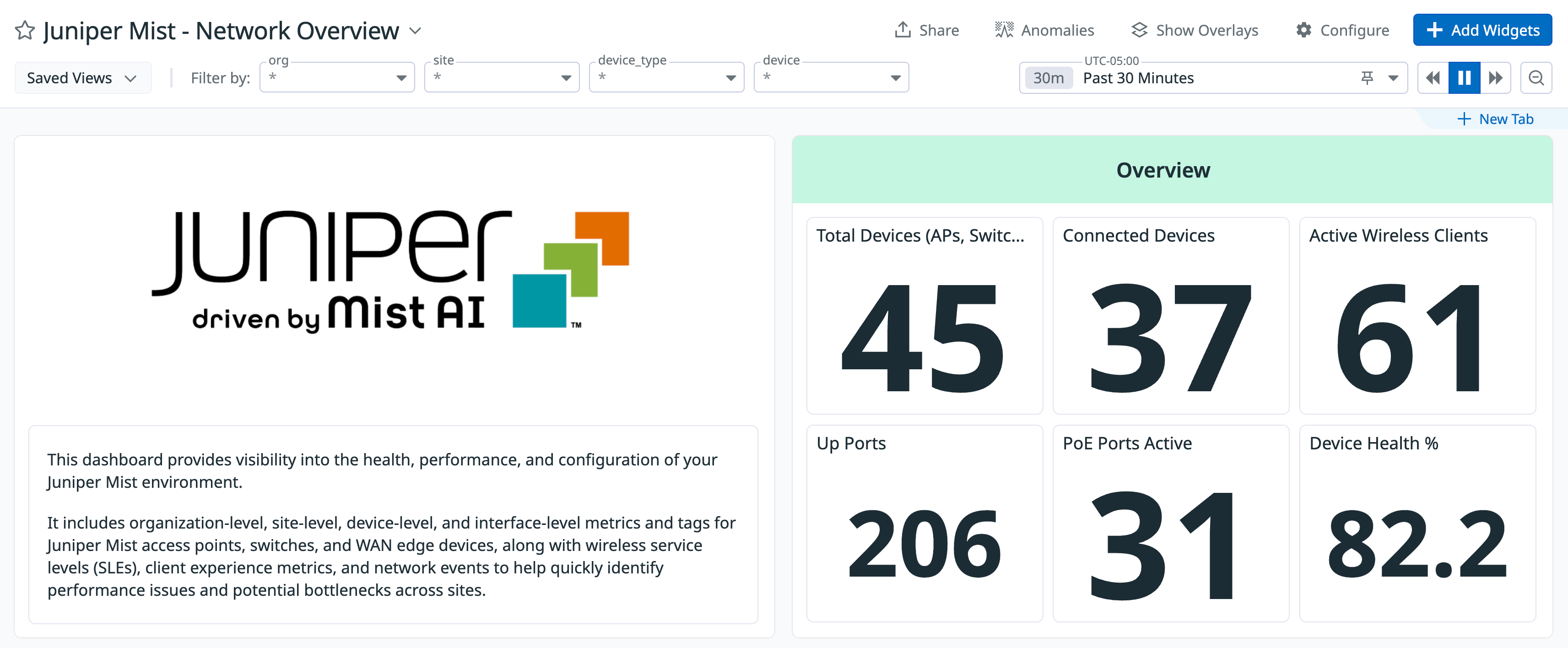
These metrics can be broken down by site to understand how connectivity varies across locations. For example, if one site shows a drop in active devices or a significantly lower device uptime compared to others, this may indicate a local uplink issue, power instability, or WAN connectivity disruption. From there, related infrastructure metrics, logs, or alerts can help narrow the scope of the issue, isolate impacted locations, and prioritize remediation.
Analyze port, PoE, and uplink performance
Not all network issues originate at the device level. Sometimes the root cause lies in a specific switch port, a saturated uplink, or unexpected PoE consumption. For example, a sudden spike in PoE draw could indicate newly connected devices exceeding the planned capacity.
The Juniper Mist integration collects detailed port and PoE telemetry data, including port status distribution, active uplink ports, and PoE power usage by switch and port. By analyzing the top ports by PoE draw or total errors, teams can detect overloaded or misbehaving endpoints.
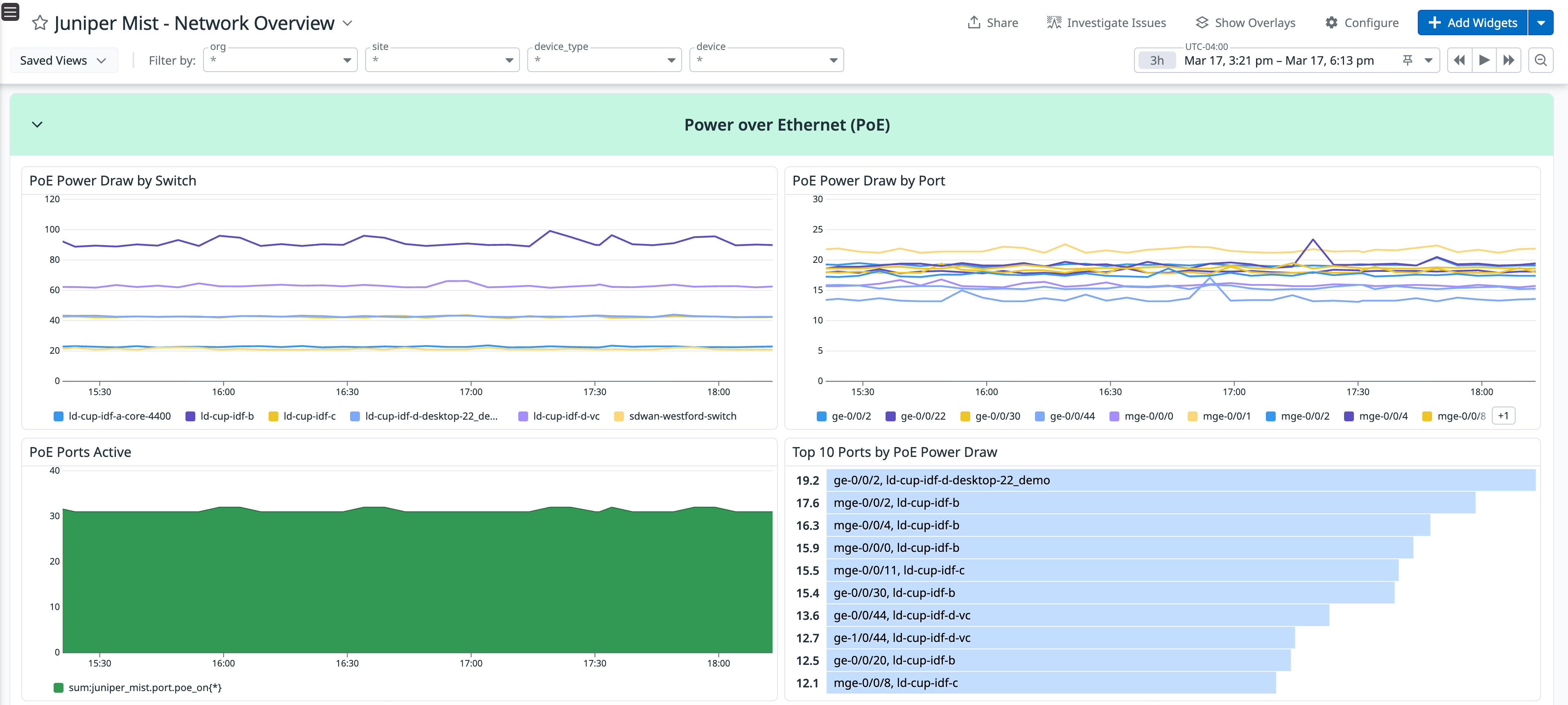
With these insights, teams can answer questions such as:
- Are uplink ports operating as expected?
- Is a specific switch drawing unusually high PoE power?
- Are error rates concentrated on certain ports?
- Are elevated port errors correlated with degraded application performance or increased client reconnect attempts?
Track network throughput and traffic patterns
Mist-managed switches and gateways handle significant traffic, and shifts in throughput can expose performance bottlenecks or unexpected usage patterns. The Datadog Juniper Mist integration provides metrics for total network throughput, total bytes transferred, and traffic trends by switch. Teams can also identify top switches and ports by total traffic, as well as the top ports by total errors. This enables engineers to distinguish between normal growth in usage and abnormal patterns such as broadcast storms, misconfigured devices, or sudden workload migrations.
For example, persistent high utilization across uplinks could signal the need for additional capacity. In distributed enterprises, this visibility helps teams plan capacity before uplinks become saturated.
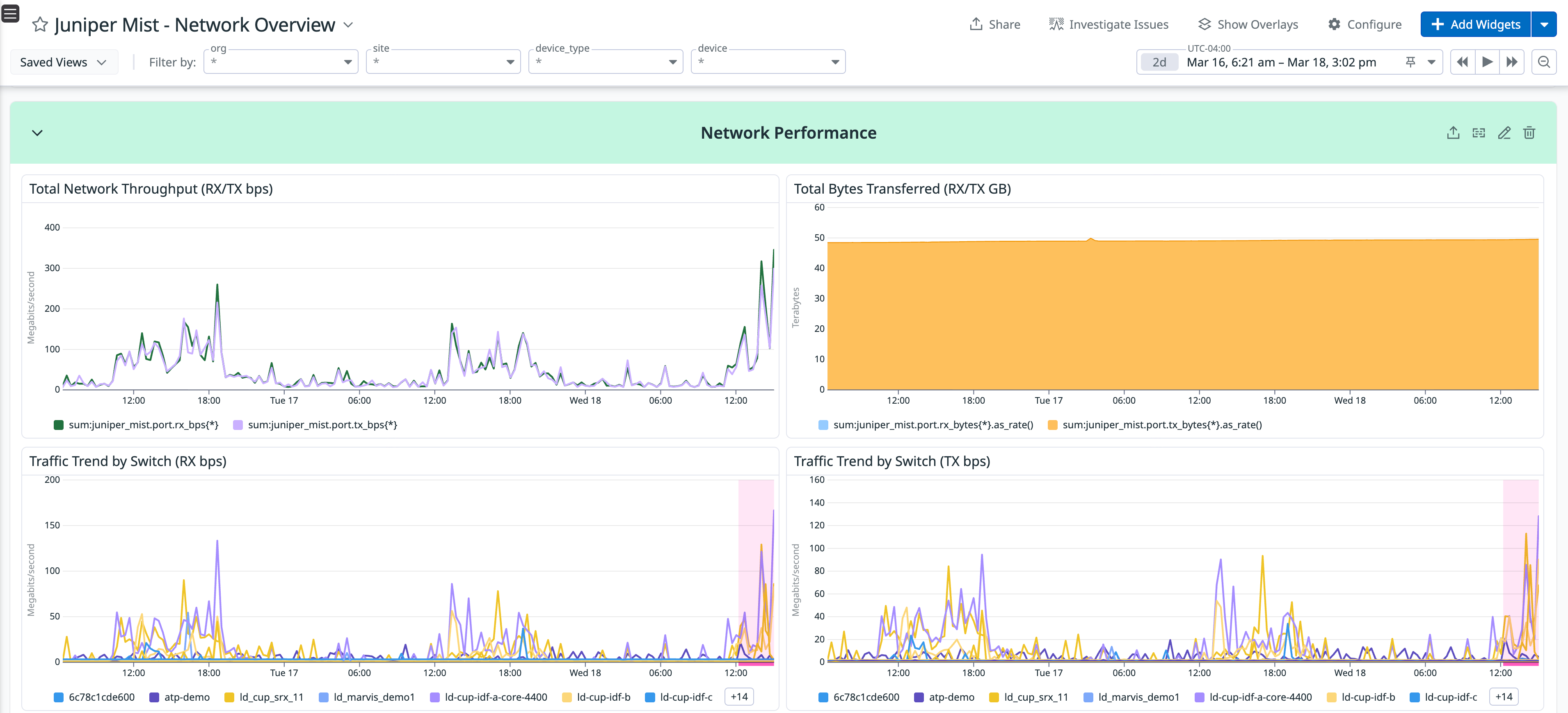
By monitoring these metrics in Datadog, teams can create alerts that notify engineers when throughput, error counts, or port status exceed defined thresholds. This helps teams detect abnormal behavior before users report degraded performance.
Get started with the Juniper Mist integration
The Datadog Juniper Mist integration connects device health, client experience, port performance, and traffic metrics with application, infrastructure, and log data. By correlating network telemetry data with application metrics, teams can narrow down the root cause of connectivity issues and understand how network behavior impacts user experience.
To start monitoring your environments with the Juniper Mist integration, join the Preview by reaching out to your Datadog representative. If you’re new to Datadog, sign up for a free 14-day trial.