
Pronoy Chaudhuri
Modern applications generate a constant stream of logs, some of which carry more information than they should. For too many organizations, logs include personally identifiable information (PII) such as customer names that were never meant to leave production systems. Teams try to limit this data exposure by using regular expressions to detect and obfuscate matches, only to discover that names like John O’Connor, Mary-Jane, Jane van der Meer, and A. García slip through. Punctuation, hyphenation, multiword surnames, initials, diacritics, and casing make handcrafted patterns fragile, forcing engineers to tune exceptions while names continue to appear in logs. Additionally, false positive findings for technologies that have human names, such as Cassandra and Jenkins, add to operational friction and hamper observability.
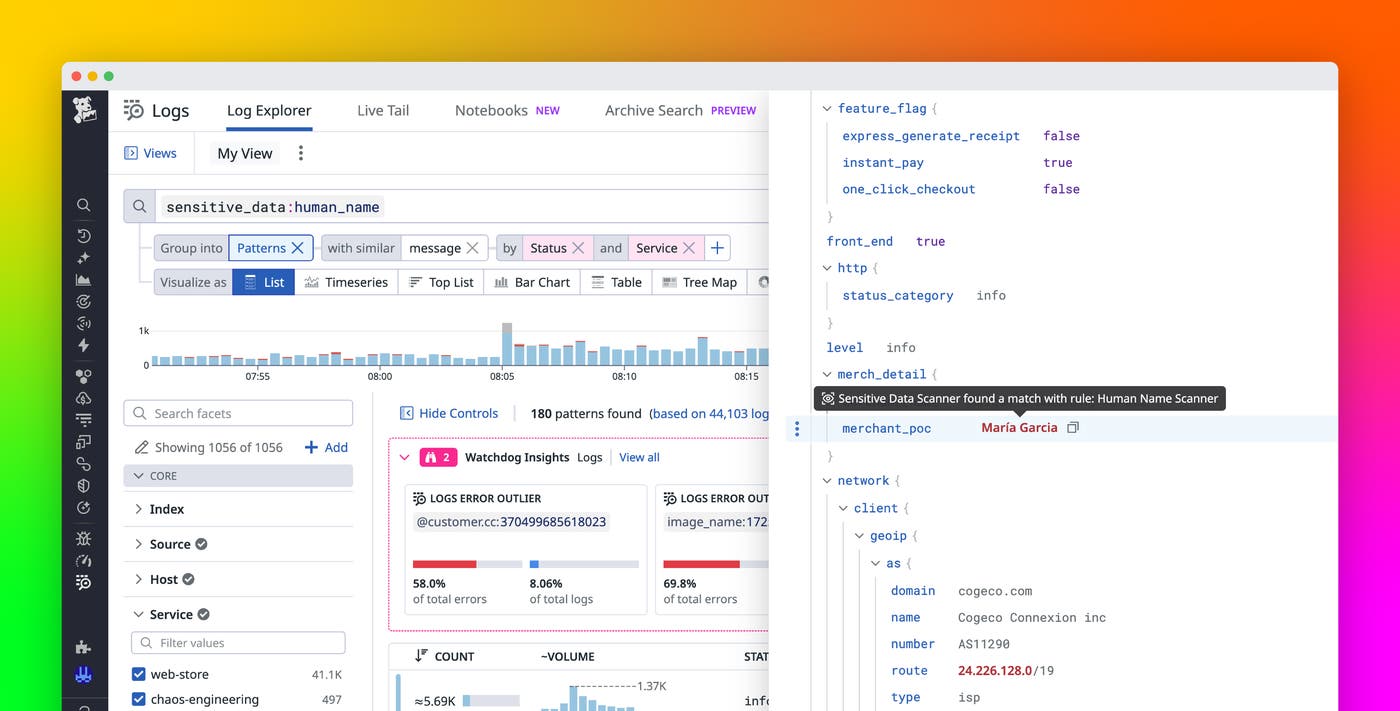
Datadog Sensitive Data Scanner (SDS) human name detection, now generally available for all commercial Datadog sites and available in Preview in US1-FED, helps solve these challenges. Human name detection introduces a built-in, machine learning (ML)–based rule that automatically identifies first, last, and full human names in your application logs. With the Human Name Scanner rule, you can detect and optionally obfuscate names without creating and maintaining a collection of regex patterns. As a result, you can validate upstream redaction, strengthen compliance efforts for standards such as GDPR, and reduce false positives.
In this post, we’ll explore:
How human name detection works
Human name detection uses an ML pipeline that focuses on dynamic log content, which is where PII tends to exist. A fast candidate filter points out tokens that are likely human names, and then a Datadog-hosted ML classifier confirms whether those tokens are names by using context instead of relying on brittle pattern matching. This staged approach to detection helps maintain accuracy at scale without requiring you to operate model infrastructure or maintain custom dictionaries.
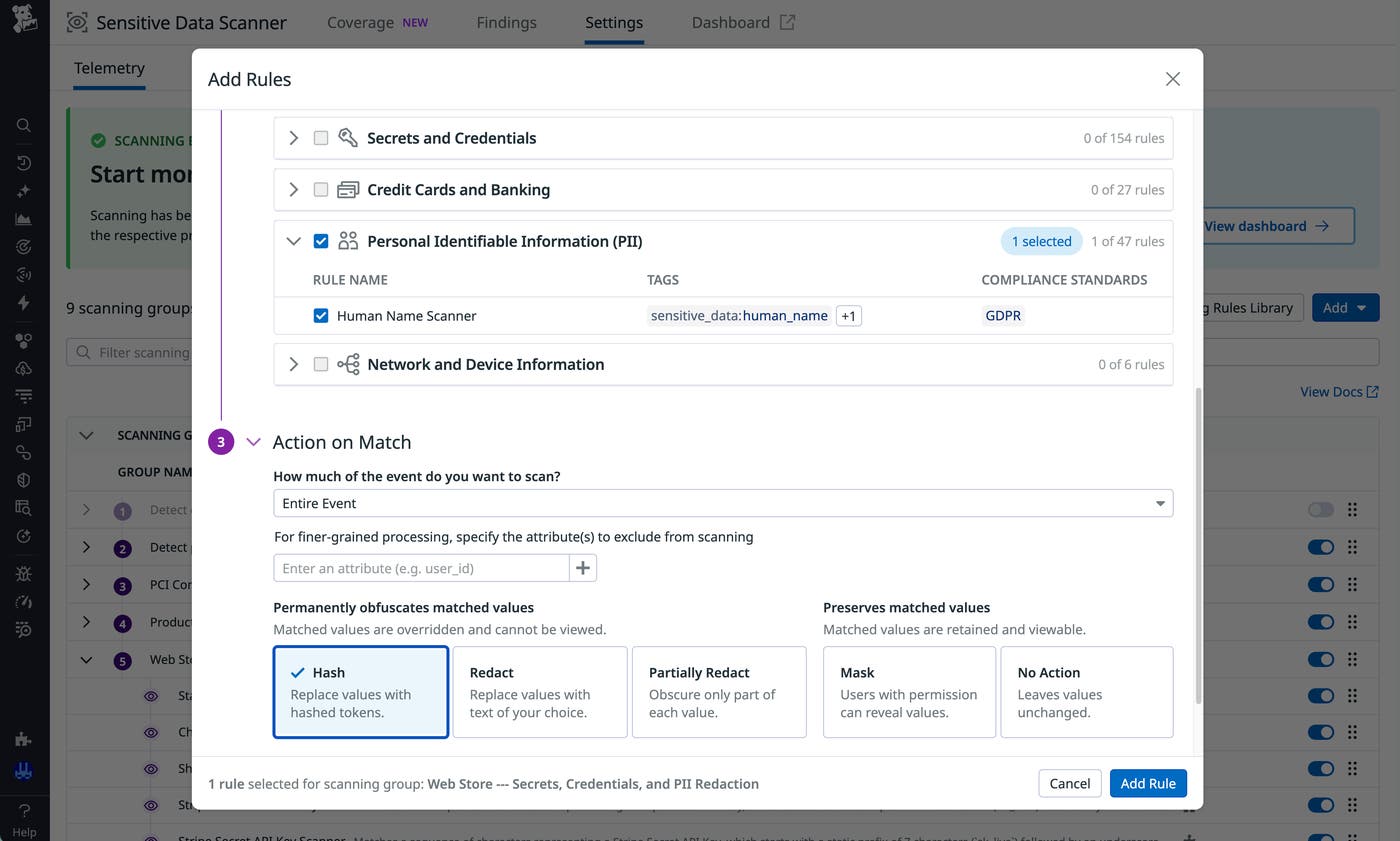
After you set up a scanning group that defines what data to scan, you can enable the Human Name Scanner rule from the SDS Scanning Rules Library and select the action that Datadog SDS should take when a match occurs. The following actions are available:
Redact: Replace the full matching value with a placeholder.
Partially Redact: Replace a specific portion of the matching value.
Hash: Produce a deterministic token that enables you to correlate repeated appearances of the matching value across logs without storing the original name.
Mask: Obfuscate the matching value, but reveal it to users who have the appropriate permission to unmask it (for example, during security incidents).
The following example shows how the Human Name Scanner rule behaves in practice. The screenshot from Datadog Log Management shows a log message that confirms an order for a user named John O'Connor by mentioning John’s name on two occasions. The log message also includes two references to the human-sounding name Ruby: one in the source (ruby) and one in the store_name (Ruby's Vinyls).
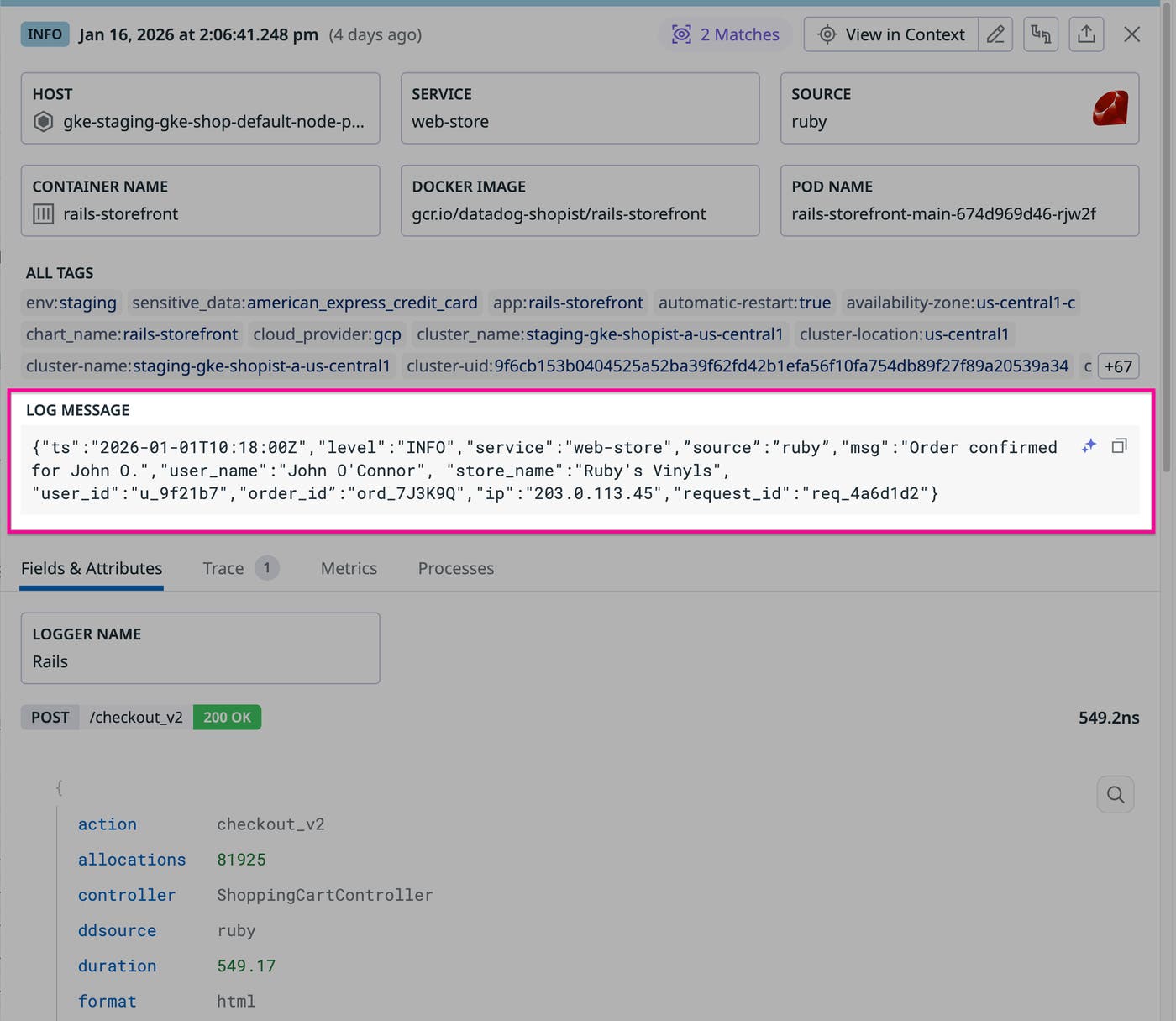
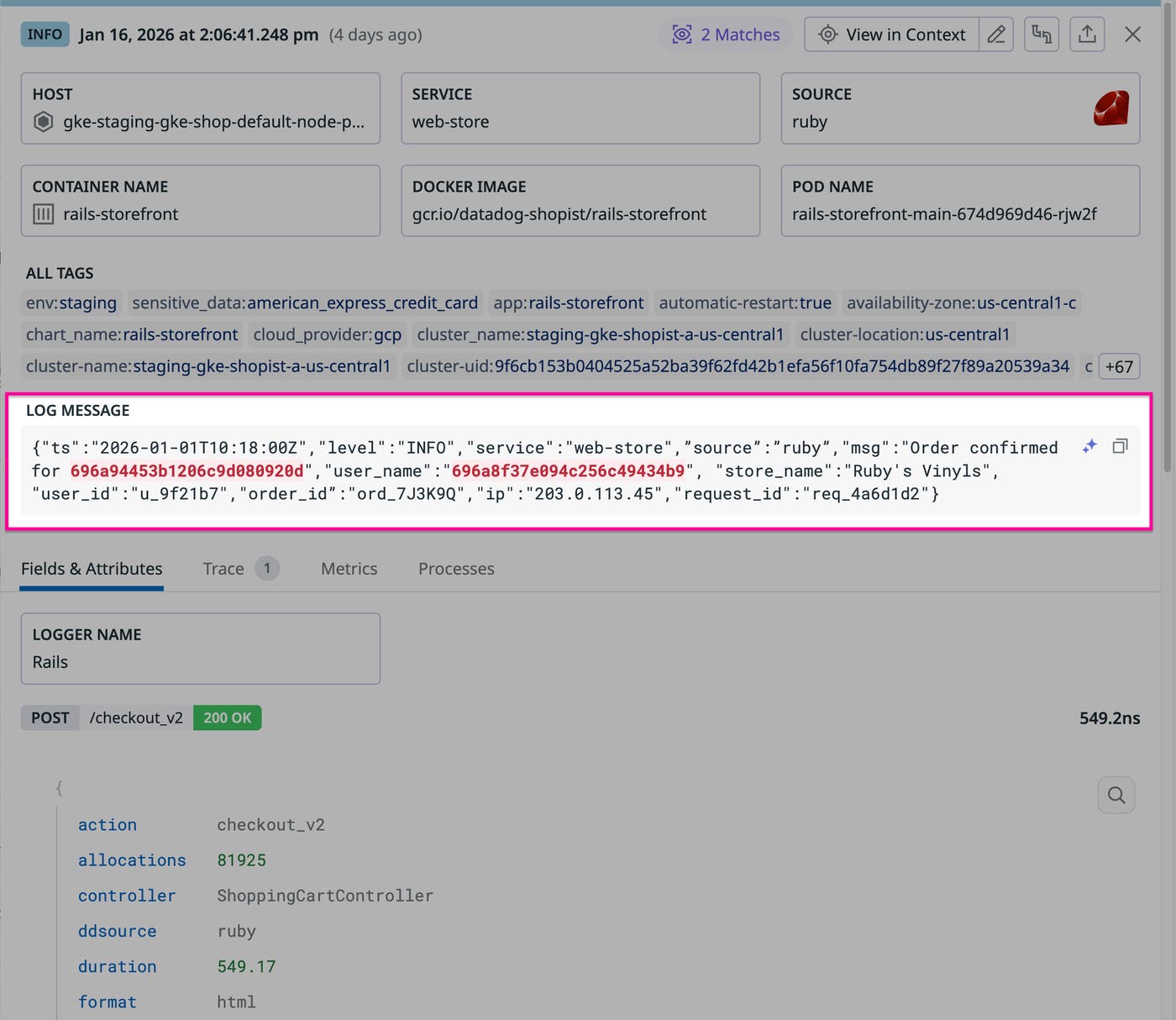
Writing a regex pattern that reliably detects the name in this example is difficult because variants such as O'Connor, O’Connor (different apostrophe), and O Connor require multiple alternations. With the Human Name Scanner rule enabled, Datadog SDS detects mentions of the name in the log and applies your configured action while leaving non-sensitive fields intact. The following screenshot shows how human name detection hashes John O. and O'Connor while avoiding false positives by not flagging ruby or Ruby in the same log.
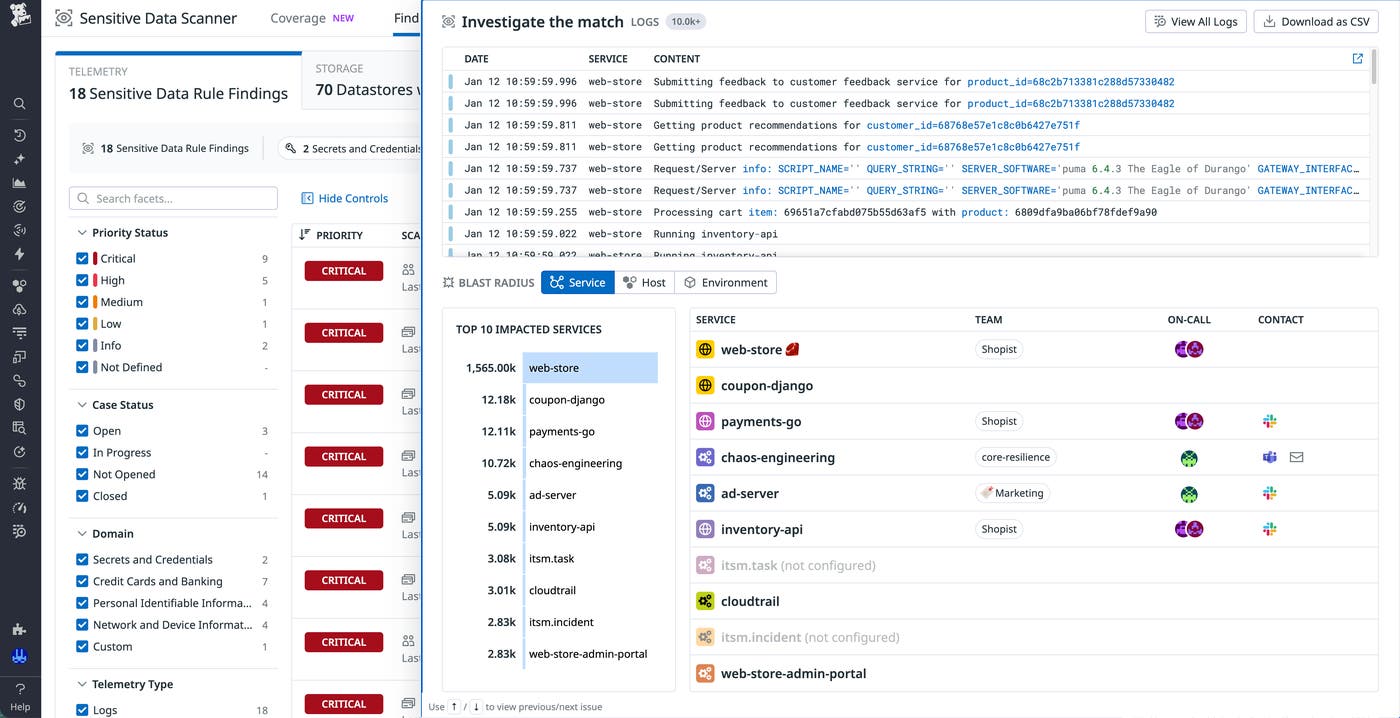
You can review matches from the Human Name Scanner rule on the SDS Findings page, which aggregates detections by rule and priority so that you can pivot into the underlying logs, verify examples, and create a case or incident when necessary. Because findings are tagged with rule metadata, you can also use log search, monitors, and dashboards to track trends in name detection across services.
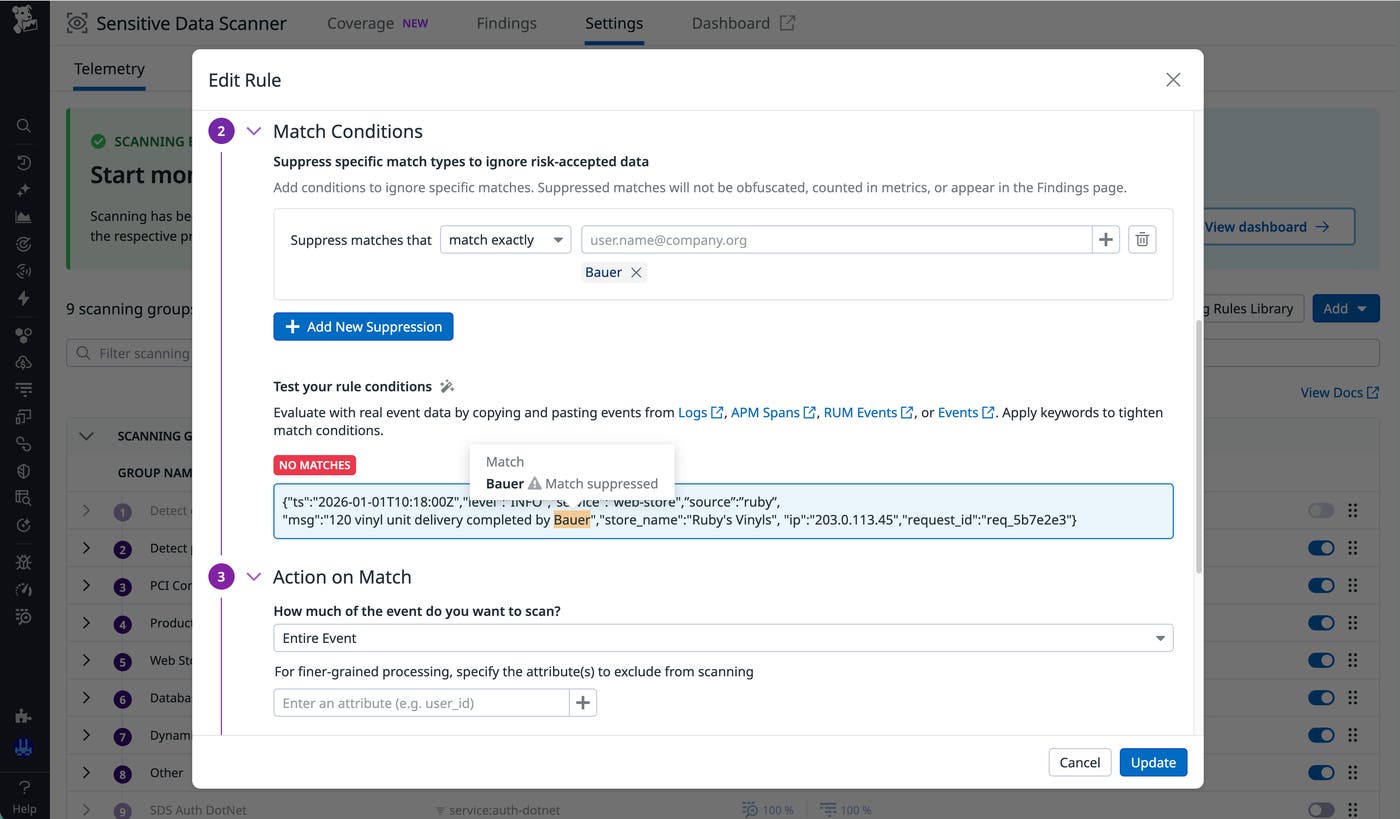
Datadog SDS also provides the ability to suppress particular matches if your organization decides to risk-accept specific names, such as company names that resemble human names. You can edit the Human Name Scanner rule to avoid flagging names such as Bauer, which is suppressed in the following screenshot. You can test your new match conditions by pasting in log content to find out how human name detection reacts.
Best practices for improving PII compliance
With its abilities to identify and obfuscate names, human name detection can help you enhance PII compliance with standards such as GDPR. You can pursue these goals by introducing human name detection in a focused scope where you validate matches, tune actions, and communicate changes before you expand coverage to additional services and environments. A common pattern is to start with a small set of high-risk services that likely process end-user data, configure the Human Name Scanner rule to log findings without redaction, review examples on the SDS Findings page, and then switch those services to redact or hash.
Action selection plays an important role in supporting compliance goals. For example, a European fintech company that is subject to GDPR might use hashing or masking in security logs so that analysts can trace suspicious behavior for a single person. That same company could use full redaction in long-lived application logs to support data minimization and retention policies. Meanwhile, a healthcare SaaS provider might apply redaction to customer support transcripts and hashing to authentication logs. During periodic audits, the provider could then use SDS dashboards as evidence of controls.
As you expand your human name detection coverage, you can treat findings as inputs for PII reviews on a regular cadence. Security and compliance owners can look for increases in findings for specific services, open cases or incidents that link directly to representative findings, and coordinate upstream changes with application teams so that log patterns evolve in step with internal privacy standards.
Start detecting human names in your logs today
Human name detection helps you apply consistent governance to personal names in your logs. By combining a multilayer ML pipeline with configurable actions and centralized findings, the feature helps your teams validate upstream redaction, support compliance efforts, and avoid the operational burden of custom regex-based scanners.
You can enable Sensitive Data Scanner to begin discovering, classifying, and obfuscating sensitive information across your logs, traces, Real User Monitoring (RUM) events, and more. When you’re ready to try human name detection in Datadog sites other than US1-FED, find the Human Name Scanner rule under the PII label in the Scanning Rules Library. To get started with human name detection in US1-FED, join the Preview. We’ll then enable the rule for your organization and help you roll it out.
Check out our SDS documentation about scanning rules for more information. If you don’t already have a Datadog account, you can sign up for a 14-day free trial to get started.
