
Ethan Debnath

David Iparraguirre

Vignesh Palaniappan
Setting up and scaling observability across large, distributed environments often requires platform and SRE teams to coordinate access to infrastructure hosts and switch between configuration management tools and product-specific documentation. These tasks increase setup time and create delays in establishing visibility of critical services in Datadog. As teams expand their infrastructure, they need to coordinate Datadog configuration changes in a consistent and auditable way.
To help solve these challenges, Datadog Fleet Automation now enables you to set up monitoring across your environments by configuring Datadog products and Agent integrations across your entire Agent fleet from one place. This functionality builds on Fleet Automation’s earlier capabilities that provide visibility into Agent configuration and health and centralized Agent upgrades and policy-based configuration. With this release, platform and SRE teams can manage Agents across all hosts from a centralized interface, reducing manual effort while implementing full-stack observability coverage and standardizing setup across environments.
In this post, we’ll explore how you can use Fleet Automation to:
Easily set up monitoring for your infrastructure and applications
Maintain complete observability coverage across your environments
Centralize Datadog management and deployment from a single platform
Easily set up monitoring for your infrastructure and applications
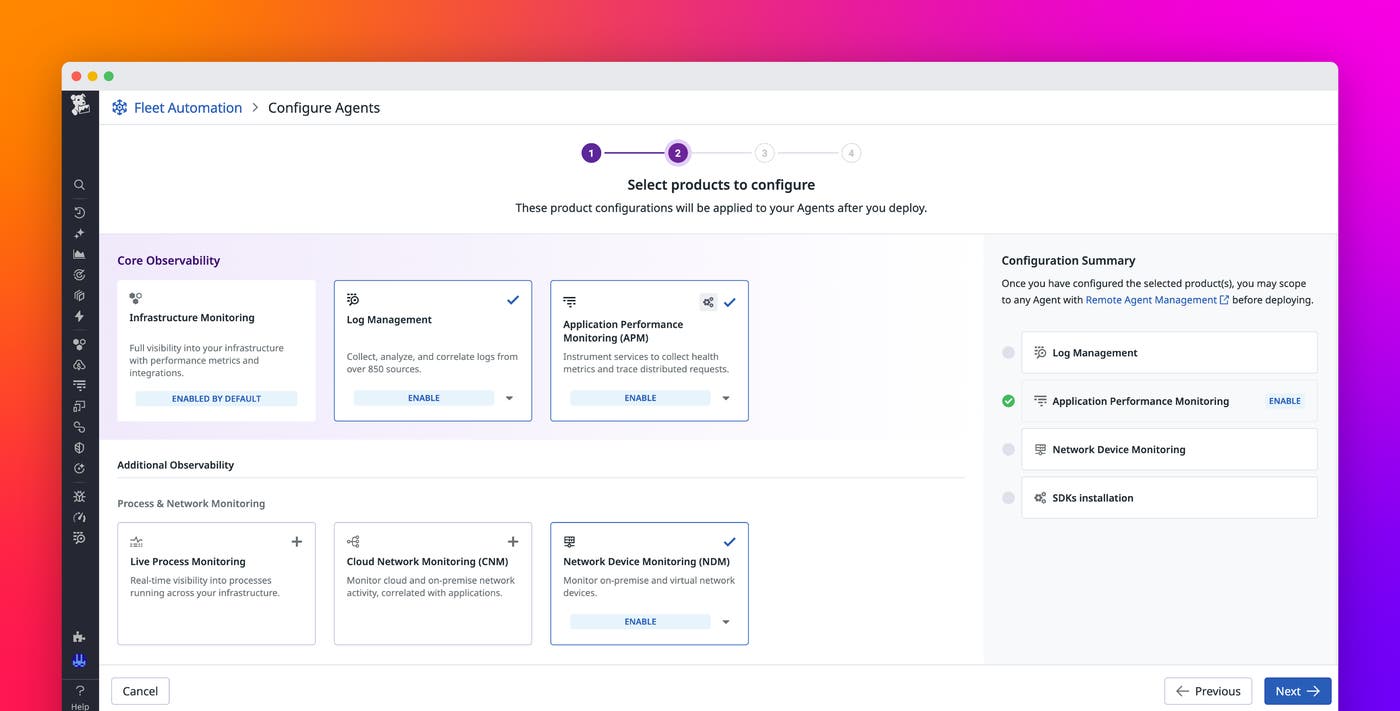
Setting up monitoring for infrastructure and services often involves switching between documentation and configuration repos, in addition to manually accessing hosts. You can now configure your Agents directly from Fleet Automation, enabling your teams to centralize setup and get visibility into their environments faster.
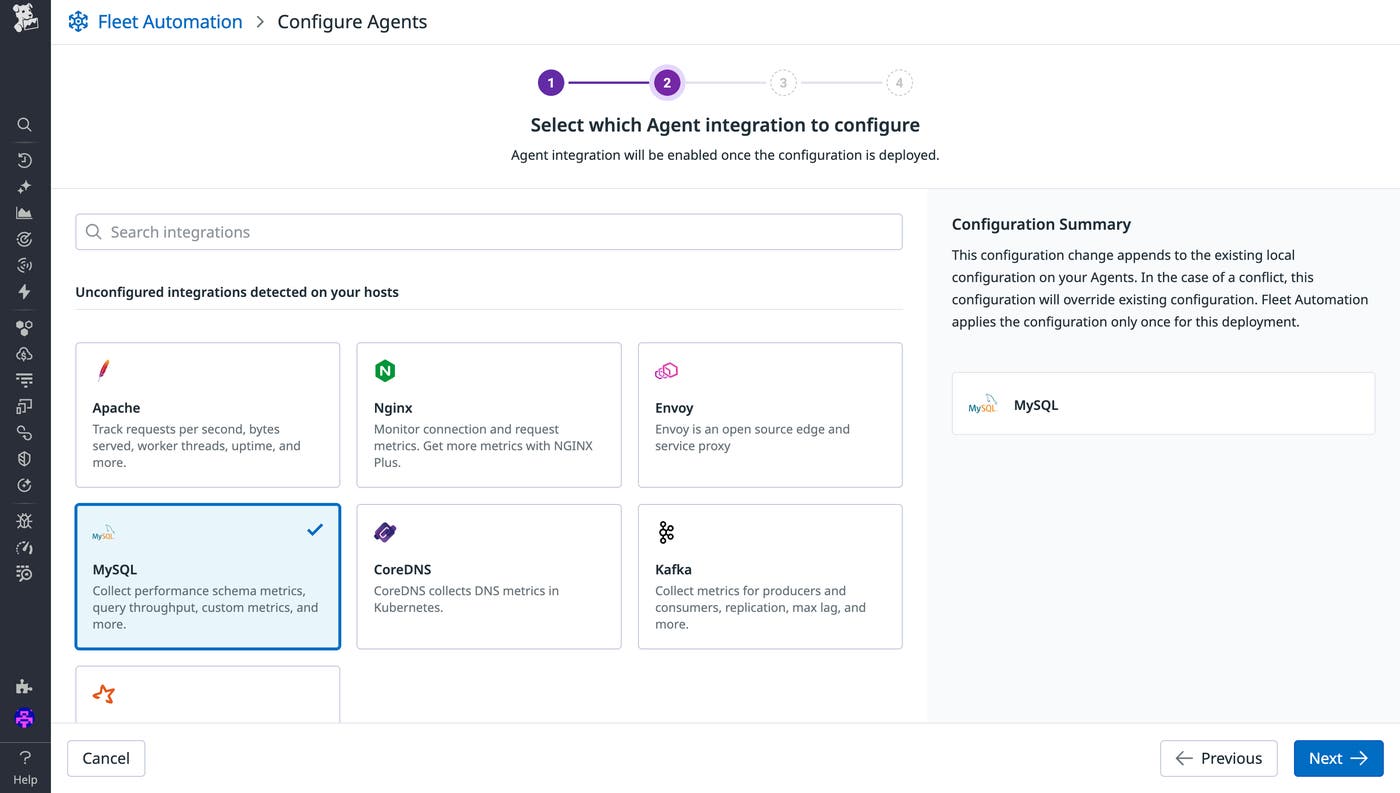
With Fleet Automation, you can roll out configuration changes across your Agents through guided workflows or bring your own YAML. When teams need to configure integrations such as Redis, Apache, or NGINX, they can follow UI-driven steps that provide required parameters and best-practice defaults. Platform engineers who prefer code-driven workflows can edit configurations directly in the advanced YAML editor, which includes syntax validation and semantic checks to help ensure accuracy before deployment.
With this configuration centralized, teams no longer need to log on to hosts or rely on separate processes and tools to make Agent configuration changes. Instead, they can deploy new configuration updates, such as enabling Log Management, Network Device Monitoring (NDM), or Cloud Security, directly from the Fleet Automation UI. Fleet Automation also offers an API to help teams use their existing automation or internal platform tooling to configure Agents.
Maintain complete observability coverage across your environments
Achieving full observability coverage requires continuous visibility into where telemetry data is missing. Fleet Automation helps you identify coverage gaps, validate data flow, and update configurations across your environments, reducing management overhead.
Fleet Automation surfaces hosts where telemetry is missing or misconfigured—whether due to unconfigured integrations or missing Agent settings—so that you can quickly identify and close visibility gaps. You can make targeted configuration changes, such as updating an integration, managing tags, and adjusting log collection settings directly from the Fleet Automation UI or API. You can apply these changes in real time to accelerate troubleshooting and reduce time to resolution.
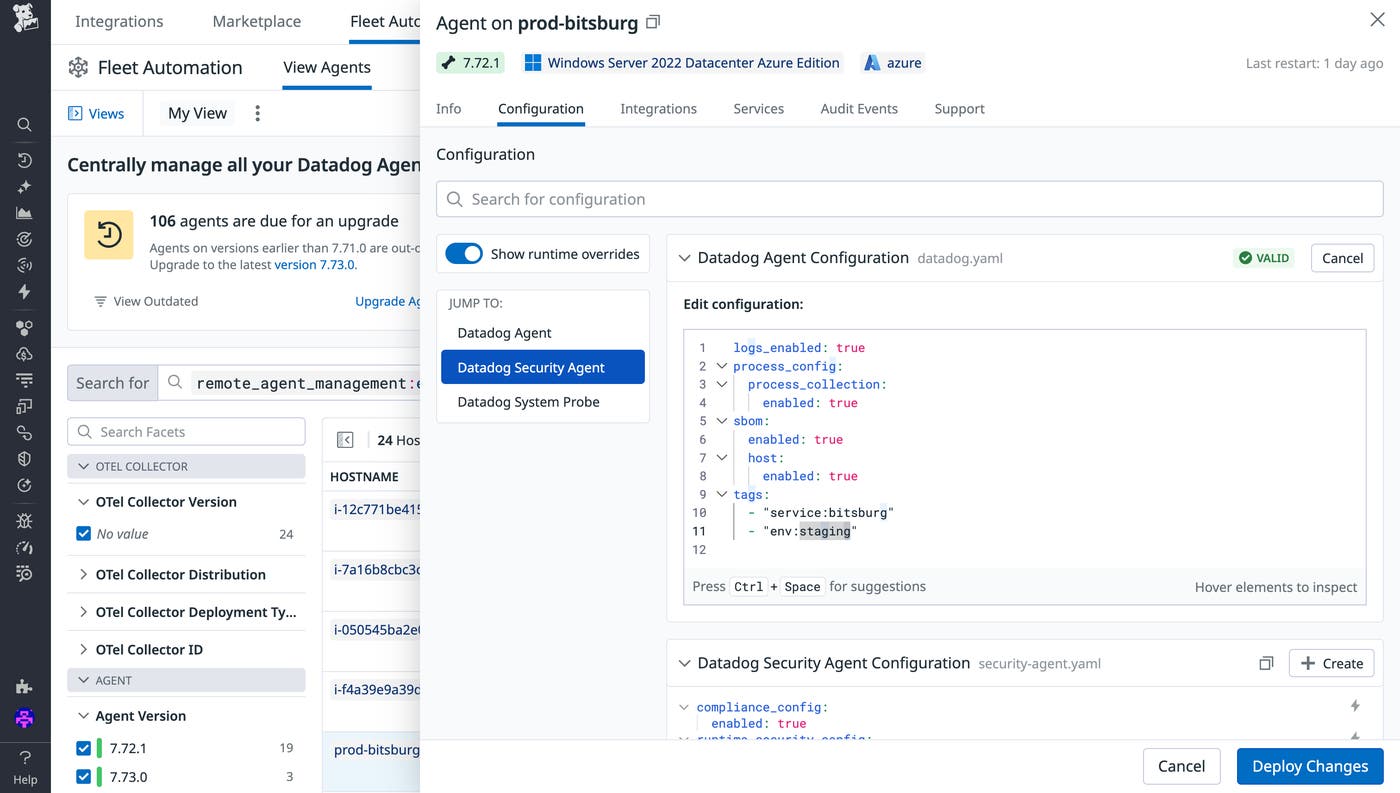
To help you maintain full observability coverage of your infrastructure, Fleet Automation gives teams visibility into whether Agents are actively reporting telemetry data and where data might be missing. This insight enables teams to quickly resolve misconfigurations, address gaps in instrumentation, and keep visibility consistent across environments.
Centralize Datadog management and deployment from a single platform
As environments grow, coordinating Datadog configuration updates across teams and infrastructure layers can become complex. Fleet Automation helps platform teams manage this complexity by providing deployment controls, role-based access control (RBAC), and auditability.
Teams can tailor deployment settings by using phased and concurrent rollouts. For example, you can deploy configuration updates to a small group of Agents first, validate performance or compatibility, and then expand the rollout to the full environment. You can also define maintenance windows for recurring deployments and set RBAC permissions that determine who can initiate changes.
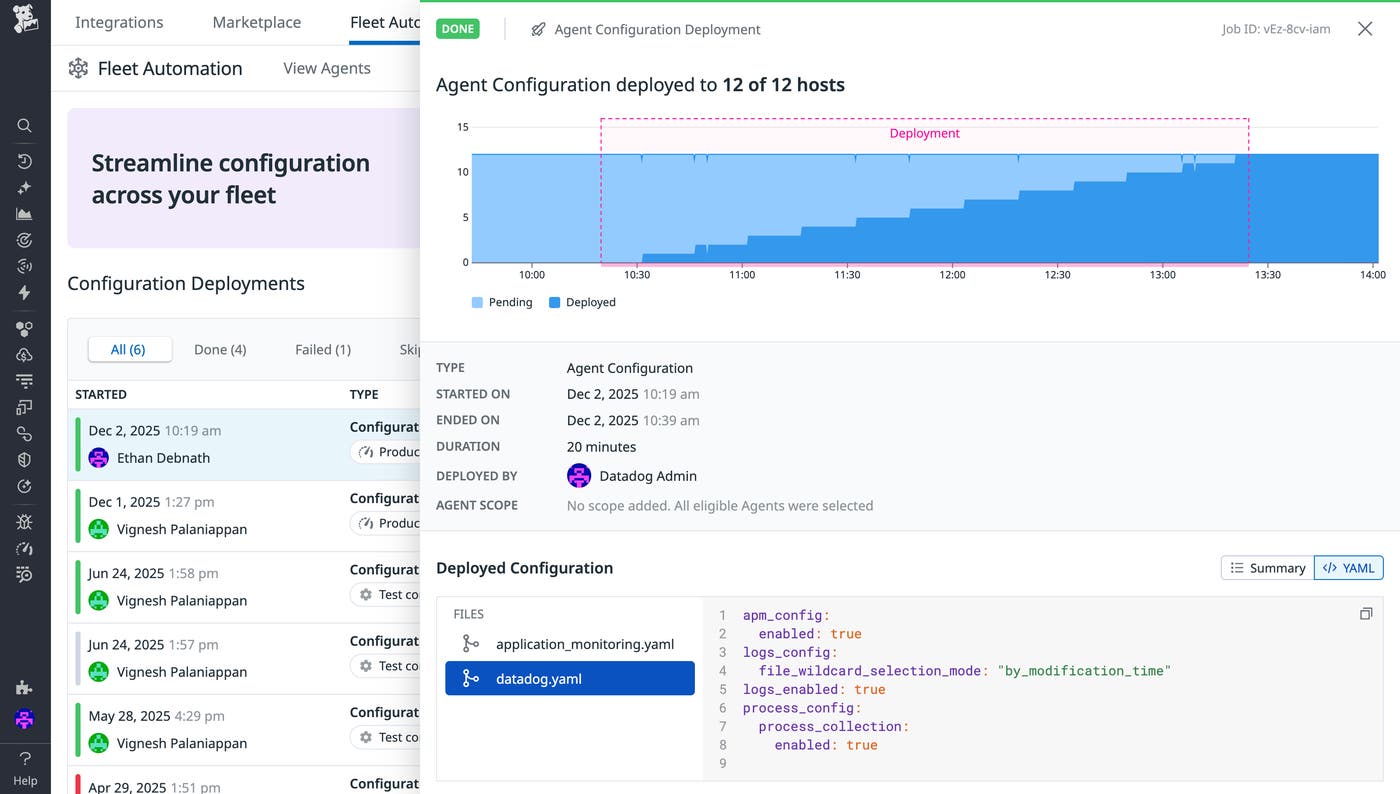
To support distributed teams, Fleet Automation provides deployment notifications and detailed event history from Datadog Audit Trail. Teams can review past configuration changes, see who initiated them, compare previous versions, and understand how updates impacted telemetry data. This historical context helps you troubleshoot and reduce configuration drift without requiring you to access individual hosts.
Simplify observability coverage at scale with Fleet Automation
Fleet Automation helps platform and SRE teams reduce Datadog onboarding time, maintain complete observability coverage of their environments, and simplify configuration changes across the fleet. Whether you’re rolling out configuration updates to monitor Redis across your infrastructure footprint or standardizing logging configurations for a new business unit, Fleet Automation gives you a unified management interface for observability at scale. The capabilities highlighted in this blog post are generally available. To learn more, check out the Fleet Automation documentation and explore how to configure Agents remotely.
If you don’t already have a Datadog account, you can sign up for a 14-day free trial to get started.
