

Amy Zhou
A host map is a visual representation of your infrastructure that displays hosts and related resources such as clusters, pods, and containers in a single, interactive view. We introduced the Datadog Host Map more than a decade ago to help you “know thy infrastructure” and answer critical questions: Does everything look healthy? Has anything changed? Does the shape of my environment match what I expect?
As modern systems have shifted toward Kubernetes, clusters, pods, and containerized workloads, infrastructure topology has become more layered and dynamic. We are excited to announce a redesigned Host Map that supports modern topologies by bringing hosts, clusters, pods, and containers together in a single, real-time view. With improved search, hierarchical relationships, and richer context, it helps you quickly move from high-level awareness to focused investigation.
In this post, we’ll explore how the new Host Map helps you:
- Get a real-time, high-level view of your infrastructure
- See how hosts, clusters, and pods fit together
- Monitor rollouts and migrations in real time
- Find what you need faster with advanced search
Get a real-time, high-level view of your infrastructure
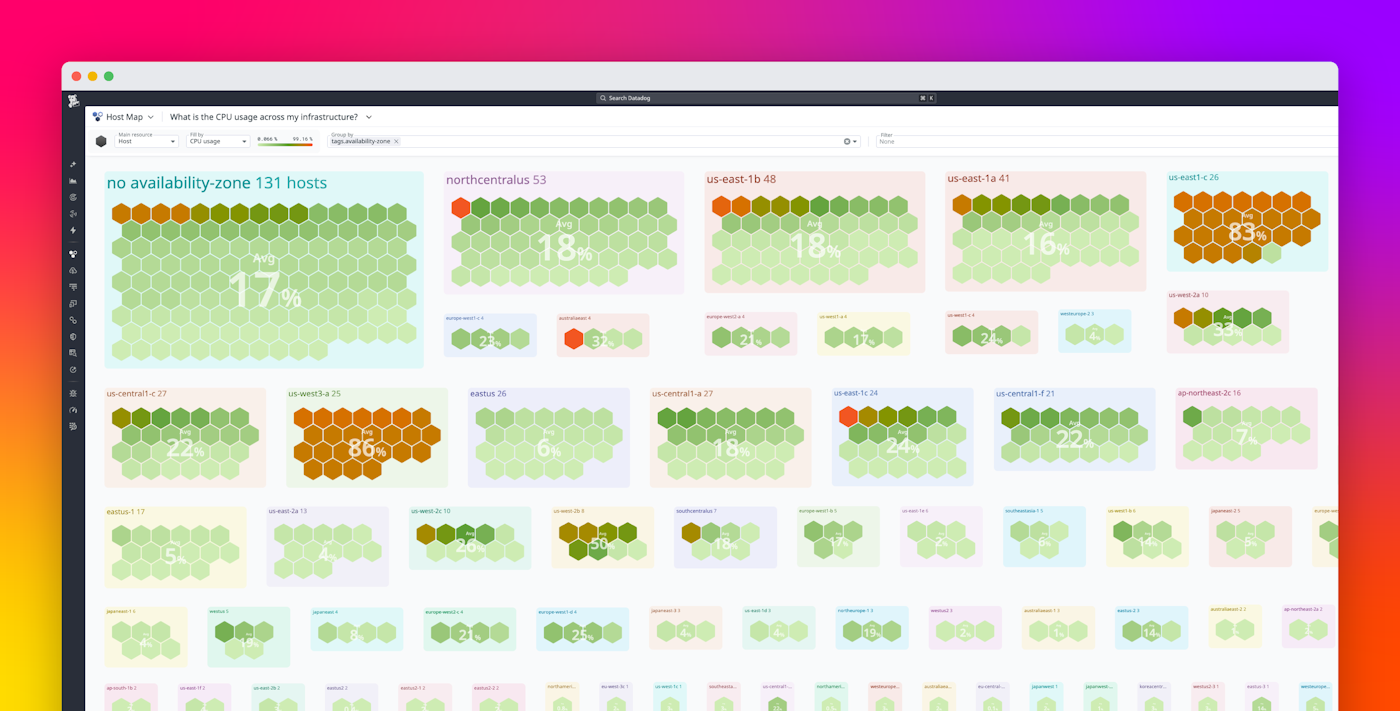
The Datadog Host Map provides a real-time view of your hosts, clusters, pods, and containers so that you can quickly assess infrastructure health. It is designed to be the starting point for that understanding. Upon first glance, you can quickly determine whether your environment looks as it should, whether anything is behaving differently than expected, and whether the overall shape of your infrastructure has changed.
The new Host Map includes Kubernetes pods and clusters in the same view as hosts and containers. This means you can visualize the core building blocks of your infrastructure together instead of stitching context across multiple pages. You can group resources by the dimensions that matter to you (such as region, availability zone, cluster, service, or team) and color the map by metrics (such as CPU or memory metrics) or logs (such as error logs) to instantly spot patterns.
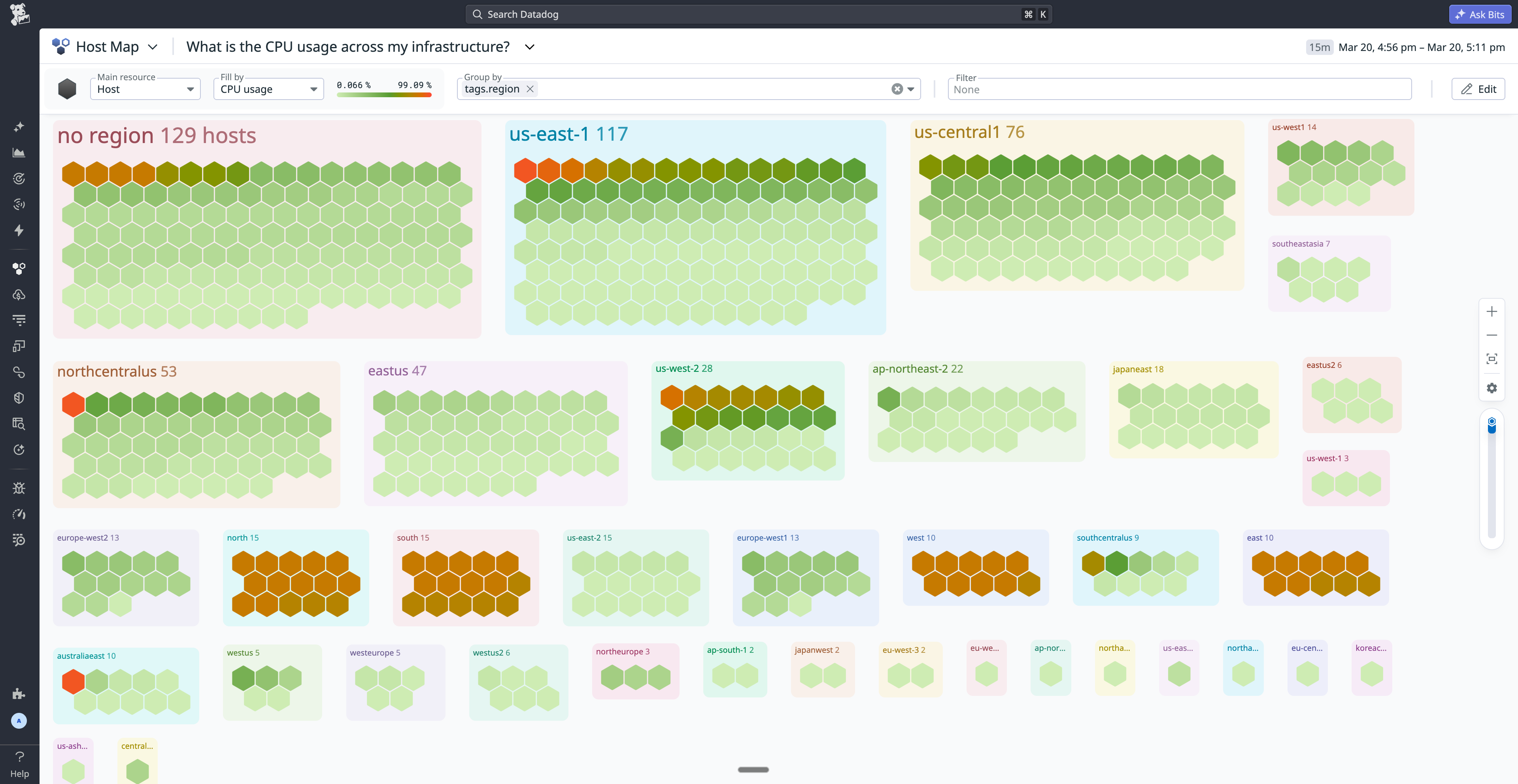
In large deployments, this high-level perspective is critical. You can quickly see whether workloads are evenly distributed, identify clusters that are running hot, and confirm that your tagging and organizational model match your mental model of the system. Instead of mentally reconstructing infrastructure topology from lists and dashboards, you can see it directly.
See how hosts, clusters, and pods fit together with hierarchical context
The new Host Map introduces nested, hierarchical views that let you explore and correlate issues that occur among the layers of your modern infrastructure. These views enable you to immediately answer questions such as:
- Which pods are running on this host?
- Are containers on this node correlated with high CPU usage?
- Is a cluster-level issue tied to a specific workload?
You can view hosts and drill down into their pods or containers, or switch perspectives to see clusters with their underlying pods. This makes it easier to understand how resources relate to one another without leaving the map.
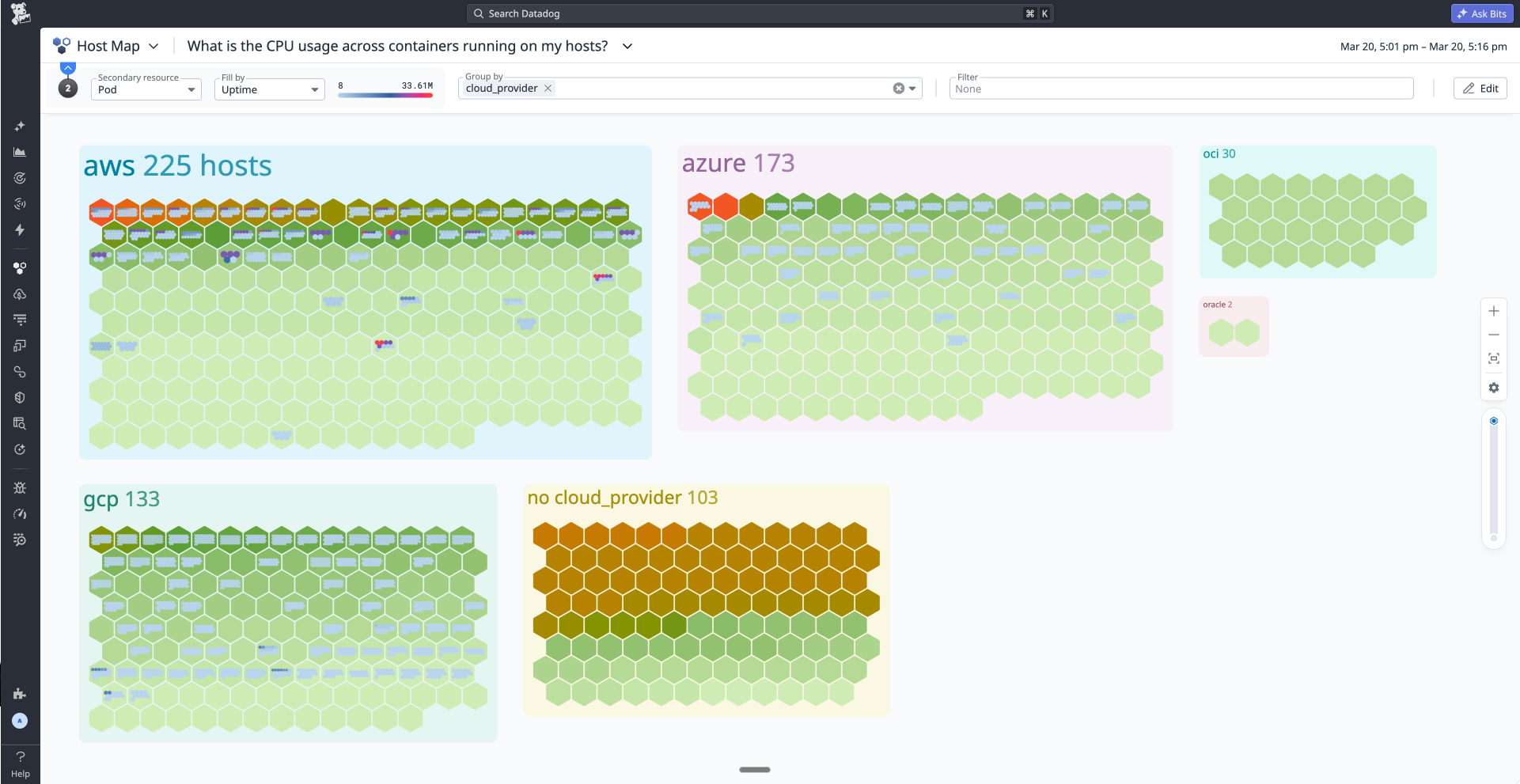
Quickly understanding those relationships is key to efficient troubleshooting. For example, a spike in container or pod errors may be tied to the host or cluster where the workload is running. You can also spot imbalances, such as one host running significantly more pods than its peers, which might otherwise go unnoticed in a flat list.
Monitor rollouts and migrations in real time
During a rollout, the new Host Map enables you to see how infrastructure is evolving in real time: which clusters are updated, which pods are ready, and whether performance is holding steady.
With the Host Map, you can group by cluster during a rollout and color by pod readiness, CPU usage, or other relevant signals. As traffic shifts or pods restart, you can watch resources change state directly on the map. This makes it easier to detect regressions early, such as one cluster lagging behind or pods failing to become ready.
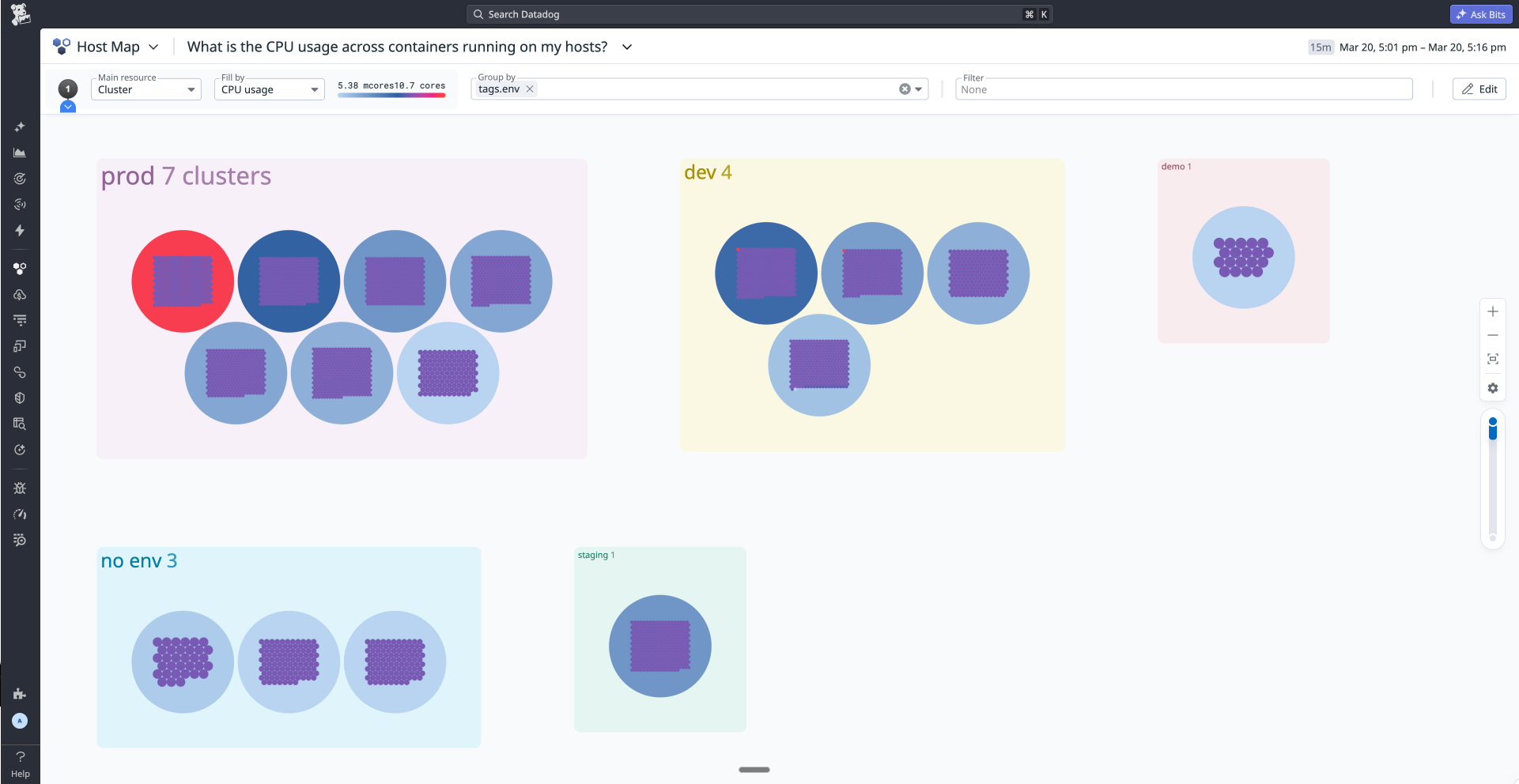
This visibility is valuable not only for hands-on debugging but also for communicating status. The Host Map provides a concise visual representation of system health that can help teams explain the scope and impact of changes to stakeholders without switching between multiple tools.
Find what you need faster with advanced search
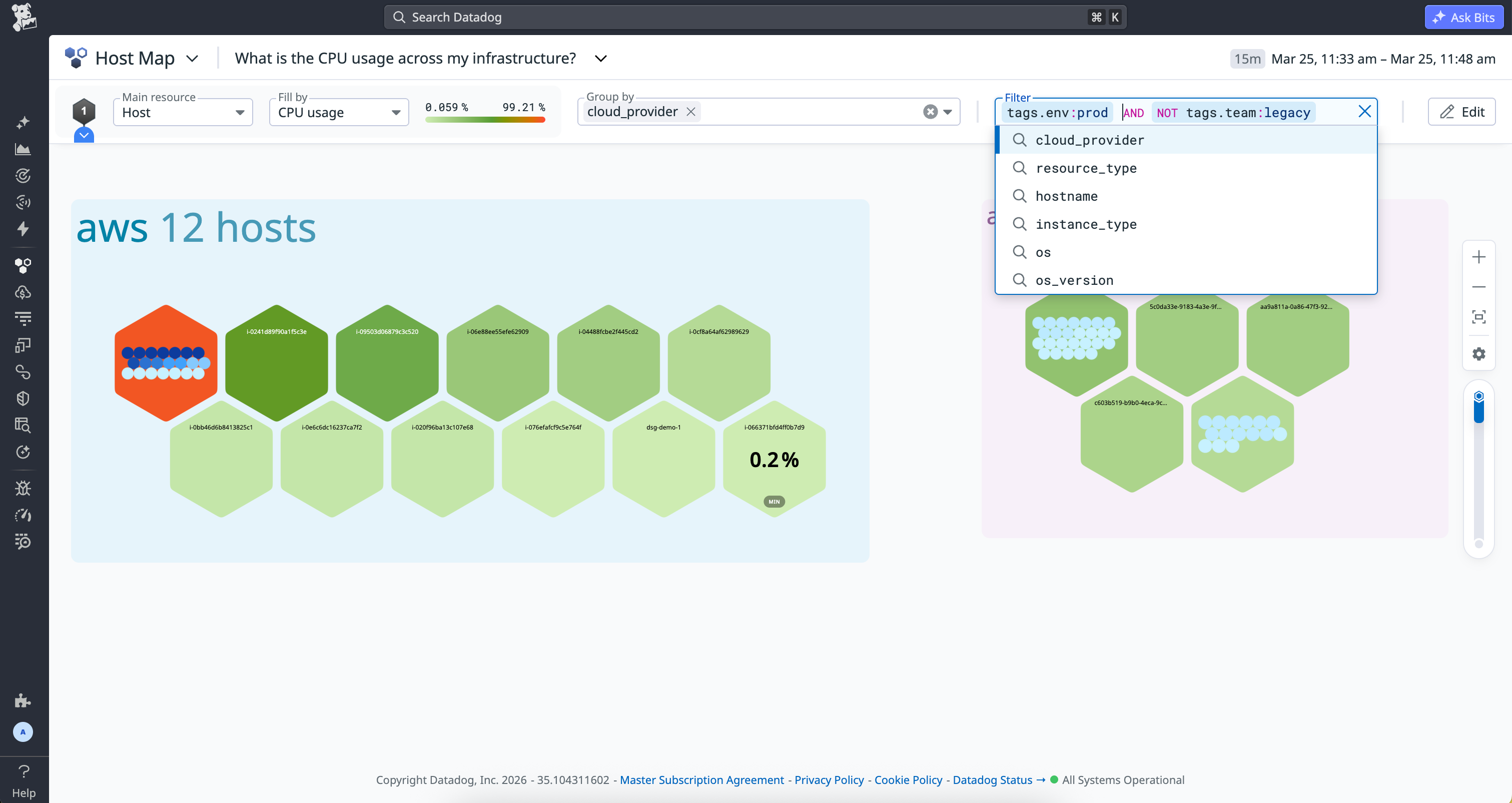
As environments grow, the Host Map’s advanced filtering helps you narrow in on what you’re looking for. Large deployments can include thousands of resources; quickly narrowing down to what matters is essential.
The new Host Map’s more powerful search bar enables you to use logical operators such as AND, OR, and NOT, along with wildcards (*), to construct precise queries. Autocomplete helps you discover and apply tags without needing to remember their exact names. For example, you can filter to env:prod AND NOT team:legacy or match a subset of availability zones with a wildcard pattern.
To help you get started, the Host Map includes Suggested Queries that highlight useful views out of the box, such as hosts running outdated Agent versions or workloads with unready pods. You can also save custom queries so that your default view is tailored to your goals.
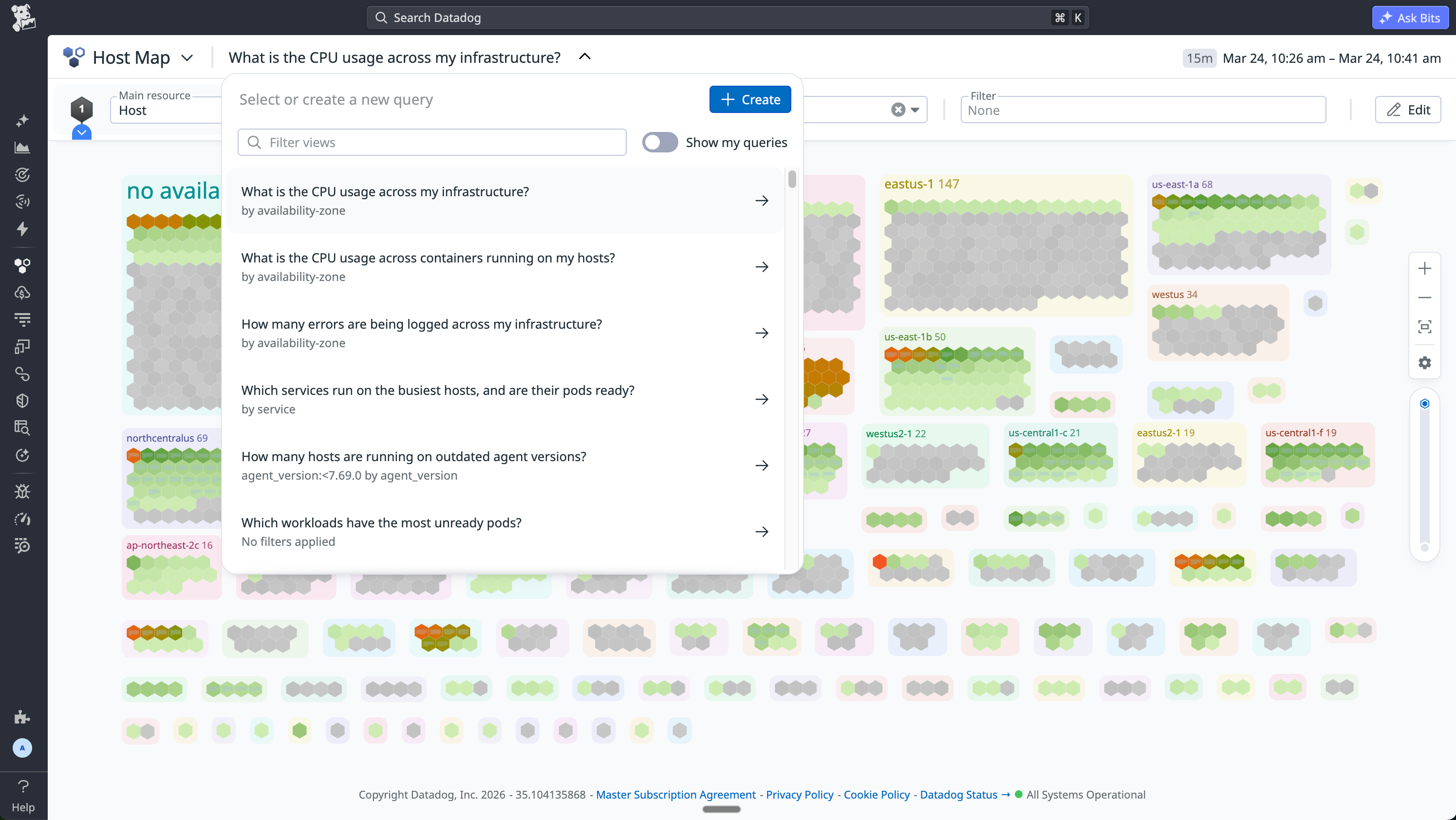
Together, these improvements make the Host Map adaptable to your workflow. The map becomes a flexible lens that you can shape around specific teams, environments, or investigative paths.
See your infrastructure clearly with the new Host Map
The Host Map has long been one of Datadog’s canonical views for understanding infrastructure health. With this rebuild, it evolves to reflect how modern systems are actually structured—across hosts, clusters, pods, and containers—while adding richer search and hierarchical context.
Whether you’re validating a rollout, investigating an alert, or simply checking that your environment looks as expected, the new Host Map can help you assess scope quickly and move confidently into deeper analysis. Learn how to configure Host Map filters and grouping in the documentation and explore the updated experience in your Datadog account.
If you’re new to Datadog, sign up for a 14-day free trial.