
Kai Cai

Anusha Podila

Ripin Checker

JC Mackin
In many organizations, developers, SREs, network engineers, and security teams work in specialized domains, which can make it hard to establish a shared view of network health. As a result, engineers often struggle to determine when a network problem that originates outside of their domain of expertise is the root cause of an incident. This lack of visibility slows investigations and delays remediation.
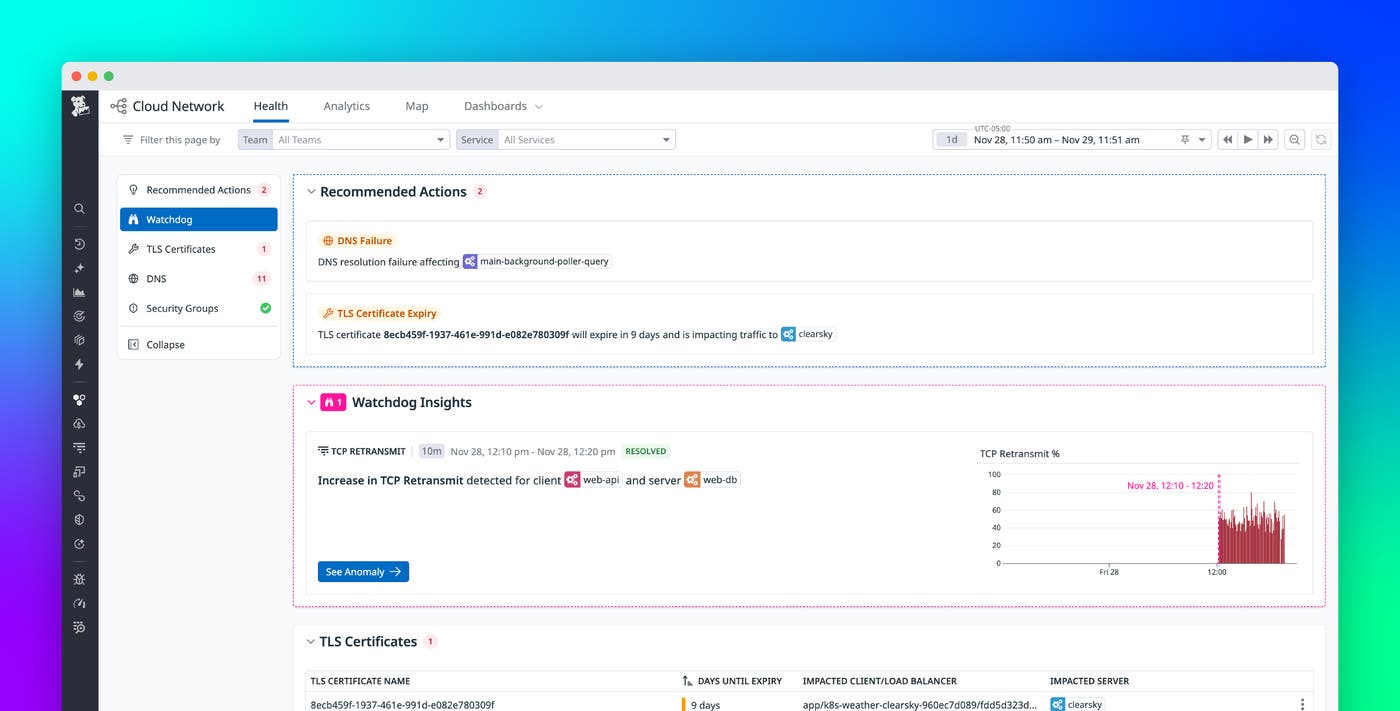
Datadog Cloud Network Monitoring (CNM) Network Health is a new product capability that provides a common view of network issues. Network Health improves mean time to resolution (MTTR) by giving teams clear information about the source of connection problems and contextual recommendations that guide teams toward resolution.
The following post covers how the Network Health feature in CNM helps teams:
Quickly diagnose and remediate application connectivity issues
Network Health gives teams a shared view of the most important signals involved in service-to-service communication. Instead of merely presenting connectivity data (such as flow data, TCP metrics, security configuration changes, and protocol behavior across multiple tools), teams can see a consolidated summary that highlights where communication is failing, and why. Additionally, insights from the Datadog Watchdog AI engine, applied directly to CNM telemetry, help surface contributing factors and unusual patterns that may not be immediately obvious from raw metrics alone.
The overview provided by Network Health addresses three key questions teams ask during an investigation:
Is it my network? Network Health evaluates live traffic and protocol outcomes to determine whether a network condition is contributing to an issue or if the root cause likely sits elsewhere.
What is the root cause? When the network is involved, Network Health identifies the layer or component responsible—such as a policy boundary, TLS handshake, or DNS resolution step.
How do I fix it? Each issue includes contextual details and recommended actions based on the observed behavior, helping teams move directly toward remediation.
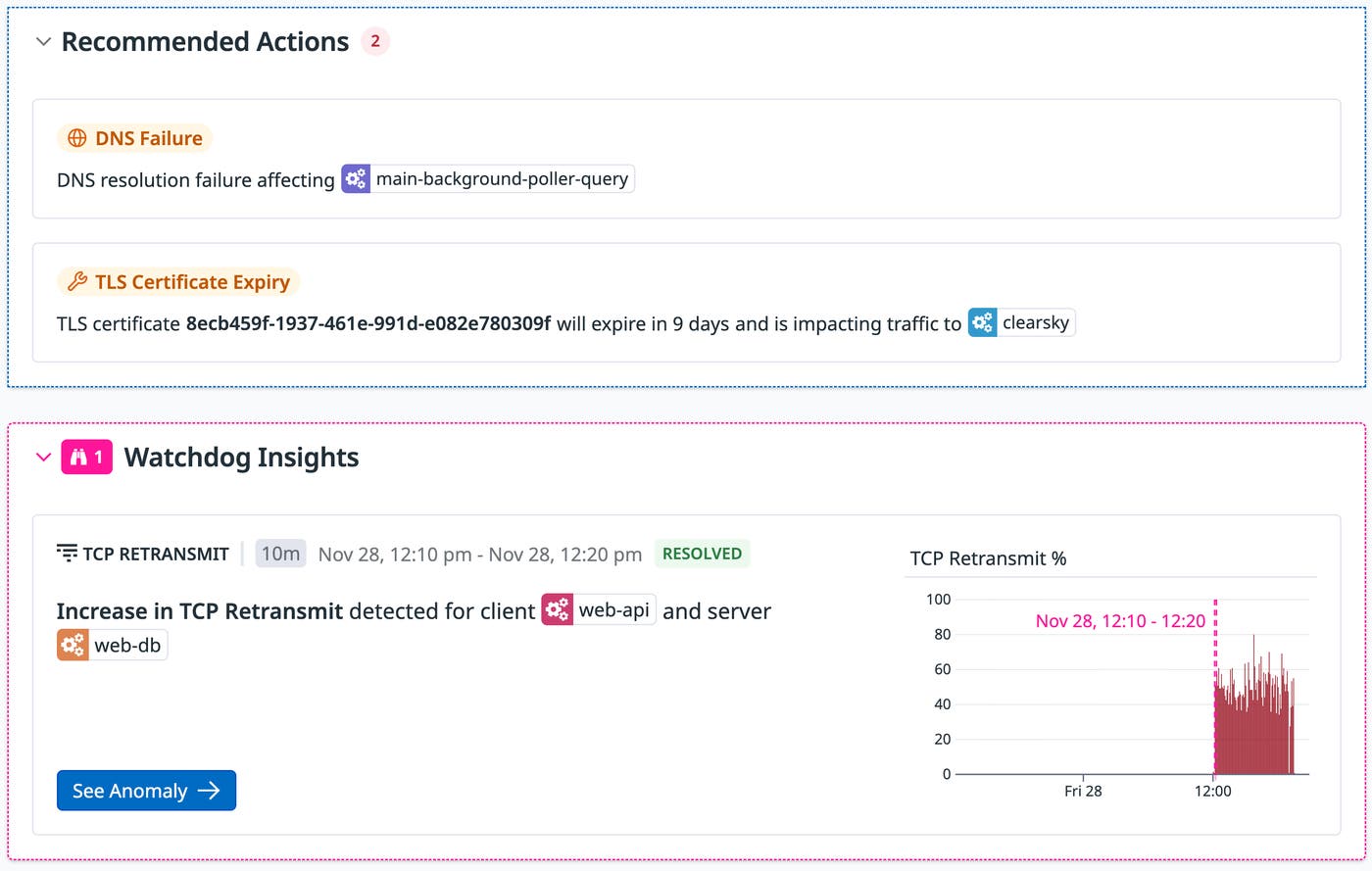
Expose security group and NACL blind spots
When a security rule change or a misconfiguration breaks service-to-service communication, traditional observability tools only surface rising latency, connection timeouts, or 5xx errors. This leaves teams guessing whether the fault lies in the app, the network, or a policy boundary.
Network Health closes this gap by correlating real-time flow data, connection TCP metrics, and cloud configuration to determine precisely where and why connections fail. If, for example, a security engineer removes an allow rule, Network Health will be able to catch the issue and provide clear and actionable insights, saving multiple teams hours of debugging.
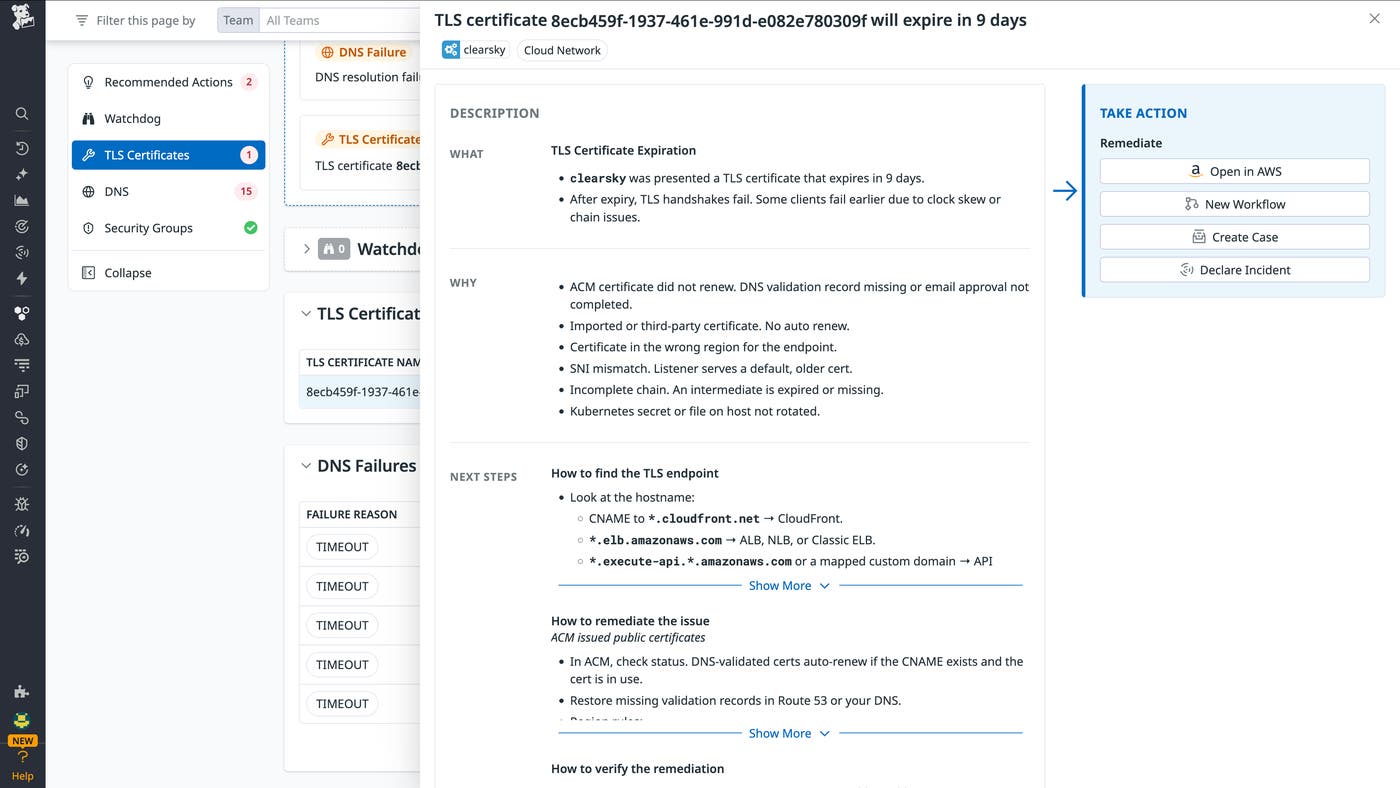
Detect application failures caused by TLS issues
In many cloud environments, applications fail even when the underlying paths, routers, and links are perfectly healthy—for example, when TLS certificates or handshake configurations silently break secure connections. These TLS failures can happen for a number of reasons, such as certificate issues, version/cipher mismatches, or configuration errors.
Network Health identifies exactly where TLS has broken down—such as in expired certificates, incomplete trust chains, or mismatched configs—and provides clear context about why the problem occurred and what next steps will remediate the issue. By surfacing these insights early, Network Health helps prevent TLS problems from escalating into application outages and helps ensure that encrypted traffic remains secure and reliable.
Diagnose DNS resolution failures
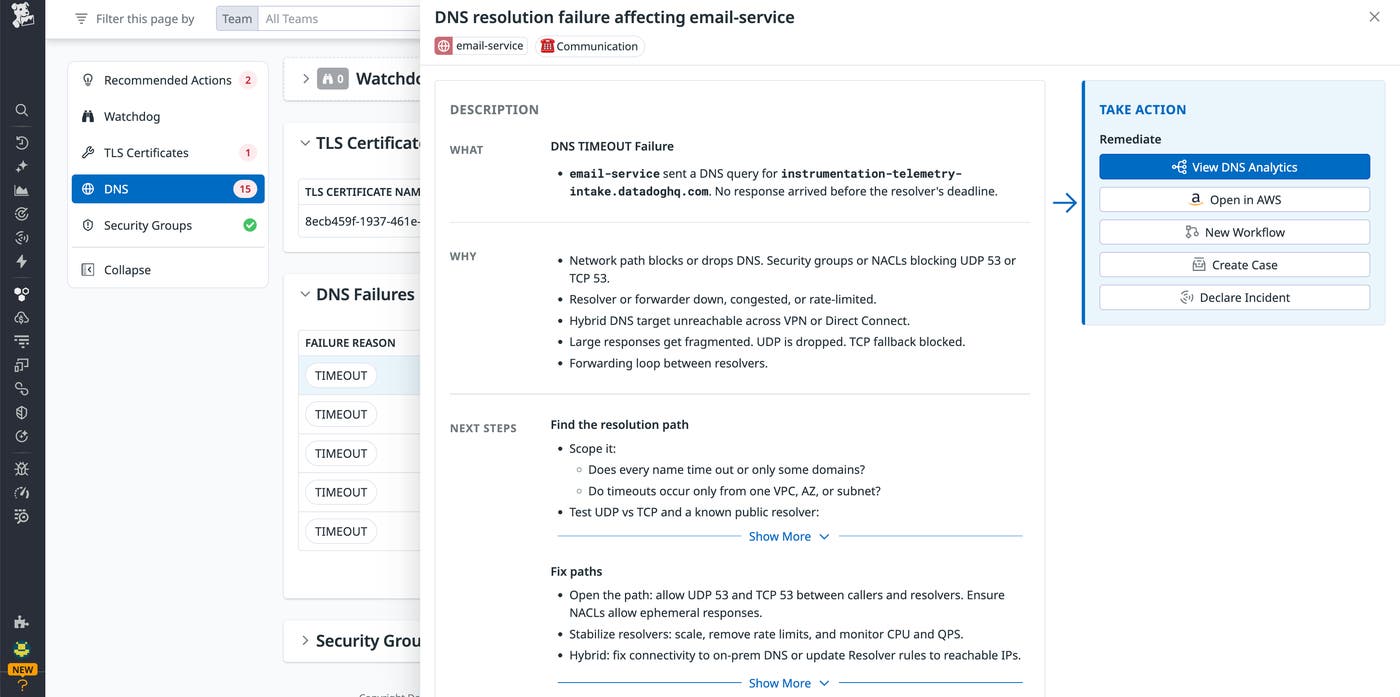
DNS failures can cripple application performance, yet they’re notoriously difficult to diagnose. A service may appear unreachable, while the underlying network and infrastructure remain perfectly healthy. DNS analytics in CNM already reveal resolution error types, such as timeouts, NXDOMAIN errors, or SERVFAIL errors. Network Health now adds intelligence to this information by correlating DNS query failures with live network flow data and resolver context.
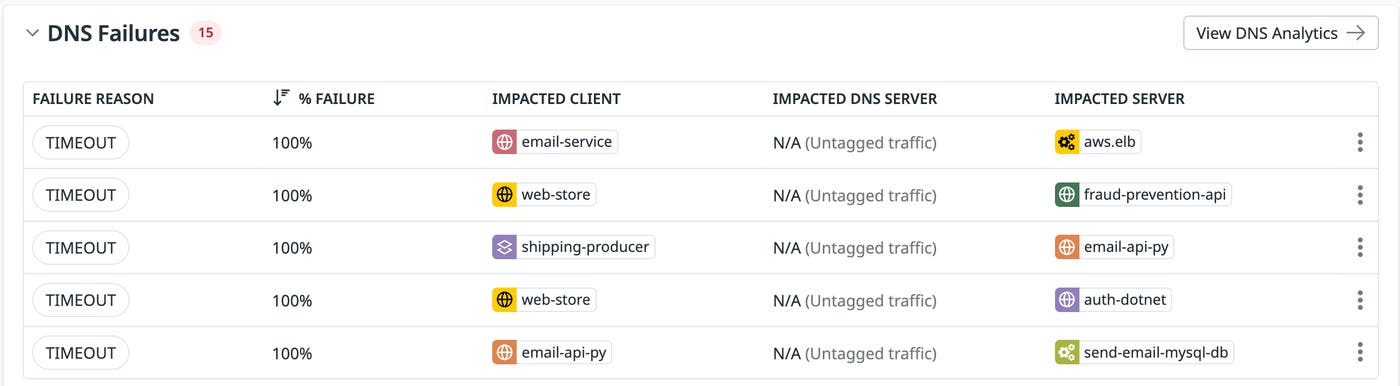
Network Health also pinpoints the cause of the failure and offers remediation steps, whether it’s fixing a missing record, reattaching a hosted zone, or opening DNS ports. This helps teams move away from manual DNS troubleshooting and respond to DNS issues more quickly.
Bring clarity to network-related issues
Network problems often appear simply as connection failures, regardless of whether they stem from an expired TLS certificate, a blocked security rule, or a missing DNS record. Network Health helps teams move beyond simply detecting issues to addressing root causes. By providing contextual information about network issues and recommending next steps, teams can take a more proactive role to help ensure that network connections remain healthy and secure.
To learn more, visit our Cloud Network Monitoring documentation. And if you’re not yet a Datadog customer, sign up for a 14-day free trial.
