
Reva Ranka

Gorka Vicente
Security teams are frequently asked to provide clear, time-bounded evidence of their organization’s security posture. Whether the request comes from external auditors validating SOC 2, ISO 27001, PCI DSS, or internal governance reviews, they typically require collecting vulnerability data from multiple tools, reconciling resource lists, and manually generating spreadsheets for auditors. This process is slow, error-prone, and difficult to repeat consistently.
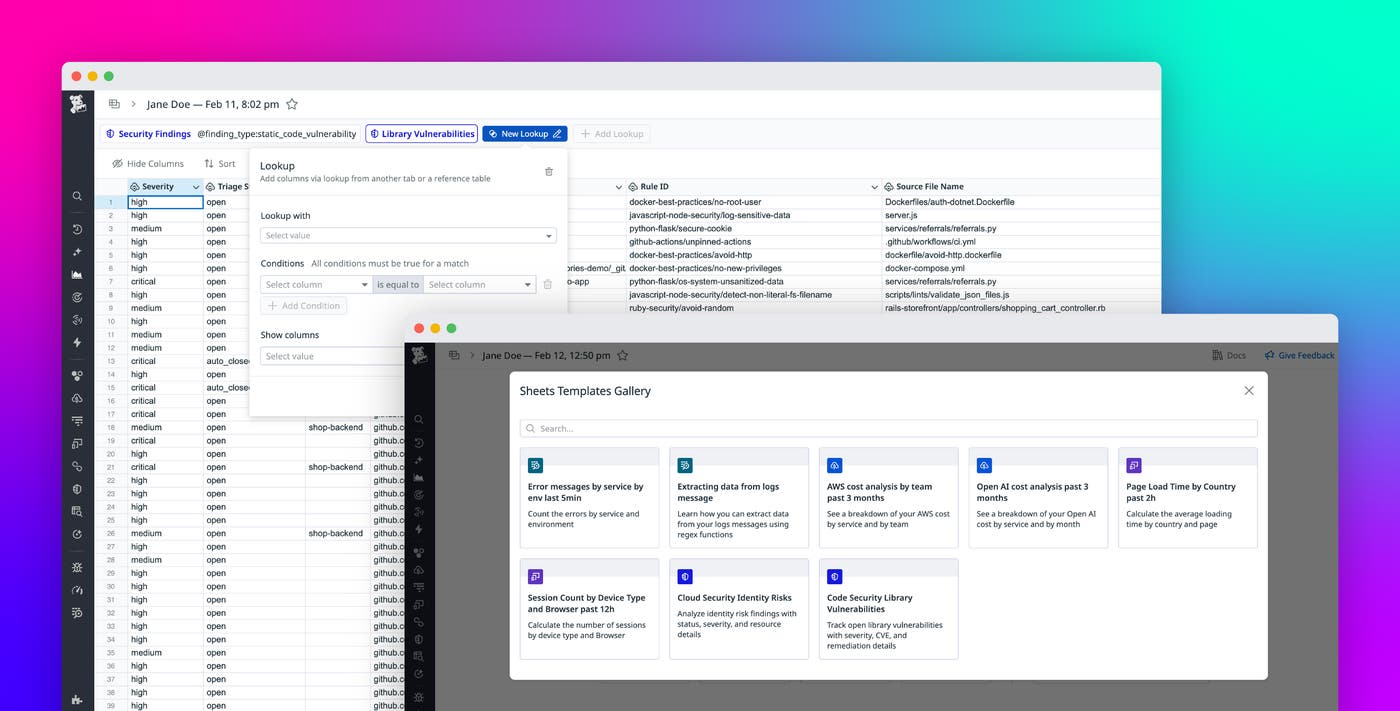
Datadog Sheets simplifies this workflow by giving security teams a flexible, spreadsheet-style interface to explore, filter, and export security findings from across their environment directly in Datadog. With Sheets, teams can quickly produce audit-ready reports that include vulnerabilities detected in code, runtime environments, hosts, containers, and cloud resources.
In this post, we’ll walk through how Datadog Sheets helps security teams:
Centralize vulnerability evidence in a single, unified view
Security audits often require answering a familiar set of questions. Auditors want to understand which vulnerabilities were detected within a specific time frame, which services or other assets were affected, and how vulnerabilities were remediated during this period. Traditionally, answering these questions meant consolidating data across multiple tools.
Datadog Sheets brings vulnerability and security findings together into a single, queryable view, enabling security teams to quickly filter vulnerabilities by severity, time range, asset type, remediation status, and more.
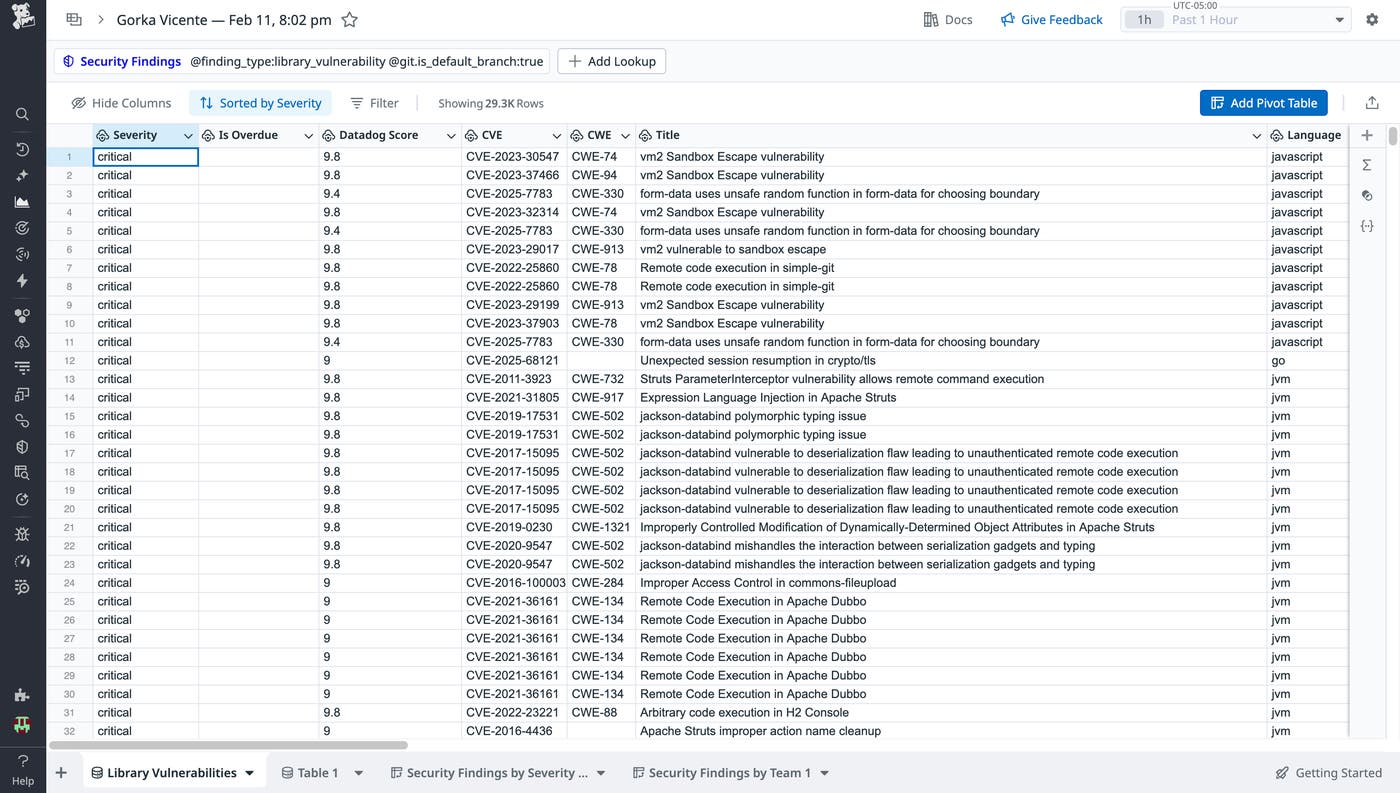
Sheets integrates with the full set of Datadog Code Security capabilities, including Static Code Analysis (SAST), Runtime Code Analysis (IAST), Software Composition Analysis (SCA), Secret Scanning, and IaC Security. In addition, spreadsheets can include findings from Datadog Cloud Security, including host and container vulnerabilities, cloud security posture misconfigurations, and identity risks related to IAM posture. Together, these integrations allow teams to build a single, comprehensive view of vulnerabilities across code, infrastructure, and cloud resources without switching contexts.
Trace vulnerabilities across all resource types
As requirements evolve, auditors increasingly require resource-level context to understand both impact and coverage. They may want to know which repositories contain vulnerable code, which libraries introduce known vulnerabilities, or how code- and dependency-level risks relate to the same service.
Datadog Sheets enables teams to correlate findings across different Code Security findings—even when they originate from different sources—by using Lookup. With Lookup, teams can join vulnerabilities detected in code and vulnerabilities detected in libraries by using a shared resource identifier, such as the repository name.
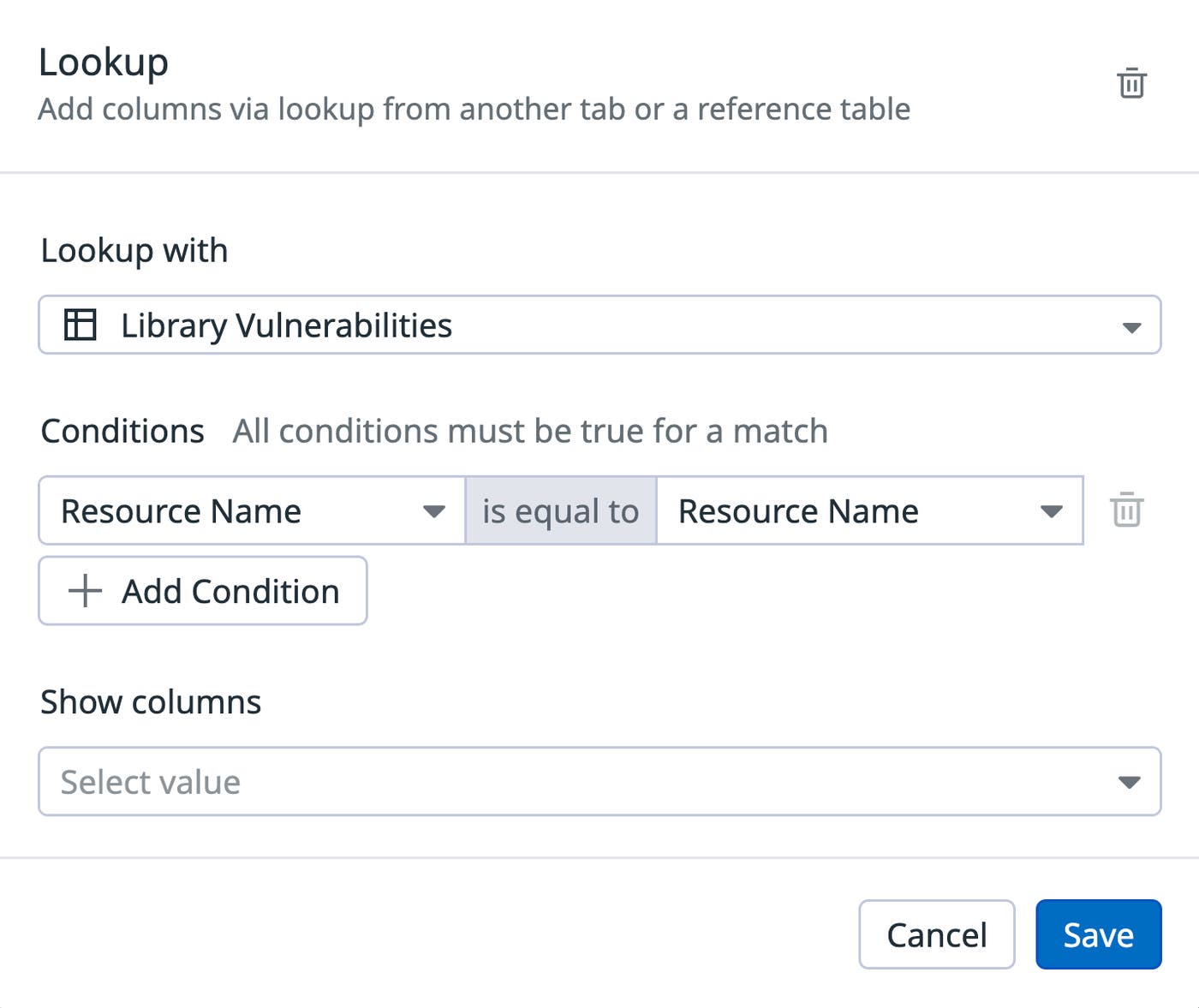
For example, one table might contain library vulnerabilities grouped by repository, while another table lists code vulnerabilities detected in those same repositories. By applying Lookup, you can produce a single view per repository that shows all associated vulnerabilities, regardless of whether they originate from code or dependencies.
This correlation helps security teams and governance, risk, and compliance (GRC) teams present data in a way that aligns with how auditors view risk. Instead of reporting findings by tool, teams can report vulnerabilities by resource, avoid duplicated effort across multiple views, and present a clearer picture of risk for critical resources.
Spreadsheets can be used to create similar views across all supported resource types, including repositories, services, hosts, containers, and cloud resources, depending on the data sources selected.
Standardize and reuse audit reporting workflows
Once a spreadsheet is configured, it can be saved and reused for future audits. Filters, columns, and time range logic remain intact, helping ensure consistent evidence, minimizing manual rework, and reducing the risk of misaligned reporting across quarters or audit cycles. Spreadsheets can also be shared directly with GRC teams, engineering leads, or leadership to improve visibility and speed up review processes.
Jump-start security reporting with prebuilt templates
To help teams get started even faster, Datadog Sheets also includes a templates gallery with prebuilt spreadsheets designed around common security and compliance use cases. These templates provide a ready-to-use foundation that teams can customize and reuse across audits, reviews, and reporting cycles.
The templates gallery includes security-focused templates such as Code Security Library Vulnerabilities, which provides a curated view of open library vulnerabilities detected by Code Security, including severity, CVE information, affected repositories, and remediation details. Another template focuses on Cloud Security Identity Risks, offering a starting point for reviewing identity-related risks across cloud environments with resource-level context suitable for IAM posture reviews and compliance reporting.
Like with any spreadsheet, you can customize templates to match your organization’s needs by adding filters, adjusting columns, or scoping data to specific time ranges or environments. Teams can save and reuse these templates to help ensure consistent reporting across quarters and audit cycles. As Datadog Sheets evolves, the Templates Gallery will continue to expand with additional security and compliance-focused templates covering more use cases across code, cloud, and runtime security.
Reduce audit prep time with Datadog Sheets
Preparing vulnerability evidence for audits has traditionally required manual data collection, custom spreadsheets, and cross-team coordination. With Datadog Sheets, teams now have a flexible, centralized way to filter, analyze, and export security findings across code, runtime environments, hosts, containers, cloud resources, and IAM posture.
By standardizing how vulnerability data is explored and reported, Datadog Sheets helps security teams reduce audit preparation overhead, maintain consistent evidence month over month and year over year, and deliver a clear view of their security posture to auditors, leadership, and compliance stakeholders. To learn more, see our Datadog Sheets documentation. If you’re new to Datadog, sign up for a 14-day free trial.
