

Lauren Zuniga
Every digital experience is a chain reaction. A customer logs in to an application, an API authenticates the request, a backend call retrieves data, a page loads, and somewhere along the way, something might break. When it does, teams often chase symptoms while the root cause remains hard to find. The more distributed the system, the more difficult it becomes to see how one small failure can cascade into a visible outage.
Troubleshooting in this environment is more than just catching failures early. It’s about tracing issues back to their origin before they affect end users. By running scheduled API tests and browser tests, Datadog Synthetic Monitoring helps validate key workflows like authentication and checkout from the outside in, correlating failures with logs, traces, and backend telemetry data for the affected services.
With new capabilities like Test Suites and AI Failure Summaries, Synthetic Monitoring groups related tests into health signals and summarizes failed runs with the context engineers need to triage quickly. Together, these capabilities shift Synthetic Monitoring from a collection of individual tests into a structured approach for understanding when and why a user journey fails.
Troubleshooting the full user experience, not just a single layer
Every user interaction—whether it’s loading a dashboard, submitting a form, or logging in through SSO—relies on dozens of invisible handshakes between APIs, frontend logic, mobile networks, and backend services. When something goes wrong, it is rarely contained to a single layer.
Datadog Synthetic Monitoring helps teams see how a user journey behaves end to end. API tests validate the health of core services that power an application’s functionality, catching issues in authentication, data transfer, or third-party dependencies before they affect downstream services. Browser tests follow the same workflows from a user perspective, surfacing UI or workflow regressions that might otherwise go unnoticed until customers report them. Mobile tests extend the same visibility to iOS and Android apps, showing how real-world conditions, like device type or network speed, affect the experience. And when the problem isn’t the code at all, Network Path tests trace the route between endpoints and end users to identify slow or unreliable hops across the internet.
Together, these testing layers act as a coordinated approach to troubleshooting that reflects how users interact with your application. When a failure occurs, teams don’t just know that something is wrong. They can determine which layer failed and examine related telemetry data to identify the likely causes and user impact.
From fragmented tests to a single source of truth with Test Suites
When your organization manages dozens or hundreds of synthetic tests, every failure can feel urgent. But not all failures carry the same weight, and alert fatigue can make it difficult to tell signals from noise. That’s where Test Suites come in.
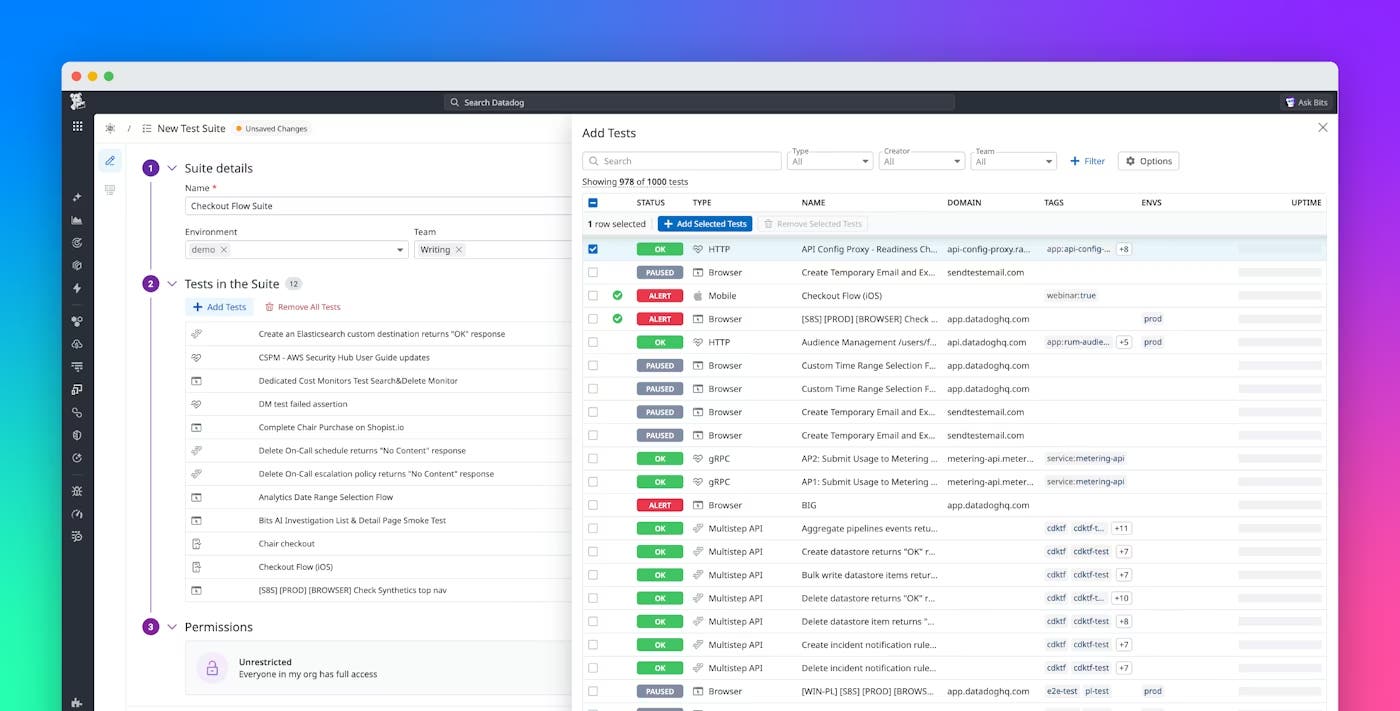
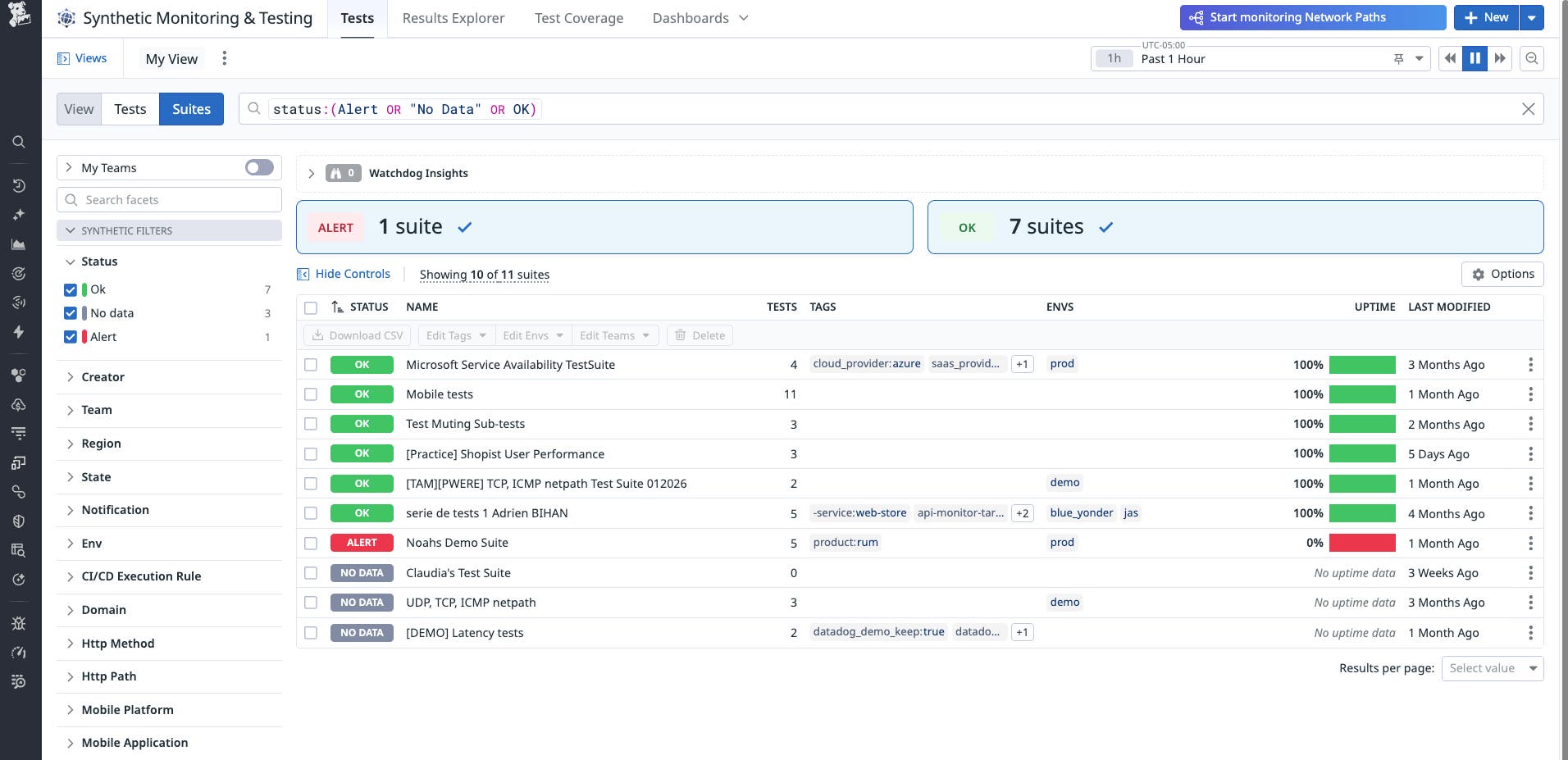
Datadog Test Suites help teams organize their tests into meaningful collections that reflect how real users interact with your systems, whether that’s a full login flow, a checkout experience, or an internal API chain. Each suite provides a single, high-level view of the health of that workflow, unifying tests that span browsers, APIs, mobile, or network paths into one cohesive signal.
With suite-level alerting, that signal is more targeted. Teams can:
- Define critical paths by marking tests that represent key user journeys while excluding non-blocking steps, such as a promotional banner or optional widget.
- Set impact-based thresholds, for example, triggering an alert only when a meaningful percentage of critical tests fail rather than for every transient error.
- Receive one contextual notification that summarizes which tests failed together, helping engineers quickly identify whether an issue is localized or systemic.
This turns each suite into a single alerting signal for a defined workflow. Instead of piecing together dozens of individual alerts, teams can focus on one contextual notification that represents the experience as a whole. Whether you’re monitoring an SSO login flow, a cross-region checkout path, or a set of internal APIs, Test Suites provide the structure needed to troubleshoot efficiently. And because every suite sits within Datadog’s unified observability platform, teams can trace a failure from a suite-level alert to the related API call, network hop, or recent deployment.
Turning test failures into fast decisions with AI Failure Summaries
Even well-organized suites generate failures that require investigation. The challenge is separating what’s actionable from what’s noise.
Now available in Preview, Datadog’s AI Failure Summaries use large language models to interpret failed test runs and explain, in plain language, what happened and why. They review step-by-step results, screenshots, and logs to highlight whether an issue appears genuine, transient, or configuration-related.
Instead of scrolling through raw data, engineers can open a failed run and immediately see:
- Which step failed
- Why the failure occurred (such as a dependency timeout, redirect loop, or test misconfiguration)
- What next steps are suggested for remediation
This summary can significantly reduce initial triage time and make it easier to hand off issues between teams.
A real-world example of diagnosing SSO login failures
One Datadog customer, a large global technology organization, identified sporadic SSO login failures that impacted their internal testing and release validation.
They built a test suite dedicated to the user access journey, grouping all login and authentication tests across environments. By layering conditional alerting within the suite, they routed identity-related issues to the authentication team while enabling product engineers to stay focused on application-level regressions.
When a browser test in the suite failed, the AI Failure Summary identified the pattern as an expired SSO token rather than a frontend issue. Identifying the cause helped the team avoid unnecessary on-call alerting, focus on the correct dependency, and resolve the issue more quickly.
The value wasn’t resolving one incident but creating a repeatable workflow for diagnosing authentication-related regressions across the organization.
Getting started with Datadog Synthetic Monitoring
Synthetic Monitoring is more than preventive testing. It also serves as a way to diagnose issues across the entire user journey. When layered with Datadog’s observability platform, Synthetic Monitoring enables teams to trace a failed synthetic step to the related backend call, network hop, or deployment.
With Test Suites providing structure and reducing noise through impact-based alerting, AI Failure Summaries clarifying why tests fail, and Datadog’s unified telemetry data adding context across the stack, organizations can move from reactive incident response to more proactive issue detection. Teams can focus on the underlying issue shared across failing tests rather than getting lost in isolated alerts.
As a result, teams can troubleshoot more efficiently and reduce the likelihood that issues will affect end users. To learn more about Test Suites and AI Failure Summaries, read our Synthetic Monitoring documentation.
Don’t have a Datadog account? Sign up for a 14-day free trial to set up your first Synthetic Monitoring tests.