

Sarjeel Yusuf
Single Step Instrumentation (SSI) simplifies Datadog Application Performance Monitoring (APM) by automatically discovering and instrumenting services across a host. For many teams, SSI is the ideal starting point because it helps them achieve full visibility with minimal setup.
However, as environments grow, teams often want more control over which services get traced. Auxiliary workloads such as batch jobs and cron tasks might not require distributed tracing. By controlling which services produce traces, teams can focus on the data that helps them make debugging and performance decisions.
Instrumentation rules add a layer of control on top of SSI, enabling you to decide which services on Linux and Windows generate traces. You can apply the rules while keeping automatic discovery and your zero-touch setup.
In this post, we’ll show how instrumentation rules help you:
- Control which services are traced on Linux and Windows hosts
- Define rules that match your environment
- Manage instrumentation centrally across your fleet
Control which services are traced on Linux and Windows hosts
With SSI enabled, Datadog automatically loads tracing libraries into running processes, so you don’t need to configure APM instrumentation for each service. Instrumentation rules build on SSI by letting you control which processes are instrumented. The SSI mechanism evaluates each running process against defined rules before applying instrumentation. When a rule blocks instrumentation, no trace SDK is automatically loaded. All other processes continue to be instrumented based on your configured default behavior.
For example, let’s say that you have an ecommerce application composed of several microservices across different runtimes and frameworks. You also have a recurring analytics job that runs as part of your service stack. SSI instruments all the processes, including the analytics job, by default. But the analytics job produces spans that don’t contribute to debugging or performance analysis, so you don’t want to trace it.
You can define a rule to prevent the analytics job from generating traces while the other services continue to be instrumented. Excluding the analytics job reduces unnecessary trace volume and cost without requiring code changes.
Define rules that match your environment
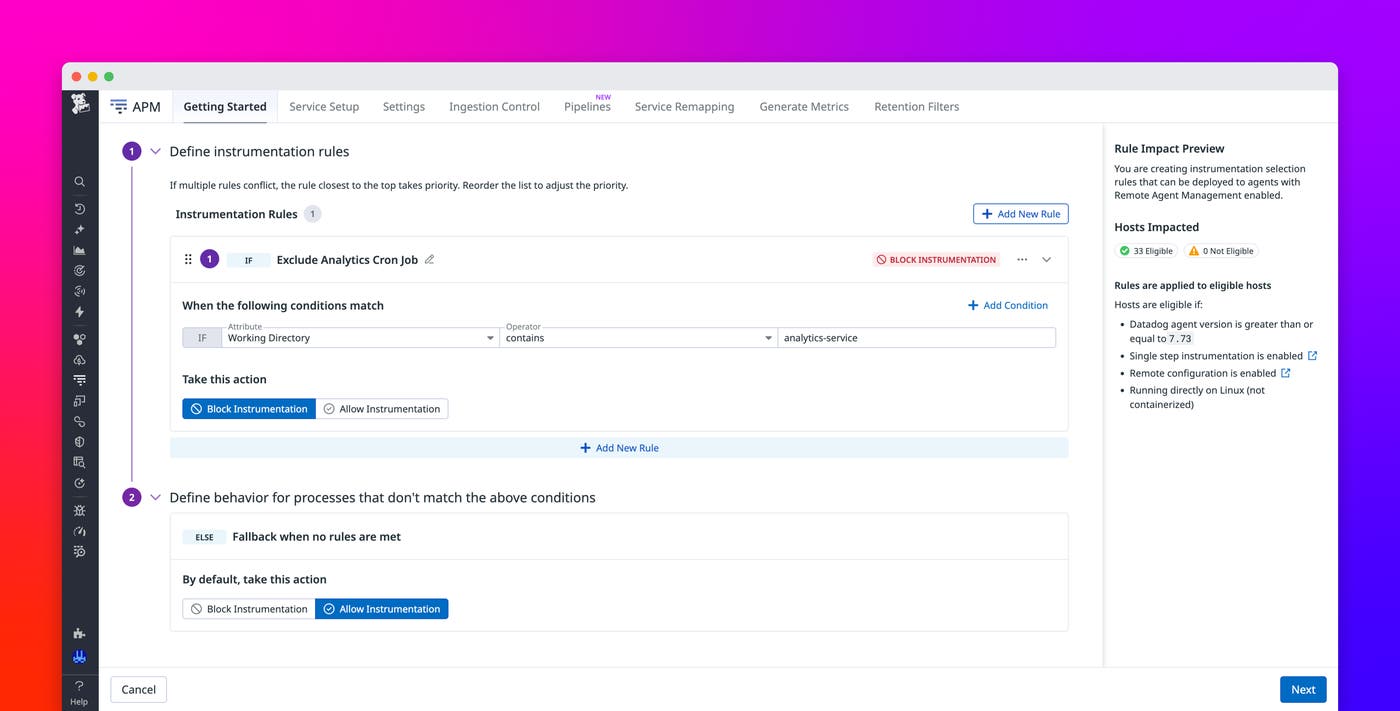
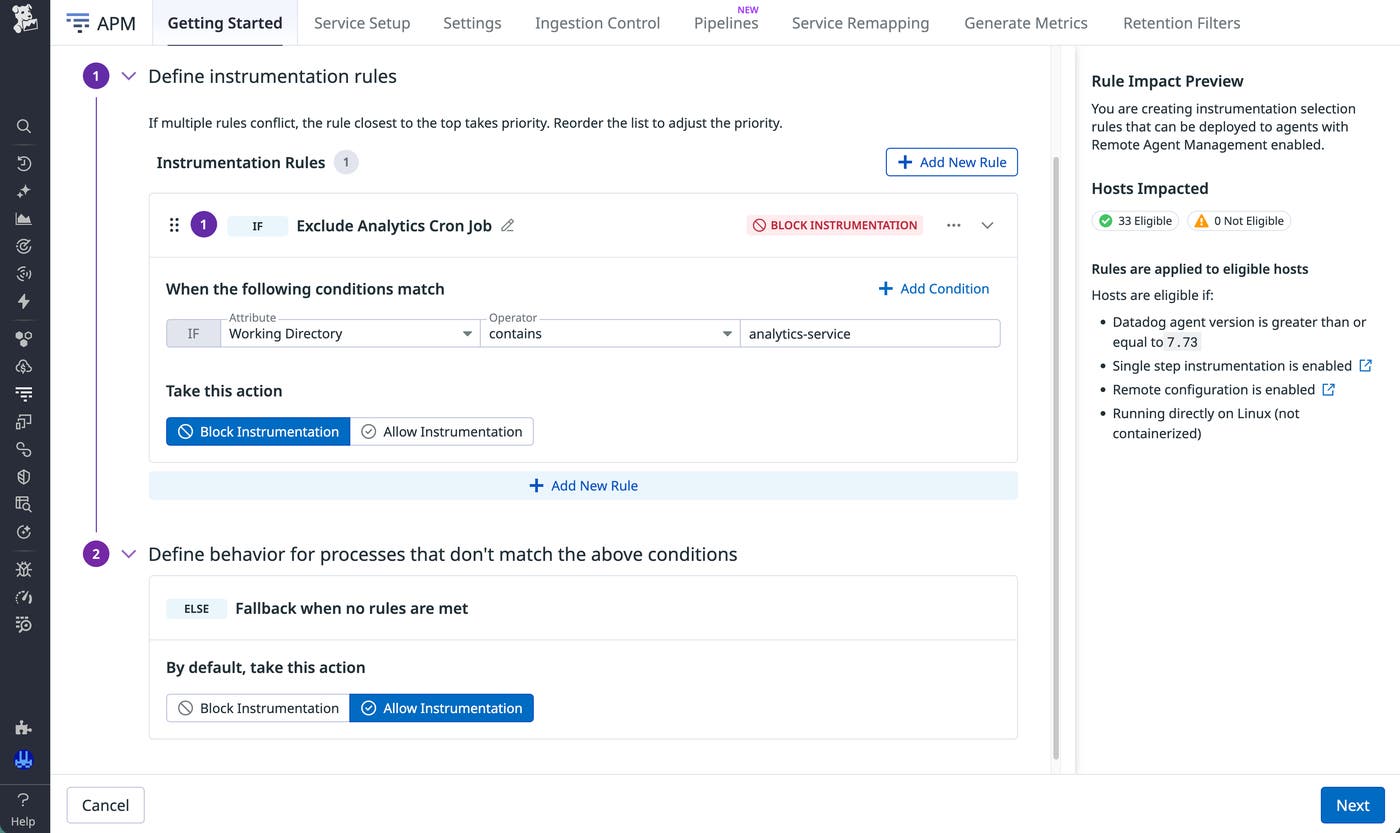
Instrumentation rules rely on attributes that describe how processes run in your environment. You create rules in the Datadog UI by defining a condition, choosing an action, and specifying default behavior for processes that don’t match any rule.
For example, you can configure rules to instrument everything by default except explicitly excluded workloads, or you can block instrumentation unless a process matches an Allow condition. You can also combine multiple rules to handle different scenarios. When rules overlap, Datadog evaluates them in order of priority, and the first matching rule determines the outcome.
Rules can match processes based on several attributes that are categorized:
- Environment: operating system (Linux or Windows)
- Process: working directory, executable, executable full path, arguments, and IIS application pool
- Runtime: language and entry point file
With attributes, you can exclude a service by its working directory path, block a specific binary by executable name, or target all processes of a particular language runtime such as Python or Java. Going back to the example of the recurring analytics job, you can exclude that job from tracing by matching any process whose path contains analytics-service.
Manage instrumentation centrally across your fleet
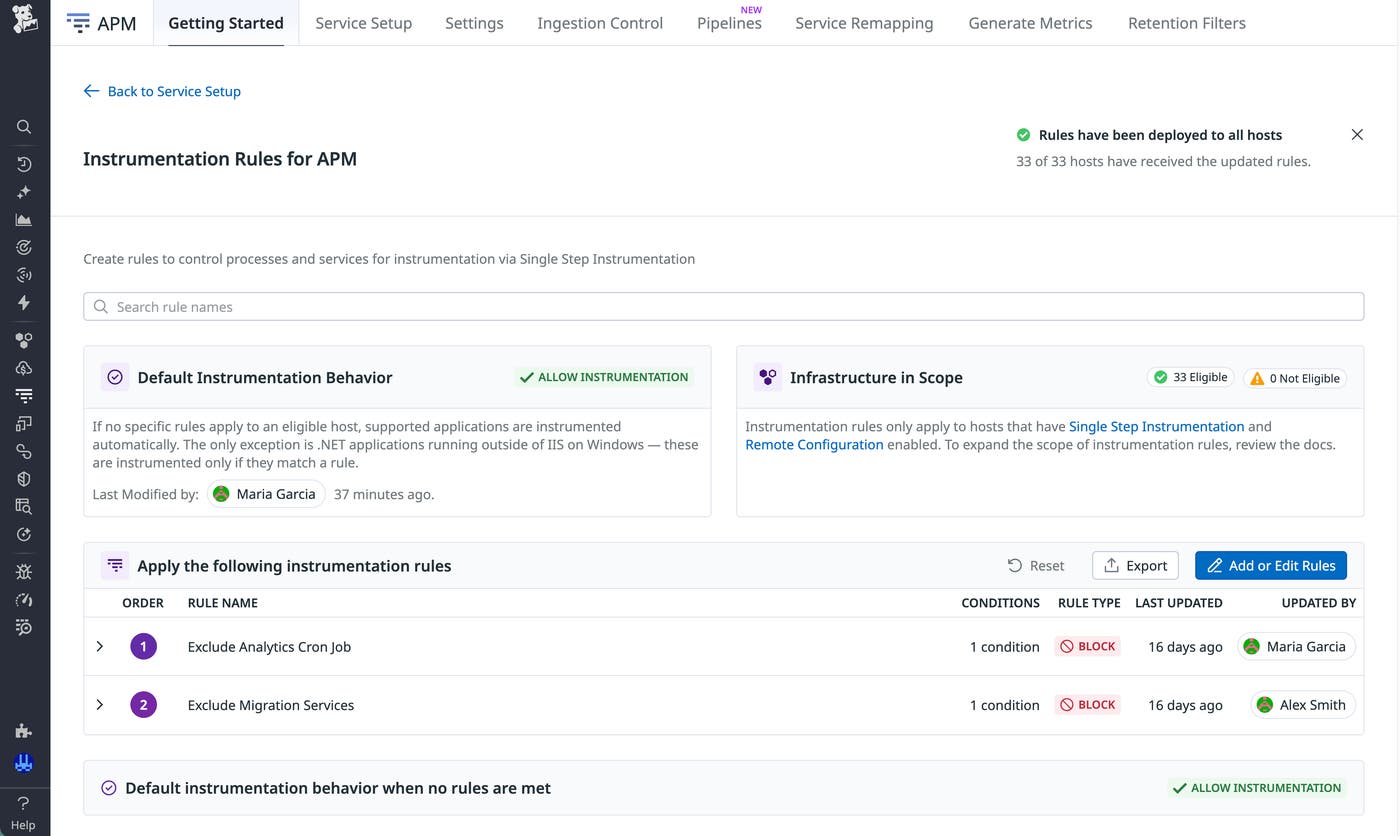
Instrumentation rules provide a centralized way to manage tracing behavior across your environment. After you save an instrumentation rule, you can use Remote Configuration to deploy it. Remote Configuration propagates updates across all applicable hosts without requiring SSH access or redeployment.
If you don’t want to manage your instrumentation centrally—for example, in an environment that has stricter change-control requirements—you can export rules as configuration files and apply them directly on each host. Once you apply the rules, they take effect as soon as you restart your application services.
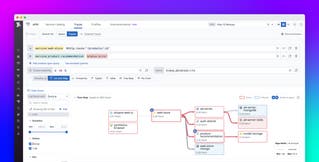
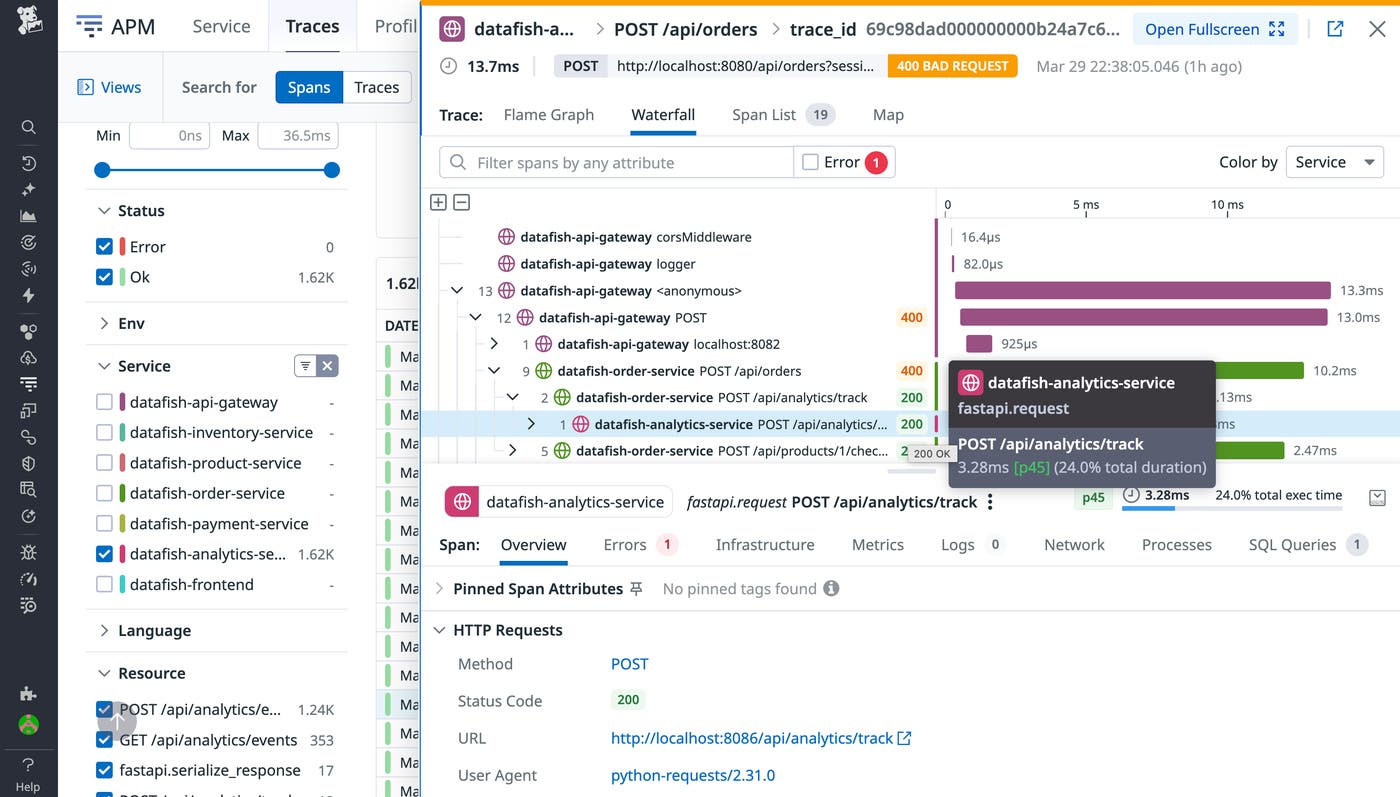
The following screenshots show the effect of the deployed rule that excludes tracing for the analytics job in our example. Before the rule is applied, SSI instruments all the services, including datafish-analytics-service.
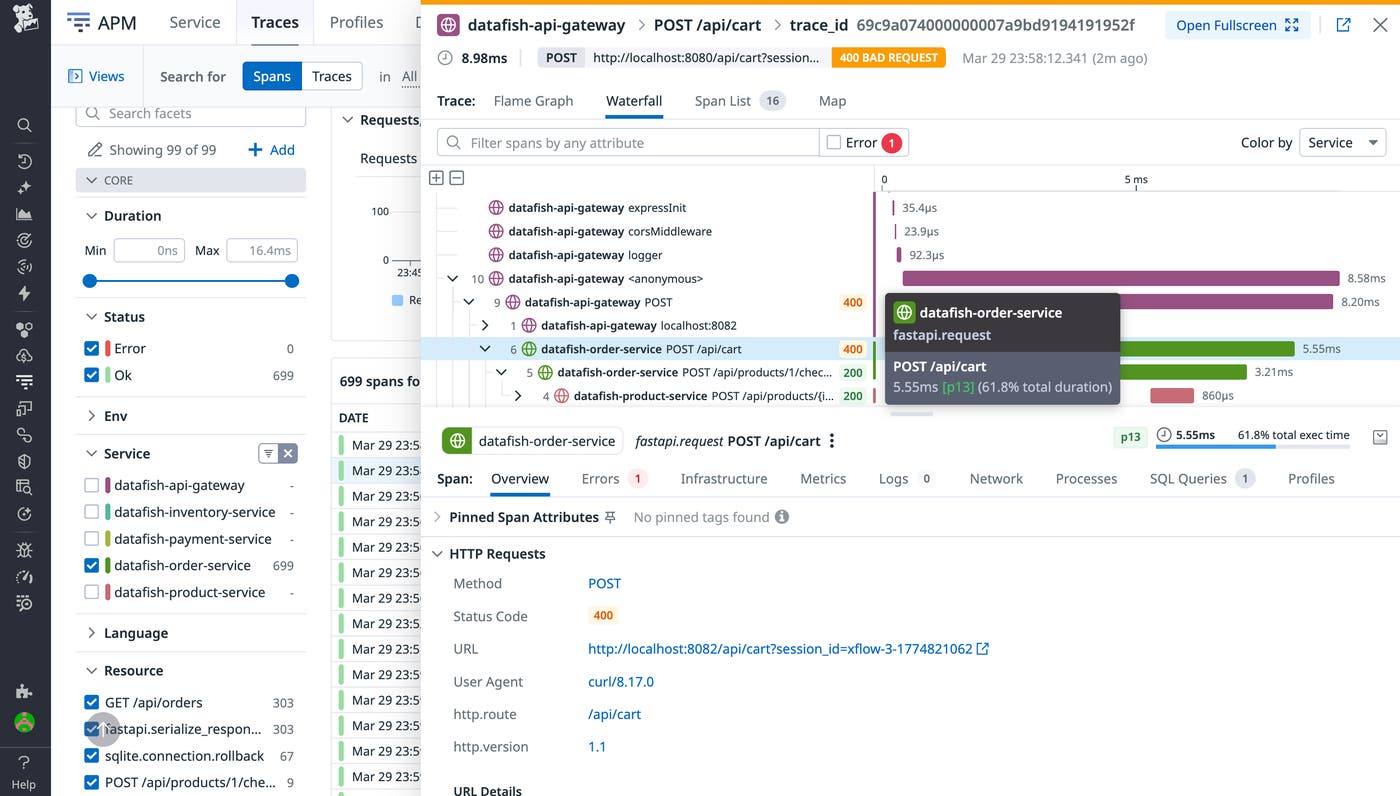
After the rule is deployed, the analytics job stops generating traces and disappears from the waterfall list of traced services. All the other services continue running as they did before, with full instrumentation.
Refine tracing with Single Step Instrumentation rules
Instrumentation rules enable you to adjust tracing behavior without changing how services are instrumented. You can continue using SSI for automatic discovery and instrumentation while excluding services that don’t require tracing. By combining rule-based control with centralized deployment, you can maintain useful trace data while reducing unnecessary noise. To learn more, read the instrumentation rules documentation.
If you’re new to Datadog, you can sign up for a 14-day free trial to explore instrumentation rules.