

Ellie Cohen
Many organizations rely on Oracle Fusion Cloud Applications to run core business workflows across finance, HR, and supply chain operations. Because these SaaS-based applications run on Oracle Cloud Infrastructure (OCI), engineering teams have limited visibility into their performance. Without direct access to the underlying stack, they often lack the signals needed to detect regressions or investigate degraded user experience. Left undetected, these issues can escalate and impact revenue, compliance, and continuity.
Datadog’s Oracle Fusion integration collects metrics and logs from Enterprise Scheduler Service (ESS) jobs, along with audit logs that provide insights into user activity. Teams can combine the integration with Datadog Synthetic Monitoring to track application performance from the outside in. With this telemetry data in Datadog, engineers can identify performance regressions before receiving a support ticket.
This post describes how engineering teams can use the Oracle Fusion integration to:
- Monitor application performance by analyzing ESS jobs
- Track end-to-end data flows
- Audit user activity to detect security risks
- Test end user experience with Synthetic Monitoring
Monitor application performance by analyzing ESS jobs
ESS jobs power processes across Oracle Fusion’s major business applications, spanning payroll, inventory, and financial reporting. When they stall or back up, client-facing workflows are often delayed or blocked, making ESS signals useful for investigating user reports related to application performance.
Datadog’s Oracle Fusion integration surfaces ESS job metrics so teams can analyze job behavior over time and receive alerts on pattern changes. For example, if there is a sudden increase in job retries, engineers can investigate whether key workflows are slowing down and users are experiencing higher latency.
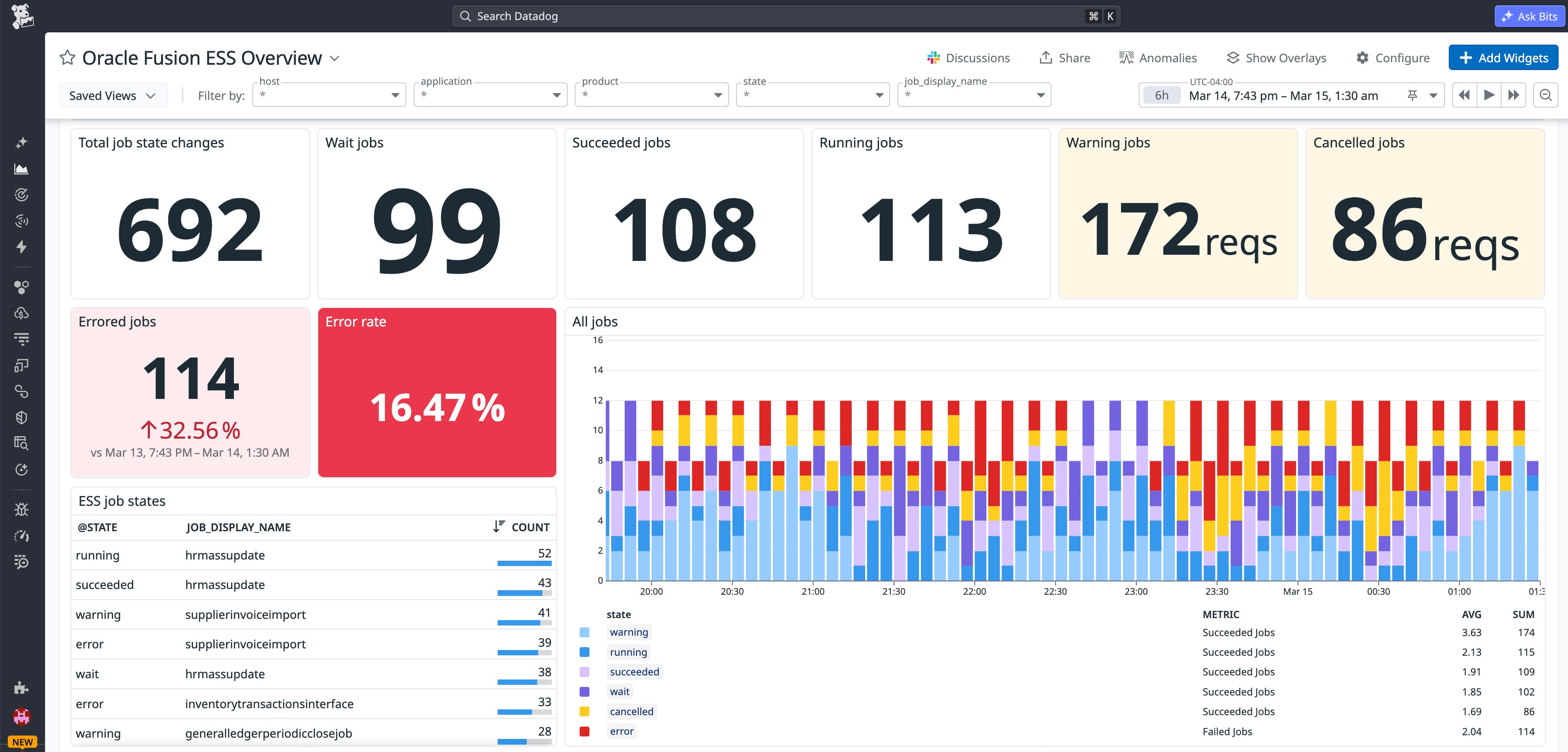
The out-of-the-box (OOTB) dashboard visualizes ESS job volume by application, state transitions, and errors. It allows teams to establish baselines according to job types and add monitors that alert when state transitions or elapsed times exceed expected thresholds.
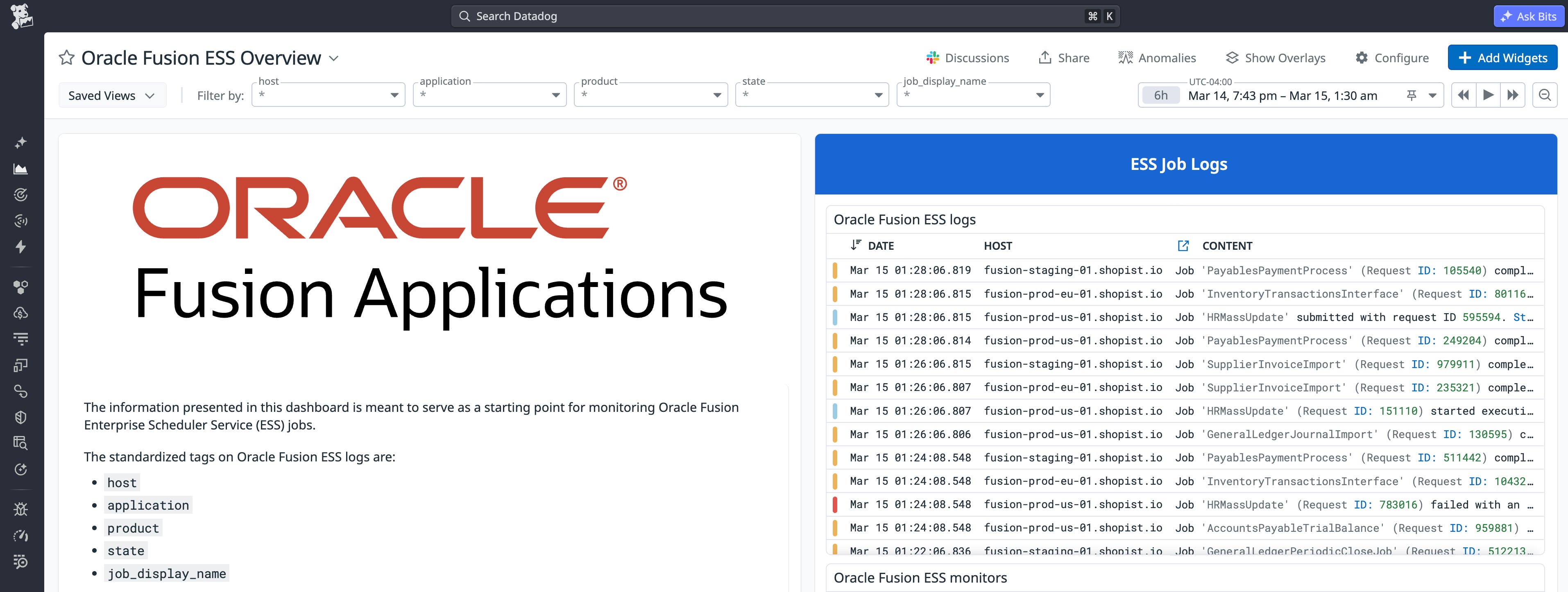
During investigations, teams can analyze the logs collected by the integration to review job metadata and execution details. These logs include key metadata such as job name, type, description, request parameters, and scheduling and submission timestamps. When correlating an ESS slowdown with a specific process, those fields help to filter and group results by the job types and parameters with the greatest business impact.
Track end-to-end data flows
Oracle Integration Cloud (OIC) is commonly used to connect Oracle Fusion Cloud Applications to other services and data sources. For example, a scheduled ESS job may export invoice or supplier data from Fusion and invoke an OIC integration that transforms the payload and delivers it to a downstream ERP, database, or SaaS application. When issues arise, teams need visibility into both the application layer and the integration layer to identify the root cause.
The Datadog integration enables teams to track the data flow end to end by correlating Oracle Fusion and OIC metrics and logs. For example, if there is a spike in ESS job retries, teams can check whether the corresponding OIC connector is reporting delivery failures to the downstream integration. This helps engineers isolate whether the issue originates in Oracle Fusion or further down the pipeline.
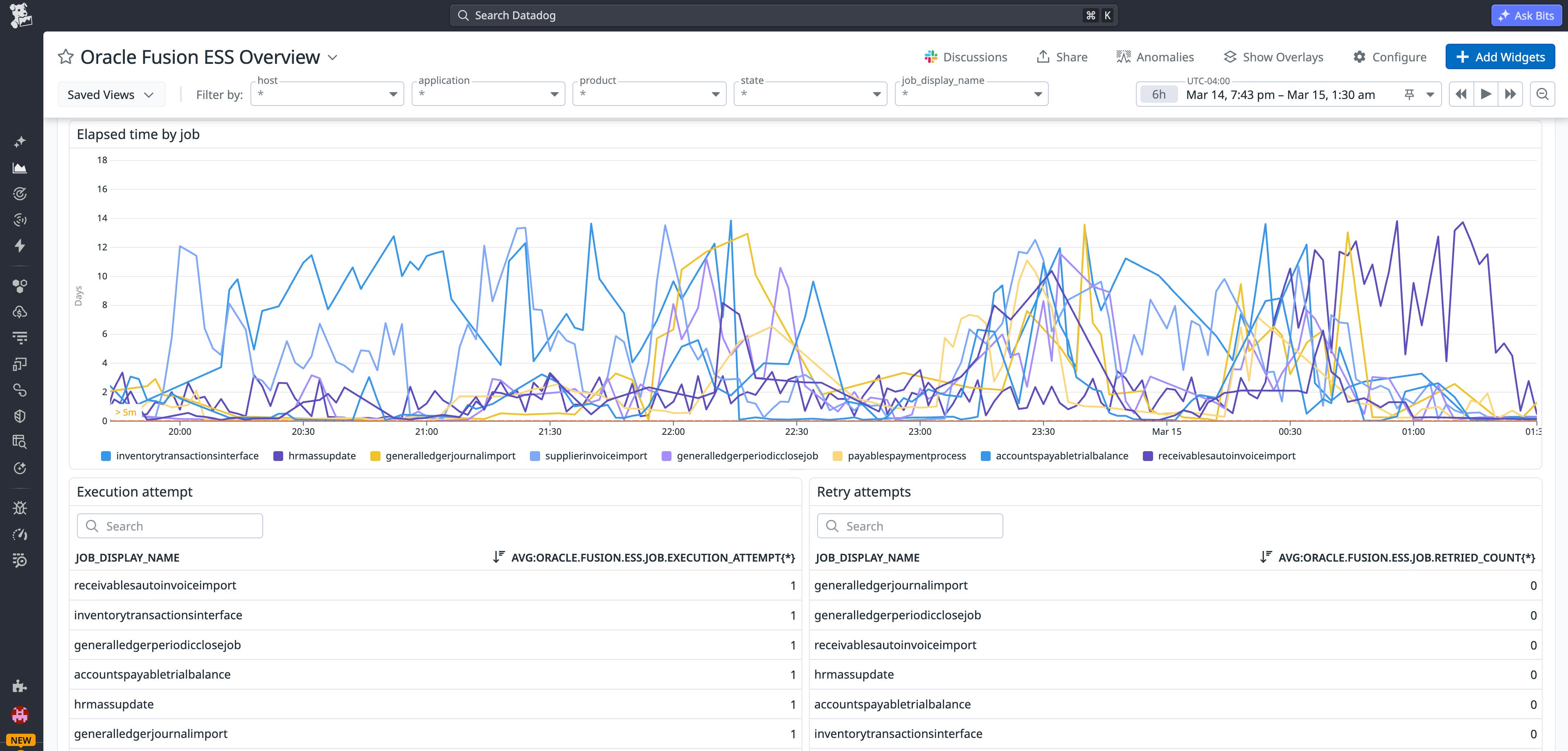
The OOTB dashboard surfaces these patterns by visualizing ESS retry attempts, executions, and elapsed time by job. Teams can set monitors on both OIC and ESS signals, so that correlated anomalies trigger a single alert rather than two separate investigations.
Audit user activity to detect security risks
Oracle Fusion Cloud Applications are accessed through web endpoints, which makes monitoring user activity a key security requirement. Teams often need an audit trail to make sure that activity aligns with expected behavior. For example, if a user is granted access to an administrative role, these changes should be logged and routed to the appropriate alerting channels to reduce security risk.
Datadog’s Oracle Fusion Applications integration collects audit logs and tracks user and application activity. With audit logs flowing into Datadog, security teams can search, filter, and group events in the Log Explorer. They can also configure real-time alerts by creating monitors based on high-risk patterns, such as changes to user roles or permissions.
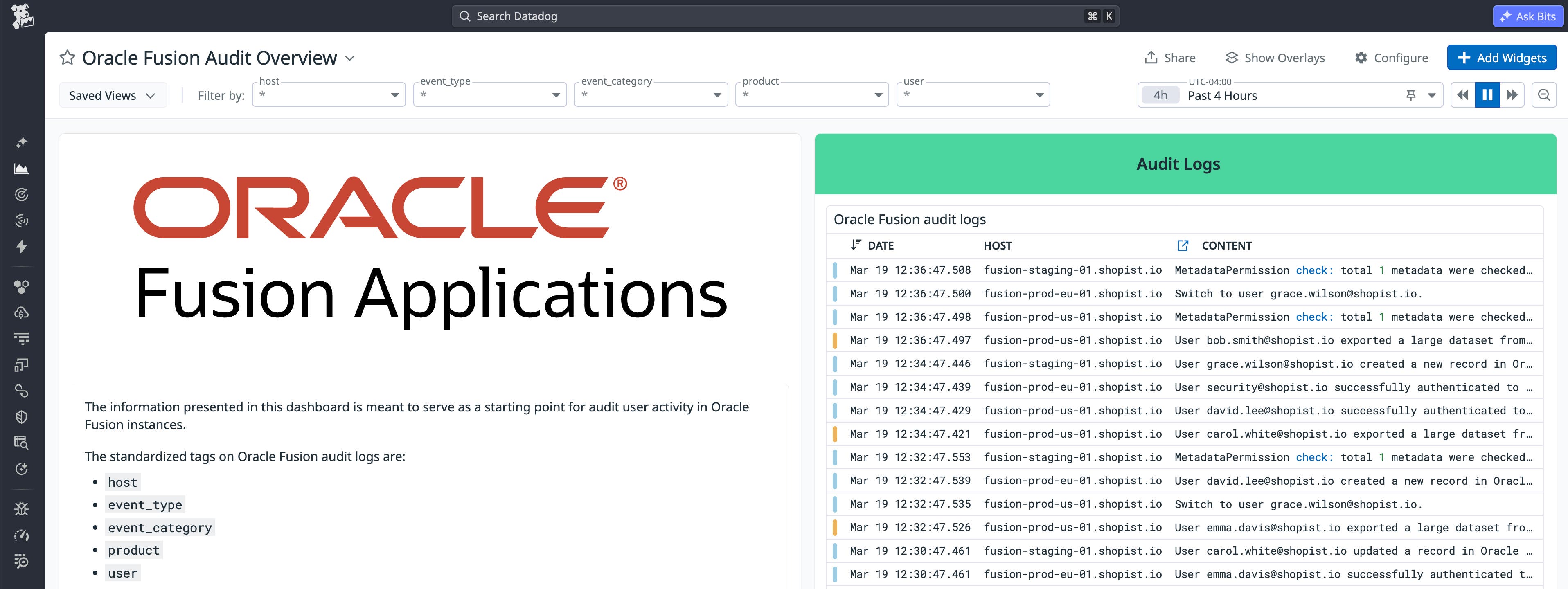
The audit logs are also available in Datadog Cloud SIEM. By analyzing the data, teams can define custom detection rules, allowing standardized investigations and incident response across the entire stack.
Test end user experience with Synthetic Monitoring
Because Oracle Fusion runs on OCI-managed infrastructure that teams cannot access directly, there is no straightforward way to instrument the application layer for performance data. Datadog Synthetic Monitoring fills this gap by letting teams test Oracle Fusion from the outside in, the same way a real user would interact with an application.
Teams can create HTTP and multi-step API tests against Oracle Fusion endpoints with assertions for status code, response time, and response body fields. This allows engineers to confirm that key services are reachable and meet performance thresholds.
Browser tests extend this coverage to the web UI, verifying that Oracle Fusion workflows function correctly across locations, browsers, and devices. Each test captures step-by-step screenshots and pass/fail results, so teams can identify where a workflow broke down without needing access to the underlying stack.
Get started with the Oracle Fusion Applications integration
The Oracle Fusion Applications integration provides visibility into operational signals from a platform that is often difficult to observe directly. By tracking ESS job performance and collecting audit logs, teams can better understand how these applications behave under real production load. For broader visibility, you can also enable the OCI integration to monitor related services alongside Oracle Fusion.
To learn how to install and configure the integration, see the Oracle Fusion Applications integration documentation.
If you’re new to Datadog, sign up for a 14-day free trial to start gaining visibility into your applications.