

Nick Vecellio
This guest blog post is authored by Nick Vecellio, Principal Engineer and Co-founder of NoBS, a Premier Datadog Partner specializing in hands-on Datadog migrations and optimizations.
At NoBS, we help enterprises migrate their observability stack to Datadog. Teams often come to us after a migration has technically “worked,” but the new setup requires optimization tweaks to provide the clarity, reliability, or operational benefits they’re looking for.
After supporting hundreds of migrations across infrastructure, APM, and logs, we see the same patterns repeated. The most common mistake? Teams treat Datadog as a destination for existing dashboards and alerts instead of viewing the migration as an opportunity to rethink how their observability should work.
That’s why, when we talk with teams about migrating to Datadog, we use a simple analogy: Think of the migration like moving into a new house. When you move, you don’t bring everything. You decide what still serves you and where the items worth keeping belong in the new space. A Datadog migration should follow the same thought process. While it’s tempting to view it as a lift and shift of dashboards and monitors, that’s not the right mindset. Instead, you should look at the migration as a chance to redesign your observability around flexibility, reuse, and actionability.
The teams that succeed most consistently start with that mindset and apply it by following four core principles:
- Migrate only the resources you need
- Treat tags as the foundation
- Consolidate dashboards around the most common questions
- Make every alert actionable
Migrate only the resources you need
One of the most common mistakes we see is carrying forward observability resources simply because they exist. Dashboards and monitors often accumulate over years, created for past architectures, temporary initiatives, or teams that are no longer around. Migrating everything without scrutiny carries that unneeded baggage into your new environment.
Instead, each resource should earn its place in Datadog. Before migrating anything, ask yourself these basic questions: Is it still useful? Is it up to date? Is someone actively using it today? If the answer to any of those is no, it likely doesn’t belong in the new system.
Migrating only what you need reduces clutter, lowers maintenance overhead, and helps ensure that your Datadog environment observes how the system actually operates today versus how it operated years ago.
Treat tags as the foundation
Datadog’s flexibility is powered by tagging, and migration is the moment when tagging decisions matter most. Tags are the connective tissue that enable reusable dashboards, scalable monitors, and consistent views across teams and environments. When you treat tagging as an afterthought during migration, you end up recreating rigid, one-off resources that resemble legacy tooling.
On the other hand, when you treat tagging as foundational, Datadog becomes far easier to operate and evolve. Dashboards adapt to new services automatically. Monitors scale as infrastructure grows. Engineers can filter and pivot without creating new artifacts. A clear tagging strategy also defines how your data is organized and utilized, allowing consumers of the data to filter and split their data in logical ways, as well as reuse resources like dashboards through template variables.
Using unified service tagging (env, service, version) in Datadog is a strong way to establish a solid baseline. Establishing that structure early prevents downstream rework and allows users of the platform to easily find and query their data across metrics, logs, and traces in a consistent manner.
Consolidate dashboards around the most common questions
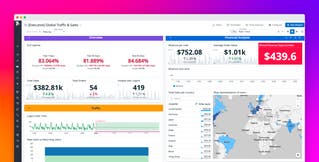
In legacy tools, it’s common to see dashboards created per service, team, or environment. Datadog encourages a different approach: designing dashboards around questions as opposed to components.
For example, using template variables and consistent tagging, a single dashboard can surface the same signals across many services or environments. This reduces duplication, simplifies maintenance, and makes it easier for anyone to find the information they need without guessing which dashboard to open.
Make every alert actionable
Alerting deserves special attention during a migration because alert noise is one of the fastest ways to undermine confidence in an observability platform. If your team ignores, mutes, or routes alerts to unattended channels, you’re more likely to miss critical issues.
To prevent alert fatigue, every alert you migrate into Datadog should be actionable. Alerts should:
- Represent a real condition requiring intervention
- Include enough context to help you understand the problem
- Point to a clear next step, often through a runbook or documented response
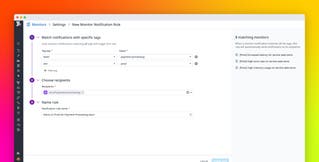
When you create your Datadog monitors the right way, they let you validate alert behavior by using evaluated data. Another guideline is to scope alerts with tags or multi-alert monitors so that a single definition scales cleanly across services and environments. Fewer, higher-quality alerts improve signal-to-noise ratio and restore trust that when an alert fires, it matters.
Migrations succeed when mindset comes first
Successful Datadog migrations start with clear intent and a clear plan. Teams that approach migration as a redesign effort consistently end up with fewer redundant dashboards, more actionable alerts, and tagging structures that don’t require rework as services are added.
There is far more involved in a Datadog migration than these four principles alone, but getting the mindset right makes everything that follows more effective. For teams planning a move to Datadog, taking the time to reevaluate the existing structures and processes to be observed before migrating resources is key. It often is the difference between a merely technically complete migration and a strategically successful one.
To learn more about migrating successfully, explore Datadog’s migration resources, including this recent webinar on structured migrations and the Migration Playbook, produced jointly by NoBS and Datadog. And if you’re interested in taking a look at the Datadog platform, you can sign up for a 14-day free trial to get started.