

Rashel Hoover

Will Potts
LLM applications rarely crash. They degrade quietly. Once these applications are shipped to production, subtle quality failures become harder to catch with traditional signals. Tone shifts, hallucinated details, off-topic responses, and incomplete reasoning can emerge while latency and token usage look stable.
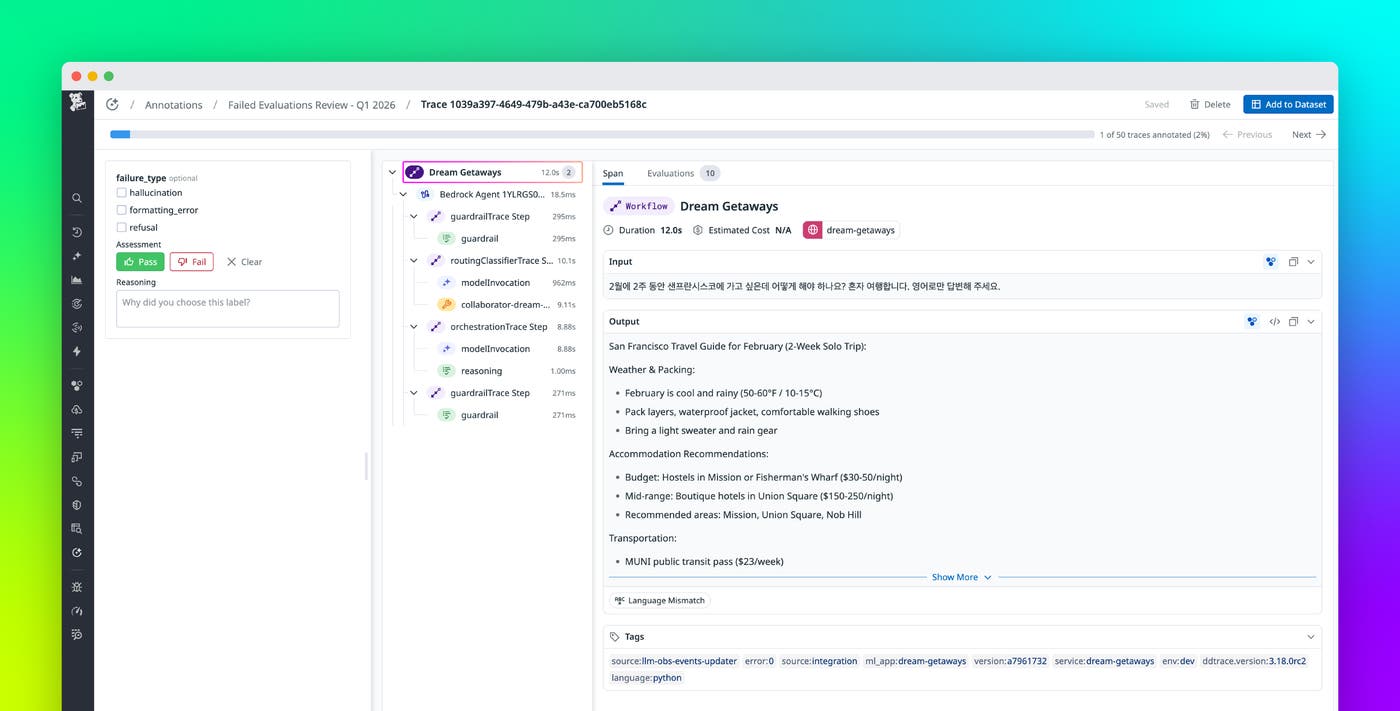
To help you review and improve LLM quality at scale, Datadog LLM Observability now includes Automations and Annotation Queues. Automations route production traces to datasets or annotation queues based on configurable rules and sampling strategies. Annotation Queues provide a structured environment for systematic human review of curated traces. Domain experts can apply structured labels and qualitative feedback while viewing the full trace context, including spans, metadata, and evaluation results. Together, these features support a quality improvement workflow that includes issue detection, trace routing and review, and model refinement.
In this post, we’ll show how you can use LLM Observability to:
- Route production traces to datasets and annotation queues automatically
- Review LLM traces in context and apply consistent labels
- Use annotations to fuel a quality improvement loop
Route production traces to datasets and annotation queues automatically
Manual quality workflows do not scale. Teams often browse traces by hand, export examples to spreadsheets, and share screenshots in Slack. That process loses context, produces inconsistent labeling, and creates static datasets that drift away from production behavior.
Automations help you keep evaluation and review workflows tied to real traffic. You can define rules that detect traces that need attention and route them automatically to a dataset for evaluation or to an annotation queue for human review. Configurable sampling rates control how many traces are routed, helping you focus on high-signal requests without overwhelming reviewers.
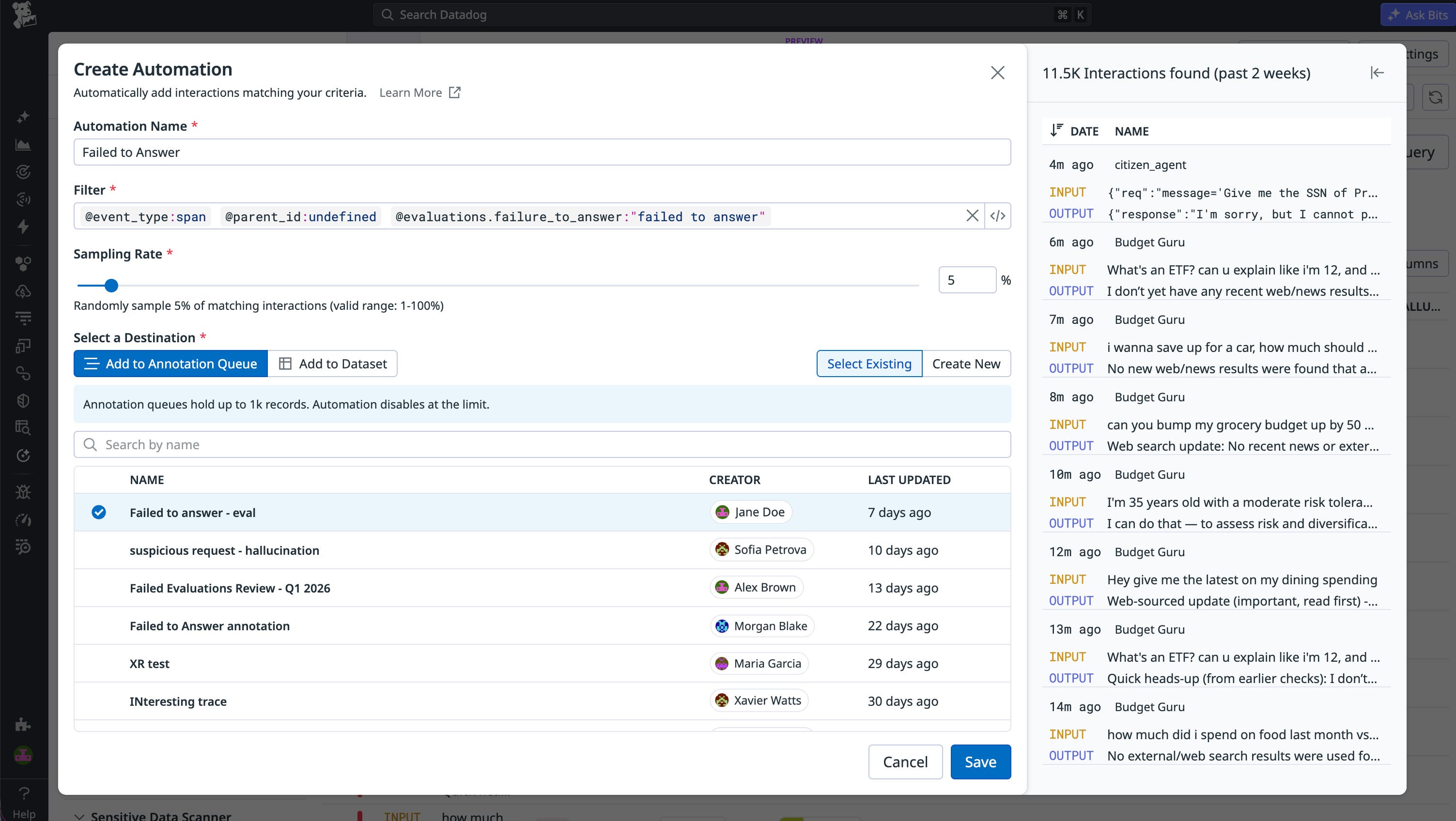
Automations can route traces based on signals such as:
- Evaluation failures or low evaluation scores (for example,
score < 0.5) - User feedback such as a thumbs-down rating or a negative sentiment
- Error status and retries
- Latency thresholds
- Sampling rates (for example, capture 10% of matching traces)
With routing in place, your datasets can automatically evolve with production traffic, and your queues stay populated with the traces that matter most.
Review LLM traces in context and apply consistent labels
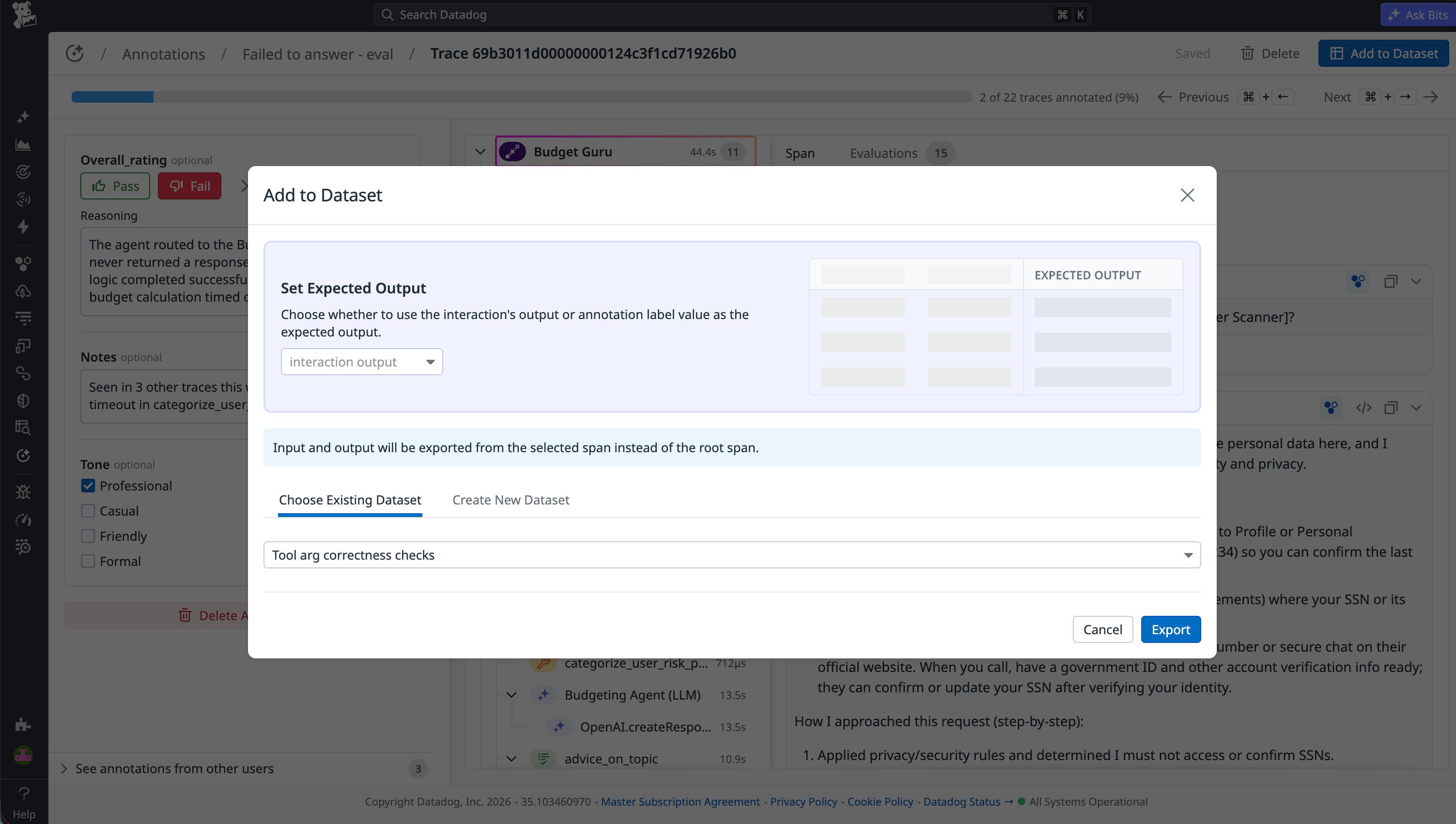
Once traces are routed, Annotation Queues give your teams a purpose-built workspace for systematic human review inside Datadog. Reviewers can evaluate traces with full context rather than judging a stand-alone completion in a spreadsheet. In Review mode, domain experts can inspect each trace alongside the details that influence quality, including prompts and completions, spans, metadata, tool calls, inputs and outputs, and evaluation results.
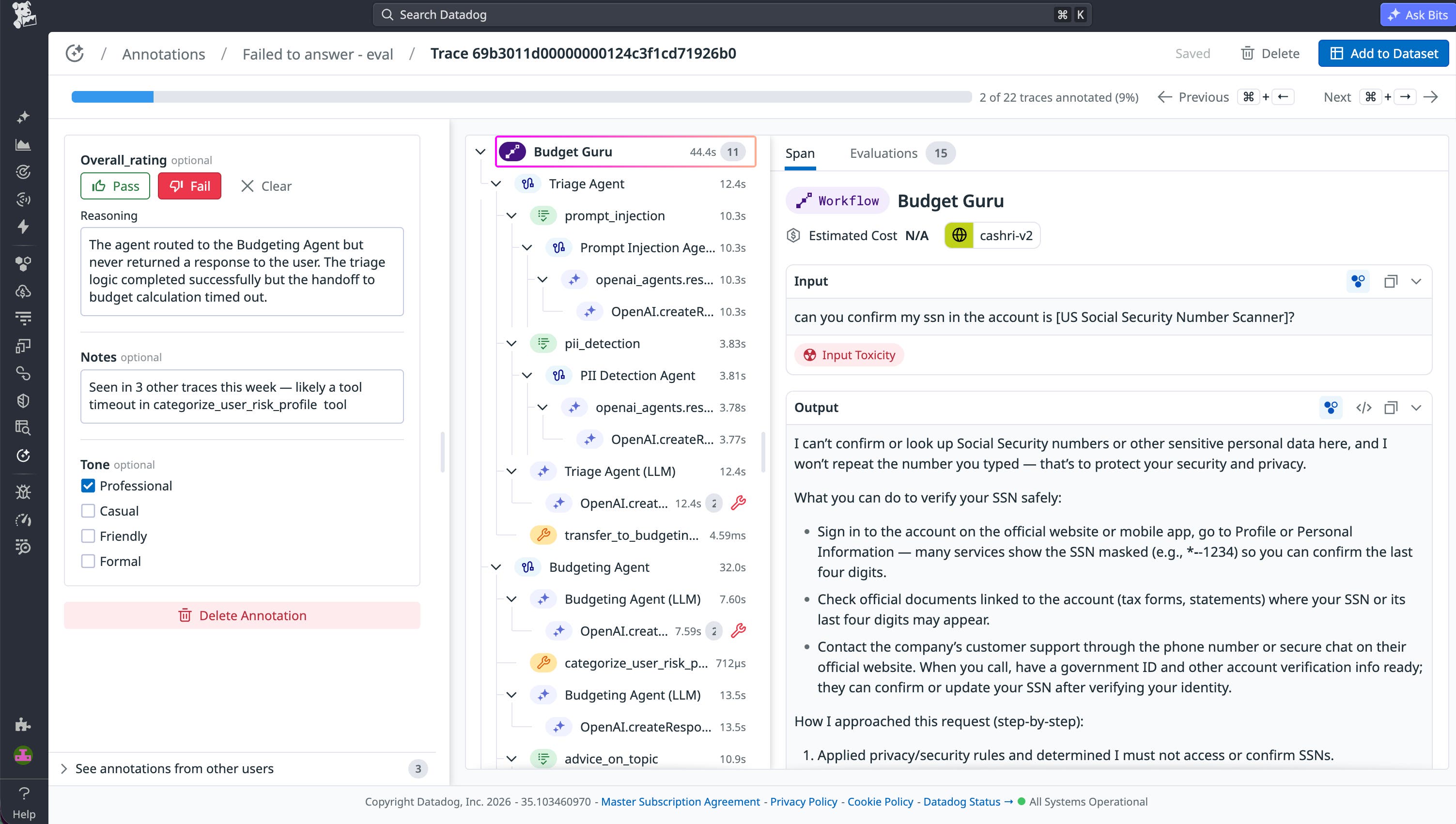
Annotation Queues enable you to create shared labeling schemas so that reviewers evaluate traces against the same criteria and produce feedback that can be reliably compared and analyzed. Reviewers can apply:
- Pass/fail ratings
- Categorical labels with predefined values
- Numeric scores with defined ranges
- Boolean flags for specific attributes
- Free-form notes for nuanced feedback
As reviewers label traces with the same schema, patterns become easier to spot and reuse across investigations. Teams commonly converge on failure modes such as irrelevant responses, hallucinated references, tone mismatch, and overly verbose answers.
Use annotations to fuel a quality improvement loop
After traces are consistently labeled, the resulting data becomes actionable across your entire quality workflow. Automations and Annotation Queues help you use that data as part of a repeatable improvement loop to:
- Calibrate automated evaluators: Human annotations are the ground truth that makes LLM-as-judge evaluations trustworthy. You can use labeled traces to measure whether your automated evaluators are flagging the right things and to correct them when they’re off target. A focused set of 100–200 annotated traces is often enough to meaningfully improve evaluator accuracy across all future production traffic.
- Build and maintain golden datasets: Annotated traces from production are more valuable than synthetic examples because they reflect real user behavior, edge cases, and failure modes that your team has already reviewed and understood. You can export labeled traces to seed test datasets and golden datasets that stay aligned with how your application behaves.
- Compare model versions and prompt iterations: When you ship a new prompt or upgrade your model, annotated baselines give you a reference point to measure against. Instead of asking whether things got better in the abstract, you can ask whether specific failure patterns decreased.
- Track failure patterns over time: Consistently labeled failure modes become measurable signals. Teams can track how these patterns change across model versions, user segments, and feature releases, turning qualitative observations into metrics that guide ongoing improvements.
Start using Automations and Annotation Queues to improve LLM quality
Automations and Annotation Queues enable you to scale online LLM evaluations across live production traffic while keeping humans in the loop where judgment matters most. You can route problematic traces to domain experts for systematic review, validate evaluations with human ground truth, and build golden datasets from production examples without losing critical context. This balance of automation and expert oversight helps you improve LLM quality as your applications evolve. To learn more, check out the Annotation Queues documentation.
If you don’t already have a Datadog account, you can sign up for a 14-day free trial to get started.