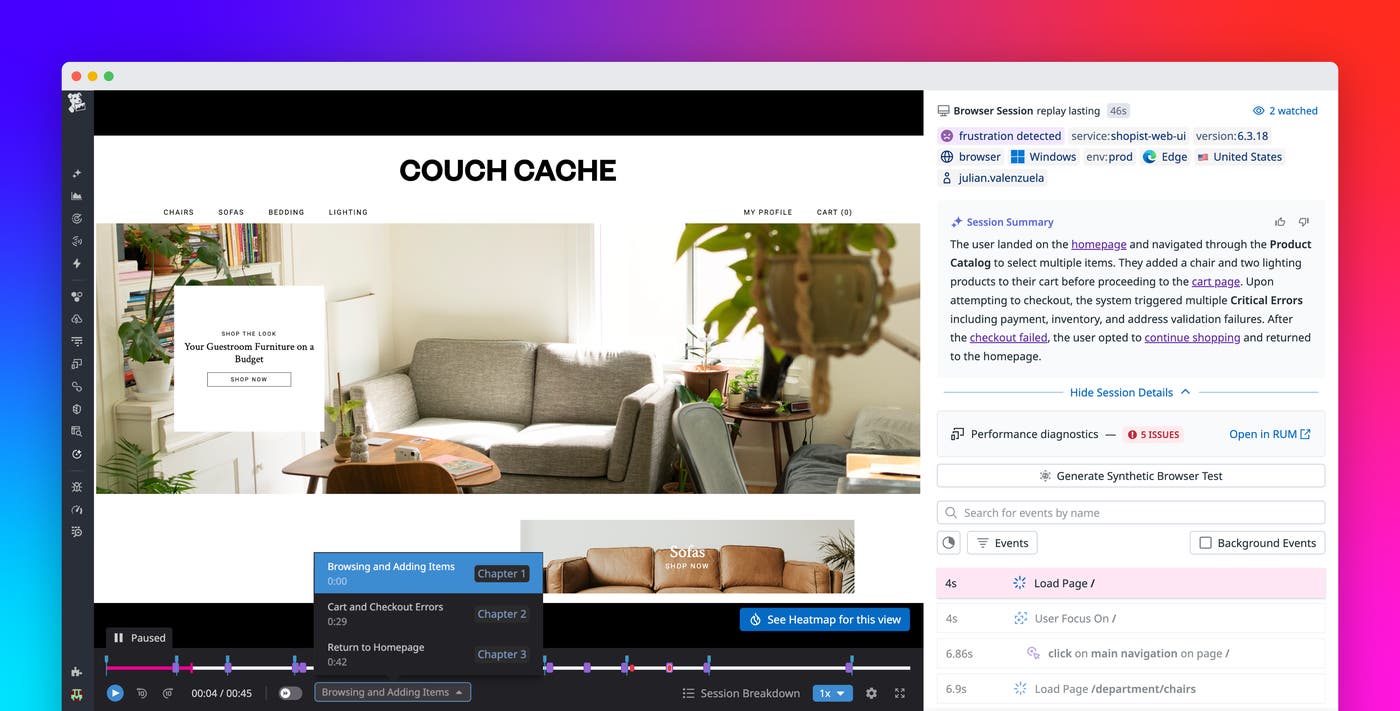


Stella Ma

Abhi Motgi
Datadog Session Replay gives teams a video-like view of what real users experienced in their applications. Engineers rely on replays to connect errors and slowdowns to actual user behavior, while product managers use them to understand friction and improve critical flows. But finding the right replay and the right moment often means manually scanning long sessions without knowing whether they contain relevant signals.
Session Replay now includes AI summaries and smart chapters to reduce that manual effort. Together, these features provide instant context about what happened in a session and guide you directly to meaningful moments, so you can spend less time watching and more time deciding and acting.
In this post, we’ll look at how these capabilities help you:
- Instantly summarize replays for actionable context
- Navigate sessions faster with smart chapters
- Use Session Replay across engineering and product workflows
Get Session Replay insights in seconds with AI summaries
The fastest way to understand a session is to know what happened before you ever press play. AI summaries provide a concise, plain-language overview of each replay, answering a simple but critical question: What happened in this session?
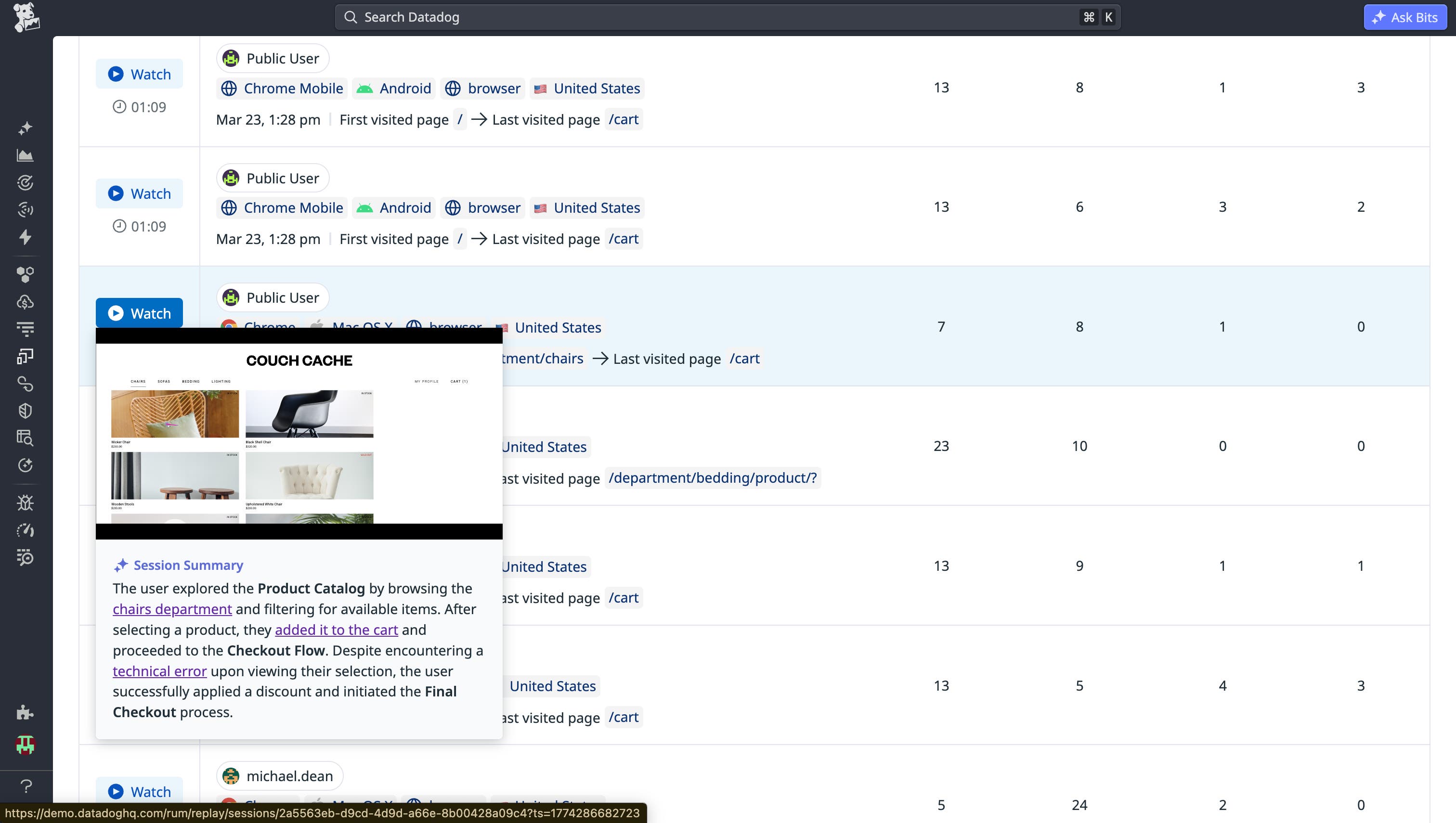
Each summary captures the user’s intent and outcome in a single paragraph. It highlights whether the session ended in success, abandonment, or an error, and it calls out where that outcome occurred. The summary also describes the user’s key actions and path through the application, along with any friction signals such as hesitation, repeated actions, or visible errors. When specific moments are mentioned, they’re linked directly to the replay so you can jump to the exact point in time.
You can preview a summary before opening a replay. If a session has already been summarized, the context appears instantly. This makes it much easier to decide whether a replay is worth deeper investigation and dramatically reduces the time it takes to reach an actionable conclusion.
Move through replays with smart chapters
Once you know a session is relevant, the next challenge is navigating it efficiently. Smart chapters automatically break a replay into meaningful stages of the user journey, turning a long video into a guided narrative.
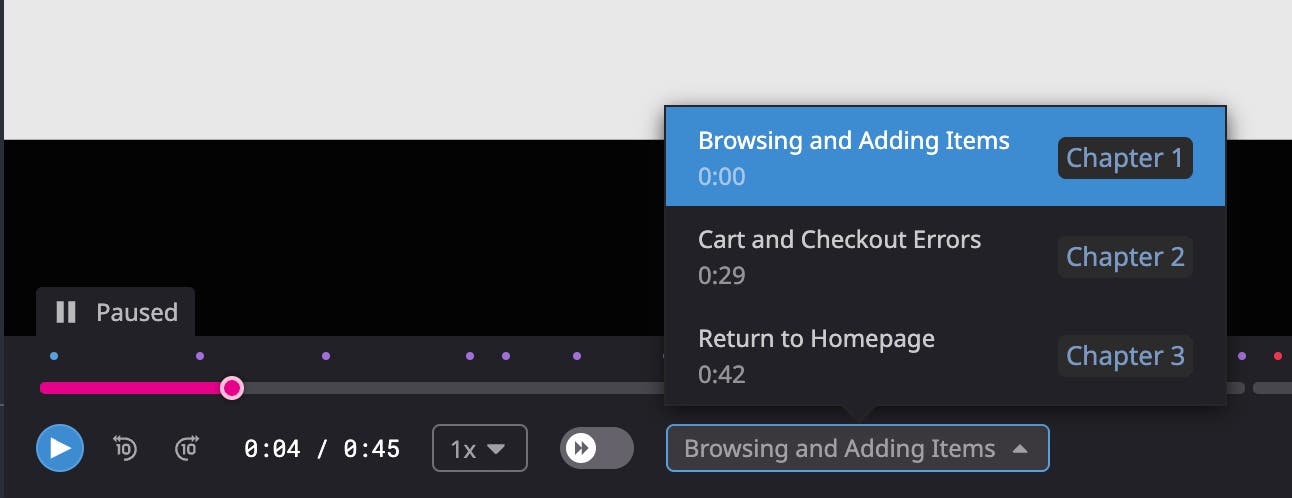
Each chapter represents a clear milestone in a user journey. For an ecommerce company, for example, these milestones include browsing products, reviewing a cart, moving through checkout, or updating account details. Chapters include start and end timestamps and are visible directly in the replay timeline. Errors and moments of high activity are clearly marked, making it easy to understand where things changed and why.
By structuring sessions into understandable phases, smart chapters eliminate the need to scrub through footage manually. You can move directly to the part of the journey that matters, maintain context as you investigate, and quickly compare behavior across multiple sessions.
Session Replay in action across teams
AI summaries and smart chapters are designed to support different roles that rely on Session Replay, from engineers troubleshooting production issues to product managers analyzing conversion and drop-off.
Identify and troubleshoot errors faster
When an application issue impacts users, engineers need to understand both the technical failure and the user-facing experience. Session Replay with Real User Monitoring (RUM) brings these perspectives together.
Consider an engineer investigating an alert that shows page load times spiking on a performance dashboard. From the RUM view, they can see the affected route, increased load times, and correlated backend timeout errors. Clicking into a related session replay provides immediate context through the AI summary before the video even starts.
The summary might explain that a user accessed the dashboard, encountered a prolonged loading state, triggered multiple 504 gateway timeout errors, and ultimately abandoned the page before data rendered. With hyperlinks embedded in the summary, the engineer can jump straight to the moment where the dashboard stalled and the error occurred. This provides clear reproduction steps and direct visibility into user impact, helping the team troubleshoot and resolve the issue more quickly.
Spot UX issues that impact outcomes
Product managers often know where users drop off, but not why. Session Replay with Product Analytics closes that gap by combining quantitative funnel data with exact reproductions of user behavior.
For example, a product manager may notice a drop in checkout completion in an ecommerce funnel. Product Analytics shows that users are reaching the checkout page but abandoning the flow before payment. To understand the cause, the PM opens a replay for an abandoned session and reviews the AI summary instead of watching the entire recording.
The summary might reveal that the user applied a coupon code that failed multiple times, triggered validation errors, and led to repeated clicks and eventual abandonment of a high-value cart. Using smart chapters, the PM can quickly review the user’s path leading up to checkout and jump to the precise moment of failure. This context can uncover whether the issue stems from backend logic, unclear error messaging, or both.
Armed with these insights, the PM can prioritize the right fix, coordinate with engineering, and improve the user experience before a full technical change even ships.
Get more value from every replay
AI summaries and smart chapters make Session Replay analysis faster, more focused, and easier to scale across teams. By removing the manual work of searching for the right session and scrubbing through long videos, these features help engineers resolve issues sooner and enable teams to make decisions grounded in real user behavior.
See our documentation on using Session Replay with RUM and Product Analytics to learn more. If you’re new to Datadog, sign up for a 14-day free trial.