---
title: "Real User Monitoring RUM | Datadog"
description: "Detect, investigate, and resolve the errors, crashes, and slowdowns affecting real users across your web and mobile apps."
locale: en
canonical_path: "products/digital-experience/real-user-monitoring/"
---
# Deliver fast, reliable experiences across web and mobile
_Real User Monitoring _
Detect, investigate and resolve the errors, crashes, and slowdowns affecting real users
[Deliver fast, reliable experiences across web and mobile](https://web-assets.dd-static.net/42588/1793390099-final-hero-video.mp4)
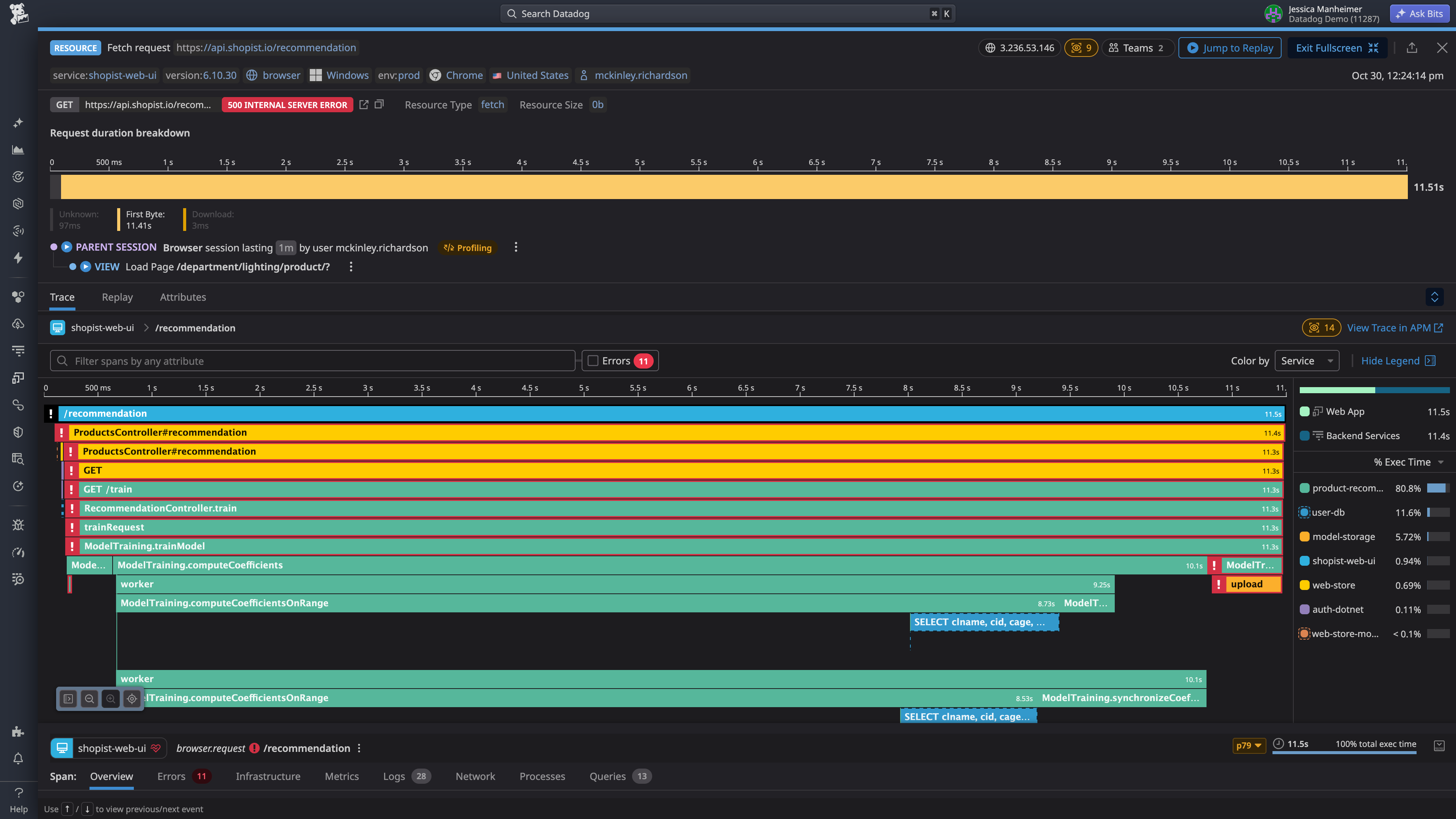
Try Real User Monitoring Free
## Trusted by leading frontend teams
-  Cambia Health Solutions White
-  PayPal White
-  booksy white
-  CleoHealth
-  SunExpress
-  GetGo
## Measure how every release impacts real users
Understand the impact of every release and keep critical user journeys fast, reliable.
- **Improve application availability and performance** — Measure Core Web Vitals and Mobile Vitals, then slice by version, device, os, country, and other dimensions to see.
- **Focus teams on the highest-impact issues** — Group high-volume errors and crashes into actionable issues, then pinpoint the root cause down to the exact line of code.
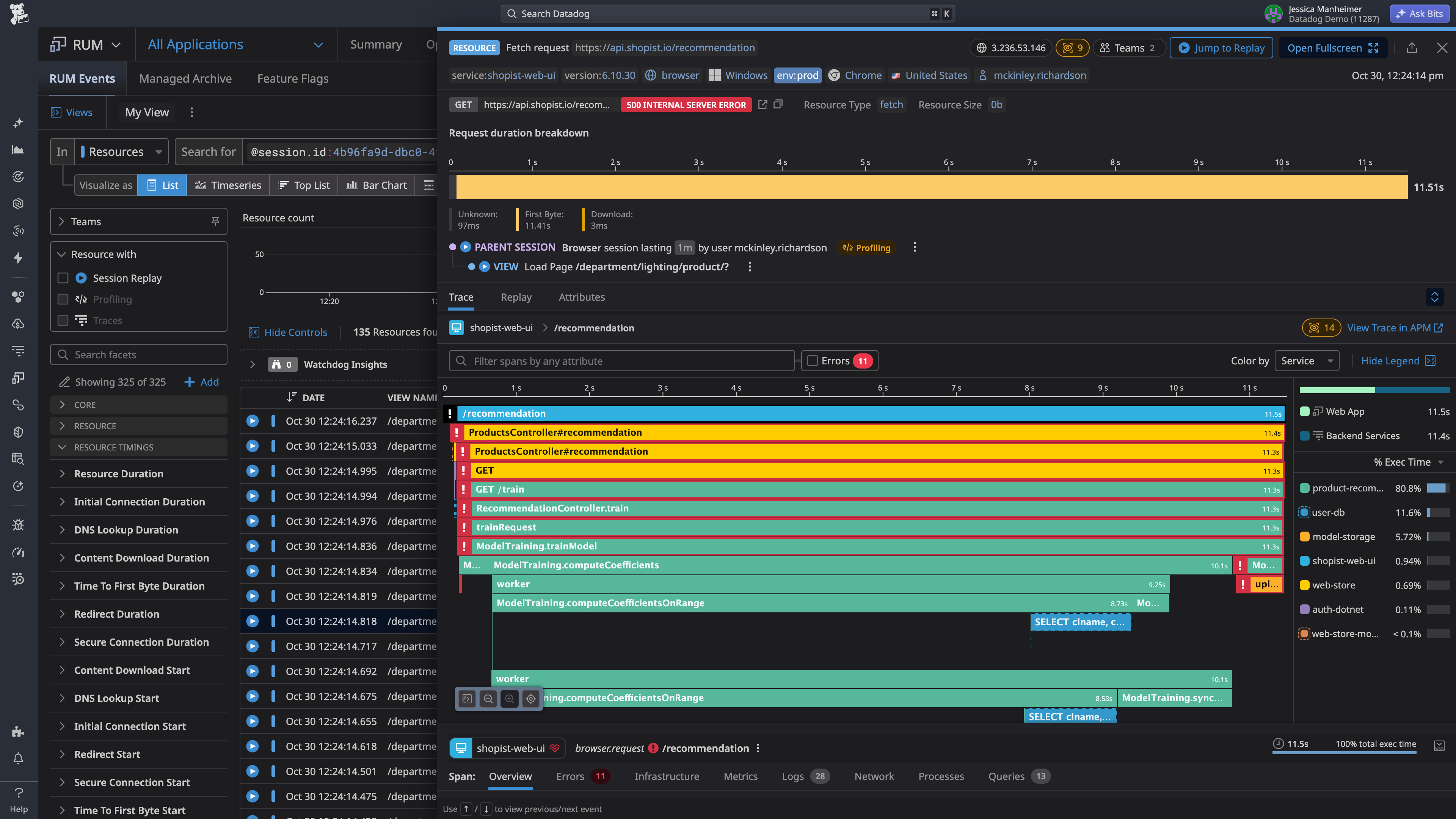
- **Connect user impact to root cause** — Pivot from any user session to backend traces, session replays, logs, and infrastructure metrics to find root cause without switching tools.
- **Troubleshoot every application from one platform** — Monitor web, mobile, desktop, and connected devices apps side by side with consistent metrics and a single workflow.
## Capture every session and keep what matters
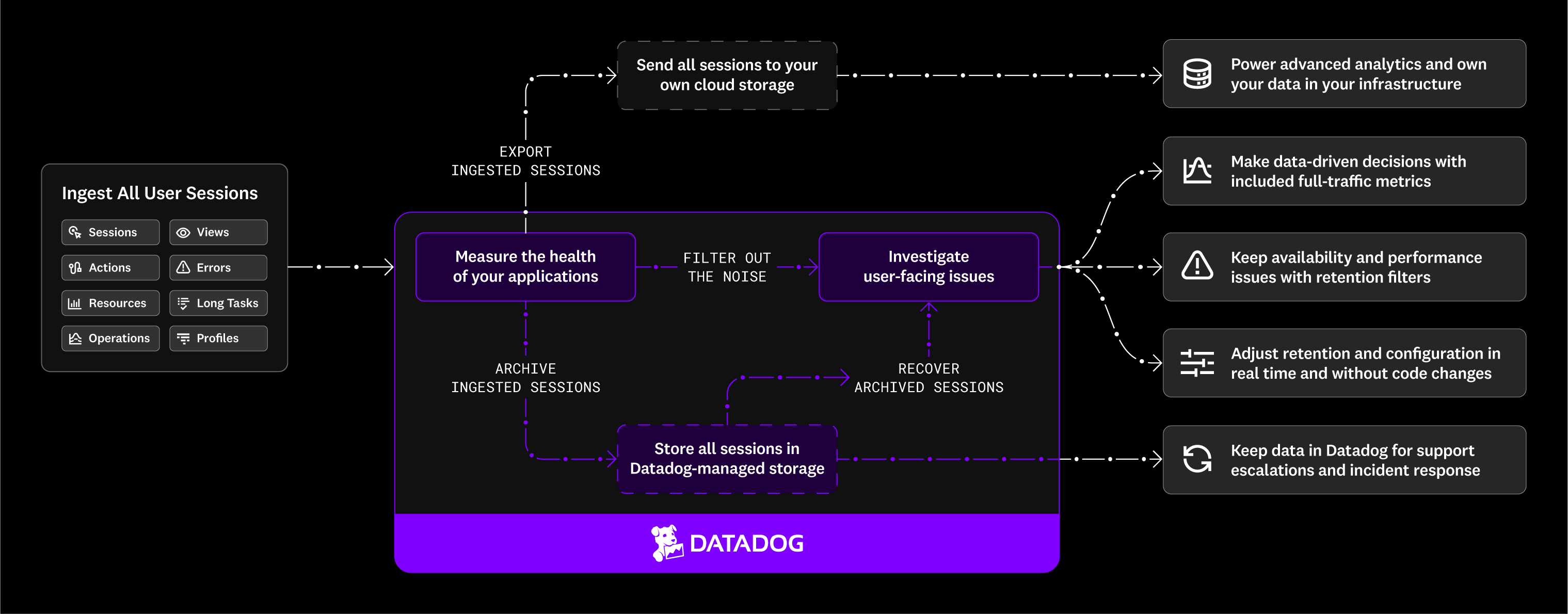
RUM without Limits™ gives you the visibility you need to monitor your frontend applications, troubleshoot faster, and make data-driven decisions.
### Real user insights for every team
Get the visibility your team needs to catch user-impacting issues early, resolve them faster, and release with confidence.
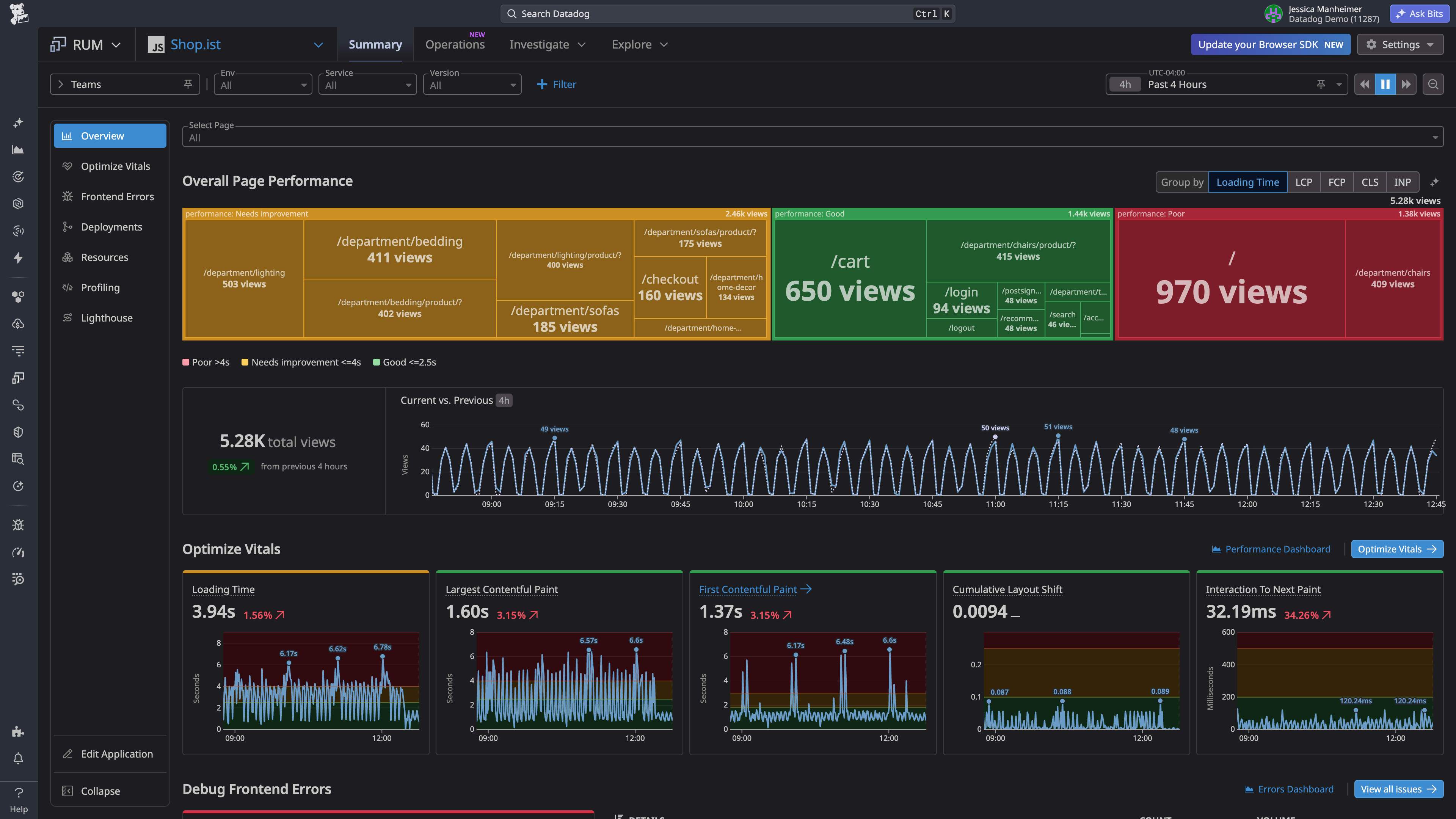
##### Web Frontend Engineers: Fix frontend performance problems with real user data
* Capture high-impact sessions with availability or performance issues for faster debugging.
* Connect degraded signals to the exact JavaScript functions responsible for the slowdown, using production profiling data captured from real user sessions
* Measure key performance metrics like Core Web Vitals and load times to detect and resolve frontend bottlenecks.
* Analyze real user traffic and follow AI-powered performance optimization loops to improve page speed.
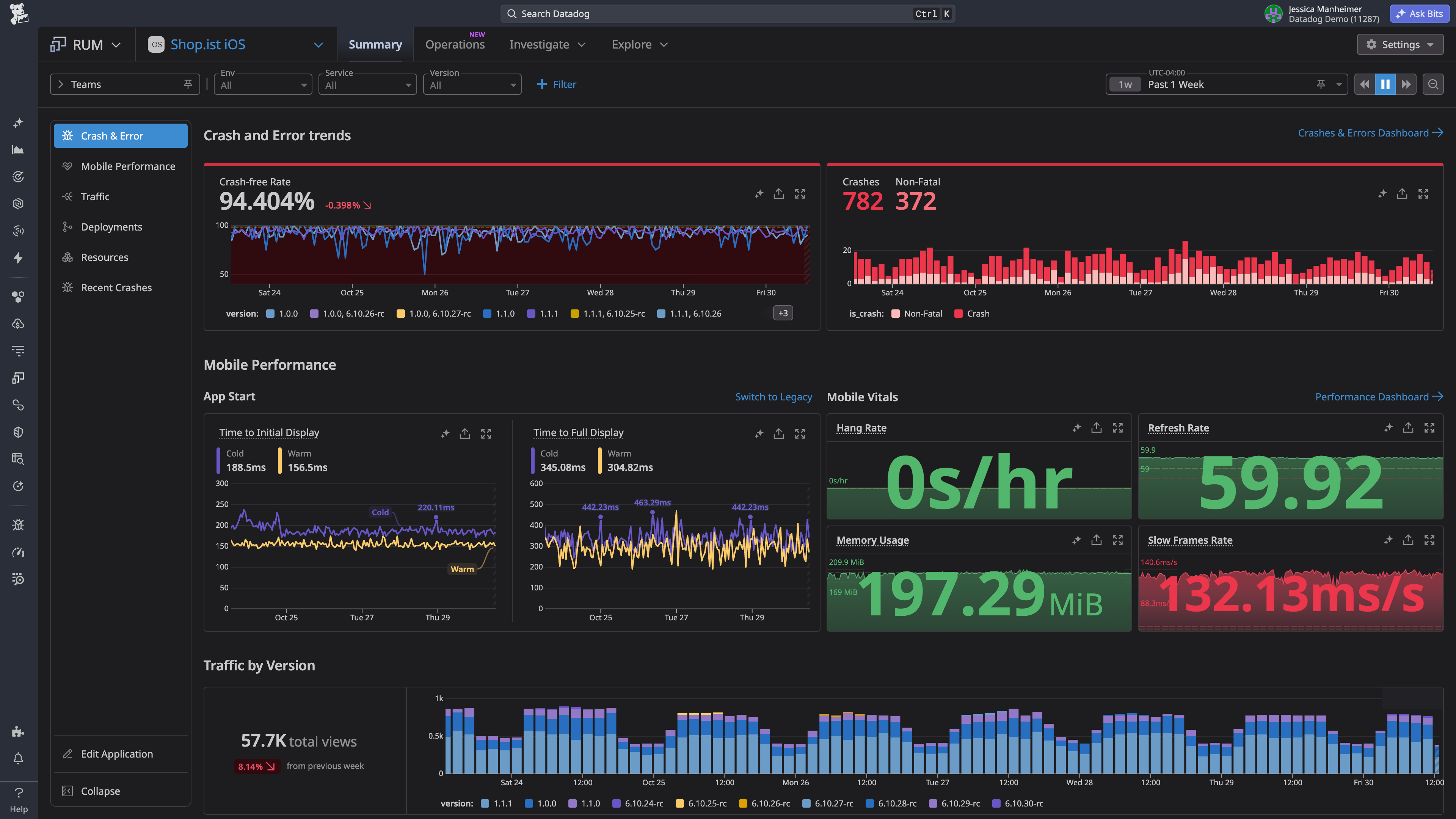
##### Mobile Engineers: Keep crash-free rates high on every device and OS
* Triage crashes intelligently grouped by root cause, with readable stack trace that point to the line of code
* Track Mobile Vitals across iOS, Android and cross-platform SDK like slow renders, app startup timings, and ANR or Hang rates, sliced by version, device, OS, and country
* Find the methods behind slow app launches and dropped frames, using profiling data captured from production rather than local test runs
* Monitor the adoption and stability of every release with Deployment Tracking before a bad version reaches your whole user base
##### SRE & Platform Engineers: Connect user impact to the systems behind it
* Quantify the real user impact of any incident by segment, release, geography, and device before you page a team
* Troubleshoot across the stack and align retention policy of RUM sessions and APM traces
* Correlate synthetic test results with real user sessions to catch issues pre-production and confirm fixes in production
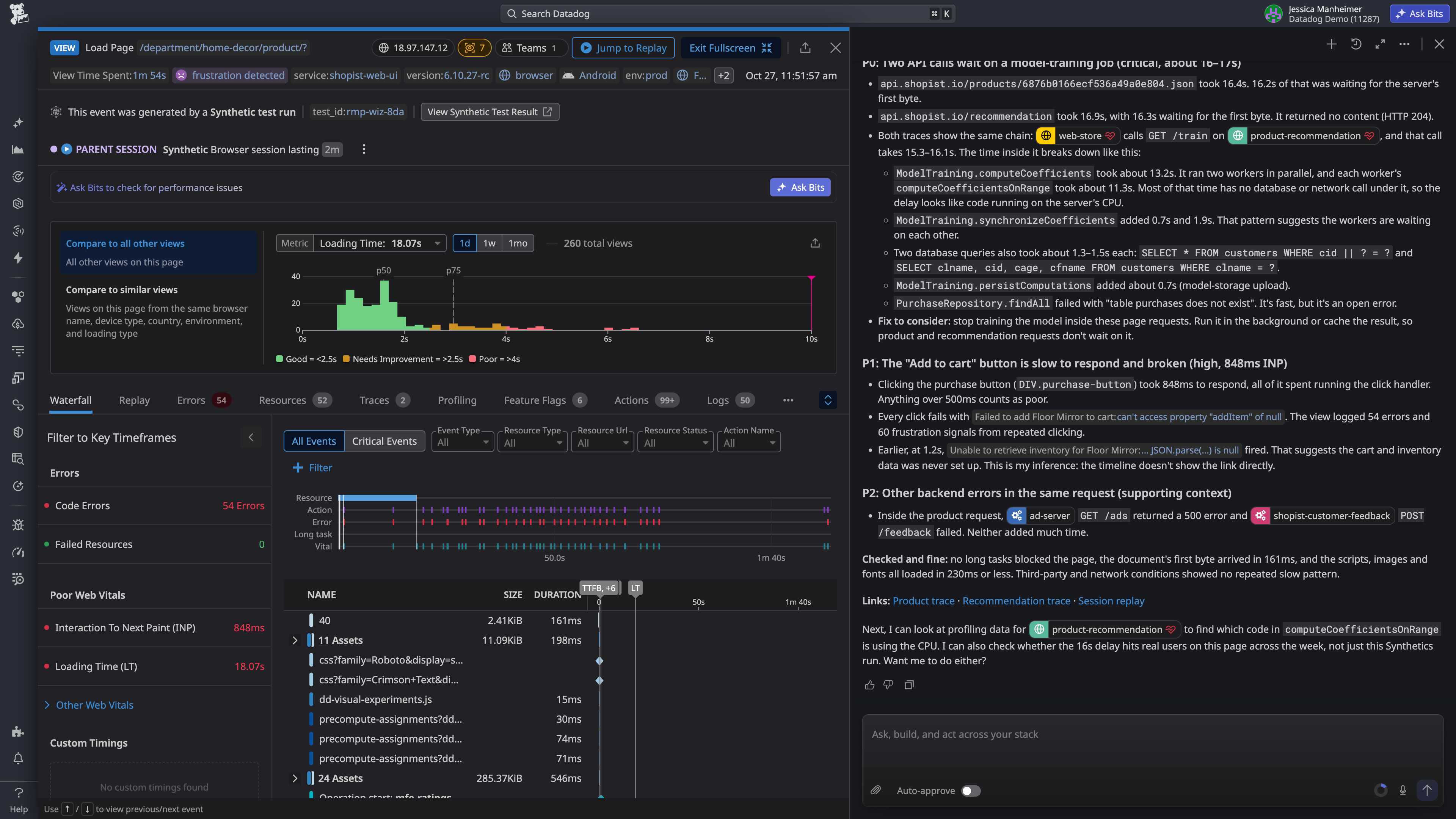
* Investigate faster with Bits AI to analyze sessions, diagnose failures in critical flows and recommend next steps
##### Engineering Leadership: Tie user experience to business outcomes
* Report on frontend health over time across every release, platform, and team
* Set SLOs on the flows that drive revenue measured on full user traffic
* Unify frontend and backend monitoring across web and mobile, so every team investigates from the same data
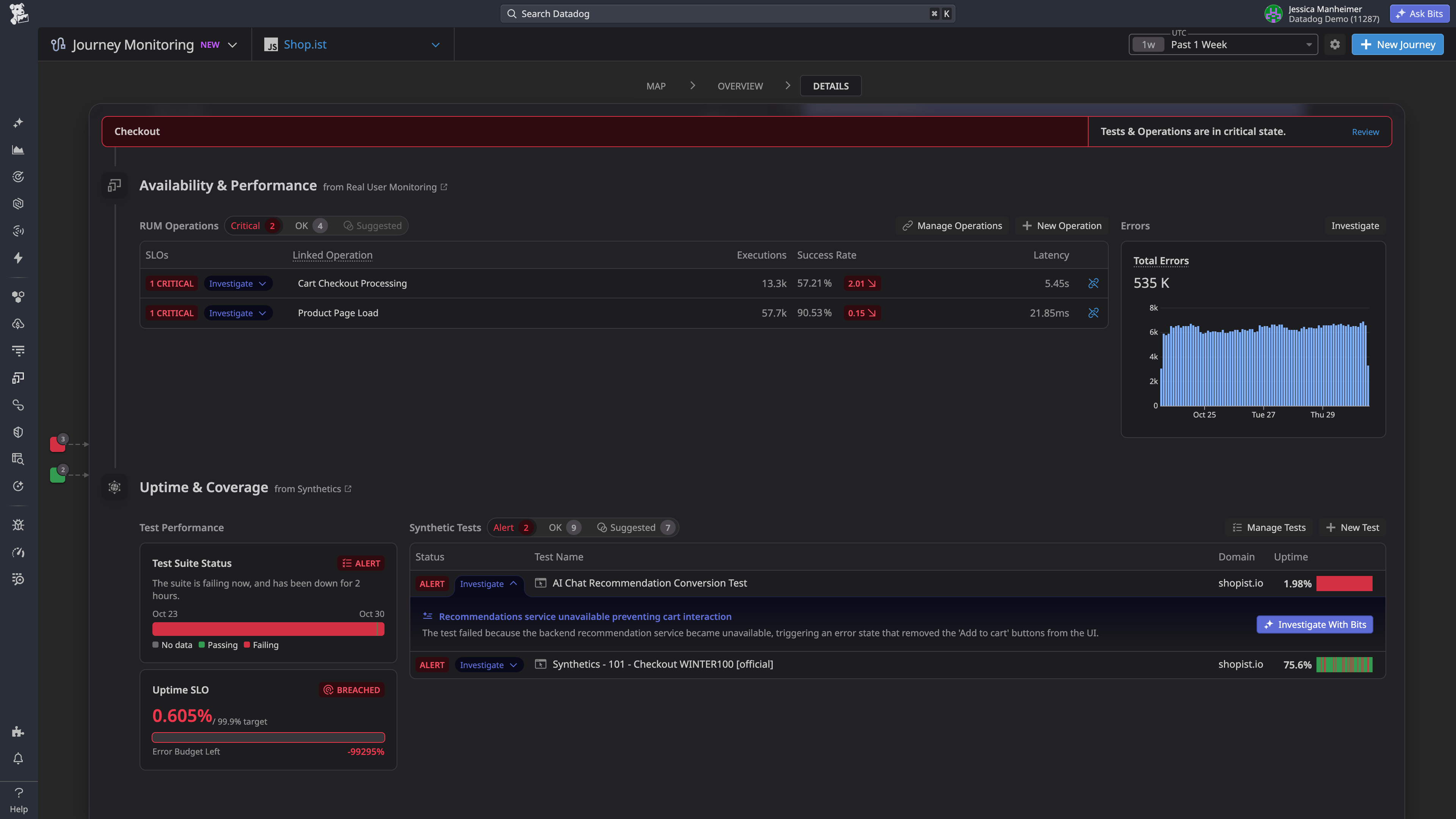
* Connect business outcomes to the critical operations behind your main user flows with Journey Monitoring
_2026 Gartner® Magic Quadrant™ _
## Datadog Named a Leader in the 2026 Gartner® Magic Quadrant™ for Observability Platforms for the Sixth Time
[Read the full report](https://www.datadoghq.com/resources/gartner-magic-quadrant-observability-platforms-2026/)
## Your front row seat to every user session
### Detect and prioritize what matters
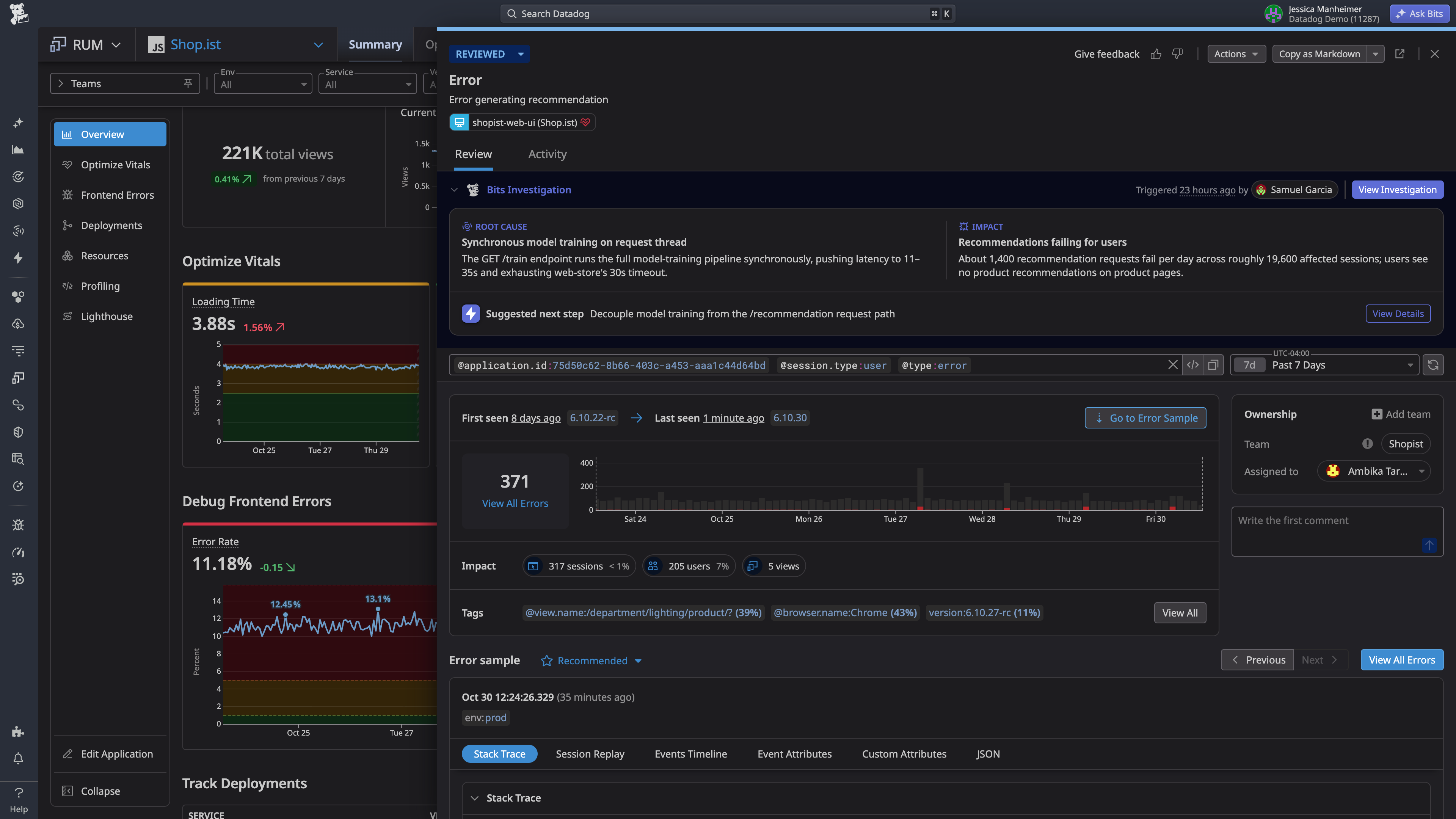
- **Error & crash tracking ** — Group errors and crashes into a focused set of issues with readable stack traces that pinpoint the line of code, then prioritize by the user segments, releases, and devices affected.
- **Monitors and alerts** — Create monitors that alert on Core Web Vitals, crash-free rates, ANRs, app startup times, and any other RUM metric computed on 100% of your traffic.
- **Critical Operations monitoring** — Measure the availability and latency of critical steps like signing in or processing a payment, and set SLOs on each one.
### Accelerate troubleshooting
- **Unified frontend and backend telemetry** — Pivot from any session to backend traces, logs, and infrastructure metrics in one click or correlate real user sessions with Synthetic Monitoring results.
- **Visualize real user sessions with Session Replay** — Watch a pixel-perfect recreation of any web or mobile user journey to reproduce errors exactly as the user hit them.
- **Investigate with Bits AI** — RUM integration with Bits AI provides both digestible summaries of your events and aggregated diagnostics with step-by-step reasoning and recommended next steps.
### Trace slowdowns to their source
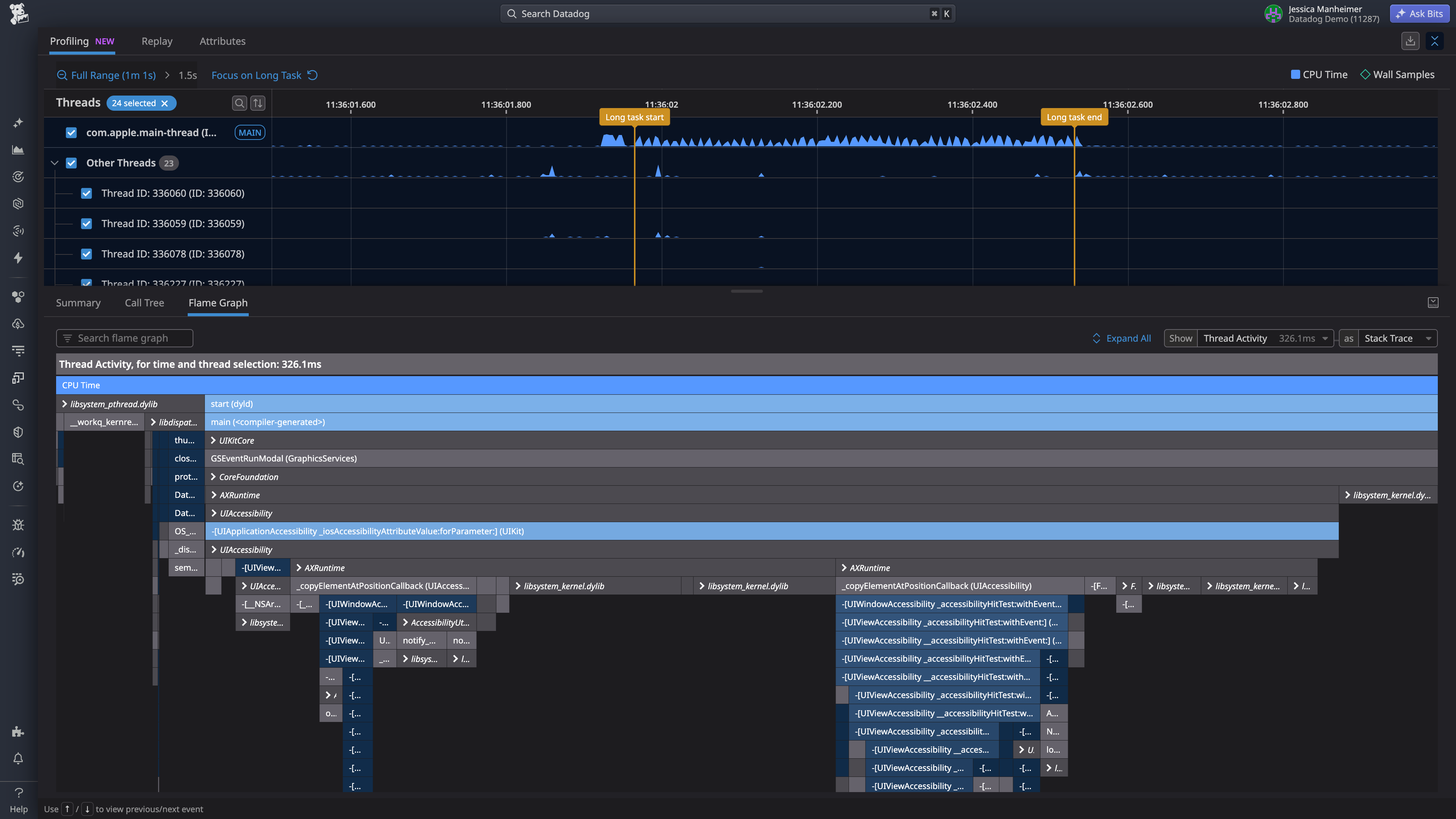
- **Core Web Vitals and Mobile Vitals** — Track the metrics that matter on web and mobile — load times, app startups, ANRs — sliced by version, device, and country.
- **Browser and Mobile Profiling** — Trace slowdowns to the exact methods responsible, using profiling data from real production sessions.
- **Deployment Tracking** — Compare errors and performance across app versions and feature flags to catch regressions before they spread.
### Visibility that grows with you
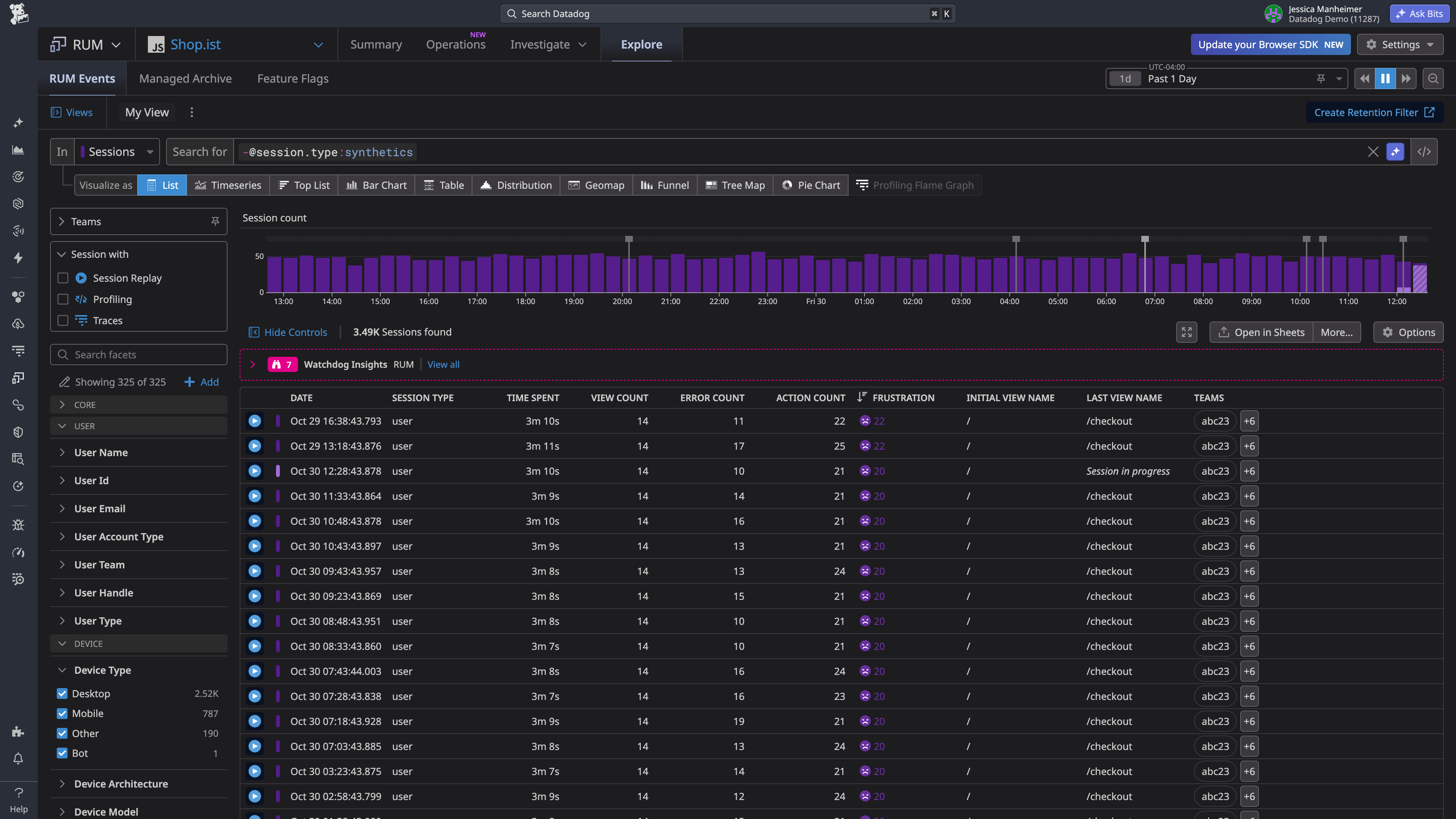
- **RUM without Limits™** — Capture 100% of user sessions while retaining only the most valuable data with flexible retention filters.
- **Recovery and data ownership** — Recover any session from Datadog-managed storage for investigations, or export raw events to your own cloud storage for analysis.
- **One workflow, Every platform** — The same metrics, dashboards, and monitors work across web, mobile, desktop, and connected devices.
### Get the technical details
Step-by-step guides and complete reference material
[View Docs](https://docs.datadoghq.com/real_user_monitoring/)
## Priced to measure everything and investigate what matters
Gain unified visibility into the availability and performance of your web and mobile applications
#### Real User Monitoring: RUM Measure
Monitor the availability and performance of your application across user sessions
$0.15 / Per 1,000 sessions,
per month¹
key features
- Collect every session to gain a clear picture of user experiences across your applications.
- Monitor web, mobile, and desktop app availability with 30+ included metrics — calculated on 100% of sessions for a complete and accurate picture of success rate and latency of your critical operations, app freezes, error rates, page and screen load times, and more (15-month retention included).
- Create monitors, define SLOs, and build dashboards across the Datadog platform for end-to-end visibility.
Try Free
#### RUM Investigate
Troubleshoot critical issues impacting the end-user experience
$3 / Per 1,000 sessions, per month²
key features
- Filter and retain the most valuable sessions using flexible, no-code retention rules directly from the UI, API, or MCP (no app deployments needed).
- Prioritize sessions exhibiting errors, crashes, slow performance, high-value user behavior, and more.
- Gain deep visibility into bugs and crashes with built-in Error Tracking and crash reporting tools.
- Retained sessions include all their events (views, errors, resources, etc.) and are available for 30 days, with 15-day retention for resources, long tasks, and vitals.
Try free
#### RUM Add-Ons: RUM Managed Archive
Store every session in Datadog-managed storage and recover the ones you need on demand
$0.2 / Per 1,000 sessions, per month³ ⁴
key features
- Store every ingested session in Datadog-managed storage for a 1, 3, or 6-month window, configurable per application
- Locate sessions fast using session ID, application ID, user ID, account ID, timestamp, country, service, and version
- Recover any archived session on demand and investigate it in the RUM Explorer with full session data for 30 days
- Recover sessions in one click in the UI, via API, or MCP, one by one or in batches
- This is an add-on to RUM Measure
Try Free
#### Session Replay
Enhance RUM with video-like replays to see user issues firsthand across web and mobile
$2.5 / Per 1,000 sessions,
per month⁵
key features
- See user issues firsthand with video-like session replays for web and mobile
- Debug faster using built-in DevTools to analyze errors and performance bottlenecks.
- Respect user privacy with inputs masked by default in every replay, and fine-grained masking options.
- Uncover engagement patterns by pairing replays with heatmaps and 30-day retention (currently only available for web applications)
- This is an add-on to RUM Investigate
Try Free
#### More Add-Ons Available
Explore more ways to expand your RUM capabilities.
Add-On Products
- Export Pipelines - Continuously export raw RUM data into your own cloud storage for full ownership and ad-hoc analysis
- RUM Profiling- Enhance RUM with code-level profiles to see which functions slow down real user sessions
[Explore RUM Pricing](https://www.datadoghq.com/pricing/?product=real-user-monitoring)
All prices shown are starting rates. From basic plans to bespoke offerings, Datadog offers the right level of support & services for any organization.
¹ RUM Measure billed annually or $0.22 on-demand
² RUM Investigate billed annually or $4.50 on-demand
³ Recovering a session from the archive is billed separately, under RUM Investigate, at 10x your contracted RUM Investigate rate
⁴ RUM Managed Archive billed annually or $0.30 (1 month), $0.45 (3 month), and $0.68 (6 month) on-demand
⁵ Session Replay billed annually or $3.60 on-demand
### Customers delivering experiences millions of users depend on
See how teams protect app performance, usability, and reliability across web and mobile. Join 33,000+ organizations that trust Datadog.
#### PayPal — Financial services

> This was the highest visibility for PayPal's most senior leaders, and we needed observability into the real-user impact of the deployment.
[Read more](https://www.datadoghq.com/case-studies/paypal/)
#### boosky — Marketplace software

> Datadog allows us to measure the business impact of changes and have a single point of truth across all teams.
[Read more ](https://www.datadoghq.com/case-studies/booksy/)
#### Cambia Health Solutions — Healthcare technology

> The information you get feels more like a story and gives you a step-by-step understanding of how a user progresses through our sites.
>
[Read more](https://www.datadoghq.com/case-studies/cambia-health-solutions/)
## Frequently asked about Real User Monitoring
### What is Datadog Real User Monitoring?
User Monitoring (RUM) gives you full visibility into every user session on your web and mobile applications. It helps teams detect, investigate, and resolve frontend errors, crashes, and performance issues by correlating real user behavior with backend traces, logs, and infrastructure metrics.
### Does RUM cover both web and mobile applications?
Yes. One RUM product covers browser applications, native and cross-platform mobile apps, desktop, and connected devices, with consistent metrics and a single troubleshooting workflow across both.
### Which platforms and SDKs does RUM support?
Datadog RUM supports browser applications, the Android ecosystem (including Android TV and Android Automotive OS), Apple platforms (including iOS, iPadOS, tvOS, watchOS, and visionOS), Roku, Electron, and C++. On mobile, Datadog RUM also comes with SDKs for cross platform frameworks: React Native, Flutter, Kotlin Multiplatform, Unity, and .NET MAUI. The browser SDK adds dedicated plugins for React, Angular, Vue, Next.js, Nuxt, Salesforce, and Shopify.
### What is a session?
A session is a continuous navigation on your web or mobile application, and it is the unit RUM meters and bills on. It can last up to 4 hours of continuous activity, and expires after 15 minutes of inactivity. Each session groups together every view, action, resource, error, and other events a user generates. When a mobile app contains webviews and both the web and mobile applications are instrumented, Datadog bridges them into one mobile session, and only that session is billable.
### What data does RUM collect?
RUM collects by default the views, actions, resources, errors, and long tasks, along with context like app version, device, operating system, browser, and geography. You can enrich sessions with additional events and any custom attributes. Inputs are masked by default in Session Replay, and you can apply finer masking rules to control exactly what gets recorded.
### How does RUM connect to my backend?
RUM links outgoing network requests from your application to the backend APM traces and logs generated by the same requests, so you can move from a frustrated user to the responsible service in one click. RUM is a standalone product and does not require APM or Log Management, but connecting them is what helps you seamlessly troubleshoot across the stack.
### What is the difference between Measure and Investigate?
RUM Measure applies to every session you collect. It powers 30+ metrics you can use in dashboards, monitors, and SLOs. Metrics are computed on 100% of your traffic and retained for 15 months. RUM Investigate applies only to the sessions your retention filters keep, and it gives you full session detail, error and crash tracking, profiling, and one click correlation to backend traces and logs.
### How does RUM pricing work?
RUM is billed per 1,000 sessions per month, split into two parts. RUM Measure covers your full session traffic at $0.15 per 1,000 sessions, and RUM Investigate covers the filtered sessions you retain in full detail at $3 per 1,000 sessions. Annual, month to month, and on demand rates are available, and add-ons like Session Replay are priced separately per 1,000 sessions.
### What is Session Replay?
Session Replay is a RUM add-on that records and replays any web or mobile session, so you can watch exactly what a user did before hitting an error. It shares RUM's data model, and inputs are masked by default to protect sensitive data.
### How do I get started with RUM?
You can start with a 14-day free trial of the entire Datadog platform. Instrumenting an application is as simple as importing the package and initializing the SDK. Most teams are collecting sessions within minutes, and you can create retention filters and monitors from the UI without redeploying.
## Resources
- [Real User Monitoring Overview](https://docs.datadoghq.com/real_user_monitoring/) — Learn how to instrument your web and mobile applications and start collecting user sessions.
- [Introducing Datadog Real User Monitoring](https://www.datadoghq.com/blog/real-user-monitoring-with-datadog/) — See how RUM connects frontend user experience to the backend services behind it.
- [Improve mobile user experience with Datadog Mobile Real User Monitoring](https://www.datadoghq.com/blog/datadog-mobile-rum/) — Discover how to track crashes, Mobile Vitals, and release stability across iOS and Android.
- [Front-end Developer Kit](https://www.datadoghq.com/resources/frontend-developer-kit) — Learn how to better understand user activity and troubleshoot from front-end issues more effectively.
_Monitor every real user session_
## Detect and resolve errors, crashes, and slowdowns across web, mobile, and desktop
Start free trial