GPU Monitoring for AI Workloads | Datadog
AI Observability

GPU Monitoring

Harness the full power of your GPU fleet
Harness the full power of your GPU fleet
Feature Overview

Datadog GPU Monitoring delivers end-to-end visibility across shared GPU fleets by linking device health, cost, and performance directly to the workloads and teams using them. Platform and ML teams get a unified view across their entire fleet—whether deployed in cloud, on-prem, or neocloud environments—so they can provision with confidence and scale AI delivery. With proactive alerting and actionable recommendations, GPU Monitoring helps teams optimize efficiency, resolve stalled or failed AI workloads, prevent hardware issues, and reduce wasted spend.

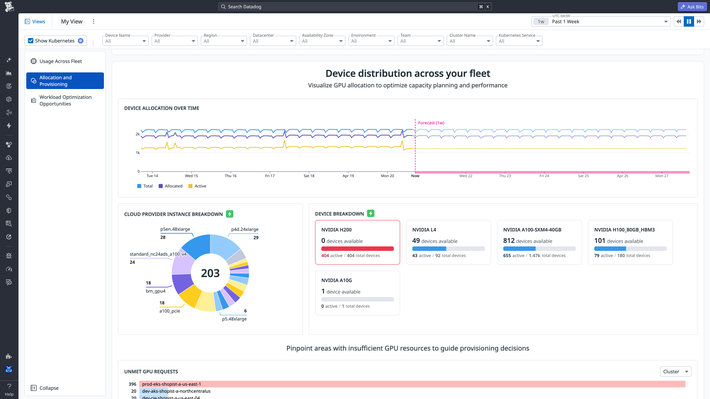
Scale up AI workloads with data-driven provisioning guidance

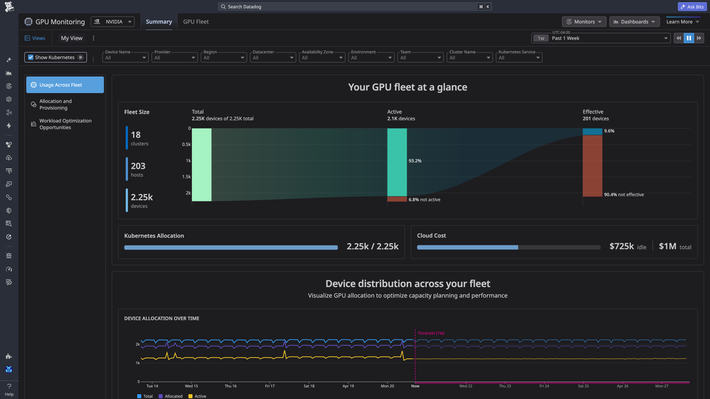
  • Understand your entire fleet’s size and spend across hyperscalers, on-prem, and neocloud providers in a unified view, just by toggling a single configuration flag in the Datadog Agent.
  • Track organizational GPU usage broken down by project, service or any tag of your choosing to allocate GPUs more fairly across your organization.
  • Distinguish real capacity shortages from idle or ineffectively used GPUs so platform teams avoid unnecessary purchases and ML teams get GPUs without waiting.
  • Forecast GPU demand to avoid long procurement cycles and get more predictable spending.
  • Maximize the ROI from your existing capacity with guided optimization actions like reclaiming GPUs tied up by zombie processes.
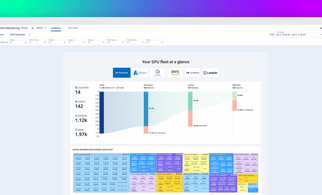
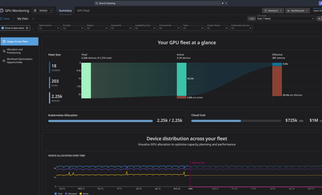
GPU fleet overview showing size, usage, and cost metrics

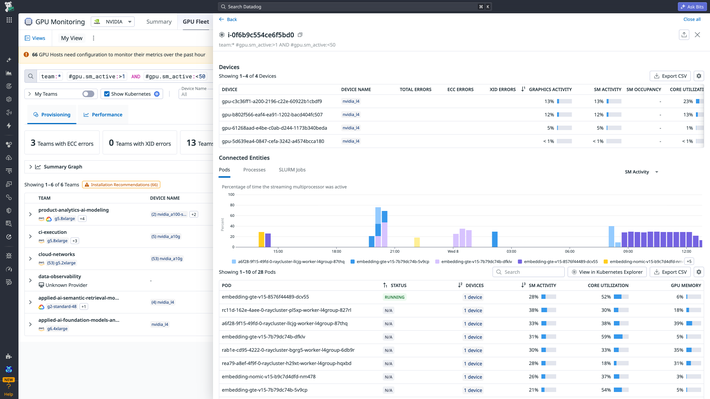
Increase AI throughput and resolve slowdowns faster

  • Troubleshoot stalled workloads with shared context for both platform and ML teams instead of piecing together fragmented signals from siloed tools.
  • Pinpoint why workloads are slowing down by pods stuck in initialization or hardware health issues.
  • Proactively detect resource contention with alerts on workloads or clusters with unmet GPU requests.
  • Surface teams that are overreserving and underutilizing GPUs so the right workloads can get the appropriate capacity to deliver more business value.
GPU workload performance investigation view

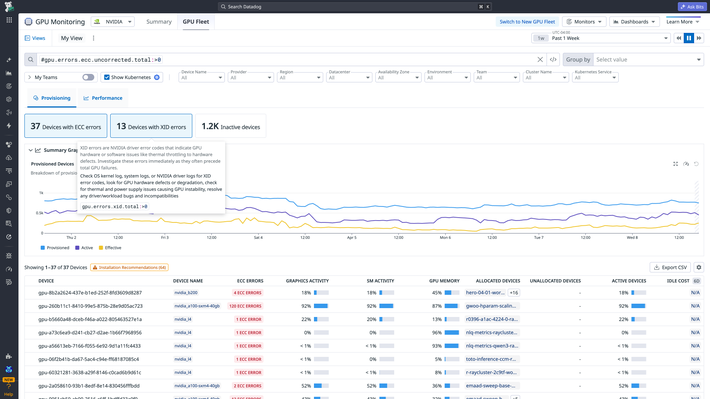
Prevent hardware issues from disrupting AI delivery

  • Connect hardware health like the heat, power, and hardware errors with workload context, to minimize the impact of unhealthy GPUs on your workloads.
  • Isolate unhealthy GPUs experiencing thermal throttling before failures cascade throughout the cluster with built-in alerts.
  • Detect and remediate ECC/XID errors proactively with built-in alerts and prescriptive next steps, accessible for all users regardless of hardware expertise.
  • Drill into the affected host, GPU, workload, and owner so teams can fix the right issue sooner and protect launch timelines.
GPU hardware health monitoring and error detection

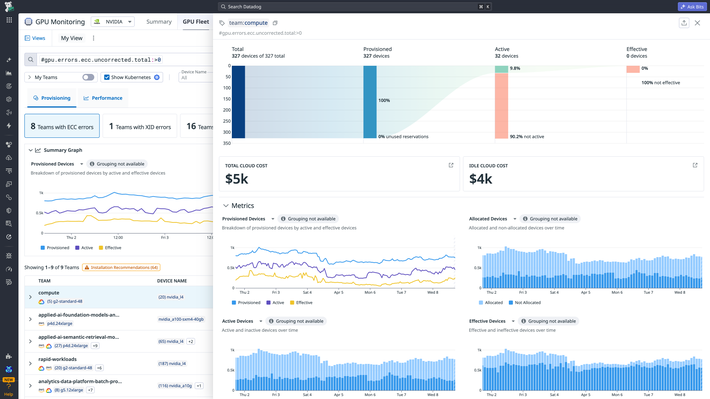
Reduce wasted GPU spend with targeted action

  • Break down total and idle GPU cost by any tag over any timeframe to see exactly where spend is concentrated across workloads, teams, and services.
  • Identify the most wasteful or most inefficient teams and workloads for internal chargebacks.
  • Make cost optimization part of every day operations with this reporting; empowering your teams to be accountable for their GPU usage and spend.
  • Reclaim, reassign, or right-size capacity with out-of-the-box optimization guidance tied directly to the owners behind wasted GPUs.
GPU cost breakdown by team and workload

What's Next

Get started today with a 14-day free-trial of the entire Datadog product suite


詳細はこちら

デモをリクエスト

View documentation