

Michael Yamnitsky
Many of our customers rely on the Amazon Web Services (AWS) Well-Architected Framework as a guide to build safe, secure, and performant applications in the cloud. AWS offers the Well-Architected Tool as a centralized way to track and trend adherence to Well-Architected best practices. It allows users to define workloads and answer a set of questions to ensure that they are developing secure, reliable, efficient, and cost-optimized cloud architectures.
Earlier today, AWS announced a new set of APIs for partners to enhance the Well-Architected Tool experience for customers. We are proud to partner with AWS for this launch, allowing you to easily integrate the AWS Well-Architected Tool with Datadog Cloud Security Misconfigurations and streamline your architectural reviews.
Implement Well-Architected best practices with Datadog Cloud Security Misconfigurations
Datadog Cloud Security Misconfigurations ships with 200+ out-of-the-box rules that help you check for misconfigurations in your services that could leave your organization vulnerable to attacks.
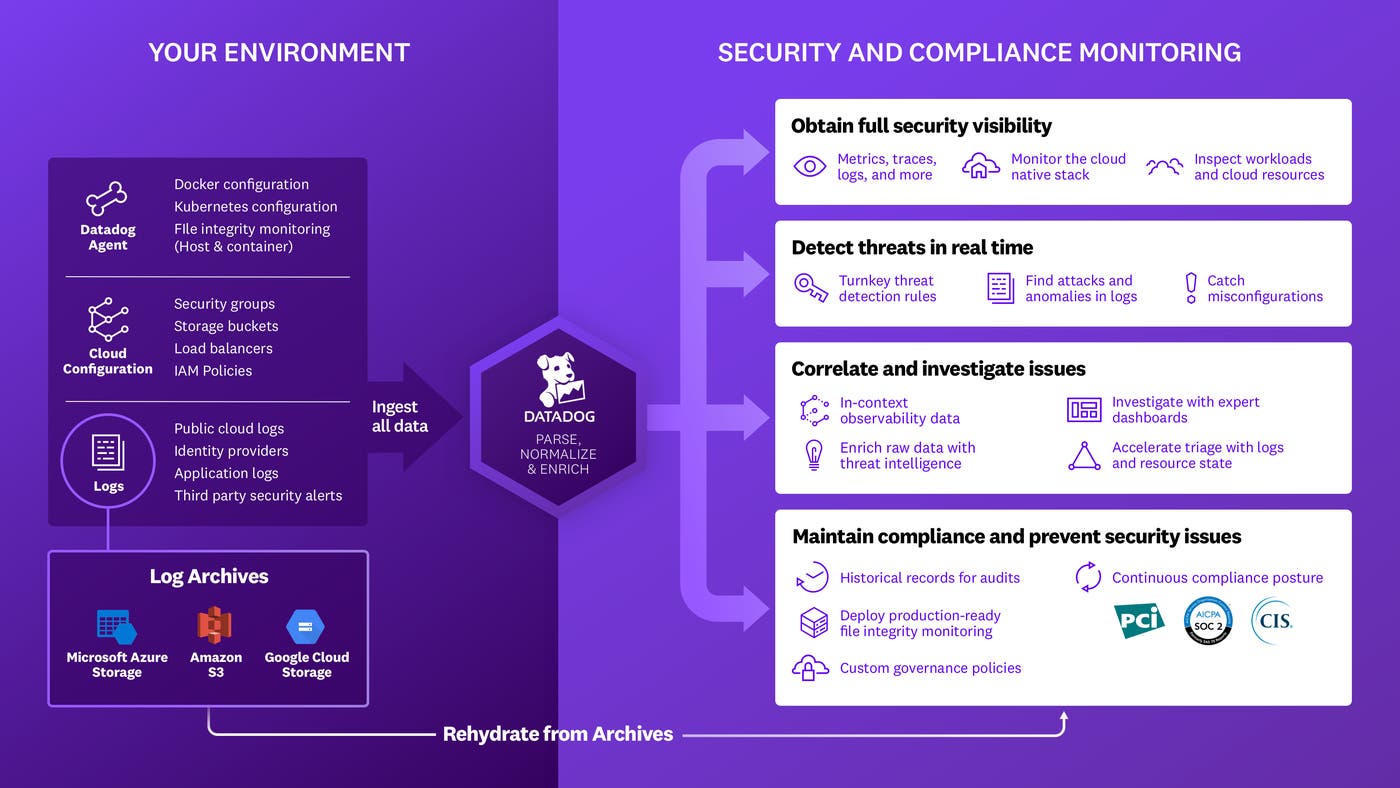
Our integration allows users to query Datadog for compliance findings (i.e., rule violations on specific workloads) using a scripting tool. The script takes all workloads defined in the Well-Architected Tool and queries Datadog for misconfigurations in the underlying infrastructure. It then maps these findings back to Well-Architected best practices and populates the query results in the “Notes” section of the Well-Architected Tool.
This allows you to immediately validate adherence to many best practices within the Well-Architected security pillar—including recommendations for managing identities and permissions for people and machines, detecting and investigating security events, and protecting networks, compute resources, and data at rest.
As shown in the example below, if you select the “Audit and rotate keys periodically” recommendation within the “Identity & Access Management” section of the Well-Architected security pillar, Datadog will return the compliance findings for the default rule, “Ensure access keys are rotated every 90 days or less.” This rule is defined by the Center for Internet Security as part of the CIS AWS Foundations Benchmark. Ninety days is widely considered to be a healthy credential rotation period.
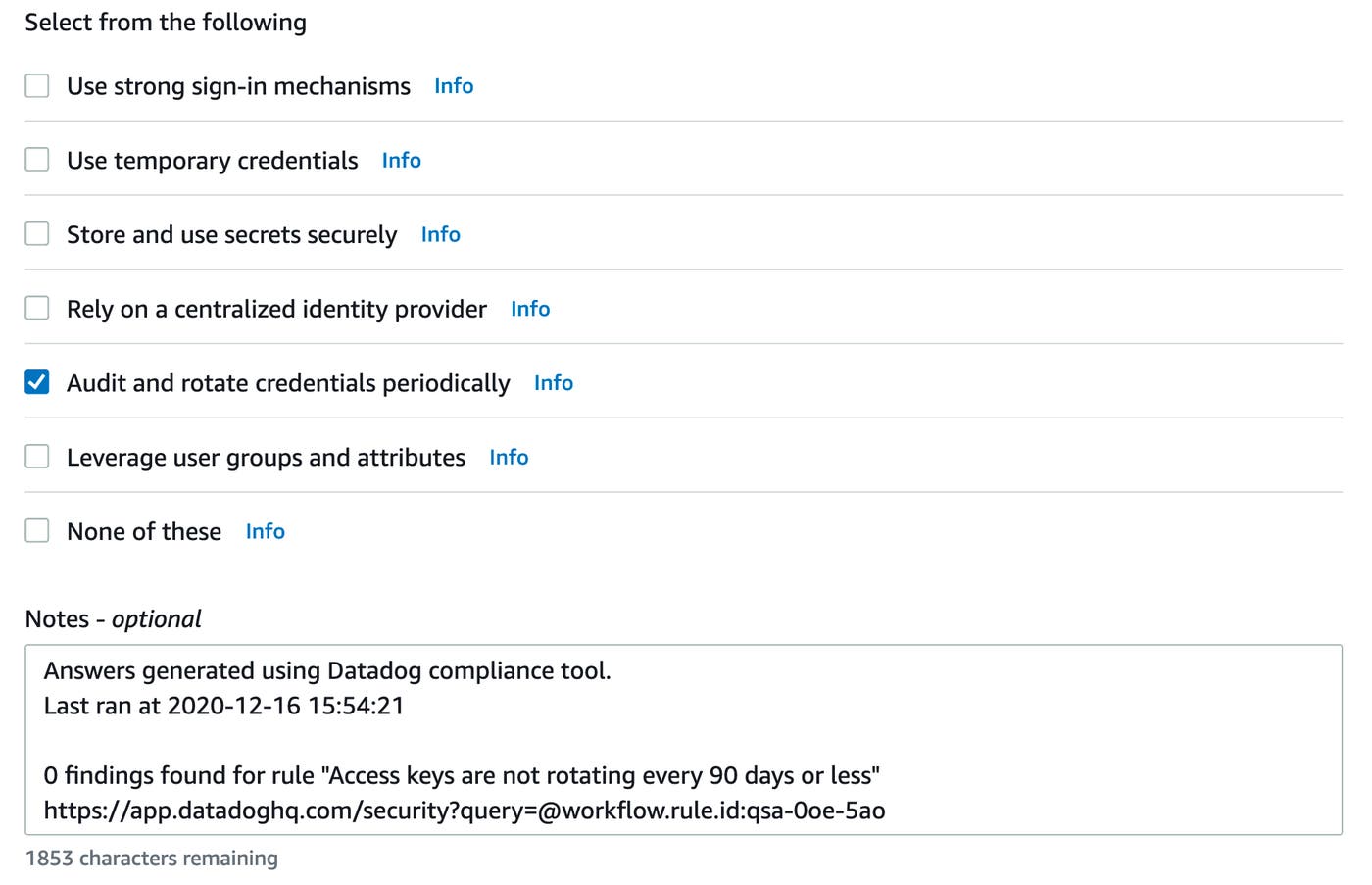
In this example, no findings were found. If you have any findings to address, you can use the link to quickly investigate them in Datadog and trigger a remediation workflow.
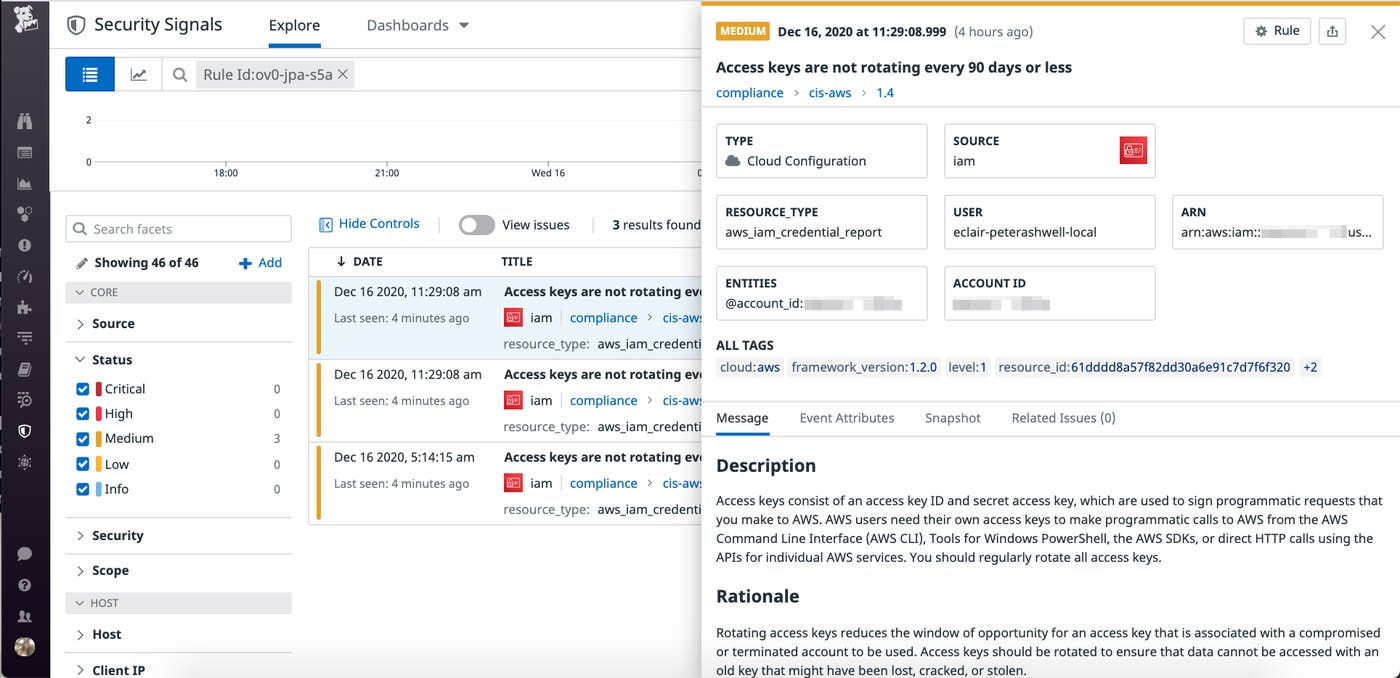
How to set up the integration
Below is a step-by-step walkthrough of how to set up this integration.
Prerequisites
Before using the tool, make sure you’ve configured your AWS credentials.
You’ll also need your Datadog API and application keys.
Python version 3.6+ is supported.
Quick-start guide
Execute these commands in your virtual environment:
$ pip install -r requirements.txt$ DD_CLIENT_API_KEY="YOUR API KEY"$ DD_CLIENT_APP_KEY="YOUR APPLICATION KEY"$ python3 dd-wellarchitected.pyGet started
In this post, we have shown how to use this integration to improve your compliance posture and speed up the Well-Architected review process using Datadog Cloud Security Misconfigurations and the AWS Well-Architected Tool. Datadog is also highlighted in the AWS Well-Architected Management and Governance Lens, which provides prescriptive guidance on key concepts and best practices for optimizing management and governance across AWS environments. This includes recommended combinations of AWS services and integrations with AWS Partner solutions.
Datadog Cloud Security Misconfigurations expands the scope of your security operations and makes it easy to keep up with a rapidly evolving compliance landscape. If you already use Datadog, you can self-enroll in-app or request a trial from your CSM. Otherwise, get started with a 14-day free trial.
